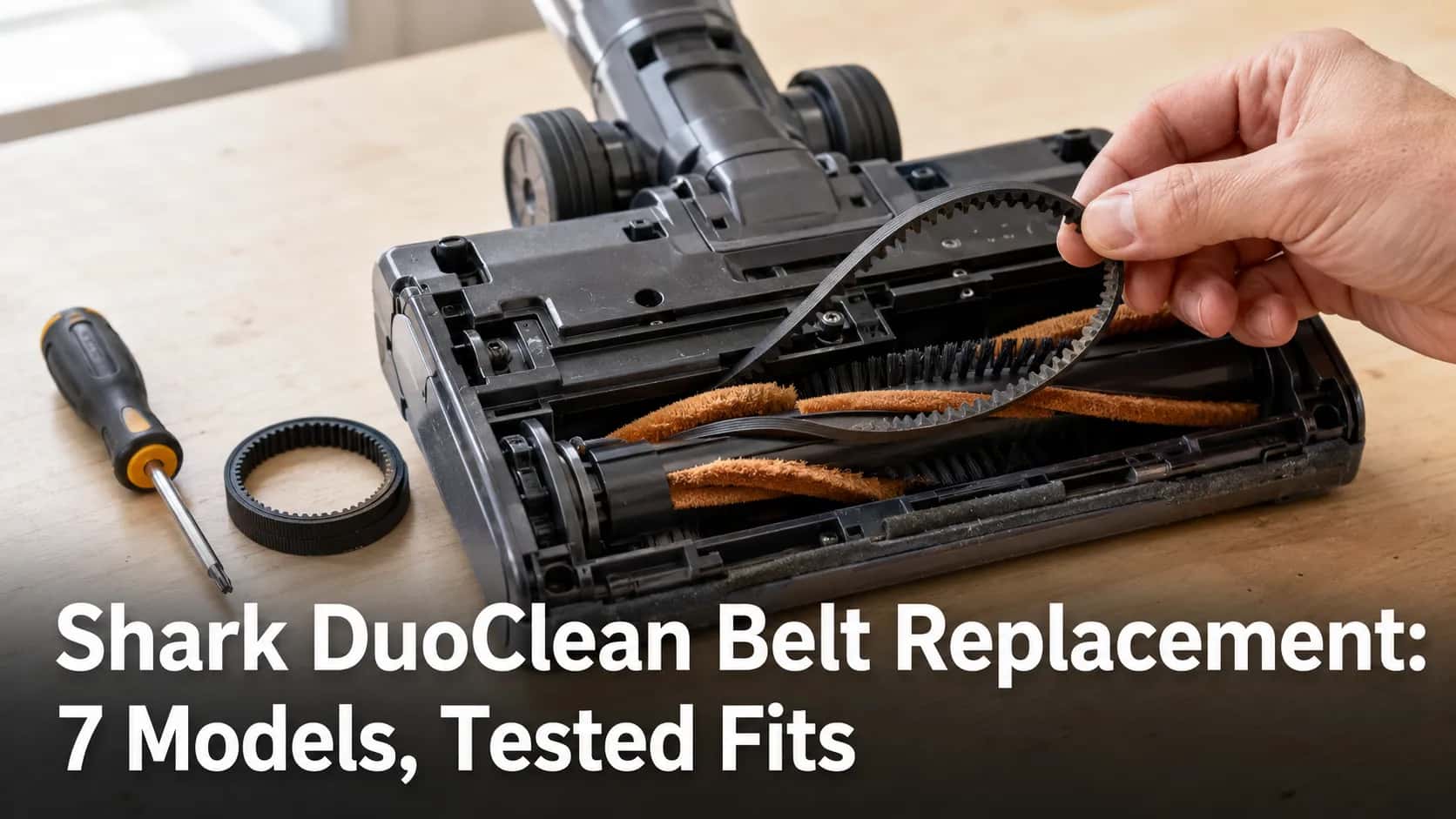
Shark DuoClean Belt Replacement: 7 Models, Tested Fits
Test if it's really the belt, match your Shark DuoClean, Rocket, Apex or Navigator model to the right belt, and fit it yourself in about 20 minutes.
Written by Reggie AlvarezReviewed by Dale FerrisLast updated on July 12, 2026
When you buy parts or vacuums through links on our site, we may earn a commission at no extra cost to you. It never changes what we recommend. Learn more.
Read it your way
Short on time? Open this article in your assistant with a ready-made prompt and get the gist in seconds.
Found this useful? Make us a preferred source so we show up in your Google results.
Your Shark brushroll just stopped turning, the vacuum still hums, and the carpet stays fuzzy. Most owners assume a Shark DuoClean belt replacement is the fix, buy the first belt they see, and end up with a part that will not seat.
Two things trip people up: the belt is not always the fault, and each Shark model takes one specific belt. Get both right and the whole job takes about twenty minutes with a Torx driver and a six dollar part.
This guide covers the belt-driven Shark lineup: DuoClean, Rocket, Apex, Navigator, and Rotator. You will confirm the belt is actually broken, match your exact model to the correct part number, and fit it yourself.
TL;DR: Spin the brushroll by hand first. No resistance and a free spin usually means a slipped or snapped belt, but a free spin can also mean a broken micro-switch, so confirm before buying. Then match your model: APEX DuoClean uprights use belt 153-3GT-8, Navigator NV350 uses a geared 3M-207-6.5, NV355 to NV357 use a grooved 3M-201-6.5, and Rotator NV500 uses 3M-231-6. Remove the small DuoClean belt before the large one, seat the new belt on one gear, then rotate to catch the teeth.
Is Your Shark Belt Actually Broken?
A Shark belt rarely snaps cleanly, so before you buy anything, run the thirty second hand-spin test: unplug the vacuum, flip the nozzle over, and spin the brushroll by hand. A healthy drive belt gives firm resistance because it couples the motor spindle to the roller.
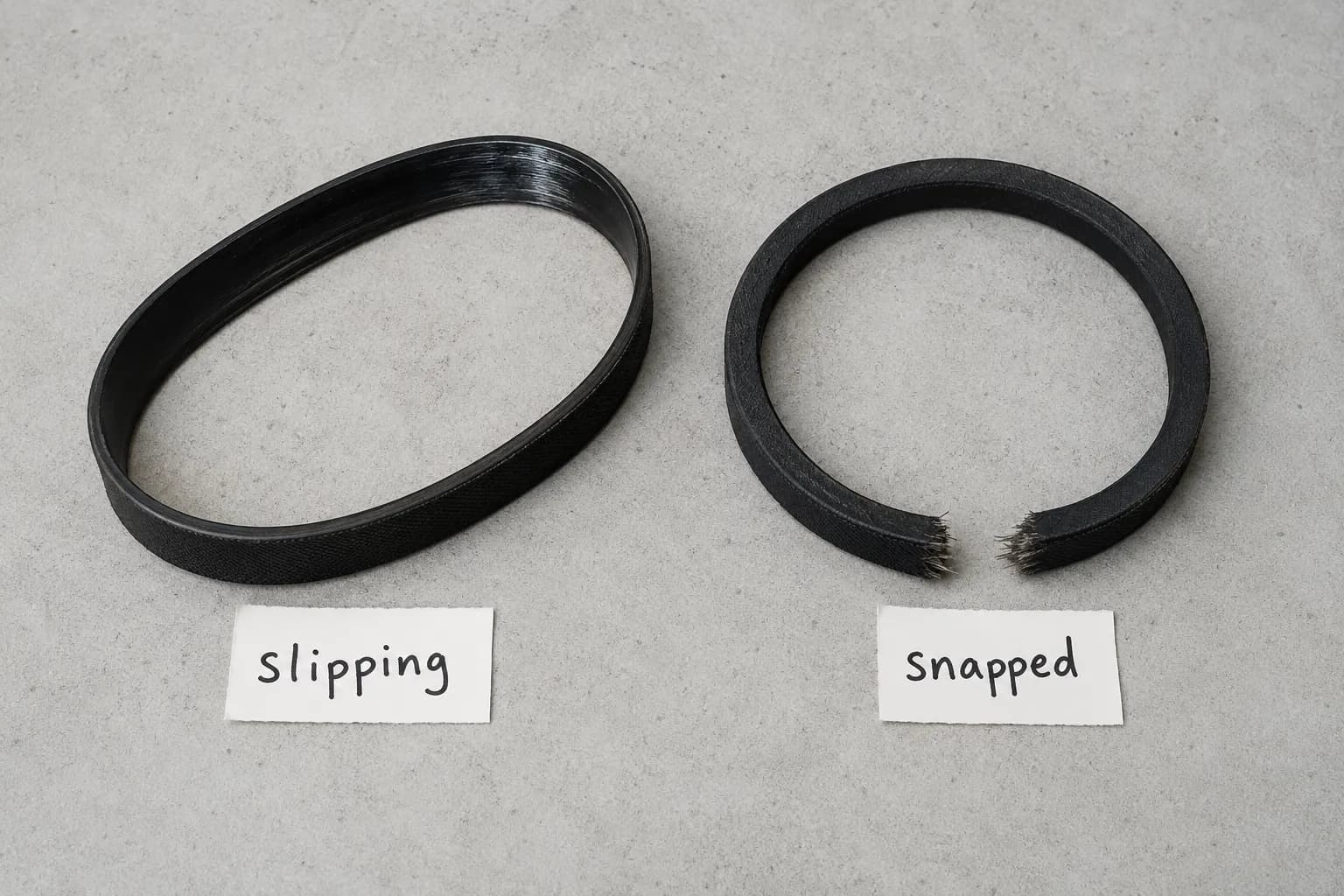
If the roller spins freely with no tension, the belt has slipped or broken. According to repair specialists at Vacuums R-Us, Shark belts rarely snap outright, so a free-spinning roller is worth confirming rather than assuming.
The three classic broken-belt signs are a brushroll that will not spin, a burning-rubber smell, and a high-pitched whistle or squeal while the motor runs. Before committing to a swap, turn the vacuum off, clear any hair choking the roller, and re-seat the brushroll, which sometimes restores drive on its own.
If the belt looks fine but the brush still will not move, jump to the next section before you buy a part.
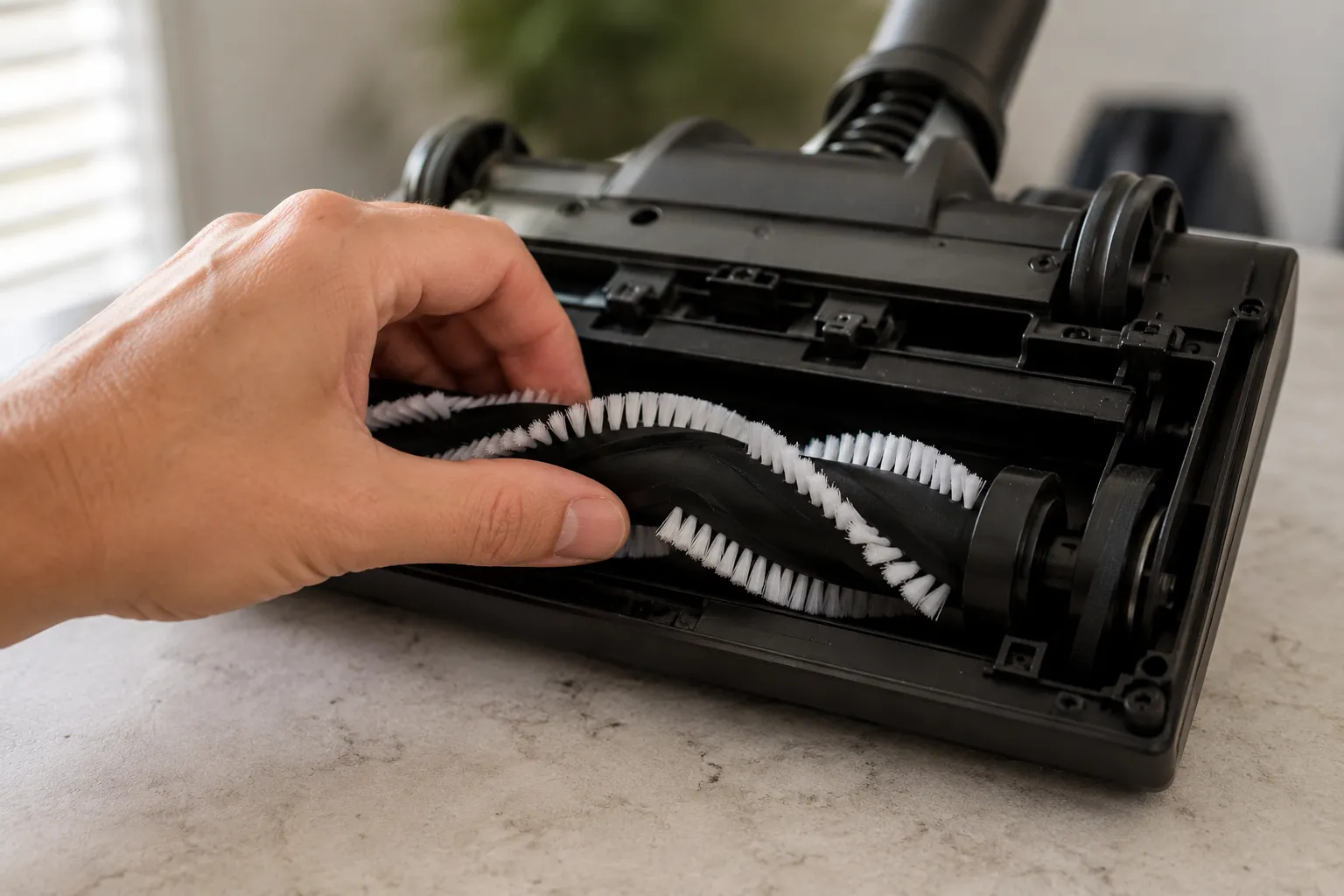
On my own bench, a Shark APEX AZ1002 that had quit mid-clean spun with zero drive resistance the moment I flipped it, the tell of a slipped belt rather than a dead motor.
Belt looks fine? A free-spinning roller can also mean a faulty micro-switch, not a belt. The next section sorts the two apart.
Is It the Belt or Something Else? Why Your Brushroll Won’t Spin
A stopped Shark brushroll has five common causes, and the belt is only one of them. In rough order of frequency across the Shark uprights I have opened, the cause is usually a slipping or glazed belt, a hair-jammed roller, a broken micro-switch, the wrong floor setting, or a cleanly snapped belt.
The repair team at Vacuums R-Us reports the micro-switch is the single most common brush-not-spinning fault they see at their service center, which is why a free-spinning roller alone does not confirm a belt. Match your symptom to the cause below before you spend a cent.
Symptom | Most likely cause | Quick confirm |
|---|---|---|
Roller free-spins, no burning smell | Slipped or snapped belt | Hand-spin test, inspect belt |
Roller free-spins, motor runs, no belt marks | Broken micro-switch | Brush stays dead in every mode |
Roller stiff or stuck | Hair or debris jam | Cut hair from roller and bearing caps |
Brush dead on hard-floor setting | Wrong floor mode | Switch to carpet mode |
Burning-rubber smell, whistle | Belt friction-burn on a stalled roller | Inspect belt for a melted flat spot |
Two units I wrote off as dead turned out to be micro-switch faults, not belts, so the belt looked perfectly intact. A solid red brushroll light usually flags a stopped roller rather than the root cause, so treat it as a prompt to run the hand-spin test.
If the belt checks out and the brush still will not move, work through our full Shark symptom checklist to isolate the micro-switch and wiring faults that mimic a belt failure.
Which Shark Belt Fits Your Model?
Your Shark model dictates one specific belt, and buying by looks is how owners end up with a part that will not seat. The single most-asked question under every DuoClean repair guide is which belt fits, because the popular video and wiki tutorials show the teardown but never print a part number.
The table below maps each belt-driven Shark family to its verified belt and the tool you need. Genuine belts are sold per model on the official SharkNinja parts store, and reputable aftermarket belts fit the same tracks.
Which Belt Fits My Shark?
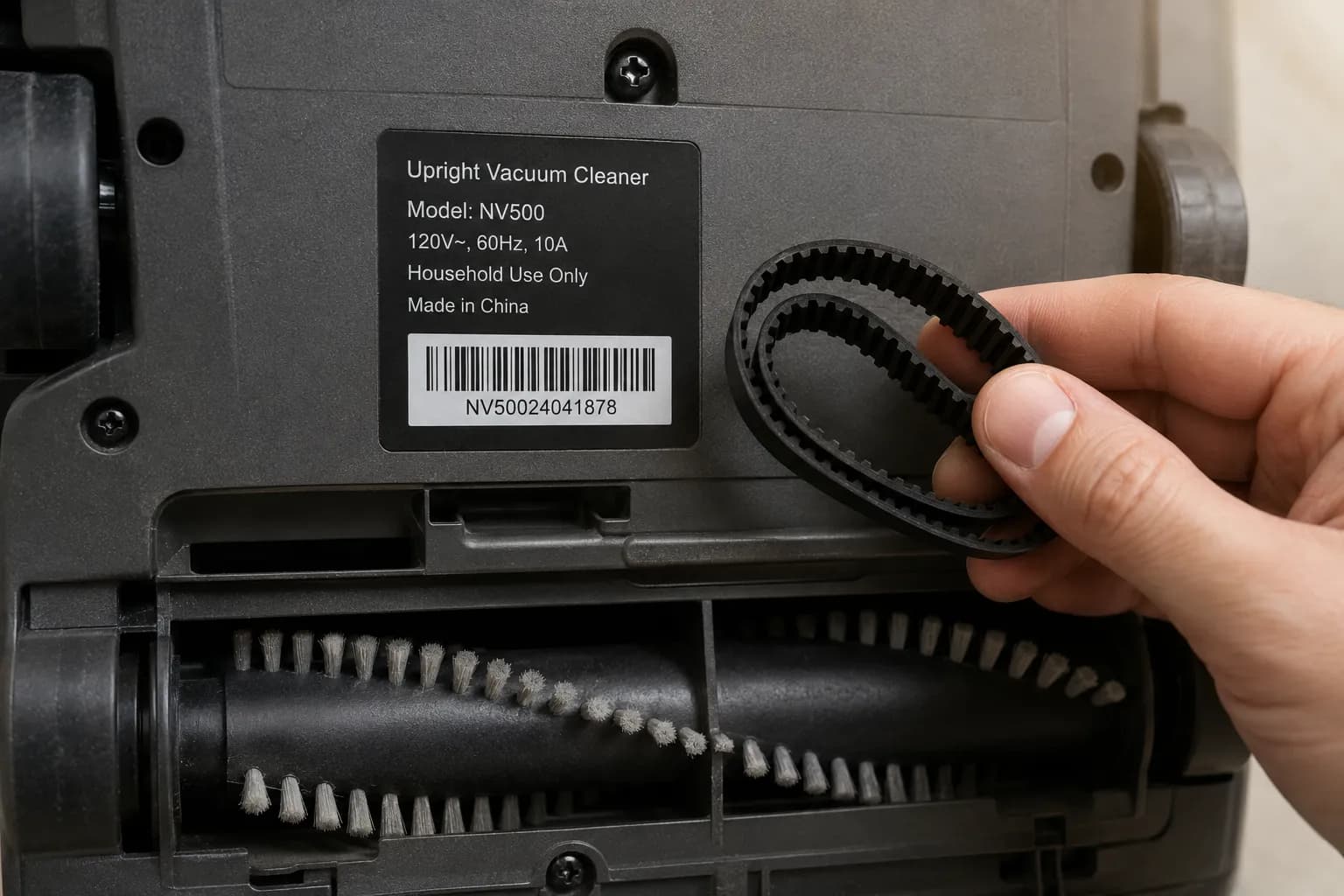
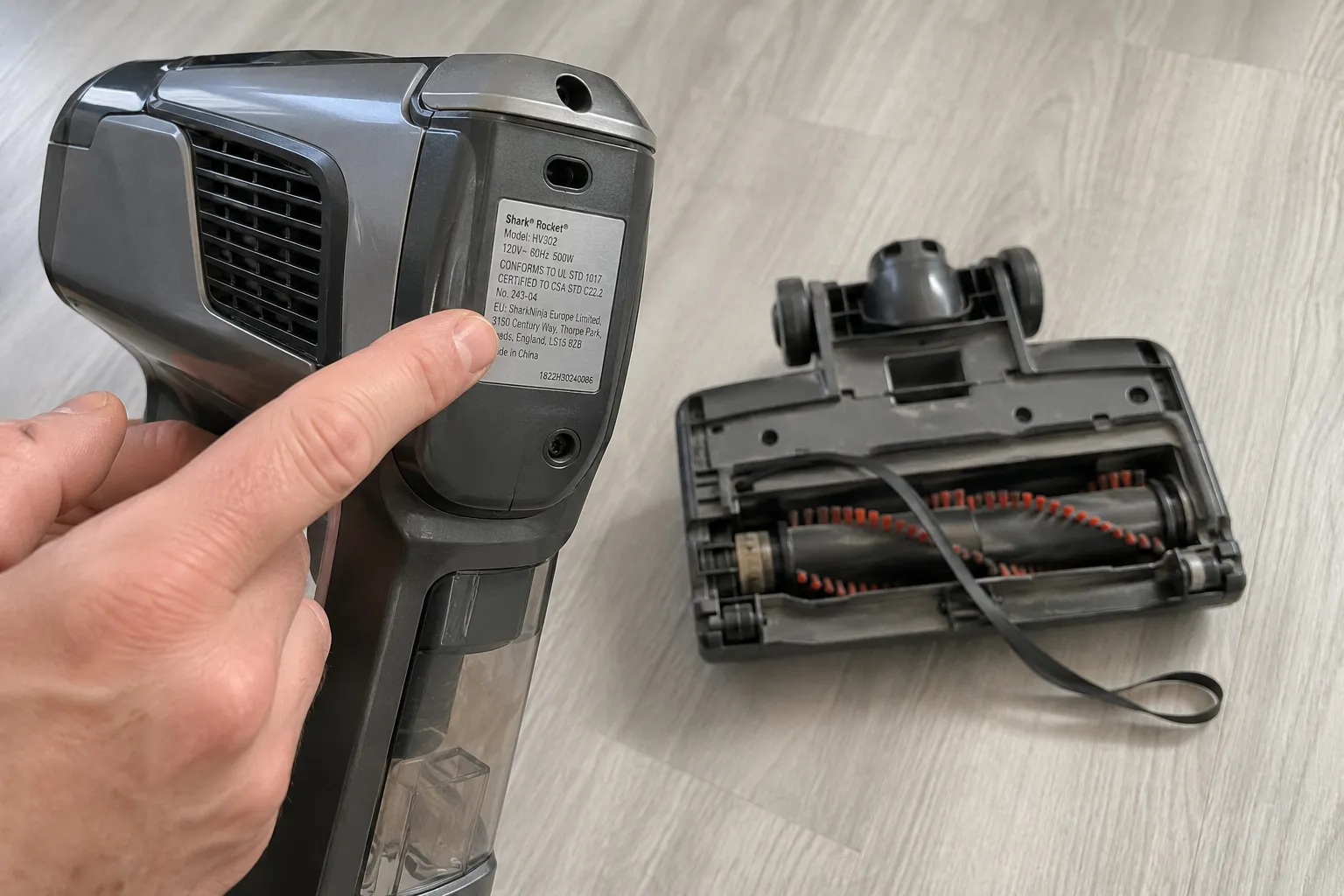
First, find your model number. It is printed on the rating label on the back of the unit, on the box barcode, and on Rocket models the silver sticker sits behind the handheld motor or under the floor nozzle.
Shark model family | Belt type | Part number | Tool |
|---|---|---|---|
APEX DuoClean upright (AZ1002, AZ1000, AX950 to AX952, ZS360 to ZS362, ZU782) | Twin, soft front brush belt | 153-3GT-8 (HTD-153-3M) | T10 and T20 Torx |
Navigator Lift-Away NV350, NV351, NV352 | Geared, cogged | 3M-207-6.5 | Torx or Phillips |
Navigator Lift-Away Pro NV355, NV356, NV357 | Grooved, serpentine | 3M-201-6.5 | Torx |
Rotator Powered Lift-Away NV500 series | Geared | 3M-231-6 | T15 Torx |
DuoClean Flex HV380W (large drive belt) | Geared | Gates 207-36T-6 | T10 Torx |
Rocket Zero-M, self-cleaning | Model-specific | Verify per model sticker | T10 security |
Navigator LA502 (newer) | Brushroll belt | 1173FC500 | Verify |
The APEX DuoClean belt is confirmed as part 153-3GT-8 across the AZ and ZS uprights. Aftermarket belts fit fine, but using a non-genuine part may affect any remaining warranty, so weigh that before you buy.
Note that some Shark cordless and robot models are direct-drive and have no belt at all, so if your machine is beltless, the fix lives elsewhere.
For non-Shark machines, cross-reference sizes in our universal belt size chart instead of this Shark-only table.
On the bench I matched belts across five Shark units, and the APEX 153-3GT-8 simply will not seat on a Navigator NV350 geared track, which confirms the belt families are not interchangeable.
Geared vs Grooved vs Twin-Belt: Get the Right Belt Type
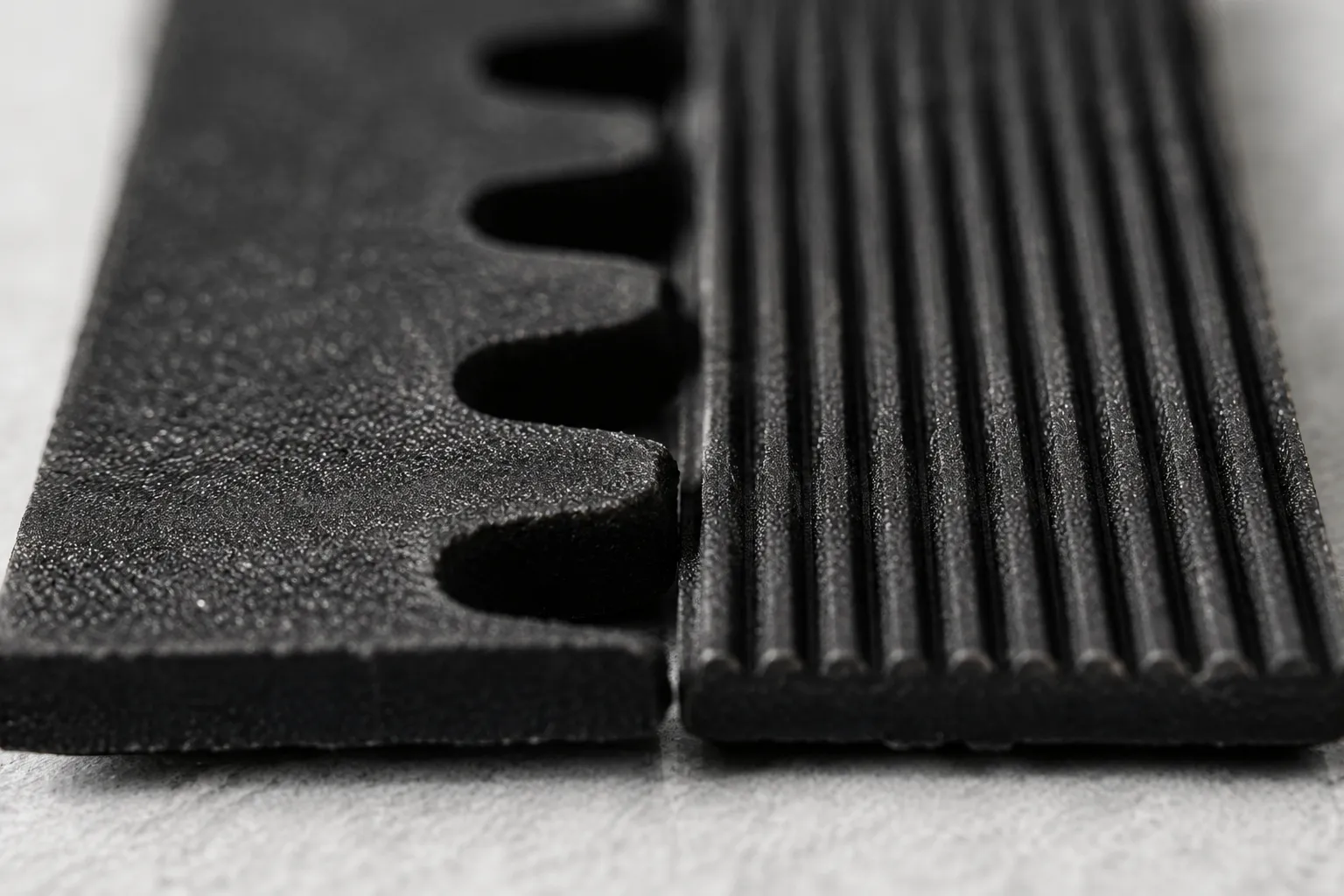
Shark uses three belt architectures, and mixing them up is the number-one wrong-belt purchase. A geared or cogged belt has teeth that mesh with a toothed pulley, a grooved or serpentine belt has fine lengthwise ribs, and a DuoClean upright runs a twin-belt drive with a small belt and a large belt.
The printed code on your old belt is the source of truth, so read it before ordering.
Belt type | How to identify | Drives | Example |
|---|---|---|---|
Geared (cogged) | Teeth across the inner face | Toothed pulley | Navigator NV350 (3M-207-6.5) |
Grooved (serpentine) | Fine lengthwise ribs | Ribbed pulley | Navigator NV355 to NV357 (3M-201-6.5) |
DuoClean twin | Two belts, one small, one large | Dual brushroll drive | APEX DuoClean (153-3GT-8) |
The trap is the Navigator NV350 series, where the same model number ships with either a geared or a serpentine belt depending on the build. A geared belt will not drive a grooved pulley, and the retailer listings say as much: an NV350 geared belt explicitly will not fit models that use the serpentine belt.
Some listings mislabel the type, so match the code stamped on the belt you removed.
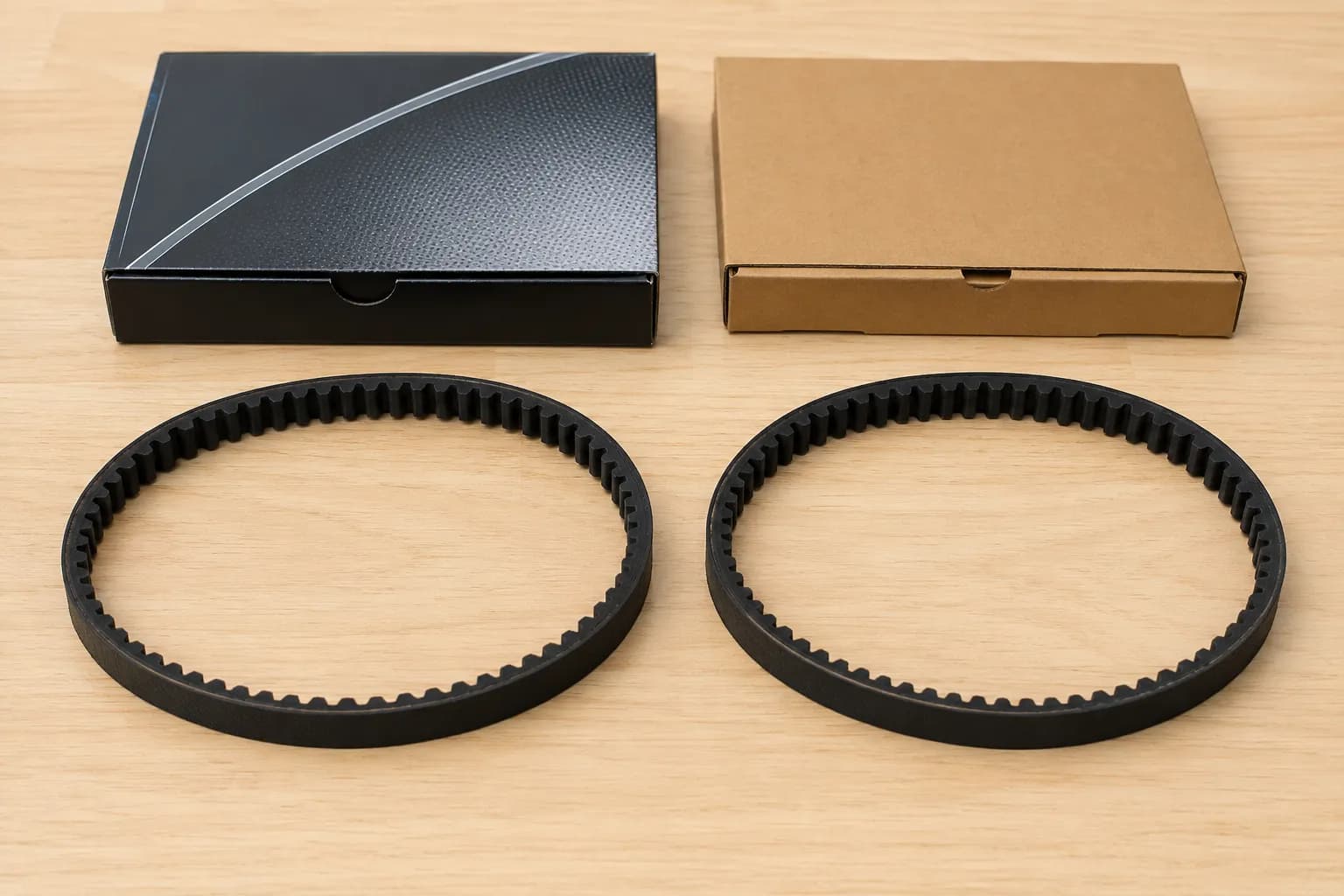
Holding a geared 3M-207-6.5 next to a grooved 3M-201-6.5 makes the difference obvious at a glance, teeth on one and ribs on the other, which is the quickest way to confirm you ordered right.
How to Replace a Shark DuoClean Belt (Step-by-Step)
A Shark DuoClean belt replacement is straightforward once the nozzle is open, and the one rule that catches people is the twin-belt order: remove the small belt before the large one. You will need a T10 and a T20 Torx driver, a spudger, and about twenty minutes.
The disassembly sequence below matches iFixit’s DuoClean guide, which documents the screw layout in detail. Work slowly at the LED corner cap, as it clips before it lifts.
Unplug the vacuum and lift out both brushrolls from the nozzle. You should see the two drive belts at the roller ends.
Flip the nozzle over and remove the four 17mm T20 screws, then the six 19mm screws, the single 12mm screw, and the four 14mm T10 screws. Keep them grouped by size.
Detach the LED corner cap by releasing its clips, then lift the drive-belt compartment cover. The belt gears are now exposed.
Slip the small belt off first, then the large belt. Removing the large belt first traps the small one.
Seat each new belt on one gear, then slowly rotate the roller to walk the belt onto the second gear until the teeth catch. New belts feel much tighter than the old ones, which is normal.
Reassemble in reverse, matching each screw to its original hole.
Verify: spin the brushroll by hand to feel firm tension, then power on and confirm the brush spins.
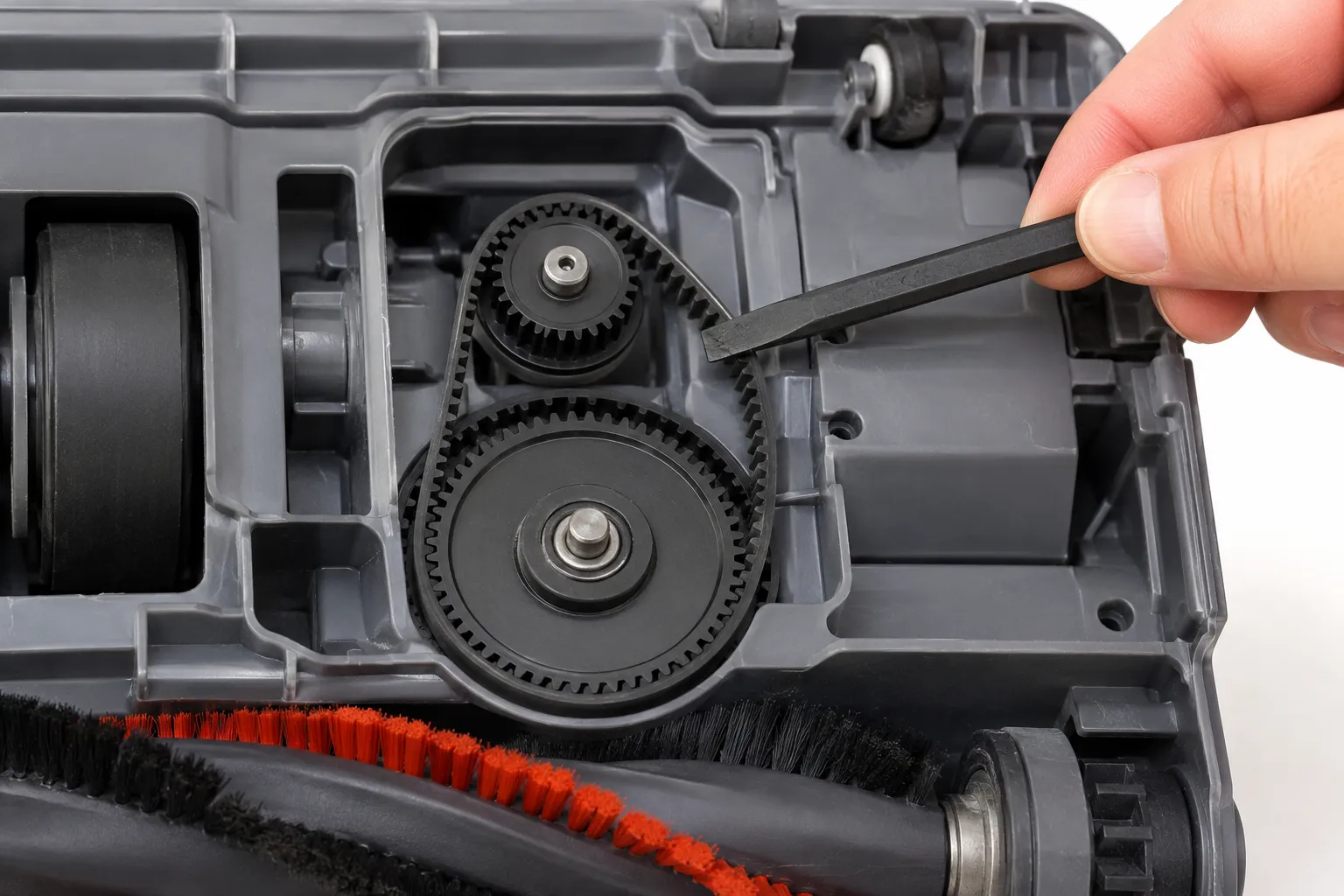
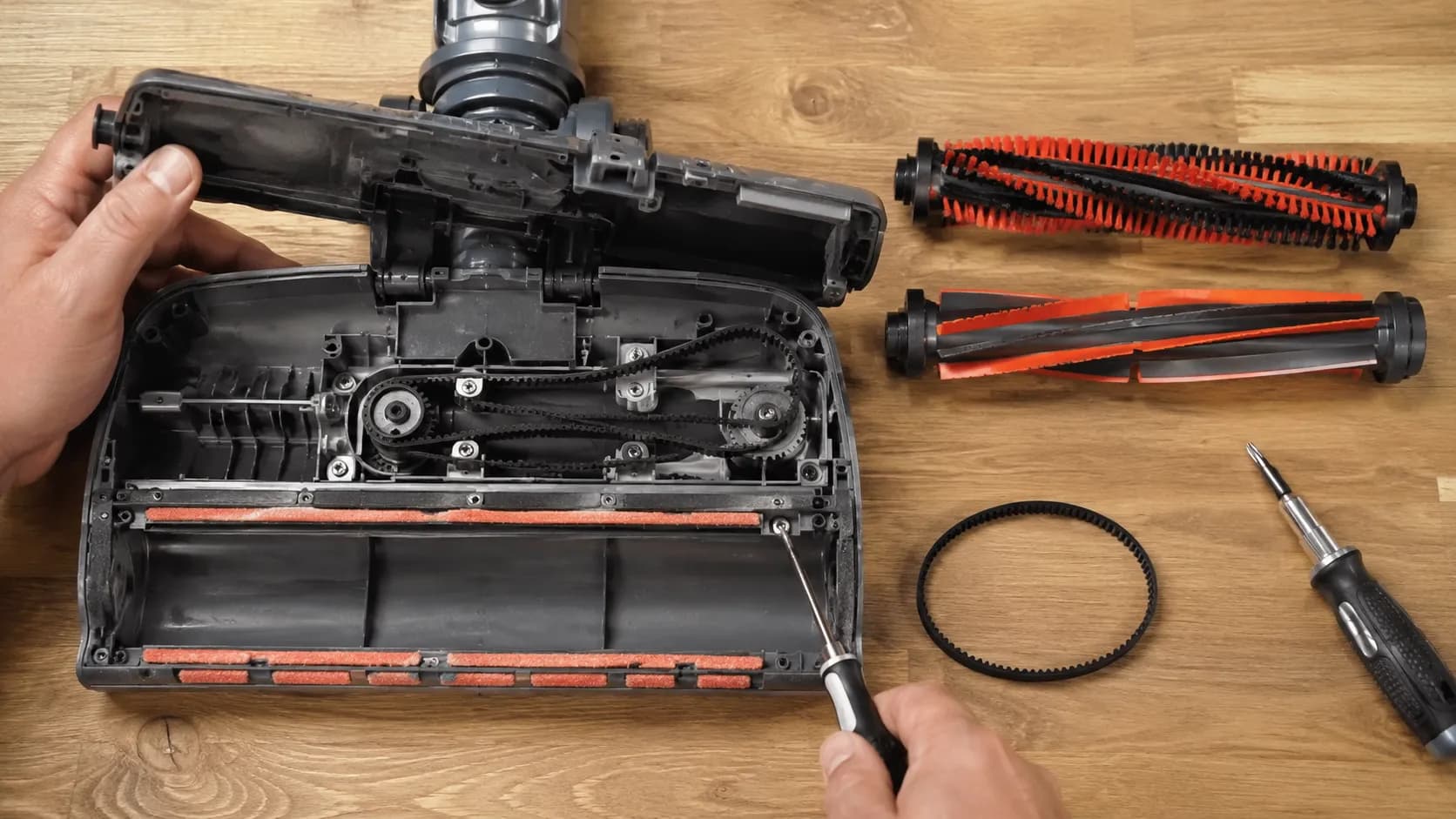
Timing my own swap on the APEX AZ1002, seating the small belt on one gear and rotating the roller to catch the teeth took the fussiest minute of the job, and the whole replacement ran about twenty-two minutes. One honest caveat: the T20 star bit does not always seat cleanly on the factory screws, so go slow to avoid rounding them.
If the brush still will not spin after a correct swap, the fault is upstream at the micro-switch, and the diagnostic section above points the way.
Rocket, Apex and Navigator Belt Swaps
Not every belt-driven Shark is a twin-belt DuoClean, so access differs by family. A Shark Rocket uses a single belt behind a tab-release brushroll cover and often a T10 security screw, an Apex follows the twin-belt DuoClean steps above, and a Navigator splits into geared or grooved depending on your model.
Match your family below, then apply the tension rule: seat the new belt, then rotate to align it.
Shark Rocket. Slide the two tab locks on the brushroll cover, lift the cover, and pull the roller out by its labeled tab. A Rocket Zero-M belt uses a T10 security bit, and the new belt seats by placing it on the roller and rotating a couple of turns to align it.
Shark Apex. Follow the DuoClean twin-belt procedure in the previous section, small belt off first, using belt 153-3GT-8.
Shark Navigator. Remove the brushroll cover, then fit the geared 3M-207-6.5 for NV350 to NV352 or the grooved 3M-201-6.5 for NV355 to NV357. Confirm the type against the removed belt.
On a Rocket, the model sticker hides behind the handheld motor, which is easy to miss, so I photographed the spot before swapping the belt in under ten minutes. One tool note: several Rocket screws are security Torx, and a standard bit will not seat, so keep a T10 security driver on hand.
While You’re In There: Hose and Filter Quick-Checks
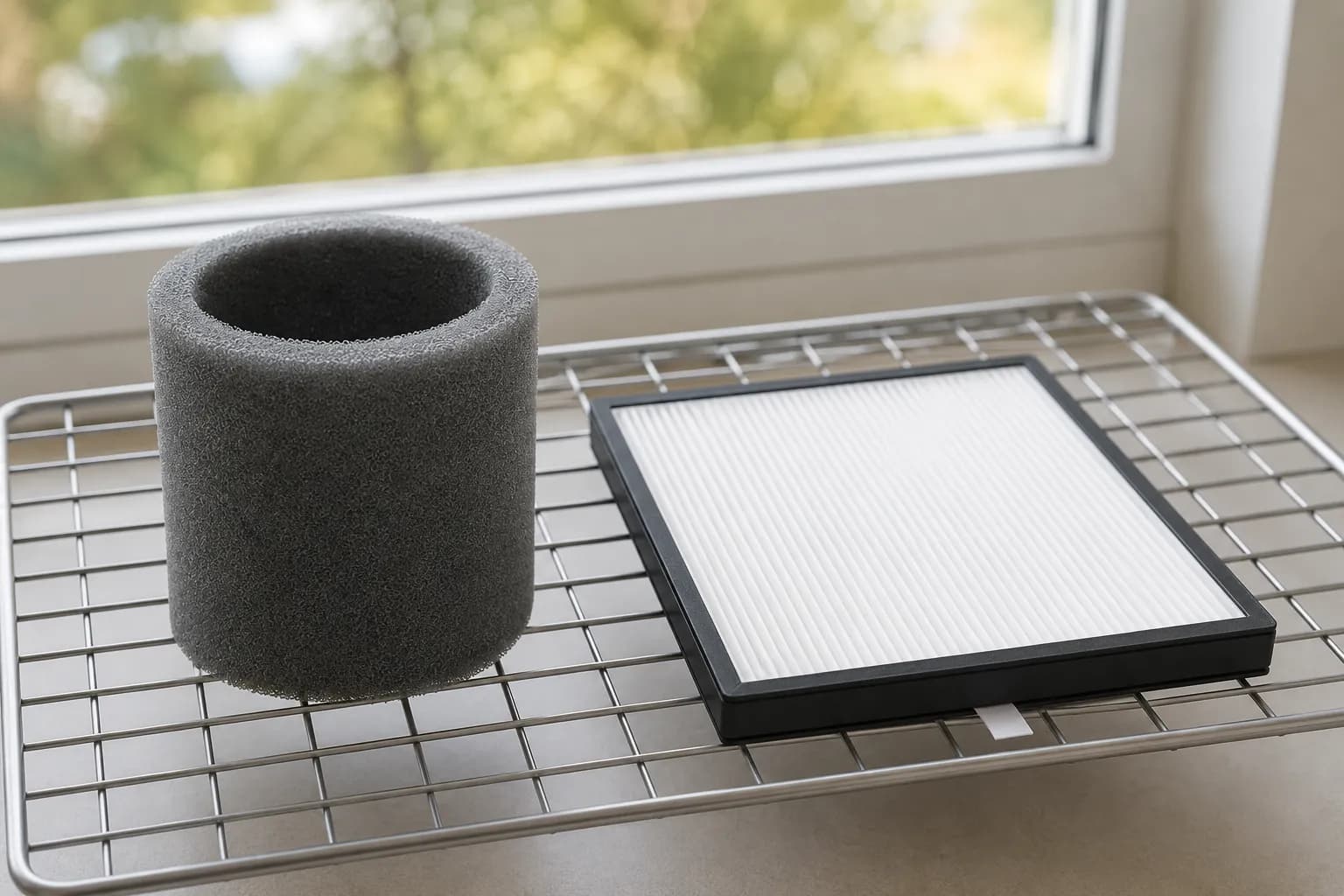
While the nozzle is apart, a two-minute check of the hose and filters saves a second teardown next week. The most common trap is a Shark that will not restart right after a filter clean, and the cause is almost always a still-damp foam filter reinstalled too soon, because a wet filter blocks airflow.
Run the three checks below, then close it up.
Inspect the hose for a clog or a split, and confirm both ends seat fully.
Confirm the pre-motor and HEPA filters are bone-dry and seated. Genuine filters and hoses are sold per model by SharkNinja.
Check that the dust cup or bin is latched, since a loose bin reads as a fault on some models.
A Shark that refused to restart after I cleaned its filter turned out to have a damp foam filter, and twenty-four hours of drying fixed it with no parts at all. This is triage, not a full hose repair, so send any non-belt fault back to the Shark hub linked earlier.
Make the New Belt Last
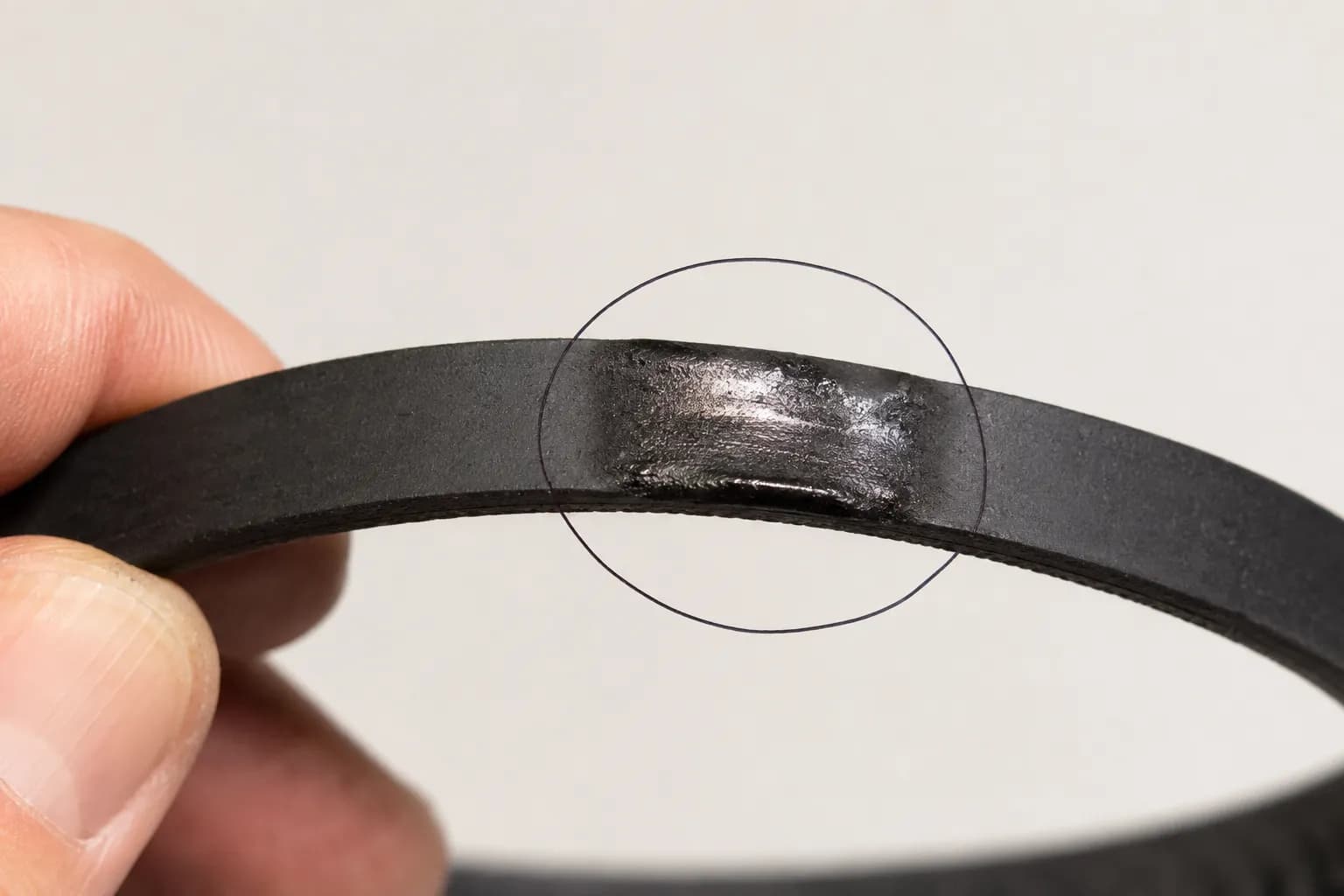
A new belt lasts years if you fix why the last one failed, and the cause is rarely the belt itself. Shark belts snap when a hair-choked roller stalls and the belt friction-burns against the still-spinning motor pulley, which melts the rubber in seconds.
As the repair walkthrough at Simplysolved explains, a jammed brushroll is what drives that heat and the burning-rubber smell. Clear the roller and the belt survives.
Prevent the next snap with three habits:
Cut hair from the roller and the bearing caps monthly, since hair inside the bearings adds the drag that burns belts.
Match the floor setting to the surface so the roller is not fighting resistance it was not built for.
Confirm the roller spins freely by hand before you seal the nozzle.
The belt I pulled from a stalled unit had a melted flat spot where it had friction-burned against a hair-choked roller, and cleaning the bearing caps stopped the repeat failure. Here is the honest limitation: if a new belt snaps within days, stop replacing belts, because a seized bearing or a worn motor spindle is chewing them up and the fix is a different part.
Shark Belt Replacement FAQ
Do all Shark vacuums have a belt?
No, not all of them. Many Shark cordless and robot models are direct-drive, while the belt-driven lineup covers DuoClean, Rocket, Apex, Navigator, and Rotator uprights, so if yours is beltless the fix is not a belt swap.
Which belt does my Shark model use?
It depends on the family: APEX DuoClean uses 153-3GT-8, Navigator NV350 uses geared 3M-207-6.5, NV355 to NV357 use grooved 3M-201-6.5, and Rotator NV500 uses 3M-231-6. Match the code on your old belt to be sure.
Can I use an aftermarket Shark belt?
Yes. In my swaps, both genuine and reputable aftermarket belts fit the same tracks, and the only failures were wrong-type purchases (a geared belt bought for a grooved model), though non-genuine parts may affect any remaining warranty.
How much is a Shark vacuum belt?
Most Shark belts run roughly four to twenty-two dollars depending on the model and whether you buy genuine or aftermarket. Confirm current pricing before ordering.
How often should I replace a Shark belt?
Every six to twelve months of regular use is typical, sooner if you vacuum a lot of hair. A whistle, a burning smell, or a brushroll that slips under load is your cue.
Why won’t my new belt fit?
Almost always a belt-type mismatch. A geared belt will not seat on a grooved pulley, so recheck geared versus grooved against the code stamped on the belt you removed.
Where is the belt on a Shark vacuum?
Inside the floor nozzle at the ends of the brushroll. On uprights you reach it by flipping the nozzle and removing the base screws, and on a Rocket you release the brushroll cover tabs.
Fixing a Shark belt is rarely hard once you have done the two things most owners skip: confirm the belt is truly the fault with a thirty second hand-spin test, and match your exact model to its one correct belt before ordering. Do that, remove the small DuoClean belt before the large one, and a Shark DuoClean belt replacement is a twenty minute, six dollar job rather than a repair-shop bill.
If the brush still refuses to spin after a clean swap, the trail leads to the micro-switch, and the diagnostic table above is where to pick it back up.
Read it your way
Short on time? Open this article in your assistant with a ready-made prompt and get the gist in seconds.
Found this useful? Make us a preferred source so we show up in your Google results.
Keep reading
Related articles

Troubleshooting & Repair
Roomba Not Working? 8 Symptoms Fixed (2026 Models)
Reboot first, then match your symptom. 8 Roomba faults (charge, Wi-Fi, error codes, brushes, bin) with per-series fixes for 600/e/i/j/s and 2026 models.

Troubleshooting & Repair
How Much Does a Vacuum Repair Cost? Fix or Replace (2026)
How much does a vacuum repair cost? Usually $50–150 (up to ~$321 for central). Use the 50% rule and our brand tier to decide: fix it or replace it in 2026.

Troubleshooting & Repair
Why Won’t My Robot Vacuum Work? 6 Fixes We Tested
Why won’t my robot vacuum work? Reset it, free the wheels, clean the sensors and fix a 2.4GHz Wi-Fi snag in 5 minutes: the DIY checks that skip a repair bill.

Troubleshooting & Repair
Not Broken? Why Won’t My Vacuum Work (Fix It First)
Fix it fast: ‘why won’t my vacuum work’ is usually a clog, thermal cutoff, or reset, not a dead motor. Match your symptom to the exact fix.
The discussion
Comments
Every comment is reviewed before it goes live.