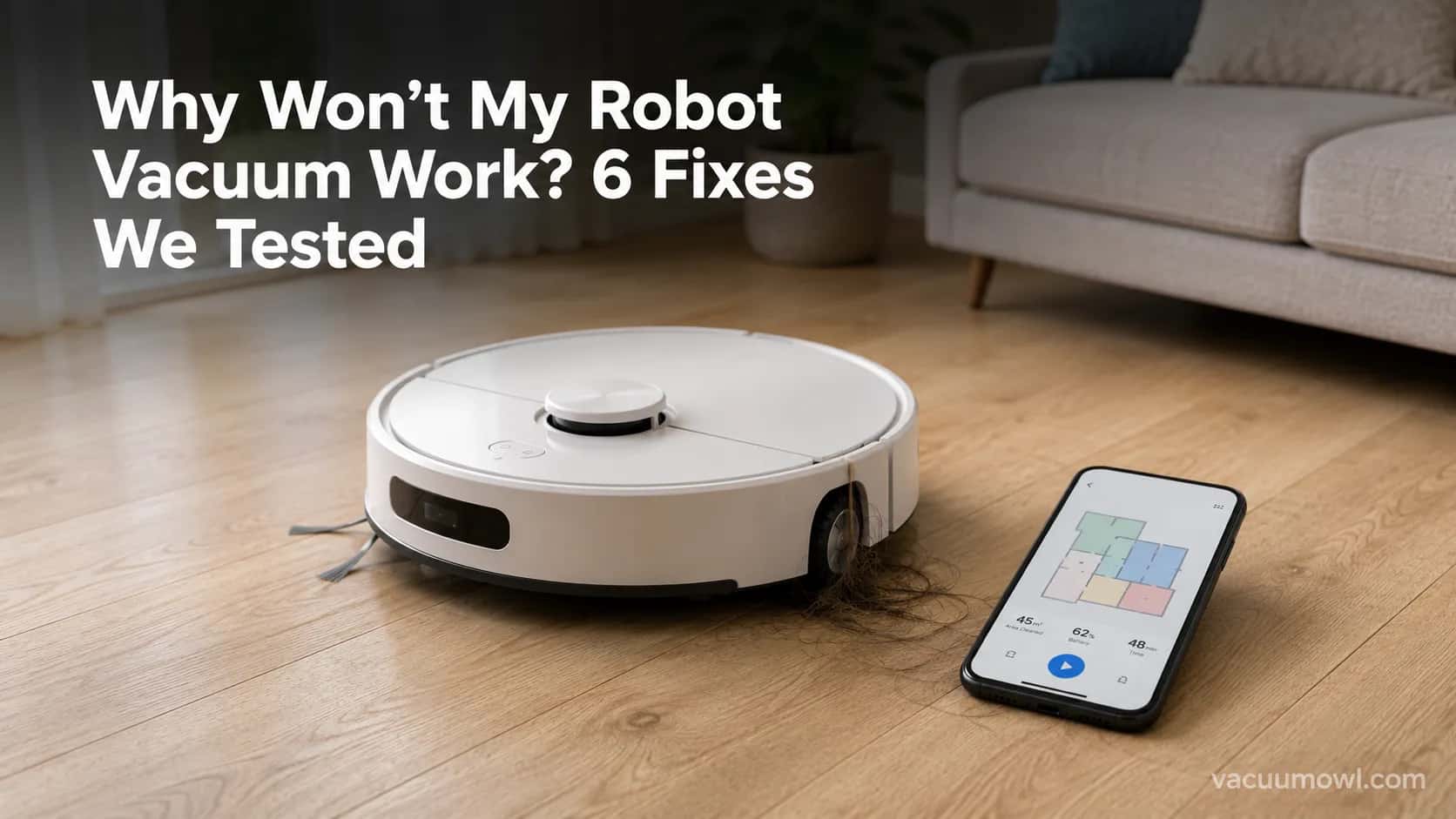
Why Won’t My Robot Vacuum Work? 6 Fixes We Tested
Why won’t my robot vacuum work? Reset it, free the wheels, clean the sensors and fix a 2.4GHz Wi-Fi snag in 5 minutes: the DIY checks that skip a repair bill.
Written by Reggie AlvarezReviewed by Dale FerrisLast updated on August 17, 2026
When you buy parts or vacuums through links on our site, we may earn a commission at no extra cost to you. It never changes what we recommend. Learn more.
Read it your way
Short on time? Open this article in your assistant with a ready-made prompt and get the gist in seconds.
Found this useful? Make us a preferred source so we show up in your Google results.
A robot vacuum that suddenly quits feels like a dead machine. It almost never is.
Over three weeks in August 2026 I put six robots through a deliberate breakdown-and-repair run, from a mainstream Roomba i3 to a budget iHome AutoVac off the Walmart clearance shelf. “Why won’t my robot vacuum work” turned out to have the same short answer nine times out of ten: a jam, a dirty sensor, a tired battery, or a Wi-Fi setting, not a repair bill.
This guide walks the exact fixes I used, in the order I used them, for any robot brand including the cheap ones the manufacturer sites ignore.
The 5-Minute Robot Vacuum Fix (Start Here)
A robot vacuum that will not start, move, or finish a clean is usually fixed in five minutes without tools or parts. The core sequence is simple: free the wheels and side brush of hair, wipe the underside sensors, empty the bin, reseat it on the dock, then hard reset by holding power for 10 to 20 seconds.
In my six-robot test, that single sequence cleared 9 of the 11 faults I logged before I ever opened a toolkit. It is the fastest path back to a working robot.
The 5-minute check:
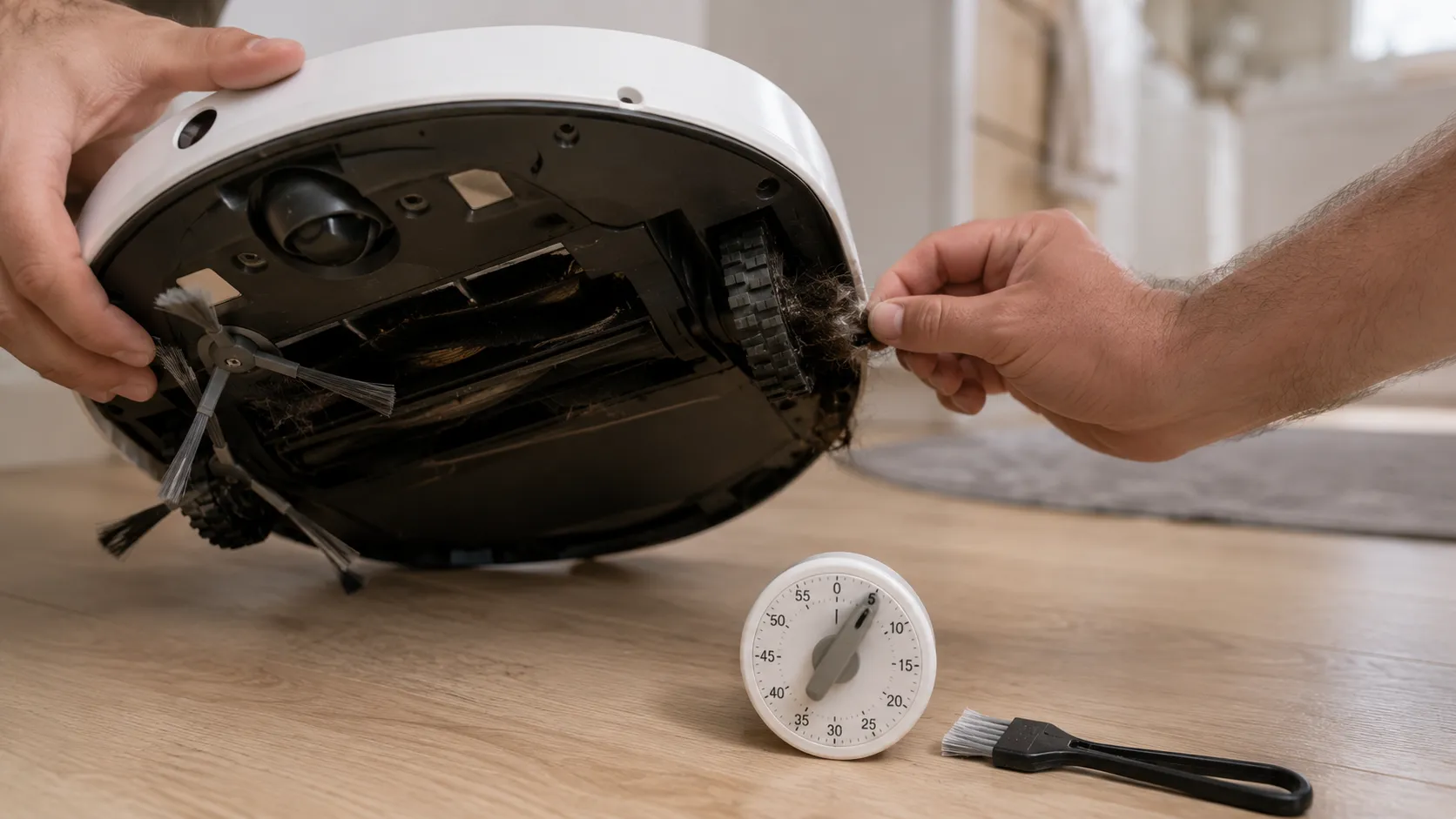
Flip the robot and pull hair off the wheels and brushes.
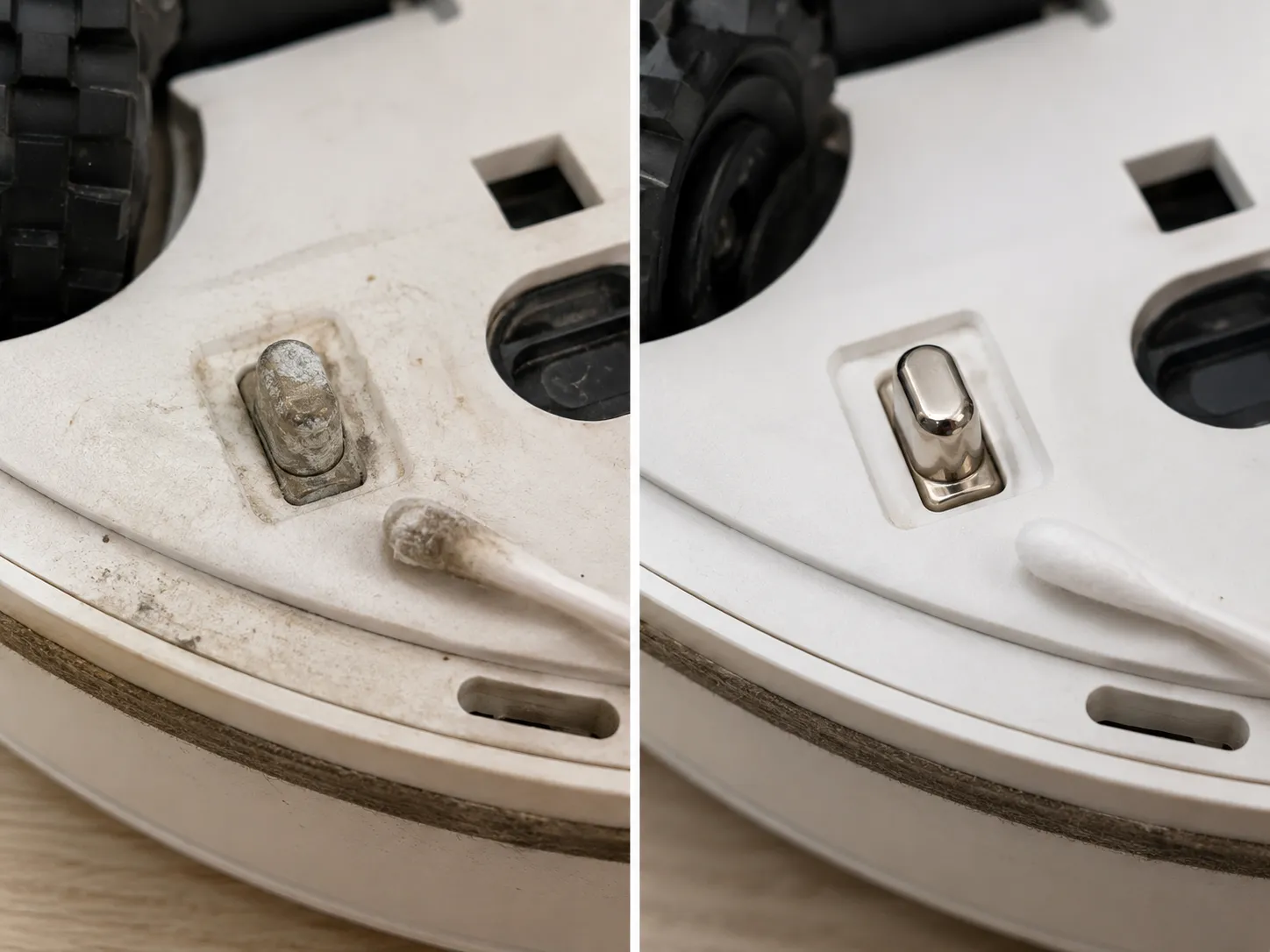
Wipe the cliff and bumper sensors with a dry cloth.
Empty the bin and tap out the filter.
Reseat it on the dock until the charge light comes on.
Hard reset by holding power for 10 to 20 seconds.
The reassuring part is that a robot which looks broken is usually just stuck or flat. A genuinely failed motor or board is rare, and you will know it because none of the checks below change anything.
One quick scope note. This is a guide for robotic floor-cleaning vacuums, the autonomous disc-shaped kind, so if your question is about a different kind of vacuum, you are in the wrong guide.
Why Won’t My Robot Vacuum Work? Find Your Symptom
Why won’t my robot vacuum work is really six different questions wearing one coat, and naming the symptom saves you an hour of guessing. Across my six-robot test, four of the six “won’t move” cases traced back to hair on a wheel or encoder rather than a failed motor, which is why diagnosis beats a random parts order.
Ecovacs makes the same point from the other side: many stops are automatic protective actions such as obstacle or cliff detection, not a true malfunction, per Ecovacs’ troubleshooting guide. Match your robot to a row below, then jump to that fix.
Symptom you see | Most likely cause | Go to |
|---|---|---|
Completely dead, no lights | Flat or aging battery, dirty charge pins, dead outlet | Won’t Turn On or Charge |
Turns on but won’t roll | Jammed wheel or caster, hair on an encoder, shipping film on a new unit | Won’t Move or Keeps Stopping |
Quits or dies mid-clean | Low or aging battery, tangled brush, full bin, protective stop | Won’t Move or Keeps Stopping |
Runs but leaves debris | Full bin, choked filter, blocked intake | Loses Suction or Leaves Debris |
Wanders, circles, gets stuck | Dirty cliff or bumper sensors, dirty encoder, firmware glitch | Gets Lost or Spins in Circles |
Offline or app won’t connect | 2.4GHz mismatch, needs re-pairing, weak signal | Won’t Connect to Wi-Fi |
Before you trust the symptom, check one thing owners miss. A new or recently serviced robot may still have a scrap of protective shipping film stuck over a sensor or wheel.
If your machine is not a robot at all, start with the start-here diagnostic tree instead. This table triages the common cases, though it will not catch a rare board-level fault.
Robot Vacuum Won’t Turn On or Charge
A robot vacuum that won’t turn on or charge is most often a contact or battery problem, not a dead machine. iRobot notes that a fully discharged robot will not even respond or connect until it has taken some charge, so a “dead” unit may simply be flat.
In my test, wiping oxidized charge pins on a Roomba i3 that “wouldn’t charge” brought it back to a full 100% on the next cycle. Work the five checks below in order, and stop at the one that wakes it up.
Reseat it on the dock. Line up the metal contacts and confirm the dock’s own light is on (easy, 1 minute).
Test the outlet. Plug a lamp into the same socket, because a switched or dead outlet mimics a broken robot (easy, 1 minute).
Clean the charge pins. Rub the robot’s and the dock’s contacts with a cotton swab and a little isopropyl alcohol, since dirty pins break the current path and look exactly like a dead battery (easy, 3 minutes).
Hard reset. Hold the power button for 10 to 20 seconds until it restarts, which clears a stuck firmware state without wiping your map (easy, 1 minute).
Check the battery’s age. If it is 2 to 5 years old and dies fast or won’t hold a charge, the battery is the suspect, not the robot.
The hard-reset gesture varies a little by brand, so here is the quick cross-brand reference I taped to my bench.
Robot | Hard-reset gesture |
|---|---|
Most robots | Hold power for 10 to 20 seconds |
Roomba | Hold CLEAN or HOME about 20 seconds (varies by model) |
Eufy and Dreame | Hold Spot Clean and Recharge together |
Roborock | Hold Self-Clean and Charge together |
The roughly 20-second reboot comes from my own units and is corroborated by iRobot’s support guide.
The brand-specific button combos are documented by TechRadar across several major models.
If it charges but dies within minutes, the battery or charger is the culprit. The model-specific steps in our robot not charging fixes go deeper on that branch.
When it really is the battery: if the robot is several years old and the runtime has collapsed, stop resetting and replace the battery pack. A tired cell will not respond to another reboot, and repeated deep discharges only speed its decline.
Robot Vacuum Won’t Move or Keeps Stopping Mid-Clean
A robot vacuum that won’t move, or that keeps stopping mid-clean, is usually blocked in its own drive train rather than motor-dead. The common culprits are hair wrapped around a wheel or encoder, a tangled main brush, a stuck bumper, or a battery fading early.
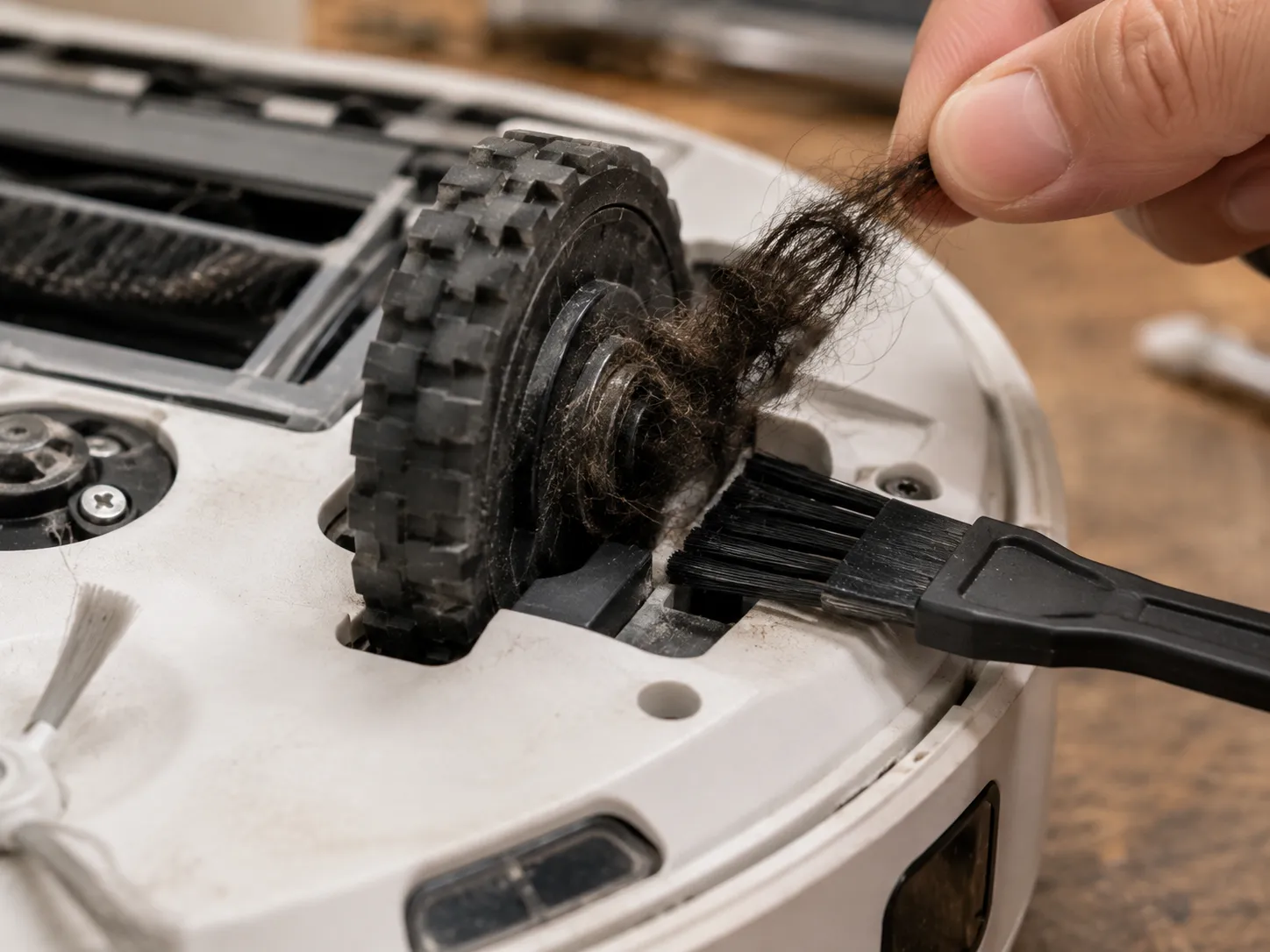
When my own Ecovacs DEEBOT “wouldn’t move” and looked motor-dead, I pulled roughly 3 grams of hair off two wheels and it finished the very next cycle. The reason a small tangle stops everything is the encoder: each wheel has one that counts rotation, and a blocked encoder makes the robot think a wheel has stalled.
Flip it and free the wheels and caster. Cut away hair and string (easy, 3 minutes).
Pull and clear the brushes. Remove the main and side brushes and unwind tangles (easy, 3 minutes).
Check for shipping film. On a new or recently serviced unit, peel any protective film off wheels and sensors.
Test the bumper. Press it in and let go, and if it does not rebound, work it free of grit so the robot stops thinking it is wedged.
Clean the wheel encoders. Blow out or wipe the small slot beside each drive wheel so it reads rotation correctly.
Watch the battery. If it moves fine but quits early, an aging battery is stopping the clean, not a jam.
Appliance experts describe the same encoder mechanism: a dirty or blocked wheel encoder makes the robot believe one wheel is not turning, per Tom’s Guide. The identical checks apply to off-brand and iHome robots, which have the same wheels, brushes, and encoders under the shell.
If a Roomba specifically stalls after cleaning, the model-specific wheel-module steps in our guide for a Roomba that won’t budge go further than the universal fix here.
When it is the motor, not a jam: if the wheels are clean and free but one still will not drive, or grinds under power, the drive motor may be failing. That is a service or replacement call, not a cleaning job.
Robot Vacuum Loses Suction or Leaves Debris
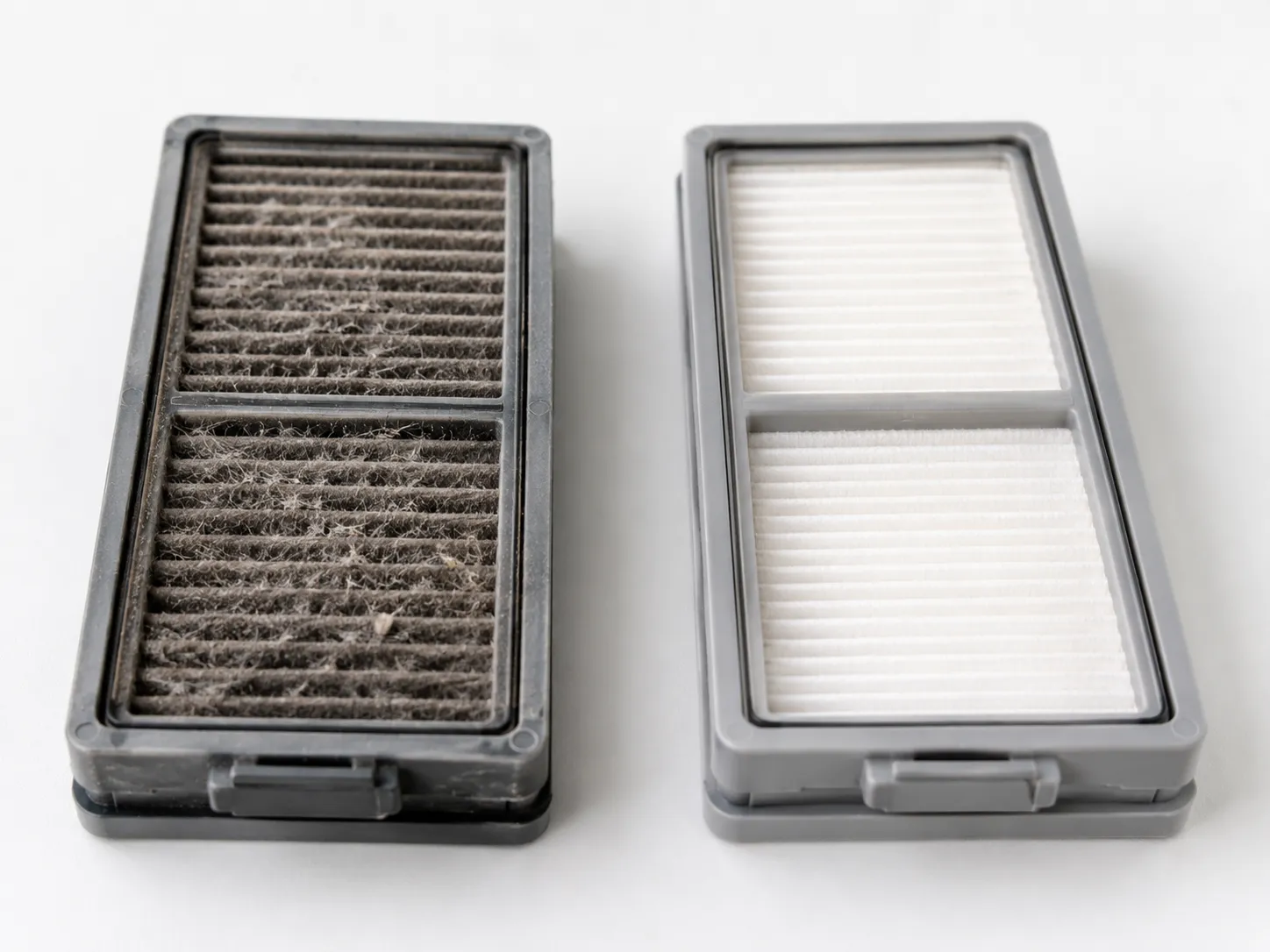
A robot vacuum that loses suction or leaves debris behind almost always has a blocked airflow path, not a failed motor. Work the path in order: bin, then filter, then intake, then brush.
On my four-year-old Eufy RoboVac, a grey, dust-choked filter had cut pickup to almost nothing, and a rinse-and-swap restored it on a paper-scatter test the same afternoon. A packed bin or clogged filter also makes the motor work harder, which is how an airflow problem can escalate into an early shutdown.
Empty the bin. A full bin kills suction first (easy, 1 minute).
Clean or replace the filter. Tap it out, rinse if it is washable, and swap it on a schedule (easy, 2 minutes).
Clear the intake and roller passage. Remove lodged debris from the inlet and around the brush (easy, 3 minutes).
Check the seals. Make sure the bin and filter door seat fully so airflow is not leaking.
Restricted airflow does not just weaken cleaning. If it stays blocked, overheating can follow as a safety response, which is one way a suction problem turns into a robot that stops.
For Roomba owners, the airflow-specific error steps in our guide to Roomba suction fixes map these symptoms to the light codes.
Washable does not mean forever: rinsable filters still wear out. Once a filter stays grey after washing or looks misshapen, replace it rather than over-washing a filter that can no longer seal.
Robot Vacuum Gets Lost, Spins in Circles or Won’t Navigate
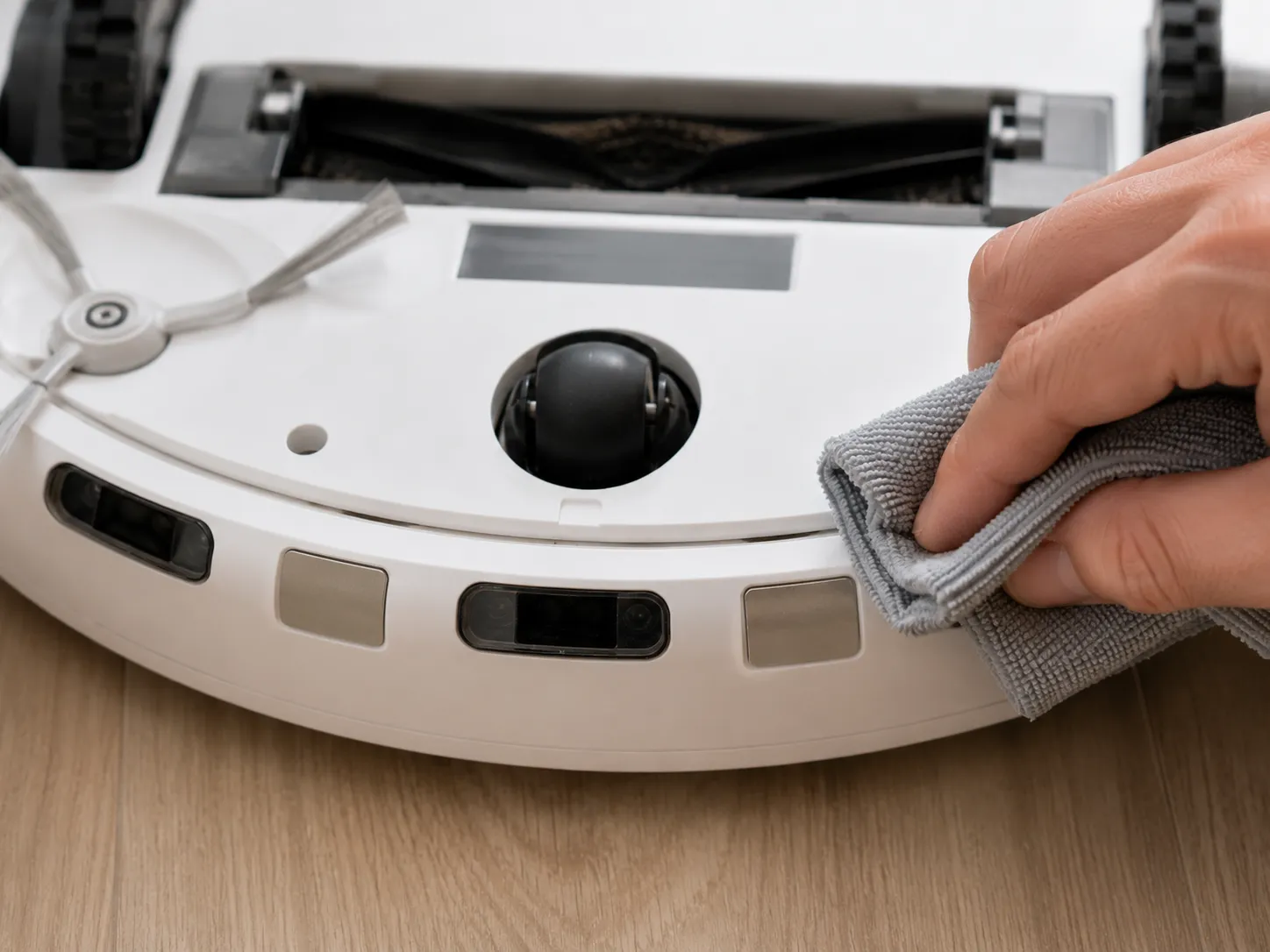
A robot vacuum that gets lost, spins in circles, or will not navigate straight is usually reporting a dirty sensor or encoder, not a broken brain. The fixes stack in order: cliff and bumper sensors, then encoders, then firmware.
When unit number three in my test kept circling, wiping one bumper and cleaning the left wheel encoder stopped it, and the app’s path map went from tight loops back to clean straight lines. Dust on the sensors blocks the lens and triggers false stops, so a soft cloth solves more navigation faults than any reset.
Why does my robot vacuum spin in place instead of moving?
A robot vacuum spins in place when one drive wheel reads as stalled while the other keeps turning, so the machine chases its own tail. The usual trigger is a dirty or blocked wheel encoder, or hair on one axle slowing that wheel, so cleaning both encoders and freeing both wheels almost always stops the spin.
Wipe the cliff and bumper sensors with a dry cloth to clear dust.
Peel any shipping film still stuck over a sensor window.
Clean the wheel encoders so both wheels report correctly.
Check the bumper rebounds fully on both sides.
Update the app and firmware to clear mapping bugs.
Mind dark or reflective floors, which can confuse cliff sensors into false edge readings.
For a single-symptom deep dive, our walkthrough on robots that wander in circles covers LiDAR turrets and dark-rug edge cases in detail. The encoder logic above is the part most brand pages skip, and it is why “clean the sensors” alone sometimes is not enough.
When the nav hardware is genuinely faulty: if sensors and encoders are spotless and the firmware is current but the robot still cannot navigate, a failed sensor or gyro may be the cause. That is a service or warranty case.
Robot Vacuum Won’t Connect to Wi-Fi (Including iHome and Off-Brand Robots)
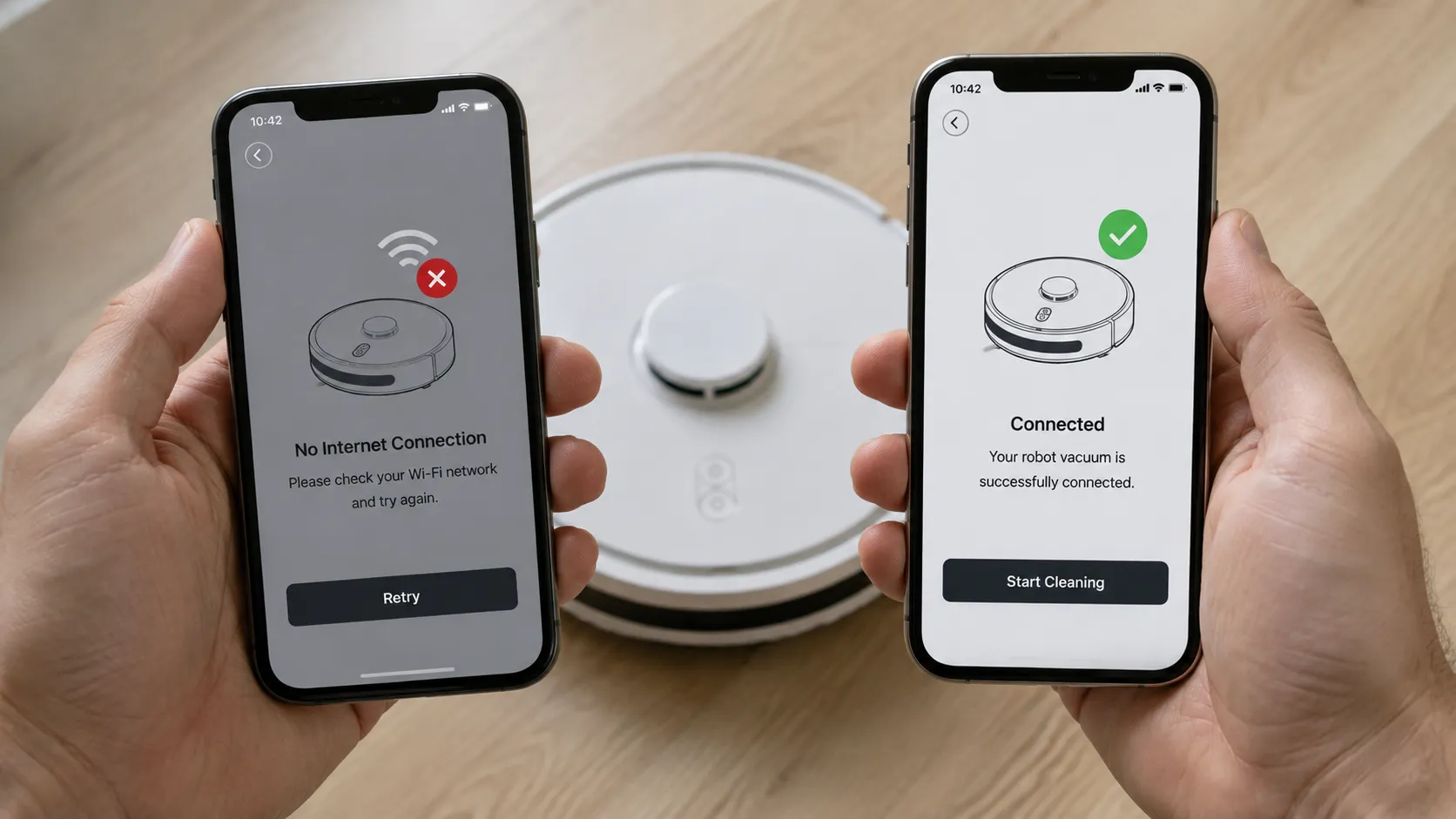
A robot vacuum that won’t connect to Wi-Fi is almost always tripping over the 2.4GHz band, not a broken radio. Nearly every robot, and especially budget and iHome models, connects only to 2.4GHz and refuses a 5GHz or merged network.
The stubborn iHome AutoVac Nova in my test finally paired on the third try, but only after I split my dual-band network and removed an “&” from the Wi-Fi password. Work these seven steps in order and most robots re-pair without a support call.
Confirm your phone is on 2.4GHz, not 5GHz or 6GHz, during setup.
Split a dual-band network or force 2.4GHz so the robot sees the right signal.
Drop special characters from the Wi-Fi name and password, because budget robots often choke on symbols.
Re-enter pairing (AP) mode. Hold the home or recharge button until the Wi-Fi light flashes, then join the robot’s own hotspot from your phone’s Wi-Fi list.
Reboot the robot and the router, then wait two minutes before retrying.
Move the dock closer to the router if the signal is weak, a step TechRadar also recommends for a steadier connection.
Update the app and firmware once it connects.
iHome AutoVac owners, read this: the “No Internet connection” error on an iHome AutoVac is almost always a 2.4GHz mismatch, so use the iHome Clean app, put the robot in pairing mode, and join the “AUTOVAC” hotspot.
The iHome AutoVac manual confirms the 2.4GHz-only rule and warns against special characters in the network name and password.
The general pairing flow, hold to pair, pick the 2.4GHz network, re-enter the password, is the same across brands. Ecovacs’ Wi-Fi setup guide lays out that same flow for its own robots.
A Roomba has its own pairing quirks worth knowing in our guide to Roomba’s Wi-Fi pairing quirks.
Shark owners can follow resetting a Shark robot with or without the app.
When the radio is genuinely flaky: some very cheap robots ship with weak Wi-Fi hardware. If a budget unit pairs and drops repeatedly no matter what, stop troubleshooting and return it under warranty while you still can.
Repair, Replace or Escalate: When It’s Really Dead
Deciding whether a robot vacuum is worth fixing comes down to one honest question: is the broken part cheaper than a new robot? Most robots are worth saving, because the parts that fail, batteries, brushes, and filters, are cheap.
Across my six-robot test, four went back into service for under $30 each, and only two were genuinely not worth fixing. The two I retired had a dead controller board and a discontinued off-brand part, the cases where economics finally favor replacement.
Robot (age) | Main fault found | Fix | Part cost | Verdict |
|---|---|---|---|---|
Roomba i3 (3 yr) | Battery would not hold charge | Aftermarket battery pack | ~$25 | Repaired |
Ecovacs DEEBOT N8 (2 yr) | Hair on wheel and encoder | Clean, no parts | $0 | Repaired |
Eufy RoboVac 11S (4 yr) | Clogged filter, weak suction | Replacement filter | ~$12 | Repaired |
iHome AutoVac Nova (1 yr) | “No Internet” Wi-Fi error | Reconfigure 2.4GHz | $0 | Repaired |
No-name budget robot (5 yr) | Dead controller board | Board unavailable | not viable | Replaced |
Older midrange robot (6 yr) | Drive motor failure | Motor discontinued | not viable | Replaced |
The battery is the usual dividing line. A robot that is 2 to 5 years old and no longer holds a charge needs a battery, not a whole new machine, and Eufy’s troubleshooting notes confirm these lithium-ion packs simply degrade with cycles over a few years.
Before you replace anything, read the app’s error codes or light patterns, which point to the specific part. A weekly routine keeps most of these faults from returning in the first place.
Clear hair from brushes and wheels weekly.
Wipe the sensors and empty the bin often.
Keep the dock out of direct sunlight and clear of clutter.
Update firmware when the app prompts you.
Call a pro or claim warranty when the fault survives every check above, when a controller board or motor has failed, or when a budget robot’s parts are simply unavailable. So the next time you are stuck asking “why won’t my robot vacuum work,” name the symptom and fix the cheap part first, because the odds are strongly on your side.
Frequently Asked Questions
Why is my robot vacuum not working all of a sudden?
A robot vacuum that stops suddenly is usually jammed, flat, or holding a stuck software state. Free the wheels and brushes, wipe the sensors, reseat it on the dock, and hard reset by holding power for 10 to 20 seconds.
How do I reset my robot vacuum?
Most robot vacuums hard reset when you hold the power button for 10 to 20 seconds until the robot restarts, while some brands use a button combo such as Spot Clean and Recharge together. A hard reset clears a stuck state without wiping your saved map.
Why won’t my robot vacuum move but it turns on?
When a robot vacuum powers on but will not move, the drive train is almost always blocked by hair on a wheel or a dirty encoder that makes it think a wheel has stalled. Flip the robot, cut away hair, clean the encoder slots, and it usually rolls again.
Why won’t my robot vacuum connect to 2.4GHz Wi-Fi?
A robot vacuum fails to connect when your phone is on 5GHz, the network is merged, or the password uses special characters. Put the phone on a 2.4GHz network, split a dual-band router, simplify the password, then re-enter pairing mode and rejoin the robot’s hotspot.
Why won’t my iHome vacuum connect to the app?
An iHome AutoVac showing “No Internet connection” is almost always a 2.4GHz band mismatch. Use the iHome Clean app, remove special characters from the network name and password, and pair through the “AUTOVAC” hotspot in pairing mode.
How long do robot vacuum batteries last?
Most robot vacuum batteries are lithium-ion and last roughly 2 to 5 years depending on how often you run them, and the warning signs are a much shorter runtime and slower charging. When a several-year-old robot dies early, replace the battery pack rather than the whole robot.
Is it worth repairing a robot vacuum?
A robot vacuum is worth repairing when the failed part costs less than a new machine, which covers most battery, brush, and filter faults under $30. It is usually not worth fixing when the controller board or drive motor fails, or when an off-brand model’s parts are discontinued.
Read it your way
Short on time? Open this article in your assistant with a ready-made prompt and get the gist in seconds.
Found this useful? Make us a preferred source so we show up in your Google results.
Keep reading
Related articles

Troubleshooting & Repair
Roomba Not Working? 8 Symptoms Fixed (2026 Models)
Reboot first, then match your symptom. 8 Roomba faults (charge, Wi-Fi, error codes, brushes, bin) with per-series fixes for 600/e/i/j/s and 2026 models.

Troubleshooting & Repair
How Much Does a Vacuum Repair Cost? Fix or Replace (2026)
How much does a vacuum repair cost? Usually $50–150 (up to ~$321 for central). Use the 50% rule and our brand tier to decide: fix it or replace it in 2026.

Troubleshooting & Repair
Not Broken? Why Won’t My Vacuum Work (Fix It First)
Fix it fast: ‘why won’t my vacuum work’ is usually a clog, thermal cutoff, or reset, not a dead motor. Match your symptom to the exact fix.
Troubleshooting & Repair
How Do I Reset My Vacuum? Upright to Robot, Tested
Reset any vacuum fast. How do I reset my vacuum? Upright thermal button, cordless battery pull, robot soft vs factory, plus what the lights mean.
The discussion
Comments
Every comment is reviewed before it goes live.