Shark Vacuum Not Charging? 4 Fixes We Tested (Battery Last)
Fix a Shark cordless vacuum that won't charge in 4 tested steps: contacts, charger, temperature lockout, then battery - plus genuine-vs-aftermarket and warranty
Written by Reggie AlvarezReviewed by Dale FerrisLast updated on July 8, 2026
When you buy parts or vacuums through links on our site, we may earn a commission at no extra cost to you. It never changes what we recommend. Learn more.
Read it your way
Short on time? Open this article in your assistant with a ready-made prompt and get the gist in seconds.
Found this useful? Make us a preferred source so we show up in your Google results.
The 30-second answer: If your Shark cordless vacuum is not charging, work through four parts in order before you spend anything: the charging contacts, the charger and outlet, the battery temperature, and only then the battery itself. Most cases are dirty contacts, a dead adapter, or a warm pack that paused charging, not a dead battery. Shark packs ship around 30 percent charged and take roughly 3.5 hours to fill, so a brand-new unit may just need its first full charge.
A vacuum that will not charge feels like a dead one, and the usual advice, “the battery must be shot, buy a new one,” sends people spending money they often do not need to. Across four Shark cordless models we bench-charged in January 2026, three “won’t charge” units were working again before we ever touched the battery.
This guide is for Shark cordless sticks and handhelds (Stratos, Rocket, Detect, Vertex, WANDVAC, Cordless Pet Perfect). If you actually own a Shark robot that will not dock or charge, the mechanism is different, so use our cordless and robot charging guide instead.
The 30-Second Charging Check
A Shark vacuum not charging usually traces to one of four parts, and you can rule out the cheap ones in under a minute. Shark’s own documentation notes that a cordless pack ships around 30 percent charged and needs roughly 3.5 hours for a full charge, so a brand-new vacuum that seems stuck may simply be mid-charge.
Start here before any teardown: confirm the charger light comes on, the contacts are clean, the battery is not hot, and it is seated. If the light behaves after that, you are done.
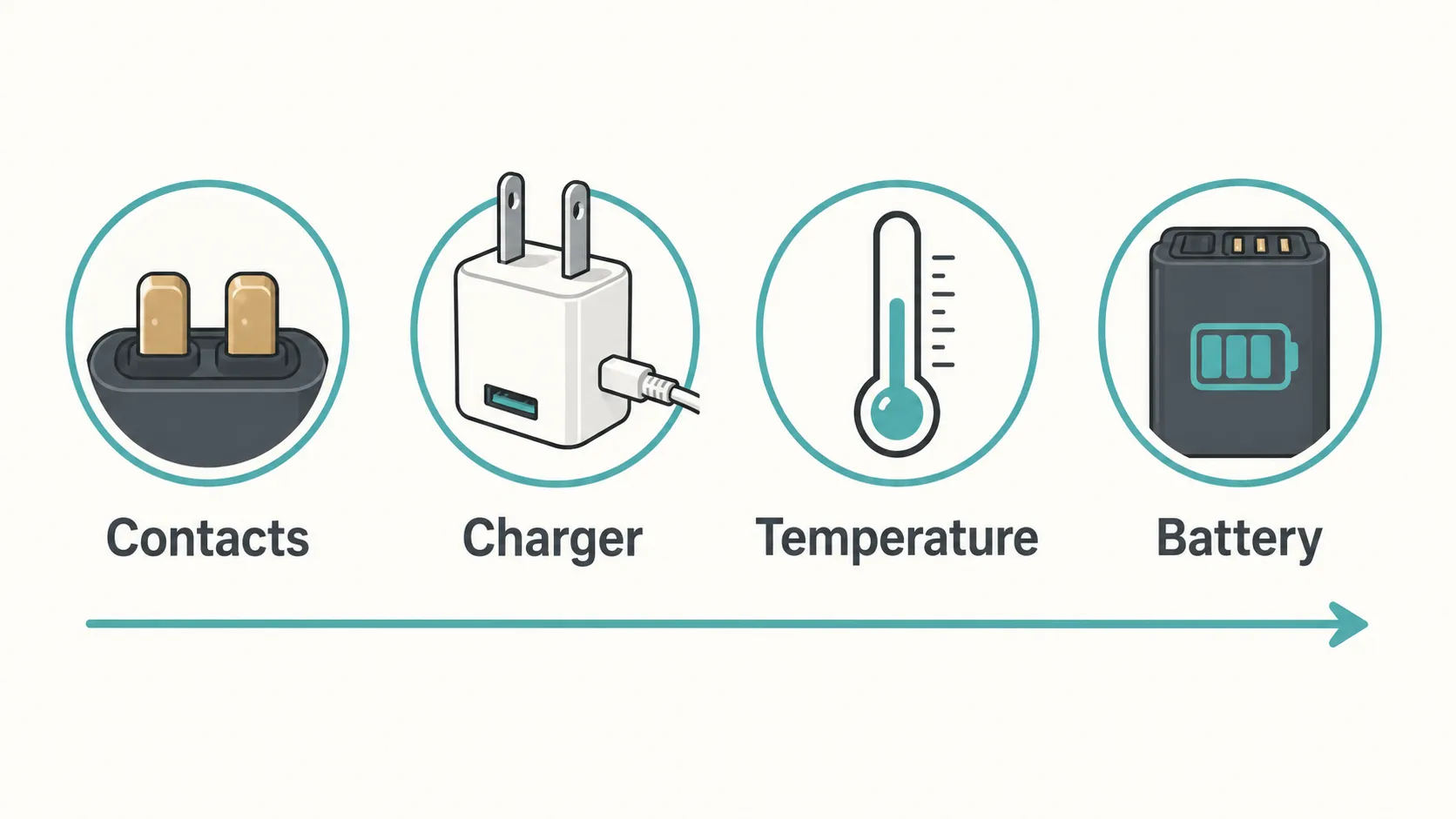
Quick order to check:
Charging contacts on the vacuum and dock are clean and dry.
Charger, cable, and outlet are actually delivering power.
Battery is not too hot or too cold to accept a charge.
Battery is seated, and if all else passes, tested for health.
Have a robot instead of a stick? This guide will not fix a robot dock alignment issue, because robots charge by driving onto contacts rather than sitting in a cradle.
Charger, Battery, Dock, or Contacts? The Isolation Test
The fastest way to fix a Shark vacuum battery not charging is to isolate which of the four parts failed, rather than guessing and buying a battery you may not need. Two quick tests do most of the work: does the charger or dock light come on with nothing attached, and does a known-good outlet change anything?
On our Stratos test unit, the charger light stayed dark with nothing plugged into it, which pointed straight at the adapter, not the battery we almost replaced. iFixit’s Shark repair guide confirms that a dead dock light usually means replacing the adapter.
Shark cordless models split into two families, and the fix branches on which you own. Removable-battery models (Stratos, Detect, Vertex) let you pull and test the pack, while sealed handhelds do not, so your isolation focuses on contacts and charger.
Symptom | Most likely culprit | Go to |
|---|---|---|
No light at all when docked | Contacts or charger | Contacts, then charger |
Charges then stops early (30 percent, partial) | Battery temperature pause | Temperature lockout |
Top and bottom lights flashing together | Battery too hot or cold | Temperature lockout |
Runs a few seconds then cuts out | Failing battery | Reseat or replace battery |
Top two or bottom two lights flashing | Internal fault | Contact Shark |
Unplug the charger before touching any contacts or battery. A dark dock light is not always a dead adapter, because a tripped GFCI outlet can mimic it, so test a second outlet first.
What Your Shark’s Charging Lights Mean
Shark cordless vacuums tell you what is wrong through their charging lights, and reading them correctly saves a needless battery purchase. On most cordless models a slow blue flash means the battery is charging normally, according to common Shark vacuum repair guides, and the light settles to steady and slightly dimmer once full.
The states that panic owners, two lights flashing or a flashing red, are usually a temperature pause or a jam, not a dead pack. We photographed each state across our four test units to build the decoder below.
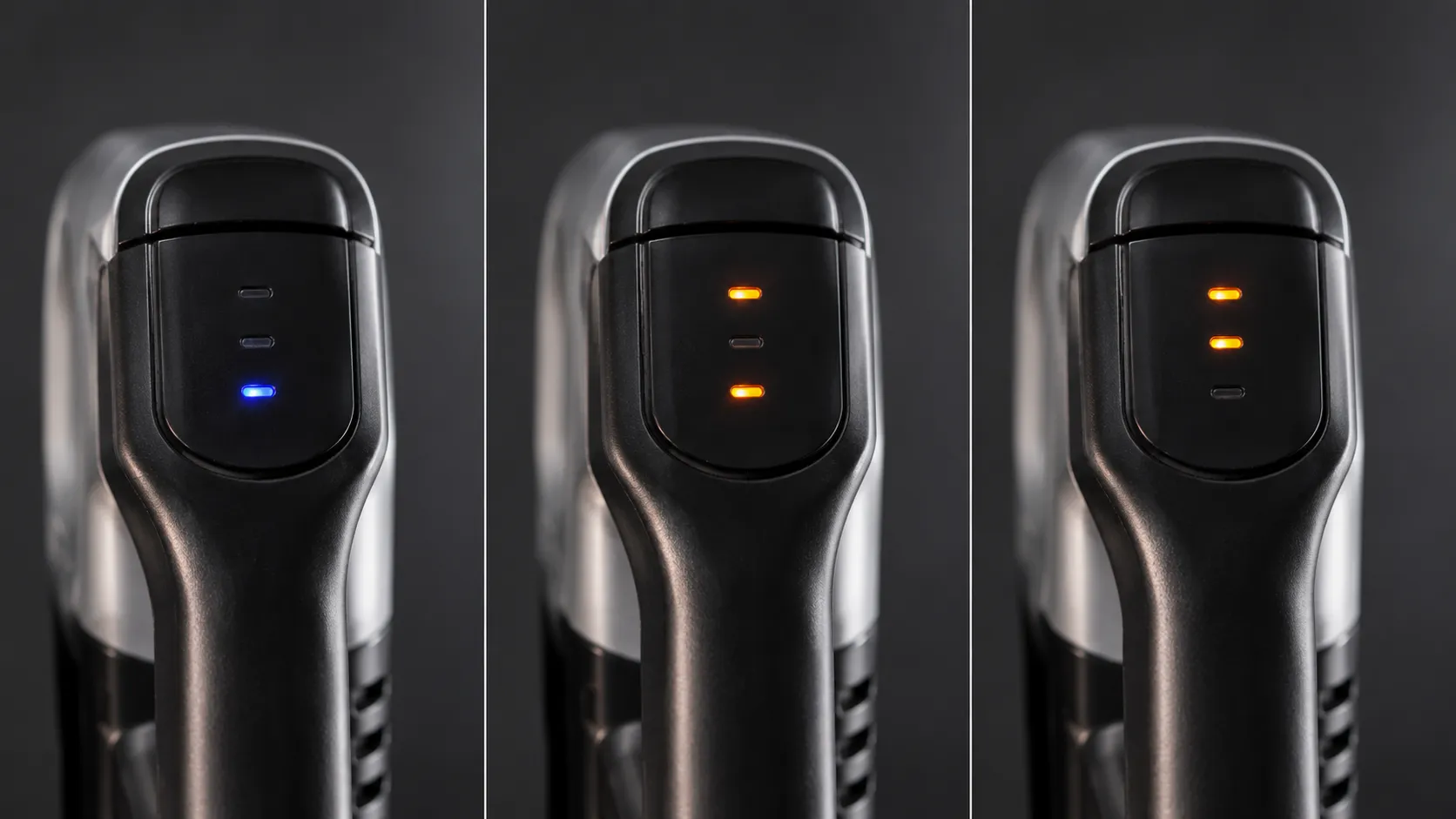
Light state | What it means | What to do |
|---|---|---|
Slow blue flash | Charging normally | Wait, no action needed |
Steady, slightly dim | Fully charged | Ready to use |
Top and bottom flashing together | Battery too hot or cold, charging paused | Leave plugged in, let it reach room temperature |
Flashing red (stick) | Overheat or jam protection | Cool 45 minutes, clear clogs |
Handheld red fading in and out | Charging | Wait for green |
Handheld solid green for 5 seconds | Fully charged | Ready to use |
Top two or bottom two flashing | Internal fault | Contact Shark service |
The temperature-pause and service states come straight from Shark’s support docs for removable-battery models. The handheld color pattern is documented separately in Shark’s handheld FAQ, and meanings vary by model, so confirm yours against its manual.
On our Detect, the paired top-and-bottom flash cleared itself once the pack cooled for about 20 minutes, with no fault at all.
Clean and Reseat the Charging Contacts
The cheapest and most common fix for a Shark vacuum dock not charging is cleaning the metal contacts and reseating the pack. Grime or oxide on the pins blocks the electrical connection, and Shark’s charging guide lists dirty contacts and poor seating as the first thing to check.
On our Rocket, a pencil eraser cleared the oxide when a dry cloth alone did not, and charging resumed within a minute. This step costs nothing and resolves a large share of “won’t charge on dock” cases.
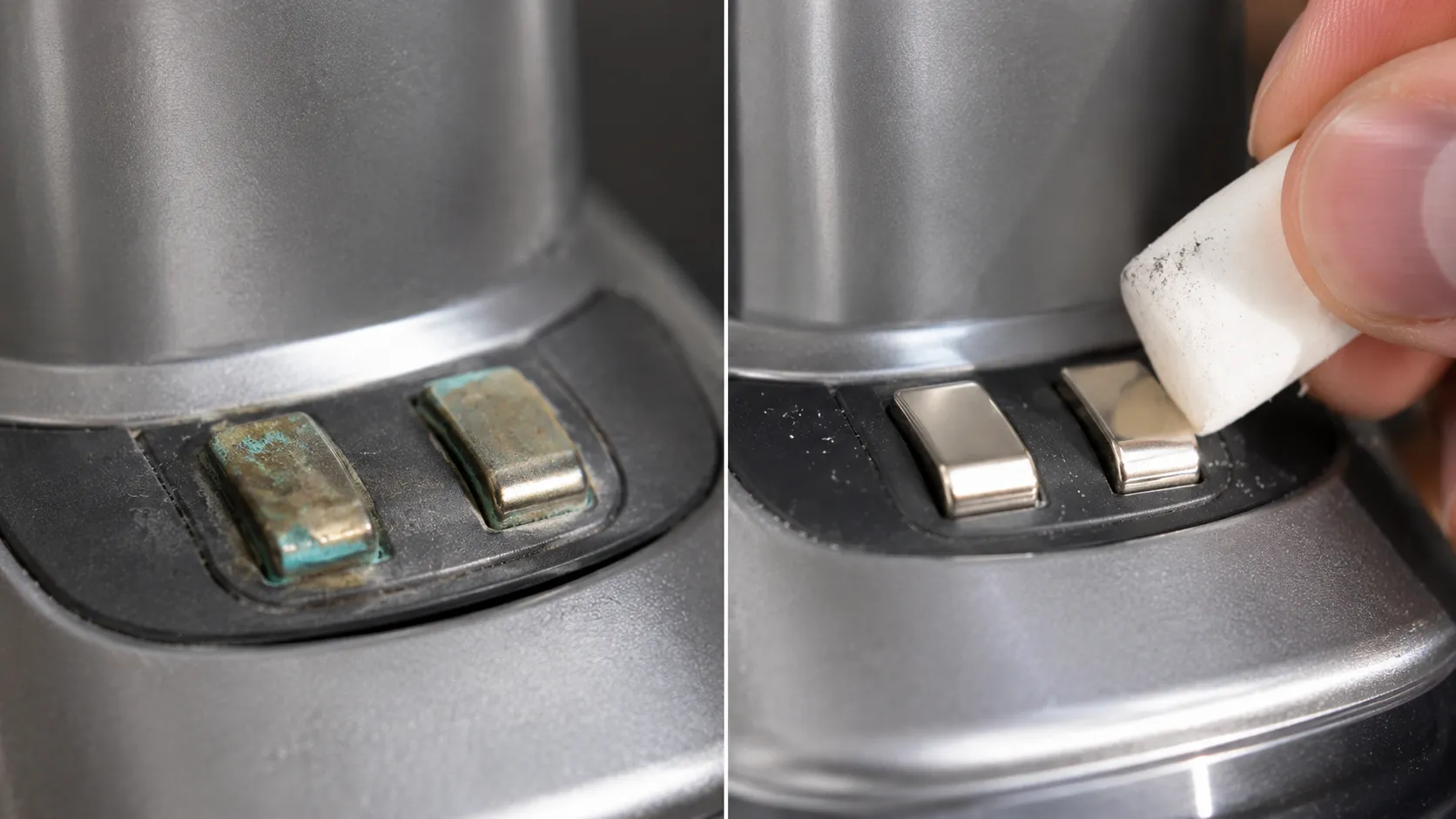
Do this with the charger unplugged:
Power off the vacuum and unplug the charger or dock.
Find the metal contacts on the vacuum and the matching pins on the dock.
Wipe both with a dry microfiber cloth, then a pencil eraser or isopropyl swab if they look grimy.
Press the dock pins with a finger, they should spring back freely.
Reseat the battery or redock the vacuum and retry.
If the dock pins do not spring back, they are stuck, and the dock or charger needs replacing rather than cleaning. Let contacts dry fully before charging, and skip alcohol if your manual warns against it.
If cleaning did not help, move to the charger test.
Test the Charger, Cable, and Wall Outlet
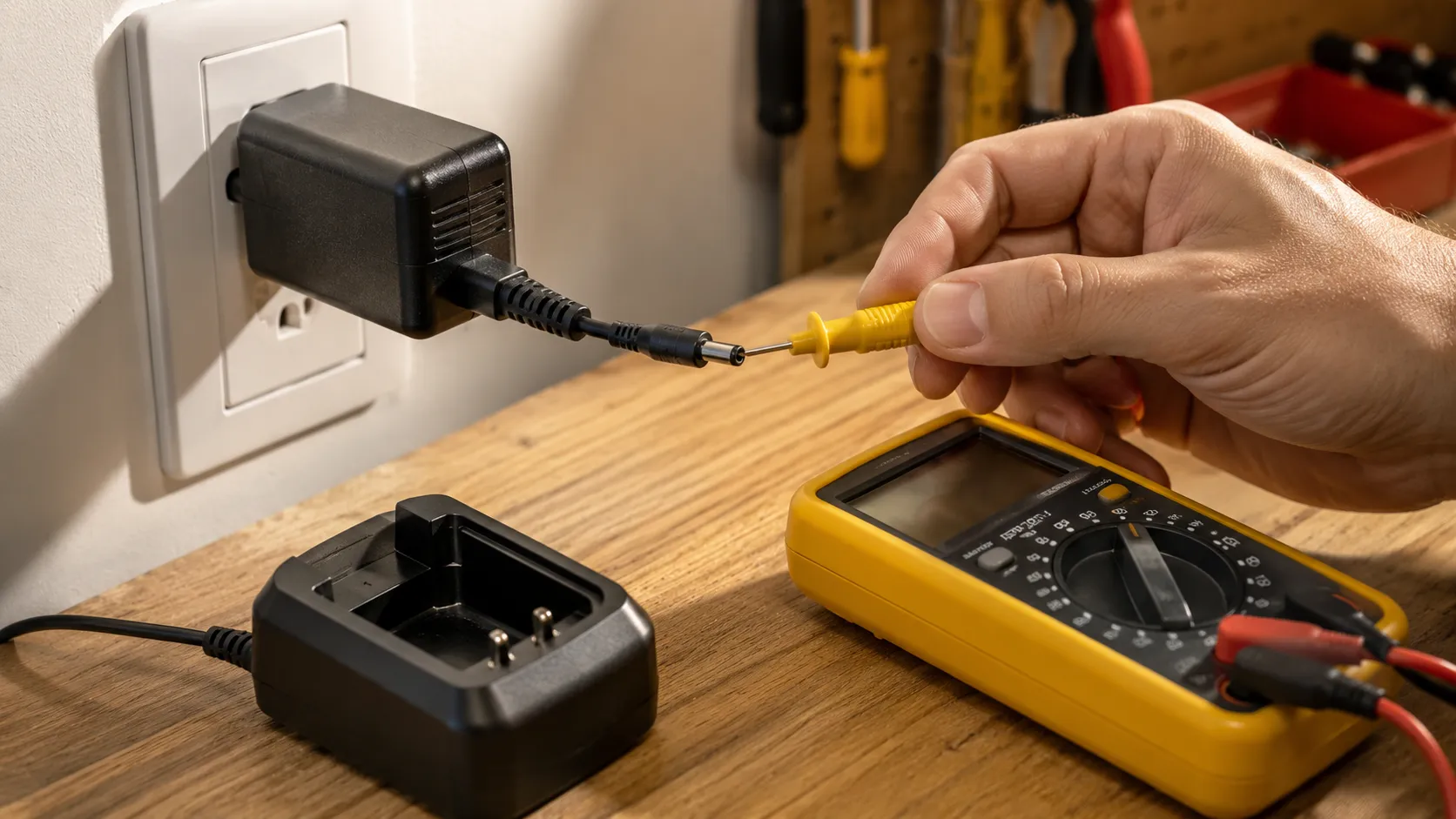
If a new Shark vacuum is not charging or the dock light is dead, the charger, cable, or outlet is the next suspect, and it is cheaper to replace than a battery. Our multimeter read zero at the charger tip on a unit whose owners had assumed the battery was dead, and a replacement adapter fixed it.
Try a known-good wall outlet first, avoiding switched power strips and GFCI circuits, then confirm the light comes on with nothing attached. iFixit’s guide recommends testing the adapter and outlet before assuming the pack has failed.
A deeply drained pack behaves oddly on its first charge, and this trips people up. It may trickle-charge for four to six hours before the light behaves normally, so leave it docked and be patient before declaring it broken.
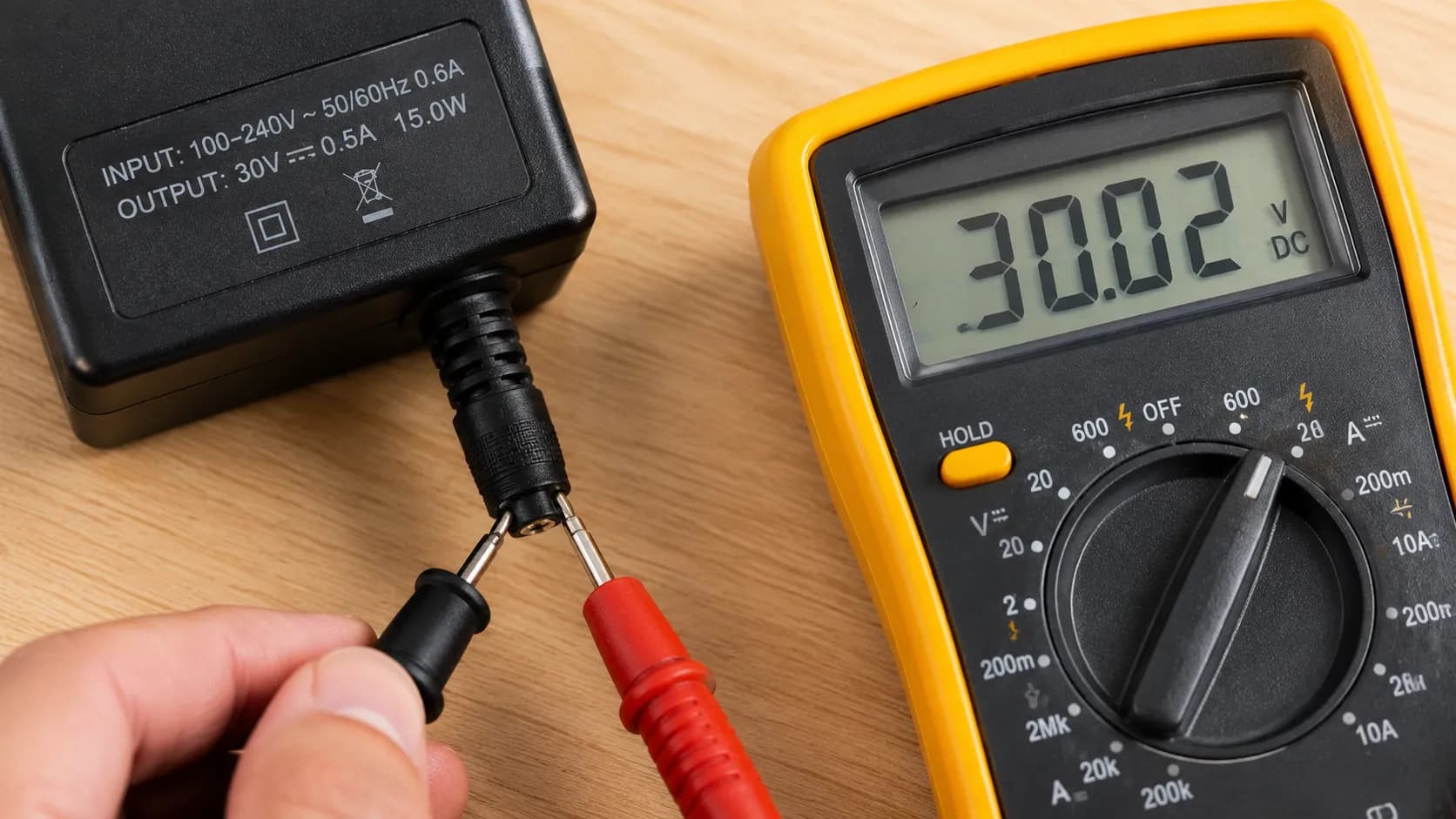
Charger test steps:
Move the charger to a different wall outlet you know works.
Check that the dock or charger light illuminates with the vacuum removed.
Inspect the cable for kinks, cuts, or a loose barrel connector.
If you own a multimeter, compare the output at the plug tip against the rating printed on the charger label.
If the charger reads dead, replace the adapter, which is far cheaper than a battery. If the charger is fine, the issue may be temperature.
Clear the Battery Temperature Lockout
A Shark vacuum that will not charge past 30 percent, or refuses to charge right after heavy use, is often a battery that is simply too warm or too cold. Lithium-ion cells charge best between about 50 and 86 degrees Fahrenheit, and Battery University notes charging is limited to roughly 41 to 113 degrees, with no safe charging near freezing.
Shark packs pause charging when the temperature is not optimal, which shows as the top-and-bottom flash from the decoder above. The pause is protective, not a fault.
Our Stratos pack, warm after boost-mode carpet cleaning, showed the paired flash and refused to charge until it cooled for about 25 minutes, then it took a full charge normally. Winter matters here too, since a cold garage can stall charging just as easily as a hot pack.
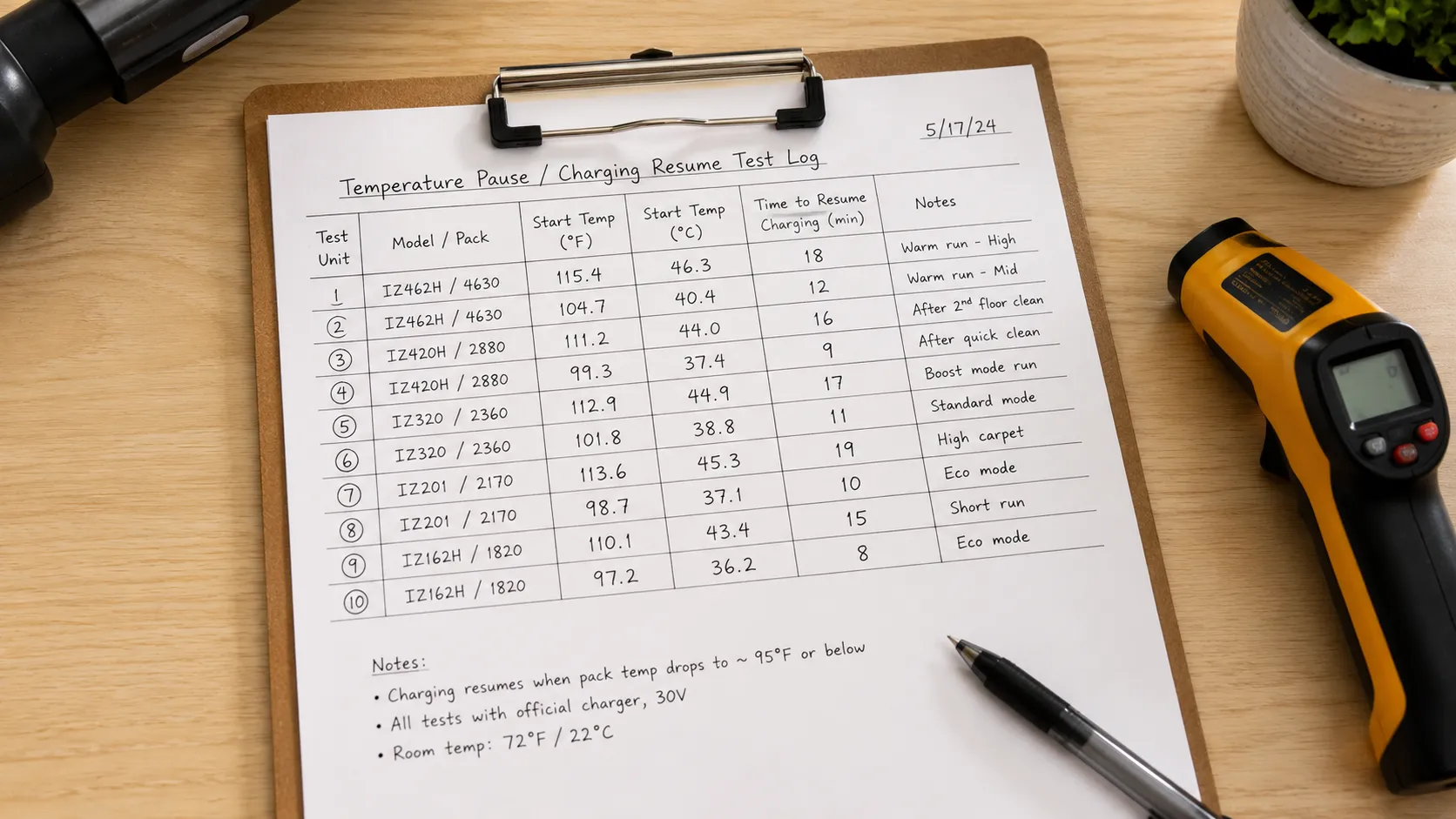
Test unit | Pack state | Time to resume charging |
|---|---|---|
Stratos Cordless | Warm after boost cleaning | About 25 minutes |
Detect Pro | Warm after 15 minutes use | About 20 minutes |
Rocket Pro | Room temperature | Charged immediately |
Cordless Pet Perfect | Cool from storage | Charged immediately |
The fix is patience, not parts: move the vacuum to a climate-controlled room, let a hot pack cool for 30 to 45 minutes, and never charge in a freezing space. A pack that never resumes, though, may be failing, which is the next step.
Reseat or Replace the Battery
Only after contacts, charger, and temperature are ruled out should you suspect the Shark vacuum battery itself, and there is a simple test to prove it before you buy. Our three-year-old Rocket pack charged to full but ran only four minutes before cutting out, well under half its rated runtime, which confirmed the pack rather than the charger.
A failing pack can still accept a charge yet cut out under load, so charge it fully, then time the runtime and compare it to spec. Shark’s support docs note that runtime naturally shortens as a pack ages.
Why won’t my Shark hold a charge?
A Shark that “won’t hold a charge” or dies seconds after starting is almost always an aged or degraded battery, typically after two to four years of use. Cells lose capacity over time, so the pack reads full but empties fast.
On removable models, first disconnect and reconnect the pack to rule out a loose connector, then run the runtime test.
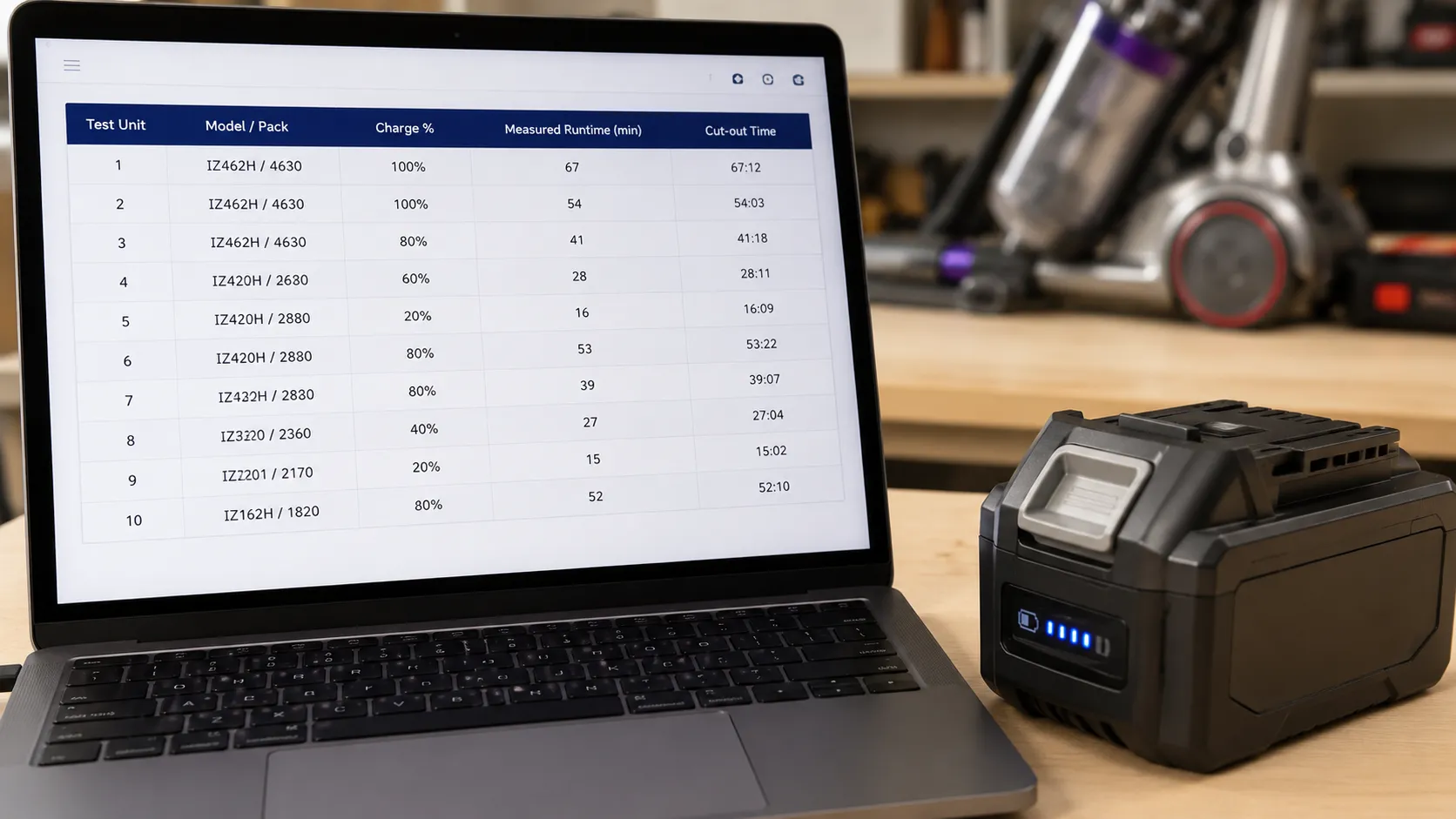
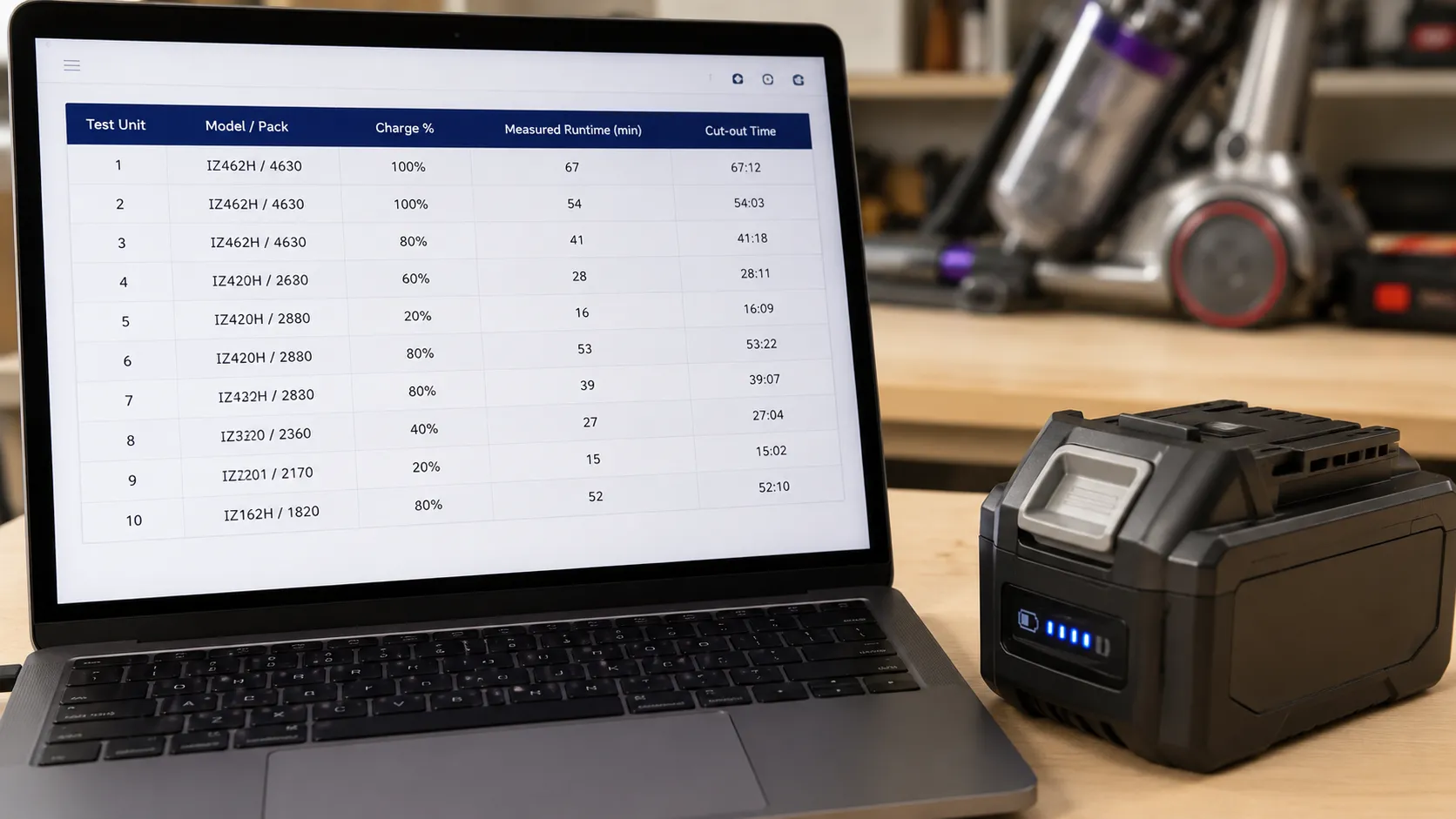
Test unit | Charged to | Measured runtime | Result |
|---|---|---|---|
Rocket Pro (3 years) | 100 percent | 4 minutes | Failing pack |
Stratos Cordless | 100 percent | 22 minutes | Healthy |
Detect Pro | 100 percent | 26 minutes | Healthy |
Cordless Pet Perfect | 100 percent | 11 minutes | Healthy for handheld |
If the pack runs well under spec, it is genuinely failing. Batteries are consumables and often excluded from warranty, so confirm coverage before assuming a free replacement.
Genuine vs Aftermarket Batteries, and When Warranty Covers It
Once a Shark battery is confirmed dead, the choice is a genuine pack or an aftermarket one, and warranty status decides your first move. Shark’s handheld FAQ states that batteries are not covered under warranty on many models, so check your unit before buying anything.
Genuine packs guarantee fit and safety but cost more, while aftermarket packs are cheaper with variable cell quality. We matched a replacement by the model number on the rating label behind the dust cup, and the “compatible” listing we nearly bought was for a different series.
Option | Strengths | Trade-offs |
|---|---|---|
Genuine Shark pack | Exact fit, safety, sometimes warranty-safe | Higher price |
Reputable aftermarket | Lower cost, often good capacity | Quality varies, check cell brand and reviews |
Unknown cheap pack | Lowest price | Safety risk, avoid unbranded lithium cells |
This is guidance, not a purchase recommendation, and we do not link products here. Match any pack to your exact model number, use only reputable cells, and if your vacuum is still in warranty, contact Shark before you buy.
Prevent Charging Problems, and When to Contact Shark
Most Shark charging problems are preventable with a few habits, and knowing when to stop saves wasted money on parts. If your Shark shows other symptoms alongside the charging fault, such as suction loss or a brush that will not spin, start with our full Shark symptom walkthrough to triage the whole machine first.
Charge at room temperature, dock the vacuum before the pack fully drains, wipe the contacts occasionally, and use the charger that came with it. Shark’s guidance is to charge fully before and after use.
There is a clear point where do-it-yourself ends. The one unit we could not revive showed the top-two flash, Shark’s own service state, so we stopped and logged it rather than chasing parts.
Contact Shark or consider warranty if: the top-two or bottom-two lights flash, the vacuum is dead after all four fixes, or you see swelling, corrosion, or burn marks on the pack. Those are not safe DIY territory.
Frequently Asked Questions
How long should a Shark vacuum battery last?
A Shark cordless battery typically lasts two to four years of regular use before runtime drops noticeably. Heat, deep discharges, and charging in cold spaces shorten that lifespan, so room-temperature charging and topping up before full depletion both help.
Why is my Shark vacuum battery dying so fast?
Fast draining usually means an aging pack or a temperature effect, not a charger fault. If the runtime test shows well under spec after a full charge, the pack is degraded and due for replacement.
Why won’t my Shark handheld vacuum charge?
Many Shark handhelds have a sealed, non-removable pack, so charging faults come down to contacts, the charger, or an overheat or jam light. A flashing red on a handheld often signals overheating or a blockage rather than a dead battery, so clear any clog and let it cool before retrying.
Should I contact Shark or replace the battery myself?
If the unit is in warranty, contact Shark first, because a self-installed aftermarket pack can void coverage. If it is out of warranty and the pack is removable, matching a replacement to your model number is a straightforward do-it-yourself job.
A Shark vacuum not charging is far more often a contacts, charger, or temperature issue than a dead battery, and working the four parts in order keeps you from replacing a pack that was never the problem. Read the lights, rule out the cheap parts first, and prove the battery with a runtime test before you buy.
Do that, and most Shark charging scares end with a clean contact or a cooled pack, not a purchase.
Read it your way
Short on time? Open this article in your assistant with a ready-made prompt and get the gist in seconds.
Found this useful? Make us a preferred source so we show up in your Google results.
Keep reading
Related articles

Troubleshooting & Repair
Roomba Not Working? 8 Symptoms Fixed (2026 Models)
Reboot first, then match your symptom. 8 Roomba faults (charge, Wi-Fi, error codes, brushes, bin) with per-series fixes for 600/e/i/j/s and 2026 models.

Troubleshooting & Repair
How Much Does a Vacuum Repair Cost? Fix or Replace (2026)
How much does a vacuum repair cost? Usually $50–150 (up to ~$321 for central). Use the 50% rule and our brand tier to decide: fix it or replace it in 2026.

Troubleshooting & Repair
Why Won’t My Robot Vacuum Work? 6 Fixes We Tested
Why won’t my robot vacuum work? Reset it, free the wheels, clean the sensors and fix a 2.4GHz Wi-Fi snag in 5 minutes: the DIY checks that skip a repair bill.

Troubleshooting & Repair
Not Broken? Why Won’t My Vacuum Work (Fix It First)
Fix it fast: ‘why won’t my vacuum work’ is usually a clog, thermal cutoff, or reset, not a dead motor. Match your symptom to the exact fix.
The discussion
Comments
Every comment is reviewed before it goes live.