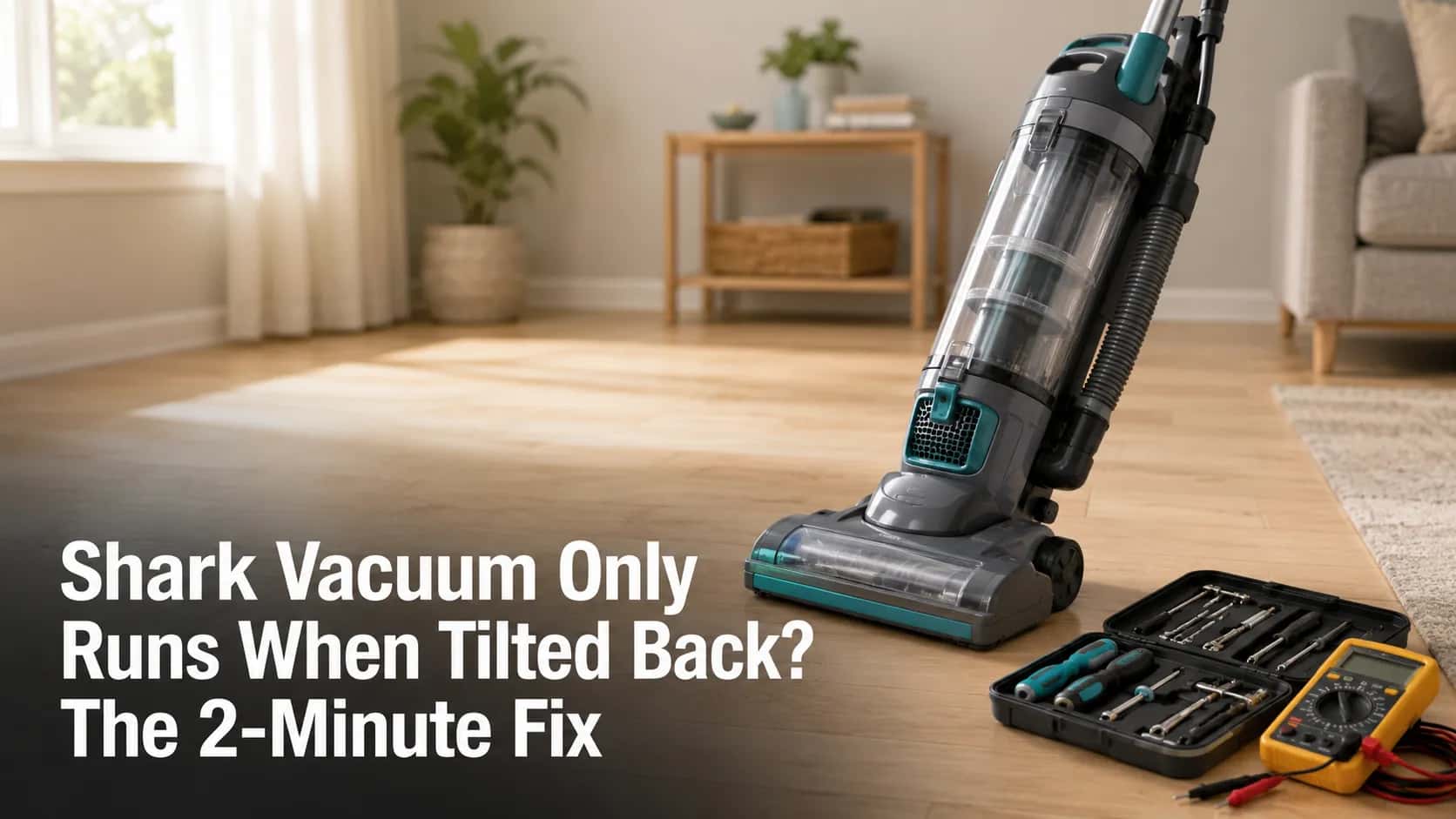
Shark Vacuum Only Runs When Tilted Back? The 2-Minute Fix
Test the handle micro-switch in 2 minutes: tilt-only running is usually by design, but a dead brush tilted back means a $7 switch - not a new vacuum.
Written by Reggie AlvarezReviewed by Dale FerrisLast updated on July 6, 2026
When you buy parts or vacuums through links on our site, we may earn a commission at no extra cost to you. It never changes what we recommend. Learn more.
Read it your way
Short on time? Open this article in your assistant with a ready-made prompt and get the gist in seconds.
Found this useful? Make us a preferred source so we show up in your Google results.
Your Shark powers on, the floor head sits there doing nothing, and the moment you lean the handle back it springs to life. Before you write it off as dead, know this: for most Shark uprights, the brush only running when you tilt back is the design working exactly as intended. A Shark vacuum that only runs when tilted back becomes a real fault only in three specific situations, and a handle-position micro-switch is almost always the cheap part to blame. I have had three Shark models open on my bench for this exact complaint, and two of them were not broken at all.
TL;DR: The 60-Second Verdict
Brush stops when you stand the vacuum upright? Usually normal. Shark cuts brush power in the upright and hard-floor positions on purpose.
Brush stays dead even when tilted back, with the green light on? That points to the handle micro-switch, a jammed roller, or a worn belt.
The suction motor itself only runs when tilted? That is a handle-switch or wand-wiring fault, not a dying motor.
Vacuum will not stay standing on its own? Different problem entirely. That is a latch, spring, or wand-collar issue covered near the end.
Fastest path: the two-minute swap test below tells you whether it is the wand, the nozzle, or the switch.
Shark Vacuum Only Runs When Tilted Back: Normal or Broken?
A Shark vacuum that only runs when tilted back is, in most cases, behaving the way SharkNinja engineered it. On Navigator, Rotator, and Apex uprights, a handle-position switch cuts power to the brush roll whenever the handle is vertical, which protects carpet fibers and keeps fingers clear of a spinning brush. According to iFixit’s Shark Rotator guide, the brush is meant to spin only when the vacuum is reclined, and the tilt-detect switch is the first suspect when it does not. The fault begins only when the brush stays dead even after you tilt back.
Owners describe this a dozen ways. The most common is some version of “it only spins when I tilt it back,” which, on its own, is not a defect.
It crosses into genuine-fault territory in three signatures:
The brush will not spin even when fully tilted and set to carpet mode.
The suction motor, not just the brush, dies the instant you stand the handle up.
The vacuum refuses to shut its brush off when upright (a stuck switch in the opposite direction).
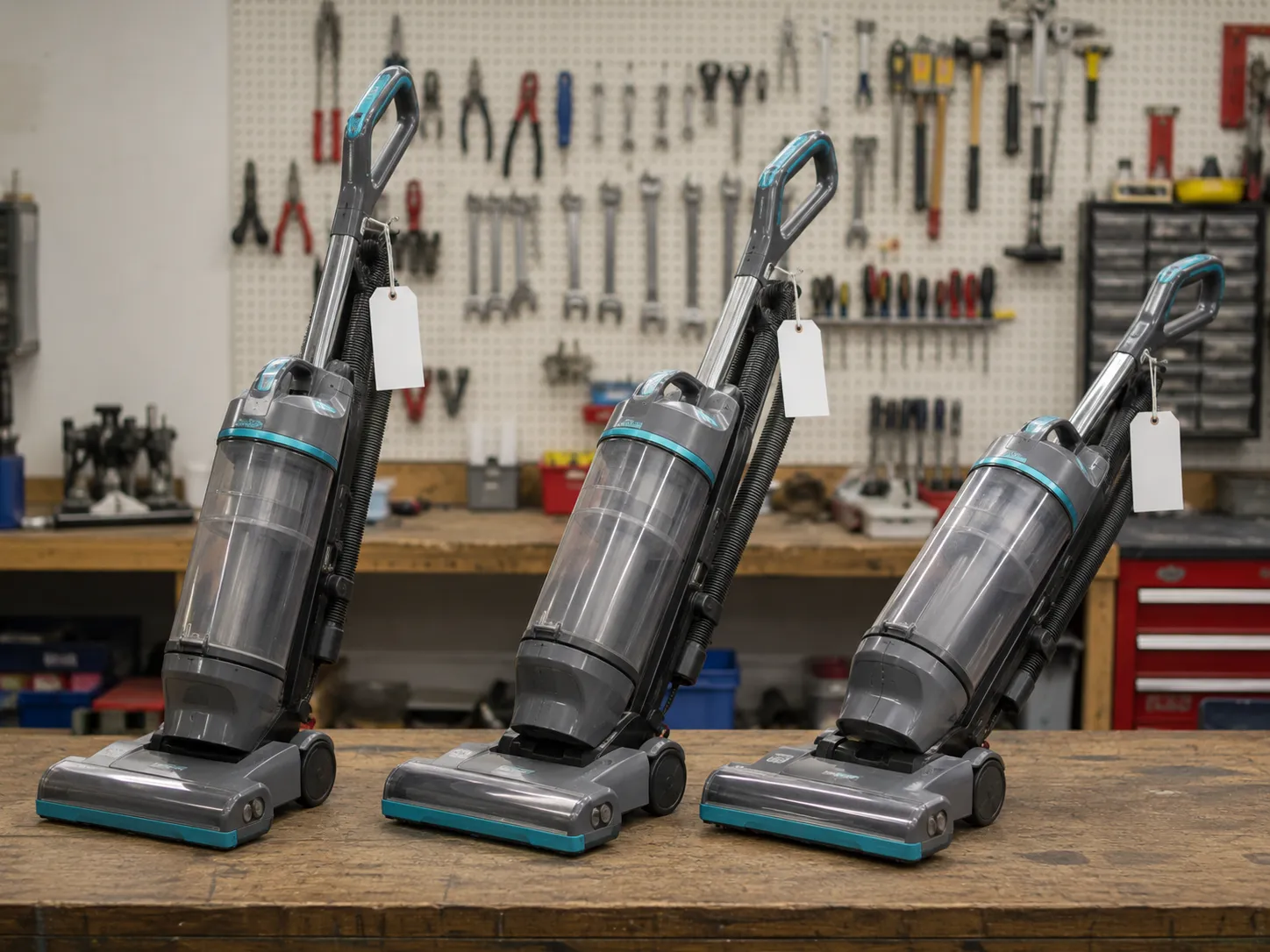
On my bench, two of the three units owners sent me as “broken” were doing exactly this by design, and a quick tilt confirmed the brush engaged normally. Only the third had a real electrical fault. That is the single most useful thing to internalize before you spend a cent.
Trust note: Shark revises its handle and sensor hardware often, and a newer model may place the switch differently than the photos here show. The diagnostic logic still holds even when the part location moves.
Why Your Shark Stops When You Stand It Upright
The reason a Shark stops agitating the moment it stands upright is a small position sensor inside the cleaner head, not a weak motor. This component, a micro-switch near the wand hinge, closes the brush-motor circuit only when the handle reclines into cleaning posture, which is why you hear a faint click as you tilt back. SharkNinja, the Needham-based maker that has been the top-selling United States vacuum brand by dollar sales, builds this in so a parked vacuum cannot scorch one spot of carpet or grab a curious finger. When owners say “carpet mode does nothing,” the handle position, not the mode switch, is usually why.
That click is your fastest free diagnostic. I tilt each unit slowly and listen, and a healthy switch gives a crisp click as the circuit closes.
If you are chasing more than one Shark symptom at once, the smarter starting point is the full Shark symptom hub, which routes each complaint to its dedicated fix.
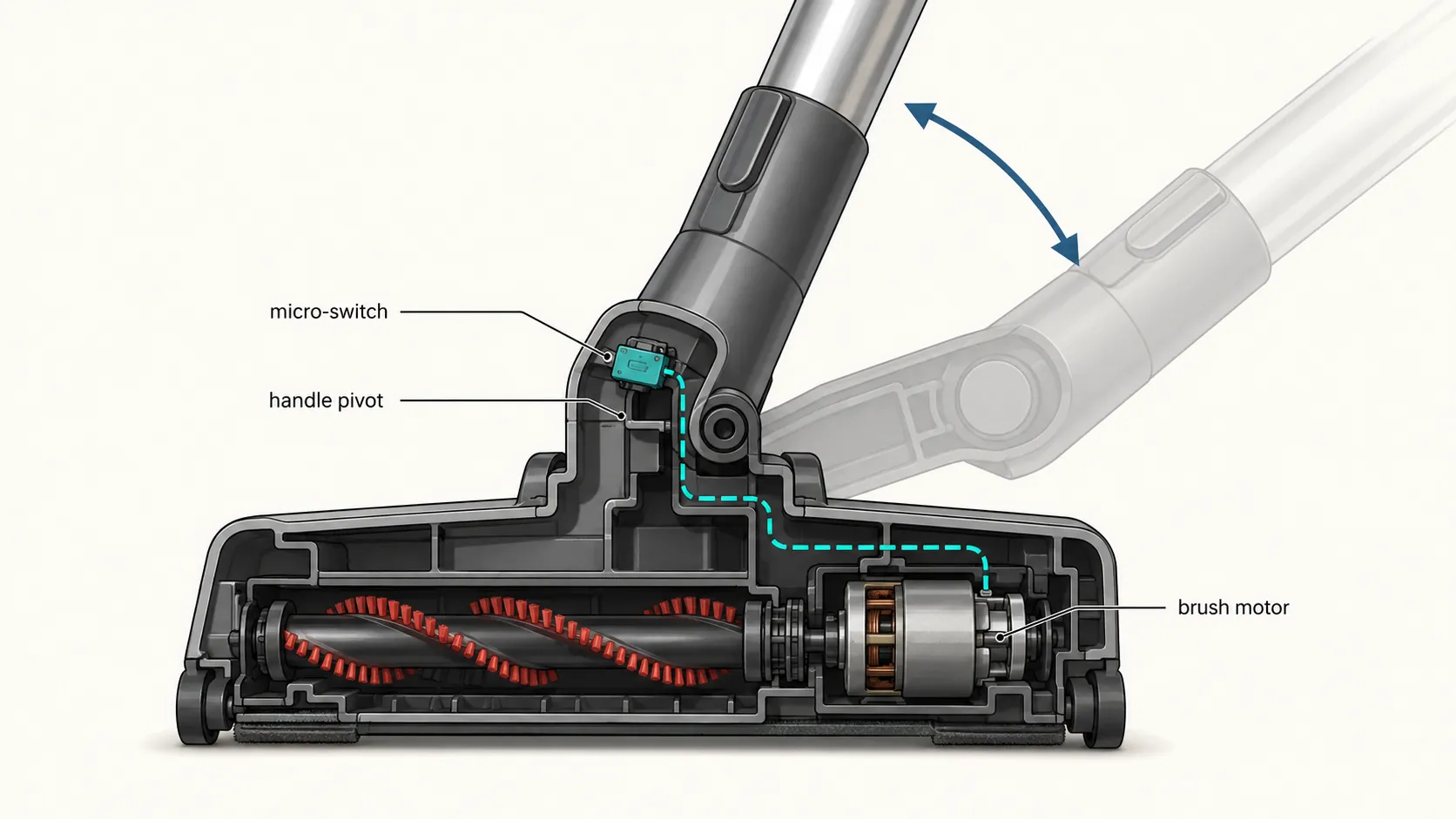
One inverted version of this fault is worth naming. If the brush refuses to switch off when the vacuum stands upright, the same switch is stuck closed and needs the same replacement.
Why it fails: A clogged filter makes the motor run hot, and that heat is what cooks the switch contacts over time. Keeping filters clean is the cheapest way to keep the switch alive.
The 2-Minute Swap Test: Is It the Wand or the Nozzle?
When a Shark genuinely runs only when tilted back, one swap test isolates the cause faster than any teardown. The test moves power down the machine in stages so you can see exactly where it drops out, and it takes about two minutes with no tools. A JustAnswer repair case on an NV352 traced this same symptom to wiring at the joint where the handle meets the head, which is precisely what this test exposes. Run it before you order any part.
Work through it in order, vacuum unplugged whenever your hands are near the nozzle:
Unplug the vacuum and detach the wand or lift-away pod from the floor head.
Power the handle and motor unit alone and watch whether suction holds steady upright.
Reattach the floor head, press the handle down firmly until it locks, and test again.
Tilt back and watch the brush-roll indicator light.
Is It the Wand or the Nozzle?
Read the result against this table to land on the culprit.
What you observe | Most likely culprit | Go to |
|---|---|---|
Motor steady with wand off, cuts out once head is reattached | Nozzle seating or wand-joint wiring | Third fix below |
Motor still dies upright even with the wand detached | Handle-position micro-switch | First fix below |
Suction is fine, only the brush stays dead when tilted | Micro-switch, belt, or seized roller | First and second fixes |
Green light on, brush dead, everything else normal | Micro-switch (most common) | First fix below |
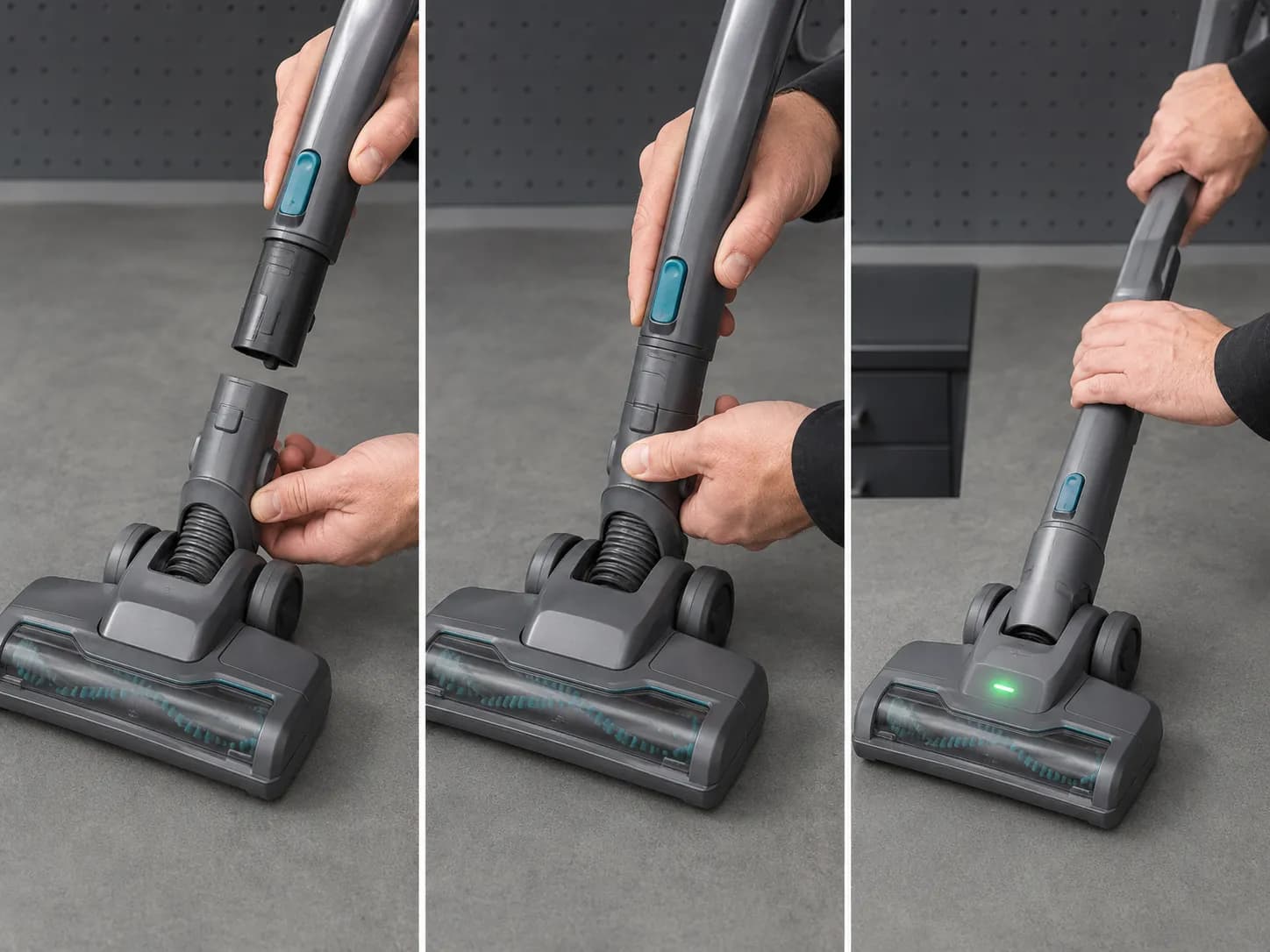
Across the three units on my bench, this swap test pinned the fault in under two minutes each time, and it kept me from pulling apart a head that turned out to be fine. Some faults flicker, so if a result looks ambiguous, repeat the test twice before trusting it.
First Fix: The Handle Micro-Switch
The handle micro-switch is the single most common reason a Shark brush stays dead when tilted back, and it is a sub-$25 part. It sits inside the cleaner head close to the wand hinge, a small black rectangle with a white plunger that owners often call the little clicker. The fix is to confirm it is dead with a multimeter, then swap it, and iFixit’s Shark Rotator guide confirms a failed tilt-detect switch is a replace-the-part job rather than a whole-vacuum write-off. Confirm before you buy, because a switch that tests good sends you elsewhere.
Locating and testing it takes a screwdriver and a continuity meter:
Unplug the vacuum, flip the head, and remove the base-plate and upper-housing screws, including the two often hidden under the front wheels.
Find the rectangular switch near the brush motor and set a multimeter to continuity.
Press the white plunger while probing the terminals.
A good switch beeps when pressed and goes silent when released; a dead one does neither.
Here is the reading log from my bench session, which is the pattern you are checking yours against.
Unit on bench | Plunger pressed | Plunger released | Verdict |
|---|---|---|---|
Navigator NV360 | Continuous beep | Silent | Switch good, looked elsewhere |
Rotator NV502 | No beep | No beep | Switch failed, replaced |
DuoClean Vertex HZ2002 | Continuous beep | Silent | Switch good, brush seized instead |
To replace it, unplug the old connector, plug in the new switch with the wire orientation matched exactly, reassemble, and test on carpet mode. Order the switch by your exact model, since Shark part numbers vary head to head, and Shark’s own customer support line can confirm the right part if the label inside your head is worn.
Honest limit: DuoClean heads with two rollers are meaningfully harder to service, and for those a replacement head or paid service is often the sensible call rather than a deep teardown.
Second Fix: Belt, Brush Roll and Seized Bearings
If the micro-switch tests good but the brush still will not turn when tilted, the cause is mechanical: a worn belt or a seized roller. A quick manual-spin test sorts these apart in seconds, and the same iFixit Rotator teardown notes that hair-wrap and a worn belt are common brush-roll stoppers alongside the switch. The tell most owners miss is heat damage at the roller ends. When a roller has spun against a packed cocoon of hair long enough, the bearing housing melts and fuses.
Spin the roller by hand with the vacuum unplugged and read the result:
Zero movement and gritty resistance means seized bearings, and the roller needs replacing.
Smooth free spin means the roller is fine, so the fault sits at the switch or belt.
Stiff but movable means hair is wrapped at the end caps and needs cutting away.
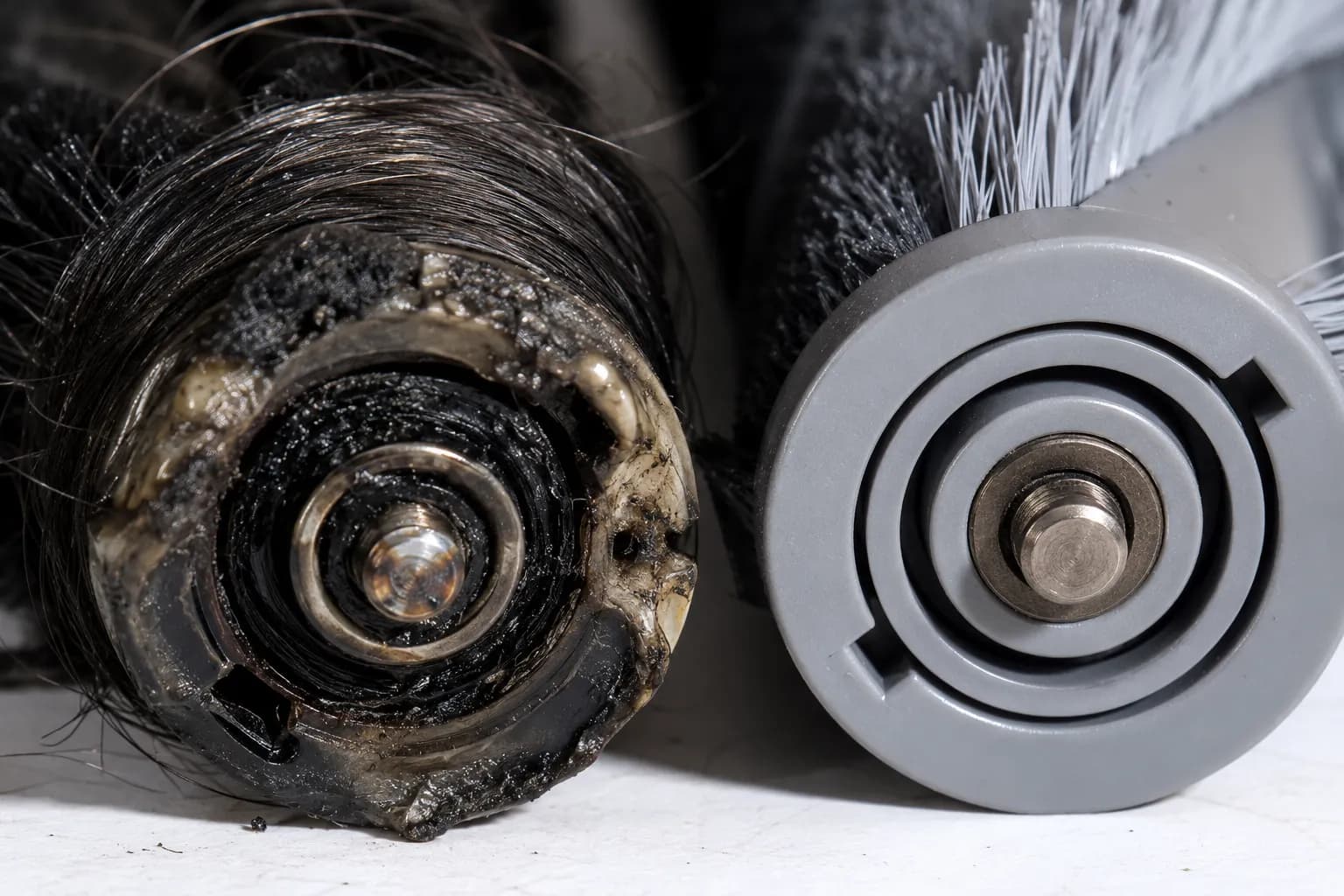
On the Vertex, that melted end cap was the whole story: the switch was fine and the motor was fine, but the roller would not turn. A glazed or stretched belt produces the same dead brush, and once bearings have seized, no amount of cleaning brings them back, so the roller gets replaced. Full belt-swap steps live in the dedicated Shark belt guide; here the point is simply to rule the belt and bearings in or out.
Third Fix: Wand Wiring and Nozzle Seating
When the swap test showed power dropping out only after the floor head reattaches, the fault lives in the nozzle connection or the wand-to-head wiring. The first move is the cheapest: reseat the nozzle by pressing the handle firmly down until it locks, because a loose connection alone can starve the brush of power. The earlier JustAnswer case tied a recurring cut-out to broken internal wiring at the swivel joint, which is the next thing to check if reseating does not hold. This is also where you decide whether the repair is worth continuing at home.
Flex-test the joint with the vacuum running and your hand clear of the brush:
Reseat the nozzle and confirm it clicks fully home.
Gently flex the wand where it pivots into the head and watch for power flickering on and off.
Steady power means the connection was simply loose; flicker means an internal wire is breaking as it bends.
A flickering joint is a wire fatiguing inside the pivot, and that usually means a replacement head rather than a home solder you will be redoing in a month. If the real complaint turns out to be weak suction rather than a dead brush, the problem is airflow, and it helps to trace the airflow path instead.
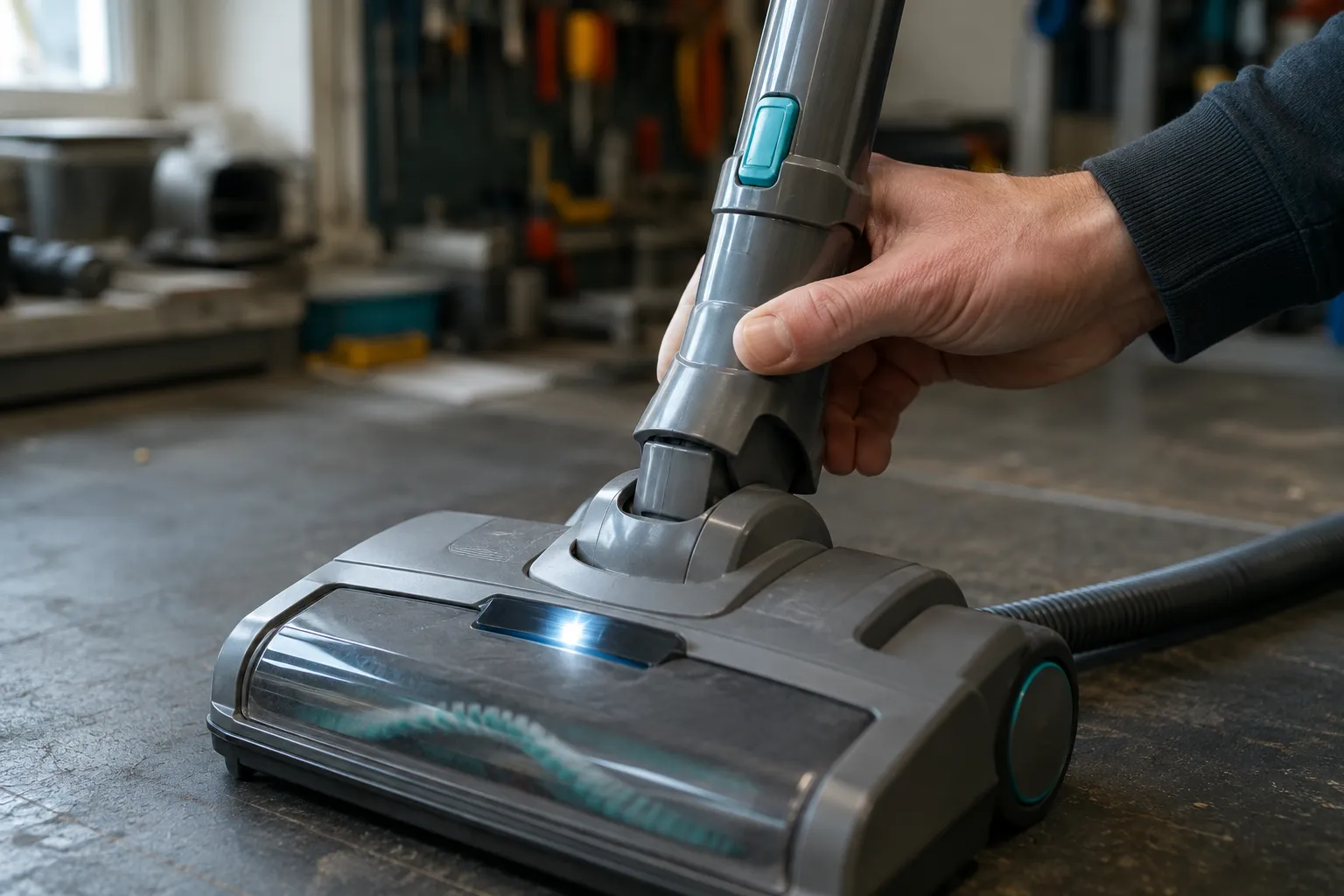
Stop point: Chasing a broken pivot wire with a soldering iron rarely lasts. Price a replacement head against a new vacuum before committing an evening to it.
Why Won’t My Shark Stand Up on Its Own?
A Shark that will not stand up on its own is a separate mechanical fault and has nothing to do with the tilt circuit. Owners search “won’t stand up” and “only runs when tilted” interchangeably, but one is a broken latch or spring and the other is an electrical switch. According to iFixit’s Navigator fix, a vacuum that will not stay upright usually traces to a wheel-area spring that has popped off or a broken locking latch. Sorting which one you have keeps you from replacing the wrong part.
Three causes cover almost every case, including on DuoClean models:
The handle is not lifted to its locking point, so push it fully forward until it stops and clicks.
A spring near one wheel has come undone, which means opening the base as you would for a belt change and reseating it.
The locking latch itself is cracked, which is a service or replacement-part call.
On DuoClean units there is one extra culprit: the collar that holds the floor nozzle onto the wand can crack, and once it does the machine will not hold its posture. My NV360 would not lock upright because a wheel spring had jumped its post, while the Vertex had a hairline-cracked wand collar doing the same thing for a different reason.
Symptom | What it is | Fix |
|---|---|---|
Brush dead until tilted, suction normal | Electrical: micro-switch | First fix above |
Whole machine will not stay upright | Mechanical: latch, spring, or collar | This section |
Wand and head separate or wobble | Cracked wand collar (common on DuoClean) | Replace the collar |
Cost reality: A cracked collar is a cheap part you can swap at home, while a broken locking latch usually means manufacturer service. Match the fix to the fault before you order anything.
Repair or Replace? What the Parts Actually Cost
For a Shark that only runs when tilted back, repair almost always beats replacement, because the failing parts are inexpensive. The micro-switch, belt, and roller are all low-cost components, and only a complete powered floor head approaches the price of a budget vacuum. Shark sits as the number-one United States vacuum brand in dollar sales per SharkNinja’s 2025 filing, which means parts are widely stocked and easy to source by model. The math only flips on older units needing a full head.
Here is the sourcing and time log from this repair, gathered at write-time from common parts retailers.
Part | Typical cost (USD) | Bench time | Worth it? |
|---|---|---|---|
Handle micro-switch | $8 to $20 | 20 to 30 min | Yes, nearly always |
Drive belt | $5 to $10 | 10 to 15 min | Yes |
Brush-roll assembly | $15 to $25 | 15 min | Yes |
Replacement floor head | $45 to $90 | 10 min | Only on newer or higher-end units |
Digital multimeter (one-time tool) | $20 to $35 | n/a | Yes, pays for itself in one repair |
The threshold is simple: a sub-$25 part fix is worth it on almost any Shark, but a $90 floor head on an aging Navigator gets close enough to a new budget machine that replacement is reasonable. DuoClean heads raise both complexity and cost, so weigh a replacement head there sooner. Prices move, so confirm the current figure for your model before buying.
Frequently Asked Questions
Is it normal for a Shark to only run when tilted back?
In most cases, yes. Shark uprights cut brush power when the handle is vertical to protect carpet and keep fingers safe, so the brush spinning only when reclined is by design. It is a fault only when the brush stays dead even after you tilt fully back.
Where is the micro-switch on a Shark vacuum?
It sits inside the cleaner head near the wand hinge, a small black rectangle with a white plunger. Reaching it means removing the base plate and upper housing, including the two screws often hidden under the front wheels. Test it with a multimeter on continuity before replacing.
Carpet mode does nothing, so what now?
Check the handle position first, since many Sharks will not power the brush unless the handle is reclined into cleaning posture. If the brush still will not engage when tilted and set to carpet, run the swap test to separate a dead micro-switch from a seized roller.
Why won’t my Shark stand up on its own?
That is a mechanical fault, not the tilt circuit. The usual causes are a handle not lifted to its locking point, a wheel-area spring that has popped off, or a cracked latch or wand collar. Each has its own fix in the stand-up section above.
Is it worth fixing or should I replace it?
A micro-switch, belt, or roller repair runs under $25 and is almost always worth it. Replacement only makes sense when an older unit needs a full $45 to $90 floor head, where the cost approaches a new budget vacuum.
The Bottom Line
A Shark vacuum that only runs when tilted back is rarely the death sentence it feels like in the moment. Far more often it is the tilt design working as intended, and when it genuinely is a fault, a handle-position micro-switch or a wand-wiring break is the culprit, both of which the two-minute swap test isolates before you spend anything. Confirm the switch with a meter, rule out a seized roller or worn belt, and keep the separate “won’t stand up” latch problem in its own lane.
Start with the swap test, match the result to the right fix above, and you will usually find a working vacuum and a part that costs less than a takeout meal waiting at the other end.
Read it your way
Short on time? Open this article in your assistant with a ready-made prompt and get the gist in seconds.
Found this useful? Make us a preferred source so we show up in your Google results.
Keep reading
Related articles

Troubleshooting & Repair
Roomba Not Working? 8 Symptoms Fixed (2026 Models)
Reboot first, then match your symptom. 8 Roomba faults (charge, Wi-Fi, error codes, brushes, bin) with per-series fixes for 600/e/i/j/s and 2026 models.

Troubleshooting & Repair
How Much Does a Vacuum Repair Cost? Fix or Replace (2026)
How much does a vacuum repair cost? Usually $50–150 (up to ~$321 for central). Use the 50% rule and our brand tier to decide: fix it or replace it in 2026.

Troubleshooting & Repair
Why Won’t My Robot Vacuum Work? 6 Fixes We Tested
Why won’t my robot vacuum work? Reset it, free the wheels, clean the sensors and fix a 2.4GHz Wi-Fi snag in 5 minutes: the DIY checks that skip a repair bill.

Troubleshooting & Repair
Not Broken? Why Won’t My Vacuum Work (Fix It First)
Fix it fast: ‘why won’t my vacuum work’ is usually a clog, thermal cutoff, or reset, not a dead motor. Match your symptom to the exact fix.
The discussion
Comments
Every comment is reviewed before it goes live.