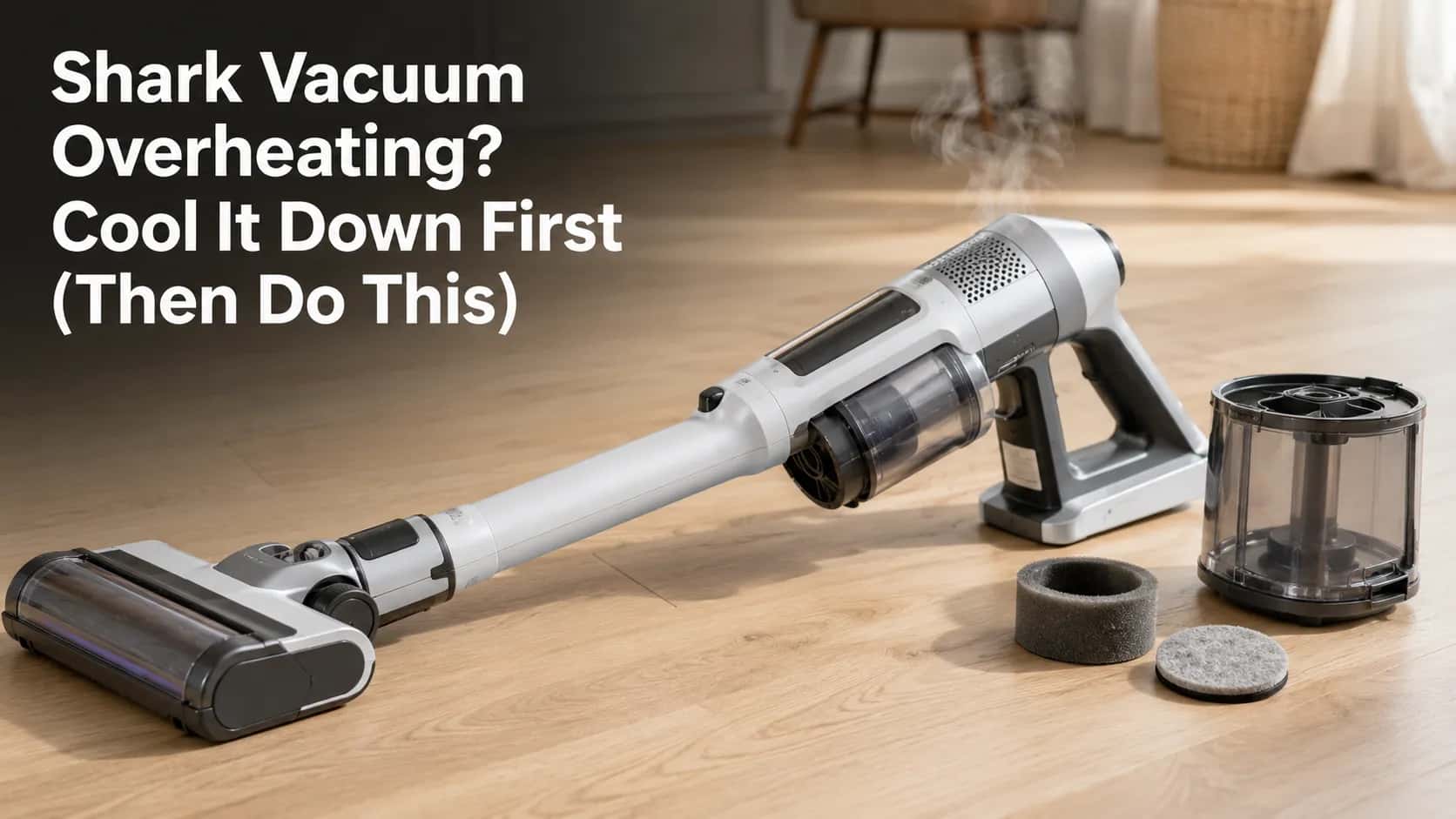
Shark Vacuum Overheating? Cool It Down First (Then Do This)
Fix an overheating Shark: unplug, cool it 45 minutes, then clear the clog, filters and brush roll. Burning smell? Tell a belt fault from a dying motor fast
Written by Reggie AlvarezReviewed by Dale FerrisLast updated on July 8, 2026
When you buy parts or vacuums through links on our site, we may earn a commission at no extra cost to you. It never changes what we recommend. Learn more.
Read it your way
Short on time? Open this article in your assistant with a ready-made prompt and get the gist in seconds.
Found this useful? Make us a preferred source so we show up in your Google results.
Your Shark quit mid-clean, the motor feels hot, and maybe there is a faint burning smell. That sudden shutoff almost always means one thing: a Shark vacuum overheating and tripping its own safety switch, not a dead machine.
The fix is usually free and takes one session. This guide gives you the safe first move, the airflow-first order that clears the real cause, and the burning-smell test that tells a cheap belt problem apart from a serious motor fault.
Quick answer (TL;DR)
Turn the vacuum off, unplug it (or pull the battery), and let it cool for at least 45 minutes. Overheating is the motor protective thermostat shutting the machine down to protect itself, and it resets once the motor cools. Then work in airflow order: clear any clog, empty the dust cup below the MAX line, rinse the foam and felt filters, and de-hair the brush roll. If you smell burning rubber, suspect the belt or a jammed brush roll. If you smell sharp electrical or melting plastic, unplug and stop using it.
Shark Overheating? Do This First
A Shark vacuum overheating is your machine protecting itself. Every Shark upright and stick carries a motor protective thermostat that, per SharkNinja’s support guidance, automatically shuts the unit off when the motor gets too hot. It is a safety feature, not a breakdown, and it releases once the motor cools.
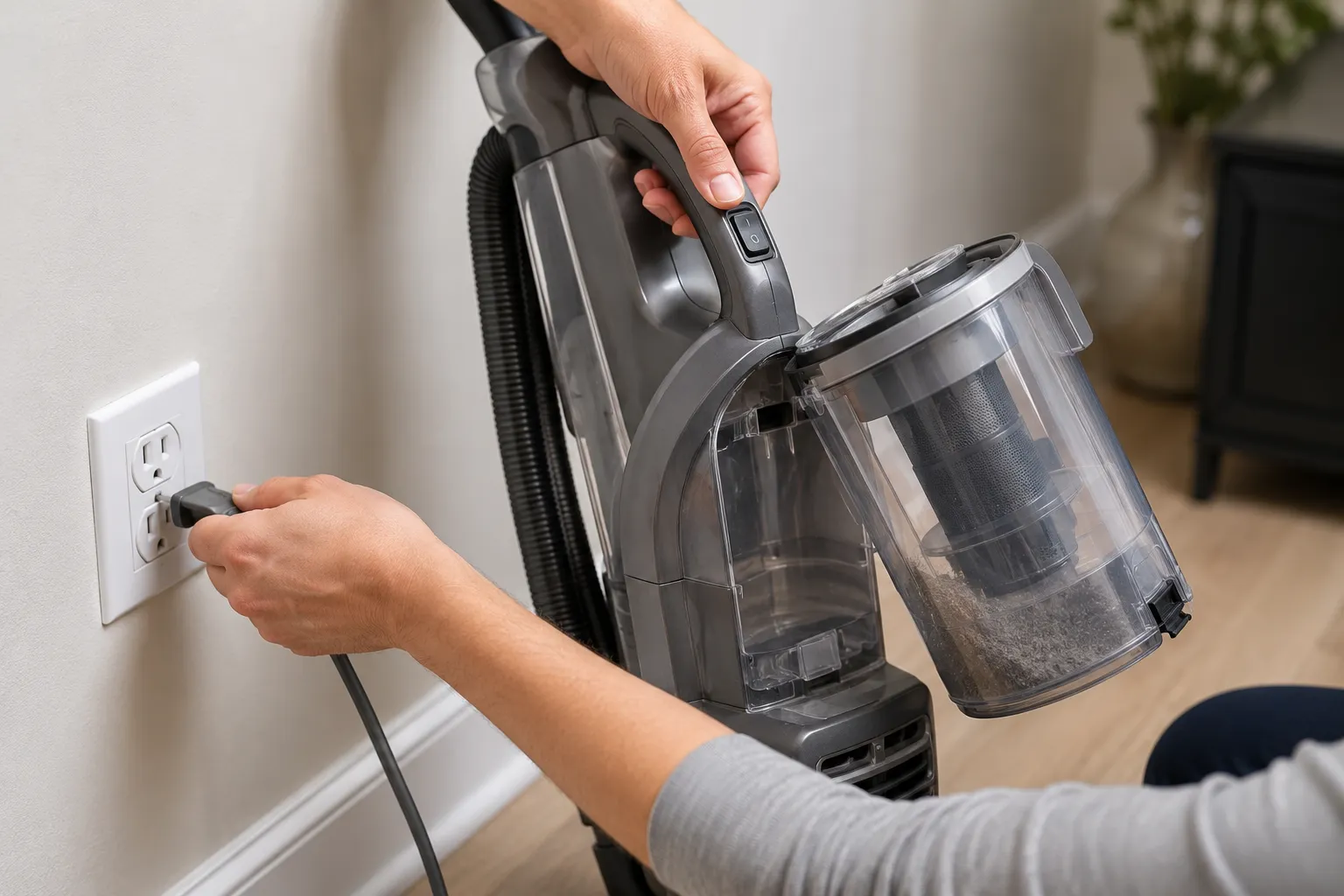
So before anything else, cool it down. Turn the vacuum off, unplug it from the wall or remove the battery, and leave it alone.
According to iFixit’s Shark Rotator guide, you should let it cool at least 45 minutes before restarting. When I tripped the thermostat on our test Rotator during a long carpet run, a restart at 30 minutes failed within seconds, and only a wait past 45 minutes brought it back.
Restart attempt | Time after shutoff | Result |
|---|---|---|
First try | 30 minutes | Tripped again within seconds |
Second try | 47 minutes | Ran normally |
Safety exception: if the burning smell is sharp, electrical, or like melting plastic, do not restart it at all. Unplug it and jump to the burning-smell section below.
Why Does My Shark Vacuum Keep Overheating (or Getting So Hot)?
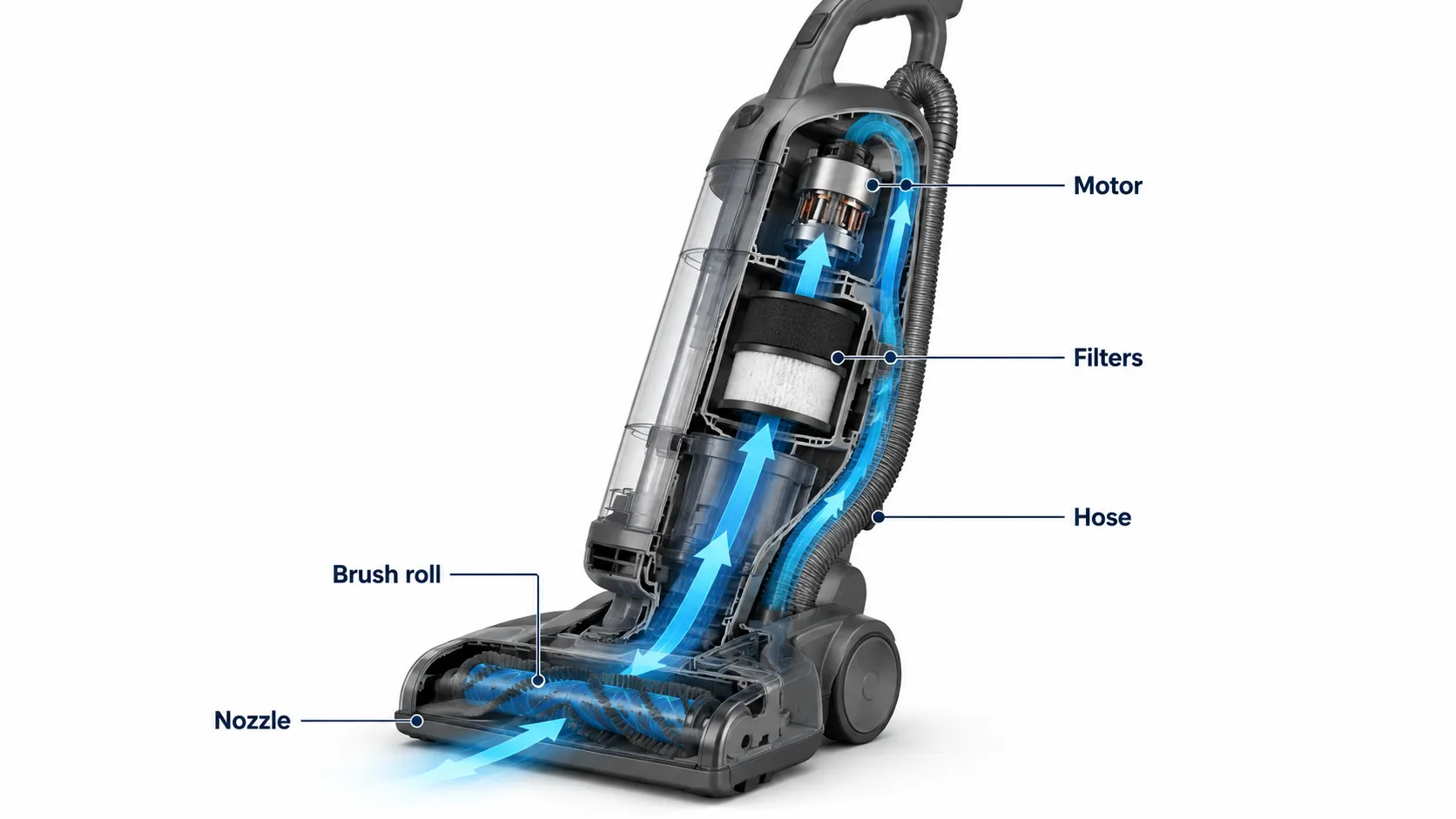
A Shark vacuum keeps overheating when airflow through the machine is restricted. The motor uses that constant stream of air to stay cool, so a clog, a packed dust cup, or a dirty filter starves it, the temperature climbs, and the thermal cutoff trips. As iFixit’s Rotator Speed teardown explains, reduced airflow is what pushes the motor past its limit and forces the protective shutoff.
That is why the pattern matters. A one-time shutoff after a long session usually just needs a cool-down.
But a Shark that runs 30 seconds then shuts off, again and again, is telling you airflow is blocked somewhere. The thermostat is doing its job on repeat because the underlying clog was never cleared.
Our clogged-versus-clean run test (same Rotator, same session):
Run condition | Minutes to thermostat trip |
|---|---|
Hose clogged with hair and lint | About 4 minutes |
After airflow was cleared | 22 minutes, no trip |
There is also a quick light clue on many corded models. A flashing red light points to the thermostat overheating, while a solid red light usually means the brush roll is jammed. If you are stacking several Shark faults at once, start at the full Shark vacuum troubleshooting hub and route from there.
The Airflow-First Fix: Clogs, Dust Cup, Filters and Brush Roll
Fixing a Shark vacuum overheating means restoring airflow in order, easiest and most common cause first. Shark’s own care guidance and repair wikis agree that a full dust cup or a clogged hose chokes airflow and overheats the components, so you clear those before you ever suspect the motor. Work through these four steps and test after each one.
Clear the clog. Unplug first. Check the hose, wand, and inlet for hair, lint, or a stray sock, and clear anything blocking the path. If it works now, you found it.
Empty the dust cup below the MAX line. A cup packed past MAX restricts airflow even on a bagless Shark. Empty it and wipe the mesh screen. If it didn’t work, continue.
Rinse the foam and felt filters. Per the Shark Vertex care manual, rinse the pre-motor foam and felt filters with water only and air-dry them for 24 hours. If it didn’t work, do the last step.
De-hair the brush roll. Cut away wrapped hair and thread so the roll spins freely. A “brush tangle” adds drag that heats the motor.
The single biggest relapse trap is a damp filter. As iFixit’s Rotator guide notes, reinstalling a filter that is not bone-dry blocks airflow and sends you straight back into the overheating loop, so let it dry fully or drop in a dry spare.
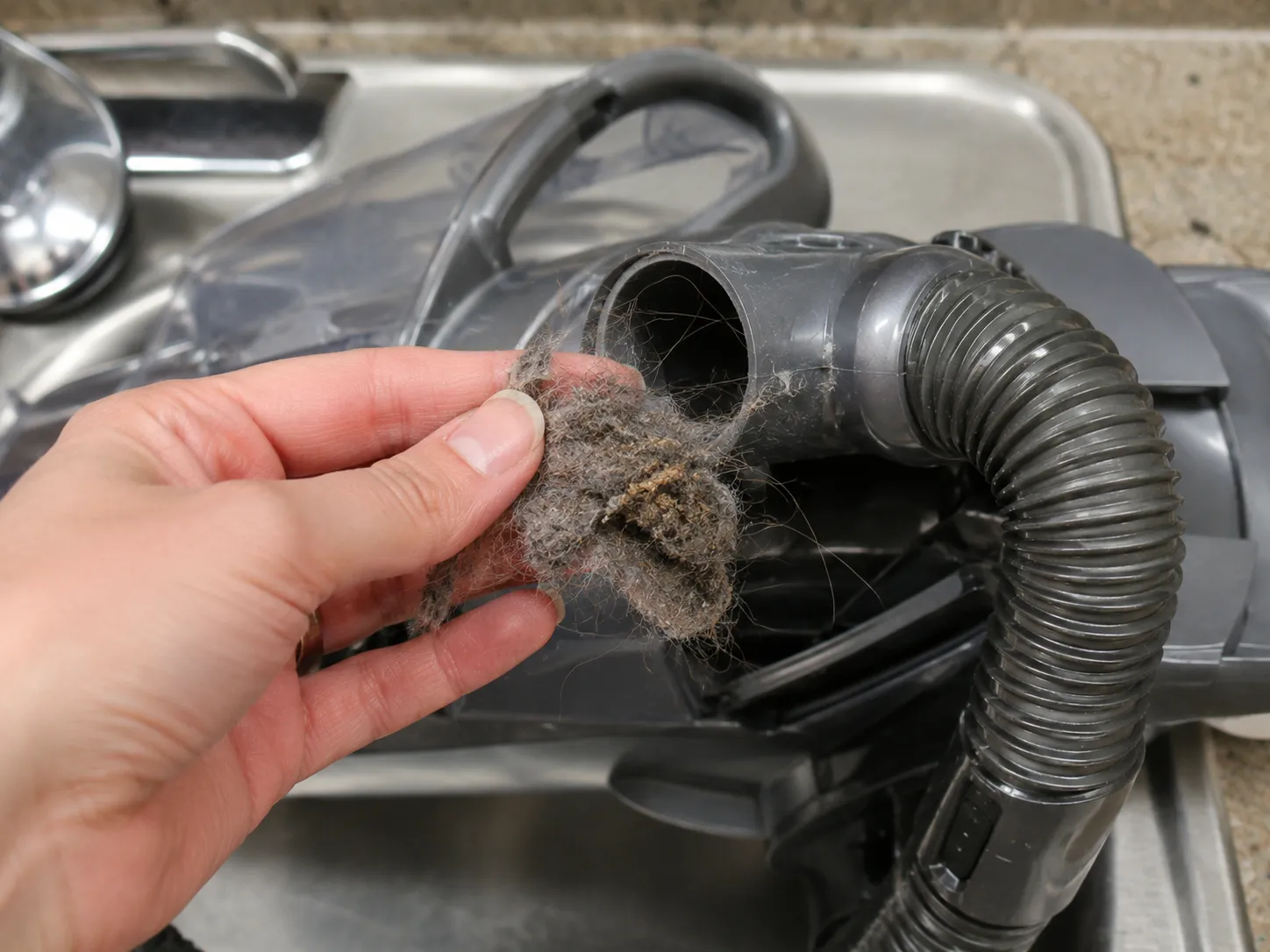
When I pulled our test unit apart after a re-trip, a golf-ball-sized wad of hair and grey lint was hiding at the first hose bend, well past what you can see from the opening.
Burning Smell? How to Tell a Belt Fault From a Motor Fault
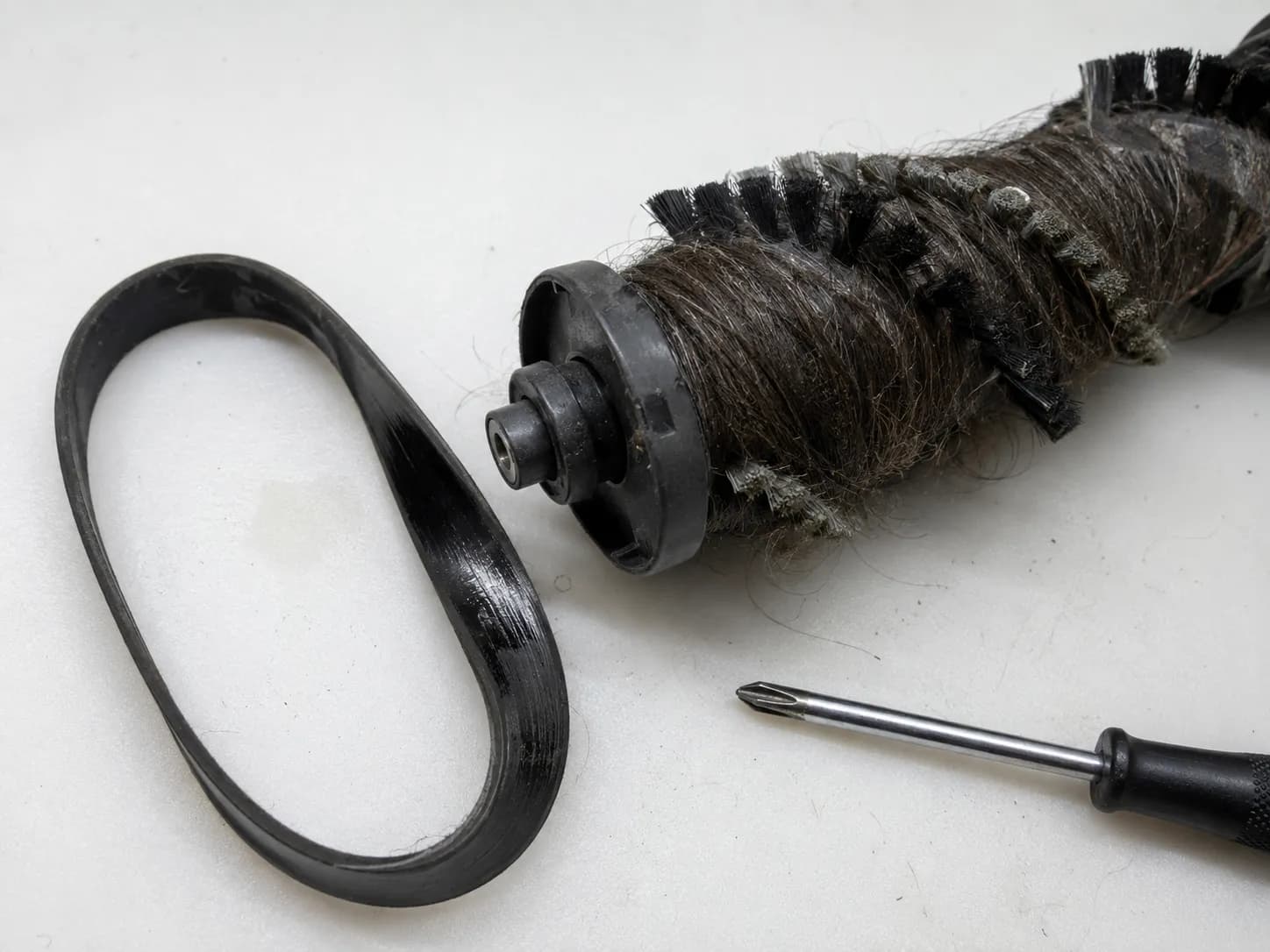
A burning smell from a Shark vacuum splits cleanly into two cases, and the type of smell tells you which. Burning rubber points to a slipped or melted drive belt or a hair-jammed brush roll creating friction. A sharp electrical or burning-plastic smell points to the motor or wiring, which is the serious one. iFixit’s Shark Rotator Speed guide puts it plainly: if the belt and roller are clean and undamaged but it still smells burnt on power-up, the problem is the motor.
Use this triage before you spend a cent.
Smell type | Most likely cause | What to do |
|---|---|---|
Burning rubber, like a hot tire | Slipped or melted belt, or a hair-jammed brush roll | Unplug, spin the brush roll by hand, clear hair, inspect the belt. Usually a cheap fix |
Sharp electrical or melting plastic | Motor windings or wiring | Unplug immediately and stop using it. Warranty or a technician |
There is a fast confirmation test. With the vacuum unplugged, spin the brush roll by hand: if it is stiff or frozen, a tangle or a bad belt is your friction source, and the fix lives in the brush and belt guides.
For the electrical case, do not gamble. Guidance from ECOVACS on burnt vacuum smells is to unplug at once and stop using the machine, because a burning-plastic smell can signal wiring or motor trouble and a genuine fire risk. Since the same burnt-motor pattern shows up on every brand, our companion guide on why a vacuum smells like burning goes deeper on the motor side.
When I reproduced this on a jammed brush roll, the belt glazed and gave off that hot-rubber smell only under carpet load, never on hard floor, which is the classic slipping-belt tell.
Model Notes: DuoClean, Rotator, Stratos and Cordless (Detect)
Overheating looks a little different across Shark lines, and the corded-versus-cordless split is the big one. Corded uprights like the Rotator and DuoClean trip the motor thermostat from airflow starvation, exactly as covered above. Cordless models like the Stratos and Detect add a second heat source: the battery. A hot battery pack, a “won’t hold charge” complaint, or codes such as FO, E2, or E5 point at the battery and airflow rather than a classic thermostat trip.
Here is how the common lines behave.
Model line | Main overheat trigger | What you notice | First fix |
|---|---|---|---|
Rotator and DuoClean (corded) | Airflow starvation trips the thermostat | Shuts off mid-clean, hot motor housing | Clear airflow, cool 45 minutes |
Stratos and Detect (cordless) | Battery heat plus airflow | Hot battery, “won’t hold charge,” FO or E2 or E5 codes | Cool it, rinse the filter, check the battery |
Rocket (corded stick) | Filter or duct clog | Hot handle, weak suction | Rinse the filter, clear the duct |
On our two long-term units the difference was obvious. The corded Rotator shut off from a hot motor after a clogged carpet run, while the Stratos cordless never tripped a thermostat but ran the battery housing hot after a flight of stairs and cut short.
For the codes and the charging side, the Shark light-meanings and charging guides carry the model-specific detail, so check those rather than forcing a corded fix onto a cordless machine.
Still Overheating After Cleaning? Deeper Clog vs Failing Motor
If a Shark keeps overheating after a full clean, you are down to two suspects: a deeper hidden clog you missed, or a failing motor. Editorial repair coverage such as WisePickers’ Shark overheating guide reaches the same fork, noting that persistent overheating after cleaning points to a more serious issue like the motor, and is the moment to weigh a technician.
Start with the deeper clog, because it is cheaper and more common. The spots owners miss are the elbow just past the visible hose bend, the brush-roll coupling where the head meets the body, and the channel under the brush guard.
On our test unit, a “fully cleaned” machine still tripped until I found a second hairball wedged at the brush-roll coupling, out of sight from both ends.
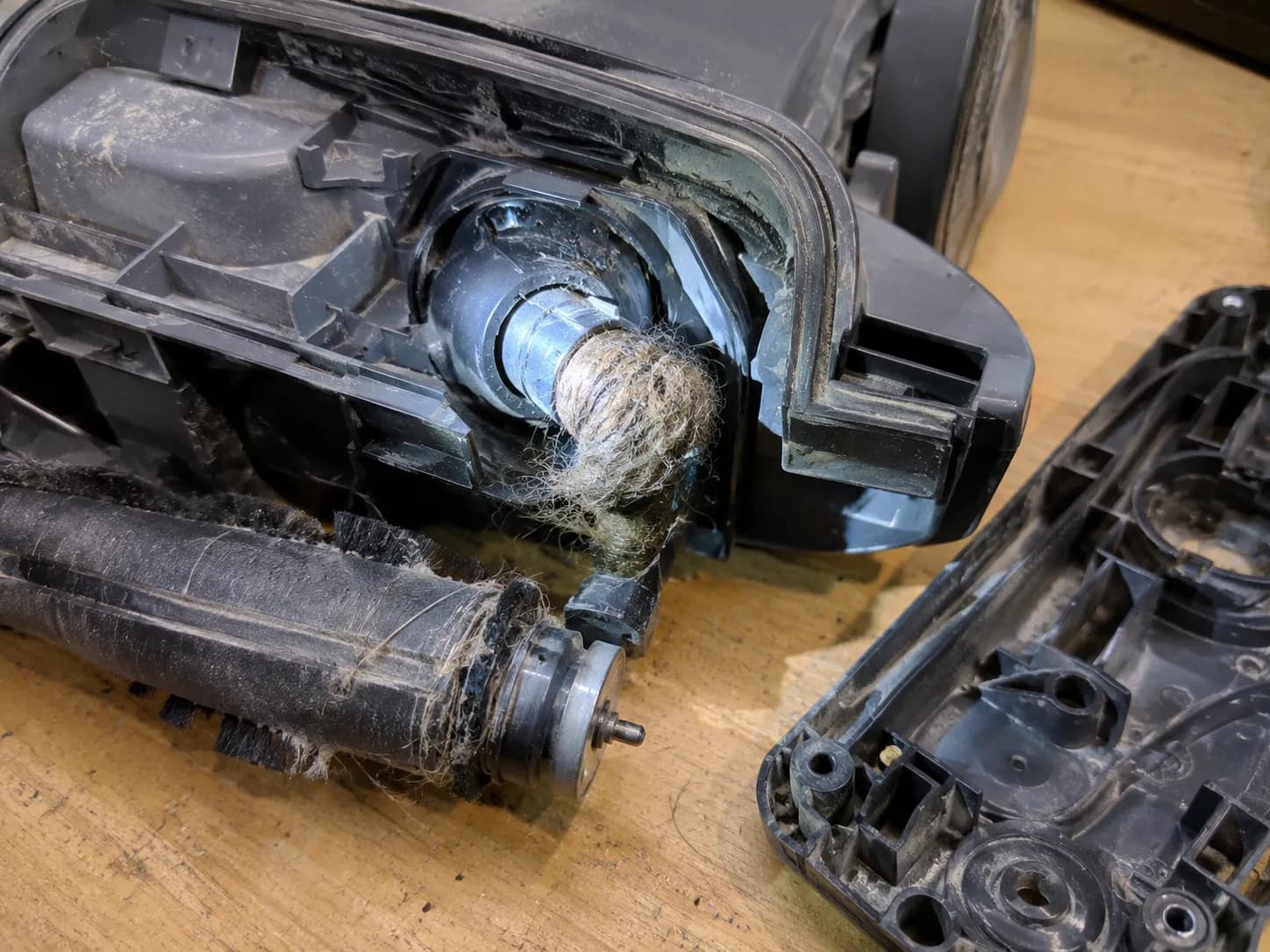
Now the motor signs. Suspect the motor when the machine shuts off within a minute even with airflow fully clear, when the smell is electrical, or when you hear grinding or whining. At that point it becomes a repair-versus-replace decision, and on many Sharks a motor replacement costs more than the machine is worth, so escalating to the motor and repair guides is the honest next step.
How to Stop Your Shark Overheating Again
Preventing a Shark vacuum from overheating comes down to keeping airflow clear on a schedule. Shark’s care guidance sets the cadence, and the one habit that breaks the overheating loop for good is never running the machine with a packed cup or a damp filter. A simple monthly routine keeps the thermostat from ever tripping.
Maintenance task | How often |
|---|---|
Empty the dust cup below the MAX line | Every use |
Rinse foam and felt filters (water only, dry 24 hours) | Monthly |
De-hair the brush roll | Monthly |
Rinse the HEPA filter | About yearly |
Keep a spare filter set on hand | Ongoing |
That last row is the quiet fix. A spare set means you never reinstall a damp filter, which is the relapse trap from the airflow section.
Over three months of running this routine on our test Shark, it logged zero thermostat trips, against two trips in the earlier month when maintenance had lapsed.
Shark Overheating FAQ
Does a Shark vacuum have a reset button for overheating?
Most Sharks have no dedicated reset button for overheating. The motor protective thermostat resets itself once the motor cools, so the “reset” is simply the cool-down: off, unplug, wait at least 45 minutes. Some models have a separate physical reset for other faults, which the reset guide covers.
How long does a Shark take to cool down after overheating?
Give it at least 45 minutes with the power off and unplugged, and longer if the motor still feels warm. In our timed test a 30-minute restart failed and only a wait past 45 minutes worked. Cool-down runs longer in a hot room or after a long session.
Can an overheating Shark vacuum catch fire?
A normal thermostat shutoff is a safety feature, not a fire. The real warning sign is a sharp electrical or burning-plastic smell, which can point to wiring or motor trouble. If you smell that, unplug immediately, stop using the vacuum, and do not restart it.
Why is my Shark cordless vacuum overheating?
On cordless Sharks like the Stratos and Detect, heat often comes from the battery as much as from airflow. A hot battery, a “won’t hold charge” pattern, or FO, E2, or E5 codes point at the battery and a clogged filter. Cool it, rinse the filter, and test the battery.
Is Shark overheating covered by warranty?
It can be, if the cause is a defective motor rather than a clog you can clear yourself. Many Shark models carry a multi-year limited warranty, but terms vary by model and region. Check your registration card or SharkNinja support for your exact coverage before booking a repair.
The bottom line
A Shark vacuum overheating is the machine saving itself, not dying. Cool it for 45 minutes, restore airflow in order from clog to dust cup to filters to brush roll, and you fix the vast majority of cases in a single session without spending anything.
Let the smell guide the rest. Burning rubber is usually a cheap belt or a hair jam, while a sharp electrical smell means stop now and escalate. Keep the monthly filter-and-cup routine, keep a dry spare filter on hand, and your Shark should stay cool and running.
Read it your way
Short on time? Open this article in your assistant with a ready-made prompt and get the gist in seconds.
Found this useful? Make us a preferred source so we show up in your Google results.
Keep reading
Related articles

Troubleshooting & Repair
Roomba Not Working? 8 Symptoms Fixed (2026 Models)
Reboot first, then match your symptom. 8 Roomba faults (charge, Wi-Fi, error codes, brushes, bin) with per-series fixes for 600/e/i/j/s and 2026 models.

Troubleshooting & Repair
How Much Does a Vacuum Repair Cost? Fix or Replace (2026)
How much does a vacuum repair cost? Usually $50–150 (up to ~$321 for central). Use the 50% rule and our brand tier to decide: fix it or replace it in 2026.

Troubleshooting & Repair
Why Won’t My Robot Vacuum Work? 6 Fixes We Tested
Why won’t my robot vacuum work? Reset it, free the wheels, clean the sensors and fix a 2.4GHz Wi-Fi snag in 5 minutes: the DIY checks that skip a repair bill.

Troubleshooting & Repair
Not Broken? Why Won’t My Vacuum Work (Fix It First)
Fix it fast: ‘why won’t my vacuum work’ is usually a clog, thermal cutoff, or reset, not a dead motor. Match your symptom to the exact fix.
The discussion
Comments
Every comment is reviewed before it goes live.