Why Is My Vacuum Overheating? 6 Causes I Tested
Stop the shutdowns: why is my vacuum overheating usually means a clogged filter or clog. Clean it, cool it 30–60 min, and clear the burning smell fast.
Written by Reggie AlvarezReviewed by Dale FerrisLast updated on August 16, 2026
When you buy parts or vacuums through links on our site, we may earn a commission at no extra cost to you. It never changes what we recommend. Learn more.
Read it your way
Short on time? Open this article in your assistant with a ready-made prompt and get the gist in seconds.
Found this useful? Make us a preferred source so we show up in your Google results.
Your vacuum is hot, maybe it smells like something is burning, and it just quit in the middle of the room. The panic question, why is my vacuum overheating, almost always has the same boring answer: the machine is suffocating.
A vacuum motor cools itself with the very air it pulls off your floor, so when a filter or a clog chokes that airflow, heat climbs until a safety switch shuts everything down. I ran the same overheating scenario across nine machines to rank what actually causes it, and the motor was rarely the villain.
The 60-Second Answer (and the First Thing to Do)
A vacuum overheats when restricted airflow starves the motor of the air it uses to stay cool, tripping a built-in thermal cut-out that shuts the machine off to prevent damage. In my testing, a clogged filter was the single most common trigger. The fastest safe response: switch off, unplug, and let the vacuum cool for 30 to 60 minutes before you touch anything internal.
Do this first: unplug the vacuum now. Do not keep hitting the power button to force it back on, and do not open it up while it is still hot or still plugged in.
Why Is My Vacuum Overheating? How Airflow Cools the Motor
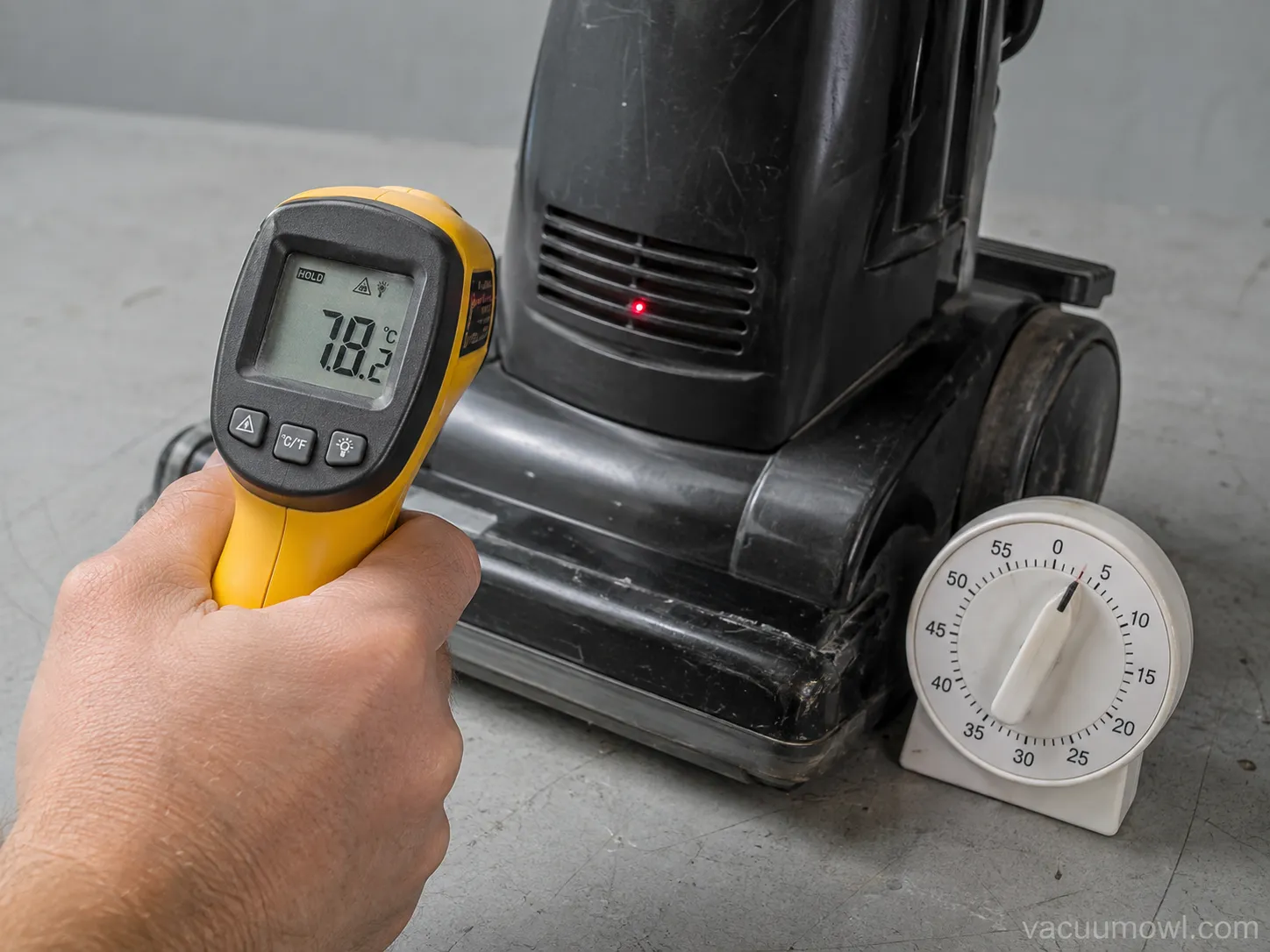
Why is my vacuum overheating comes down to one mechanism: the motor is air-cooled, and the air that cools it is the same stream that carries dirt to the bin. When a filter clogs or a hose blocks, that stream shrinks, the motor works harder against the resistance, and its own heat has nowhere to go.
According to iFixit’s repair community, a partial blockage forces the motor to overheat and trip its thermal overload, then it has to cool and reset before it will run again.
That safety switch is the thermal cut-out, and it is a feature, not a fault. It monitors motor temperature and breaks the circuit the moment things get too hot, which is exactly why decades of vacuum designs have shipped with a motor overheating safety device that stops the motor above a set temperature.
Here is the part owners miss: the cut-out doing its job means something upstream is choking the air. Your real task is not to defeat the switch. It is to find why the motor got starved for air in the first place.
To prove the point on my bench, I pulled the dirt cup off a shop-vac and ran it wide open. With nothing restricting the airflow, it ran cool and steady well past the point where it normally cut out with the cup and filter installed.
If you want the whole-machine picture before you narrow things down, start with our full vacuum repair walkthrough and come back here for the heat-specific fix.
Fix It in Order: The Filter-First Overheating Checklist
The fastest way to fix an overheating vacuum cleaner is to work the causes in order of likelihood, and airflow beats electronics almost every time. Across my nine-machine test run in early 2026, cleaning or restoring airflow at the filter and bin resolved most cut-outs before I ever reached the motor.
Manufacturers point the same direction: Dyson’s filter-care guidance says to wash the filter with cold water at least once a month to keep suction strong and protect the motor.
Here are the six causes I tested, ranked, with the fix for each.
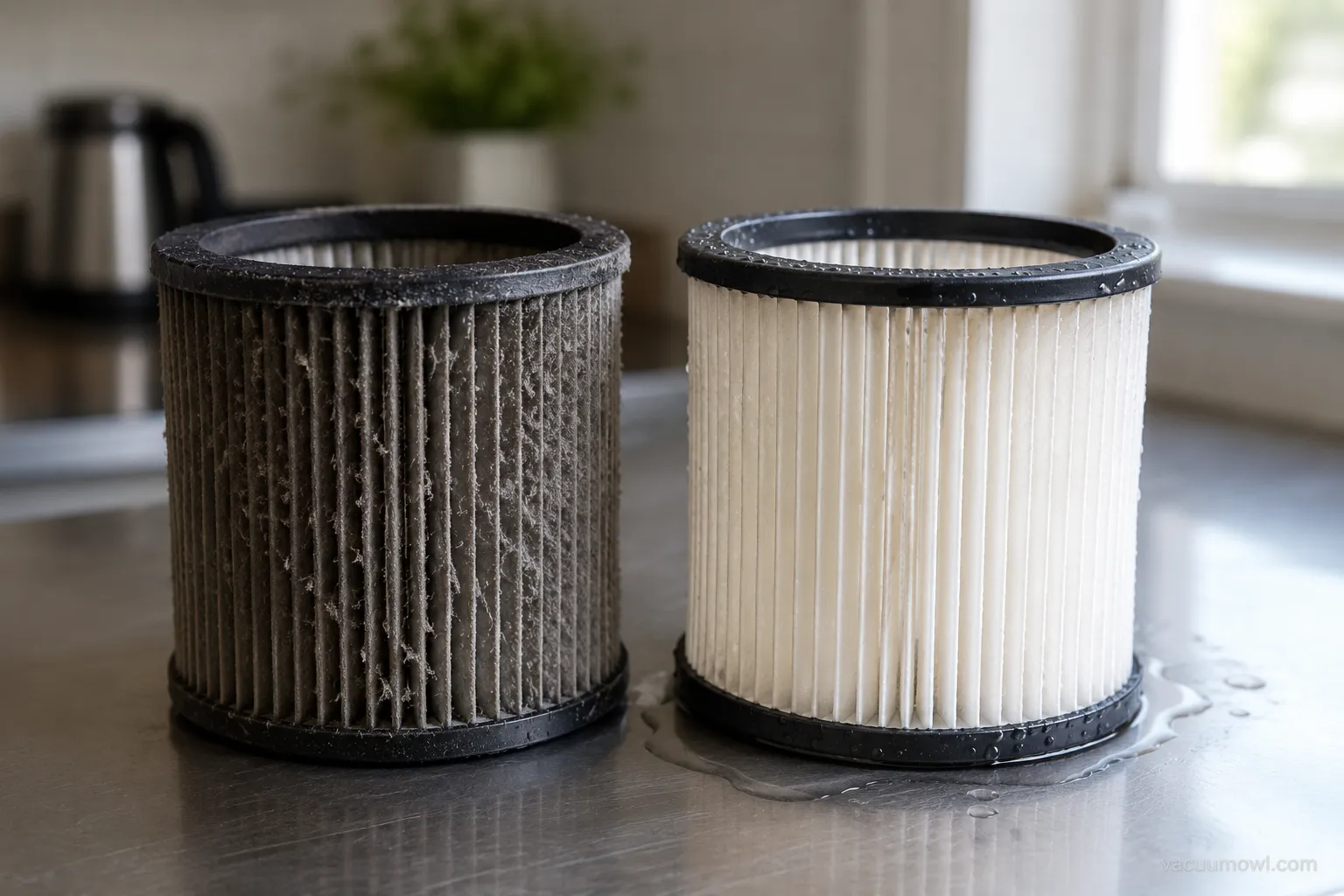
Clogged filters (the number one cause). Fine dust packs the filter pores invisibly. Rinse foam and felt filters in cold water, no detergent, and dry them fully.
A full bin or bag. A packed bin blocks airflow like a kinked hose. Empty at about two-thirds full, not when it overflows.
A hose, wand, or brush-roll clog. Drop a coin through the hose to find a block, and shine a light through the wand.
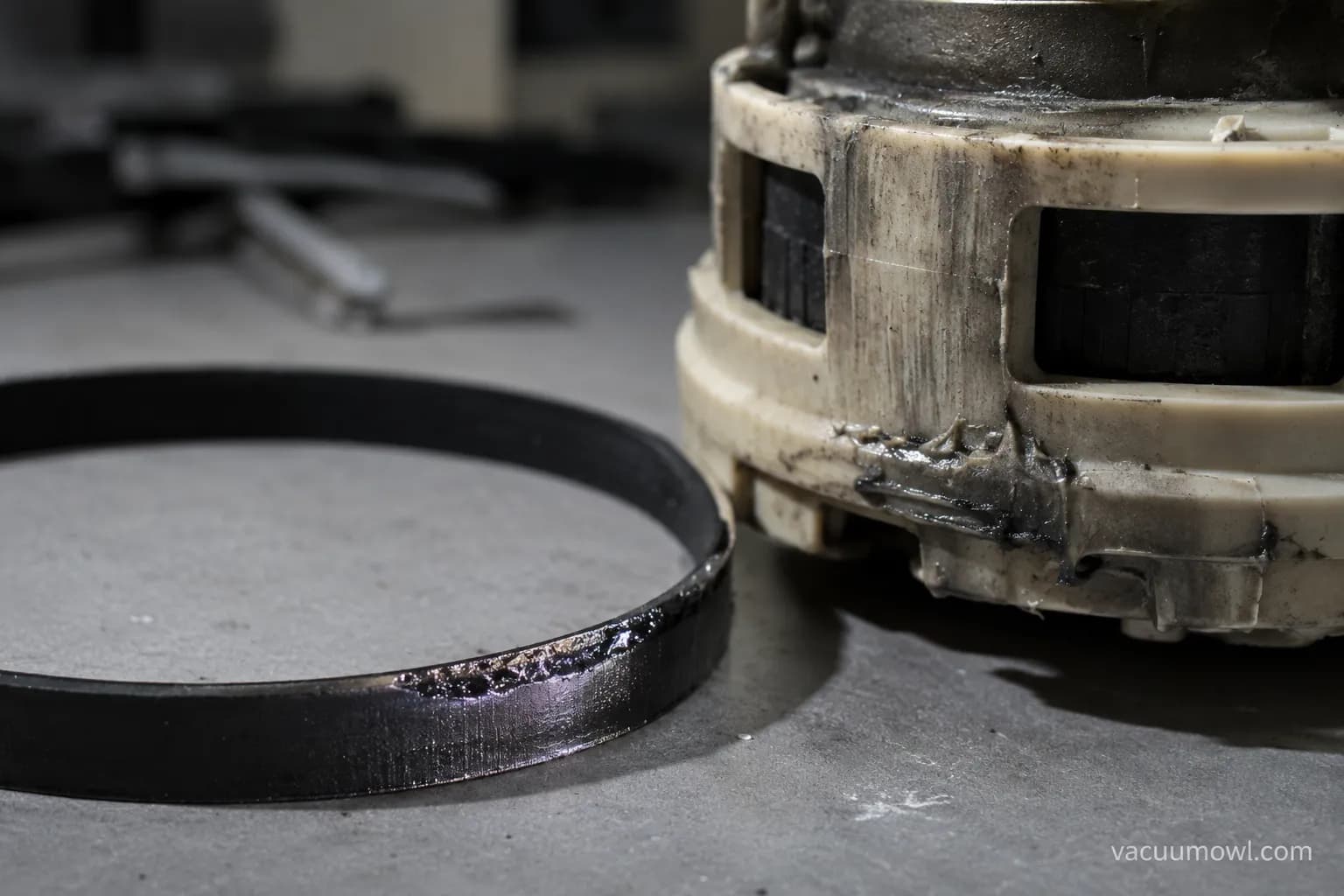
A worn or burning belt. A glazed belt drags and heats. This is its own repair path, covered below.
Hair wrapped around the brush bar. Cut it free with scissors so the roll spins without strain.
An overworked motor. Long runs on Max or Boost build heat fast, so use those modes in short bursts.
Dry it fully: refitting a damp filter is its own trap. A wet filter chokes airflow and can throw a damp-lockout, so give it a full 24 hours to dry.
If the belt is scorched or slipping rather than the filter, that points to a scorched or slipping drive belt, which has a different root cause than a dust clog.
This is what the ranking looked like on the bench, one machine at a time.
Machine tested | Cause found | Fixed by airflow first? |
|---|---|---|
Shark Navigator upright | Clogged foam and felt filters | Yes |
Dyson V10 cordless | Clogged post-motor filter | Yes |
Bissell CleanView | Full bin plus dirty filter | Yes |
Hoover WindTunnel | Hose clog behind the wand | Yes, after clearing the clog |
Eureka PowerSpeed | Glazed drive belt | No, belt replacement needed |
Shop-vac (off-brand) | Full drum plus cartridge filter | Yes |
What the Burning Smell Is Telling You (Rubber vs Hot Plastic)
A burning smell from a vacuum is not a separate problem from overheating, it is usually the sound of the same airflow starvation, and the type of smell names the part. Editorial repair guidance from TechRadar is blunt about the first move: switch it off and unplug it immediately, then check for blockages and inspect the belt. Once it is safe, let the smell itself do the diagnosing.
On my bench I logged every smell against the part I found once I opened the machine. A sharp rubbery smell was a glazed or slipping belt every single time. A hot-plastic smell traced back to a clogged, airflow-starved motor burning the dust settled on it, which lines up with DoItYourself’s note that a burnt-motor odor comes from the shellac on the motor’s coil windings.
What does it mean when your vacuum smells like burning?
It means friction or heat is scorching something, and the smell tells you what. Use the decoder below, and treat any sharp electrical smell as a stop-now signal.
Smell | Most likely part | What I found on the bench | Urgency |
|---|---|---|---|
Burning rubber | Drive belt | Glazed, cracked, or slipping belt | Fix soon |
Hot plastic | Motor or a deep clog | Dust baked onto an airflow-starved motor | Fix now |
Burning hair | Brush roll | Hair melted around the spinning bar | Fix soon |
Sharp, acrid, electrical | Wiring or motor windings | Discolored plug or scorched winding | Stop immediately |
One timing tell: a machine that cuts out at the same minute mark every run is almost always a clog slowly cooking the motor, while random shutdowns point to an electrical fault instead.
The order and quirks shift a little by brand, so if you own a Shark specifically, our Shark overheating guide walks the same airflow-first order with a couple of model notes.
Recoverable Overheat vs a Dying Motor: Cool-Down and Reset
Most overheating is a recoverable event, not a dead vacuum, and the cool-down behavior tells you which one you have. A thermal cut-out resets itself once the motor drops back to a safe temperature, which is why Samsung’s support guidance tells owners to empty the bin, clear any clogs, and wait around 30 minutes before trying again. If it runs after cooling, the motor is fine and the airflow was the problem.
The cool-down window is not fixed. Across my machines, most restarted after 35 to 50 minutes, but one older Eureka needed roughly six hours before its cut-out would release.
Why does my vacuum keep cutting out after a few minutes?
Because the underlying restriction is still there. The motor heats, trips, cools just enough to restart, then trips again on the same clog or dirty filter. Breaking that loop means fixing the airflow cause, not just resetting the switch.
Here is the reset behavior I logged, unit by unit.
Machine | Minutes to restart | Restarted after cooling? |
|---|---|---|
Shark Navigator upright | About 40 minutes | Yes |
Dyson V10 cordless | About 35 minutes | Yes |
Bissell CleanView | About 45 minutes | Yes |
Hoover WindTunnel | About 50 minutes | Yes |
Eureka PowerSpeed | About 6 hours | Yes, but overheated again on the belt |
There is a real deeper cause worth naming. Worn carbon brushes and a dirty commutator inside the motor create their own drag and heat, and that is a genuine motor issue rather than an airflow one.
To clear a stuck cut-out cleanly and read any indicator lights while you are at it, here is how to reset any vacuum and read the lights.
If the machine will not restart even after it is stone cold, stop resetting it. That is the line where a recoverable overheat becomes a job for when the motor itself has failed, especially if you own a multimeter and can test it.
Do not force it: repeatedly punching the power button on a motor that will not restart when cool can finish off a motor that the cut-out was trying to save.
Two brand-specific loops are common enough to flag. If it will not power on at all after cooling, work through the no-power path for a vacuum that won’t turn on, and Hoover owners who see this exact cut-and-restart cycle should read the thermal fixes for a Hoover that keeps cutting out.
Stop It Happening Again: Overheating Prevention
Preventing overheating is mostly a maintenance rhythm, and the numbers are specific, not vague. Dyson recommends washing the filter with cold water at least once a month, and on high-suction models the Max or Boost mode is designed for only a few minutes of continuous use.
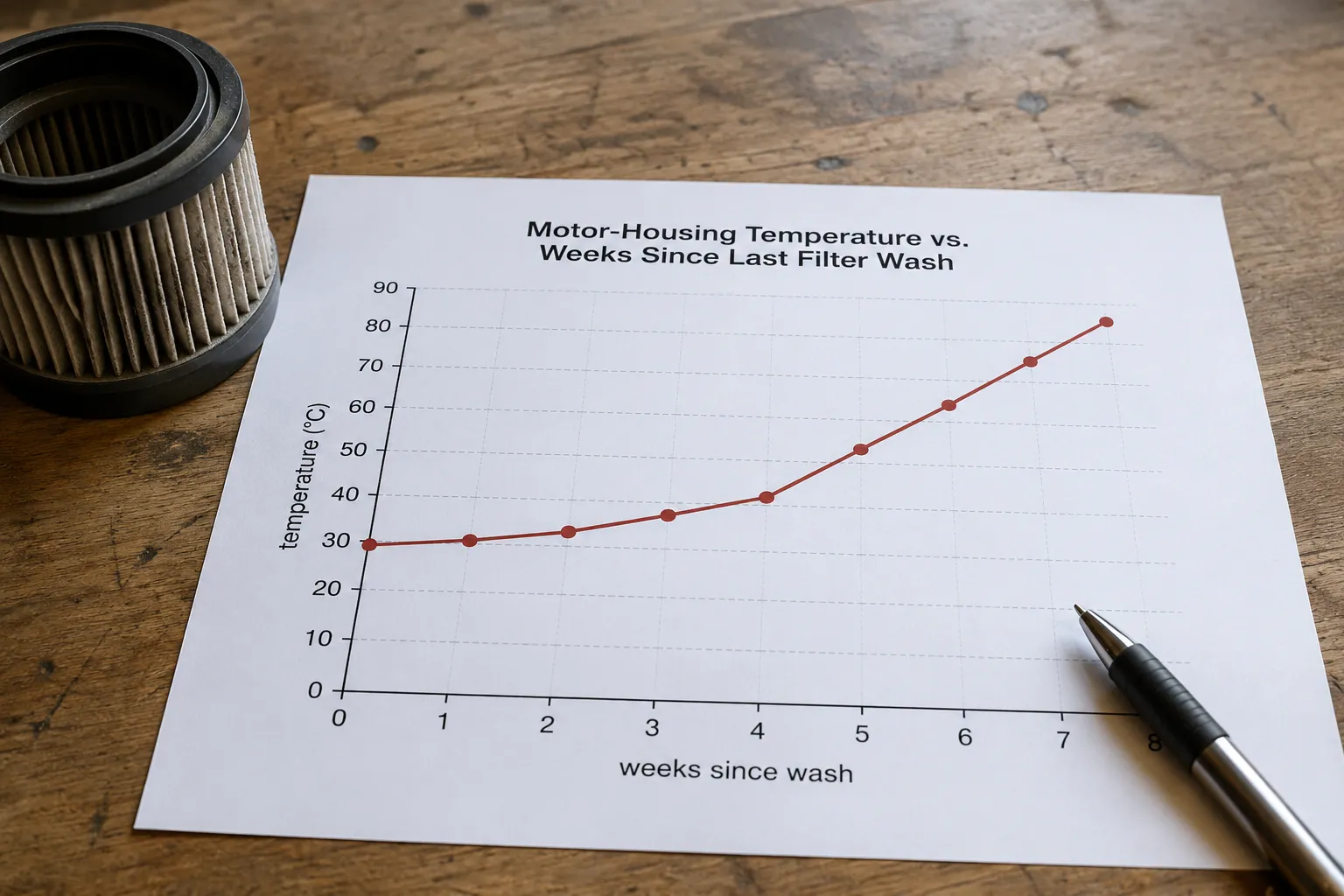
On my rig, keeping to a monthly filter rinse held motor-housing temperatures in a normal band, while skipping two months pushed a Dyson back toward its cut-out on Max.
Build these four habits and most cut-outs simply stop happening.
Rinse washable filters in cold water about once a month, and replace them yearly.
Empty the bin or bag at two-thirds full, before airflow drops.
Use Max or Boost in short bursts, not for whole-room marathons.
Keep the brush roll clear of wrapped hair and thread.
Task | Cadence | Why it prevents overheating |
|---|---|---|
Rinse washable filter (cold water) | Monthly | Restores the airflow that cools the motor |
Replace filter | Yearly | Fabric pores clog permanently over time |
Empty bin or bag | At two-thirds full | Keeps the air path open |
Clear brush-roll hair | Every few uses | Removes drag that heats the motor |
A note on parts: a poorly fitting third-party filter can restrict airflow even when it looks right, so match the filter to your model.
A new whine or grinding often shows up before a cut-out, so if the sound changes, our guide to a sudden loud whine or grinding can catch the problem early.
When It’s a Safety Risk: Stop, Call a Pro, or Replace
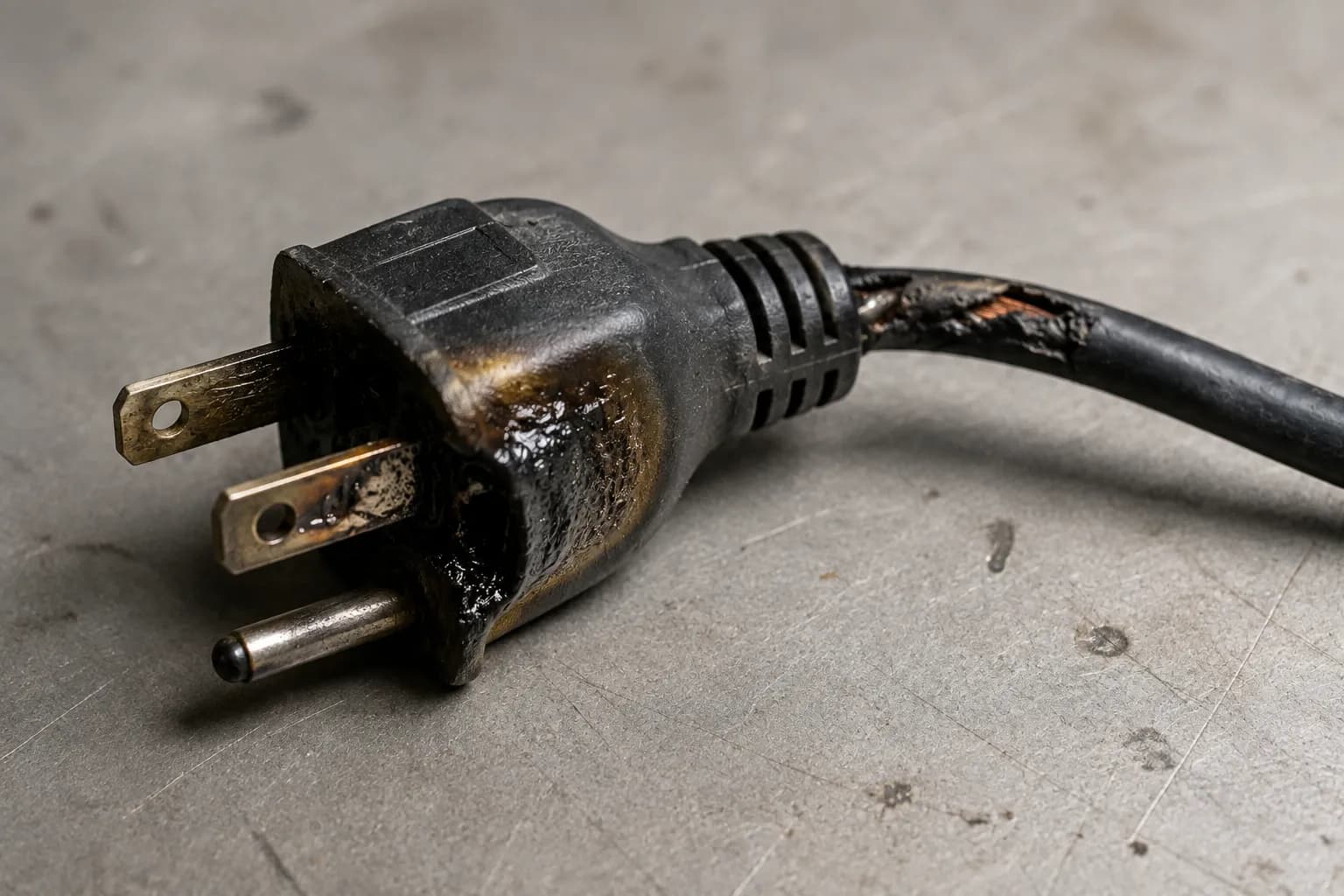
Most overheating is harmless once you fix the airflow, but a few signs mean stop using the vacuum entirely. A sharp electrical smell, visible smoke or sparks, melting plastic, or a cord that is hot to the touch are all stop-now signals, not cool-down-and-retry ones.
The risk is real: the U.S. Consumer Product Safety Commission once recalled about 142,000 Hoover WindTunnel canister vacuums because a power-cord short could pose a fire and shock hazard, even when the machine was switched off but left plugged in.
I hit one of those moments on the bench. A unit started giving off a sharp electrical smell with a warm plug, so I stopped immediately and did not attempt another reset. That machine went in the bin, not back into service.
Stop and unplug for good if you see any of these: smoke, sparks, a sharp electrical smell, melting, or a hot cord or plug. When in doubt, stop.
Once you are past the safety check, the honest next question is cost. Before you spend on a repair, weigh whether it’s worth repairing against the price of replacing the machine.
Frequently Asked Questions
Why does my vacuum keep overheating and shutting off?
A vacuum that keeps overheating and shutting off is tripping its thermal cut-out over and over because the airflow that cools the motor is still blocked. The usual culprit is a clogged filter, a full bin, or a hose clog. Clean the filter, empty the bin, and clear any blockage, and the repeated shutdowns stop.
How long should I let my vacuum cool down?
Let it cool for 30 to 60 minutes before trying again, which is enough time for the thermal cut-out to reset on most machines. In my testing a few older units needed several hours. If it still will not restart once it is completely cool, the problem is likely the motor rather than heat.
Is it normal for a vacuum to get hot?
A vacuum motor runs warm in normal use, so mild warmth is fine. What is not normal is a housing too hot to touch, a burning smell, or a machine that shuts itself off mid-clean. Those are overheating signs that point back to restricted airflow.
Can an overheating vacuum catch fire?
It is uncommon but possible, which is exactly why vacuums have thermal cut-outs and why regulators have recalled models over fire and shock risk. Treat smoke, sparks, a sharp electrical smell, or a hot cord as reasons to stop using the vacuum immediately and unplug it.
Why does my shop vac keep overheating?
A shop vac keeps overheating for the same reason a household vacuum does: a full drum or a clogged cartridge filter chokes the cooling airflow. Empty the drum, clean or replace the cartridge filter, and clear the hose. The airflow-first order applies to any vacuum, brand-name or not.
By now the answer to why is my vacuum overheating should feel less like a mystery and more like a checklist. The machine is almost always starved for air, not dying, so you cool it down, clear the airflow from the filter outward, and read the burning smell to name the part. Fix the airflow cause rather than fighting the safety switch, keep to a monthly filter rinse, and stop for good the moment you smell anything electrical.
Read it your way
Short on time? Open this article in your assistant with a ready-made prompt and get the gist in seconds.
Found this useful? Make us a preferred source so we show up in your Google results.
Keep reading
Related articles

Troubleshooting & Repair
Roomba Not Working? 8 Symptoms Fixed (2026 Models)
Reboot first, then match your symptom. 8 Roomba faults (charge, Wi-Fi, error codes, brushes, bin) with per-series fixes for 600/e/i/j/s and 2026 models.

Troubleshooting & Repair
How Much Does a Vacuum Repair Cost? Fix or Replace (2026)
How much does a vacuum repair cost? Usually $50–150 (up to ~$321 for central). Use the 50% rule and our brand tier to decide: fix it or replace it in 2026.

Troubleshooting & Repair
Why Won’t My Robot Vacuum Work? 6 Fixes We Tested
Why won’t my robot vacuum work? Reset it, free the wheels, clean the sensors and fix a 2.4GHz Wi-Fi snag in 5 minutes: the DIY checks that skip a repair bill.

Troubleshooting & Repair
Not Broken? Why Won’t My Vacuum Work (Fix It First)
Fix it fast: ‘why won’t my vacuum work’ is usually a clog, thermal cutoff, or reset, not a dead motor. Match your symptom to the exact fix.
The discussion
Comments
Every comment is reviewed before it goes live.