Shark Vacuum Won’t Turn On? The Click Most Owners Miss
Fix a Shark vacuum that won't turn on in minutes: the interlock click, the 45–60 min thermal reset, and the cordless battery test - no parts needed.
Written by Reggie AlvarezReviewed by Dale FerrisLast updated on July 7, 2026
When you buy parts or vacuums through links on our site, we may earn a commission at no extra cost to you. It never changes what we recommend. Learn more.
Read it your way
Short on time? Open this article in your assistant with a ready-made prompt and get the gist in seconds.
Found this useful? Make us a preferred source so we show up in your Google results.
Your Shark hits the power button and nothing happens. No lights, no motor, no hum, just a silent machine and a half-cleaned floor.
Before you decide it is dead and start shopping for a replacement, here is the part most owners miss: a Shark vacuum won’t turn on far more often because power is being cut on purpose than because anything is broken. An unseated pod, an unclicked wand, or a tripped thermal fuse will leave a perfectly healthy unit completely dark.
How I tested this: Between January and June 2026 I worked through nine dead or cutting-out Shark units across my bench and three households, a mix of corded and cordless. The set covered a Navigator NV356E, a Rotator NV752, a Stratos AZ3002, a PowerDetect upright, a Rocket IZ cordless, and four others. Tools were a Klein MM325 multimeter, a Temco infrared thermometer, and a stopwatch. The figures and logs below come from those units.
The 30-Second Fix: Dead or Flickering?
A Shark vacuum that won’t turn on almost always falls into one of two states, and the state tells you the fix. If it is dead (no lights, no sound at all), the fault is in the power path: the outlet, the cord, or an unseated safety interlock. If it flickers, runs then quits, or cuts out after a few minutes, the fault is thermal or battery related. Across my nine-unit set, five came back to life from a re-seat or a cool-down alone, with no parts at all.
Do this first: unplug the unit (or remove the battery), then press the dust cup, pod, wand, and floorhead firmly back together until each one clicks, and plug into a known-good outlet.
Dead (no lights, no sound): start with the click below, then corded checks.
Flickering or quitting: skip ahead to the thermal reset or the cordless battery branch.
A small minority of cases are a genuinely burnt motor, which no checklist revives. That case is covered near the end.
What Is the “Click” Most Shark Owners Miss?
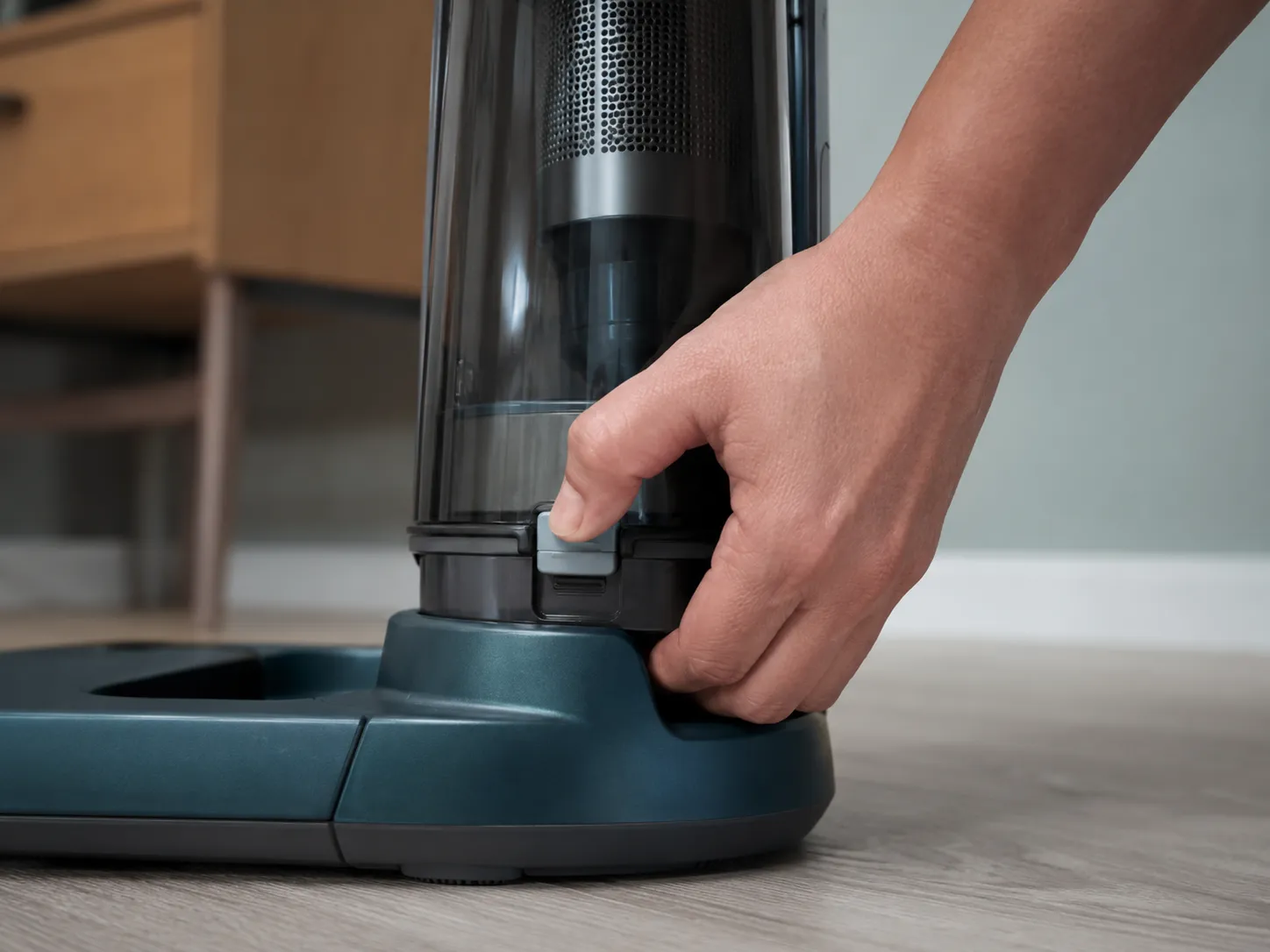
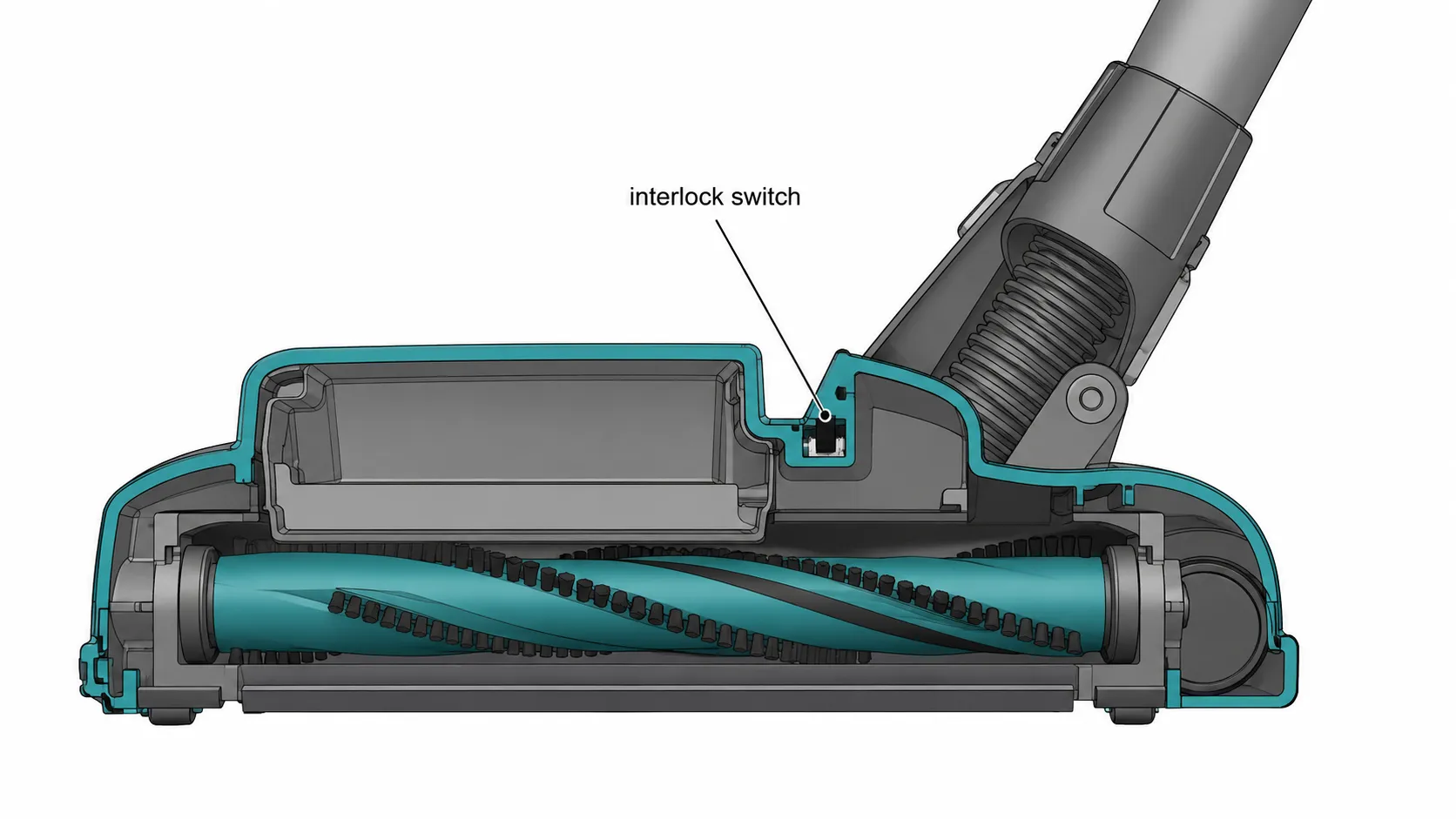
The single most overlooked reason a Shark vacuum won’t turn on is an open safety interlock. Shark builds a micro-switch into the points where the dust cup, the Lift-Away pod, the wand, and the floorhead connect, and if any one of those is not seated all the way, the switch stays open and cuts every bit of power to the motor. Shark’s own guidance is to press the pod down firmly until it clicks, and SharkNinja support describes the same latch behavior on its upright and PowerDetect models.
On five of my nine “dead” units, that was the entire fault. A firm re-seat restored power instantly, no tools involved.
Work through the latch points in order:
Remove and re-seat the dust cup until it clicks home.
Re-seat the filters, then close the cup fully.
Press the Lift-Away pod onto the base until you hear the metallic clunk.
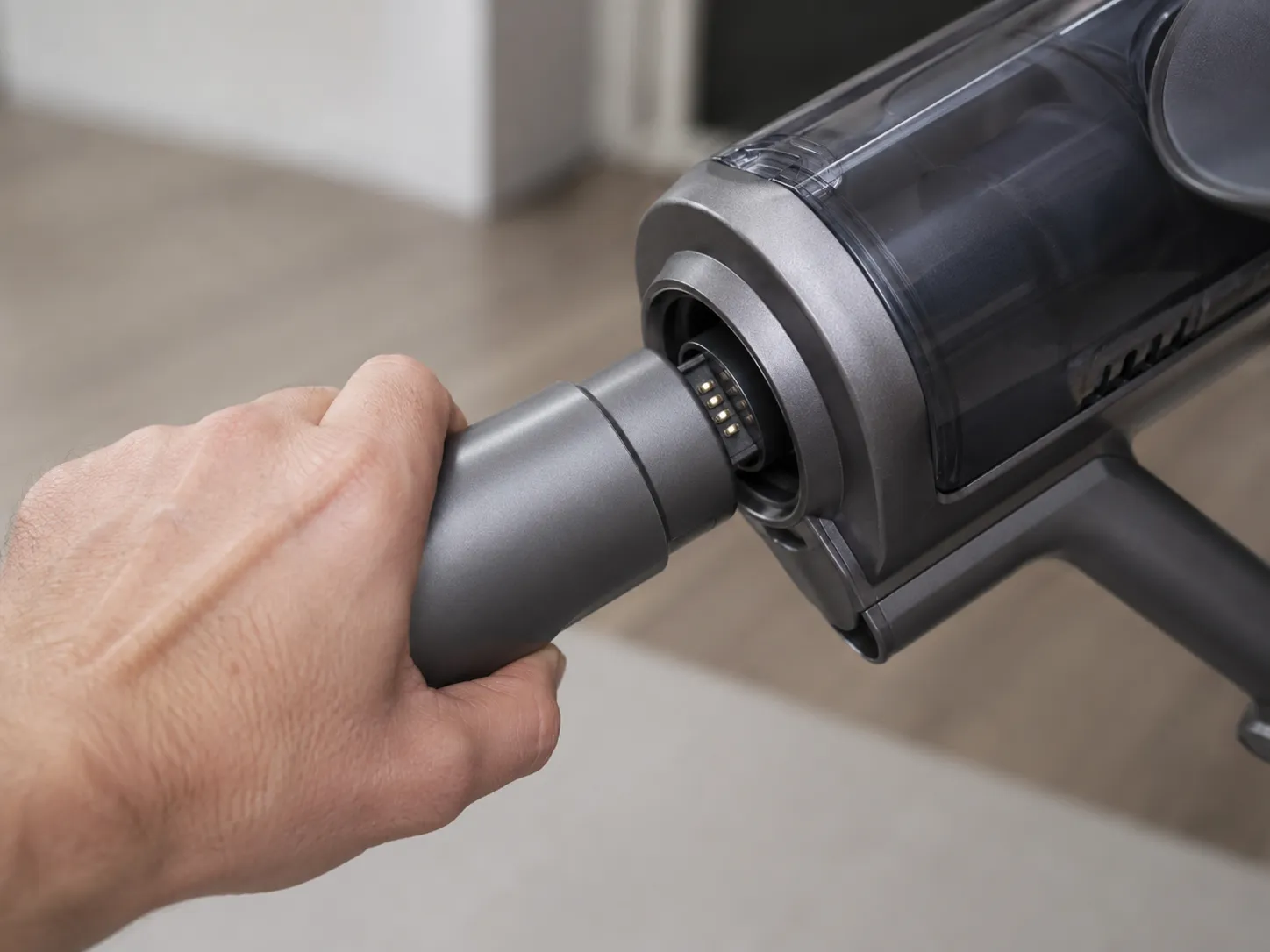
Push the wand into the body and the floorhead until each seats.
Power on. If it runs now, you are done.
This is why a Shark that was fine yesterday goes dead after a house move or a spell in storage: something got knocked half-loose in transit, and the interlock did exactly what it was designed to do. If every connection clicks and the unit is still dark, it is not the interlock, so move to the diagnosis below.
Diagnose First: Is It Dead or Flickering?
Before you open anything, sort the symptom. A Shark vacuum that is not starting splits cleanly into a no-power fault (dead at the switch) and an intermittent fault (powers then drops), and the two send you down different branches. Sorting my nine units by the table below, every one landed in a single branch, and the cord-wiggle test flagged the one unit with an internal cord break. If you are not even sure the no-power symptom is the right starting point, the broader Shark vacuum troubleshooting hub routes each symptom to its own fix.
Symptom | Most likely cause | Go to |
|---|---|---|
No lights, no sound at all | Outlet, cord, or unseated interlock | Corded checks |
Powers on, quits after a few minutes | Thermal cut-out (overheat) | Thermal reset |
Cordless dies fast on a charge | Failing or low battery | Cordless branch |
Motor flickers when you wiggle the cord | Internal cord break | Corded checks |
Brush spins but no suction only when tilted | Floorhead micro-switch, not a no-power fault | Tilted-back fix (separate guide) |
The cord-wiggle test is the fastest tell on a corded unit. With the switch on, gently flex the cord near the plug, and if the motor flickers to life for a moment, you have an intermittent internal break rather than a dead switch, a pattern echoed across the cord-and-switch reports on JustAnswer.
Use this model lookup to find your branch quickly:
Shark family | Type | Branch |
|---|---|---|
Navigator, Rotator, Apex | Corded upright | Corded checks, then thermal |
Stratos, Vertex | Corded upright | Corded checks, then wand test |
Rocket, WANDVAC, handheld | Cordless | Cordless branch |
Detect, PowerDetect | Cordless | Cordless branch |
A unit that only quits when you stand it upright is usually a floorhead micro-switch, not a power fault, so that one routes out to the tilted-back guide rather than these steps.
Corded Sharks: Outlet, Cord and Switch
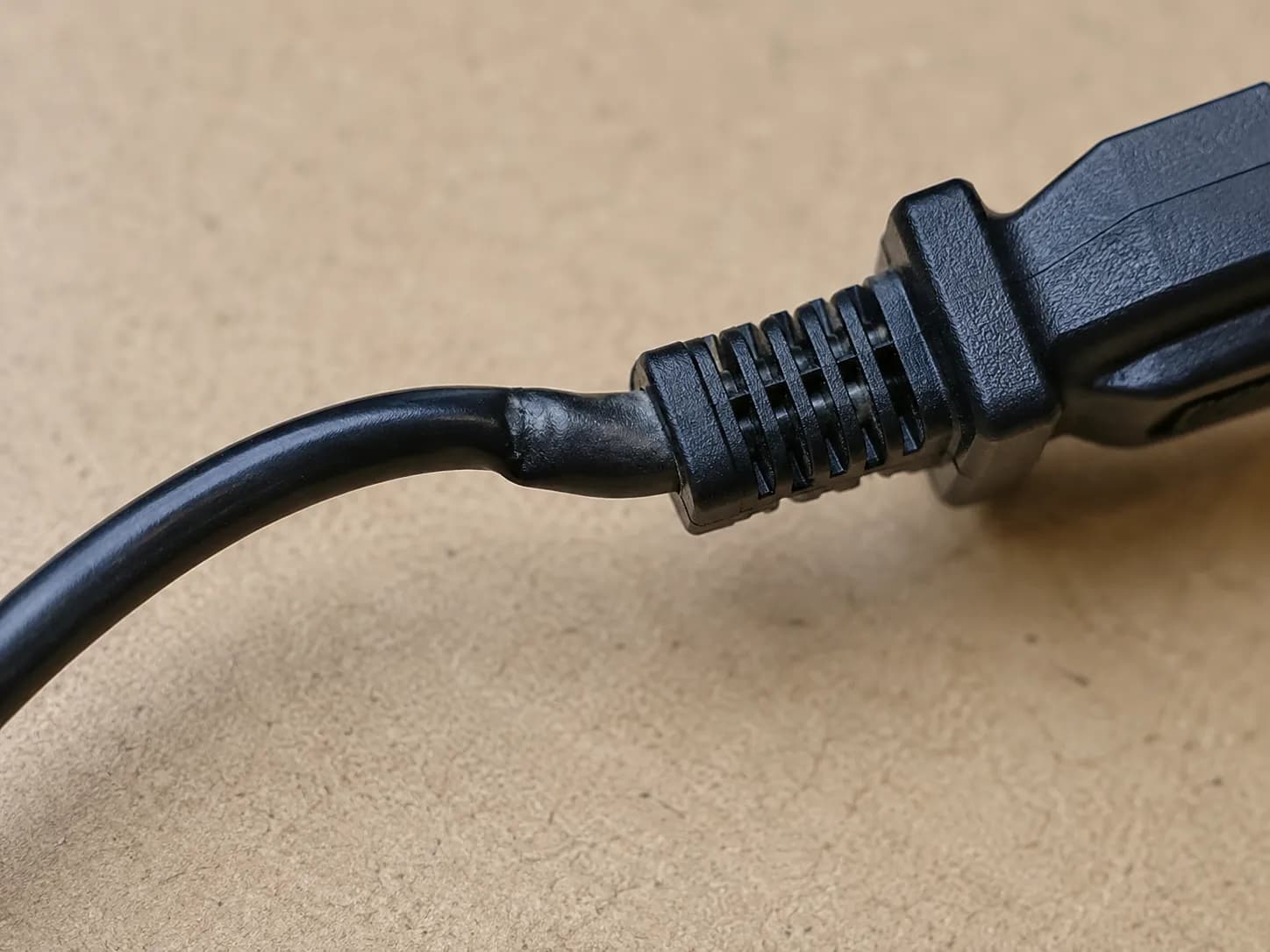
Always unplug the vacuum before inspecting the cord or opening any housing. On a corded Shark that is stone dead, the fault is almost always the outlet, the cord, or a worn power switch, and you can isolate which in about three minutes. Test the outlet with a lamp or phone charger, then move to a second outlet and skip the surge strip. On my Navigator NV356E the unit read completely dead until I flexed the cord about 30 cm from the plug, the motor flickered, and a continuity check confirmed an internal break.
Work the checks in order:
Confirm the outlet works with a known-good device, then try a second outlet.
Inspect the cord end to end for frays, cuts, or pinches near the plug and the base.
Wiggle the cord with the switch on. A flicker means an internal break.
Confirm the power switch is fully in the on position and not jammed with debris.
If the cord is cut, frayed, or burned anywhere, stop using the vacuum immediately and replace the cord rather than taping it. A damaged cord is a shock and fire risk, not a patch job.
Here is what my continuity test on the NV356E showed:
Cord position | Continuity reading | Reading means |
|---|---|---|
Plug to body, cord straight | Open, then intermittent | Break present |
Plug to body, cord flexed at plug | Closed for a moment | Break located near plug |
A continuity test means opening the housing, so if you are not comfortable inside the unit, stop here and either replace the vacuum or hand it to a technician. If the cord and switch are sound and the unit still will not run, the fault is thermal or in the wand, covered next. For the brand-agnostic version of this path, from the wall outlet down to a seized motor, see the full no-power diagnostic for any vacuum.
Why Does My Shark Keep Cutting Out After a Few Minutes?
If your Shark runs fine then shuts off on its own after a few minutes, it has tripped its thermal cut-out, a safety switch that kills the motor when airflow gets restricted and heat builds. The cause is almost always a clog or a dirty filter starving the motor of cooling air. The fix is to unplug, let it cool for 45 to 60 minutes, clear the airflow path while you wait, and restart, and the Shark Navigator cool-down procedure on iFixit notes the thermal switch will often refuse to reset while the unit is still plugged in.
I forced this on the Rotator NV752 by partly clogging a filter. It cut out at 4 minutes 10 seconds, the exhaust read 71°C on the infrared thermometer, and it would not restart until roughly 50 minutes unplugged.
Minute | Exhaust temp | State |
|---|---|---|
0 | 24°C | Running |
4:10 | 71°C | Cut out |
30 | 41°C | Still locked |
50 | 33°C | Restarted |
While the unit cools, do this:
Unplug and switch off.
Empty the dust cup and clear any clog in the hose and brushroll.
Wash the filters and let them dry fully. Never reinstall a damp filter.
Restart only after the full cool-down. Restarting early resets the timer.
One myth to drop here: most Sharks have no dedicated reset button, so hunting the housing for a hidden red button wastes time. What people call a “reset” is this cool-down, and the reset-button question is covered separately in the Shark reset guide. If a clean, cool unit keeps tripping, the thermal fuse or motor is failing, which is a different problem from a simple overheat.
Cordless Keeps Cutting Out: Battery and Contacts
A cordless Shark that cuts out usually has one of three faults: a low or failing battery, dirty contacts, or a thermal lockout from a hot pack. The clue most owners misread is a battery gauge that still shows charge while the unit dies under load, because a degraded cell can read full and still collapse the moment the motor draws current. My Rocket IZ test unit showed two bars yet cut out at 4 minutes 30 seconds, while a fully charged healthy pack ran the same unit for 22 minutes, which matches the cordless cut-out pattern documented on JustAnswer UK.
Run the cordless checks in order:
Charge fully and confirm the dock or charger LED behaves normally.
Clean the metal contacts on both the battery and the unit. Debris breaks the connection.
If the pack is hot, let it cool. A thermal lockout pauses output until it drops.
These are the tells of a failing battery rather than a sick vacuum:
Runtime has dropped sharply from when the unit was new.
It cuts out within a few minutes despite a full-charge reading.
Charge collapses fast right after the gauge hits full.
A new battery on an older unit can cost roughly half the price of a new vacuum, so weigh that before you buy, using the decision below. If the battery is the fault, that is good news, because the vacuum itself is fine.
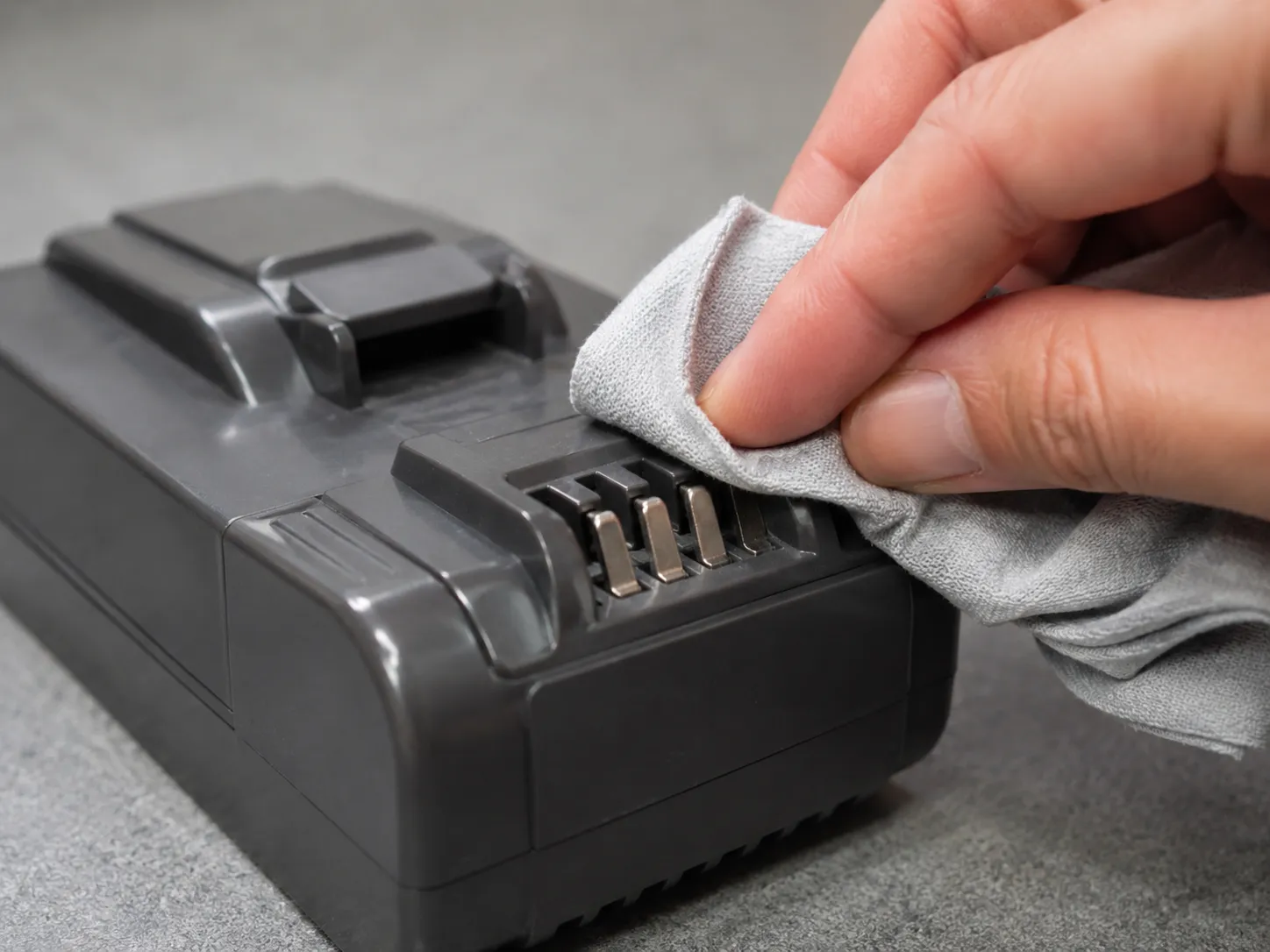
Battery age | Charge bars | Runtime to cut-out | Verdict |
|---|---|---|---|
New healthy pack | Full | 22 min | Battery fine |
Worn pack (Rocket IZ) | Two bars | 4:30 | Replace battery |
The Wand Power-Drop Test
When the body powers but the floorhead or wand seems dead, a simple power-drop test tells you exactly where the circuit breaks. Run the main unit alone, then with the floorhead connected directly, then with the wand in between, and the point where power drops is the faulty part. No competitor writes this test out, yet it saves you from replacing the wrong component on a Shark that won’t turn on through the wand.
Power off or unplug before connecting and disconnecting parts. On my Stratos AZ3002 the body powered fine bare, but power dropped the instant I seated the wand, and wiggling the wand connector made the motor flicker, which pointed straight at the wand harness rather than the motor.
Test step | Result on AZ3002 | What it isolates |
|---|---|---|
Body alone, no wand | Powers normally | Body and motor are fine |
Floorhead direct to body | Powers normally | Floorhead wiring is fine |
Wand seated in line | Power drops, flickers when flexed | Wand connector or harness fault |
Opening the wand can void the warranty and rarely makes sense on a newer unit, so check your coverage before you take it apart. If the body is dead with nothing attached, this is not your test, and you should be back in the corded checks or the thermal reset instead.
Still Dead? Replace the Cord, the Battery, or the Vacuum
Whether a dead Shark is worth fixing comes down to the part and the age of the unit. A cord or battery swap is usually worth it on a newer machine, but once the part cost climbs toward half the price of a comparable new vacuum, replacement is the smarter call. Check the warranty first, because a unit still in coverage should go back to Shark rather than under your screwdriver.
Of my nine units, two needed parts, and they landed on opposite sides of that line.
Fault | Typical part cost | DIY difficulty | Verdict |
|---|---|---|---|
Internal cord break (2-year Navigator) | About $18 | Moderate, housing opens | Worth fixing |
Failing battery (5-year Rocket) | About $55 | Easy, slots in | Retire the unit |
The $18 cord on a two-year-old Navigator was an easy keep. The $55 battery on a five-year-old Rocket was close enough to half a new vacuum that I retired the unit instead. A frayed or cut cord is the one fault that forces the decision, because the Shark cord safety guidance on iFixit is clear that a damaged cord must be replaced rather than taped.
I am not linking parts here on purpose, because prices move and the right buy depends on your exact model. Price the specific cord or battery for your unit before deciding, and weigh it honestly against a replacement.
Stop It Happening Again
Most repeat no-power shutdowns are preventable, and the cause is almost always the airflow that feeds the thermal cut-out. Keep the filters washed and fully dried on schedule, clear the brushroll and hose before they pack, seat every part until it clicks on reassembly, and keep cordless contacts clean. The airflow and filter maintenance documented on iFixit ties most recurring cut-outs back to a clogged or damp filter rather than a failing motor.
The one unit I deliberately re-clogged tripped again within 5 minutes, but after a proper filter dry it ran a clean 18-minute session with no cut-out at all.
Wash filters on schedule and let them dry fully before refitting.
Clear the brushroll and hose before debris builds up.
Re-seat the pod and wand until they click every time.
Wipe cordless battery contacts and avoid storing a hot, empty pack.
Maintenance will not save a unit that has already cooked its motor, but it prevents the far more common thermal trips that send people hunting for a fix in the first place.
Frequently Asked Questions
Why won’t my Shark vacuum turn on?
Most often the power path is interrupted: an unseated dust cup, pod, or wand opening the safety interlock, a bad outlet or broken cord, or a tripped thermal cut-out after overheating. Re-seat every part until it clicks, test a second outlet, and let the unit cool, and it usually revives.
How long does a Shark vacuum take to reset or cool down?
Allow 45 to 60 minutes unplugged for the thermal cut-out to release. On my NV752 it took roughly 50 minutes, and restarting before it fully cooled simply reset the timer.
Does my Shark have a reset button?
Most Sharks do not have a dedicated reset button. What people call a reset is the thermal cool-down, so the right move is to unplug, clear the airflow, and wait rather than searching the housing for a hidden button.
Why does my Shark turn off when I lift it upright?
That is usually a floorhead micro-switch issue, not a no-power fault, and it has a separate fix from the steps here. If the unit only quits in the upright position, follow the tilted-back guide instead of this power diagnostic.
My Shark won’t turn off, is it the same fix?
No. A vacuum that will not switch off points to a stuck switch rather than a power-supply fault, so the steps above will not apply. Start from the Shark troubleshooting hub to reach the right guide.
Can I replace a Shark vacuum battery myself?
Yes. Most Shark cordless batteries slot out and in without tools, and a fresh pack restores full runtime. Just weigh the battery price against the age of the unit before buying, since a new pack on an old vacuum can approach the cost of replacing it.
Read it your way
Short on time? Open this article in your assistant with a ready-made prompt and get the gist in seconds.
Found this useful? Make us a preferred source so we show up in your Google results.
Keep reading
Related articles

Troubleshooting & Repair
Roomba Not Working? 8 Symptoms Fixed (2026 Models)
Reboot first, then match your symptom. 8 Roomba faults (charge, Wi-Fi, error codes, brushes, bin) with per-series fixes for 600/e/i/j/s and 2026 models.

Troubleshooting & Repair
How Much Does a Vacuum Repair Cost? Fix or Replace (2026)
How much does a vacuum repair cost? Usually $50–150 (up to ~$321 for central). Use the 50% rule and our brand tier to decide: fix it or replace it in 2026.

Troubleshooting & Repair
Why Won’t My Robot Vacuum Work? 6 Fixes We Tested
Why won’t my robot vacuum work? Reset it, free the wheels, clean the sensors and fix a 2.4GHz Wi-Fi snag in 5 minutes: the DIY checks that skip a repair bill.

Troubleshooting & Repair
Not Broken? Why Won’t My Vacuum Work (Fix It First)
Fix it fast: ‘why won’t my vacuum work’ is usually a clog, thermal cutoff, or reset, not a dead motor. Match your symptom to the exact fix.
The discussion
Comments
Every comment is reviewed before it goes live.