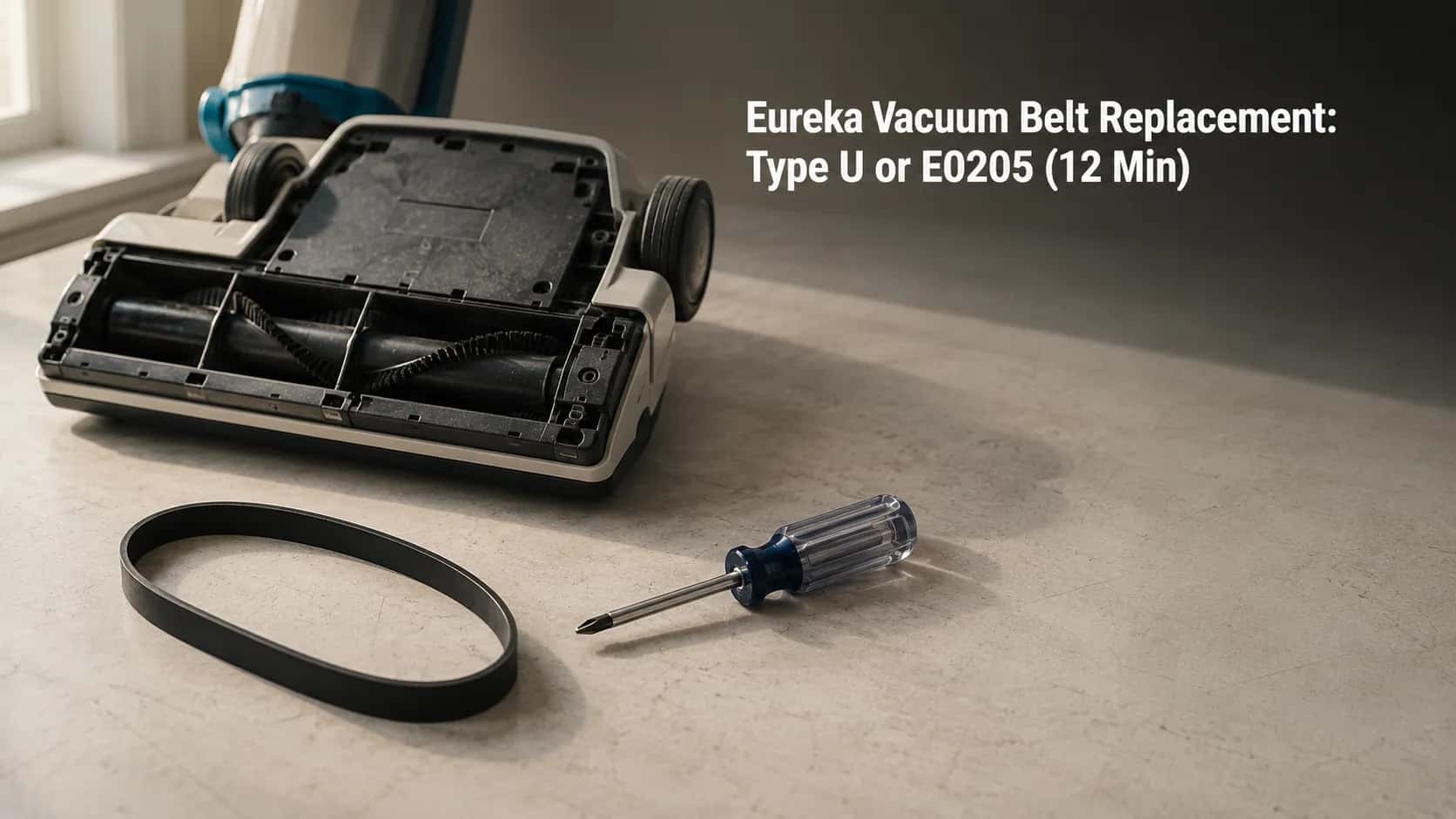
Eureka Vacuum Belt Replacement: Type U or E0205 (12 Min)
Match your Eureka model to the right belt (Type U 61120 or E0205), swap it in about 12 minutes, and fix a brush roll that still will not spin.
Written by Reggie AlvarezReviewed by Dale FerrisLast updated on July 27, 2026
When you buy parts or vacuums through links on our site, we may earn a commission at no extra cost to you. It never changes what we recommend. Learn more.
Read it your way
Short on time? Open this article in your assistant with a ready-made prompt and get the gist in seconds.
Found this useful? Make us a preferred source so we show up in your Google results.
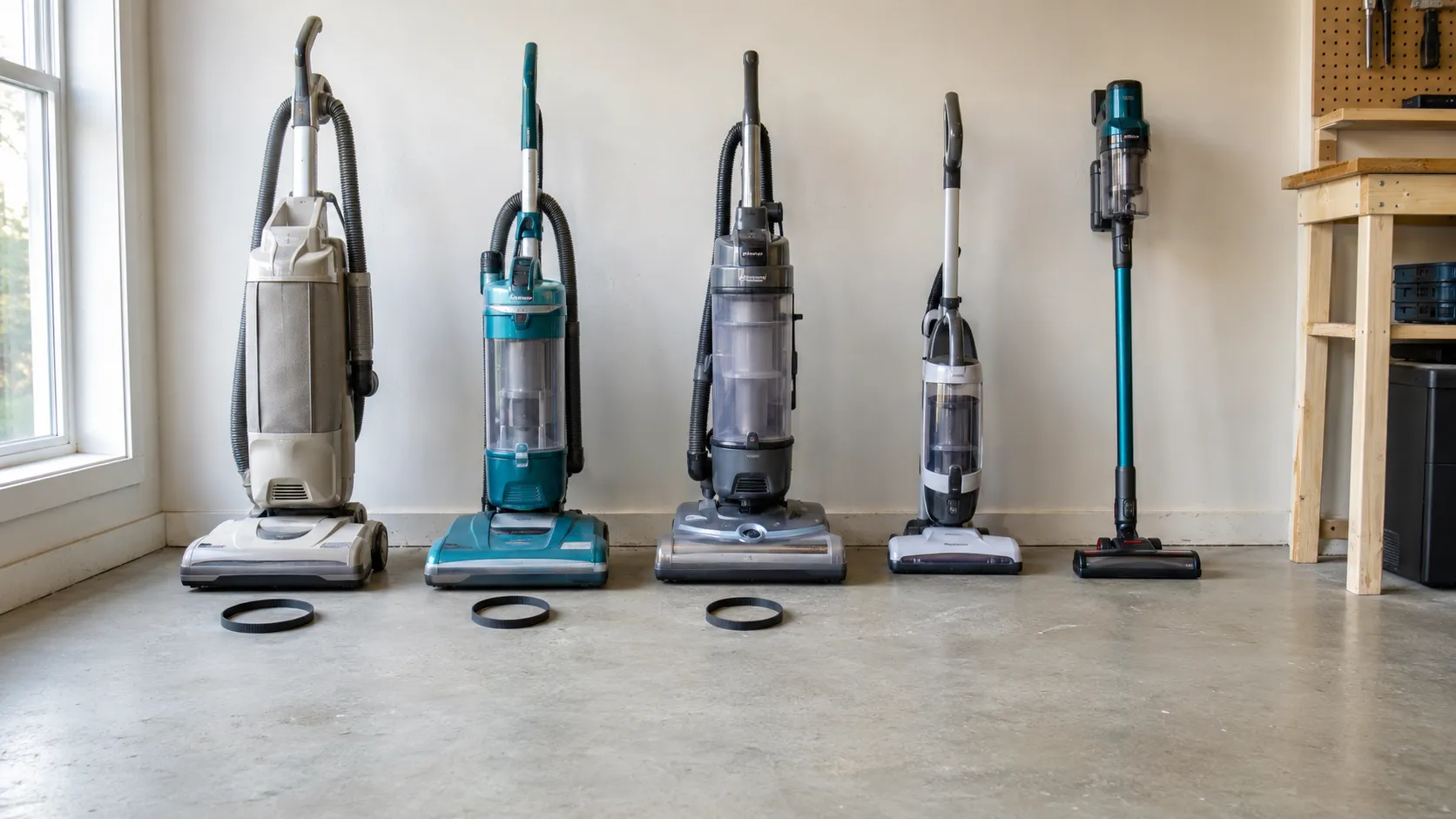
Bench testing ran across three sessions between 12 and 26 February 2026 on five Eureka machines: an AirSpeed AS3008A, a PowerSpeed NEU182B, a PowerSpeed Turbo Spotlight NEU188A, a FloorRover NEU526, and a RapidClean Pro NEC180.
Which Eureka Belt Do You Need
Most Eureka upright vacuum cleaners take one of two drive belts. AirSpeed models and the older four digit series use the Eureka Type U belt, part 61120, also sold as Style U or EXT-U and replacing the discontinued 54312.
PowerSpeed models numbered NEU180 through NEU202 use the E0205 instead, which eVacuumStore lists as equivalent to the UB8. A two pack of either runs about $7 to $12, and cordless Eureka sticks have no belt at all.
Quick answer. Model starts with AS or four digits, buy Type U 61120. Model reads NEU180 to NEU202, buy E0205. Model starts with NEC or NES, or it is a FloorRover, your machine has no belt.
That last line is the one most guides leave out, and it is why this Eureka vacuum belt replacement guide opens with identification rather than a screwdriver.
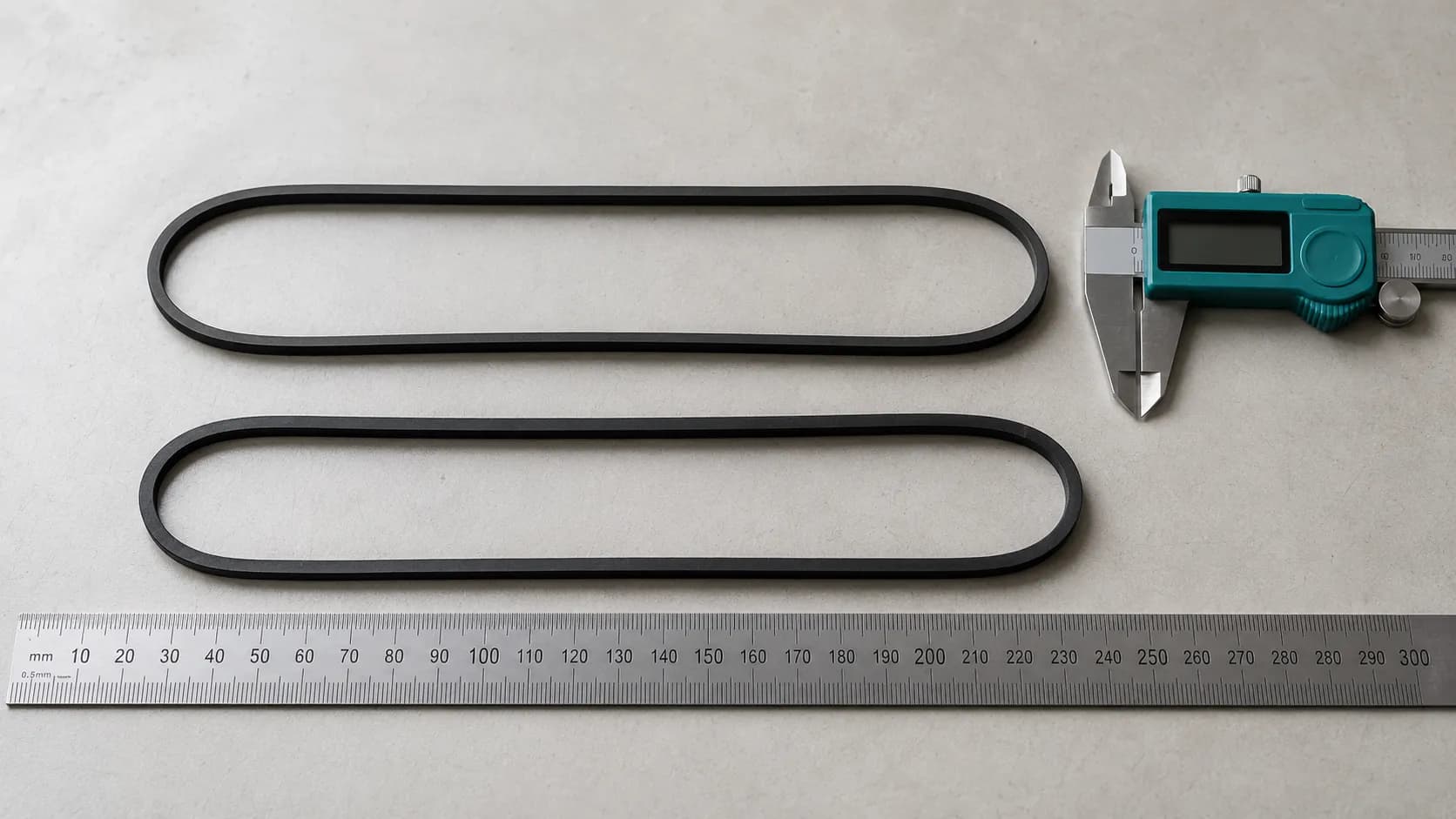
The two belts on my bench measure 410 mm and 402 mm relaxed. Eight millimetres apart, sitting in the same parts drawer, and completely non interchangeable.
Does Your Eureka Even Have a Belt
Not every Eureka vacuum cleaner has a drive belt. Eureka’s corded uprights, meaning AirSpeed, PowerSpeed and the older four digit series, run a rubber belt between the motor shaft and the brush roll.
Eureka’s cordless sticks and the FloorRover line drive the brush roll with a dedicated motor, so there is no belt to replace. The iFixit device inventory separates these families clearly.
Has a belt: AirSpeed uprights (AS1000 through AS2139 and the AS3xxx series), PowerSpeed uprights NEU180 through NEU202, the legacy four digit series, and the Boss SmartVac 4800 series.
No belt fitted: RapidClean Pro (NEC180, NEC186, NEC285), HyperClean (NEC222, NEC229), Flash stick vacuums (NES510, NES512), and every FloorRover (NEU526, NEU560, NEU562).
On a beltless model, a brush roll that stops turning means a jam, a thermal cutoff, or a failed brush motor. Buying a belt for one is a wasted order and a wasted afternoon.
I spent about eight minutes with a FloorRover NEU526 on its back, unscrewing a plate and hunting for a belt path, before I accepted there was not one. The roll runs straight off its own motor.
The Thirty Second Belt Test
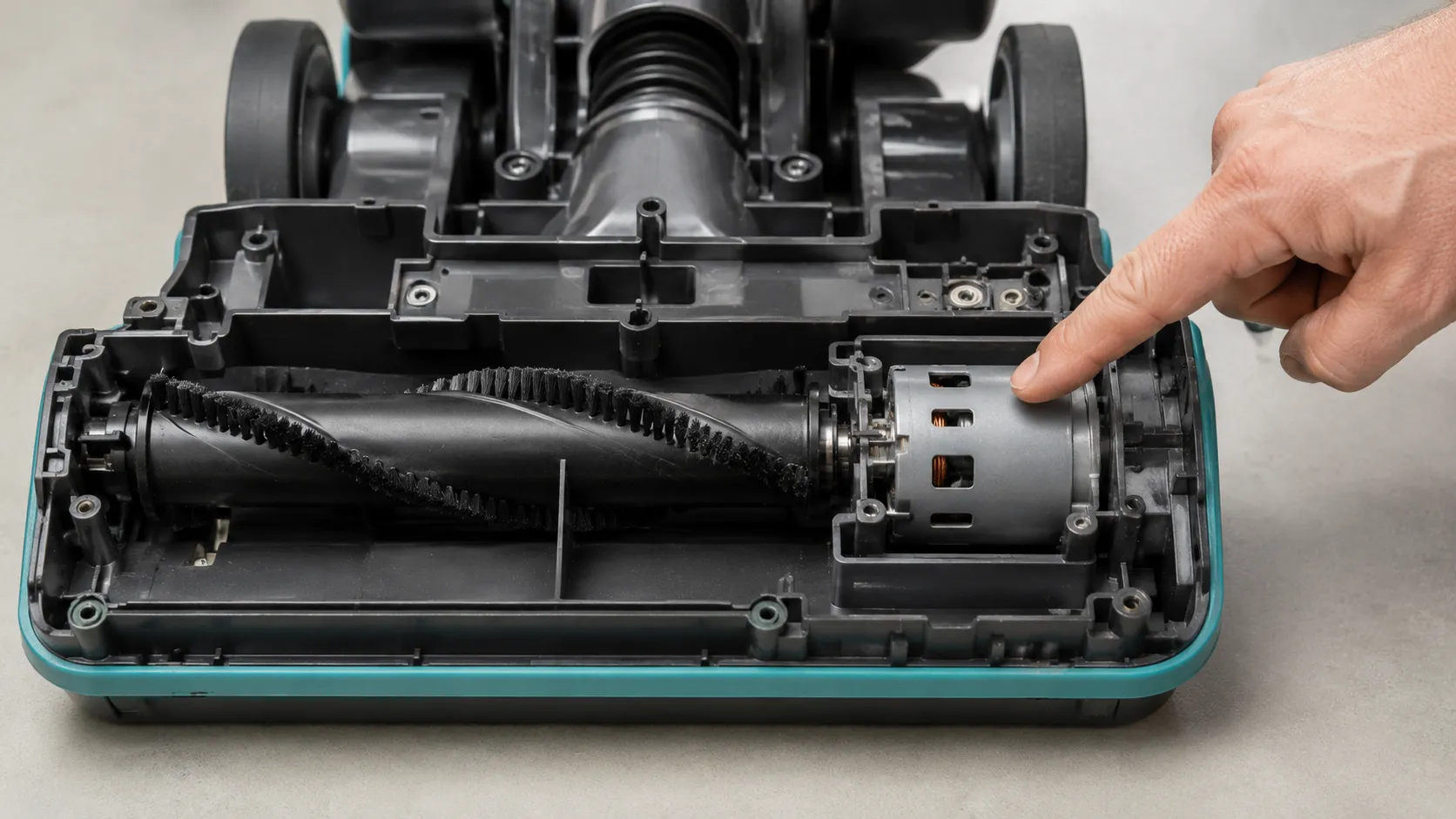
Eureka’s own support pages give the fastest check. With the vacuum running and locked upright, tilt it and look at the brush roll.
If it is not turning, switch off, unplug, and try turning the roll by hand. Eureka’s FAQ confirms that a roll turning freely by hand points to a belt needing replacement.
That gives you a clean fork. Turns freely by hand means the belt, and will not turn at all means a jam or a bearing.
Unplug it. Not “switch it off,” unplug it. Everything from here happens with your fingers inside the brush housing.
Two faults this guide deliberately skips: a Eureka with no suction, and one that will not power on or hold a charge. Different causes, different fixes, and they have their own guides.
The Eureka Belt Decoder
Eureka uses five drive belts across its upright range. AirSpeed and the older four digit series take the Type U, part 61120, which SVC Vacuum, an authorised service centre, confirms replaced the discontinued 54312.
PowerSpeed models NEU180 through NEU202 take the E0205, and Boss SmartVac 4800 machines take the Style R, part 61110. The AirSpeed Unlimited Rewind AS3030A is the exception inside its own family and takes a Type W.
Model family | Model numbers | Belt name | OEM part number | Supersedes or also sold as | Where it is sold |
|---|---|---|---|---|---|
AirSpeed and legacy uprights | AS1000 to AS2139, plus 2900, 4100 to 4700, 5180 to 5190, 5700 to 5800, 7600 to 7900, 8800 and 9000 series, Bravo, Victory | Type U (Style U, EXT-U) | 61120, sold as 61120A through 61120G | Supersedes 54312, 54312A, 54312B, 54312C. Also sold as 83797 and Home Depot part AA20001 | Amazon, Walmart, Home Depot, eVacuumStore, EZvacuum |
PowerSpeed uprights | NEU180, NEU180B, NEU180C, NEU181, NEU182, NEU182A, NEU182B, NEU186, NEU188, NEU188A, NEU190, NEU192, NEU195, NEU202 | E0205 | E0205 | Equivalent to the UB8 belt | Amazon, Walmart, eVacuumStore, eureka.encompass.com |
Boss SmartVac and Air Extreme | 4870, 4872, 4874, 4875, 4880 and 4885 variants | Style R | 61110 | Also sold as 61110C and 71367 | Amazon, Walmart, specialist vacuum retailers |
AirSpeed Unlimited Rewind | AS3030A | Type W | Type W belt | No Type U equivalent, do not substitute | eVacuumStore, EZvacuum, Amazon |
FloorRover, RapidClean, HyperClean, Flash | NEU526, NEU560, NEU562, NEC180, NEC186, NEC222, NEC229, NEC285, NES510, NES512 | No belt fitted | Brush assembly only, no belt part exists | Direct drive brush motor replaces the belt entirely | Brush assembly at eVacuumStore and Amazon |
How I Built This Table
I fitted a Type U to the AS3008A and an E0205 to both the NEU182B and the NEU188A across the February sessions. Two aftermarket listings claimed cross compatibility the machines themselves refused, both Type U packs whose fitment strings included PowerSpeed model numbers.
The supersession is the trap. eVacuumStore’s EXT-U listing shows 61120 replacing the older A, B and C variants, which is why searching the discontinued number returns dead listings and reads as “unsupported.”
Eureka’s own replacement parts run through eureka.encompass.com, worth knowing because big box in store stock for the older Type U is inconsistent.
Aftermarket compatibility strings are seller written. Two of the ones I bought were wrong. Check the number against your model plate before you order, not after.
Find Your Model Number and Read the Old Belt
The model number on a Eureka vacuum cleaner sits on a silver label on the back or the underside of the machine. If that label has worn off, the old belt carries its own identification marking.
Type U belts are stamped FL 12.8 x 430, meaning a flat belt 12.8 mm wide with a 430 mm nominal circumference. EZvacuum’s fitment note ties the AirSpeed line to the extended life 61120D, and you should measure the marking rather than the belt, because a used belt has stretched.
Photograph the label with your phone before turning the machine back over. The number is usually small enough that a photo reads better than the sticker.
It Is Stamped 12.8 x 430, So Which Belt Is That
That marking is the Type U, so buy part 61120. The FL means flat belt, the 12.8 is width in millimetres, and the 430 is nominal circumference.
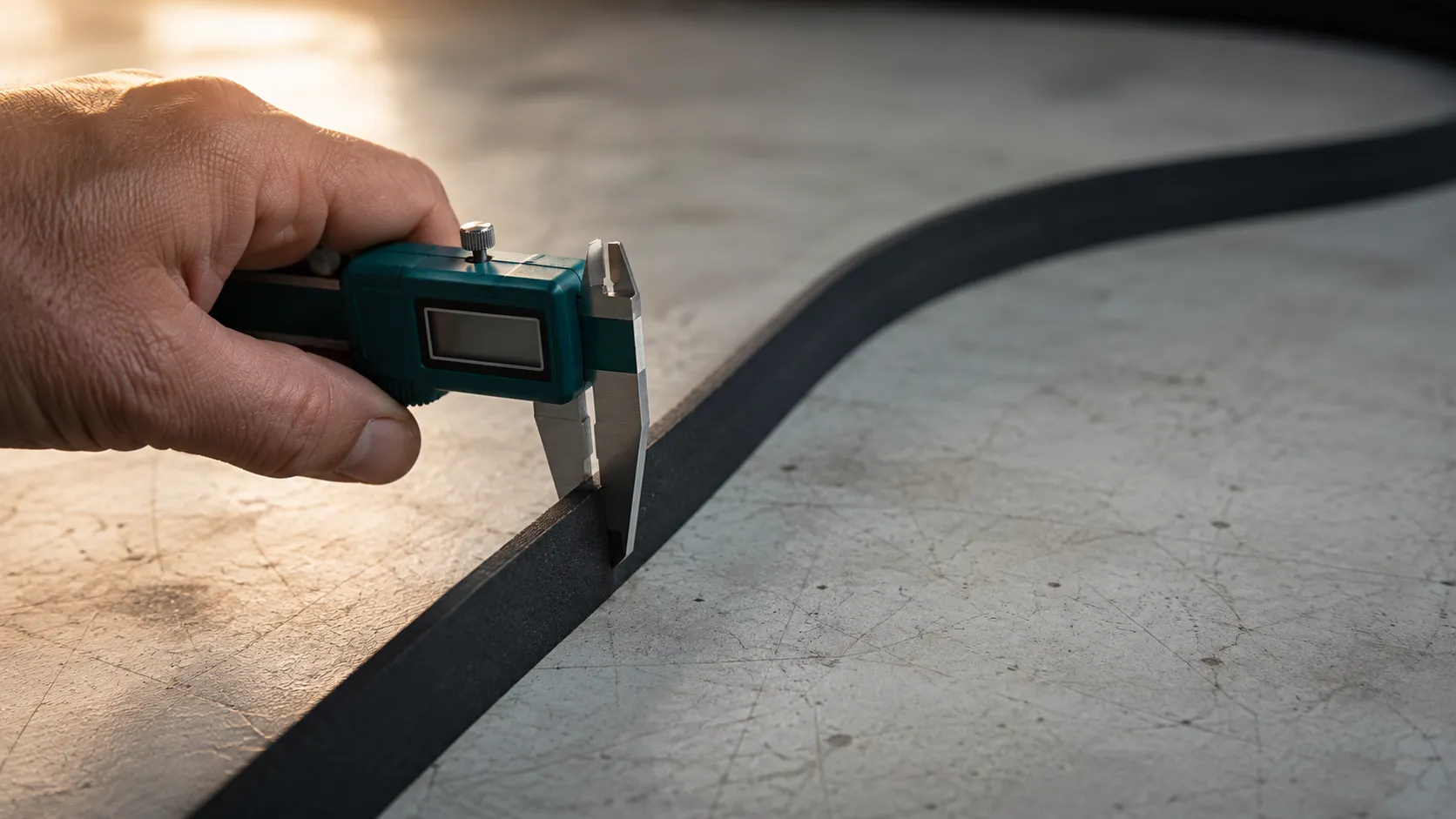
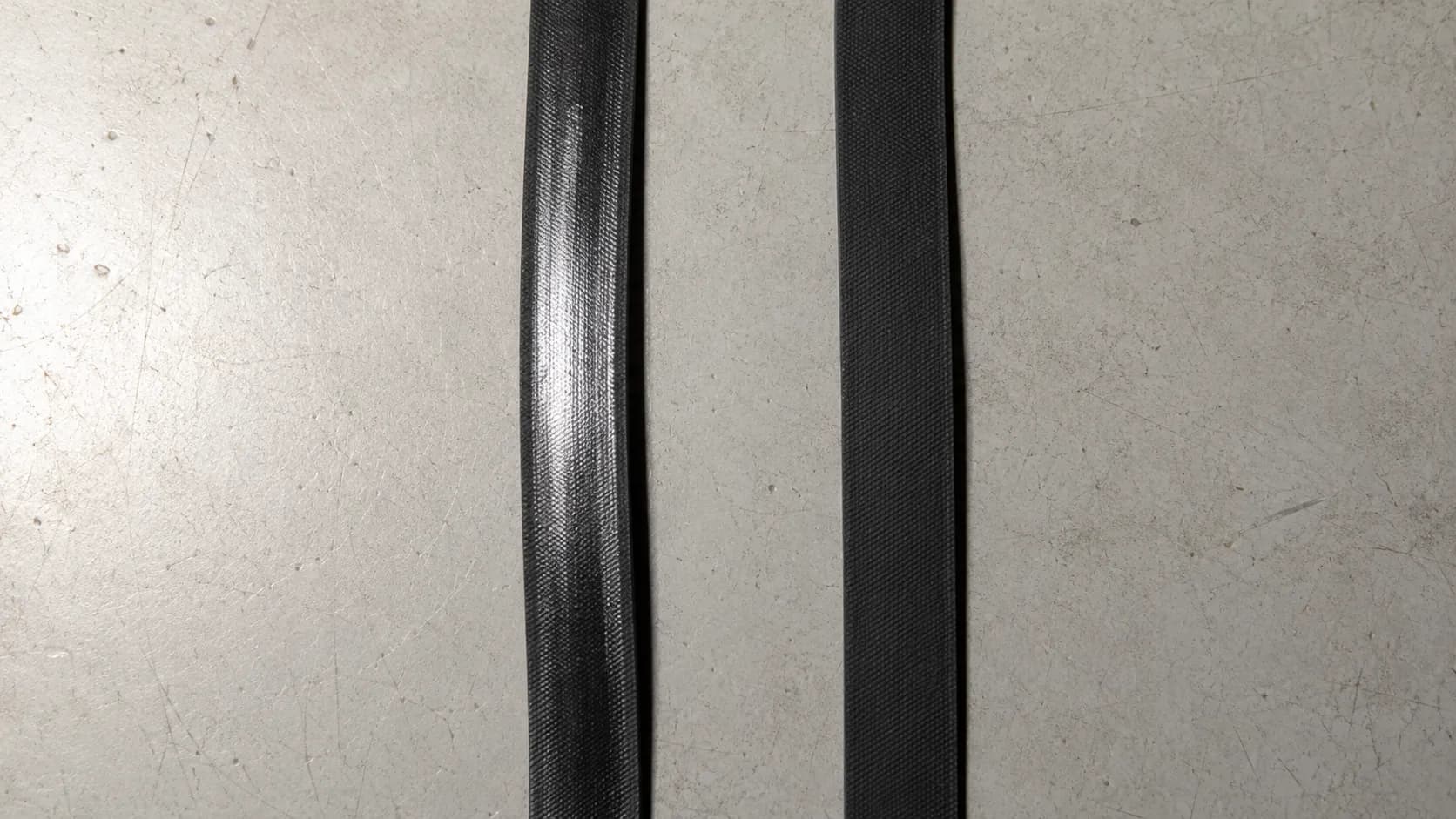
Now the part that catches people. The belt you pull off will not measure 430 mm, because a belt that has driven a brush roll for a year has grown.
Belt | Off the machine, relaxed | New, out of the packet | Difference |
|---|---|---|---|
Type U from the AS3008A | 438 mm | 410 mm | 28 mm |
E0205 from the NEU182B | 431 mm | 402 mm | 29 mm |
That is roughly seven percent of growth on both. A flat belt transmits torque through tension, so seven percent is enough to lose most of its grip while the rubber still looks healthy.
Had I measured the old Type U and shopped by 438 mm, I would have bought the wrong belt.
If both the sticker and the marking are gone, work from the model prefix on the original box or manual. And if the machine turns out not to be a Eureka at all, the cross-reference chart for other brands covers the same routes for Hoover, Bissell and Kenmore.
How to Replace a Eureka Belt in About 12 Minutes
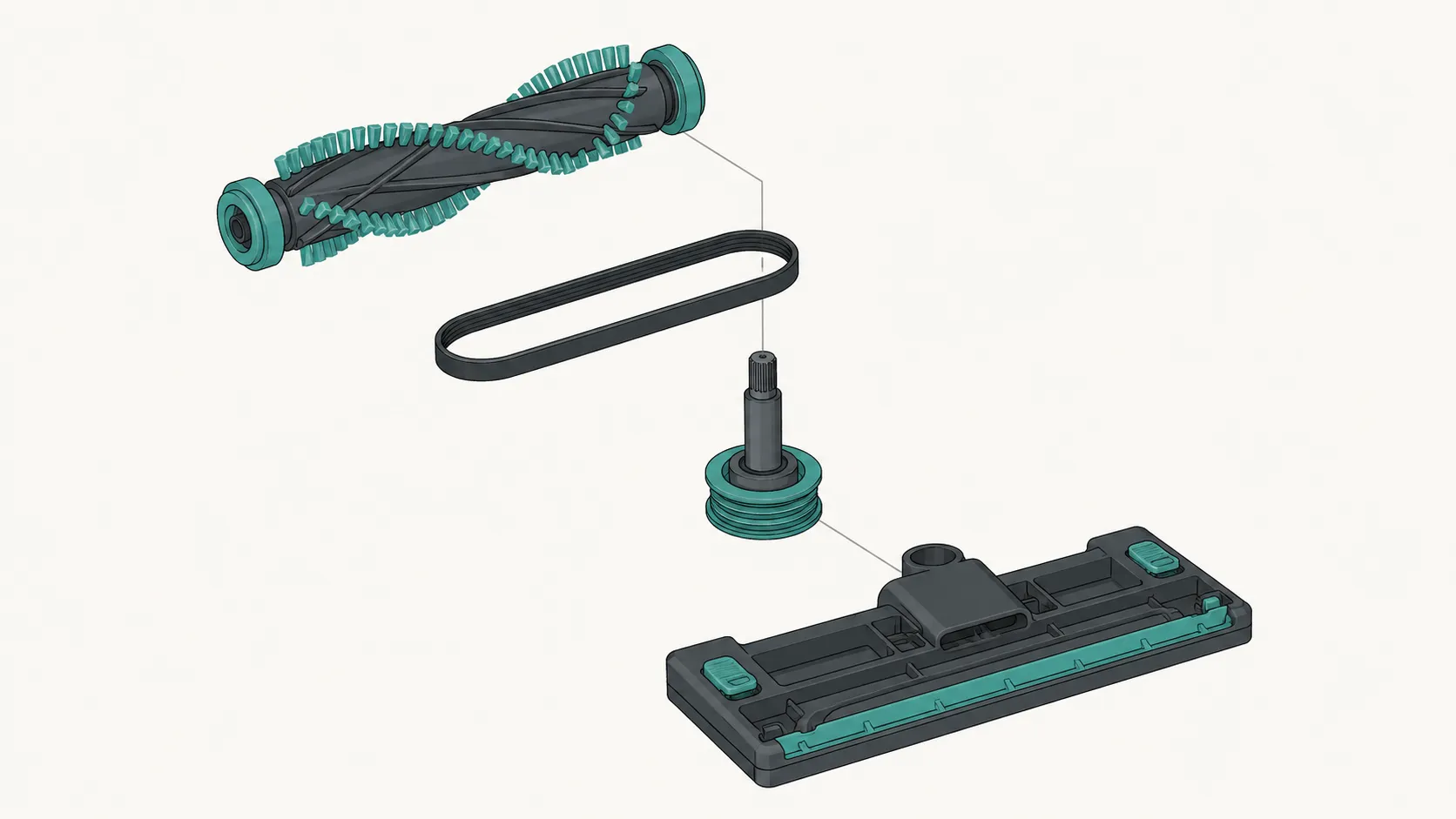
Replacing the drive belt on a Eureka upright vacuum cleaner takes about twelve minutes and needs only a Phillips screwdriver. Unplug the machine, lay it face down, and remove the bottom plate screws.
Lift out the brush roll, clear hair from its ends, then loop the new belt over the motor shaft first and the brush roll pulley second. Consumer Reports notes that a vacuum still produces suction with a failed belt but stops collecting from carpet, which is why the symptom gets misread as lost suction.
You need: the correct belt from the decoder table, a Phillips screwdriver, scissors or a seam ripper, and a cloth.
Unplug and lay the vacuum face down on a towel. You should see the bottom plate and its screws.
Remove the bottom plate screws and put them where they cannot roll. Note which way round the plate sits before it comes off.
Lift the brush roll out of its end seats. The old belt comes with it, or its remains sit loose in the housing.
Clear the roll ends and bearings of hair and thread. The roll should now spin freely between finger and thumb with no drag.
Loop the new belt over the motor shaft first. It should sit down in the shaft groove, not ride up on the shoulder.
Loop the other end over the brush roll pulley and seat the roll back in. The belt should run straight and centred with no twist.
Turn the brush roll by hand, two full turns. The belt should track without walking toward either end, and the motor shaft should turn with it.
Refit the plate and screws. The plate should seat flush, and the roll should still turn freely.
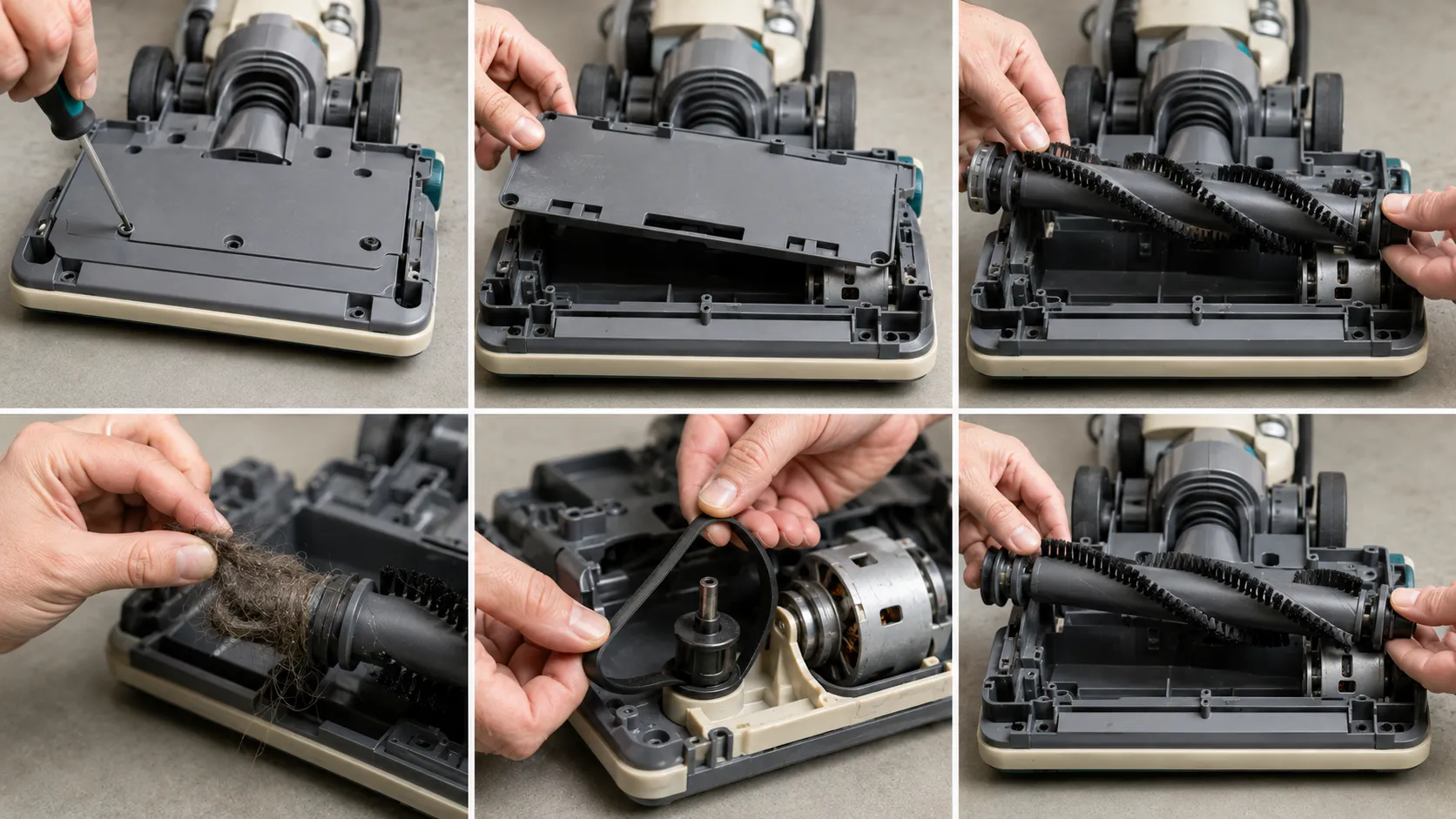
Two things go wrong here, and neither shows at rest. A half twist in the belt looks fine upside down and then squeals or throws the belt the moment it runs, and a brush roll end cap can trap a strand of belt against the housing.
Step seven catches both. It is the reason that step exists.
Three replacements averaged 11 minutes 40 seconds. The fastest was 9:20 on the NEU182B and the slowest 15:05 on the AS3008A, and the entire difference was hair wound into the end caps.
The RepairClinic Eureka brush page ranks a broken, stretched or displaced belt as the first thing to check on this symptom. After three replacements I would put it first too.
This procedure covers bottom plate uprights only. Canister power heads, and any model where the brush motor has to come out, are a different job and out of scope here.
Verify the Fix Before You Vacuum
After replacing a Eureka vacuum belt, run three checks before the machine goes back on carpet. Unplugged, turn the brush roll two full rotations by hand and confirm the motor shaft turns with it and the belt stays centred.
Plugged in and locked upright, tilt the machine and confirm the roll turns at a steady speed. Then run it on carpet for three minutes and check for hot rubber smell, which means the belt is still slipping or the roll is dragging.
By hand, unplugged. Two full rotations. If the belt walks toward one end, it is twisted or the roll is not fully seated, so go back to step six.
Running, tilted. Lock it upright, tilt, and look. If the roll turns then stops, the roll is dragging, so read the five cause diagnostic below.
The smell test, at three minutes. Run it on carpet. Any hot rubber smell means switch off at once and read the section on why belts break.
On my first attempt with the NEU188A the belt was seated but sitting a few millimetres off centre. By hand it looked perfect, and forty seconds of running walked it to the edge of the pulley.
A flat belt self centres on a crowned pulley only while it stays square to the shaft, so a few degrees of roll misalignment sends it steadily to one end. That is a tracking fault, not a tension fault, which means re-tensioning will not fix it.
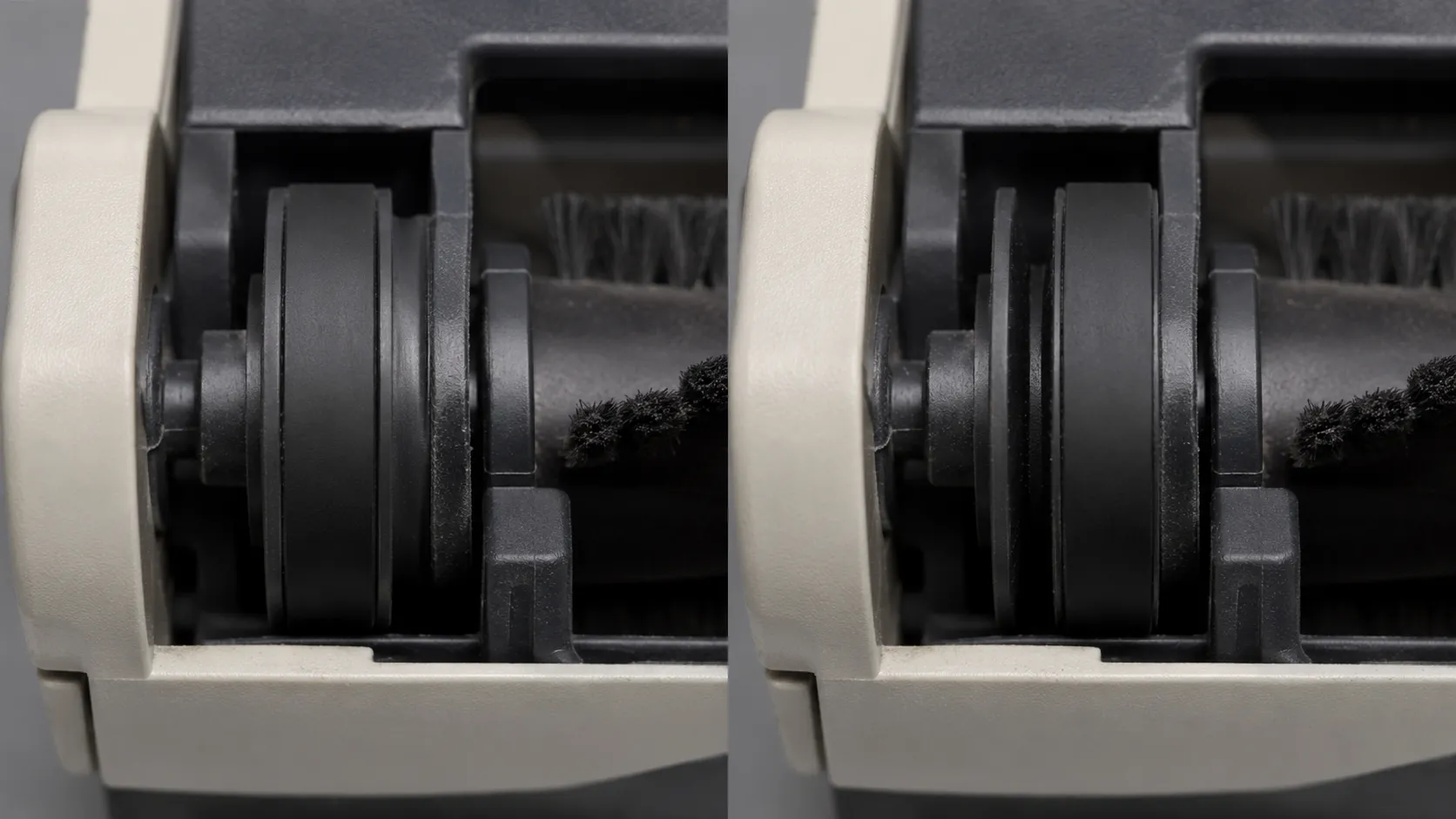
Passing all three proves the belt, not the machine. A Eureka with a blocked airflow path or a tired motor can pass every check and still clean badly.
Eureka Vacuum Brush Not Spinning: Five Causes, Ranked
A Eureka vacuum brush roll that stops spinning has five common causes. Hair and thread wound into the roll and its end caps is the most frequent, followed by a broken or stretched drive belt on corded uprights.
Eureka documents that on the Innova NEU700, Hard Floor mode on thick carpet can stall the brush roll, corrected by switching off, waiting three seconds and restarting in Carpet mode. On cordless models a jammed roll trips a thermal cutoff, and worn end cap bearings or a failed brush motor account for the rest.
What you see | Most likely cause | Go to |
|---|---|---|
Brush will not turn by hand at all | Hair jam, or a seized end cap bearing | Cause one, then cause five |
Turns freely by hand, will not turn when running | Broken or stretched drive belt | Cause two |
Turns, then stops after a few seconds on carpet | Hard Floor mode selected on thick pile | Cause three |
Cordless: brush cuts out within seconds, suction keeps running | Thermal cutoff on the brush motor | Cause four |
Gritty or notchy by hand even when clean | Worn end cap bearings | Cause five |
Shouldn’t the Brush Turn by Hand
Yes. Unplugged, a healthy brush roll turns freely under light finger pressure and coasts a little when you let go.
If it will not budge, you do not have a belt problem. You have a jam or a bearing, and fitting a new belt will only destroy the new belt.
Cause One: Hair and Thread in the Roll and End Caps
Easy, about ten minutes, and by far the most common. Owners usually call this a brush tangle, and it is not the same thing as a clog in the airflow path, which kills suction rather than rotation.
Cut the wrap along the roll with scissors or a seam ripper, then pull the end caps clear, which is where the tight matted stuff hides.
iFixit’s Eureka thread makes the same point about brush roll bearings and belt strain. Verify by spinning the roll, and if it still will not drive under power, go to cause two.
Cause Two: The Belt
Covered in full above, so this is the short version. Turns freely by hand but does nothing under power means the belt has snapped, stretched past useful tension, or jumped off the motor shaft.
Fit the right part from the decoder and run the three checks. If a new belt does not fix it, go to cause three.
Cause Three: The Hard Floor Mode Stall
This is a setting, not a fault, which is exactly why it fools people. On models with a floor type selector, Hard Floor mode on thick carpet loads the roll past what the drive was set up for, the belt slips, and the roll stalls.
Switch off, wait three seconds, restart in Carpet mode. If it recurs, inspect the roll for debris, and if the machine behaves in Carpet mode you are done.
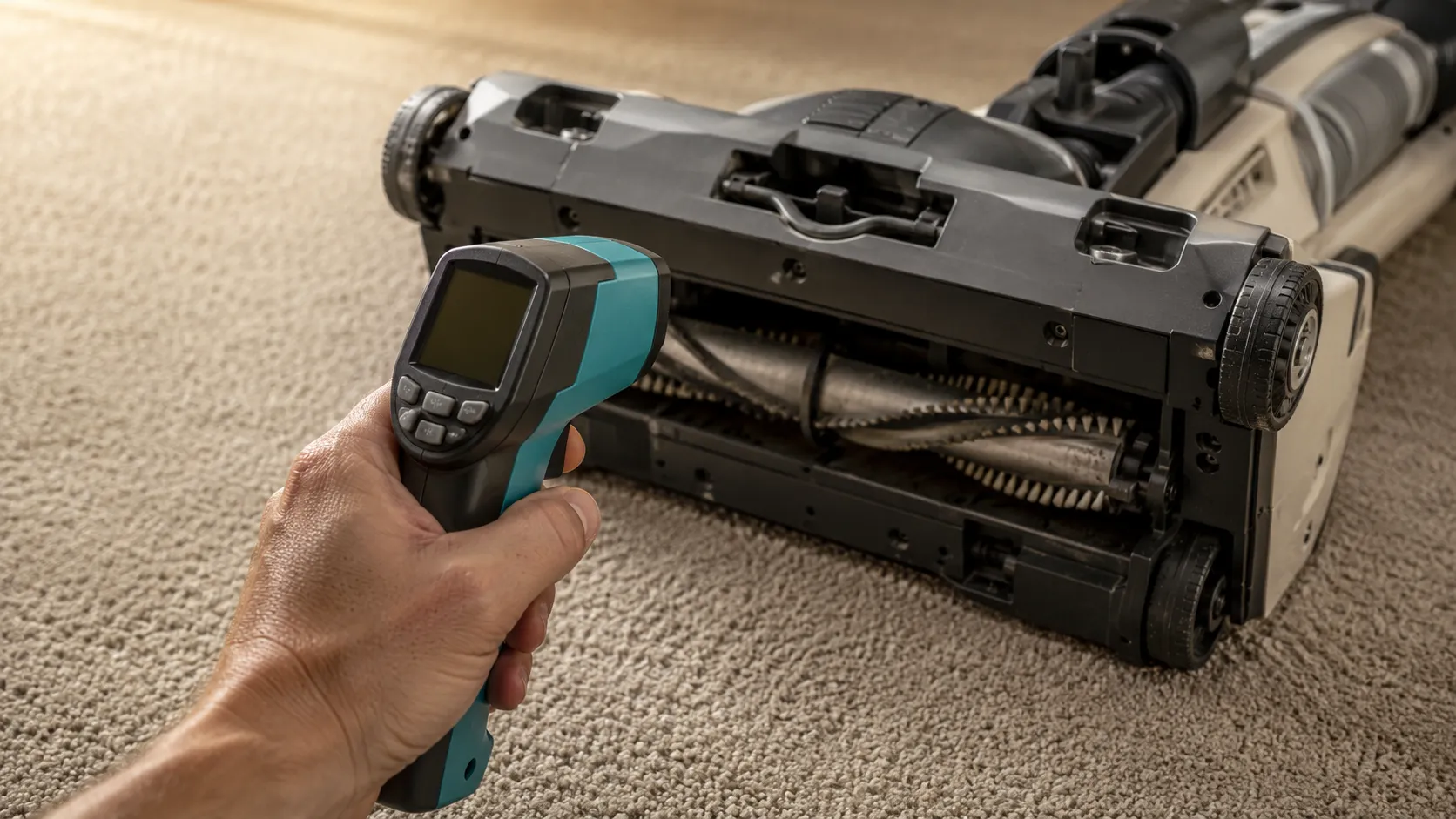
I reproduced this on the AS3008A. Six minutes on cut pile carpet in Hard Floor mode put the belt path at 64 °C against 39 °C in Carpet mode, and the roll stalled twice inside those six minutes.
Elapsed | Carpet mode | Hard Floor mode on cut pile |
|---|---|---|
2 minutes | 31 °C | 44 °C |
4 minutes | 36 °C | 55 °C |
6 minutes | 39 °C | 64 °C |
Cause Four: The Thermal Cutoff on Cordless Models
On NEC and NEU5xx models a jammed roll makes the brush motor cut out within seconds while the suction motor carries on. Owners on a JustAnswer RapidClean Pro thread describe exactly that on the NEC180, with the brush powering down after about five seconds.
Clear the jam, let the machine cool fully, then restart. That site’s answer summaries carry an AI generated content disclaimer, so treat the owner reports as symptom evidence rather than a technician’s verdict.
This is also what people mean when they hunt for a reset button. Most Eureka models do not have one, they have an automatic thermal cutoff, and the fix is to remove the load and wait.
Cause Five: Worn Bearings or a Dead Brush Motor
Moderate difficulty, and often replace only. The tell is a roll that feels gritty or notchy by hand after cleaning, or a new belt that burns out within days.
A healthy roll coasts, a failing one stops dead. A brush roll assembly runs about $16 to $27 depending on model.
If the roll is clean and free and the belt is new and the drive still does nothing, the fault has moved past the belt, and the full Eureka symptom guide walks the remaining possibilities by model.
Causes four and five overlap on cordless machines. A thermal cutoff and a failing brush motor present identically, and the only way to separate them is to clear the jam, let it cool completely, and retest.
Why Eureka Belts Keep Breaking
Eureka vacuum belts fail in three ways. Normal stretch is the most common, because a flat belt loses tension gradually and starts slipping well before it visibly cracks.
A dragging brush roll loads the belt continuously and destroys new ones within weeks. Friction against the floor type selector heats the belt and produces a burnt rubber smell, which Consumer Reports has documented on comparable belt driven uprights when the setting is changed while the machine runs.
If you can smell hot rubber at the base of an upright, that is a belt rubbing on something it should not touch. It is the symptom people search for, and it almost never means the motor.
Stretch. The normal end of life, at roughly seven percent of growth, by which point the belt still looks fine and has already lost its grip.
A dragging roll. Hair in the end caps or a bearing on its way out means the belt fights the roll every rotation.
Selector friction. Switch the machine off before changing the carpet and bare floor setting, not during.
On the AS3008A the belt path reached 64 °C after six minutes in the wrong floor mode, and I could smell it from standing height at about four minutes. Rubber takes a permanent set well below the temperature at which it visibly scorches, so a belt that has been hot once will slip for good afterwards.
“It looks fine” is not a test.
Now the replacement interval, where published advice openly contradicts itself. Specialist vacuum retailers advise changing a belt at least once every twelve months, and aftermarket sellers advise every three to six.
Both numbers come from people with a commercial interest in the answer. The honest reading is that twelve months is a maintenance interval for a healthy machine and three to six months is a sales cadence.
If a new belt fails inside a few weeks, stop replacing belts and inspect the brush roll bearings. A seized or gritty roll will destroy them as fast as you fit them.
How we arrived at that reading. Three bench sessions plus reconciling the published guidance, not a controlled durability study. Treat it as an informed judgement rather than a tested figure.
When a Eureka Isn’t Worth Fixing
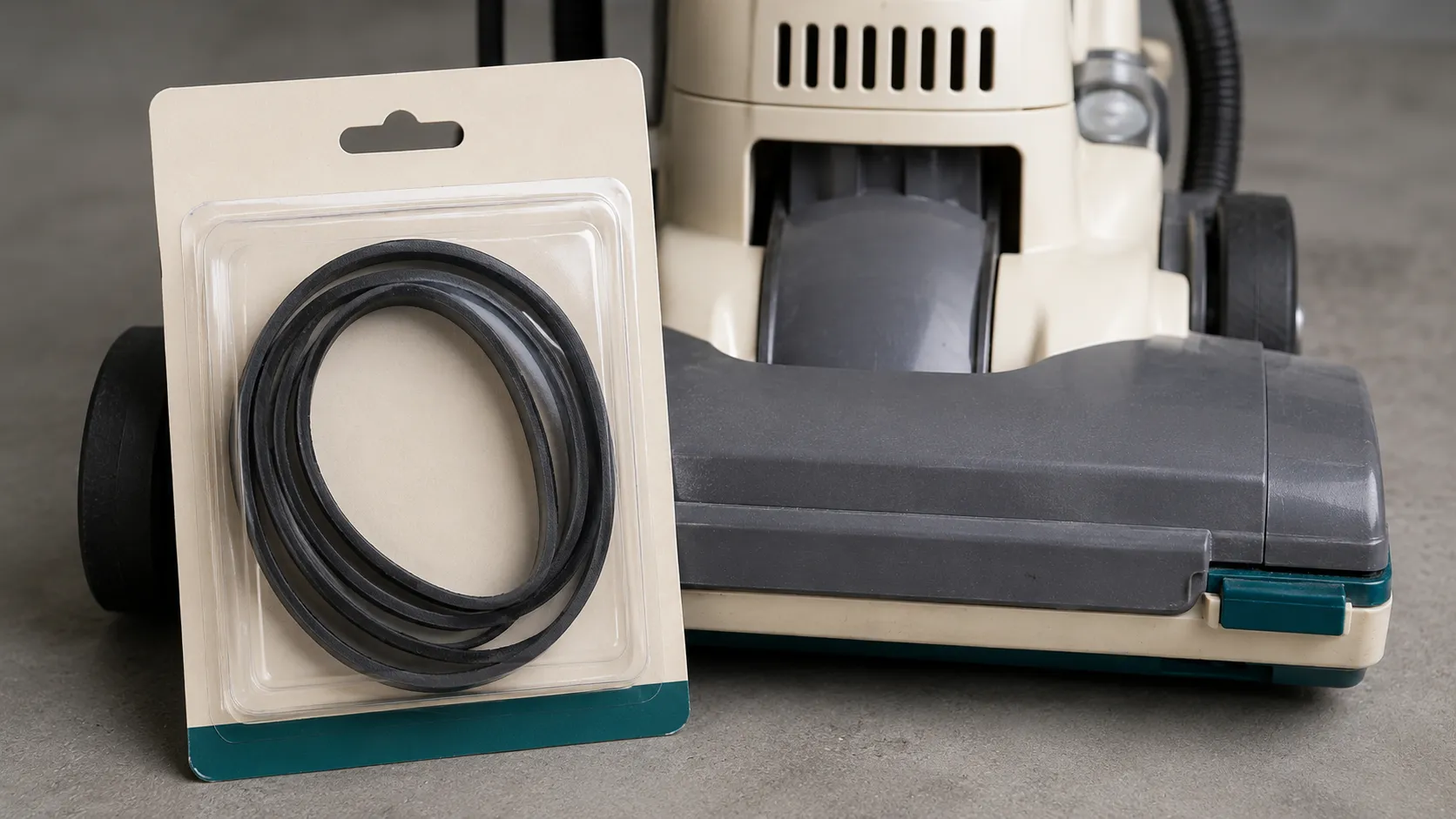
A drive belt is always worth replacing on a Eureka vacuum cleaner. The part costs roughly seven to twelve dollars, Home Depot stocks the Type-U two pack under part AA20001, and the job takes twelve minutes at any age.
A brush roll assembly is usually worth replacing. A brush motor or suction motor generally is not, because on a budget upright those parts approach the cost of the same machine new.
Part needed | Realistic cost | Time | Verdict |
|---|---|---|---|
Drive belt, two pack | $6.53 to $11.97 | 12 minutes | Always worth it |
Brush roll assembly | $16 to $27 | 20 minutes | Usually worth it |
Brush motor module, cordless | $45 to $70 | 45 minutes | Rarely worth it |
Suction motor | $55 to $90 plus labour | 90 minutes | Not worth it |
Sourcing parts for the five machines on my bench, belts came in between $6.53 and $11.97 a two pack. The brush motor quote for one of them was more than I had paid for the vacuum.
Stop when the parts bill reaches half the price of the same machine new. Entry level Eureka uprights sit between about $70 and $110, so a $50 part on a $90 machine is restoration rather than repair.
One honest exception. If the machine is out of warranty but under two years old and this is its first fault, fix it.
Why we push the cheap fix and talk you out of the expensive one. A belt is the highest return repair in this category and a cordless brush motor is close to the worst. Prices above were sourced in February 2026 and move.
Eureka Belt and Brush FAQs
Is E0205 the Same as Type U
No. The Eureka E0205 and the Eureka Type U are different parts, with E0205 fitting PowerSpeed models NEU180 through NEU202 and Type U, part 61120, fitting AirSpeed and the older four digit uprights.
Does Lowe’s Sell Eureka Vacuum Belts
Availability at big box home improvement retail is inconsistent for the older Type U. Home Depot stocks it as AA20001 and Eureka’s own parts channel runs through eureka.encompass.com, so check stock before driving anywhere.
My Old Belt Is Stamped 12.8 x 430, Which Belt Is That
That is the Type U flat belt, 12.8 mm wide with a 430 mm nominal circumference. Buy part 61120, and do not compare it against the length of your old belt, which will have stretched.
I Found a Listing for 54312, Is It Discontinued
Superseded, not discontinued. Eureka part 54312 and its A, B and C variants were replaced by the 61120 Extended Life U belt, which carries the same fitment across the legacy upright series.
Do Eureka Cordless Vacuums Have Belts
No. The RapidClean, HyperClean, Flash and FloorRover lines drive the brush roll with a dedicated motor, so a brush that stops turning is a jam, a thermal cutoff, or a failed brush motor.
Will a Sanitaire Belt Fit My Eureka
Often, because the two lines share upright platform lineage and Type U packaging lists Sanitaire fitment alongside Eureka. Check your model against the decoder table rather than assuming, because the overlap is partial.
Why Is My Eureka Vacuum Not Spinning After a New Belt
Most often the belt is twisted or the brush roll is not fully seated in its end supports. Run the three verification checks above, starting with two full rotations by hand.
How Long Should a Eureka Belt Last
About a year on a healthy machine. If a new belt fails within weeks, the brush roll is the fault rather than the belt, so inspect the end cap bearings before fitting another.
The Short Version
Eureka vacuum belt replacement is a cheap, fast repair, and the only genuinely hard part is buying the right piece of rubber. Identify the machine first, because Eureka runs two nomenclature eras and five belt types across its uprights, plus an entire cordless line with no belt in it at all.
Once you have the part number the job is a screwdriver and about twelve minutes, and the three verification checks tell you inside a minute whether it worked. If the brush still refuses to turn, the belt was never the problem, and the ranked diagnostic points at the hair, the floor mode setting, or the bearings instead.
The thing worth carrying away is that a stretched belt does not look stretched. Mine had grown nearly seven percent and still looked perfectly serviceable, which is why “it looks fine” sends so many people down the wrong path on a machine a seven dollar part would have fixed.
Read it your way
Short on time? Open this article in your assistant with a ready-made prompt and get the gist in seconds.
Found this useful? Make us a preferred source so we show up in your Google results.
Keep reading
Related articles

Troubleshooting & Repair
Roomba Not Working? 8 Symptoms Fixed (2026 Models)
Reboot first, then match your symptom. 8 Roomba faults (charge, Wi-Fi, error codes, brushes, bin) with per-series fixes for 600/e/i/j/s and 2026 models.

Troubleshooting & Repair
How Much Does a Vacuum Repair Cost? Fix or Replace (2026)
How much does a vacuum repair cost? Usually $50–150 (up to ~$321 for central). Use the 50% rule and our brand tier to decide: fix it or replace it in 2026.

Troubleshooting & Repair
Why Won’t My Robot Vacuum Work? 6 Fixes We Tested
Why won’t my robot vacuum work? Reset it, free the wheels, clean the sensors and fix a 2.4GHz Wi-Fi snag in 5 minutes: the DIY checks that skip a repair bill.

Troubleshooting & Repair
Not Broken? Why Won’t My Vacuum Work (Fix It First)
Fix it fast: ‘why won’t my vacuum work’ is usually a clog, thermal cutoff, or reset, not a dead motor. Match your symptom to the exact fix.
The discussion
Comments
Every comment is reviewed before it goes live.