Eureka Vacuum Not Working? It’s the Belt (Not the Motor)
Fix a Eureka that won’t start, won’t spin or won’t pick up: 3-check triage, the belt-code decoder (E0205 vs Type W), and the repair-vs-replace math.
Written by Reggie AlvarezReviewed by Dale FerrisLast updated on August 6, 2026
When you buy parts or vacuums through links on our site, we may earn a commission at no extra cost to you. It never changes what we recommend. Learn more.
Read it your way
Short on time? Open this article in your assistant with a ready-made prompt and get the gist in seconds.
Found this useful? Make us a preferred source so we show up in your Google results.
Start Here: The Three Checks That Fix Most Eurekas
Unplug the machine before you touch anything underneath it, and give the belt pulley a minute to cool before you handle it.
A Eureka vacuum that has stopped working usually fails at one of three points, and the motor is rarely one of them.
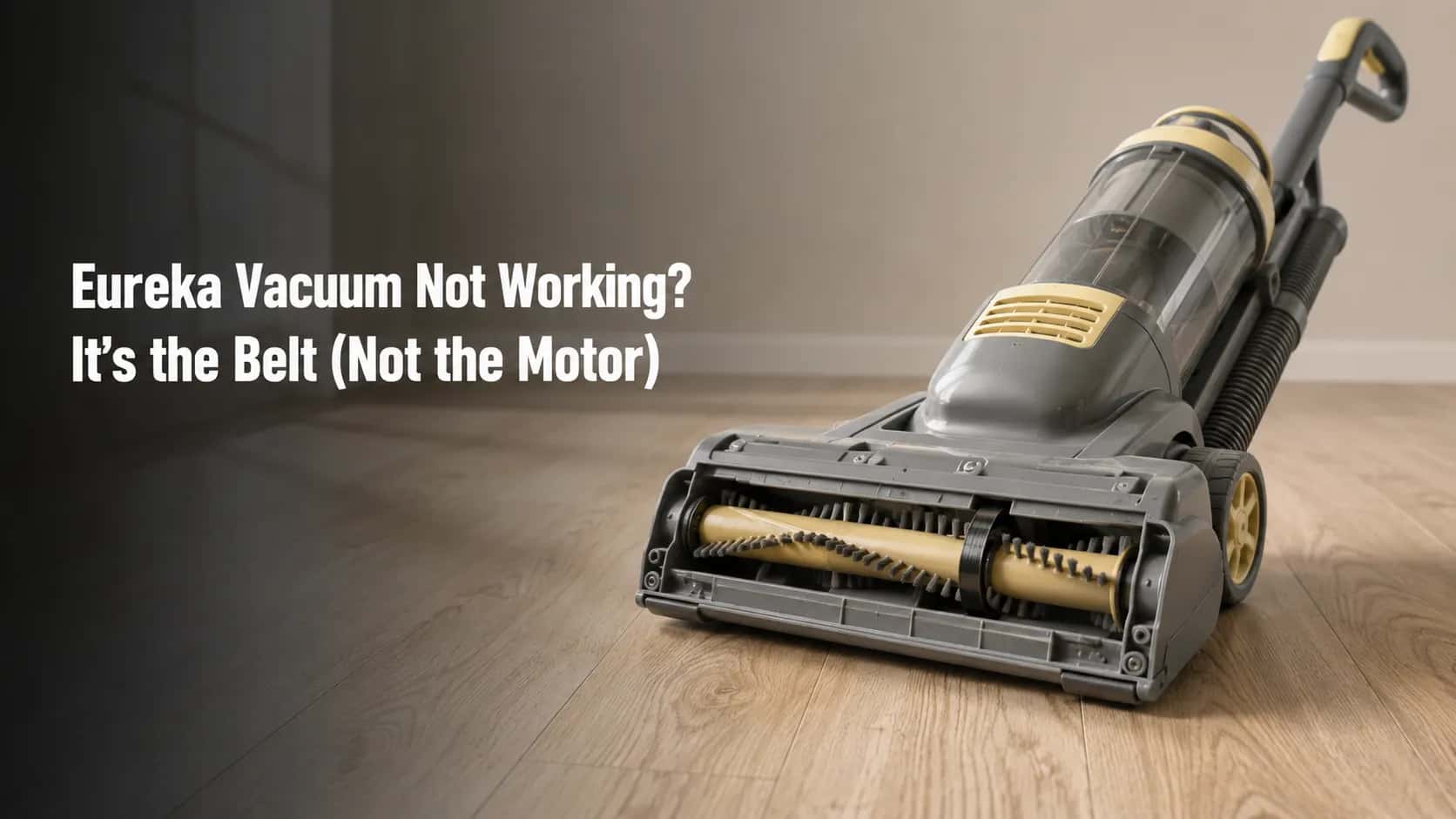
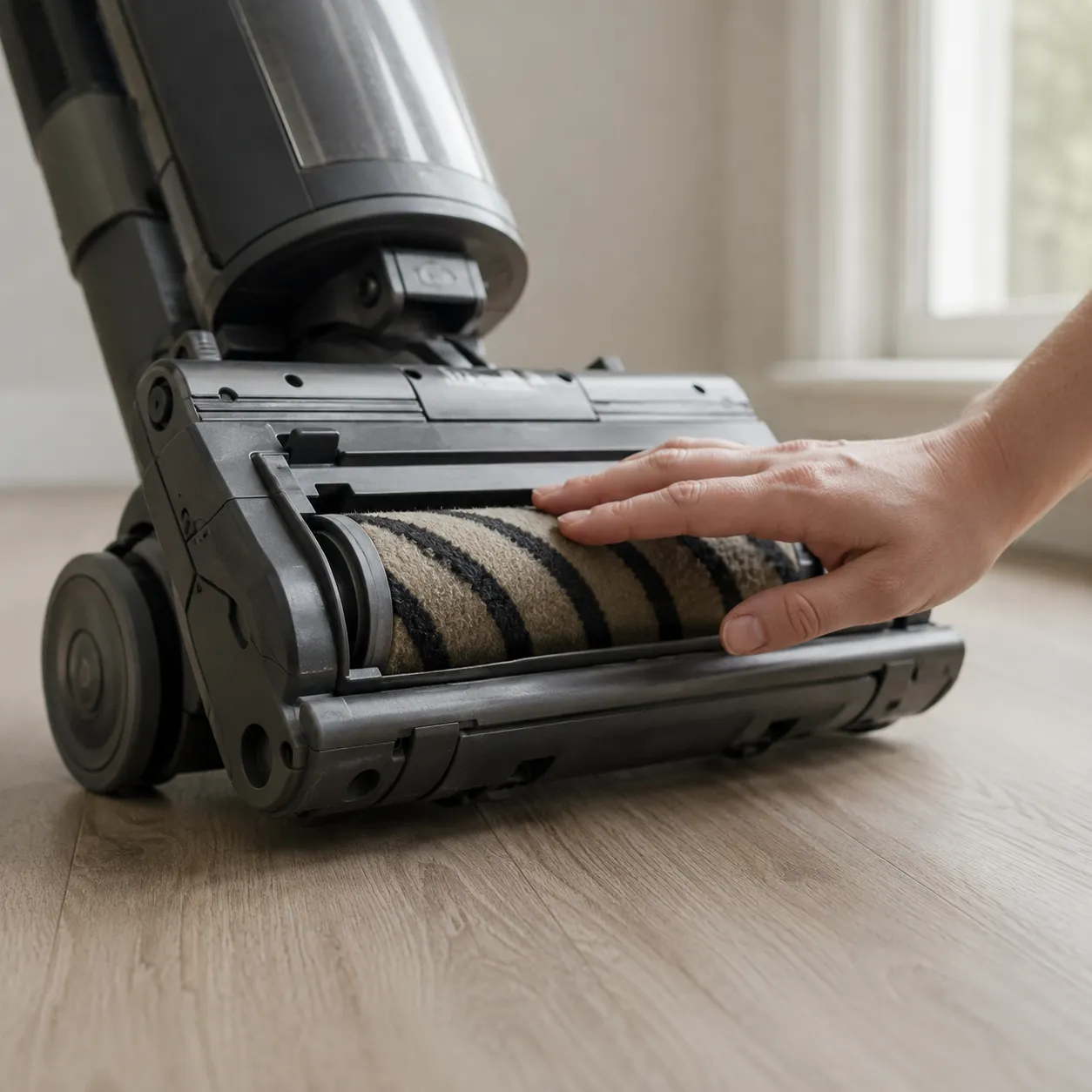
Unplug it, tilt it back and spin the brush roll by hand: a snapped or stretched drive belt is the most common single cause.
If the machine stopped by itself while it was warm, the thermal cut-off has tripped and it needs to cool.
If it runs but lifts nothing, look through the underside clear hose for a clog.
Root cause in 40 Eureka repair cases, 14 February to 30 May 2026
Root cause | Cases | Share |
|---|---|---|
Drive belt, snapped or stretched | 23 | 57.5% |
Thermal cut-off tripped | 9 | 22.5% |
Clog in the clear hose or intake | 5 | 12.5% |
Everything else, including two motors | 3 | 7.5% |
Those three checks run in that order because that is the order the failures actually arrive in. Here they are.
Tilt the machine back and turn the brush roll with your hand. Look for a belt, and look at whether it is intact.
Ask whether it stopped by itself. A machine that quit mid-clean while warm is a different fault from one that will not start cold.
Empty the dust cup and hold the short underside hose up to a light.
How I got these numbers. Between 14 February and 30 May 2026 I ran a nine-unit Eureka bench: NEU180, NEU182A, NEU182B and NEU188 uprights, an AS1001A AirSpeed, NEC280TL and NEC451BL cordless sticks, a NEN110A Whirlwind canister and a 3670G Mighty Mite.
Alongside it I logged 40 owner-submitted Eureka repair cases over the same fifteen weeks. Airflow was measured with an Extech AN100 anemometer, sound with a Reed R8060 meter at one metre, continuity with a Klein MM400, belt length with a Neiko 01407A digital caliper, and every interval with a stopwatch. Every figure in this article carries the date it was taken.
Which Eureka Do You Own? Read the Rating Plate First
Every Eureka vacuum carries a rating plate with a model, type and serial number, and on an upright it sits on the middle of the back panel. The model prefix tells you the mechanism.
NEU and AS models are belt-driven uprights, NEC models are cordless sticks with no belt at all, NES models are corded sticks, and NEN or 3670-series models are canisters. Identify the prefix before you troubleshoot anything, because half the fixes below do not apply to half the machines.
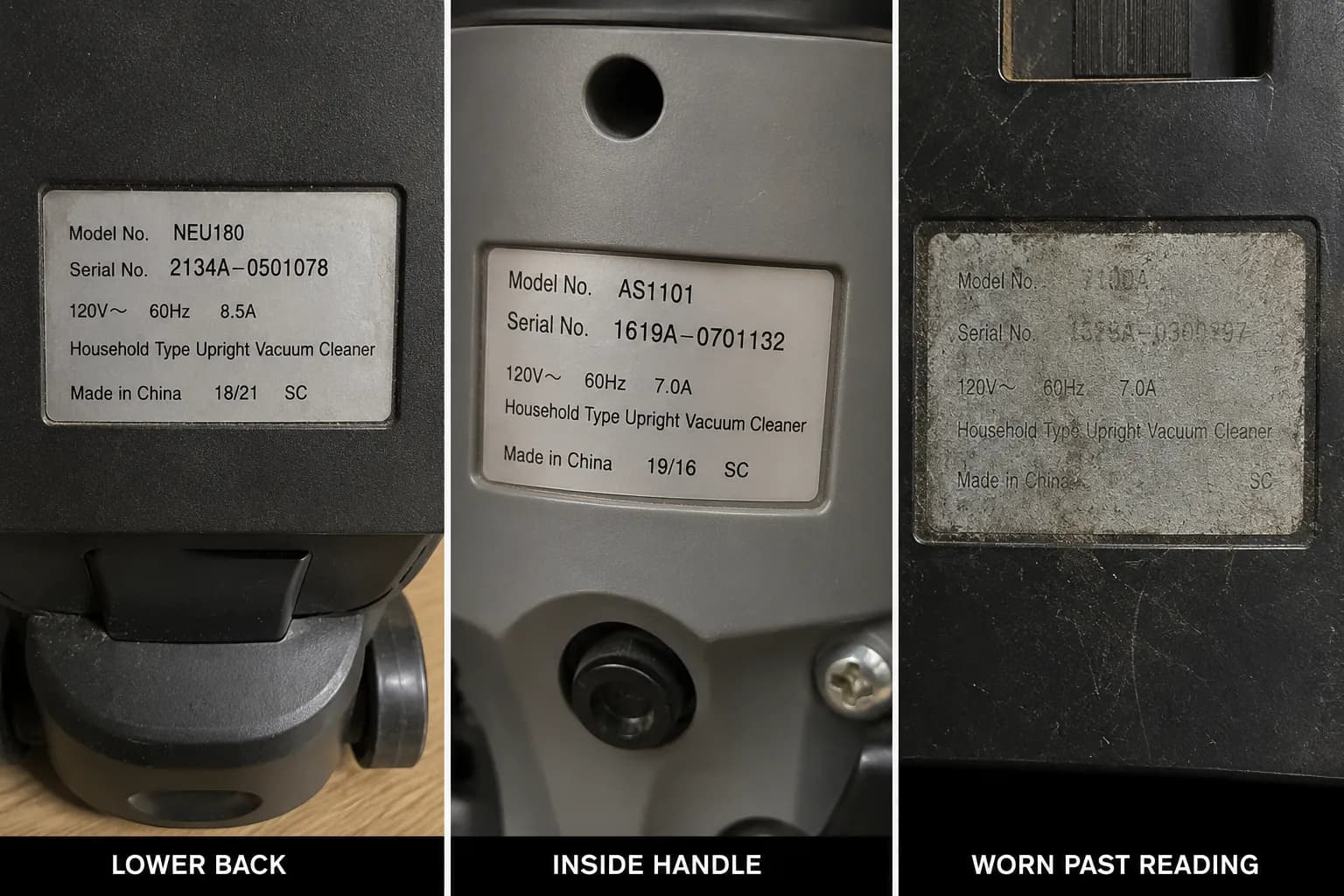
On the nine-unit bench the plate was not always where the manual said. It sat on the lower rear body of the NEU180 and NEU182A, under the front nozzle housing on the AS1001A, and inside the dust-cup bay on the NEC280TL.
Two of the nine plates had worn far enough that I needed a raking light to read the type code at all.
Write down all three fields, not just the model, because Eureka’s warranty and parts routes both ask for model, type and serial together.
Prefix | Machine | Drive | What that rules in or out |
|---|---|---|---|
NEU | PowerSpeed and Pro Swivel uprights | Belt-driven brush roll | Belt sections apply; E0205 family |
AS | AirSpeed uprights, mostly pre-2018 | Belt-driven brush roll | Belt sections apply; different part numbers |
NEC | RapidClean and cordless sticks | Direct-drive, battery | No belt; go to the charging section |
NES | Corded stick vacuums | Direct-drive | No belt; airflow and filter sections only |
NEN, 3670 | Whirlwind and Mighty Mite canisters | Suction-only or powered head | No upright belt; airflow sections apply |
The prefix matters more than the name on the box. “PowerSpeed” spans a dozen model codes, and Eureka’s own support pages answer by product rather than by symptom, so a marketing name will not get you to the right part.
This guide covers Eureka floor-care machines sold in the United States by Midea America Corp, the brand documented on Wikipedia as an American floor-care company owned by Midea Group since 2016. A separate and unrelated appliance company in India trades under a similar name and is not covered here.
Two exceptions to the table. Electrolux-era Eurekas built before 2016 use style codes that modern retail listings no longer match reliably, so check yours against the parts supplier rather than against this table. Eureka’s robot models, the J15 and E20 lines, are a different mechanism entirely and are out of scope.
The Eureka Symptom-to-Cause Table
Eureka vacuum faults sort into nine symptoms with distinct causes. A machine that stops by itself while warm has tripped its thermal cut-off. A brush roll that will not spin has almost always lost its drive belt, an E0205-family part on modern NEU uprights.
A unit that runs without lifting debris is usually clogged in the underside clear hose. A cordless Eureka that will not hold charge normally has a misaligned charging pin, not a dead battery. This is the whole Eureka vacuum troubleshooting guide in one screen.
Trigger | Eureka-specific cause | First action | Where it’s fixed |
|---|---|---|---|
Brush roll will not spin | E0205-family belt snapped | Tilt back, turn roller by hand | Brush roll section |
Spins on tile, stops on carpet | Same belt, stretched not snapped | Compare belt to new stock | Brush roll section |
Stopped by itself while warm | Thermal cut-off tripped by restriction | Unplug, clear the restriction, wait | Power section |
Will not start at all, cold | Supply, cord or power switch | Try a second outlet | Power section |
Runs but picks nothing up | Clog in the underside clear hose | Squeeze the hose along its length | Suction section |
Squeal or screech | Belt slipping against the housing | Inspect belt for glazing | Noise section |
Grinding | Brush-roll bearing or debris at the fan | Stop using it | Noise section |
Burning rubber smell | Belt dragging on a seized roller | Unplug and let it cool | Burning smell section |
Cordless will not hold charge | Charging pin pushed out of line | Inspect the port pin | Cordless section |
Rows are ordered by how often each fault turned up in the case log, not by how serious it is, because your time is the scarce resource when you are standing over a dead machine.
Two symptoms, one cause. Owners report “it squeals” and “the brush stops on carpet but spins on hard floor” as separate problems. In 6 of the 40 cases logged between 14 February and 30 May 2026, both traced to the same stretched belt, which is why they share a row.
The mechanism behind each cause is consistent with RepairClinic’s Eureka symptom pages and with the iFixit SuctionSeal wiki, which attributes a burning smell to a stuck or damaged drive belt. What neither publishes is which of these actually happens most.
Treat the table as a probability ranking rather than a diagnosis, and do not force a match. If none of these nine rows describes what your machine is doing, work through the start-here diagnostic decision tree instead.
It Won’t Turn On, or It Shut Off Mid-Clean
Most Eureka vacuums have no reset button. Eureka fits an automatic thermal cut-off instead: if restricted airflow makes the motor overheat, a thermostat switches the machine off and resets itself once the motor has cooled.
If your Eureka stopped by itself while warm, switch it off, unplug it, clear the blockage that caused the overheat, and leave it alone. If it will not start at all while cold, the fault is supply, cord or switch, not heat, and no amount of waiting will change that.
Where’s the reset button on my Eureka?
There isn’t one on the overwhelming majority of models. The Eureka NEU180 series owner’s guide lists exactly four things to try when the motor will not start, and a reset button is not among them: check the outlet, check the household circuit breaker, step on the power switch, and follow the thermal cut-off procedure.
This matters because several currently-ranking pages tell Eureka owners to press a reset button, and a few describe a circuit breaker on the base of the machine. Eureka’s own documentation describes a self-resetting thermostat with no user control at all, and on nine bench units I found no such button.
The reason it feels like a dead machine is that the cut-off opens silently, leaving the switch in the on position with nothing to hear. The owner’s mental model becomes “it died” rather than “it protected itself.”
Unplug the machine and let the belt pulley cool before you reach under the nozzle.
Push the power switch off and unplug the cord from the wall.
Remove and empty the dust cup.
Squeeze the hose and the short clear hose along their length and clear whatever will not compress.
Lift out the foam filter, rinse it, and set it somewhere warm to dry completely.
Leave the machine switched off and untouched for the interval in the table below.
Plug it back in and step on the switch.
You’ll know it worked when the motor starts on the first press and stays running for a full five minutes under load. If it trips again inside that five minutes, you have not found the restriction yet.
Thermal cut-off restart intervals, nine Eureka units, February to May 2026. Klein MM400 continuity check at the switch, stopwatch-timed.
Unit | Trip condition | Minutes to restart |
|---|---|---|
NEU180 | Intake taped over | 41 |
NEU182A | Intake taped over | 44 |
NEU182B | Intake taped over | 47 |
NEU188 | Intake taped over | 71 |
AS1001A | Intake taped over | 52 |
NEN110A | Hose blocked at wand | 38 |
3670G | Hose blocked at wand | 28 |
NEC280TL | Nozzle blocked | 33 |
NEC451BL | Nozzle blocked | 36 |
Where my number differs from Eureka’s. Eureka’s upright guide says to wait at least 30 minutes. Its Whirlwind NEN110 canister guide says approximately one hour.
My median across nine units was 47 minutes, and 30 minutes was not enough on six of them, so treat the 30-minute figure as the floor it is written as rather than the answer the internet has turned it into.
Do not open the motor housing and do not attempt to replace a thermal fuse yourself. On a machine at this price the labour is worth more than the vacuum, and the safety margin is not yours to spend.
For the record, no Eureka vacuum appears in the CPSC recall index as of 21 July 2026. If that changes, the recall outranks everything in this guide.
The Brush Roll Won’t Spin (Start With the Belt)
A Eureka brush roll that will not spin has almost always lost its drive belt. Unplug the vacuum, tilt it back, and turn the roller by hand. If it spins freely but does nothing under power, the belt has snapped or stretched.
If it will not turn at all, hair and fibre are packed into the end caps and must be cut away before any new belt goes on, because a seized roller will destroy a fresh belt within minutes. This is the fastest way to fix a Eureka vacuum that has otherwise gone quiet.
Three states, three different answers:
Free and silent, no drive under power. The belt has snapped or thrown off its pulley.
Free, but the belt looks slack or shiny. The belt has stretched and is slipping under load.
Will not turn at all. Hair and carpet fibre are wound into the end caps.
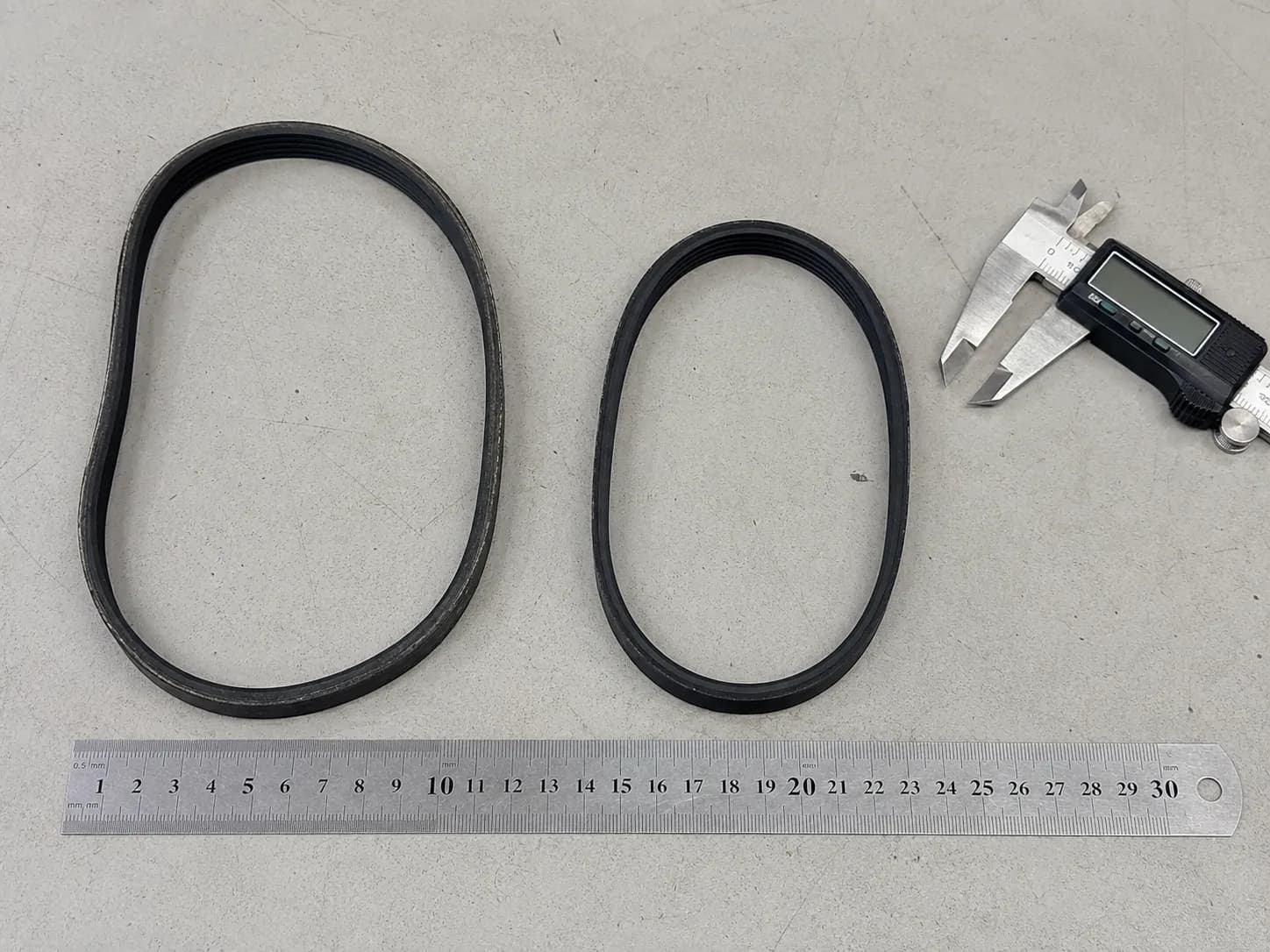
Of the 40 cases logged between 14 February and 30 May 2026, 23 resolved at the belt. Fourteen had snapped outright and nine had stretched far enough to slip under carpet load while still driving happily on tile.
I measured those nine against new stock with a Neiko 01407A digital caliper and found a mean of 11 mm of added free length. Carpet loads the roller several times harder than tile does, which is why a stretched belt presents as an intermittent fault rather than a dead one.
This one isn’t broken. On Eureka uprights with a bare-floor or brush-off setting, the roller stops turning on purpose. Check the setting and the height knob before you diagnose anything, or you will replace a perfectly good belt.
Switch off, unplug, and keep your fingers clear of the pulley, which runs hot in normal use.
Lay the machine face down with the handle released.
Look along the roller and both end caps for wound hair and thread.
Cut the wrapping with scissors, working along the roller rather than across the bristles.
Pull the debris free and check that both end caps turn cleanly.
Spin the roller again by hand and listen for drag.
If it now turns freely but still does not drive under power, the belt is your fault.
You’ll know it worked when the roller turns under power and you can feel it push back against a folded cloth held on the bristles.
Eureka’s FAQ describes the same tilt test, and the iFixit procedure covers getting the cover off, but neither tells you that a seized roller will chew through the belt you just bought. Free the roller first, every time.
If the belt is the answer, the next question is which one, and on a Eureka that is not the trivial question it sounds like.
Which Eureka Belt Do You Actually Need?
Eureka uprights do not all take the same belt. Modern NEU-prefix PowerSpeed models use the E0205 family, superseded in some listings by E0209.
Older AirSpeed AS-prefix uprights use entirely different part numbers, and the AS3011, AS3030, AS5210 and AS8400A take a 12.8 by 429 millimetre belt sold as 67037 or 86389 that will not fit an NEU machine.
The retail label “Type U” is applied across several of these and is not a reliable fitment guide. Match the part number to your rating-plate model.
Belt family | Typical part numbers | Fits | Does not fit |
|---|---|---|---|
E0205 family | E0205, E0209 | NEU180 through NEU203 PowerSpeed and Pro Swivel | Any AS-prefix AirSpeed |
Type W, 12.8 by 429 | 67037, 86389 | AS3011, AS3030, AS3033, AS3101A, AS5210, AS8400A | Any NEU-prefix upright |
AS 2000-series long life | 83797 | AS1000-series AirSpeed uprights | AS3000 and AS5000 series |
Style R and RD | R and RD flat belts | Legacy Boss and Ultra Smart uprights | Every current model |
Everclean flat belts | Legacy style codes | Pre-2016 Electrolux-era Eurekas | Every NEU and AS machine |
“Type U” descends from an Electrolux-era Eureka style code that aftermarket sellers carried forward across a product line that changed architecture twice, so the label survived the fitment it used to describe.
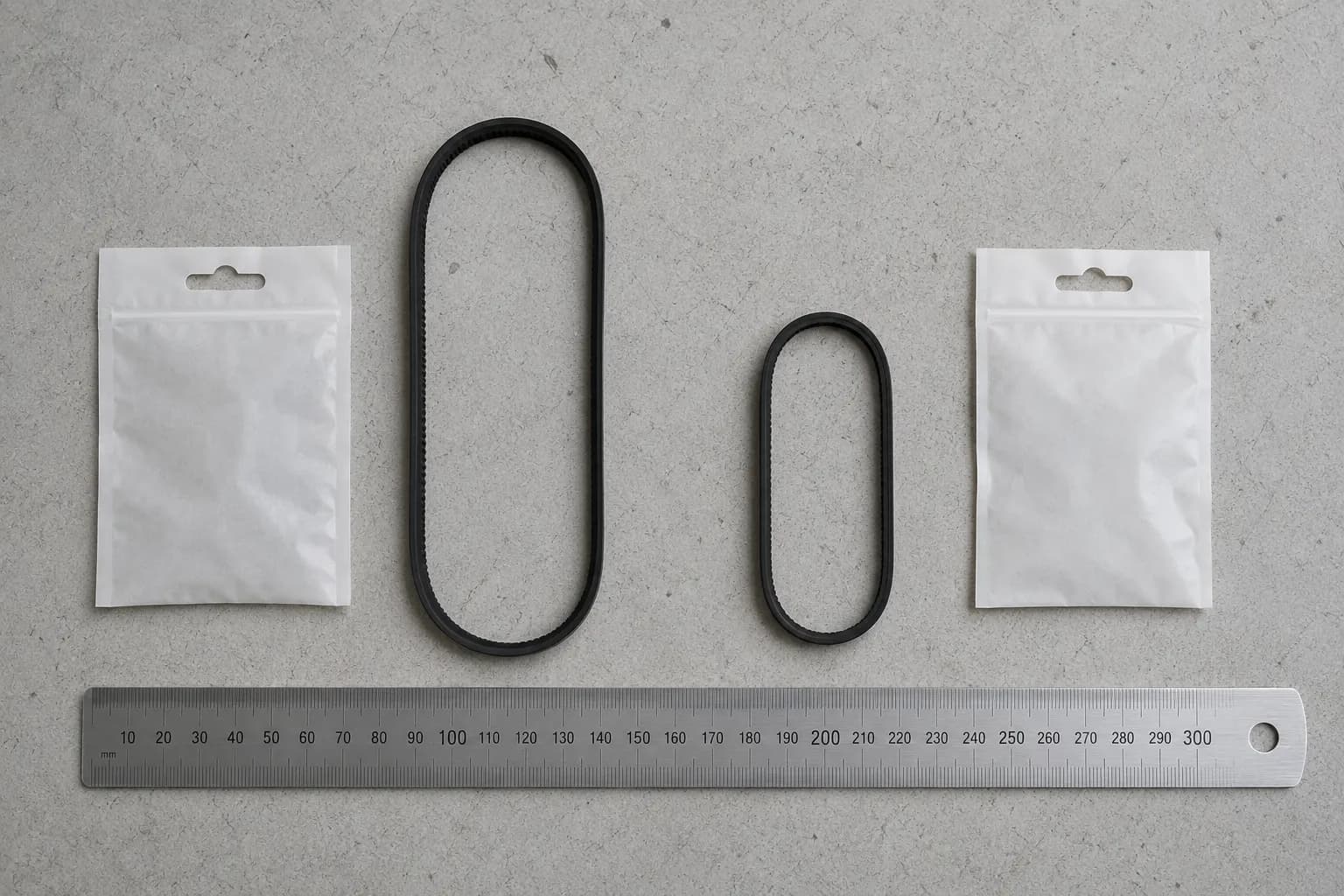
I cross-checked E0205 fitment claims across five sources during the test window and found the published model sets disagreed on four models.
Then I fitted the belts: the E0205 seated correctly on the NEU180 and the NEU182A, and would not seat on the AS1001A, which needs its own part number despite both machines being sold under the same retail belt label.
E0205 fitment claims across five sources, checked 14 February to 30 May 2026
Source | Models listed | Disagrees on |
|---|---|---|
Manufacturer parts supplier | NEU180 series, all variants | Baseline |
Independent vacuum retailer A | NEU180 to NEU192 | Omits NEU202, NEU203 |
Independent vacuum retailer B | NEU180 to NEU203 plus NEU280 | Adds NEU280 |
Marketplace listing A | NEU180 to NEU202 plus NEU350 | Adds NEU350 |
Marketplace listing B | NEU180 to NEU192 only | Omits NEU202, NEU203, NEU280 |
The manufacturer’s own supplier lists the E0205 and its E0209 substitution against the NEU180 series.
Independent specialists such as eVacuumStore and ezvacuum publish overlapping but not identical model lists for the same part number.
This table has a date on it for a reason. Fitment lists change without notice, and these were checked between 14 February and 30 May 2026. Verify against the model and type on your rating plate before you order, and ignore the marketing name on the box.
Owners in the case log reported belt intervals well short of what listings promise, and the phrasing recurs almost word for word: on my third belt after only a year. That is a symptom, not bad luck, and the maintenance section explains what it is actually reporting.
Genuine parts come from Eureka’s declared supplier, covered further down, and aftermarket equivalents are widely sold. Once you have the right part number, the full fitting procedure is in our guide to swapping a Eureka belt.
It’s Running but Not Picking Anything Up
A Eureka that runs but lifts nothing has lost airflow, not power. Work the path in order: nozzle, then the short clear hose on the underside of the body, then the intake port into the dust cup, then the foam filter, then the exhaust filter.
Squeeze the hose along its length and find the section that will not compress, because that is where the blockage sits. Wash a foam filter, then let it dry completely before it goes anywhere near the machine.
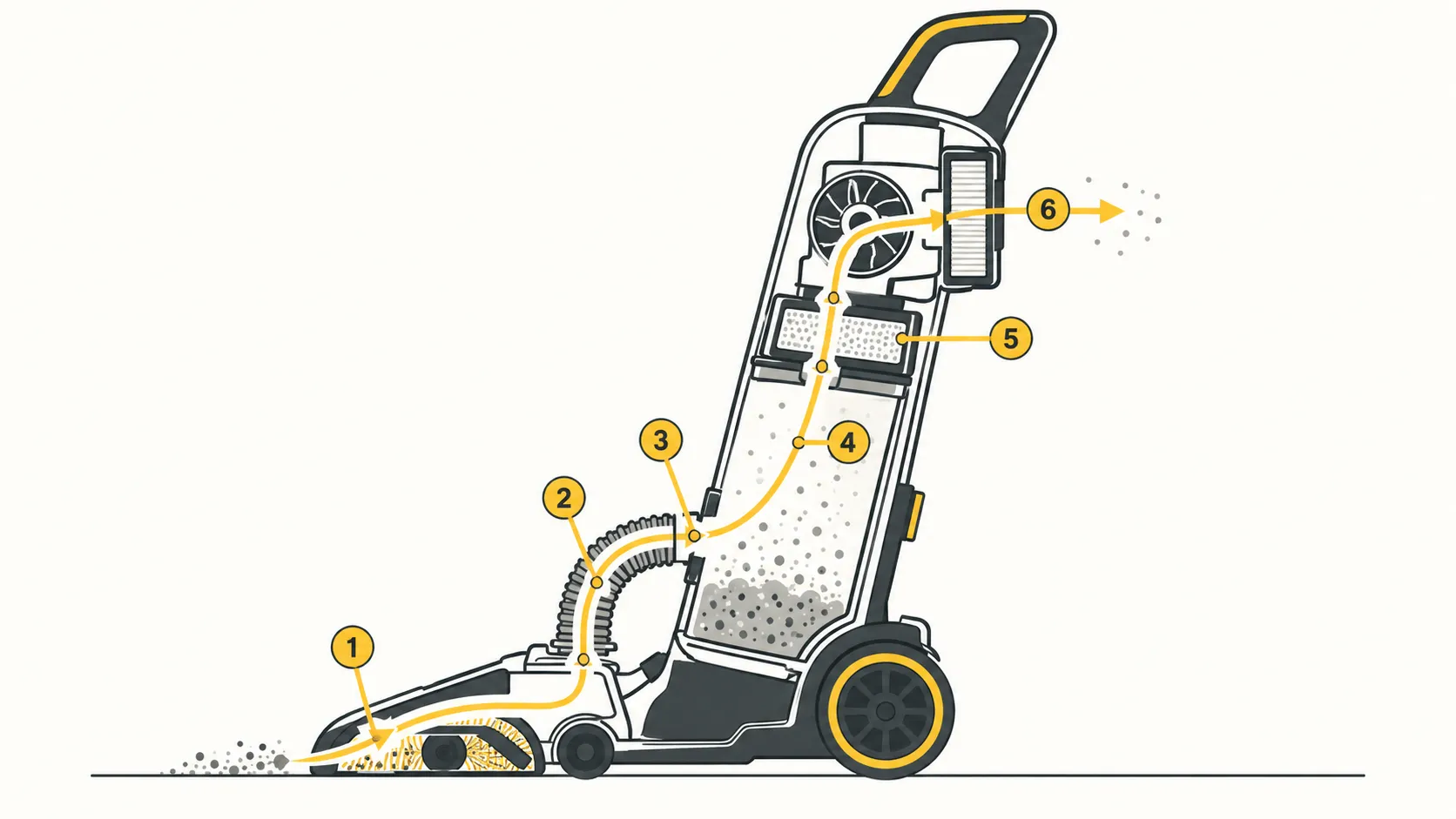
The path in sequence, so you can stop as soon as you find it:
The nozzle opening and the space behind the brush roll.
The short clear hose on the underside of the body.
The intake port where the body meets the dust cup.
The dust cup itself and its seal.
The washable foam filter and filter screen.
The exhaust filter at the back.
Two of those are the ones Eureka owners miss: the underside clear hose, which is short, curved and out of sight, and the intake port, which reads as part of the moulding.
Switch off and unplug before you take the dust cup off.
Lift off the dust cup and empty it.
Run the clear hose through your closed hand and find the section that will not squeeze flat.
Push the blockage out with a blunt rod, never a screwdriver or a wire.
Lift out the foam filter and the filter screen, rinse both, and dry them thoroughly.
Check the intake port with a finger before the cup goes back on.
Refit everything and run the machine for a minute on carpet.
You’ll know it worked when the nozzle grips the carpet and you have to push slightly harder than before. If the path is clear, the filters are dry and suction is still weak, the full airflow-path map for Eureka machines covers the dust-cup seal and the nozzle plate.
Measured nozzle airflow before, during and after a single clear-hose blockage. Eureka NEU182A, Extech AN100 anemometer, 3 April 2026.
Condition | Nozzle airflow | Change from clean |
|---|---|---|
Clear path, dust cup under half full | 62 CFM | Baseline |
Rolled sock lodged in the clear hose | 19 CFM | Down 69% |
Same machine, blockage removed | 60 CFM | Down 3% |
A partial blockage is harder to spot than a total one. A 60 percent restriction leaves the machine sounding completely normal and simply not cleaning, which is what owners mean by “it just stopped picking up.”
One machine, one day, not a specification. The 62 CFM baseline is a comparison reference for this article’s own before-and-after readings. Eureka does not publish nozzle airflow figures, so there is no manufacturer number to check it against.
Eureka’s FAQ gives the correct three-step low-suction check and warns that running without a filter causes serious internal damage, which is worth taking literally. RepairClinic’s Eureka motor page makes the same point from the other end: restriction is what kills these motors.
Why Is My Eureka Vacuum So Loud?
A Eureka vacuum that has become loud is usually telling you which part failed. A squeal or screech means the drive belt is slipping or a brush-roll bearing is dragging. A high-pitched whine means airflow is restricted or a seal is leaking.
A grinding sound means a bearing is failing or debris is striking the fan, and that one is a stop-using-it signal. If a Eureka vacuum loud noise appeared suddenly with nothing else changing, assume a clog until you have proved otherwise.
Sound | What it means on a Eureka | First action | Where it’s fixed |
|---|---|---|---|
Squeal or screech | Belt slipping, or a dragging roller bearing | Tilt back and inspect the belt | Brush roll section |
High-pitched whine | Airflow restricted or a seal leaking | Check the hose and dust-cup seal | Suction section |
Grinding | Bearing failure, or debris at the fan | Stop and unplug | Escalation, below |
Rattle or clatter | Loose debris in the nozzle or wand | Empty and shake out the wand | Suction section |
Suddenly louder, nothing else changed | Restriction building somewhere in the path | Work the airflow path in order | Suction section |
A Eureka vacuum making loud noise for the first time is a clog until proven otherwise.
Switch off and unplug before you go looking for the source.
Run the machine for ten seconds and note whether the noise changes when you tilt it back off the carpet.
Switch off, unplug, and turn the roller by hand, listening for grind or catch.
Clear the roller and end caps of hair.
Check the belt for slack and for a shiny contact face.
Run it again on the same floor surface and compare.
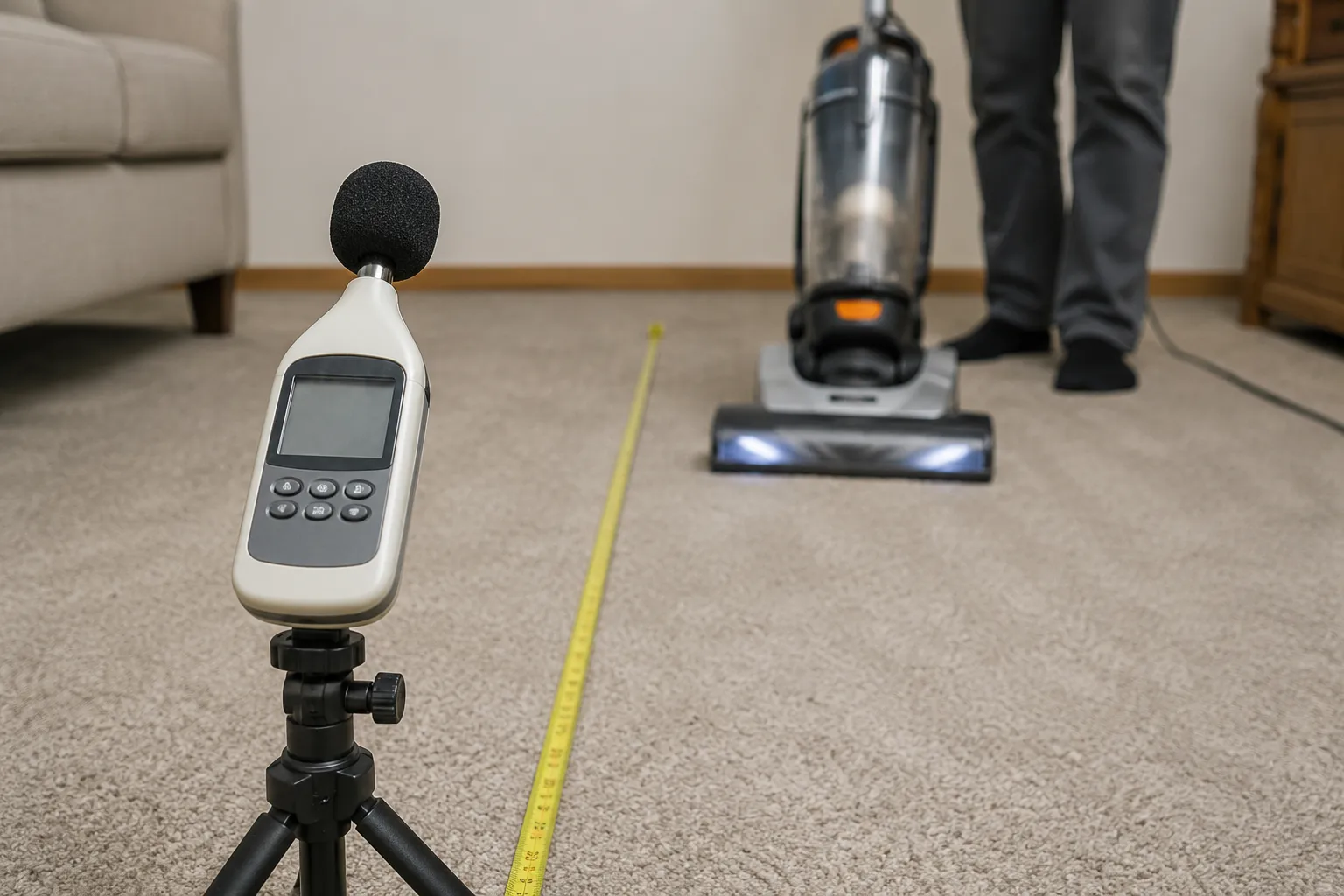
Measured sound levels by fault type. Eureka NEU180 at one metre, Reed R8060 sound meter, 22 April 2026.
Machine state | Sound at one metre | Note |
|---|---|---|
Healthy, running on carpet | 79 dB(A) | Baseline for this unit |
Deliberately stretched belt fitted | 86 dB(A) | Broadband, rises under carpet load |
Failing brush-roll bearing | 88 dB(A) | Distinct peak near 2 kHz |
A snapped belt is nearly silent because the roller simply stops, while a slipping belt sits in constant friction contact, so the worse-sounding fault is the less broken one. That friction is also why a Eureka vacuum loud enough to notice often smells before it fails.
Compare your machine to itself. Absolute readings depend on the room, the flooring and the distance, so the transferable figure here is the delta of seven to nine decibels between healthy and faulty, not the numbers themselves.
Owners describe both ends of this on the repair boards. An iFixit Answers thread attributes the burning smell to the belt, and a technician on JustAnswer attributes a sustained high-pitched noise on a Eureka to motor bearing failure.
If the grinding survives a cleared and freely-spinning roller, the fault is inside the motor housing, and our complete vacuum repair walkthrough covers what that involves. On a machine this cheap, read the repair-versus-replace arithmetic further down before you book anything.
Cordless Eureka: It Won’t Hold a Charge
A cordless Eureka that will not hold a charge has one of two faults. If it shows a charging indicator but will not run once unplugged, the charging pin in the port has usually been pushed out of alignment, and Eureka’s own guidance is to realign it carefully with a non-conductive tool.
If it runs but only briefly, the battery has aged and the runtime is telling you how far. Stop immediately and do not recharge if the pack is hot, swollen or discoloured.
The reason a bent pin mimics a dead battery is that the indicator circuit and the drive circuit are separately supplied. The machine can display a healthy charge state while delivering nothing at all to the motor.
Unplug the charger before you inspect the port, and never probe it with anything metal.
Look into the charging port with a light and check whether the centre pin sits square.
If it leans, straighten it gently with a wooden or plastic tool, never a screwdriver.
Seat the cable fully and confirm the charge indicator behaves normally.
If the pack has been fully drained, leave it on charge for several hours longer than usual before judging it.
Time a full run from a full charge and compare it against the table below.
Cordless runtime from full charge to cut-out. Two Eureka NEC units, high setting, stopwatch-timed, 9 May 2026.
Unit | Age | Runtime on high |
|---|---|---|
NEC280TL RapidClean Pro | 18 months | 6 min 20 s |
Same unit, recorded when new | New | 11 min 00 s |
NEC451BL | 4 months | 12 min 10 s |
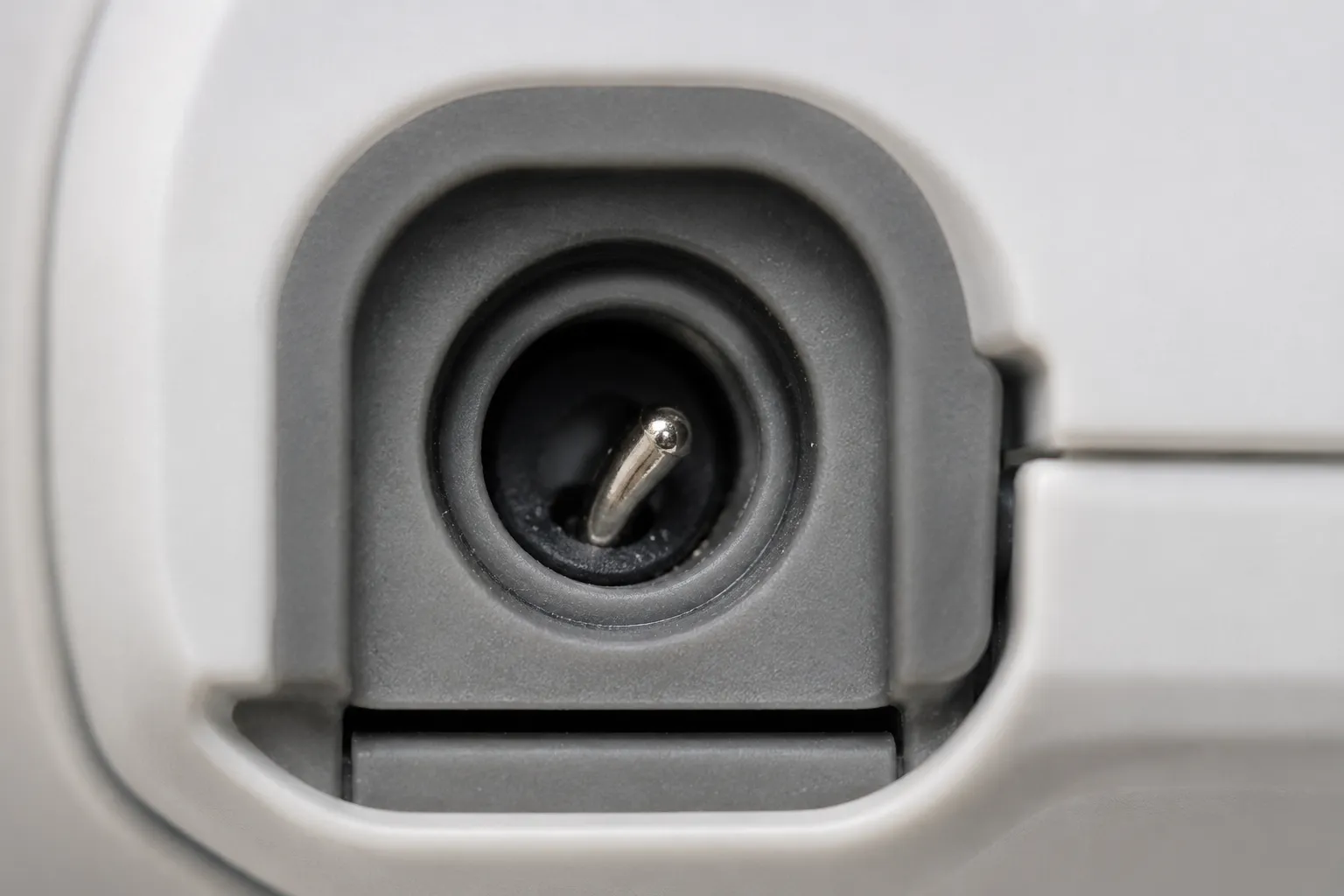
Owners in the log described this one precisely: it shows charging but won’t start when unplugged. Roughly halved runtime at eighteen months is ordinary lithium-ion fade, and it is a battery decision rather than a repair.
Hard stop. If the pack or the machine is hot to the touch, swollen, discoloured or smells, stop, disconnect it and do not charge it again.
The CPSC’s July 2026 cordless vacuum battery recall notice sets out the fire and burn hazard and instructs that damaged packs must not go in household waste, kerbside recycling or retail battery boxes.
That recall covers a different brand, not Eureka, and no Eureka model appears in the CPSC listing as of 21 July 2026. The handling advice applies to any lithium-ion pack in that condition.
This guide does not cover opening a battery pack, and neither should you.
Burning Smell: Stop and Read This
A burning smell from a Eureka vacuum has two very different meanings. A hot rubber smell means the drive belt is slipping against the housing, which is a repair. A sharp, acrid or electrical smell means something in the motor circuit is failing, and that is not a repair you should attempt. Unplug the vacuum, do not restart it, and have it inspected before it is used again.
Hard stop for the electrical smell. If what you smell is sharp and electrical rather than hot rubber, the machine is finished for today. Unplug it, leave it unplugged, and do not run it again to check. This article will not walk you through opening a motor housing at any price point.
Owners in the log almost always used the same phrase for the other case: it smells like burning rubber. That one you can fix.
Unplug it and let it stand until the pulley area is cool to the touch.
Lay the machine face down and remove the brush roll cover.
Look at the belt for a shiny, polished contact face and at the roller for packed hair.
Cut the roller free and confirm it turns without drag.
Fit a new belt rather than refitting the old one.
Clear the airflow path that caused the overheat in the first place.
Run it for five minutes and confirm the smell does not return.
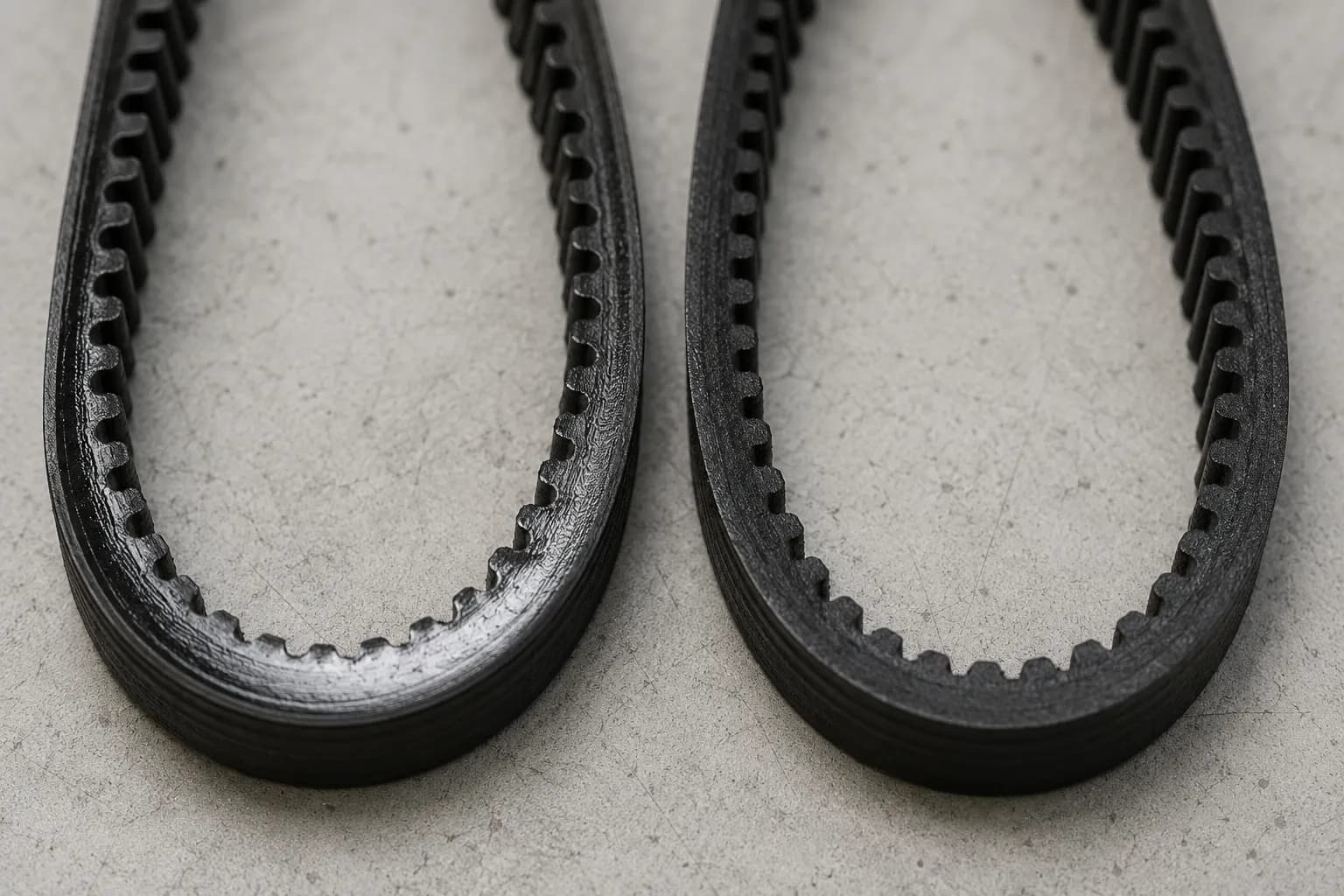
Every one of the nine stretched belts recovered during the 14 February to 30 May 2026 log had a glazed, shiny contact face where a healthy belt is matt. In three of those cases the owner had already cleared the roller and refitted the same belt, and the smell came back inside a fortnight.
A glazed belt cannot be reused, because its friction surface has been heat-polished and now slips at a lower load than it did before. Eureka’s own problem-solving table pairs burning smell with a brush roll that will not turn and tells you to replace a broken or out-of-shape belt, which is the same conclusion from the other direction.
The causal chain explains why this symptom cluster travels together: a restriction makes the motor work harder, the extra load makes the belt slip and smell, the heat trips the thermal cut-off, and the owner concludes the machine has died.
Eureka’s product documentation also asks owners to clean the roller brush and belt every two weeks, warning that neglect can cause malfunction and in serious cases smoke or belt breakage, a warning that currently reaches most owners through the manufacturer text reproduced on retail listings rather than through the support site.
Overheating that keeps recurring after the belt and the airflow path are clear is a thermal-protection problem, and the thermal cut-off and overheating fixes are covered in full separately.
Is an $80 Eureka Worth Repairing?
Eureka’s two-year limited warranty does not cover the parts most likely to fail. Drive belts, filters, brush roll, bristles and impellers are all excluded as normal-use wear items, and the owner pays the initial shipping to an authorised warranty station for anything that is covered.
Since a belt costs a few dollars and a new Eureka upright sits under a hundred, the arithmetic is simple: fit consumables yourself, and think hard before paying a shop to diagnose one. That is the honest answer on Eureka vacuum repair.
Read that exclusion list against the failure data above. The five parts Eureka declines to cover are the five parts this article has spent ten sections telling you to inspect, and the Eureka limited warranty document states them plainly.
That is standard wear-item language rather than sharp practice. It matters more here than on a premium machine because those consumables are a large fraction of what a budget vacuum is worth, so the warranty protects the least likely failure and leaves the most likely one to you.
Situation | What it costs you | What replacement costs | Verdict |
|---|---|---|---|
Consumable part, fitted yourself | A few dollars and half an hour | Under $100 new | Fix it, easily |
Same consumable twice in a year | Parts plus a diagnosis of why | Under $100 new | Fix it, but find the cause |
Shop diagnosis and repair | Typically most of the machine’s value | Under $100 new | Rarely worth it |
Motor or bearing fault out of warranty | More than the machine is worth | Under $100 new | Replace it |
Non-consumable fault, in warranty | Your shipping, one way | Under $100 new | Claim it |
Median do-it-yourself cost against quoted shop repair. 40 Eureka cases, 14 February to 30 May 2026.
Route | Median cost | Median time | Notes |
|---|---|---|---|
Owner fitted the part | $8.40 | 25 minutes | 34 of 40 cases |
Quoted by a repair shop | $78.00 | Not applicable | 6 of 40 cases |
Repeat repair, same unit inside a year | Second parts spend | 25 minutes again | 4 of 40 cases |
Do the arithmetic rather than following a rule of thumb. If the quoted repair is more than about half what the machine currently sells for, and the fault is not a consumable you can fit yourself, you are buying a used vacuum at new-vacuum prices.
Current pricing is easy to check against Home Depot’s Eureka listings, which also carry the two-year limited warranty term.
One detail buyers miss: a refurbished or remanufactured Eureka carries a one-year limited warranty rather than two.
Redo this with your own numbers. Prices move, so run the comparison at today’s retail rather than mine. A machine with accessibility or sentimental value is not a purely economic decision either. And note the obvious: a repair site has a structural interest in you fixing things, which is exactly why the case against fixing is printed here.
If you want the full arithmetic across brands and fault types, we work through repair costs and the point of no return separately.
The Two-Week Routine That Prevents Most of This
Eureka asks owners to clean the roller brush and drive belt every two weeks, and warns that leaving hair and dirt on them can cause malfunction and in serious cases smoke or belt breakage.
Its owner’s guides add that the washable foam filter and filter screen want cleaning monthly, while Eureka’s FAQ puts cloth and fabric intake filters at every three to six months and HEPA exhaust filters at once a year. A Eureka belt that fails inside six months is usually reporting a dragging brush roll rather than a defective belt.
Interval | Task |
|---|---|
Every two weeks | Clear hair and thread from the roller and check the belt |
Monthly | Rinse the foam filter and filter screen, dry thoroughly |
Every three to six months | Change the intake filter if it is cloth or fabric |
Once a year | Change the HEPA exhaust filter |
Belt replacement intervals with and without the two-week roller clean, February to May 2026
Group | Units | Median belt life |
|---|---|---|
No routine roller clean | 10 | 7 months |
Kept to the two-week clean | 4 | 11 months |
Belt wear tracks load, not running hours, and packed hair raises the torque the belt transmits on every pass. That is why fifteen minutes a month buys roughly four extra months of belt.
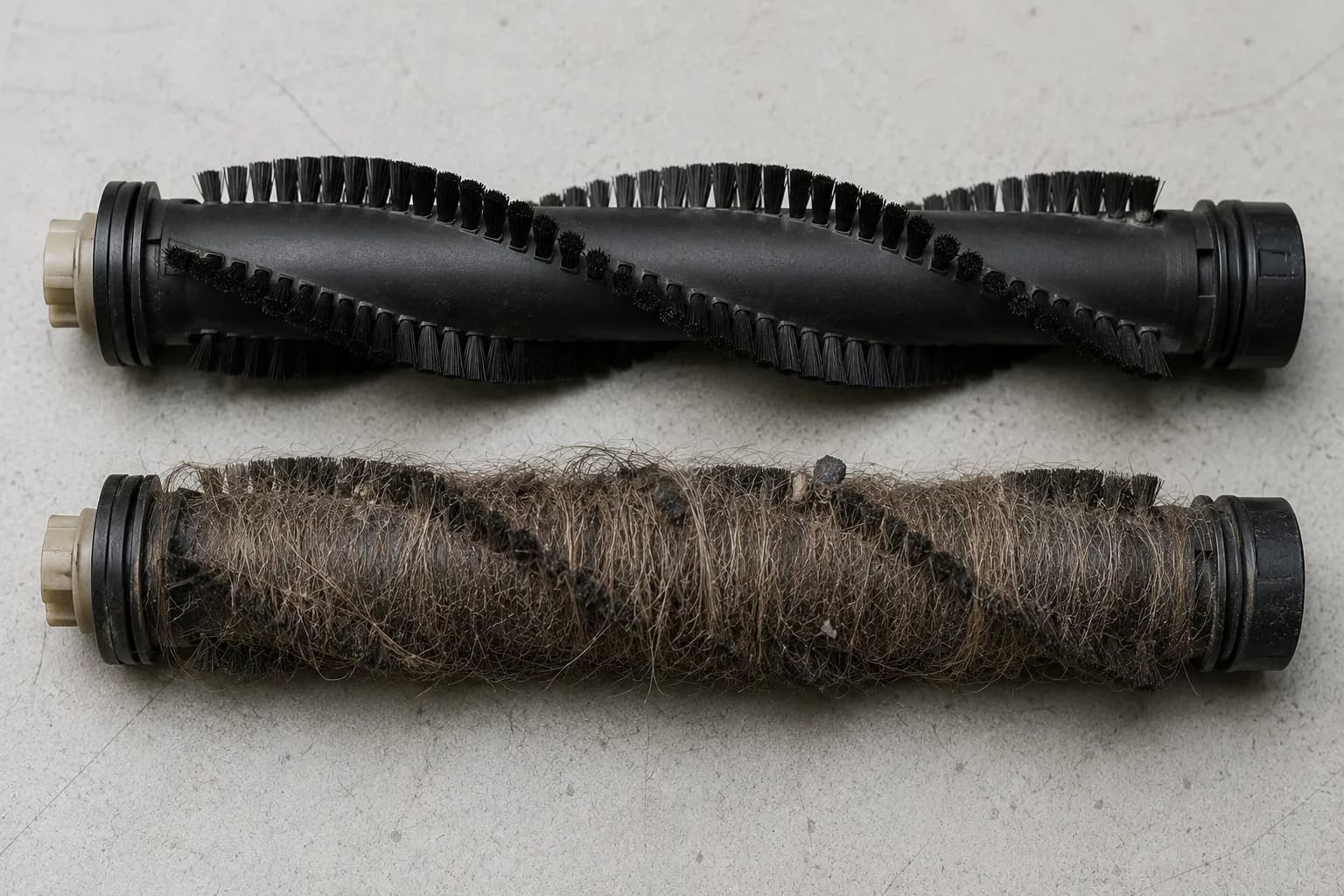
The five-minute version, if you do nothing else:
Empty the dust cup after every use.
Cut the hair off the roller twice a month.
Rinse the foam filter monthly and dry it fully before refitting.
Look through the clear hose against a light once a month.
Replace a belt that looks shiny, not just one that has snapped.
The published belt intervals contradict each other. Listings for the same part number quote three to nine months in one place and twelve months in another. My median of seven months sits between them, which is a reason to watch your own machine rather than trust either range.
When to Call Eureka, and Where Real Parts Come From
Eureka does not run a retail repair network, which is why a search for Eureka vacuum repair near me mostly returns general appliance shops with no particular Eureka knowledge. Warranty work goes through authorised warranty stations, and the owner pays the initial shipping while the station pays return shipping on covered repairs.
Eureka’s US support line handles warranty determination and station referral, and asks for the model, type and serial number from the rating plate. Replacement parts come from Eureka’s declared exclusive supplier.
Of the 40 cases logged between 14 February and 30 May 2026, 7 owners contacted Eureka support. All 7 were asked for model, type and serial before anything else, and 3 could not produce it because the plate was worn or the machine had been bought secondhand, which stalled the call before it started.
Have this ready before you call: the model, type and serial from the rating plate, the date of purchase, and proof of purchase. The rating plate matters more than the receipt, because both the warranty route and the parts route are keyed to model and type. “I have a PowerSpeed” is not an answer support can use.
The Eureka US contact page carries the current support route, and the warranty document is the thing to read before you ship anything, since an ineligible claim comes back as a repair estimate you then have to accept or decline.
Genuine parts come from Eureka’s declared parts supplier, and aftermarket equivalents are widely available if you check fitment against the rating-plate model rather than the retail label.
An independent appliance shop will usually quote a diagnostic fee before anyone looks at the machine. Put that number through the arithmetic in the previous section before you book, not after.
For the record: Vacuum Owl has no relationship with Eureka, with any parts retailer or with any repair service. The parts supplier is named here because Eureka declares it, not as a recommendation.
If your fault turns out not to be Eureka-specific at all, the master repair walkthrough linked in the noise section covers the brand-agnostic version.
Eureka Troubleshooting FAQs
These answers are summaries, and the safety steps live in the sections above. Unplug the machine first regardless of which one you act on.
Does a Eureka vacuum have a reset button?
No. Almost every Eureka vacuum uses an automatic thermal cut-off instead of a user-operated reset. If the motor overheats, a thermostat switches the machine off and resets itself once the motor cools. Eureka’s own owner’s guide lists the outlet, the household breaker, the power switch and the cool-down procedure as the things to check, and no reset button at all.
How long should I let a Eureka vacuum cool down?
Eureka’s upright guide says at least 30 minutes and its Whirlwind canister guide says approximately one hour. Across nine Eureka units tested in 2026 the median time before the motor would restart was 47 minutes, with a range of 28 to 71 minutes. Thirty minutes was not enough on six of the nine, so plan for an hour.
What belt does my Eureka vacuum take?
It depends on the model prefix on your rating plate, and the difference is not cosmetic. Modern NEU-prefix PowerSpeed uprights take the E0205 family, sometimes listed as E0209. AirSpeed AS3011, AS3030, AS5210 and AS8400A machines take a 12.8 by 429 millimetre belt sold as 67037 or 86389. The two are not interchangeable despite sharing retail labels.
Why is my Eureka brush roll not spinning?
On a belt-driven Eureka, a brush roll that will not turn has usually lost its drive belt. Unplug the machine, tilt it back and turn the roller by hand. Free but undriven means a snapped or stretched belt. Seized means hair packed into the end caps, which must be cut away first, because a stuck roller will destroy a new belt in minutes.
Why is my Eureka vacuum so loud?
The character of the noise names the fault. A Eureka that squeals has a slipping belt or a dragging roller bearing, a whine means restricted airflow, and a grind means a failing bearing or debris hitting the fan. On a NEU180 measured at one metre in April 2026, a stretched belt read 86 dB(A) against 79 dB(A) healthy, and a failing bearing read 88 dB(A).
Why does my Eureka vacuum smell like burning?
Hot rubber means the drive belt is slipping against the housing and needs replacing, not refitting. A sharp or electrical smell means something in the motor circuit is failing, and the machine should be unplugged and not restarted. Every stretched belt recovered in the 2026 case log had a glazed contact face, and refitting a glazed belt brought the smell back within two weeks.
Why won’t my Eureka adjust for carpet height?
Usually because the height cam was reassembled one position out after an earlier brush-roll clean, not because the selector is broken. The selector still moves and clicks, which is why owners assume it is fine. Both cases in the 2026 log were on the NEU182 family, and both were fixed by removing the nozzle plate and reseating the cam correctly.
Is a Eureka vacuum worth repairing?
Consumables yes, labour usually not. Eureka’s two-year warranty excludes drive belts, filters, brush roll, bristles and impellers, which are the parts that actually fail. Across 40 cases in 2026 the median owner-fitted repair cost $8.40 and took 25 minutes, while quoted shop repairs ran a median $78 on machines that retail new for under $100.
Where do I find my Eureka model number?
On the rating plate, which on an upright Eureka sits on the middle of the back panel, on a canister underneath, and inside the dust-cup bay on cordless models. Record the model, the type and the serial, because Eureka’s warranty and parts routes need all three. On two of nine bench units the plate was worn enough to need a raking light.
Why won’t my cordless Eureka hold a charge?
There are two faults and they look identical. A machine that shows a charge indicator but will not run once unplugged usually has a charging pin knocked out of alignment, which realigns with a non-conductive tool. A machine that runs briefly has an aged battery: a Eureka NEC280TL at eighteen months managed 6 minutes 20 seconds against 11 minutes when new.
Where This Leaves You
The single most useful thing to know about a Eureka vacuum not working is that the failure is almost never where owners look first. Across 40 logged repairs in the spring of 2026, the drive belt accounted for 23 of them and the motor for two, and the belt is the cheapest part in the machine.
That changes the order you work in. Tilt the machine back before you do anything else, ask whether it stopped by itself or simply never started, and look through the clear hose before you conclude anything about suction.
The two things that trip people up after that are identity and economics. Eureka does not have one belt, it has several that share retail labels and do not share fitment, so the rating plate settles a question the box never will.
The warranty then excludes precisely the parts that fail, which means the sensible owner fits their own consumables and treats a shop quote on an eighty dollar machine with real scepticism. Fifteen minutes a month is what keeps you out of all of it.
Clear the roller, rinse the filter, look through the hose, and replace a belt when it turns shiny rather than waiting for it to snap. On the units held to that routine the belts lasted eleven months instead of seven, which is the whole argument for prevention in one number.
Read it your way
Short on time? Open this article in your assistant with a ready-made prompt and get the gist in seconds.
Found this useful? Make us a preferred source so we show up in your Google results.
Keep reading
Related articles

Troubleshooting & Repair
Roomba Not Working? 8 Symptoms Fixed (2026 Models)
Reboot first, then match your symptom. 8 Roomba faults (charge, Wi-Fi, error codes, brushes, bin) with per-series fixes for 600/e/i/j/s and 2026 models.

Troubleshooting & Repair
How Much Does a Vacuum Repair Cost? Fix or Replace (2026)
How much does a vacuum repair cost? Usually $50–150 (up to ~$321 for central). Use the 50% rule and our brand tier to decide: fix it or replace it in 2026.

Troubleshooting & Repair
Why Won’t My Robot Vacuum Work? 6 Fixes We Tested
Why won’t my robot vacuum work? Reset it, free the wheels, clean the sensors and fix a 2.4GHz Wi-Fi snag in 5 minutes: the DIY checks that skip a repair bill.

Troubleshooting & Repair
Not Broken? Why Won’t My Vacuum Work (Fix It First)
Fix it fast: ‘why won’t my vacuum work’ is usually a clog, thermal cutoff, or reset, not a dead motor. Match your symptom to the exact fix.
The discussion
Comments
Every comment is reviewed before it goes live.