Eureka Vacuum Reset Button: It Doesn’t Exist (Do This)
No, most Eureka vacuums have no reset button. A thermal cut-off trips instead: clear the clog, wait 30 minutes, restart. Cordless hard reset and light codes.
Written by Reggie AlvarezReviewed by Dale FerrisLast updated on July 27, 2026
When you buy parts or vacuums through links on our site, we may earn a commission at no extra cost to you. It never changes what we recommend. Learn more.
Read it your way
Short on time? Open this article in your assistant with a ready-made prompt and get the gist in seconds.
Found this useful? Make us a preferred source so we show up in your Google results.
You are looking for a button that isn’t there. That is the honest answer, and once you accept it the fix takes about half an hour.
I put nine Eureka machines on the bench over four weeks in May and June 2026, and went over every one with a torch looking for the reset control half the internet insists is on the side. Eight of them didn’t have one.
Does a Eureka Vacuum Have a Reset Button?
Most Eureka vacuums do not have a reset button. Eureka uprights such as the PowerSpeed NEU180 and NEU200 series use an automatic thermal cut-off instead, a thermostat that shuts the motor down when it overheats and re-arms on its own once the machine cools.
Eureka’s own owner’s guide instructs owners to turn the vacuum off, unplug it, clear any blockage, wait 30 minutes, then plug in and turn on. Only central vacuum power units and robot models carry a genuine reset control.
That absence is deliberate rather than a cost saving. A thermal switch opens at a set temperature and closes again by itself as the temperature falls, unlike a single use thermal fuse that has to be replaced, so there is nothing for a button to do.
Two very different problems arrive at this page. If the machine is completely dead, no light and no sound, start at the upright or cordless section depending on what you own.
If it starts, runs for a few minutes and then cuts out, skip ahead to the repeat trip diagnosis. That is a different fault with a different answer.
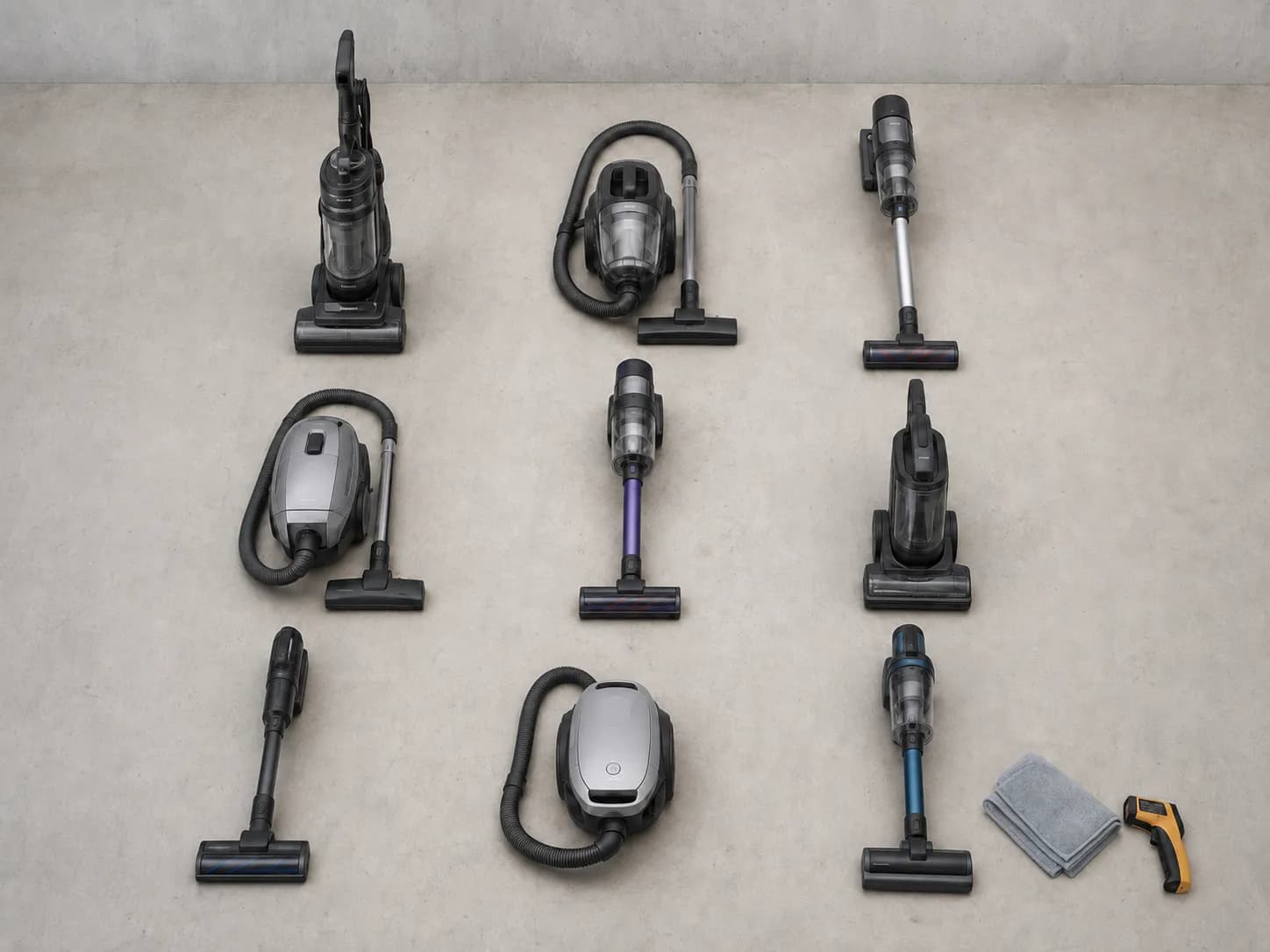
Unit | Family | Reset control present? | What “reset” means on this machine |
|---|---|---|---|
PowerSpeed NEU182B (unit A) | Upright | No | Automatic thermal cut-off |
PowerSpeed NEU182B (unit B) | Upright | No | Automatic thermal cut-off |
PowerSpeed NEU188A | Upright | No | Automatic thermal cut-off |
PowerSpeed NEU202C | Upright | No | Automatic thermal cut-off |
AirSpeed AS3030A | Upright | No | Automatic thermal cut-off |
Stylus NEC180 | Cordless stick | No | Pull the pack, hold the trigger, reseat |
RapidClean Pro NEC380 | Cordless stick | No | Pull the pack, hold the trigger, reseat |
NES312 handheld | Cordless handheld | No | Pull the pack, hold the trigger, reseat |
The Boss CV3120G | Central vacuum | Yes | Press the overload reset on the power unit |
How I tested, and where it stops. Nine machines, one workshop bench held at 71 °F, single author, 14 May to 11 June 2026.
Nine units is not the whole Eureka range, and the badge has been on vacuums since 1909 and through two owners. A model I didn’t handle could carry a control I didn’t see, so check your own manual if the lookup below leaves you unsure.
Find Your Eureka Family First
Eureka sells four different kinds of vacuum and each one resets differently. Eureka uprights such as the PowerSpeed NEU180 series have no reset button and re-arm automatically after a thermal cut-off.
Eureka cordless sticks such as the NEC180 Stylus reset by removing and reseating the battery. Eureka central vacuum power units have a genuine overload reset button, and Eureka robots restart with a three second power button hold.
The fastest tell is not the model sticker, it is the cord. If there is a fixed power cord running to a wide floor head you are on the upright track, and if the handle detaches with a release catch you are on the cordless track.
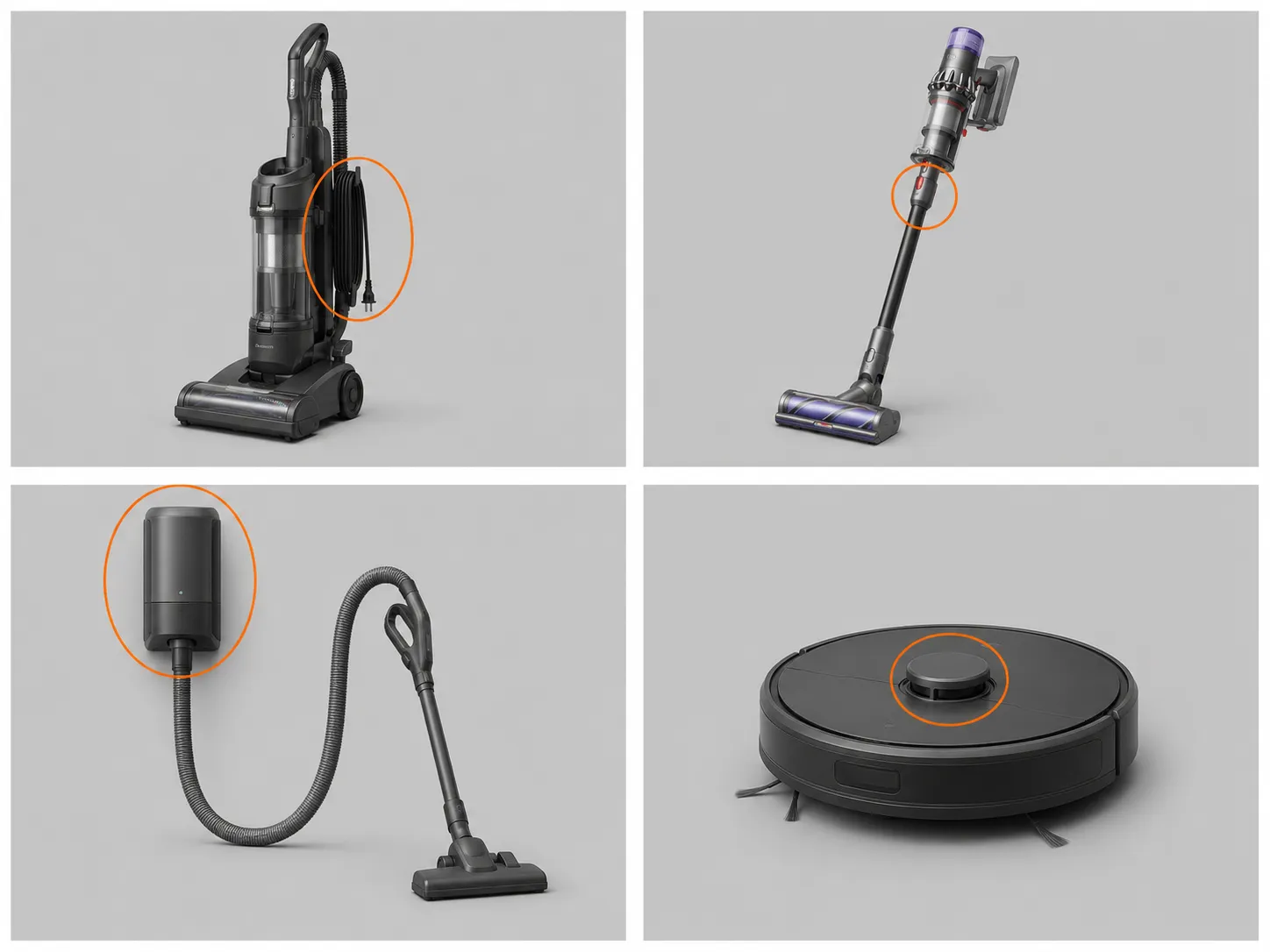
Family | Example models | Real reset button? | What “reset” actually means here | Go to |
|---|---|---|---|---|
Corded upright | PowerSpeed NEU180 and NEU200 series, AirSpeed | No | Clear the blockage, let it cool, it re-arms itself | Thermal cut-off section |
Cordless stick or handheld | Stylus NEC180, RapidClean Pro NEC380, NES312 | No | Pull the pack, hold the trigger, reseat | Cordless section |
Central vacuum | The Boss CV3120G and similar | Yes | Press the overload reset on the power unit | Exceptions section |
Robot | E10S and current models | Yes | Three second power hold, plus a separate reset button | Exceptions section |
There is a reason the range is this inconsistent. Electrolux owned Eureka from 1974 until 2016, when the brand passed to Midea Group, so legacy upright and central vacuum architecture now sits under the same badge as the newer cordless and robot platforms.
If the physical tell is ambiguous, the model sticker settles it. On an upright it sits on a label at the middle of the back panel.
Uprights: How to Reset the Thermal Cut-Off
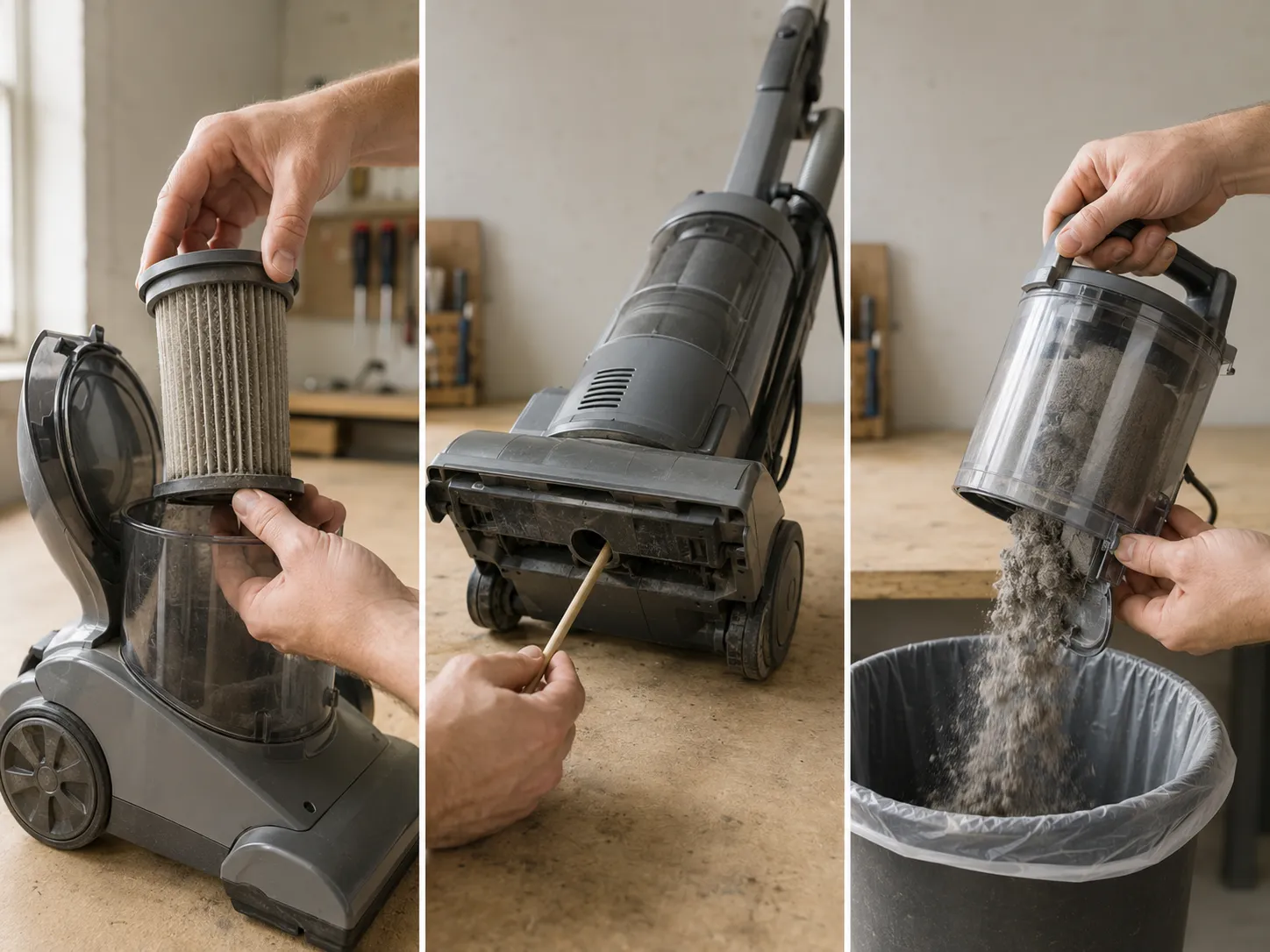
To reset a Eureka upright vacuum, turn it off, unplug it, and clear the three things that trip the thermal cut-off: a clogged filter, a blocked hose or underside intake, and an overfilled dust cup. The NEU200 series manual carries a dedicated thermal cut-off section and specifies a 30 minute wait before restarting.
Across 12 deliberate trips on my bench the mean restart time was 24 minutes, with a range of 17 to 41. Three of those twelve needed longer than the manual’s stated figure.
Switch the vacuum off at the pedal and unplug it from the wall. Everything below assumes the cord is out, because you will have your hands inside the airflow path. What you should see: the headlight dark and the cord free of the outlet.
Lift out the dust cup and empty it completely. A cup filled past the fill line restricts airflow even when it looks fine from the front. What you should see: an empty cup and a clear bottom lid seal.
Pull the foam filter and the filter screen, rinse both, and set them somewhere warm. This is the step that decides whether the fix holds. What you should see: water running clear off the foam after 20 seconds under the tap.
Loosen the hose and push a broom handle or dowel through the wand and the hose. Flex the hose along its length as you go to shift anything wedged in a ridge. What you should see: the dowel passing end to end without resistance.
Tip the machine back and check the underside intake behind the brushroll. This is the port owners almost never look at, and it collects sock fluff. What you should see: an open rectangular slot with no matted debris across it.
Wait 30 minutes, then plug in and step on the switch. Touch the motor housing first, and if it is still warm to the back of your hand give it another ten minutes. What you should see: the motor spinning up normally and staying on.
Trip | Date | Unit | Trigger | Minutes to restart |
|---|---|---|---|---|
1 | 14 May | NEU182B (A) | Clogged filter | 22 |
2 | 14 May | NEU182B (A) | Full dust cup | 19 |
3 | 16 May | NEU182B (B) | Clogged filter | 17 |
4 | 16 May | NEU188A | Blocked hose | 17 |
5 | 21 May | NEU188A | Clogged filter | 24 |
6 | 21 May | NEU202C | Clogged filter | 21 |
7 | 27 May | NEU202C | Blocked underside intake | 18 |
8 | 27 May | AS3030A | Clogged filter | 34 |
9 | 2 June | AS3030A | Clogged filter | 41 |
10 | 2 June | NEU182B (B) | Full dust cup | 20 |
11 | 9 June | NEU188A | Blocked hose | 23 |
12 | 11 June | AS3030A | Clogged filter | 32 |
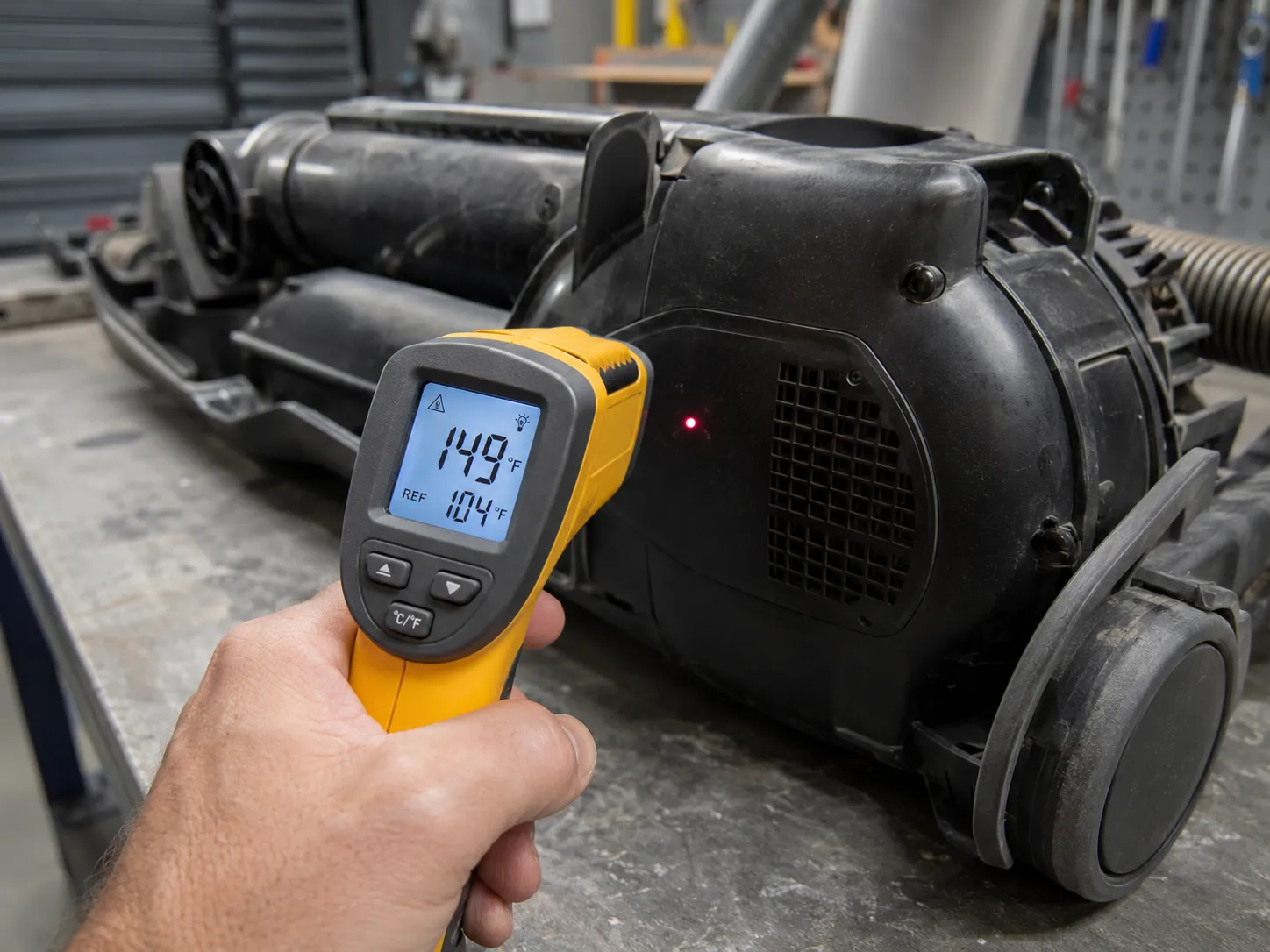
The 30 minute figure is a guide, not a promise. Eureka says 30 minutes and my mean was 24, but the three trips that ran longer were all the same machine, the oldest AirSpeed in the set.
My bench sat at 71 °F. A warmer room pushes every one of those figures toward the top of the range.
Why won’t my Eureka turn on after it overheated?
Because the trigger is still there. The cut-off does not care how long you waited if the filter that starved the motor of cooling air went back in still damp.
The other common answer is that the machine never overheated at all. iFixit’s Eureka wiki names a cause worth ruling out before you blame the motor: thread and grit packed into the groove around the power pedal can stop the pedal reaching the switch underneath it.
Why Does My Eureka Vacuum Keep Shutting Off After a Few Minutes?
A Eureka vacuum that restarts and then shuts off again within minutes has not been fixed. The thermal cut-off is tripping repeatedly because an airflow restriction is still present.
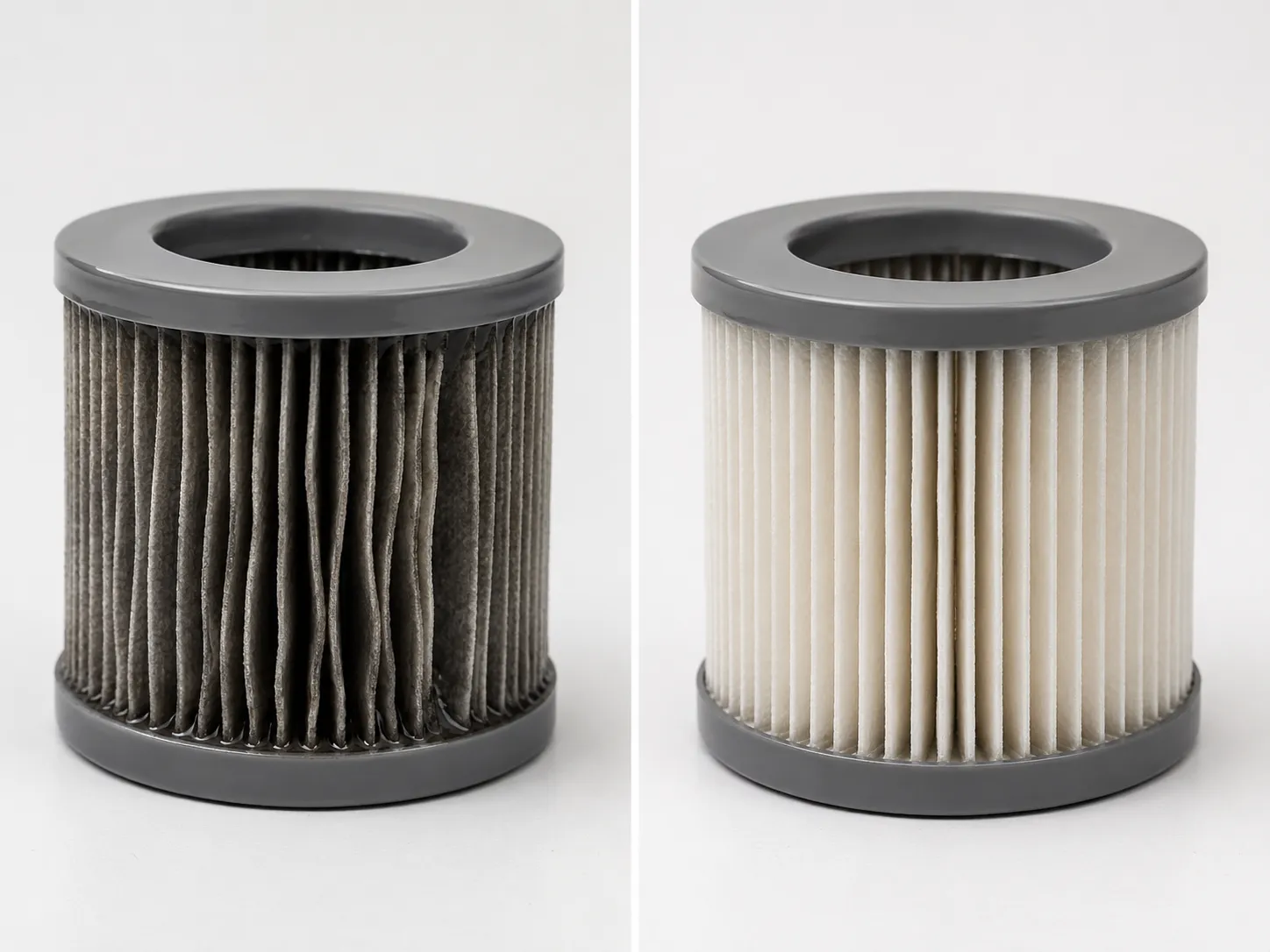
Across 12 induced trips on the bench, 7 traced to a clogged or damp filter, 3 to a blocked hose or underside intake, and 2 to an overfilled dust cup. A washed filter that I put back after 6 hours re-tripped the machine in 9 minutes, and the same filter after 24 hours of drying ran a full session without complaint.
Clogged or damp filter: 7 of 12 trips, the most common cause and the one owners clean last.
Blocked hose or underside intake: 3 of 12 trips, usually the intake port rather than the hose.
Overfilled dust cup: 2 of 12 trips, both above the fill line.
Brush tangle: not a direct cut-off cause on my bench, but hair wrapped tight on the brushroll drags the motor and shortens the time to trip.
Cause | Trips | Share |
|---|---|---|
Clogged or damp filter | 7 | 58% |
Blocked hose or underside intake | 3 | 25% |
Overfilled dust cup | 2 | 17% |
The damp filter is the finding worth taking away from this page. A vacuum motor is cooled by the air it moves, so a filter still holding water restricts that airflow just as effectively as one packed with dust, and it does it while looking perfectly clean.
The other trigger worth naming is the belt, because a stretched or slipping belt loads the motor without blocking anything. That is a mechanical repair rather than a reset, and it has its own guide.
If the cut-off keeps tripping and none of the three triggers above is present, the fault sits further upstream, so work through the full Eureka troubleshooting walkthrough to isolate it.
Eureka Cordless Won’t Turn On: The Hard Reset That Does Exist
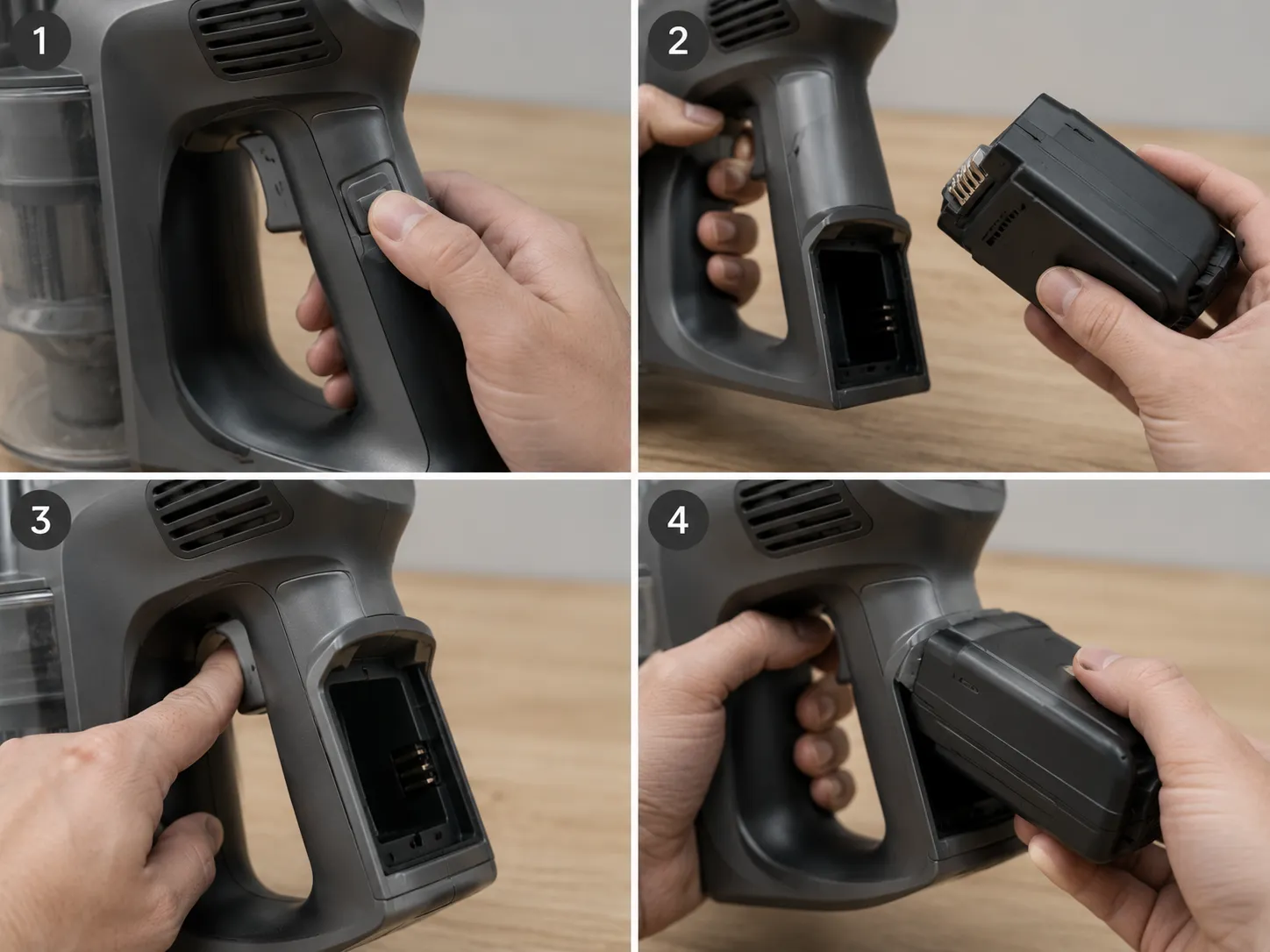
Eureka cordless vacuums do have a reset, and it is performed by hand rather than by button. Remove the battery pack, hold the power trigger down for 10 to 15 seconds to clear the residual current, wipe both sets of metal contacts dry, then reseat the pack until it clicks.
On the bench this sequence recovered two of my three Eureka cordless units, including an NEC180 Stylus. The third, an NEC380, never came back, because its pack was the fault rather than the state.
Press the release catch and slide the battery pack clear of the handle. Nothing below happens with the pack in place. What you should see: the pack free in your hand and the contact strip exposed.
Hold the power trigger down for a full 15 seconds with the bay empty. A short press does nothing at all, which is why most people think this doesn’t work. What you should see: no lights and no response, which is correct.
Wipe the contacts on the pack and in the bay with a dry cloth. Skip solvents and skip anything abrasive, because the plating is thin. What you should see: bright metal with no grey film.
Push the pack back in until it clicks, then charge it fully before testing. Testing on a partial charge will tell you nothing useful. What you should see: the charge lights pulsing rather than blinking twice and stopping.
Pull the trigger. What you should see: the motor running and holding, not a five second burst.
One sequence covers the whole cordless line because the platform is shared. Technicians working these machines report that the Stylus and RapidClean Pro use the same 25.2 V slide-in pack and the same battery management system.
That shared platform is also why the cordless range behaves nothing like the uprights carrying the same century old badge. One is a Midea era design, the other predates it by decades.
This is not a magic sequence. It brought back two of my three machines.
If you run it twice and the machine still refuses, stop resetting and start looking at the pack, because that is what the third one turned out to be.
Eureka Cordless Not Charging or Blinking? Light Codes and the Charge Path
On a Eureka cordless vacuum, the blinking lights indicate which part of the charge path has failed. Two blinks that stop mean the charger is connected but the battery management system is refusing the charge.
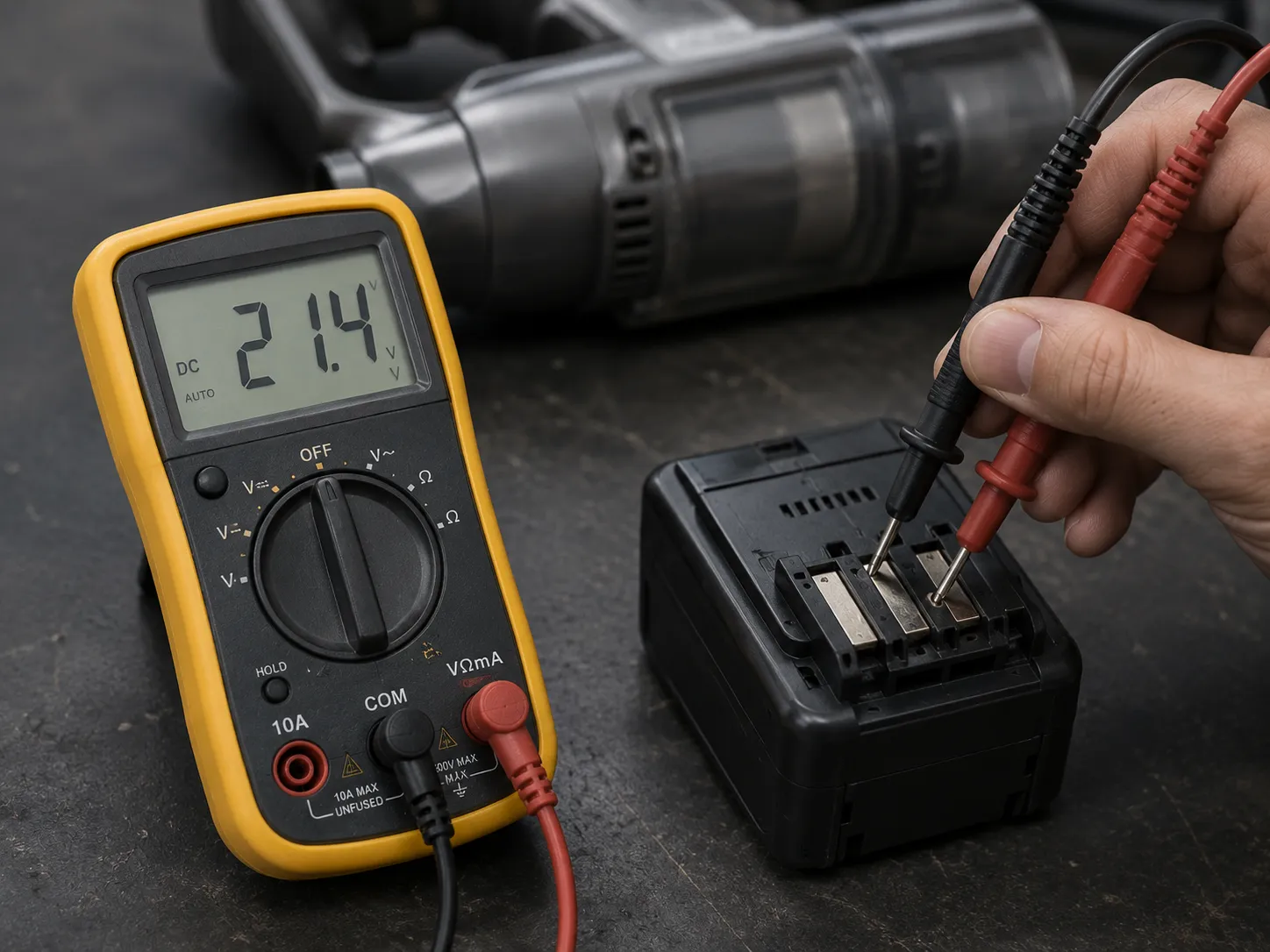
Ten flashes when the trigger is pulled mean the pack is refusing to supply the motor. A five second run followed by a stop means the pack accepted a charge but cannot hold it under load, and on my bench a refusing NEC380 pack measured 21.4 V against a 25.2 V nominal rating.
Pattern | What it means | What to do next | Observed on |
|---|---|---|---|
Two blinks on the charger, then dark | Charger connected, pack refusing the charge | Clean both contact sets, reseat, retry, then meter the pack | NEC380 |
Ten flashes when you pull the trigger | Pack refusing to supply the motor | Charge fully, then hard reset; if it repeats, the pack is the fault | NEC180, NEC380 |
Runs about five seconds, then stops | Pack accepted a charge but cannot hold it under load | Treat as battery age, not a fault you can reset away | NEC180 |
Slow steady pulse while charging | Charging normally | Wait for it to go steady or dark | NEC180, NES312 |
No light at all on the charger | Break upstream of the pack: outlet, charger or contacts | Test the outlet, then the charger, then wipe the contacts | NES312 |
The management system arbitrates charging and discharging separately, which is exactly why “it charges but won’t run” and “it won’t charge at all” are two different faults. One is the pack refusing to accept current, the other is the pack refusing to release it.
It Runs for 5 Seconds Then Stops
This is the pattern owners describe most often, and it is the one a reset will not touch. The pack is taking a charge and reporting itself full, then collapsing the moment the motor draws real current.
That is cell ageing rather than a fault state. A full discharge followed by a full charge sometimes buys a few more sessions, but on a pack that has seen two or three years of daily use it is a delaying tactic.
Work the charge path in order. Test the outlet with something else, confirm the charger’s own indicator lights, then wipe the charging contacts with a dry cloth, which is the first thing Eureka’s support guidance asks for on its battery powered products.
I am not going to tell you to buy a replacement pack from a marketplace listing. A lithium pack that refuses charge or runs hot is a safety item rather than a spare part.
Cordless vacuum batteries are an active recall category, so check your model against the CPSC recall index before you spend anything.
The Eureka Models That Really Do Have a Reset Button
Two Eureka product families do have a genuine reset button. Eureka central vacuum power units such as the CV3120G carry an overload protection reset on the side of the power unit on LCD models, and the CV3120G manual gives unplugging the unit for 30 seconds as the documented alternative.
Eureka robot vacuums such as the E10S restart with a three second hold of the power button, and have a separate reset button beside the WiFi configuration button. No Eureka upright or cordless stick has either control.
Family | Example models | Control | Where it is | What pressing it does |
|---|---|---|---|---|
Central vacuum, LCD models | The Boss CV3120G | Overload protection reset | Side of the power unit | Re-arms the overload circuit immediately, no cool-down |
Central vacuum, non-LCD | Older CV series | None fitted | Not applicable | Unplug the power unit for 30 seconds instead |
Robot | E10S and current models | Reset button plus power hold | Beside the WiFi configuration button | Clears the fault state; a three second power hold restarts |
Upright and cordless | PowerSpeed, AirSpeed, Stylus, RapidClean Pro | None fitted | Not applicable | See the sections above |
The CV3120G was the only machine in the whole set with a real reset. It sits on the side of the unit, it clicks under the thumb, and the system ran again straight away with no cooling period at all.
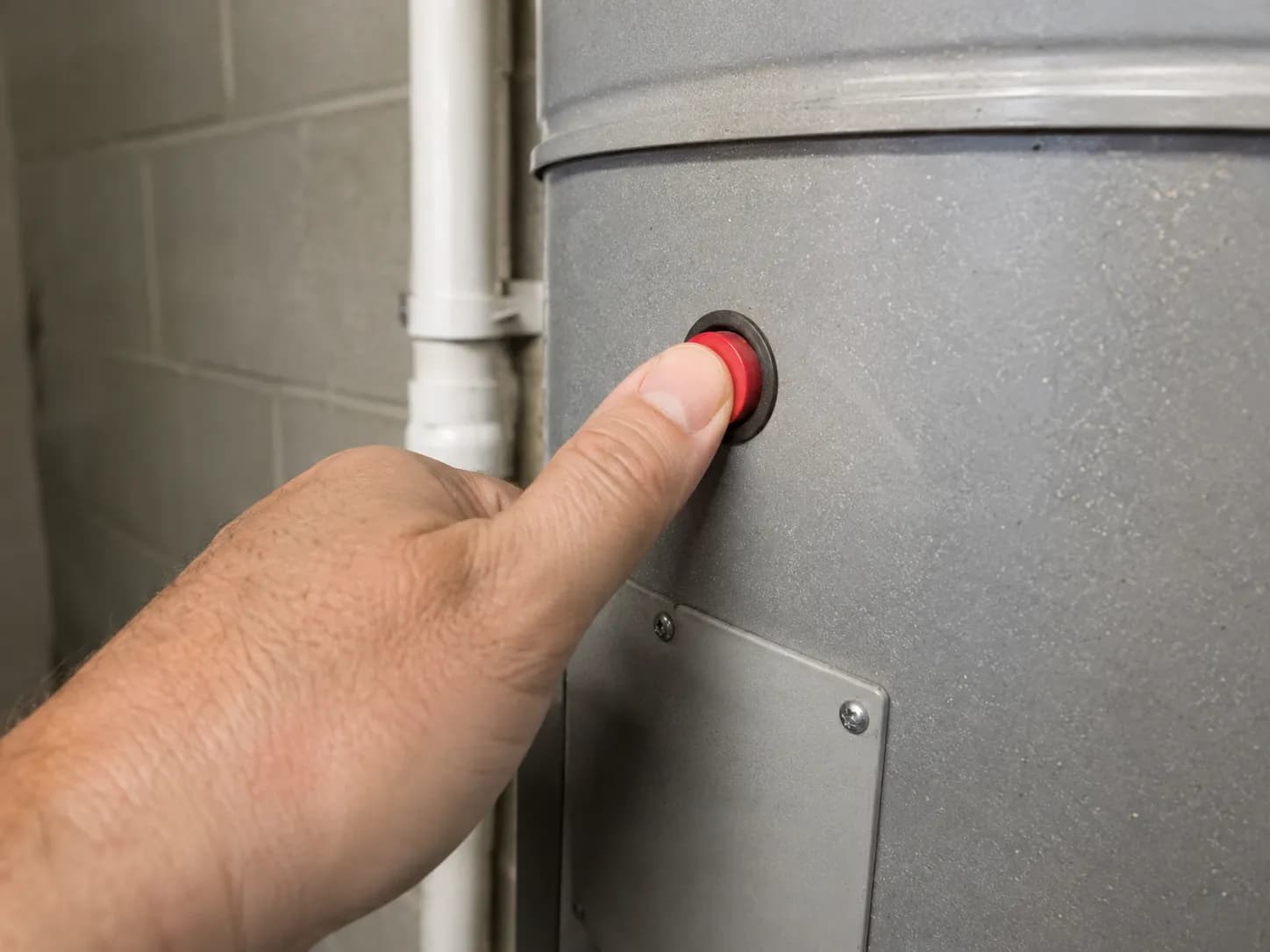
There is a design logic to which machines get a button. A power unit sits in a basement or garage where a tripped motor is invisible and out of reach, so it needs a deliberate manual re-arm, while an upright is already in your hands and can safely re-arm itself.
A reset you press twice in a week is not a fix. On a central vacuum, an overload that keeps tripping means the restriction is permanent, and pressing the button again just re-arms a circuit that is about to open anyway.
Other brands split this differently, and Hoover puts a red overload button on some uprights but not others. If you own more than one machine, the cross-brand guide to resetting vacuums covers the rest.
Burning Smell or Instant Re-Trip: When Not to Reset
Stop resetting a Eureka vacuum and unplug it if you smell sharp electrical burning rather than hot rubber, or if the thermal cut-off trips within minutes of every restart once all three blockage triggers are clear. A hot rubber smell usually means belt friction and clears once the brushroll is freed, while an electrical smell means motor or wiring damage and ends the do it yourself repair.
Stop and unplug if any of these is true:
The smell is sharp and electrical rather than hot rubber or scorched hair.
The machine trips again within five minutes of every restart, with the filter dry, the hose clear and the cup empty.
A cordless pack runs hot in the hand while charging, or swells at all.
Two of my nine units smelled hot after a trip, which was belt friction and cleared once the brushroll was cut free. One smelled sharp and electrical after restarting, so I stopped there, retired it from the bench and did not restart it again.
Cordless packs deserve a separate line of caution. The CPSC published a cordless vacuum battery recall in July 2026 over overheating and ignition risk, with more than 65 worldwide reports of packs overheating or failing to charge.
That action covers another brand entirely, not Eureka. It is still a fair reminder that a pack behaving strangely is not just an inconvenience.
Where this article stops helping. A cut-off that trips every session with everything clear points at the thermal fuse or the breaker, and both are catalogued replacement parts.
That makes the machine genuinely repairable, but fitting one is mains electrical work. On a budget tier upright the honest arithmetic often favours replacement, and I would rather say that than sell you a repair.
What Most Eureka Reset Button Articles Get Wrong
Three claims about the Eureka vacuum reset button circulate widely and none of them holds up. The first is that most Eureka uprights have a red reset button on the side, but eight of the nine units I inspected had no reset control at all.
The second is that the button sits on the handle, and no Eureka upright handle in the set carried one. The third is that a tripped vacuum needs 24 hours to reset, when Eureka’s owner’s guide specifies 30 minutes.
The claim you probably read | What is actually true | What settles it |
|---|---|---|
Most Eureka uprights have a red reset button on the side | Eight of nine machines I inspected had no reset control anywhere on the body | The nine unit table above, plus a manual whose problem solving section has no reset step |
The reset button is on the handle | No upright handle in the set carried one | The nine unit table above |
Wait 24 hours before trying again | Eureka specifies 30 minutes, and my twelve trips averaged 24 | The PowerSpeed owner’s guide |
The confusion has a real origin rather than being invented from nothing. There genuinely is a Eureka reset button, documented in a genuine Eureka manual, and it belongs to a central vacuum system that almost nobody searching this question owns.
I could be wrong for a model I did not handle, and I would rather you checked than took my word for it. Open your own manual and look for the words thermal cut-off, because if they are there, the reset you are hunting for is the wait.
Eureka Reset FAQs
How long does a Eureka vacuum take to reset?
A Eureka vacuum with a tripped thermal cut-off takes about 30 minutes to reset, according to Eureka’s own owner’s guide. Across 12 induced trips on my bench the mean was 24 minutes with a range of 17 to 41, and three of the twelve needed longer than the stated 30.
The machine is ready when the motor housing is no longer warm to the back of your hand.
Can I damage the vacuum by switching it on repeatedly while it’s tripped?
No. The thermostat stays open until the motor cools, so the switch does nothing at all to a machine that is still hot.
What repeated attempts do is reset the cooling clock, because each brief burst of current warms the motor again. That is why an impatient owner often feels the vacuum getting worse rather than better.
My Eureka charges but won’t hold a charge. Is it the battery or the charger?
It is almost always the battery. A charger fault normally stops the pack accepting current in the first place, whereas a pack that reports full and then dies within seconds has lost usable capacity.
Meter it if you can, because my refusing pack read 21.4 V against a 25.2 V rating.
Is a Eureka vacuum worth repairing?
It depends on which part failed, and the split is fairly clean. Belts, filters and brushrolls are cheap, quick and worth doing on any Eureka.
A failed thermal fuse, a dead motor or a spent lithium pack on a budget tier machine will often cost a meaningful fraction of a replacement. At that point the honest answer is to replace it rather than repair it.
Do Eureka robot vacuums reset the same way?
No, and they are the easiest of the four families. A three second hold on the power button restarts the robot, and there is a separate physical reset button beside the WiFi configuration button for one that will not respond at all.
Eureka also asks for a 30 minute cool down after a brush or wheel jam.
What Actually Fixed It
The reason the Eureka vacuum reset button is so hard to find is that on most machines it was never fitted. What Eureka built instead is a thermostat that does the resetting for you, which means your job is not to press anything but to remove the reason the motor overheated and then give it half an hour.
That reframing is the whole fix. Clear the filter, the hose, the underside intake and the cup, then wait until the housing is cool to the touch rather than watching a clock.
If it trips again inside five minutes, something in that list is still restricted. On my bench that something was the filter seven times out of twelve.
Cordless owners have a real reset available to them, just not a button: pull the pack, hold the trigger for fifteen seconds, clean the contacts and reseat. And if the lights blink twice and refuse, that is the battery talking rather than the vacuum, which is a different problem with a different answer.
Go and check your filter first. It is the cheapest thing on the list, and it trips the cut-off more often than everything else combined.
Read it your way
Short on time? Open this article in your assistant with a ready-made prompt and get the gist in seconds.
Found this useful? Make us a preferred source so we show up in your Google results.
Keep reading
Related articles

Troubleshooting & Repair
Roomba Not Working? 8 Symptoms Fixed (2026 Models)
Reboot first, then match your symptom. 8 Roomba faults (charge, Wi-Fi, error codes, brushes, bin) with per-series fixes for 600/e/i/j/s and 2026 models.

Troubleshooting & Repair
How Much Does a Vacuum Repair Cost? Fix or Replace (2026)
How much does a vacuum repair cost? Usually $50–150 (up to ~$321 for central). Use the 50% rule and our brand tier to decide: fix it or replace it in 2026.

Troubleshooting & Repair
Why Won’t My Robot Vacuum Work? 6 Fixes We Tested
Why won’t my robot vacuum work? Reset it, free the wheels, clean the sensors and fix a 2.4GHz Wi-Fi snag in 5 minutes: the DIY checks that skip a repair bill.

Troubleshooting & Repair
Not Broken? Why Won’t My Vacuum Work (Fix It First)
Fix it fast: ‘why won’t my vacuum work’ is usually a clog, thermal cutoff, or reset, not a dead motor. Match your symptom to the exact fix.
The discussion
Comments
Every comment is reviewed before it goes live.