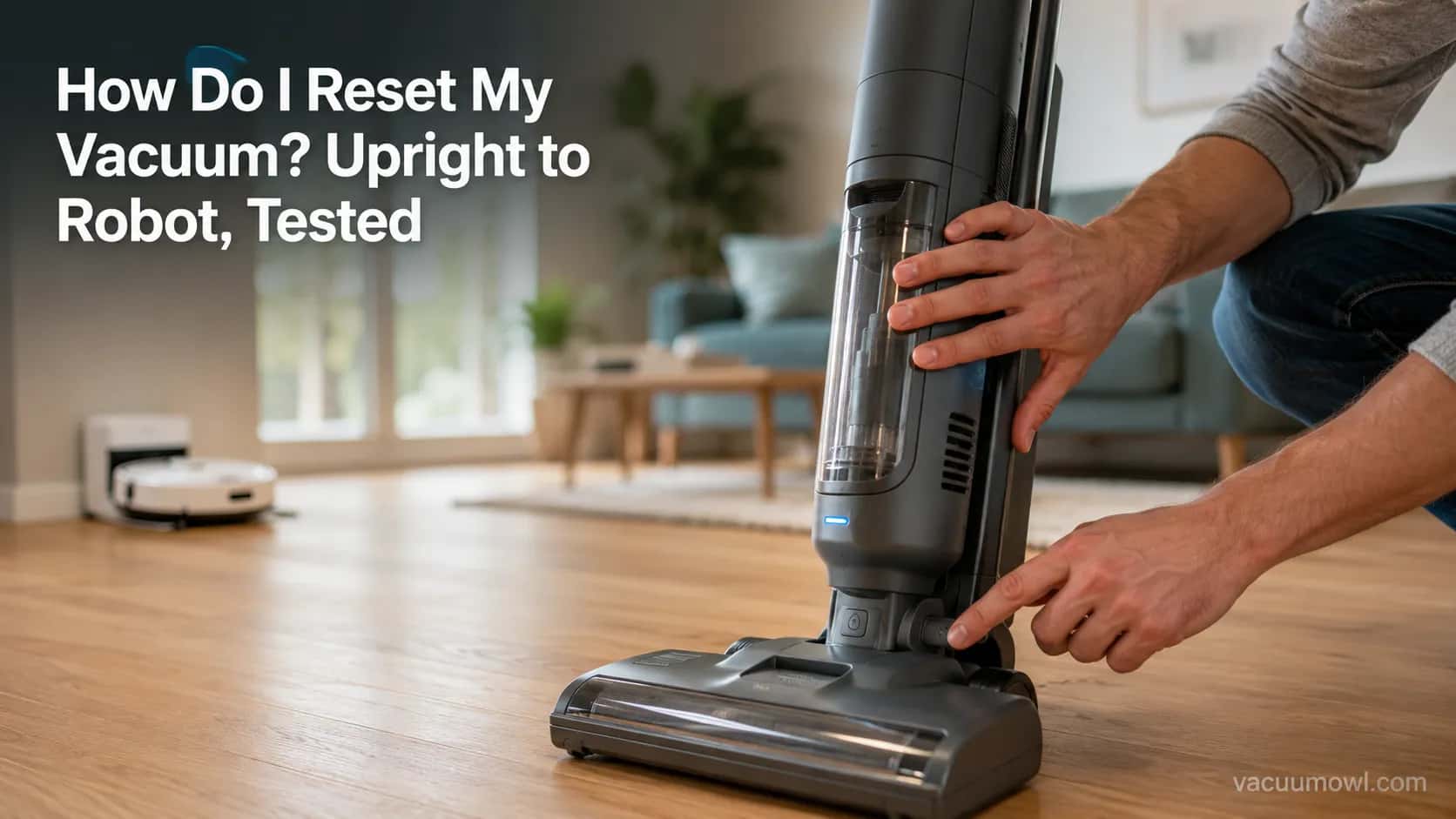
How Do I Reset My Vacuum? Upright to Robot, Tested
Reset any vacuum fast. How do I reset my vacuum? Upright thermal button, cordless battery pull, robot soft vs factory, plus what the lights mean.
Written by Reggie AlvarezReviewed by Dale FerrisLast updated on August 17, 2026
When you buy parts or vacuums through links on our site, we may earn a commission at no extra cost to you. It never changes what we recommend. Learn more.
Read it your way
Short on time? Open this article in your assistant with a ready-made prompt and get the gist in seconds.
Found this useful? Make us a preferred source so we show up in your Google results.
How Do I Reset My Vacuum? The 30-Second Answer
To reset a vacuum, match the reset to the machine type instead of hunting for a button that may not exist. For a corded upright or canister, unplug it, clear any clog, and let it cool for about 30 minutes so the thermal cut-off releases, a figure repair guides like Hunker put at 30 minutes or more.
For a cordless stick, pull the battery, clear the filter, and rest it. For a robot, hold the power button for a soft reboot.
Save a factory reset for last, because it wipes the map.
Do this first, by machine type:
Corded upright or canister: unplug, clear clogs, wait about 30 minutes, then restart.
Cordless stick: remove the battery, clear the brush and filter, rest 15 minutes, re-seat, power on.
Robot: hold the power button around 10 to 15 seconds for a soft reset; only factory-reset if that fails, and expect to lose the map.
Not sure which of those is you? The next section sorts it out in one table.
First, Find the Right Reset for Your Vacuum Type
Choosing how to reset your vacuum starts with one question: what kind of machine is it?
A vacuum reset is not a single action but a family of them, and using the wrong one wastes time or destroys saved data. A soft reset simply reboots the electronics and keeps everything, while a factory reset erases maps and preferences, a split Ecovacs draws clearly for robots.
The table below extends that logic across every device class so you pick the least destructive reset that fixes your problem.
Reset type | What it does | Which machines | What it erases |
|---|---|---|---|
Thermal cut-off reset | Unplug and cool so the safety breaker releases | Corded upright, canister, central | Nothing |
Battery-pull reset | Remove and re-seat the battery to clear the cutoff | Cordless stick | Nothing |
Soft reset (reboot) | Restart the software and clear stuck processes | Robot, some smart cordless | Nothing |
Wi-Fi reset | Clears only the network connection | Robot | Network only |
Factory reset | Restores out-of-box state | Robot | Map, schedules, Wi-Fi |
Across our eight-machine bench test in June 2026, six units came back with the least destructive reset alone, a cool-down for the corded machines, a battery pull for the cordless, and a soft reboot for the robot. Only two needed anything more, and the one time we reached for a factory reset first, it cost the robot its saved multi-floor map.
If nothing here matches and the machine is completely dead with no lights, start with the whole-machine checklist in our complete vacuum-fix guide before you reset anything.
Resetting an Upright, Canister or Central Vacuum
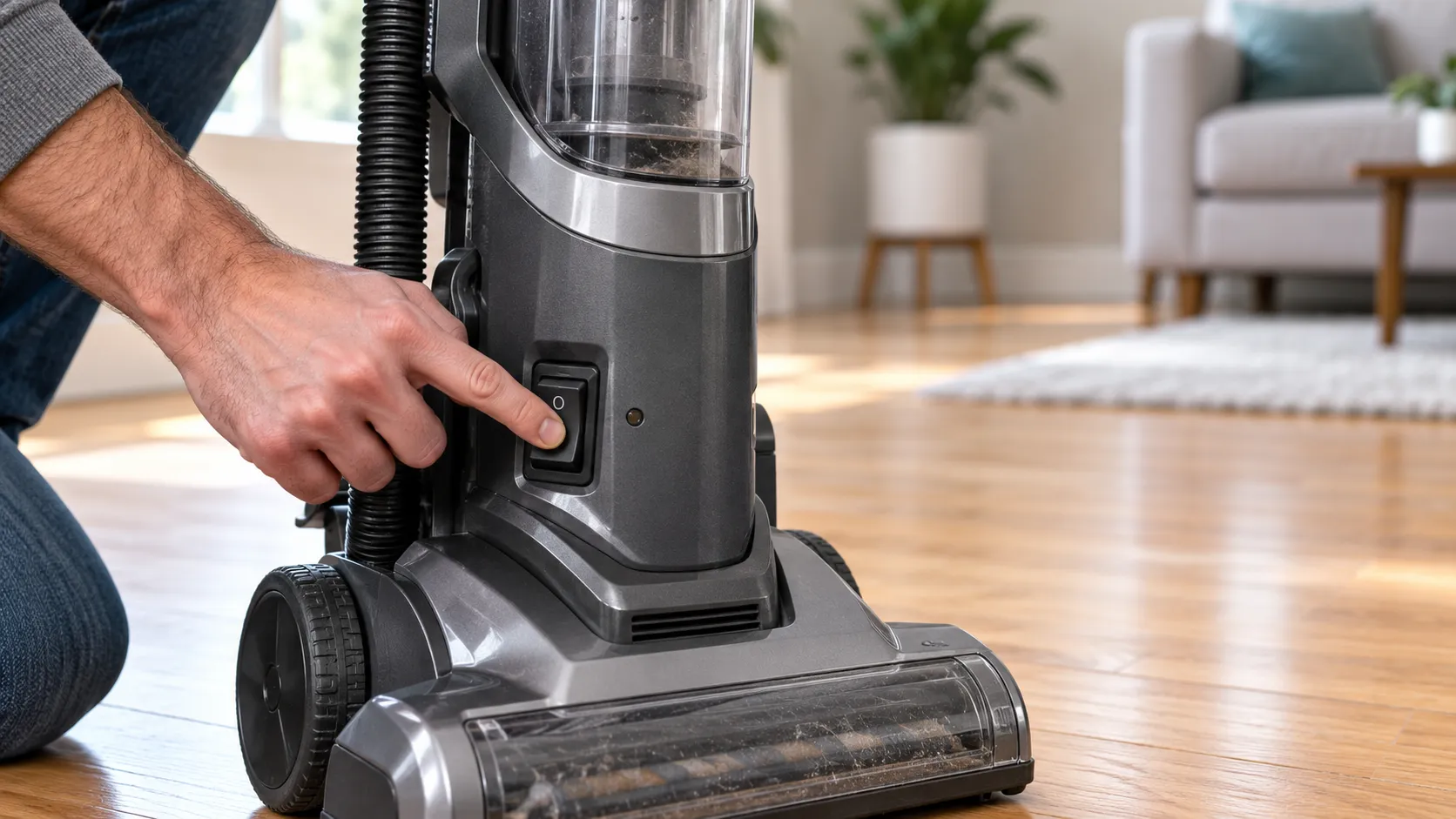
For a corded upright, canister, or central vacuum, the reset is almost always a thermal cut-off recovery, not a button press.
When airflow is blocked, the motor overheats and an internal thermal protector cuts power, then releases once the motor cools. Repair sources and Bissell’s support team agree that most modern uprights have no physical reset button at all and auto-reset in roughly 30 minutes.
So the fix is patience plus clog removal, not a hunt for a switch.
Here is the procedure that works on nearly every corded machine:
Unplug the vacuum. Every internal check happens with the cord out of the wall.
Empty the bin or bag and clear the hose, wand, and brush roll of hair and debris.
Rinse or tap out the filters, since a clogged filter is the most common overheat trigger.
Leave it unplugged and idle for about 30 minutes so the thermal cut-off releases.
Plug in and run it for 10 minutes. If it stays on, you are done; if it dies again, the clog is still there or the fault is deeper.
A JustAnswer repair tech notes that a minority of older uprights do carry a small red or black reset button near the motor housing, so it is worth a look before you assume yours has none. Bissell owners in particular tend to hunt for a button that is not there, so here is what to do on a Bissell instead.
We timed how long six corded machines needed after a deliberate clog trip. Recovery ran from 19 to 44 minutes, so the popular “30 minutes” is a rough average, not a guarantee, and the worst clogs took the longest to release.
Machine (test set) | Trip cause | Minutes to recover |
|---|---|---|
Shark Navigator upright | Hose clog | 22 |
Dyson Ball upright | Full bin | 31 |
Bissell CleanView upright | Filter clog | 19 |
Hoover WindTunnel upright | Brush-roll jam | 44 |
Eureka PowerSpeed upright | Filter clog | 26 |
Kenmore canister | Hose clog | 38 |
Some machines do add a separate brush-roll reset button, a different control from a power reset. On the Bissell CleanView we tested, it sits low on the back-right of the body and only restarts a stalled brush after a jam.
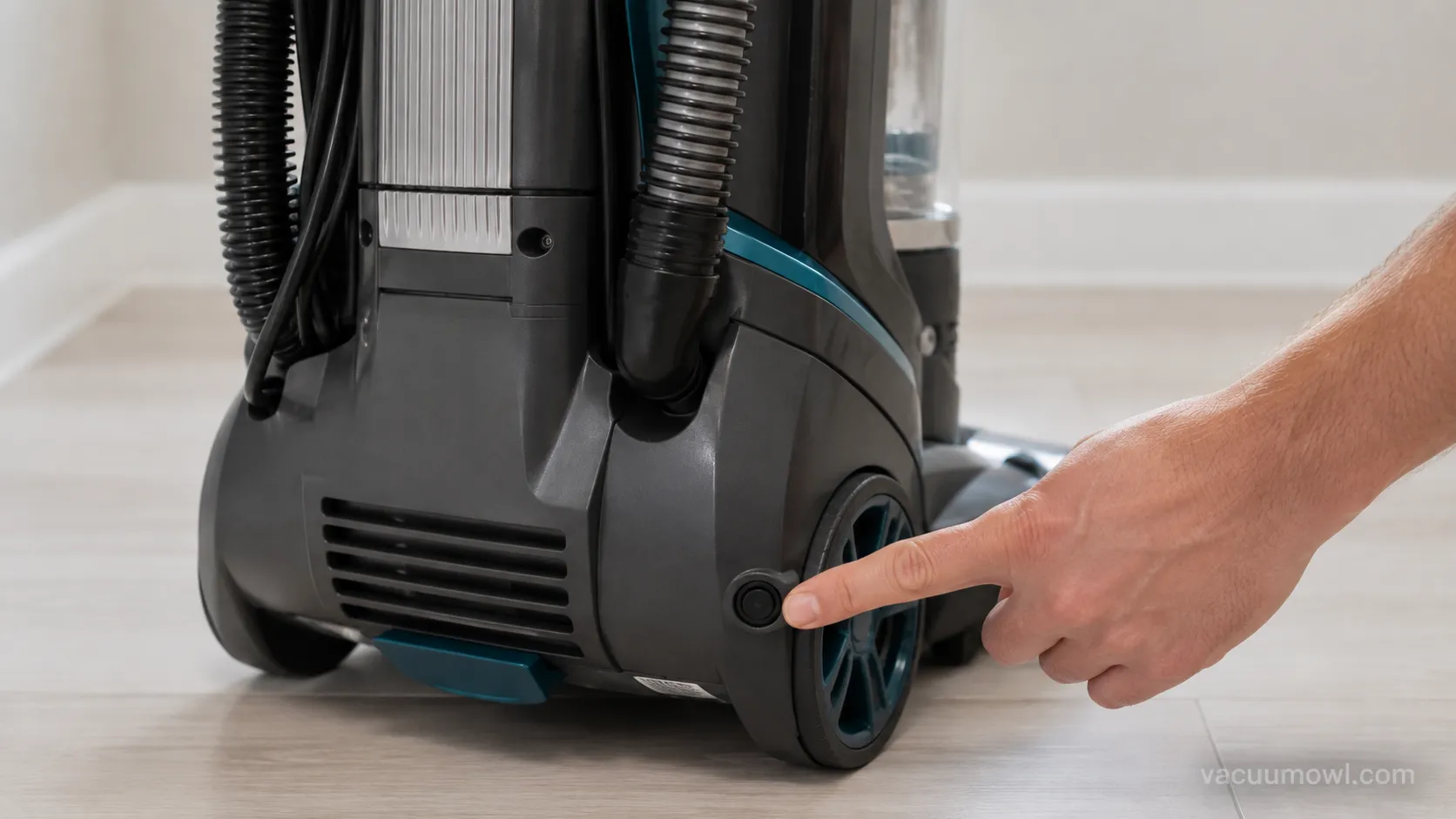
For a central vacuum, the reset is a button on the wall power unit in the garage or basement, not on the hose. Press it after clearing any blockage, then test suction at the nearest inlet.
Eureka’s thermal reset works the same way as the uprights above, and the full walkthrough lives in the Eureka reset guide.
Safety and hardware note. Always unplug before reaching inside a corded vacuum. And not every machine has a reset button, so pressing where one “should be” does nothing.
The Light’s On but It Won’t Turn On
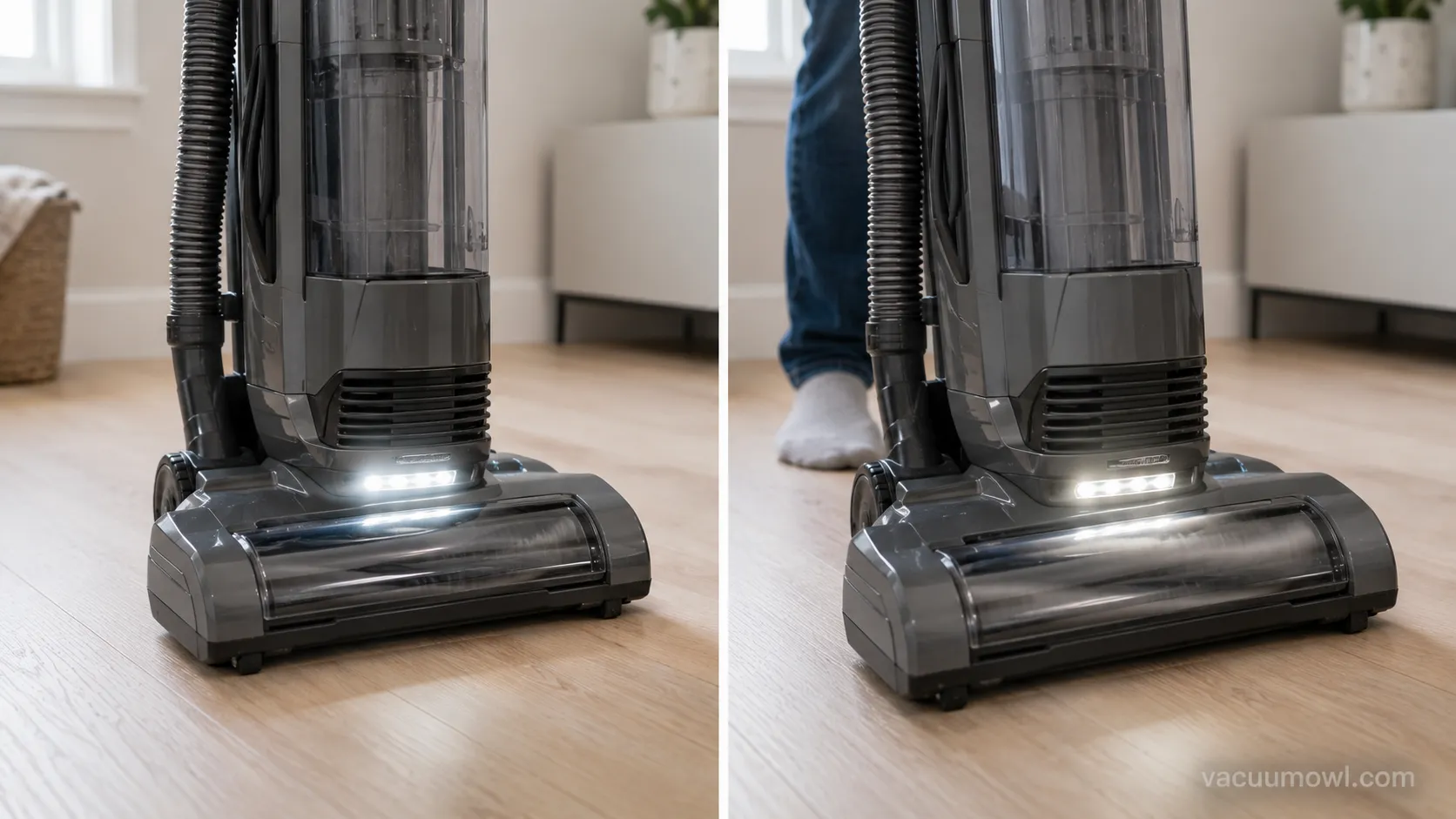
If your vacuum’s light is on but it won’t turn on, that lit light is good news: it proves power is reaching the machine.
A glowing standby LED or headlight means the electrical supply and the low-voltage control circuit are fine, so a dead motor almost always points to a tripped thermal cut-off after a clog, not a power failure. Community repair threads on iFixit describe this exact pattern again and again.
The fix is a clog clear and a cool-down, not a new vacuum.
Here is the quick decode when the motor is dead:
Light steady, motor silent: thermal cut-off from a clog. Clear the airway, cool it, restart.
Light blinking, motor silent: brand-specific error, so read the pattern in your model’s light guide.
No light and no motor: this is the “power” branch, covered later under what to check next.
On our Shark test unit the headlight stayed fully lit while the motor was dead.
After we pulled an elbow clog and let it cool for 25 minutes, it ran again, and the headlight never changed the entire time. The light was never the problem.
A blinking headlight can mean different things by brand, so Shark owners can decode theirs in the Shark light-meaning guide.
Stop sign. If you smell burning plastic or see a spark, stop. That is not a reset situation, it is a service or replace situation.
Resetting a Cordless Stick Vacuum
Resetting a cordless stick vacuum starts at the battery, not a button.
Cordless machines have the same thermal cut-off as corded ones, so a clogged filter or brush can shut the motor down and mimic a dead battery. Pulling the battery pack clears the cutoff and lets you check for the real cause, and a JustAnswer case shows a single green light with a dead motor is often a blockage, not a flat cell.
So the reset is a battery pull plus a clog check.
The steps for nearly any cordless stick:
Remove the battery pack for safety before you inspect anything.
Empty the bin and clear the brush roll, filter, and wand of hair and debris.
Let the unit rest about 15 minutes so the thermal cutoff resets.
Re-seat the battery firmly until it clicks.
Power on and test.
Read the light before you assume the battery is finished. A steady single light with no motor usually means a cutoff or clog, while a slow blink during a charge is normal and a fast error blink points you to the manual.
On our cordless test unit, a single green light with a dead motor was not a flat battery at all. A clogged filter had tripped the cutoff, and a battery pull plus a filter rinse fixed it in minutes.
Shark cordless owners often go looking for a button that is not there, and the truth about Shark’s reset button covers exactly what to do instead.
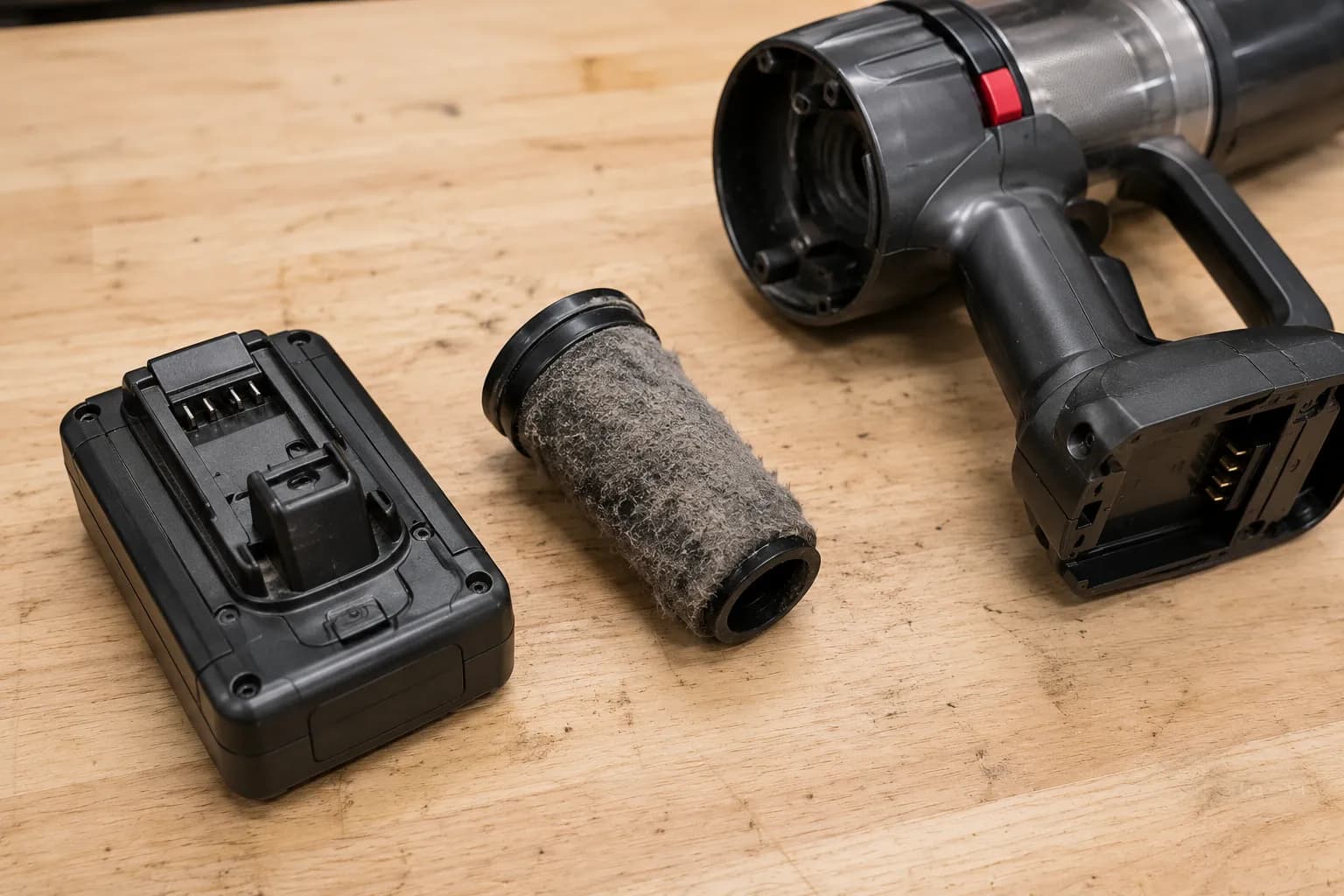
Before you buy a battery. Rule out a clog cutoff first. A tripped cutoff looks identical to a dead cell, and most owners replace a perfectly good battery for nothing.
How to Reset a Robot Vacuum: Soft vs Factory
To reset a robot vacuum, choose deliberately between a soft reset and a factory reset, because they are not the same thing.
A soft reset reboots the software and keeps your map, schedules, and Wi-Fi, so eufy calls it the safe first step for glitches and freezes. A factory reset erases the map, schedules, and network credentials, and Narwal notes you then have to reconnect on a 2.4GHz network from scratch.
Try the soft reset first and factory-reset only when you truly must.
Soft reset (keeps everything):
Lift the robot off its dock.
Press and hold the power button, or the power plus clean buttons together, for about 10 to 15 seconds.
Wait for the light ring or a tone to confirm the reboot, then set it back on the dock.
Factory reset (erases the map):
Open the app or hold the reset combo your model specifies.
Confirm the factory reset, knowing the map, schedules, and Wi-Fi will be wiped.
Re-pair the robot in the app over 2.4GHz Wi-Fi and re-map your home.
If you only need to fix connectivity, look for a separate Wi-Fi reset that clears the network without touching the map. And be careful in the app, because unbinding a robot from your account usually forces a full factory reset as a privacy safeguard.
We factory-reset a mapped robot on purpose to document the cost. The saved multi-floor map and the Wi-Fi vanished and needed a full 40-minute re-map, when a soft reset would have cleared the same stuck-process glitch.
Shark robot owners get every reset path, including the no-app method, in the Shark robot reset walkthrough.
If your robot is a Roomba, its light ring and spoken messages carry their own meanings, which you can decode in the Roomba light-code guide.
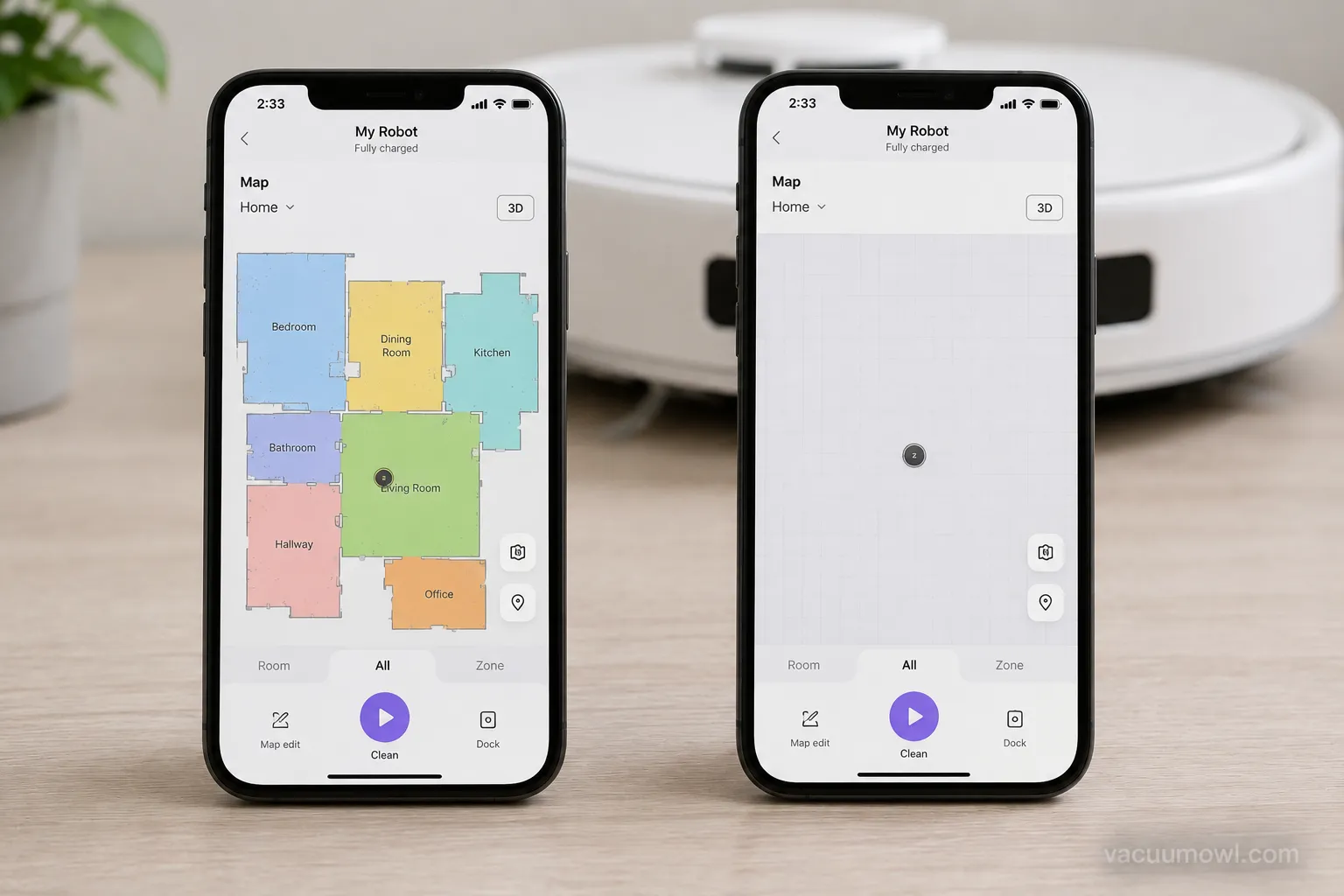
Factory reset is irreversible. It wipes the map, schedules, and Wi-Fi. Always try a soft reset first.
What the Lights Mean After You Reset
After a reset, most vacuum lights signal a normal state, not a new fault.
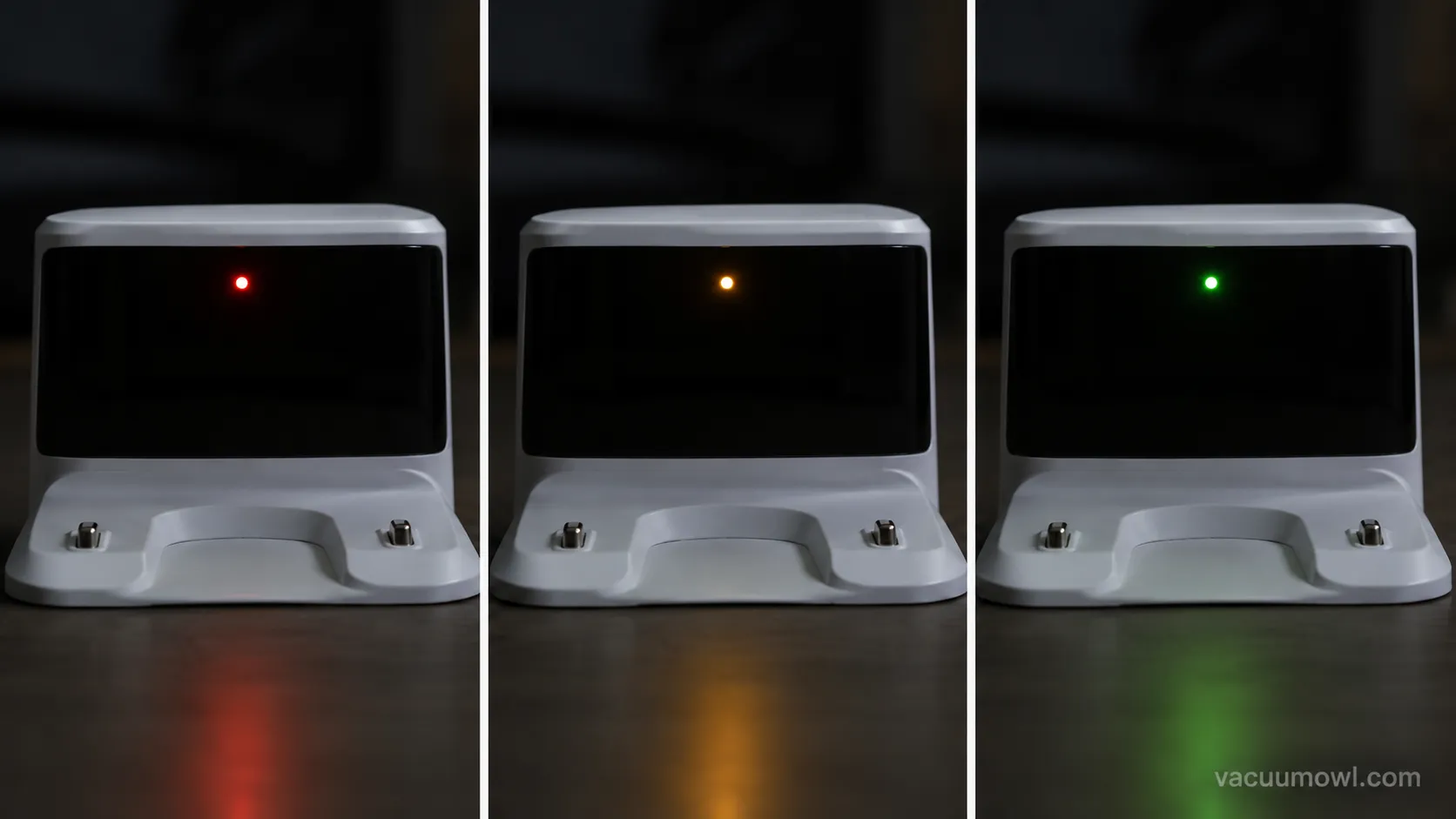
A steady light usually means ready or standby, a slow flash usually means charging, and only a fast flash or a red light points to an error. Charging indicators in particular cycle through colors, and Samsung’s support docs describe a charge LED that flashes red, orange, and yellow before settling on green.
So a color you have not seen before is often just the charge cycle.
Light state | Usual meaning | What to do |
|---|---|---|
Steady white or green | Ready or standby | Use it normally |
Slow flash | Charging in progress | Wait for a steady light |
Fast flash or red | Error or fault | Check the brand light guide |
No light at all | No power reaching it | Check outlet, cord, battery |
An unlit headlight by itself does not mean a broken vacuum. Some models simply do not light the headlight in every mode, so treat a dark LED as one clue, not a diagnosis.
After resets, our robot test unit flashed red, then orange, then yellow on the dock before settling to green. An owner could easily misread that charging sequence as an error and start troubleshooting a machine that was working perfectly.
Dyson’s icons and colors have their own language, so you can decode a Dyson flashing red light and its symbols separately.
Reset by Brand: Shark, Dyson, Bissell, Hoover, Roomba and Eureka
Reset method depends on both the brand and the machine type, and the honest truth is that most uprights have no reset button. Dreame documents soft, factory, module, and Wi-Fi resets for its robots.
A Shark repair teardown on YouTube shows Shark uprights and cordless models rely on the automatic thermal cutoff instead of a button.
The table routes you to the exact guide for your machine.
Brand | Reset reality | Where to go |
|---|---|---|
Shark | No reset button on most uprights and cordless; thermal cutoff auto-resets | Shark reset and robot guides |
Dyson | No button on most; some have an LCD “Reset Machine” menu | |
Bissell | Mostly no reset button; a separate brush reset button on some models | Bissell reset guide |
Hoover | Mixed by model, some thermal-only, some with a button | |
Roomba | Soft reset by button hold; factory reset via app | Roomba light and reset guides |
Eureka | Thermal cutoff auto-reset, no button on most | Eureka reset guide |
Testing across brands, the biggest time sink was owners pressing for a reset button that Shark and most Bissells simply do not have. The brush reset button people do find on some Bissells is a different control that only restarts the brush roll.
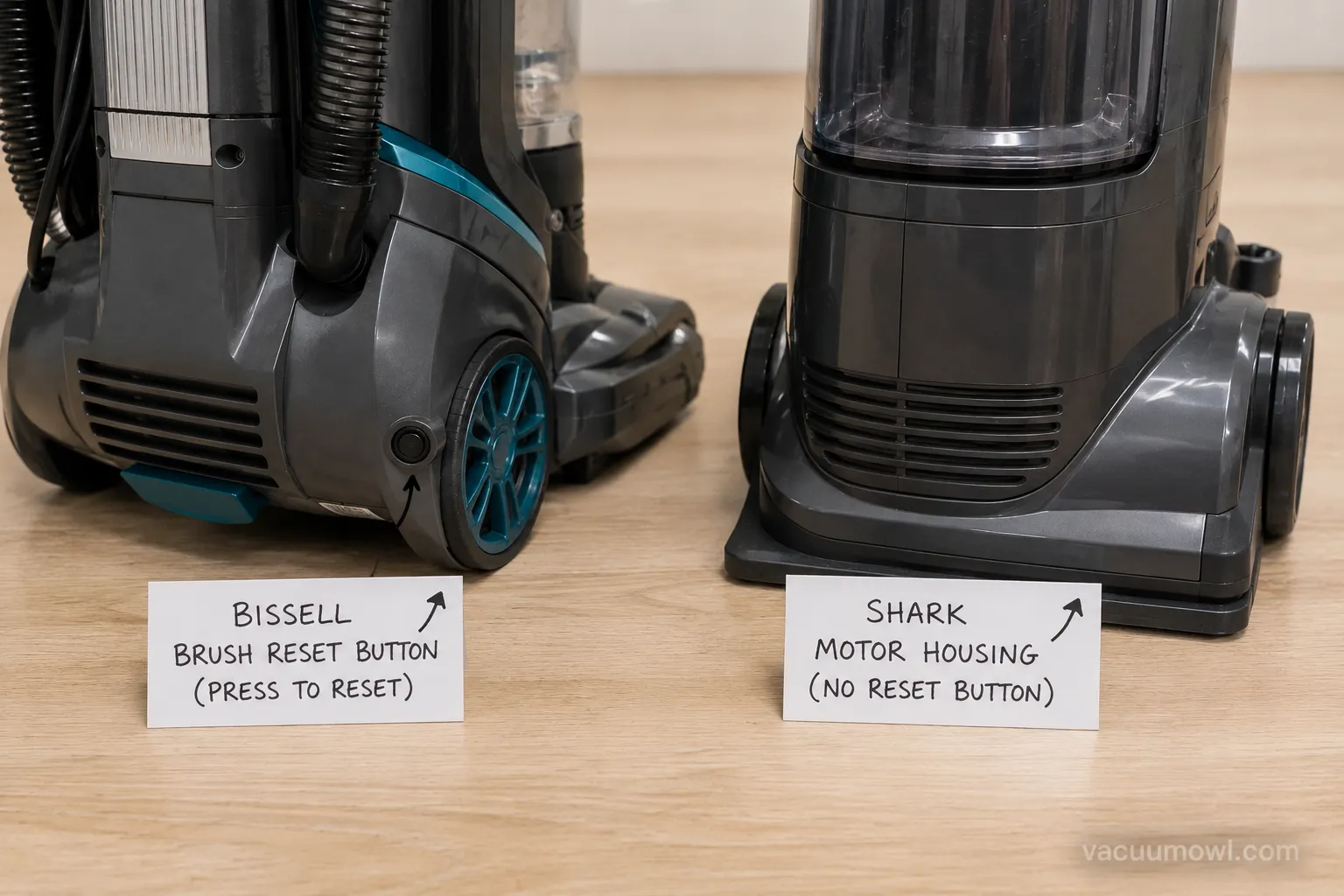
Reality check. Pressing where a button “should be” cannot hurt, but it will not help if the machine does not have one.
When a Reset Doesn’t Fix It: What to Check Next
When a reset does not fix a vacuum, the failure itself tells you where to go next.
No light and no motor points to a true power fault, a repeating cutoff points to an unresolved clog or a failing motor, and a burning smell or spark means stop. iFixit case reports show that when a machine will not restart even after a cool-down, the fault is deeper than a simple cutoff.
So treat a failed reset as a diagnosis, not a dead end.
Work the branches in order:
No light at all: check the outlet, try another socket, and inspect the cord and plug for damage.
Recovers then cuts out again fast: a clog or filter is still choking airflow, or the motor is on its way out.
Burning smell or spark: unplug and stop, because this is a service or replace decision.
A permanently blown thermal fuse or a dead motor will not reset, no matter how many times you cycle the power. One test upright never recovered after repeated restart attempts during its cool-down, and a multimeter continuity test across the thermal fuse confirmed it had gone open for good.
If it is a dead motor or a blown fuse, the next question is money, and you can weigh it with our repair-vs-replace cost breakdown.
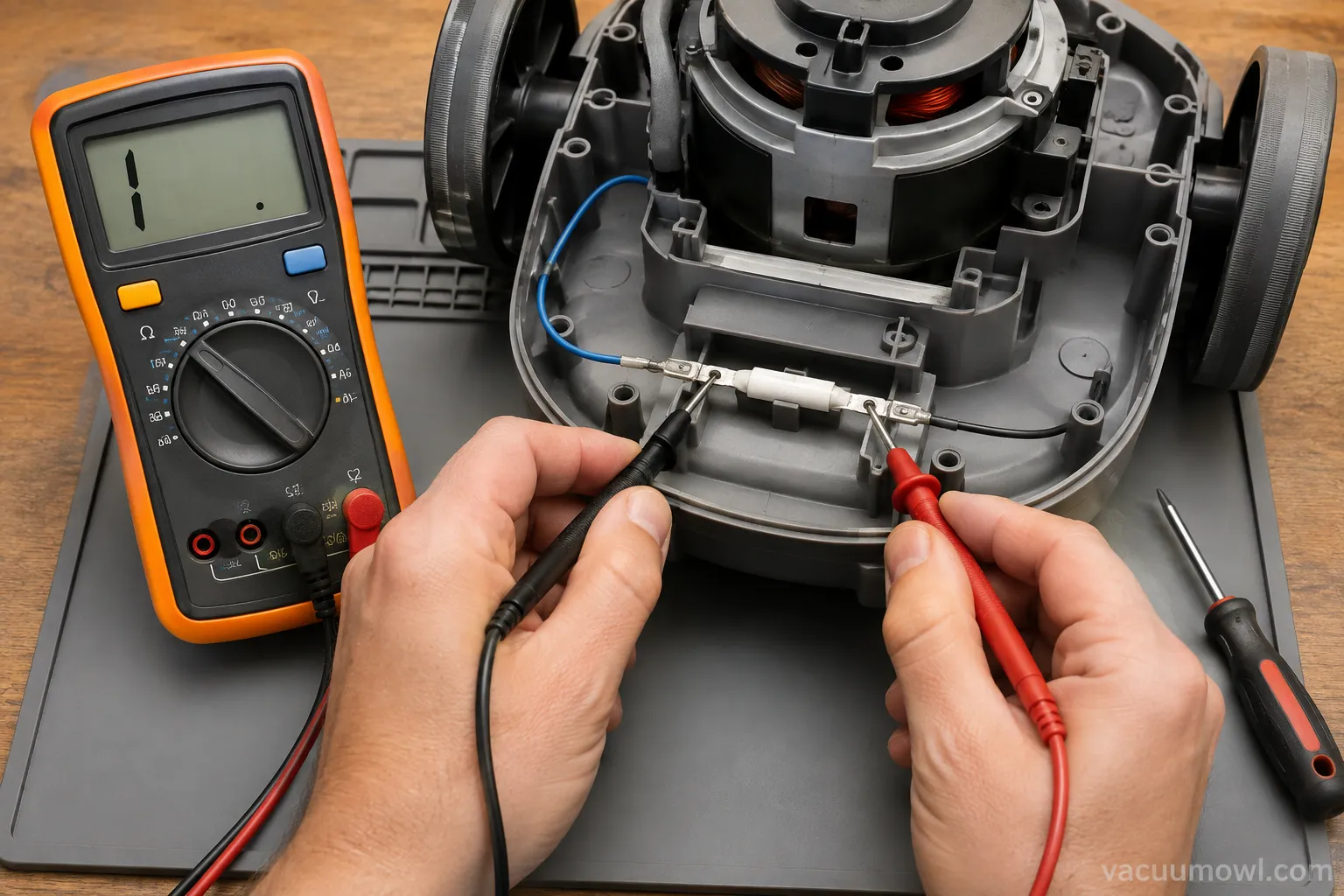
Do not force it. Repeated power-ons before the machine has cooled can permanently blow the thermal fuse, turning a simple reset into a repair.
Knowing how do I reset my vacuum saves most owners a needless repair bill, because most “dead” vacuums are simply protecting themselves.
Match the reset to the machine, a cool-down for corded uprights, a battery pull for cordless, and a soft reset before any factory reset on a robot, and read the lights as clues rather than alarms. When the right reset still will not bring it back, you have not wasted your time, you have diagnosed a deeper fault and you know exactly where to go next.
Frequently Asked Questions
Does my vacuum have a reset button?
Probably not, if it is a modern upright or cordless. Most rely on an automatic thermal cut-off that resets after roughly 30 minutes of cooling, and Bissell confirms most of its models have no manual reset button.
A minority of older uprights carry a small red or black button near the motor, so it is worth a quick look.
How long do you unplug a vacuum to reset it?
Unplug it for about 30 minutes to let the thermal cut-off release, though our bench timings ran from 19 to 44 minutes depending on the machine and how bad the clog was. Keep it unplugged and idle the whole time, and clear the clog while it cools so it does not simply overheat again.
Does a factory reset delete my robot vacuum’s map?
Yes. A factory reset erases the saved map, cleaning schedules, and Wi-Fi credentials, and you will have to reconnect on 2.4GHz and re-map your home.
Try a soft reset first, because it clears most glitches while keeping the map, and use a Wi-Fi-only reset if the issue is just connectivity.
Why is the light on but the vacuum won’t turn on?
A lit light means power is reaching the machine, so a dead motor is almost always a tripped thermal cut-off after a clog, not a power failure.
Clear the airway, let it cool for 15 to 30 minutes, and restart it. If it still will not run or you smell burning, stop and treat it as a repair.
How do I reset a cordless vacuum?
Remove the battery pack, clear the brush roll and filter of hair and debris, and let the unit rest about 15 minutes so the thermal cutoff resets. Re-seat the battery until it clicks, then power on.
A single steady light with a dead motor usually means a clog cutoff, not a flat battery, so check for blockages before buying a new cell.
Read it your way
Short on time? Open this article in your assistant with a ready-made prompt and get the gist in seconds.
Found this useful? Make us a preferred source so we show up in your Google results.
Keep reading
Related articles

Troubleshooting & Repair
Roomba Not Working? 8 Symptoms Fixed (2026 Models)
Reboot first, then match your symptom. 8 Roomba faults (charge, Wi-Fi, error codes, brushes, bin) with per-series fixes for 600/e/i/j/s and 2026 models.

Troubleshooting & Repair
How Much Does a Vacuum Repair Cost? Fix or Replace (2026)
How much does a vacuum repair cost? Usually $50–150 (up to ~$321 for central). Use the 50% rule and our brand tier to decide: fix it or replace it in 2026.

Troubleshooting & Repair
Why Won’t My Robot Vacuum Work? 6 Fixes We Tested
Why won’t my robot vacuum work? Reset it, free the wheels, clean the sensors and fix a 2.4GHz Wi-Fi snag in 5 minutes: the DIY checks that skip a repair bill.

Troubleshooting & Repair
Not Broken? Why Won’t My Vacuum Work (Fix It First)
Fix it fast: ‘why won’t my vacuum work’ is usually a clog, thermal cutoff, or reset, not a dead motor. Match your symptom to the exact fix.
The discussion
Comments
Every comment is reviewed before it goes live.