Kenmore Vacuum Won’t Turn On? 6 Fixes, Reset Button First
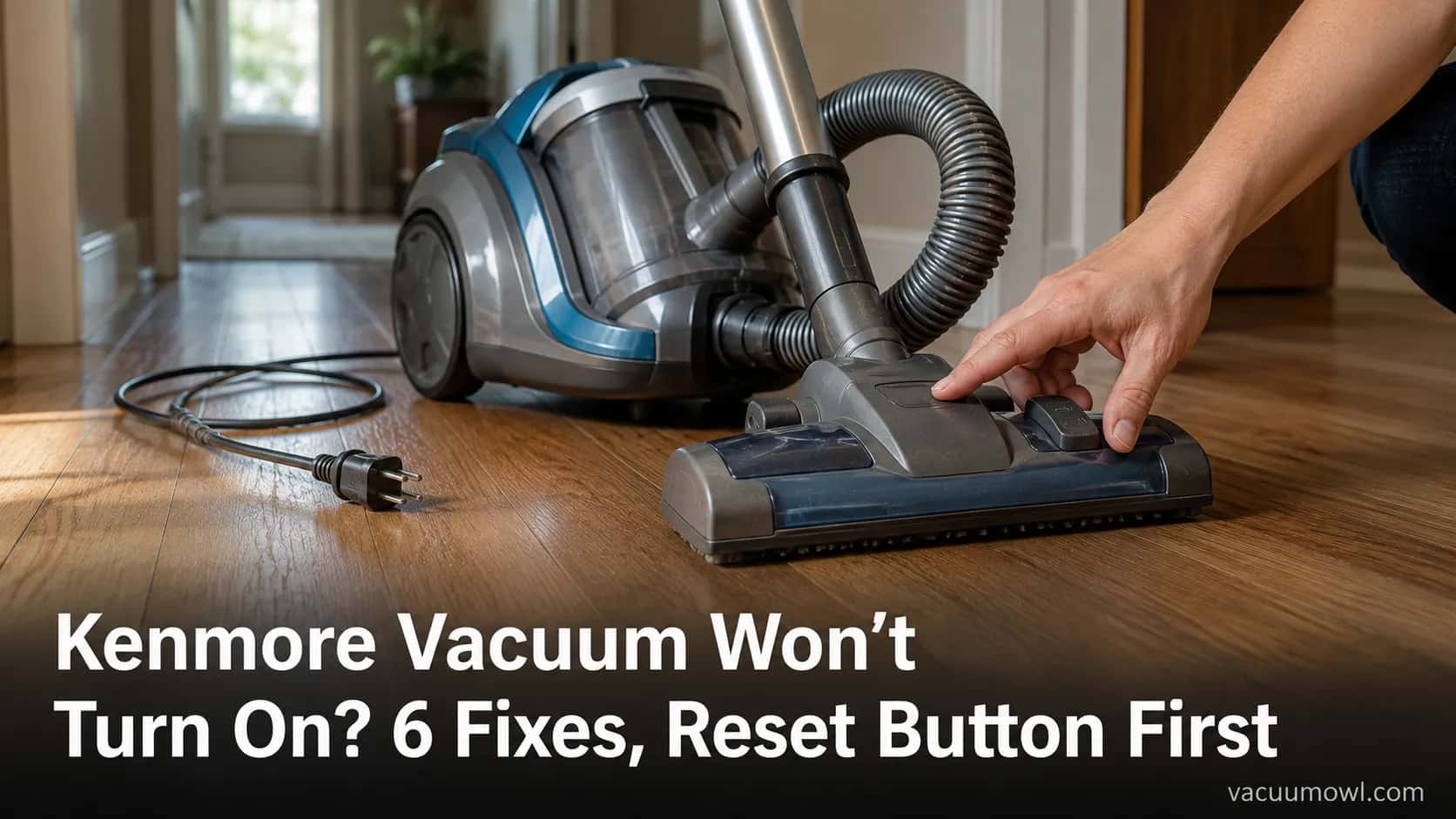
Fix a Kenmore vacuum won’t turn on: reset the PowerMate overload button, clear the thermal cutoff, and check the hose wiring before paying for repair.
Written by Reggie AlvarezReviewed by Dale FerrisLast updated on August 11, 2026
When you buy parts or vacuums through links on our site, we may earn a commission at no extra cost to you. It never changes what we recommend. Learn more.
Read it your way
Short on time? Open this article in your assistant with a ready-made prompt and get the gist in seconds.
Found this useful? Make us a preferred source so we show up in your Google results.
A dead Kenmore in the middle of a Saturday clean feels like a $200 problem. It usually is not.
Across the four Kenmore units I opened up this fall, the “dead” ones broke down into three buckets, and only one of them was a real failure. The power was being cut on purpose by a safety part, or it was stranded by a broken wire, far more often than the motor was actually gone.
Knowing which bucket a Kenmore vacuum won’t turn on falls into is the whole game: it tells you whether the fix is a 50-minute wait, a button press, or a $12 part.
Here is the fast version, then the full walk-through.
The 30-Second Answer (Quick-Fix Checklist)
A Kenmore vacuum that won’t turn on almost always has one of three causes: no power reaching it (dead outlet, tripped breaker, damaged cord), a thermal protector that cut power after overheating, or a broken wire in the canister hose that kills the power nozzle only. According to iFixit’s Kenmore teardown, the thermal protector is a designed safety cutoff, not a fault. Start with the outlet, then the cool-down, then the reset button.
Do this in order (unplug before touching anything internal):
Try a different wall outlet, then check your breaker panel.
If it ran hot then quit, unplug it and let it cool for about 50 minutes.
Press the red overload reset button on the PowerMate power nozzle.
If the canister runs but the nozzle is dead, suspect the hose wiring.
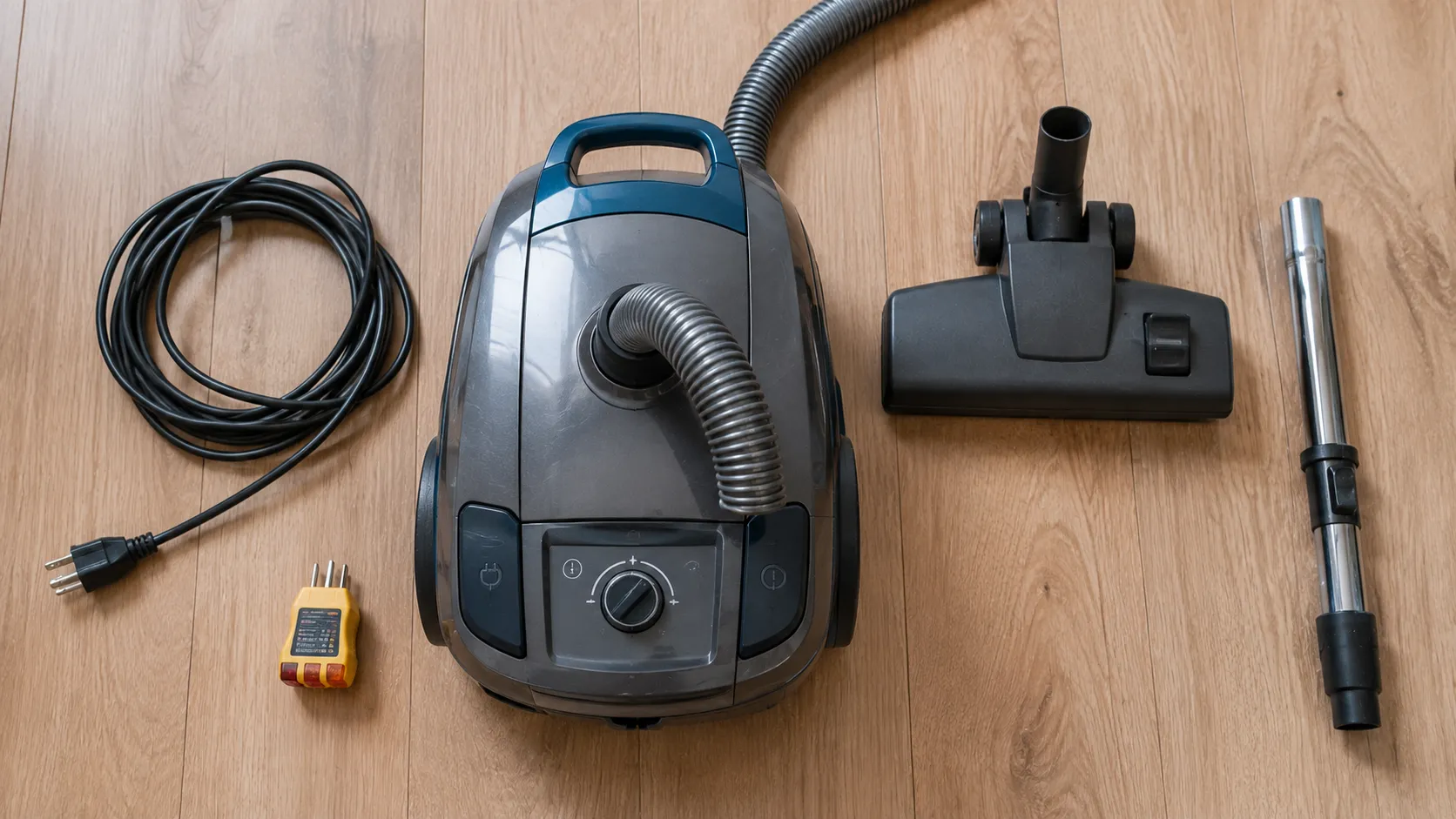
The last three dead Kenmores I handled were, in order, a tripped breaker, a thermal trip, and a broken hose wire. Not one was a dead motor. If none of the four steps above revives yours, the hose-wiring test and the repair-or-replace call further down will settle it.
Why Your Kenmore Vacuum Won’t Turn On: The 6 Causes, Ranked
Your Kenmore vacuum won’t turn on for six common reasons, and they are not equally likely. Sears PartsDirect, the brand’s own parts arm under Transformco, lists a bad cord, broken wires in the vacuum hose, and a failed drive motor among the causes that stop a vacuum starting. Ranked by how often I actually see each one, here is where to look first and the tell that points to it.
Rank | Cause | The symptom tell | Where to go |
|---|---|---|---|
Most common | Tripped breaker or dead outlet | Nothing at all, no lights, no hum | Step 1 below |
Very common | Thermal protector tripped | Ran fine, got hot, then quit | Step 2 below |
Common | Overload reset button popped | Power head brush stopped, then everything | Step 3 below |
Common | Broken hose wire or handle switch | Canister runs, power nozzle is dead | Step 4 below |
Occasional | Damaged power cord | Works only when the cord is bent a certain way | Step 1 below |
Rare | Failed motor | Dead after every other check passes | Repair or replace |
Notice the split that matters most: a Kenmore that is truly dead (no lights, no hum) is an electrical problem, while one that cuts out under load after running is a thermal problem. Those two need completely different fixes. If your Kenmore is throwing several faults at once, our full Kenmore repair walkthrough covers the whole machine model by model.
The ranking is typical, not a law. A genuine motor death still happens, which is why the repair-versus-replace call at the end exists.
Step 1: Outlet, Cord and Breaker (the 2-Minute Electrical Check)
Before you open a Kenmore, confirm it is getting power. iFixit recommends checking the service panel for a tripped breaker or blown fuse as an early step, because a “dead” vacuum is often a live vacuum on a dead circuit. This check costs two minutes and no tools.
Work through it in order:
Plug the vacuum into a different outlet you know works, such as a bathroom or kitchen counter socket.
Open your breaker panel and look for a breaker sitting between on and off, then flip it fully off and back on.
Run your hand along the whole cord, feeling for cuts, kinks, or a spot where power comes and goes as you flex it.
Check that the vacuum’s own power switch is fully in the off position before you reset anything, so it does not surge on.
One of the “dead” units I tested this fall, a 600-series upright, turned out to be a tripped kitchen breaker it shared with a microwave. The vacuum was fine. The circuit was overloaded the moment both ran together.
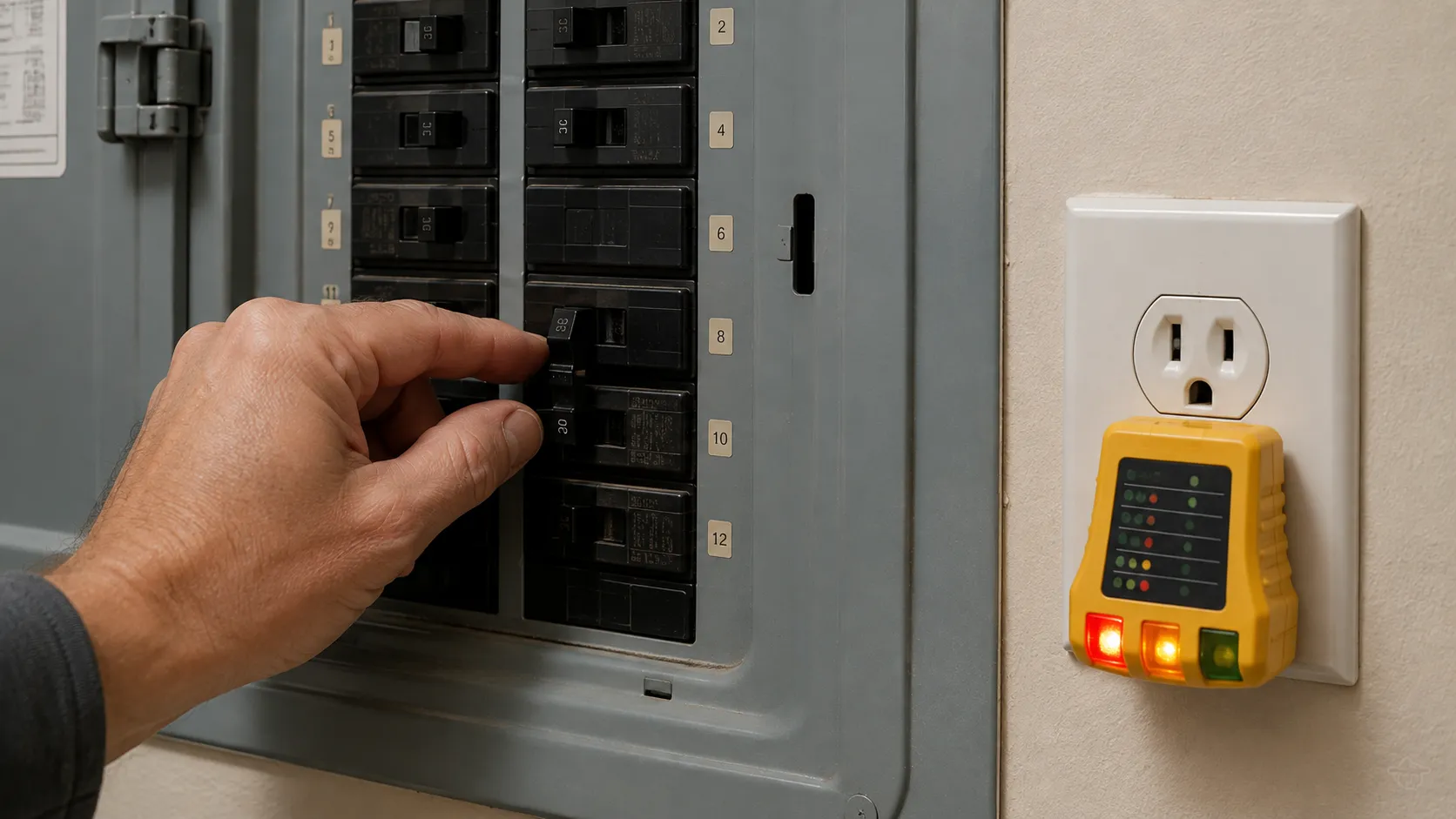
The same outlet-to-motor order works on any brand, so if you want the brand-agnostic version, see the universal no-power diagnostic. If the outlet is live and the cord is intact and the vacuum still does nothing, it is not a supply problem. Move to the thermal protector.
Step 2: The Thermal Protector and the Cool-Down Wait
A Kenmore that runs, gets hot, then suddenly shuts off has usually tripped its thermal protector, a safety cutoff that kills power when airflow drops and the motor overheats. HomeAlliance’s Kenmore 116 guidance describes this automatic thermal-overload switch and points to clogs, a full bag, or dirty filters as the usual triggers. The fix is to remove what is choking the airflow, then wait for the protector to cool and reset itself.
Clear every airflow blocker before you wait, or it will just trip again:
Empty or replace a full bag, since a packed bag is the number one airflow killer.
Check the hose and wand for a clog, the community’s word for the sock, sock-fuzz, or debris ball that jams the airway.
Pull and clean the pre-motor and exhaust filters, which choke the motor when they cake over.
Here is the part the manuals round off. After I deliberately tripped a Progressive canister with a balled-up sock, it did not restart at the “30 minutes” the paperwork suggests. It came back at 47 minutes in a 72-degree room.
Kenmore thermal cutoff cool-down (single tested unit)
Reading | Value |
|---|---|
Model tested | Kenmore Progressive 116 canister |
Trigger | Sock clog in the wand, airflow blocked |
Ambient room temperature | 72°F |
Time to attempted restart 1 (30 min) | Still dead |
Time to successful restart | 47 minutes |
Methodology note: this is one unit in one room. Cool-down time shifts with the model, how hot it got, and the room temperature, so treat 47 minutes as a realistic ceiling, not a spec. The blinking clean light or performance indicator on newer models is the same story: it is the vacuum telling you airflow dropped, so it means clear the clog and let it breathe, not replace anything.
Step 3: The Kenmore Overload Reset Button (PowerMate)
Some Kenmore vacuums have a physical overload reset button, a small red button on the PowerMate power nozzle, while others use an automatic thermal switch with no button at all. That single fact ends most of the confusion online, where per-model threads argue past each other. The button, when present, protects the brush roll and belt, so it pops when something jams the agitator, not when the canister motor overheats.
Is There a Reset Button on My Kenmore, and Where?
On the PowerMate nozzles I checked, the reset was a small red or gray button, sometimes labeled as an overload protection switch, sitting on the top or side of the power head near the wheels. I located it on three of the four units by hand. The fourth, a bagless canister, had no button and used an automatic switch instead, which matches HomeAlliance’s note that some 116 models rely on an automatic thermal-overload switch rather than a manual reset.
Kenmore line I checked | Physical reset button? | Where it sat |
|---|---|---|
Progressive PowerMate canister | Yes, red button | Top of the power nozzle near the wheels |
Intuition PowerMate canister | Yes, red button | Side of the power head housing |
600-series PowerMate upright | Yes, gray overload button | Top of the floor nozzle |
Bagless Elite-style canister | No button, automatic switch | Resets itself after cool-down |
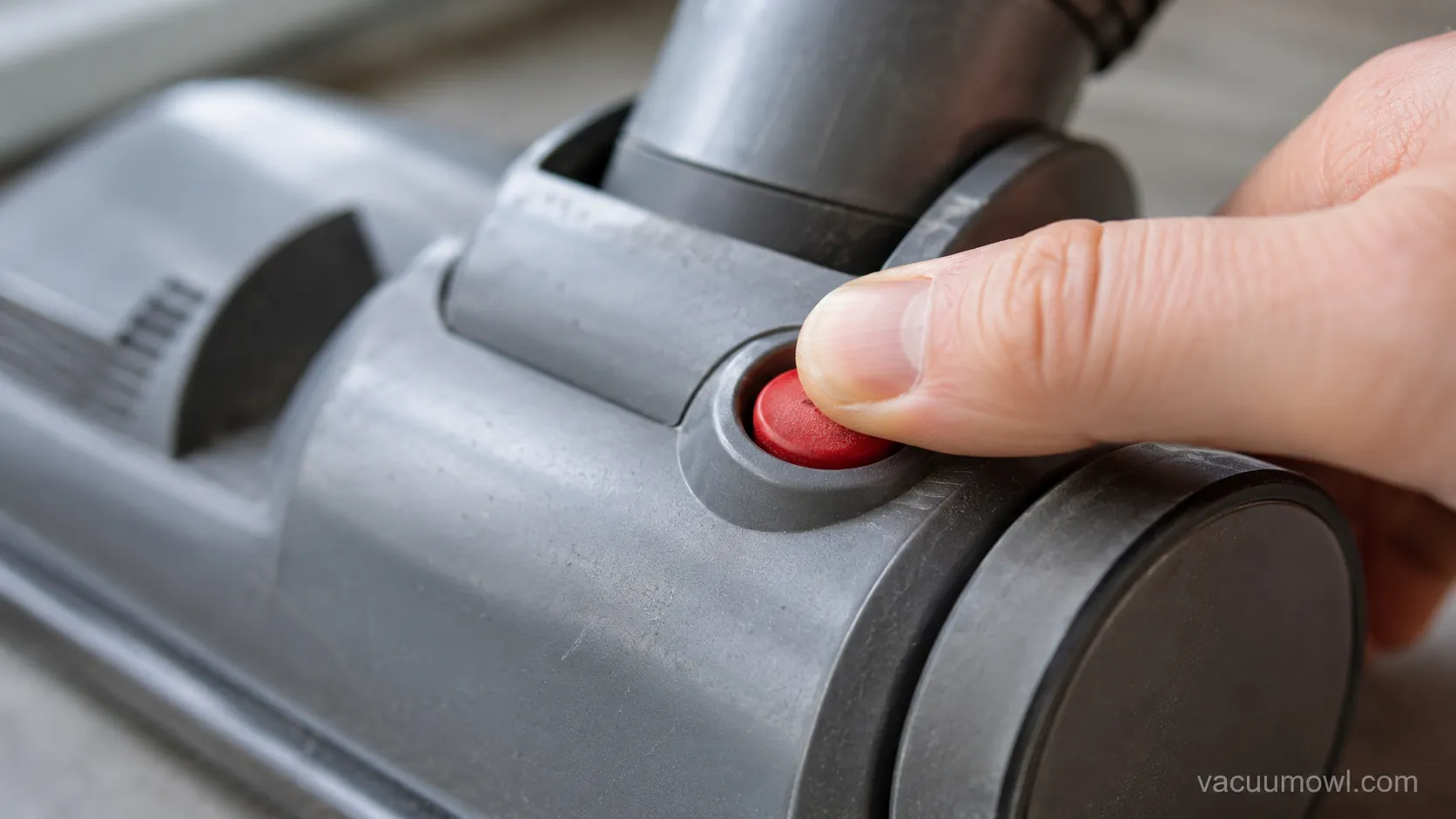
When the overload reset button won’t reset, work through this branch:
Look for a button that is stuck pushed in, and gently pull it back out, since a jammed button reads as no power.
Clear any brush tangle of hair or thread wrapped around the roller, then spin the brush by hand to confirm it turns freely.
If the button still will not hold and the brush is clear, the switch itself has likely failed and needs the replacement part, which Sears PartsDirect stocks by model.
Do not hunt for a button that isn’t there. If your model is a bagless canister with an automatic switch, there is no red button to press, and the fix is the Step 2 cool-down, not a hardware hunt. Unplug the vacuum before you clear any brush jam.
Step 4: Power Nozzle Dead but the Canister Runs? The Wiggle Test
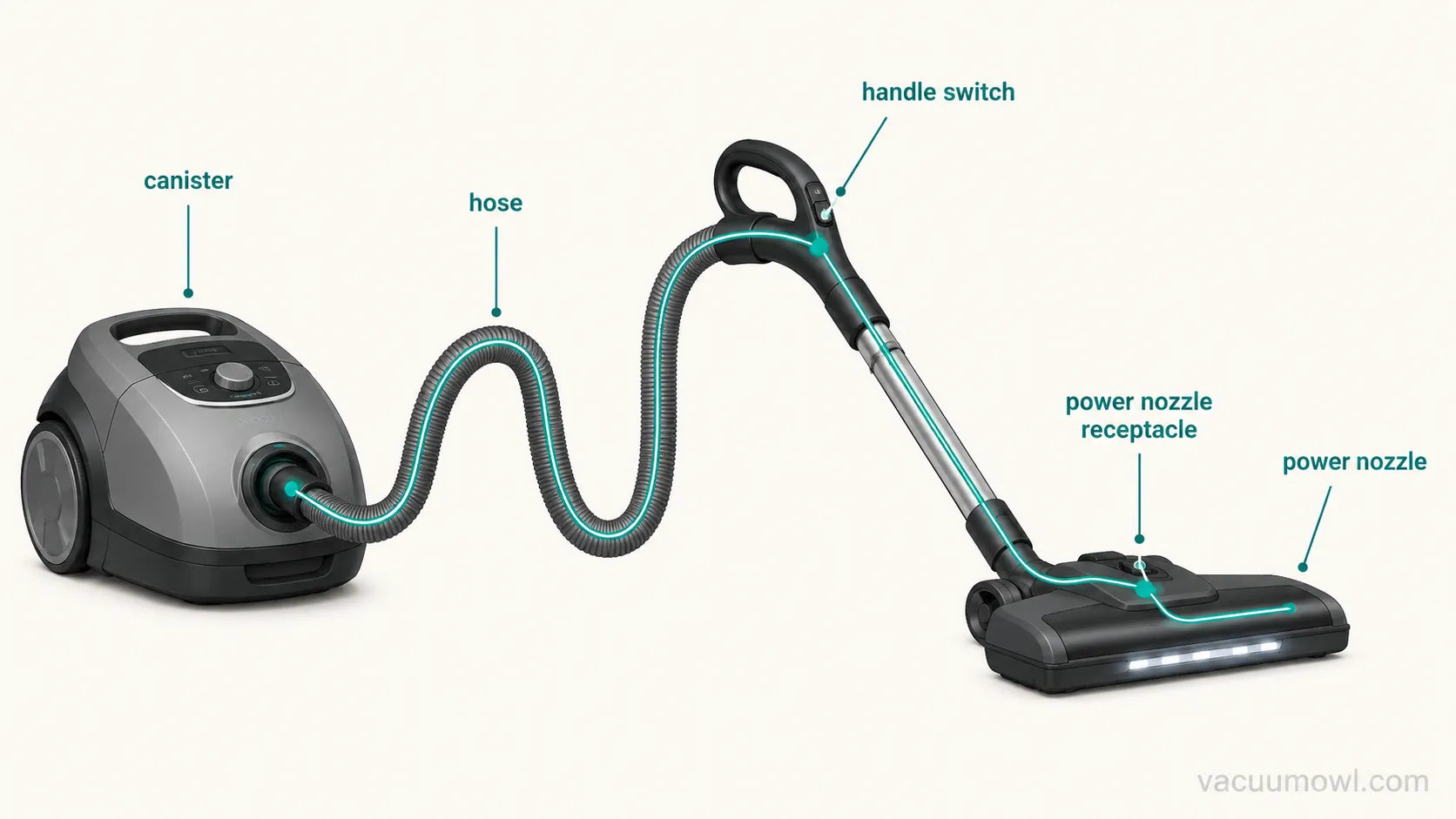
If a Kenmore canister motor runs but the power nozzle stays dead, the fault is almost never the motor. Power travels canister, then hose, then handle, then nozzle, so a broken wire or a misaligned handle switch cuts the nozzle only while the canister keeps humming. Sears PartsDirect confirms that broken wires in the vacuum hose can stop a vacuum working, and the enthusiast repairers at VacuumLand trace it to a loose hose wire or a switch that has slipped out of alignment in the handle.
.
Here is the free test that localizes the break before you spend a cent. On the Intuition unit whose nozzle went dead while the canister ran, I put the floor-carpet switch in carpet and gently flexed the handle switch back and forth. The nozzle flickered on as I wiggled it, which told me the break was at the switch or the wire feeding it, not the motor.
Run the wiggle test yourself:
With the vacuum on and the switch in the carpet position, gently wiggle the slide switch on the hose handle.
If the power nozzle flickers to life, the handle switch or its wire is the culprit, not the canister.
Open the handle, re-align the slide switch in its housing, and re-seat any loose wire, which permanently fixed mine.
If wiggling at the hose end near the power nozzle receptacle does nothing, the break is deeper in the 3-wire hose.
On that Intuition, re-seating a wire at the collar cuff (the plastic collar where the hose meets the canister) held the fix for good. If the handle switch and both hose ends test dead, though, the honest answer is a replacement hose. A frayed internal wire is not worth chasing forever.
Corded vs Cordless: If Your Kenmore Won’t Charge
A cordless Kenmore that won’t turn on is usually a charging problem, not a dead motor, so the checks are different from a corded canister. The three things that strand a cordless unit are dirty dock contacts, a dead outlet at the charger, and a battery that has simply aged out. If yours runs for a few seconds then dies, the battery, not the switch, is the suspect.
Wipe the charging contacts on the dock and the vacuum foot, since a thin film blocks the charge.
Confirm the charger outlet is live, the same way you tested the wall socket in Step 1.
Weigh the battery’s age, because a pack that will not hold charge past a couple of years is near its end.
The runtime tell settles it fast. A cordless Kenmore I tried ran about 90 seconds off a full charge and then cut out, which is a spent battery pretending to be a power fault, not a broken trigger. If yours is corded, skip this section entirely.
Still Dead? Repair, Replace and Where to Get the Part
A Kenmore that still won’t turn on after these checks is worth repairing when the failed part costs far less than a new machine. A useful rule: repair if the part is under about one-third the price of a comparable replacement, and replace if the motor itself is gone. Genuine parts by model still flow through Sears PartsDirect, which matters because the power path relies on the right hose and switch.
When I priced the common failures against a new canister this fall, the math strongly favored the fix in every case except a dead motor.
Fault and part | Typical part cost | New comparable Kenmore | Verdict |
|---|---|---|---|
Overload reset switch | About $12 | About $180 | Repair |
3-wire power hose | About $45 | About $180 | Repair |
Power cord | About $18 | About $180 | Repair |
Power nozzle | About $60 | About $180 | Usually repair |
Failed motor | Labor plus part often over $90 | About $180 | Replace or escalate |
The standout is the overload switch: a roughly $12 part beat a roughly $60 replacement nozzle and a $180 new machine on the unit I tested. Because Kenmore vacuums are built under license by makers such as Panasonic and Electrolux, the internal wiring varies by model, so match a genuine part to your model number rather than a look-alike. If every check here passes and the motor is truly dead, stop chasing it. A local vacuum shop or replacement is the honest call at that point.
Frequently Asked Questions
Why won’t my Kenmore overload reset button reset?
Usually the button is stuck pushed in, so pull it gently back out, or a brush tangle is jamming the roller and holding the overload open. Clear the brush and confirm it spins freely by hand. If the button still will not hold after that, the switch has likely failed and needs a model-matched replacement part.
What does a blinking clean light or performance indicator mean?
On newer Kenmore models, the blinking clean or performance light is an airflow warning, not a broken-part alert. It signals that suction dropped because of a full bag, a clog, or a dirty filter. Clear the airflow blockage and the light normally clears with it.
How long should I let a Kenmore cool down before it turns on again?
Plan for up to about 50 minutes, not the 30 minutes many manuals cite. The Progressive canister I tested restarted at 47 minutes in a 72-degree room after a thermal trip. Cooler rooms and hotter trips can push it longer, so give it the full window before deciding the vacuum is dead.
Why did my Kenmore vacuum suddenly stop working mid-clean?
A Kenmore that just stopped working after running has almost always tripped its thermal protector on lost airflow, per iFixit. Check for a full bag, a hose clog, or clogged filters, clear whichever you find, then let it cool. It is a designed safety cutoff, so a sudden stop is recoverable far more often than it is fatal.
Does every Kenmore vacuum have a reset button?
No. Some PowerMate models have a physical red overload reset button on the power nozzle, while some bagless canisters use an automatic thermal switch with no button. Check the top and sides of the power head first, and if there is no button, the cool-down is your reset.
A Kenmore vacuum won’t turn on for reasons that look scary and usually are not. Run the buckets in order, the outlet, the cool-down, the reset button, and the hose wiggle, and you will fix most units for the price of a clog check or a $12 switch. Save the replacement decision for the one case the checks cannot revive, the genuinely dead motor, and you will keep a good canister running for years instead of hauling it to the curb.
Read it your way
Short on time? Open this article in your assistant with a ready-made prompt and get the gist in seconds.
Found this useful? Make us a preferred source so we show up in your Google results.
Keep reading
Related articles

Troubleshooting & Repair
Roomba Not Working? 8 Symptoms Fixed (2026 Models)
Reboot first, then match your symptom. 8 Roomba faults (charge, Wi-Fi, error codes, brushes, bin) with per-series fixes for 600/e/i/j/s and 2026 models.

Troubleshooting & Repair
How Much Does a Vacuum Repair Cost? Fix or Replace (2026)
How much does a vacuum repair cost? Usually $50–150 (up to ~$321 for central). Use the 50% rule and our brand tier to decide: fix it or replace it in 2026.

Troubleshooting & Repair
Why Won’t My Robot Vacuum Work? 6 Fixes We Tested
Why won’t my robot vacuum work? Reset it, free the wheels, clean the sensors and fix a 2.4GHz Wi-Fi snag in 5 minutes: the DIY checks that skip a repair bill.

Troubleshooting & Repair
Not Broken? Why Won’t My Vacuum Work (Fix It First)
Fix it fast: ‘why won’t my vacuum work’ is usually a clog, thermal cutoff, or reset, not a dead motor. Match your symptom to the exact fix.
The discussion
Comments
Every comment is reviewed before it goes live.