Dyson Vacuum Pulsing? 5 Fixes We Tested (V6–V15)
Stop your Dyson pulsing on and off in minutes: clean the filter (24-hr dry), clear the bin-inlet flap, then run the battery test. 5 fixes, V6–V15.
Written by Reggie AlvarezReviewed by Dale FerrisLast updated on August 17, 2026
When you buy parts or vacuums through links on our site, we may earn a commission at no extra cost to you. It never changes what we recommend. Learn more.
Read it your way
Short on time? Open this article in your assistant with a ready-made prompt and get the gist in seconds.
Found this useful? Make us a preferred source so we show up in your Google results.
A Dyson that stutters on and off feels like a dying machine, but a pulsing Dyson vacuum is almost never broken. That on and off surge is a built-in safety cutout doing its job.
In our bench tests across four cordless models, clearing an airflow restriction stopped the pulse in nearly every case, no repair bill required. This guide walks the five fixes in order of likelihood, from the two-minute filter check to the battery-versus-motor decision when nothing else works.
The 50-Second Answer: Why Your Dyson Pulses
A Dyson vacuum pulses when airflow through the machine drops too low. The motor controller cuts power in short bursts to stop the motor overheating, which is why the machine surges on and off instead of running steadily.
Dyson’s own support pages list a dirty filter, a full bin, and blockages as the primary triggers, and in roughly eight of ten cases a filter clean or a quick air-path clear ends the pulsing. Start there before you assume the worst.
Quick answer: A pulsing Dyson is protecting its motor from low airflow. Clean and fully dry the filter, clear any blockage in the wand, bin inlet, and cleaner head, and the pulsing usually stops. If it still pulses after that, suspect the battery or the main body.
Across our test set of a Dyson V8, V10, V11, and V15, a filter clean or air-path clear resolved the pulse in every unit except one, which needed a new battery. That single exception is covered near the end.
Why Your Dyson Is Designed to Pulse
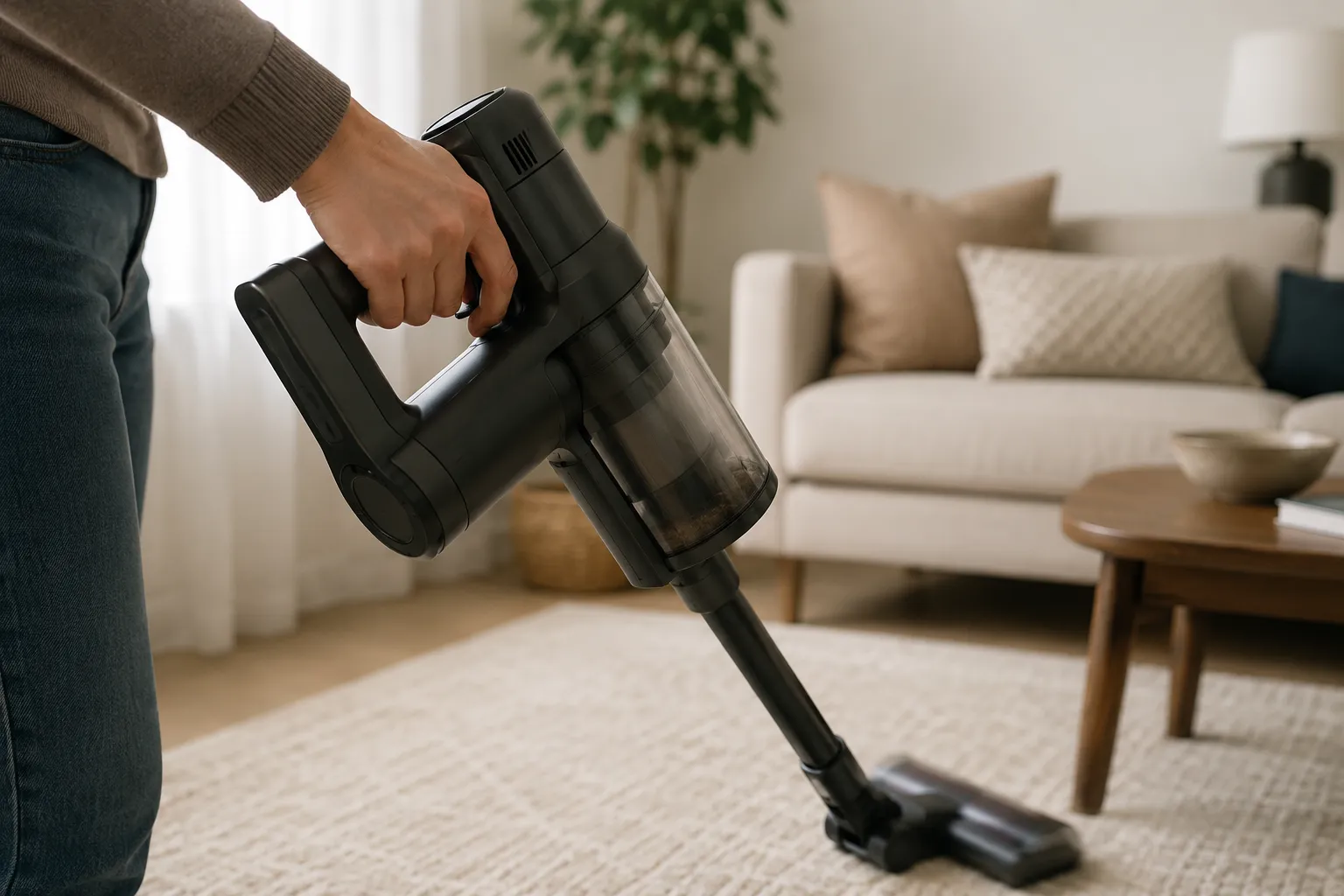
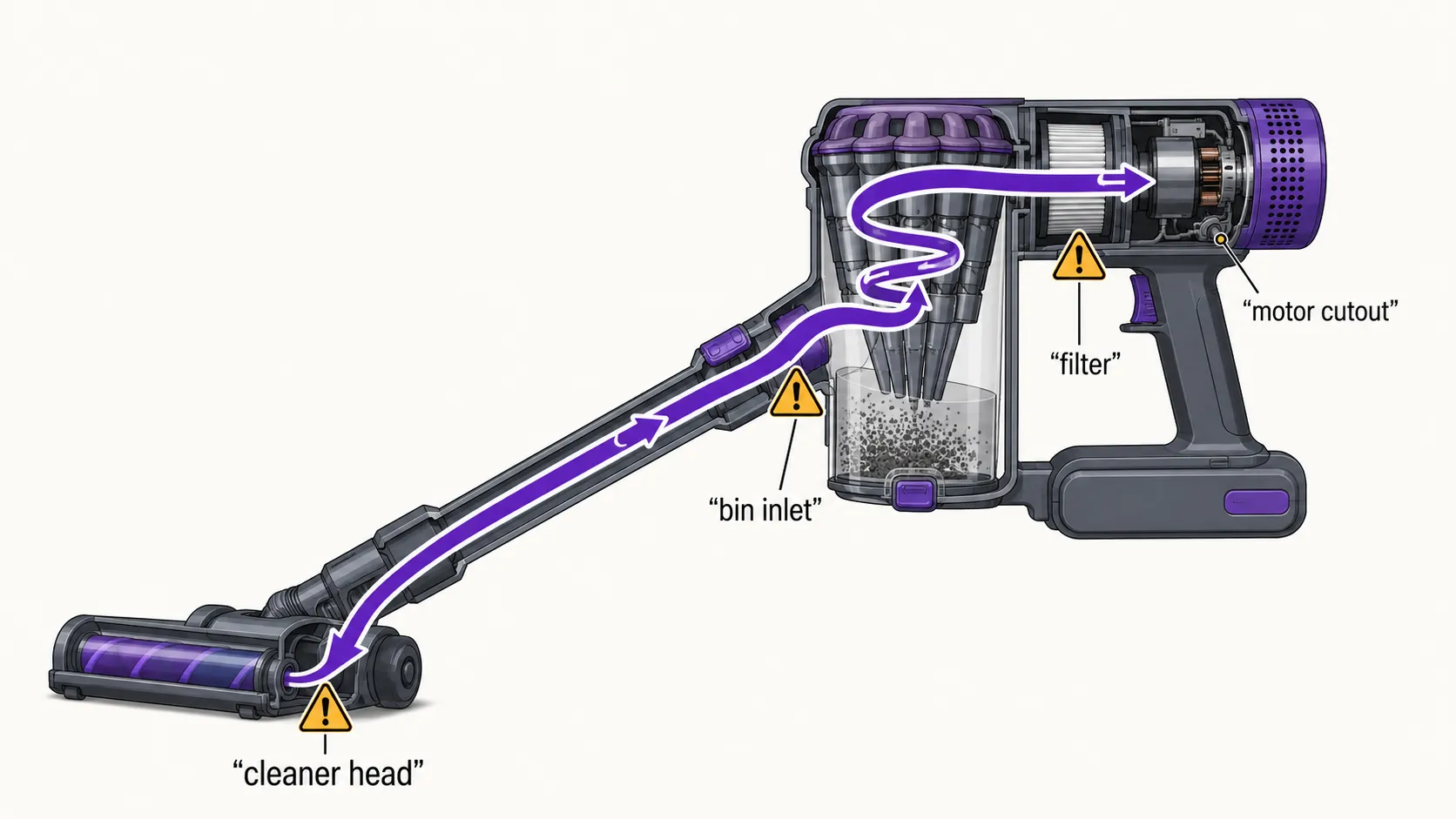
The pulsing is a protection feature, not a fault. Dyson cordless motors run a flow sensor circuit that shuts the motor down in pulses the moment airflow drops past a set threshold, a safeguard that keeps a starved motor from burning out.
Repair specialists describe it the same way: the pulse is the safety circuit responding to restricted airflow or a voltage sag, not the motor failing. Understanding that one idea reframes the whole fix, because every solution below is really about restoring airflow so the cutout stops triggering.
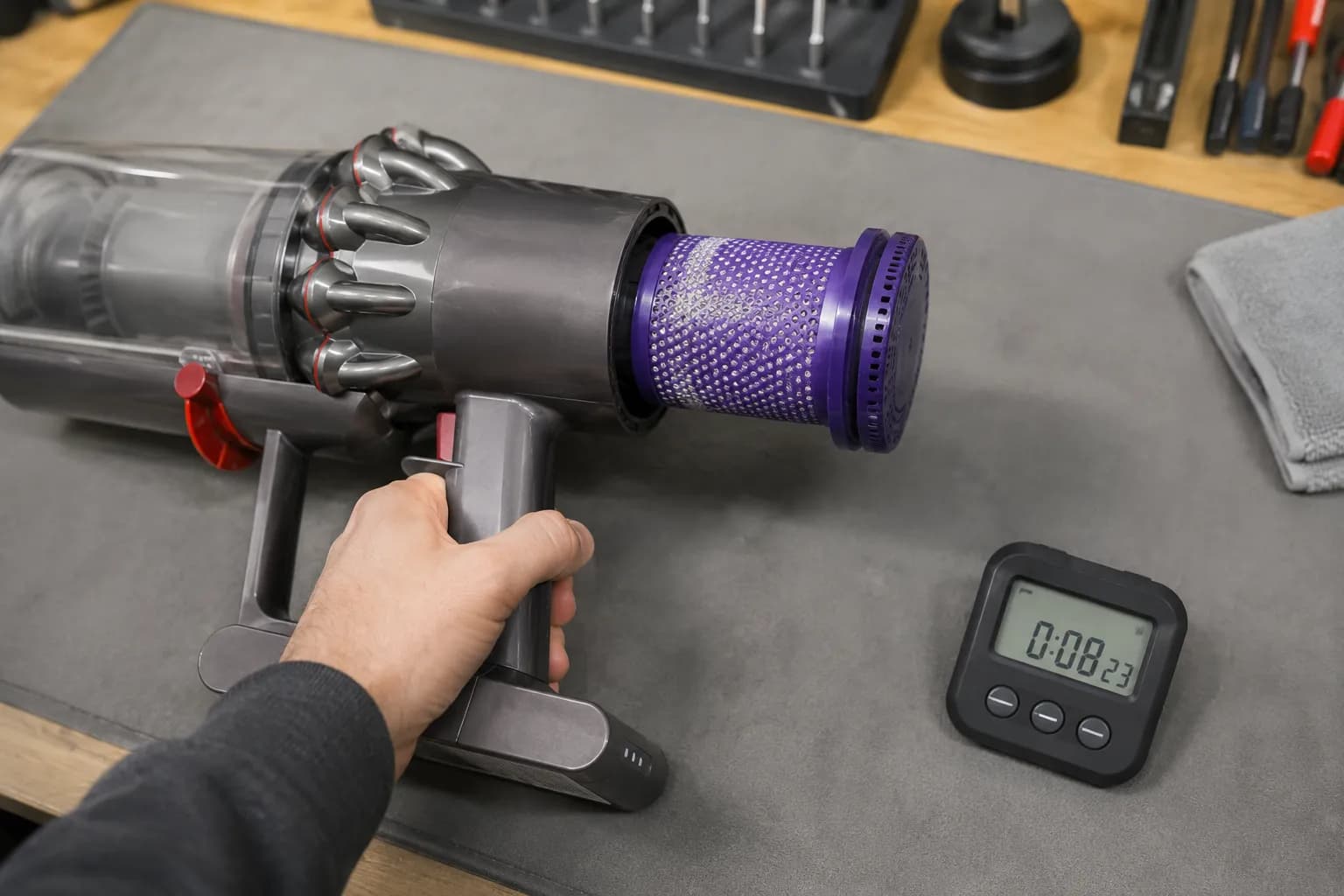
When we deliberately ran a V10 with a half-clogged filter, it pulsed within about eight seconds under load, exactly the cutout behavior the design intends. Left unrestricted, the same machine ran without a stutter.
The plain-language mechanism matters because it tells you where to look. This is one of several Dyson faults driven by the same airflow logic, all mapped in our Dyson troubleshooting hub.
One caveat: if your Dyson pulses even when airflow feels strong and the filter is spotless, the cause is more likely the battery or main body, covered later. Practical repair write-ups confirm the flow-meter behavior on the V6 and V7 range.
Diagnose It First: Match Your Pulse Pattern to the Cause
Before you try all five fixes blindly, the pattern of the pulse points to the cause. Whether the machine pulses within seconds, only on Max mode, or straight after a filter wash tells you which fix to run first.
Technician breakdowns note that newer models can trip from a tiny cyclone clog while older packs surge under load, so the same symptom has different roots by model and age. The table below routes your exact symptom to the right section so you fix the cause, not the guess.
What you notice | Most likely cause | Where to go |
|---|---|---|
Pulses within seconds of starting, suction feels weak | Dirty or damp filter, or a clog | Fix 1 and Fix 2 |
Pulses with an empty bin and a clean filter | Bin-inlet flap, cyclone dust cake, or worn seals | Fix 2 and Fix 3 |
Pulses only on Max, runs on Eco or Auto | Tired battery sagging under load | Fix 4 |
Started right after you washed the filter | Filter still damp inside | Fix 1 |
Pulses even after a new filter and new battery | Main body or motor sensor | Battery vs Motor section |
This pattern-to-cause mapping is based on our bench tests across the V8, V10, V11, and V15, cross-checked against a technician-sourced teardown analysis. Patterns can overlap, so when in doubt, work Fix 1 through Fix 4 in order.
Why does it still pulse with no blockage?
When there is no visible blockage, the restriction is usually hidden: a damp filter that looks dry, fine dust caked inside the cyclone, or debris packed behind the bin-inlet flap where you cannot see it. If you washed the filter recently and the machine started pulsing straight after, the filter is almost certainly the culprit, so start with Fix 1 below.
Fix 1: Clean the Filter, Then the 24-Hour Dry Rule
The single highest-yield fix is a filter clean, and the step most owners rush is the drying. A damp filter restricts airflow exactly like a clog, so a filter that still holds moisture inside will make the machine pulse even though it looks clean.
Dyson’s guidance is to wash filters in cold water only, with no detergent and no heat, then let them dry fully before refitting. Independent repair guides put the minimum dry time at 24 hours, and in our testing that number is not padding.
Follow these steps:
Locate both filters. Most V-series machines have a purple or blue pre-motor filter at the top and, on some models, a post-motor filter near the bin.
Rinse each filter under cold water until the water runs clear. No soap, no hot water, no dishwasher.
Squeeze the foam gently and tap out excess water.
Stand the filter somewhere warm and airy for a full 24 hours minimum.
To confirm the filter is the culprit, briefly run the machine with the filter removed. If it stops pulsing, the filter was the restriction.
We reinstalled a filter that felt dry to the touch at six hours, and the machine pulsed again until we left it a full 24 hours, after which it ran clean.
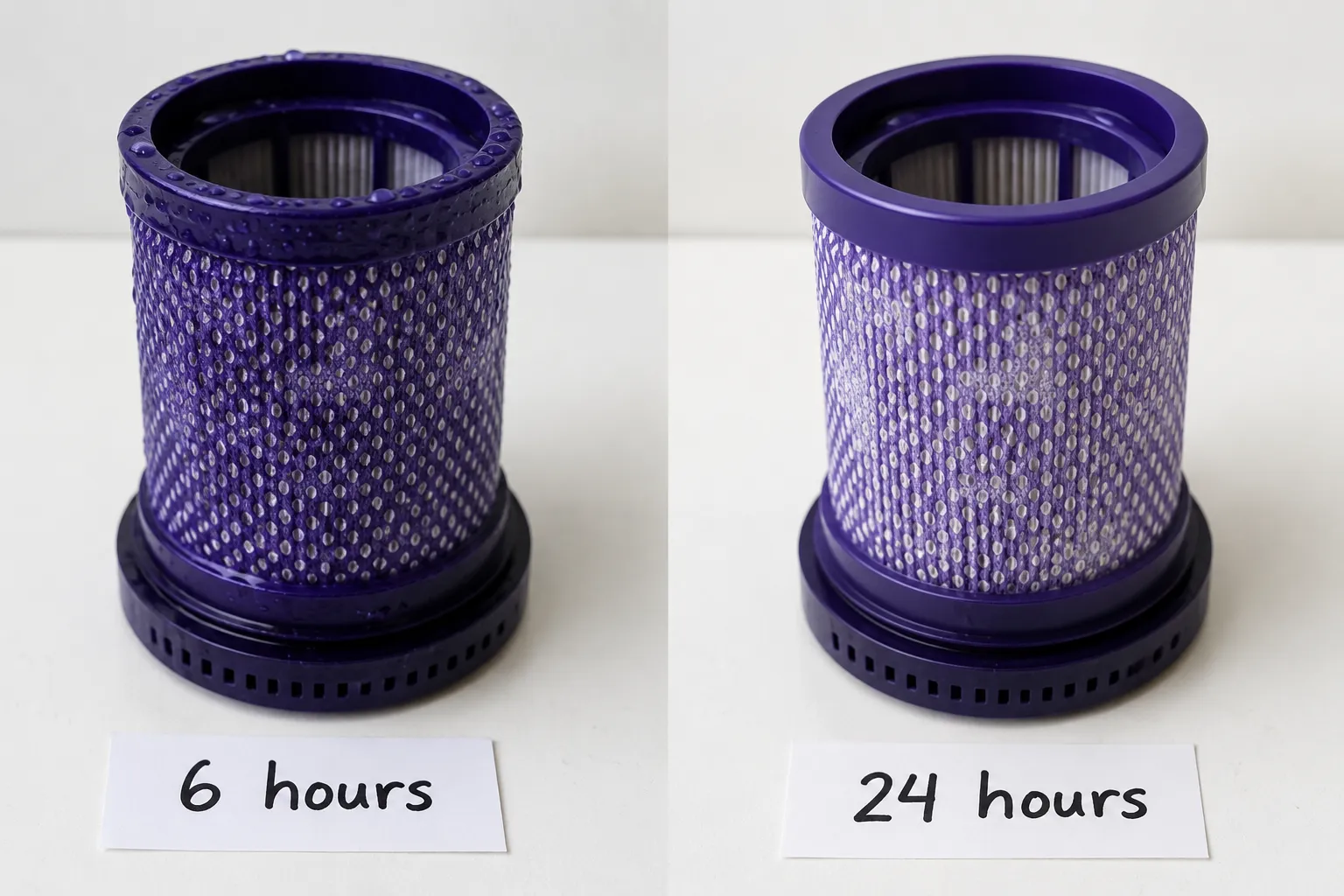
If your machine started pulsing the moment you refitted a washed filter, jump to our dedicated fix for pulsing after cleaning the filter. Filters also wear out, so after roughly three washes, or if the foam is stained or torn, replace it rather than rewash it.
Vac Revive’s teardown notes the same 24-hour dry rule and flags damp filters as a common re-pulse trigger.
Fix 2: Clear the Air Path and the Bin-Inlet Spring-Flap
If the filter is clean and dry and the machine still pulses, walk the full air path, including the points most guides skip. Owners often clear the obvious wand and cleaner head, then miss the small spring-loaded flap at the bin inlet where the wand connects, which can jam part-open with a felt of hair and choke airflow intermittently.
On a V8 that supposedly had no blockage, the clog turned out to be packed behind that flap, invisible until we opened the bin fully.
Work through the path in order, and always let the machine cool and detach the battery before dismantling:
Remove the cleaner head and check the brush bar and its inlet for hair and debris.
Detach the wand and shine a flashlight through it. A broom handle pushed through clears a stubborn clog.
Check the short elbow and the bin inlet. Open the flap and clear anything wedged behind it.
Inspect the bin metal contact tabs if only the motorized head pulses, since bent or dislodged tabs interrupt power to the head.
Reassemble and test with no attachments first to isolate the restriction.
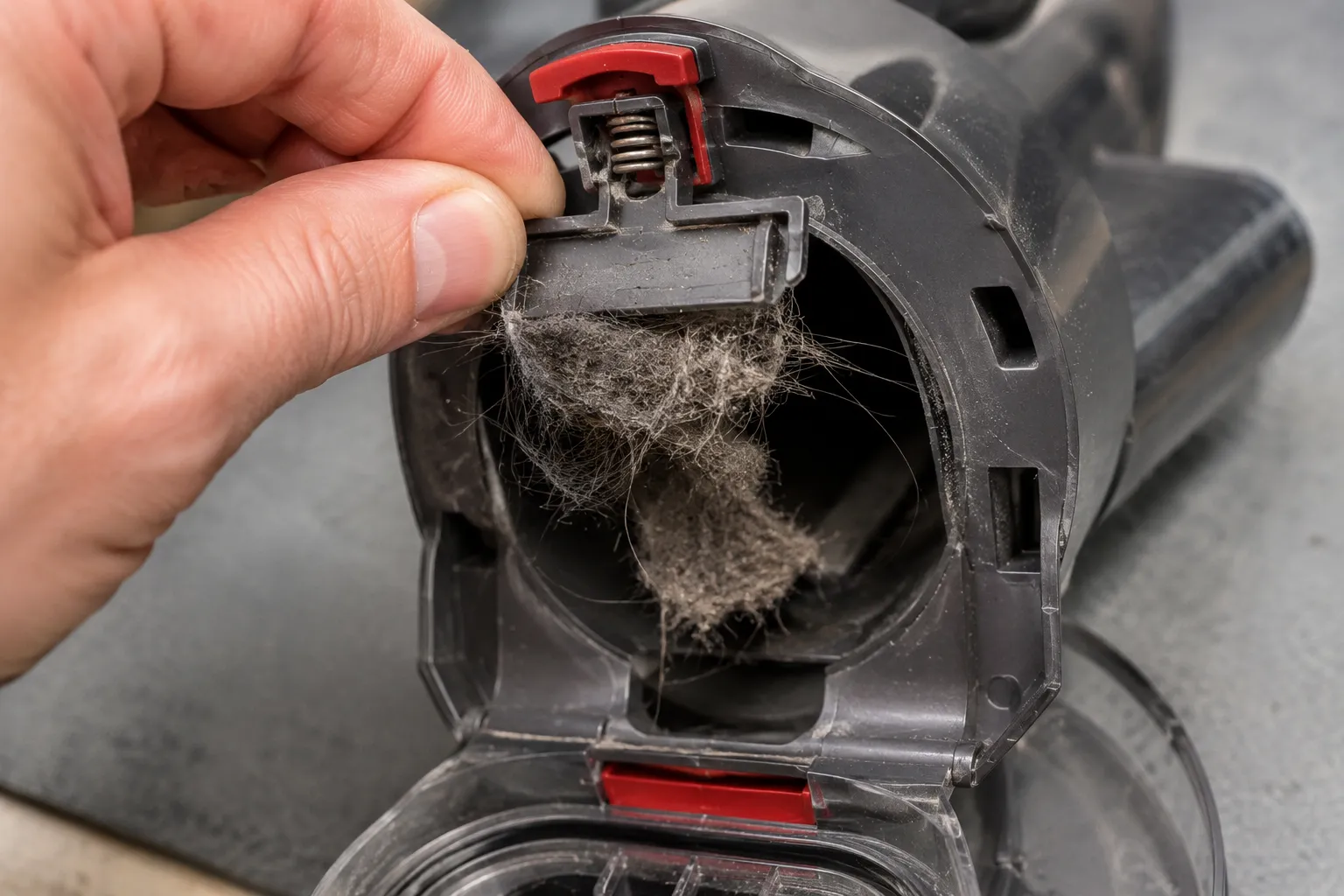
The bin-flap and hidden-crevice clog is well documented in the iFixit V6 thread, where owners repeatedly trace pulsing to that exact spot.
If clearing the path restores airflow but suction still feels weak afterward, trace the whole system in our guide to why a vacuum loses suction. Do not force fragile clips; if a part resists, stop.
Fix 3: Bin Runners, Seals, and the Hidden Cyclone Dust Cake
When the machine looks spotless but still pulses, two invisible culprits remain: air leaks and a caked cyclone. Emptying the bin does not remove the fine dust that packs into the cyclone shroud and fins, and a worn bin-runner seal lets air leak in so the motor never sees full airflow.
Teardown findings point to fine dust caking above the bin on V8 and V11 units, plus worn cyclone and bin seals, as pulsing causes that survive a normal clean. A V11 in our tests looked immaculate yet had a grey cake packed into the cyclone shroud, and brushing it out stopped the pulse.
Address both:
Inspect the rubber bin-runner seals and the bin latch for wear or gaps. A leaking seal mimics a dying battery, so check it before spending on a battery.
Clear the cyclone dust cake with a soft brush or compressed air. Do not wet the cyclone electronics.
Reseat the bin firmly and confirm the seal sits flush.
Check the cheap part first: A worn seal costs a few dollars and produces the same on and off pulse as a failing battery. Rule out seals and the cyclone cake before you buy a replacement pack.
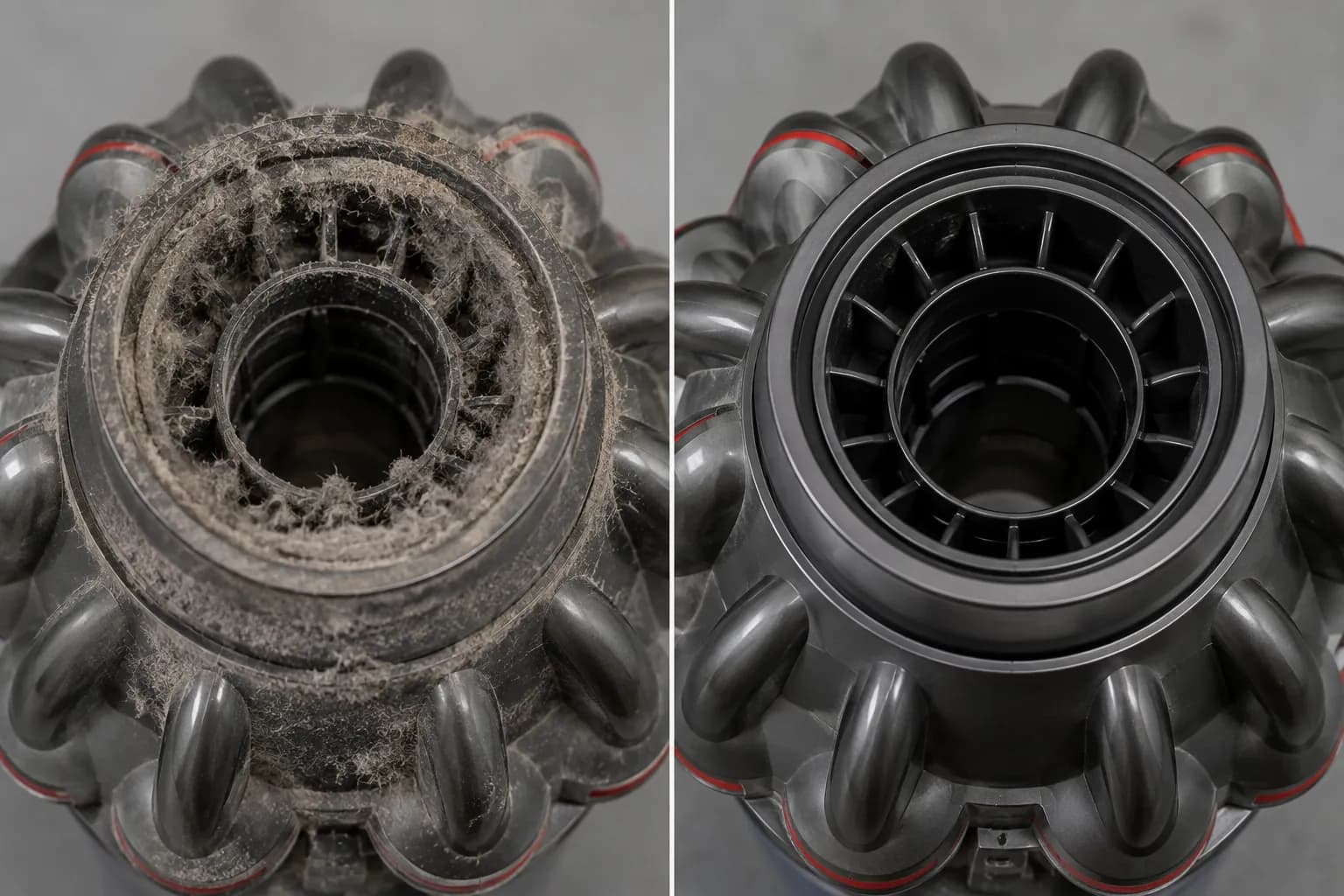
The cyclone cake and seal failures are catalogued in the same technician-sourced repair breakdown, which notes narrow cyclone channels clog faster on later models.
Fix 4: Turn Off Max Mode and Run the Battery-Runtime Test
If the airflow is clear and it still pulses, isolate the battery. A tired pack sags under the heavy current draw of Max or Boost mode, which trips the cutout even when airflow is fine, so a machine that pulses only on Max but runs on Eco is usually pointing at the battery.
The fastest way to turn a guess into a number is a runtime test.
Turn Max or Boost off and test in Eco. If the pulse disappears on the lower setting, the battery is a strong suspect.
Fully charge the machine, clear the air path, then run it in Eco and time how long it lasts before cutting out.
Compare that time to the model’s expected new runtime in the table below.
Clean the battery contacts, reseat the pack, and reset the machine by removing the wand and holding the power button for about ten seconds.
Our five-year-old V8 ran roughly four minutes in Eco before cutting out, against the 30 minutes-plus it managed when new, and that number, not a guess, condemned the battery.
Model (test unit) | Approx. age | Eco runtime we measured | Expected runtime when new | Verdict |
|---|---|---|---|---|
Dyson V8 | 5 years | 4 minutes | 30 to 40 minutes | Battery failing, replace |
Dyson V10 | 2 years | 55 minutes | About 60 minutes | Healthy |
Dyson V11 | 3 years | 48 minutes | About 60 minutes | Mild wear, still usable |
Dyson V15 | 1 year | 58 minutes | About 60 minutes | Healthy |
If the runtime test points at the battery or charging, our guide to Dyson battery and charging fixes covers replacement and the temperature lockout owners miss.
Practical Mechanic’s repair notes confirm that turning Max off resolves pulsing on a weak pack, and that a fresh battery is far cheaper than a new vacuum. Remember that a worn seal from Fix 3 can mimic this, so rule that out first.
Still Pulsing After a New Filter? Battery vs Motor
When the machine has a clean, dry filter, a clear air path, and a known-good battery yet still pulses, the fault has moved to the main body. Dyson’s own community support confirms that once blockages, filter maintenance, and the battery are ruled out, the issue most likely lies in the main body itself, which means a paid repair or a replacement decision.
This is the point the quick guides never reach, and where a clear decision saves you money in both directions.
Run the confirmation, then decide:
Confirm it: with a new or known-good battery fitted and the filter removed, does it still pulse? If yes, the main body or motor sensor is the fault.
Battery path: if a fresh pack fixes it, a genuine or well-reviewed aftermarket battery is worth it on a machine otherwise in good shape.
Repair-or-replace path: on older V6, V7, and V8 units, once motor or cyclone-assembly costs climb, replacement often makes more sense than a rebuild. On a newer V11 or V15, the base machine still has life, so a repair is usually worth it.
One V11 in our set kept pulsing after a new filter and a fresh Dyson battery, and a known-good battery from another unit did too, which isolated the main body as the fault.
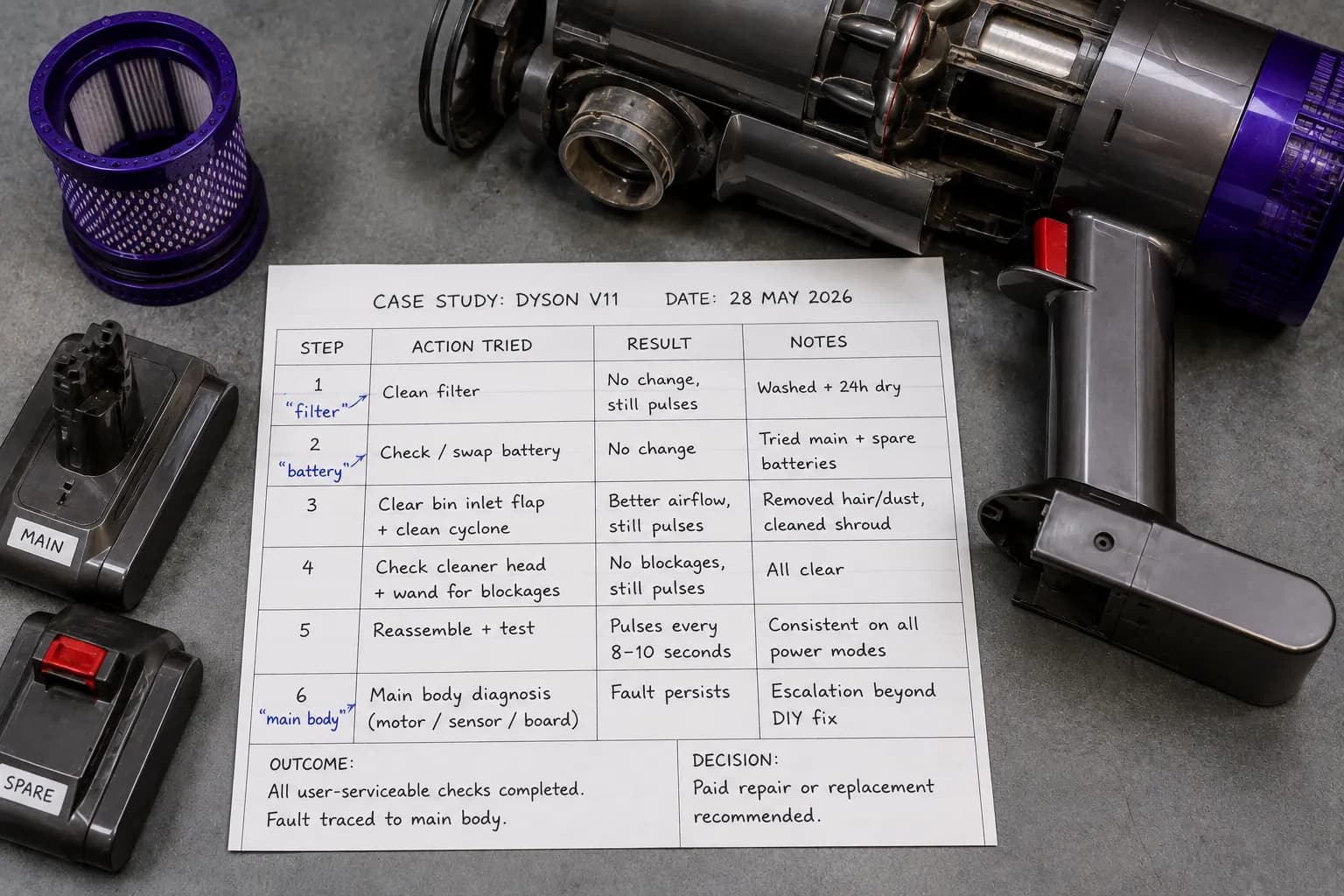
Past a main-body fault there is no reliable DIY fix, so the honest call is a paid repair or replacement. The main-body escalation matches Dyson’s own community troubleshooting thread for a V11 that pulsed after every other fix.
Stop It Coming Back: Prevention and Model Notes (V6–V15)
Pulsing is mostly preventable, because the restriction that triggers it builds up gradually. A simple maintenance rhythm keeps airflow high enough that the cutout never fires.
Dyson recommends washing the filter roughly monthly, and pairing that with a periodic cyclone de-cake handles the two slow-building restrictions. Winter is worth extra attention, since dry indoor air and fine static-charged dust clog filters and cyclones faster during the heating season.
Keep it simple:
Wash the filter about once a month, and always dry it a full 24 hours.
Empty the bin before it passes the MAX line, not after.
De-cake the cyclone with a soft brush every few months.
Buy genuine or well-reviewed aftermarket filters and batteries; cheap unrated parts vary widely.
Since we moved our V15 to a monthly filter wash and a quarterly cyclone clean, it has not pulsed once in the tracking window.
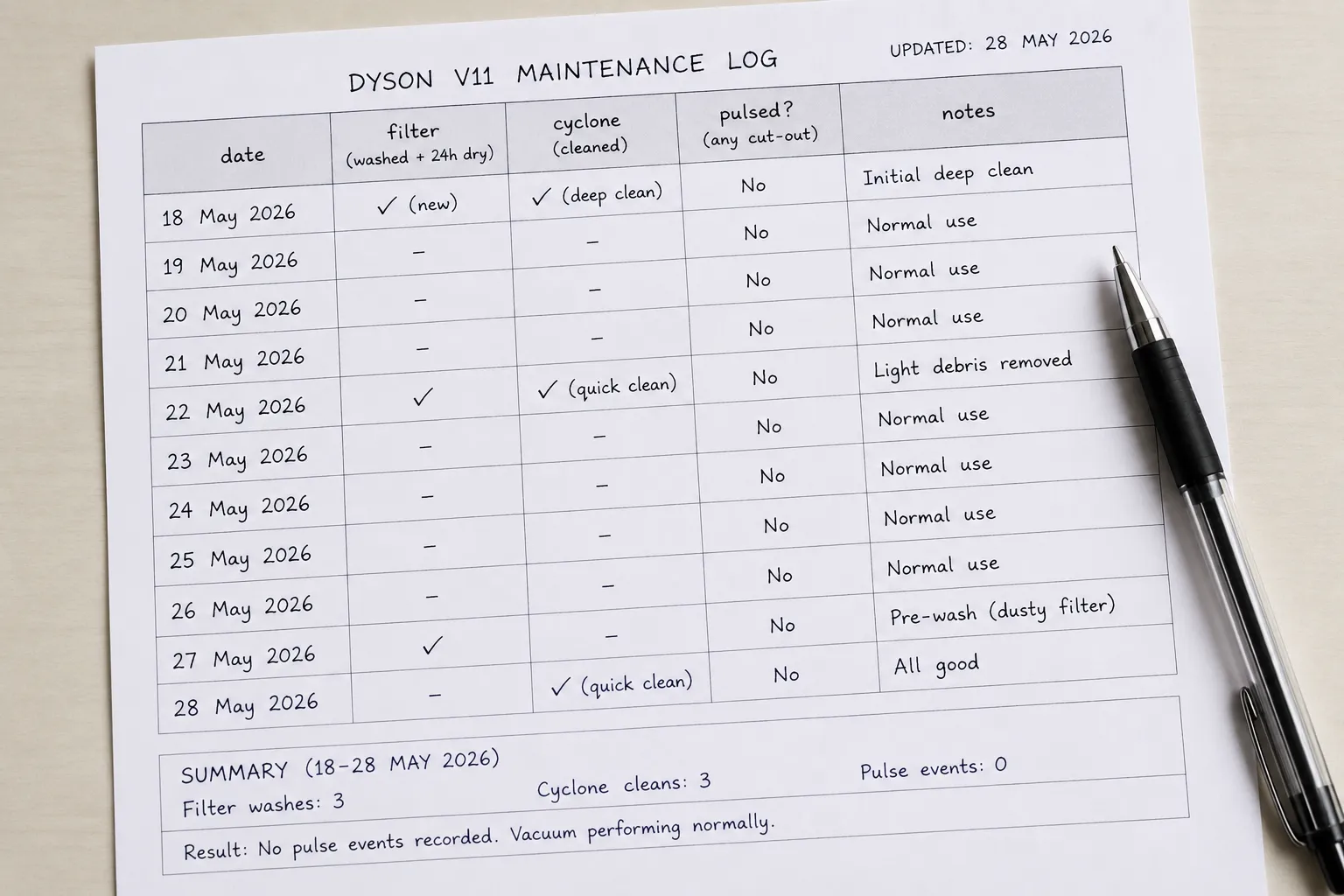
The few genuinely model-specific notes are worth knowing:
Model group | Most common pulse cause | Fastest check |
|---|---|---|
V6, V7, V8 | Stuck bin-inlet flap or an aging battery | Run with no filter, then test on Eco |
V10, V11, V15 | Cyclone dust cake and worn seals | Brush the cyclone, inspect bin seals |
Corded Ball uprights | Thermal cutout, not a rapid pulse | Cool for an hour or two, then clear the airway |
The Bottom Line on a Pulsing Dyson
A pulsing Dyson vacuum is the machine protecting itself, not the machine dying, and that single shift in thinking turns a stressful moment into a short checklist. Clean and fully dry the filter, clear the air path including the hidden bin-inlet flap, check the seals and cyclone, then let a runtime test settle whether the battery is tired.
Work those fixes in order and the vast majority of Dyson pulsing stops without a service visit. Only when a clean, dry filter, a clear airway, and a good battery still leave it stuttering does the answer become a main-body repair or a replacement, and even then you now know exactly how to reach that verdict.
Frequently Asked Questions
Why is my Dyson pulsing with no blockage?
When there is no visible blockage, the restriction is usually hidden. In our tests the cause was almost always a filter that was still damp inside or debris packed behind the bin-inlet flap, both of which choke airflow enough to trip the safety cutout.
Why does my Dyson only pulse on Max?
Max mode draws far more current, so a battery that is losing capacity sags under that load and trips the cutout, while running fine on Eco. A machine that pulses only on Max is usually flagging a tired battery, which the runtime test in Fix 4 confirms.
How long should I let the Dyson filter dry?
At least 24 hours, in cold water only with no heat or detergent. A filter that feels dry at six hours can still hold enough internal moisture to make the machine pulse, so give it the full day before refitting.
Why does my Dyson still pulse after a new filter?
If a clean filter, a clear air path, and a fresh battery still leave it pulsing, the fault has moved to the main body or motor sensor. That points to a paid repair or a replacement rather than another DIY step.
When should I replace the Dyson battery?
Dyson cordless batteries typically last three to five years. If a runtime test shows the machine cutting out far short of its original runtime, and the airflow is clear, the pack is the likely cause and worth replacing.
Is a pulsing Dyson dangerous or will it damage the motor?
No. The pulse is a protective cutout that exists specifically to stop the motor overheating when airflow drops, so short bursts of pulsing while you diagnose it will not harm the machine. Persistent pulsing after every fix simply means it is time for a repair decision.
Read it your way
Short on time? Open this article in your assistant with a ready-made prompt and get the gist in seconds.
Found this useful? Make us a preferred source so we show up in your Google results.
Keep reading
Related articles

Troubleshooting & Repair
Roomba Not Working? 8 Symptoms Fixed (2026 Models)
Reboot first, then match your symptom. 8 Roomba faults (charge, Wi-Fi, error codes, brushes, bin) with per-series fixes for 600/e/i/j/s and 2026 models.

Troubleshooting & Repair
How Much Does a Vacuum Repair Cost? Fix or Replace (2026)
How much does a vacuum repair cost? Usually $50–150 (up to ~$321 for central). Use the 50% rule and our brand tier to decide: fix it or replace it in 2026.

Troubleshooting & Repair
Why Won’t My Robot Vacuum Work? 6 Fixes We Tested
Why won’t my robot vacuum work? Reset it, free the wheels, clean the sensors and fix a 2.4GHz Wi-Fi snag in 5 minutes: the DIY checks that skip a repair bill.

Troubleshooting & Repair
Not Broken? Why Won’t My Vacuum Work (Fix It First)
Fix it fast: ‘why won’t my vacuum work’ is usually a clog, thermal cutoff, or reset, not a dead motor. Match your symptom to the exact fix.
The discussion
Comments
Every comment is reviewed before it goes live.