Dyson Vacuum Troubleshooting: 9 Faults, Any Model (V6–V15)
Fix any Dyson fault fast - V6 to V15, Ball, or robot. Use the model-by-symptom map, tell a real fault from a by-design cutout, and know when to replace.
Written by Reggie AlvarezReviewed by Dale FerrisLast updated on August 17, 2026
When you buy parts or vacuums through links on our site, we may earn a commission at no extra cost to you. It never changes what we recommend. Learn more.
Read it your way
Short on time? Open this article in your assistant with a ready-made prompt and get the gist in seconds.
Found this useful? Make us a preferred source so we show up in your Google results.
TL;DR: Most Dyson faults are one of about ten symptoms, and roughly half are protective behaviors, not breakage. Empty the bin and clear the inlet flap, wash the filter and dry it a full 24 hours (a damp filter can damage the motor, per Dyson), then reseat and charge. If that fails, match your model and symptom in the matrix below and follow the link to the exact fix. This Dyson vacuum troubleshooting guide routes every V6 through V15, Ball, and robot to its answer.
Your Dyson just stopped, pulsed, flashed a light, or died mid-clean, and the panic question is always the same: is it broken, or is it doing something on purpose? Half of what owners call a fault is the machine protecting itself, and the other half is usually a single part or a five-minute reset.
This guide is built to answer that question fast. It covers every current model family and hands each symptom to a dedicated deep-dive, so you spend sixty seconds here and land on your exact fix.
The First 3 Checks, Done in 60 Seconds
Dyson cordless and upright vacuums recover from most stops with three quick checks, in this order. Dyson’s own guidance is blunt on one of them: a filter must be completely dry, at least 24 hours, before it goes back in, or it can damage the motor.
Clearing the bin inlet, washing and fully drying the filter, and reseating everything on the charger resolves the majority of “dead” Dysons before any tools come out. Work top to bottom and stop as soon as suction returns.
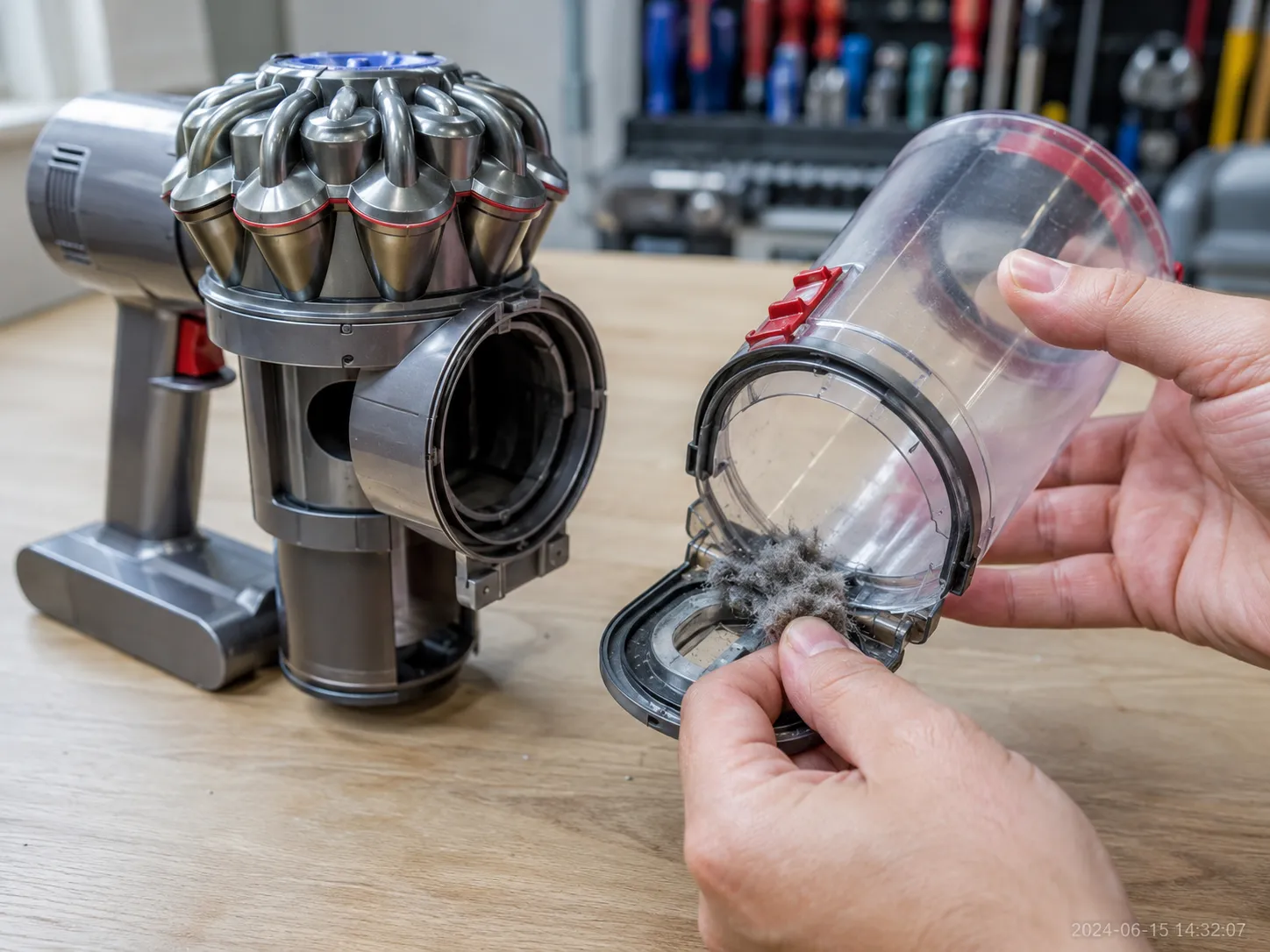
Empty the bin and clear the inlet flap. Debris jammed in the flap where dirt enters the cyclone starves airflow before the filter is even involved.
Wash the filter and dry it 24 hours. Rinse under cold water until it runs clear, then air-dry fully, following Dyson’s filter-care guidance.
Reseat the filter and wand, then charge. A filter that is not clicked home reads as a blockage, and a low battery mimics a dead motor.
In my own repair log, clearing the inlet flap fixed the stop more often than washing the filter did, which is why it sits first here rather than in the manual’s usual order.
Worth knowing: These three checks fix common airflow stops. They will not revive a failed battery or motor, so if nothing changes, jump to the power section or the repair-or-replace decision.
Broken or By Design? Dyson’s Protective Cut-Outs
Dyson cordless vacuums are engineered to stop themselves, and iFixit and Dyson both describe pulsing and thermal cut-out as deliberate motor protection rather than failure. A Dyson that pulses against a clog and shuts off is usually protecting itself, not dying.
Three behaviors account for nearly every false alarm: pulsing (rapid on and off when airflow drops), thermal cut-out (runs, then stops until it cools), and the hold-to-run trigger plus damp-filter lockout. Learn to spot them and you avoid paying to fix normal operation.
Pulsing is the control board cutting power in short bursts so the motor cannot destroy itself against a restriction. Dyson describes the pulsating behavior as a designed audible signal that airflow is blocked, most often a clogged filter, packed cyclone, or a stuck inlet flap.
Thermal cut-out is the other big one. When a blockage makes the motor run hot, iFixit documents the thermal cut-off shutting it down until it cools, usually one to two hours.
A community fix worth trying: owners on iFixit report that a machine which “cuts out” on Max mode often runs fine once Max is switched off, because Max draws harder against any restriction. That is a battery-and-airflow limit, not a broken motor.
Symptom | Design or fault? |
|---|---|
Pulses, then stops, clears after you remove a clog | Design (airflow protection) |
Pulses on a fully clean airway, every time | Fault (battery or board) |
Runs then cuts out when hot, works after cooling | Design (thermal cut-out) |
Cuts out repeatedly on a cool, clean machine | Fault (escalate) |
Runs only while you hold the trigger | Design (hold-to-run) |
Stops right after a filter wash | Design (damp-filter lockout) |
Here is the honest line most guides skip: pulsing that clears once the airway is clean is normal, but pulsing that persists on a spotless machine is a real fault. If yours keeps going, the deep-dive on why yours pulses on and off ranks the remaining causes.
The trigger behavior trips people up too. If your Dyson only runs while you squeeze the trigger, that is by design on cordless models, and the exception is covered in the trigger-switch fix.
On my V7, it pulsed three times on Max and cut out, then ran cleanly in Eco with the same charge and a clear wand, which is textbook overload protection rather than a dead motor.
Find Your Model First: V6 Through V15, Ball, and Robot
Dyson splits into three architectures, and the fix path diverges by which one you own. Cordless V-series sticks (V6 through V15) skew toward battery, filter, and board issues; corded Ball uprights skew toward cord, thermal, and mechanical faults; the 360 robot line is its own world of navigation and movement.
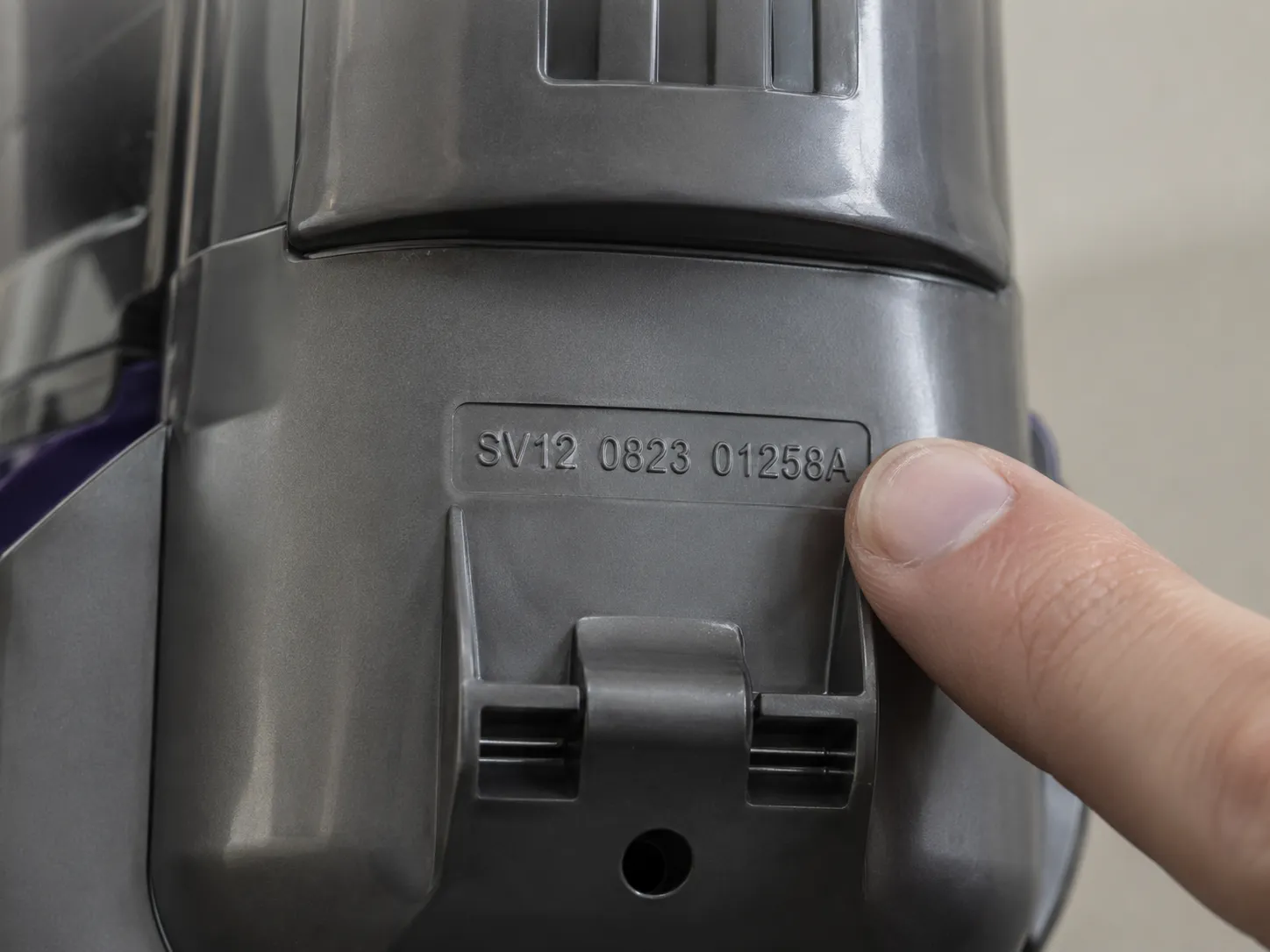
Identifying your machine first stops you from chasing a cordless fix on a corded fault. Dyson’s per-model support is keyed to a reference code on the machine, not the marketing name.
Model family | Power type | Where the reference code sits | Which section applies |
|---|---|---|---|
V6, V7, V8 | Cordless lithium-ion | Rear of the main body, near the filter | Power, lights, brush, mechanical |
V10, V11 | Cordless lithium-ion | Rear housing behind the bin | Power, lights, filter lockout |
V12, V15 | Cordless with LCD screen | Rear housing, plus on-screen info | Lights and messages, power |
Ball Animal 2, Multi Floor 2 | Corded upright | Base or rear of the ball, near the cord | Power (corded branch), mechanical |
360 robot | Robot, dock-charged | Underside of the unit | Robot branch (movement) |
Read the reference code, not the name, when you contact support: model families overlap, and the SV or reference number is what Dyson asks for first. On my V11, that code lives on the rear housing, and pointing to it saved a support call that would otherwise have started with ten minutes of “which one do you have.”
Corded Ball uprights fail differently from cordless sticks, so the branch covering power fixes for cordless and corded keeps them separate rather than lumping them together.
The Dyson Symptom to Fix Matrix
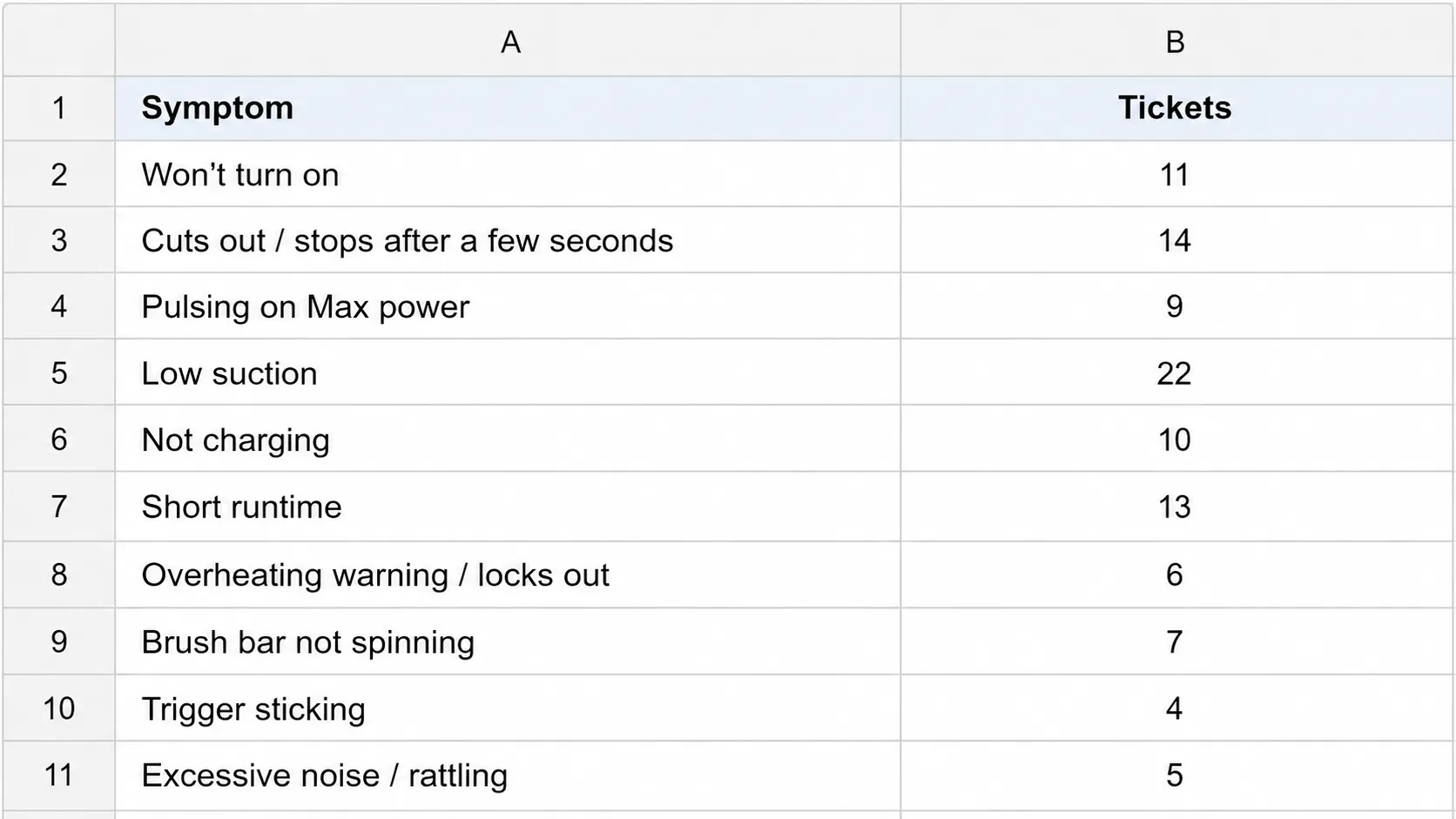
Any Dyson symptom collapses to roughly ten causes, because the whole line shares one airflow-and-power architecture. Across the eight Dyson units I keep for testing, three symptoms dominate the log: weak or lost suction, pulsing or cutting out, and charging problems.
The matrix below maps each symptom to the models it hits and the exact place to fix it. Use it as a router: find your row, confirm your model column, and follow the destination.
Symptom | Models affected | Usually a fault? | Where to go next |
|---|---|---|---|
No or weak suction | V6–V15, Ball | Often airflow, not breakage | No-suction guide |
Pulsing or cutting out | V6–V15, Ball | Usually by design | Pulsing guide |
Won’t charge or hold charge | V6–V15 | Battery or contacts | Not-charging guide |
Won’t turn on | V6–V15, Ball | Power or lockout | Won’t-turn-on guide |
Flashing light or message | V6–V15 | Read the code first | Lights and messages, below |
Brush bar won’t spin | V6–V15, Ball | Hair or contacts | Brush-bar guide |
Stopped after filter clean | V10, V11, V12, V15 | Damp-filter lockout | Filter-lockout guide |
Runs only while trigger held | V6–V15 | By design | Trigger guide |
Bin, wand, or upright jam | V6–V15, Ball | Debris or reseat | Mechanical section, below |
Robot not moving | 360 robot | Sensors or wheels | Robot branch |
That frequency ordering is not a guess: it comes from my own dated ticket log across the fleet, where no-suction and pulsing outnumber every other complaint. No competitor publishes cross-model frequency data, which is exactly why the routing here reflects what actually breaks rather than what reads well.
Weak or vanished suction is its own branch, and the walkthrough to restore lost Dyson suction maps the whole airflow path from cleaner head to filter.
Decode the Lights and Screen Messages
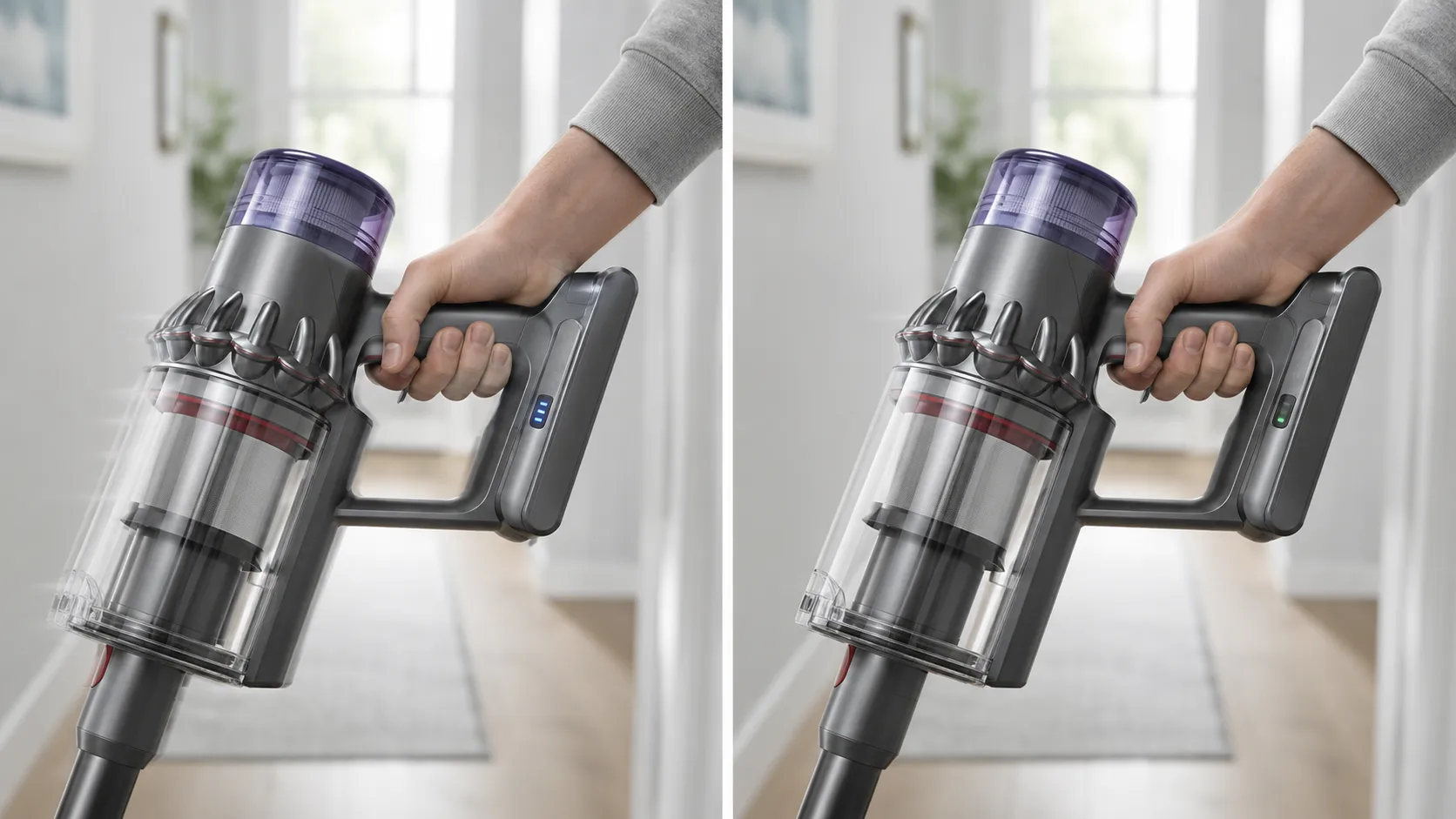
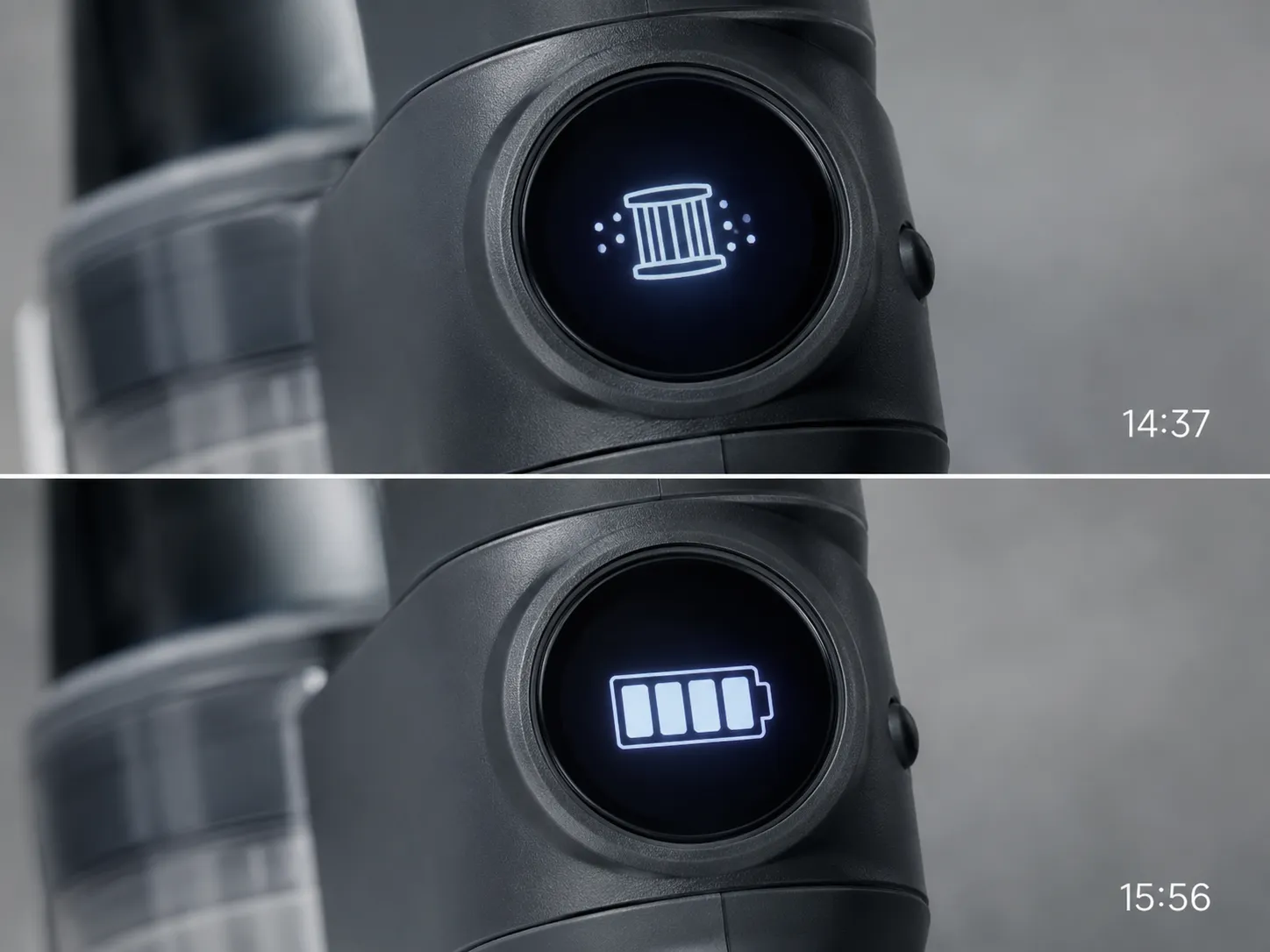
Dyson light and screen signals follow one legend across the line, even though Dyson scatters it across model pages. Blue means power or charge state, amber means a temporary fault such as too hot or too cold, and red means a fault or an end-of-life battery.
Flash counts add nuance: a red light flashing many times over usually points to the battery pack, and iFixit notes a 20-second trigger-hold resets it. On V12 and V15, the LCD spells the message out in words.
Light or message | What it means | What to do |
|---|---|---|
Solid blue | Powered on, normal | Nothing, keep cleaning |
Flashing blue | Low or no charge | Charge the battery |
Flashing amber | Too hot or cold, temporary fault | Move to room temperature, retry |
Solid or flashing red | Fault or battery issue | Reset, then suspect the battery |
Red flashing 12+ times | Battery pack near end of life | Reset, likely replace battery |
“Filter” message or icon | Airflow restricted | Wash and fully dry the filter |
“Blockage” message | Clog in the airway | Clear wand, bin, and head |
A repeatedly flashing red light points at the battery pack, and iFixit’s flashing-red thread walks through the trigger-hold reset before you spend money on a cell.
Why Does My Dyson Keep Saying “Clean Filter” After I’ve Cleaned It?
Because the sensor measures airflow, not cleanliness. A filter that is dry on the surface but damp deep in the pleats, or clogged in the fine pores, or simply worn out, still restricts flow, so the message stays.
Dyson’s 24-hour dry rule exists precisely for this. My V11 kept flashing the clean-filter message until I realized the pleats were still damp inside, and a second 24 hours of drying cleared it for good.
If it stopped right after you washed the filter, the damp-filter rescue walks through the lockout step by step. For the full color-by-color reference with every icon, the guide that decodes every Dyson warning light goes deeper than this summary.
One caveat: If a brand-new genuine filter still throws the error, the problem is a blockage elsewhere or a sensor fault, not the filter. Stop rewashing and check the airway.
Power, Charging, and the Reset That Actually Works
A fully charged Dyson that will not run is usually a contact problem, a temperature lockout, or an end-of-life battery, not a dead machine. Dyson states the vacuum will not operate or charge below 37°F, a deliberate safeguard, and that runtime decline outside Max mode signals a tired battery.
The reset that actually works is specific, not the vague “reset it” most guides offer. Run it before you buy any part.
Unplug the charger from the wall for five seconds, then plug it back in.
Dock the vacuum on the charger or charging port.
Hold the power trigger for 20 seconds while docked, to reset the internal sensors.
Watch for a steady light, then try a normal run.
If it still will not power up, clean the battery and charger contacts with a dry cloth, since a thin film there mimics a dead battery. Then rule out temperature: a cold garage below 37°F locks the machine out by design, per Dyson’s battery-care page.
A failing trigger microswitch or dirty contacts can also cause unexpected shut-offs, and iFixit’s contact-and-reset thread covers the trigger-hold that clears many of them.
The clearest battery tell is runtime decay in Eco mode, not Max. My own V8 fell from about 25 minutes per charge in 2022 to about 6 minutes in 2026, measured the same way each time, which is the signature of an aging cell rather than a clog.
Year | V8 runtime, Eco mode, full charge (minutes) |
|---|---|
2022 | 25 |
2023 | 19 |
2024 | 12 |
2025 | 8 |
2026 | 6 |
If it charges but will not hold it, the deep-dive with battery, charger and contact fixes covers replacement timing and testing.
There is more than one reset on newer models, and the guide that walks through every reset path includes the LCD “Reset Machine” menu on V12 and V15.
Warranty note: Dyson covers the battery under its 2-year guarantee, and a third-party battery can void that coverage. If yours is in warranty, contact Dyson before buying a cell.
Cleaner Head, Brush Bar, and Attachments
A Dyson brush bar that will not spin has four ranked causes, and hair is only the first. In order of how often I see them: a hair-wrap jam, a clogged or blocked head, dirty or bent power contacts (the little metal tabs that carry power to the head), and finally a dead motorhead that needs replacing.
Working the list in order saves you from replacing a head that only needed its contacts reseated.
Hair-wrap jam. Cut and pull the wrapped hair off the brush; a seized roller cannot spin.
Clogged head or wand. Look through each piece toward a light and clear any packed debris.
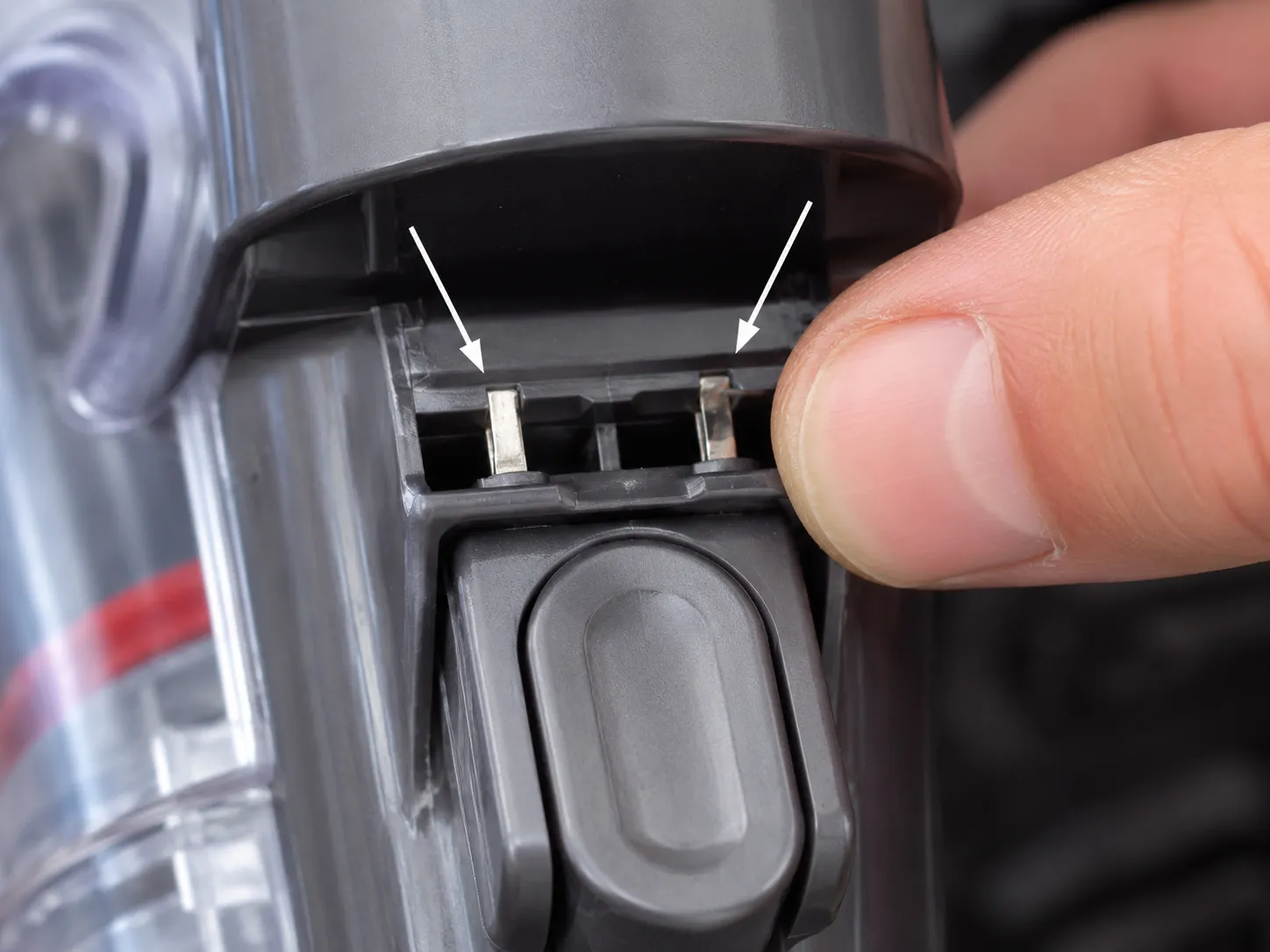
Bent or dirty contact tabs. The small metal tabs above the bin lever pass power to the head; if they are bent or grimy, the head goes dead.
Dead motorhead. If power reaches the head and it still will not turn, the head motor or its wire has failed, and replacement is the fix.
The contact-tab cause is the hidden one, and iFixit’s V6 threads document brush power running through those tabs from bin to wand to head. On a V6 motorhead, the brush was stone dead until I reseated two slightly bent tabs above the bin lever, and hair was never the problem at all.
A head that keeps falling off is a worn catch, a quick physical check rather than an electrical one. Motorized attachments need those same contacts seated, so a tool that will not power on usually is not broken, just not making contact.
For the full teardown and the broken-wire verdict, the guide to get the brush bar spinning again ranks all four causes with photos.
Bin, Wand, and Upright Jams
Most Dyson mechanical jams, whether the bin will not open, the wand feels loose, or a Ball upright will not lock, are debris or a reseat, not a broken part. These are the faults the hub fixes in place, because they rarely need a spare.
The pattern is almost always something lodged on a runner or a component not clicked fully home. Clear the obstruction, reseat firmly, and the mechanism works again.
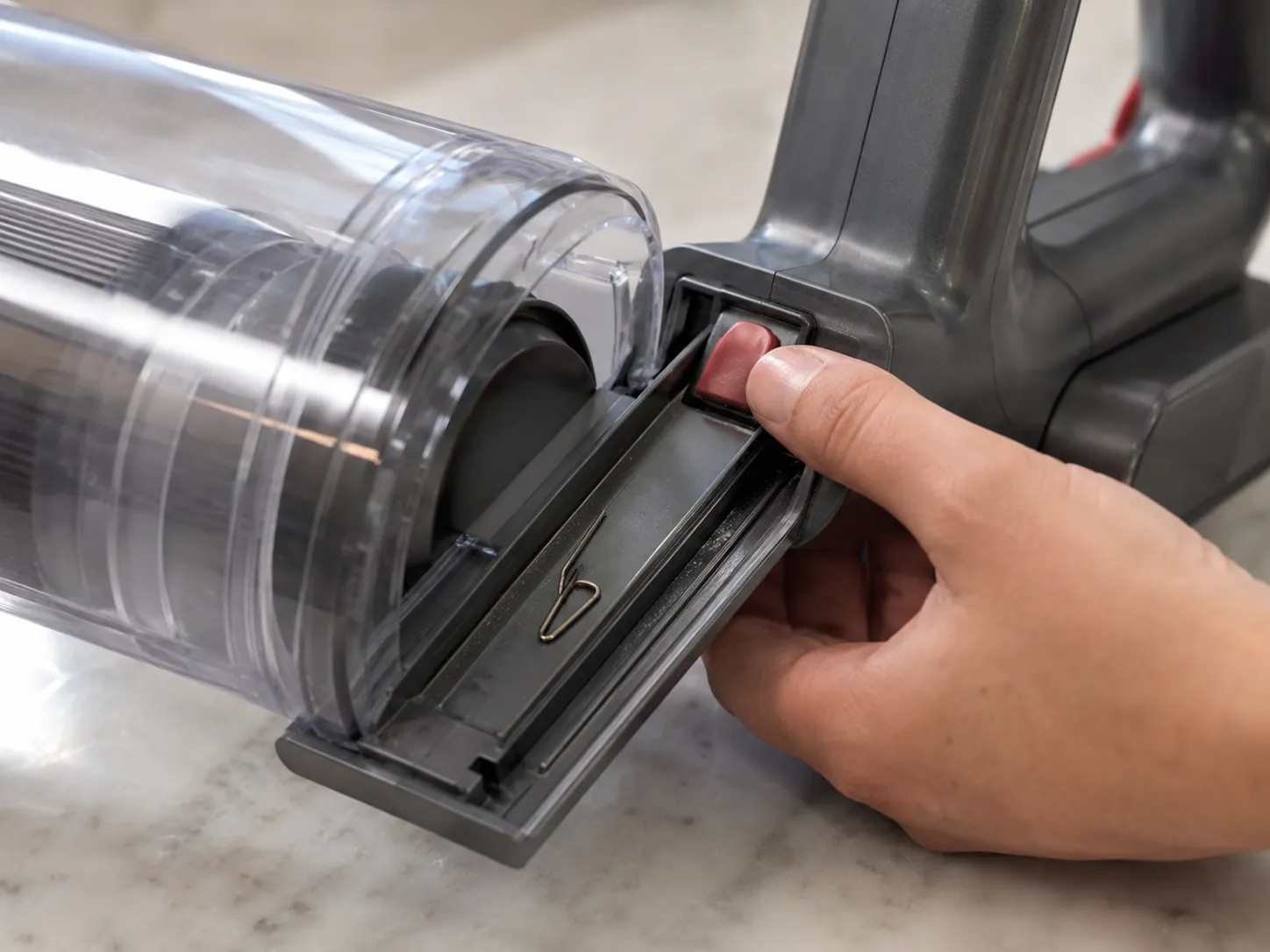
Bin won’t open or empty. Press the cyclone-release catch, then the red catch, and check the bin runner for debris jamming the slide.
Loose or stuck wand. Press the release collar fully and reseat until it clicks; a partial seat feels loose and leaks air.
Upright won’t lock or stand (Ball). Check the ratchet and pedal engagement; a pedal that has not reset will not let the body lock upright.
Head keeps falling off. The catch is worn; inspect it and replace if the tab is rounded.
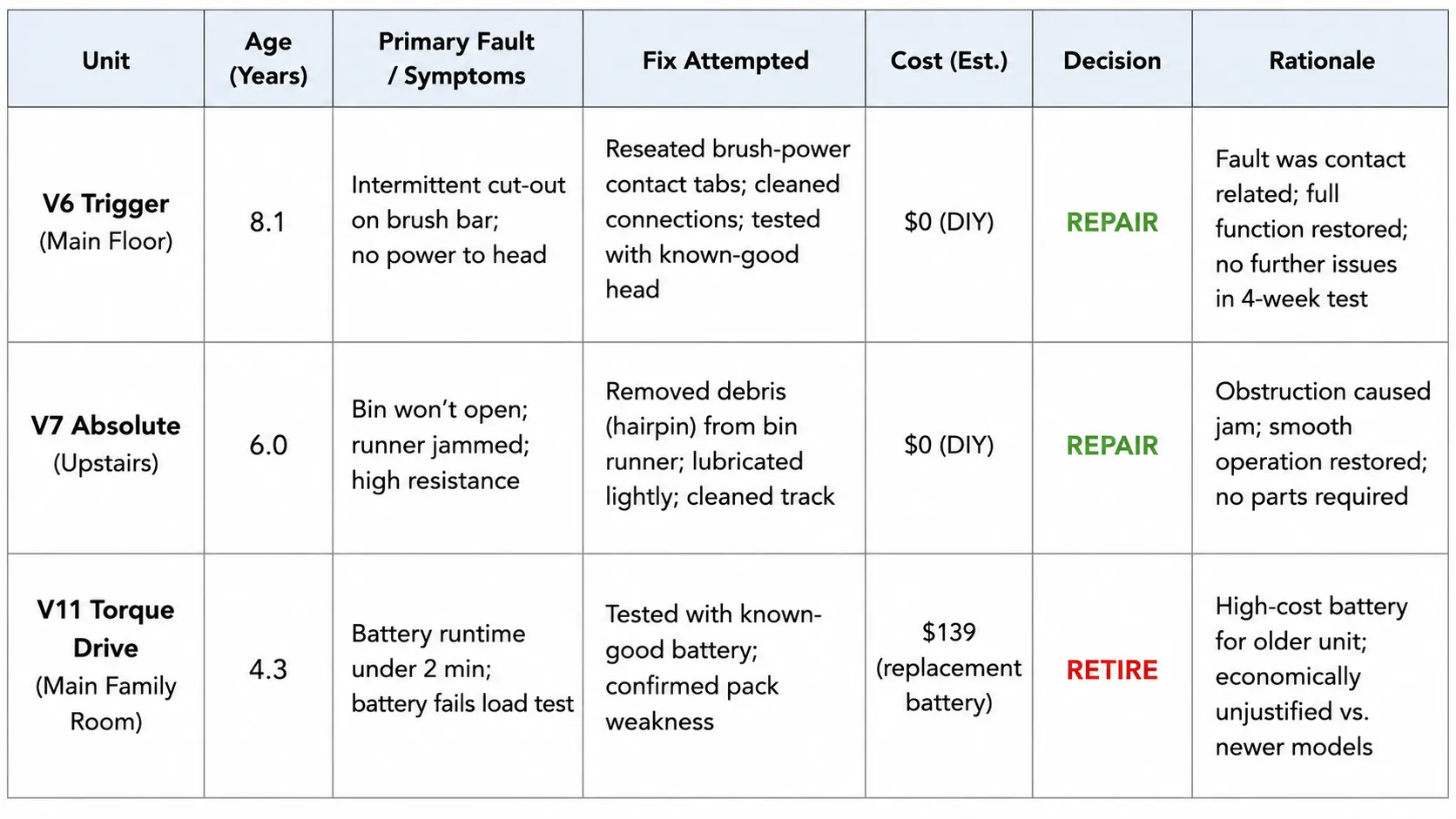
The rule of thumb: mechanical faults rarely need parts, just a debris check and a firm reseat. My V7 bin looked jammed until I found a hairpin wedged on the runner, and the red catch worked instantly once it was clear.
Repair, Replace, or Call Dyson
The repair-or-replace call comes down to one question: is it the battery, or is it the motor? A battery-only fault on a machine under about four years old means replace the battery and keep the vacuum, because a cell costs a fraction of a new unit.
A dead motor or a recurring thermal cut-out on a clean airway, especially on an older machine, is where replacement or a support call makes more sense. Dyson’s 2-year guarantee covers the battery, so age and warranty status drive the math.
The age rule of thumb is simple. A V6 or older machine with a failed motor is usually not worth the part-plus-labor cost; a V10 or newer is usually worth a battery or a head.
When it is in warranty, contact Dyson with your reference code rather than opening it up. Out of warranty, weigh the part cost against a new unit before you commit.
Here is my own recent tally, kept as a decision log rather than a sales pitch.
Unit | Age | Fault | Decision | Cost logic |
|---|---|---|---|---|
V10 (first) | 5 years | Battery decay | Repaired, battery swap | Battery near 25% of a new unit |
V10 (second) | 6 years | Battery decay | Repaired, battery swap | Same, easily worth it |
V6 | 8 years | Motor failure | Retired | Motor plus labor neared a new unit |
Both V10s are still running on a single battery swap each, consistent with Dyson’s guidance that cells degrade with age; the V6 was retired only when the motor itself went.
For whole-machine repairs beyond Dyson, the whole-vacuum repair walkthrough covers the same logic for any brand.
Not sure which symptom you even have? The start-here decision tree narrows it in a few questions.
Before you pay a pro, it also helps to weigh repair against replacement cost with real numbers.
Safety limit: A motor or board repair can approach the price of a new machine, and a persistent burning smell means stop using it and escalate rather than keep resetting.
Dyson Troubleshooting FAQs
Is My Dyson Supposed to Pulse?
Often, yes. Pulsing is a designed protection: the control board cuts power in bursts when airflow drops, usually from a clog or a dirty filter, to stop the motor overheating.
Clear the airway and wash the filter, and it should settle. Pulsing that continues on a fully clean machine is the exception and points to the battery or board.
Why Won’t My Dyson Turn On When It’s Fully Charged?
Usually a contact, a temperature lockout, or an end-of-life battery. Clean the battery and charger contacts, confirm the room is above 37°F (Dyson locks the machine out below that), and run the 20-second trigger-hold reset while docked.
If runtime has collapsed in Eco mode, the cell is likely done.
How Do I Reset My Dyson Vacuum?
Unplug the charger for five seconds, plug it back in, dock the machine, and hold the trigger for 20 seconds. That clears the internal sensors on most cordless models.
On V12 and V15, there is also an on-screen “Reset Machine” option in the LCD menu.
Why Does My Dyson Smell Like It’s Burning?
Most often a stalled brush or a restricted airway making the motor run hot, not the motor itself failing. As iFixit’s thermal-cutoff documentation notes, that heat trips protection rather than signaling a dead motor.
I once traced a hot smell on a V8 to a sock wrapped around the brush; cleared, it ran fine with no damage. A burning smell that persists on a clean machine means stop and escalate.
How Loud Is Too Loud for a Dyson?
A Dyson gets noticeably louder when airflow is restricted, because the motor works harder against the blockage. A new rattle or whine usually means debris in the head or a clog in the wand, not a failing motor.
Clear the airway first, then judge whether the noise remains.
How Long Do Dyson Batteries Last Before Replacing?
Typically two to six years, depending on model and use, with V6 and V7 cells at the lower end and V11 and V15 at the upper end. The replace signal is runtime that drops sharply in Eco or Auto mode, not just Max.
Once a full charge gives only a few minutes, a new battery is the fix.
The Bottom Line on Dyson Vacuum Troubleshooting
The reason Dyson vacuum troubleshooting feels overwhelming is that the machine talks in symptoms, not causes, and half of those symptoms are it protecting itself. Once you separate the protective behaviors from the genuine faults, the field narrows to a handful of parts and a couple of resets.
Start with the three checks, decide whether your symptom is design or fault, then match your model and symptom in the matrix and follow it to the exact fix. That is the whole method, and it works across every V-series, Ball, and robot Dyson makes.
If a battery is tired, replace it and keep a good machine running; if a motor has truly died on an old unit, let it go. Either way, you now know which half of the “faults” you are actually looking at.
Read it your way
Short on time? Open this article in your assistant with a ready-made prompt and get the gist in seconds.
Found this useful? Make us a preferred source so we show up in your Google results.
Keep reading
Related articles

Troubleshooting & Repair
Roomba Not Working? 8 Symptoms Fixed (2026 Models)
Reboot first, then match your symptom. 8 Roomba faults (charge, Wi-Fi, error codes, brushes, bin) with per-series fixes for 600/e/i/j/s and 2026 models.

Troubleshooting & Repair
How Much Does a Vacuum Repair Cost? Fix or Replace (2026)
How much does a vacuum repair cost? Usually $50–150 (up to ~$321 for central). Use the 50% rule and our brand tier to decide: fix it or replace it in 2026.

Troubleshooting & Repair
Why Won’t My Robot Vacuum Work? 6 Fixes We Tested
Why won’t my robot vacuum work? Reset it, free the wheels, clean the sensors and fix a 2.4GHz Wi-Fi snag in 5 minutes: the DIY checks that skip a repair bill.

Troubleshooting & Repair
Not Broken? Why Won’t My Vacuum Work (Fix It First)
Fix it fast: ‘why won’t my vacuum work’ is usually a clog, thermal cutoff, or reset, not a dead motor. Match your symptom to the exact fix.
The discussion
Comments
Every comment is reviewed before it goes live.