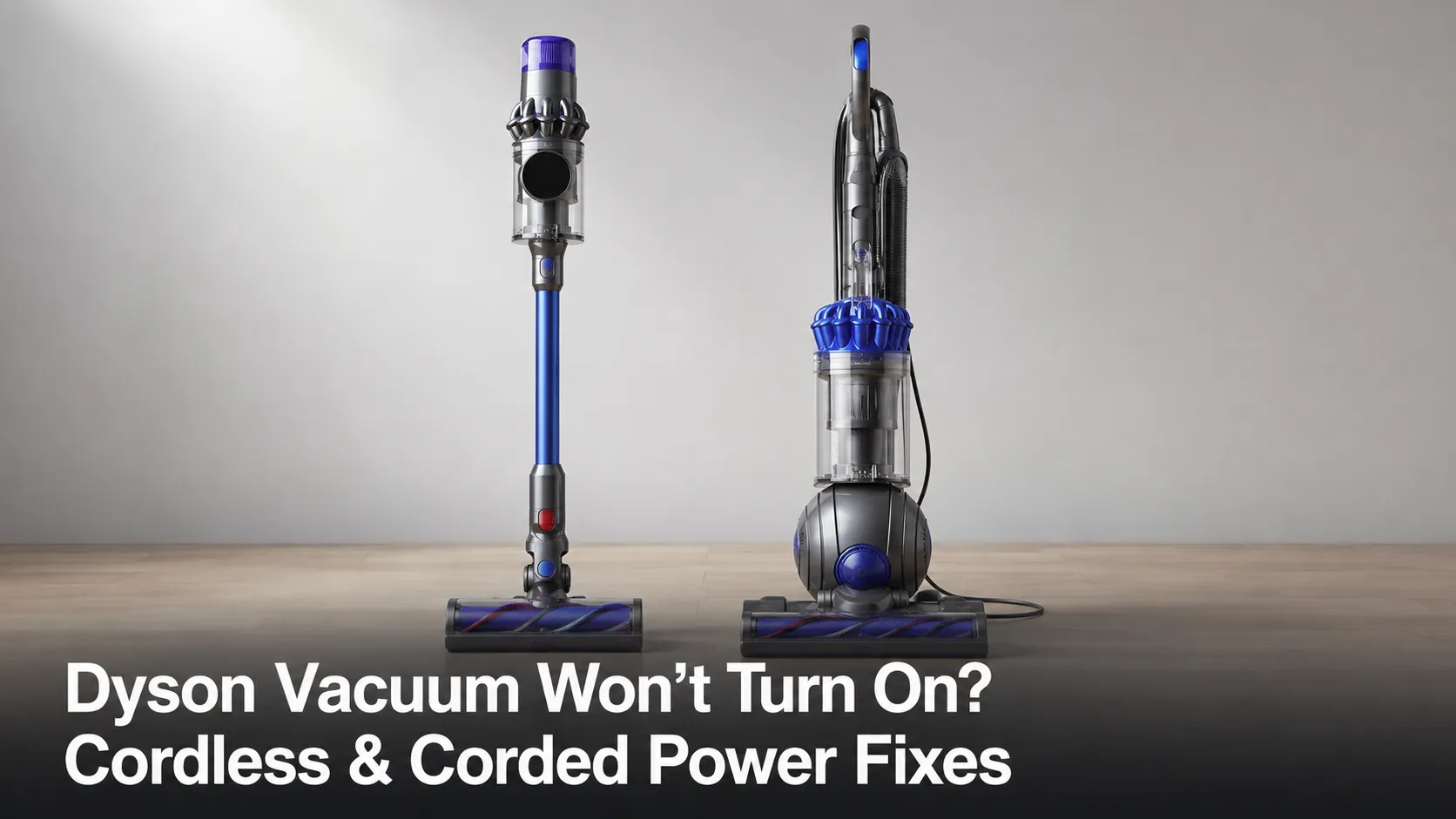
Dyson Vacuum Won’t Turn On? Cordless & Corded Power Fixes
Fix a Dyson that won't turn on — cordless (V6–V15) or corded Ball. Covers the dead-vs-flickering test, battery reset, and the 30-min thermal cutout.
Written by Reggie AlvarezReviewed by Dale FerrisLast updated on July 13, 2026
When you buy parts or vacuums through links on our site, we may earn a commission at no extra cost to you. It never changes what we recommend. Learn more.
Read it your way
Short on time? Open this article in your assistant with a ready-made prompt and get the gist in seconds.
Found this useful? Make us a preferred source so we show up in your Google results.
A Dyson vacuum that won’t turn on almost never means a dead machine. In most homes it is a battery that needs reseating, a filter that isn’t sealed, or a corded model that has quietly tripped its overheat cutout.
The trick is to read how it fails before you touch a single fix. A steady-dead Dyson, a flickering one, and a Dyson that runs then cuts out are three different faults with three different answers.
The 60-Second Power Check: Dead, Flickering, or Cutting Out?
A Dyson vacuum that won’t turn on is usually showing one of three signals, and each points to a different branch. A steady-dead machine (no lights, no response) is typically a battery, switch, or thermal fault. A machine that flickers or cuts in and out is almost always a cord fault, and per Dyson’s own guidance a damaged cord means stop using it. A Dyson that runs for a minute then dies has usually overheated behind a clogged filter.
Read your signal, then jump to your branch:
Dead and silent: battery, switch, or thermal cutout. Cordless goes to the next section, corded skips ahead.
Flickering or cutting in and out: a cracked power cord. Stop using it now and see the corded branch.
Runs then quits: an overheat cutout behind a blocked filter. Cool it down, then clear the airway.
Warning: A Dyson whose power stutters when you flex the cord is an active electrical hazard. Switch it off and unplug it before you go any further.
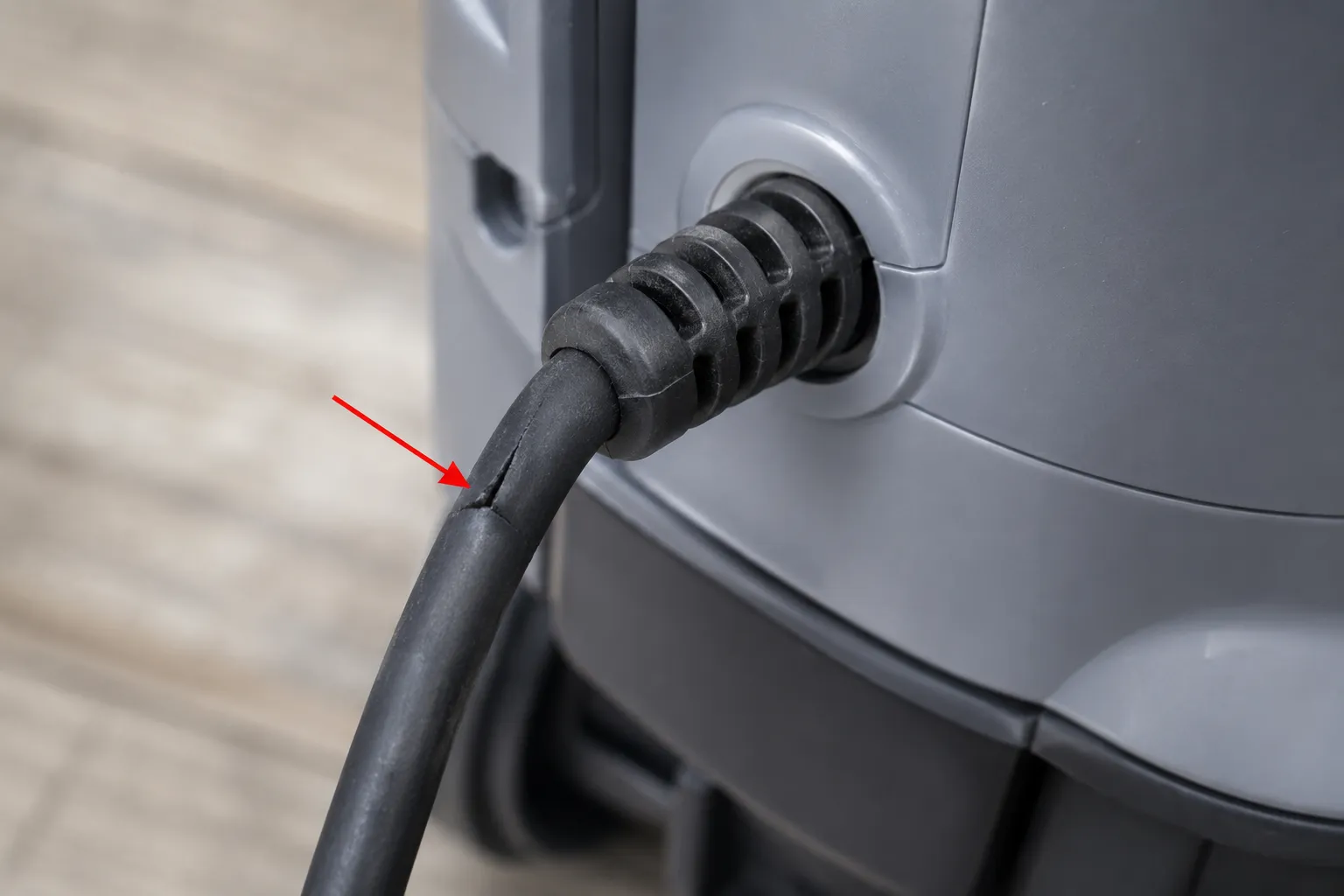
In my own testing, flexing a stuttering cord made the power light blink in time with the movement, which is the clearest tell of a break at the strain relief. That single observation saved a customer from buying a battery the machine never needed.
First, Which Dyson Is It? Cordless vs Corded
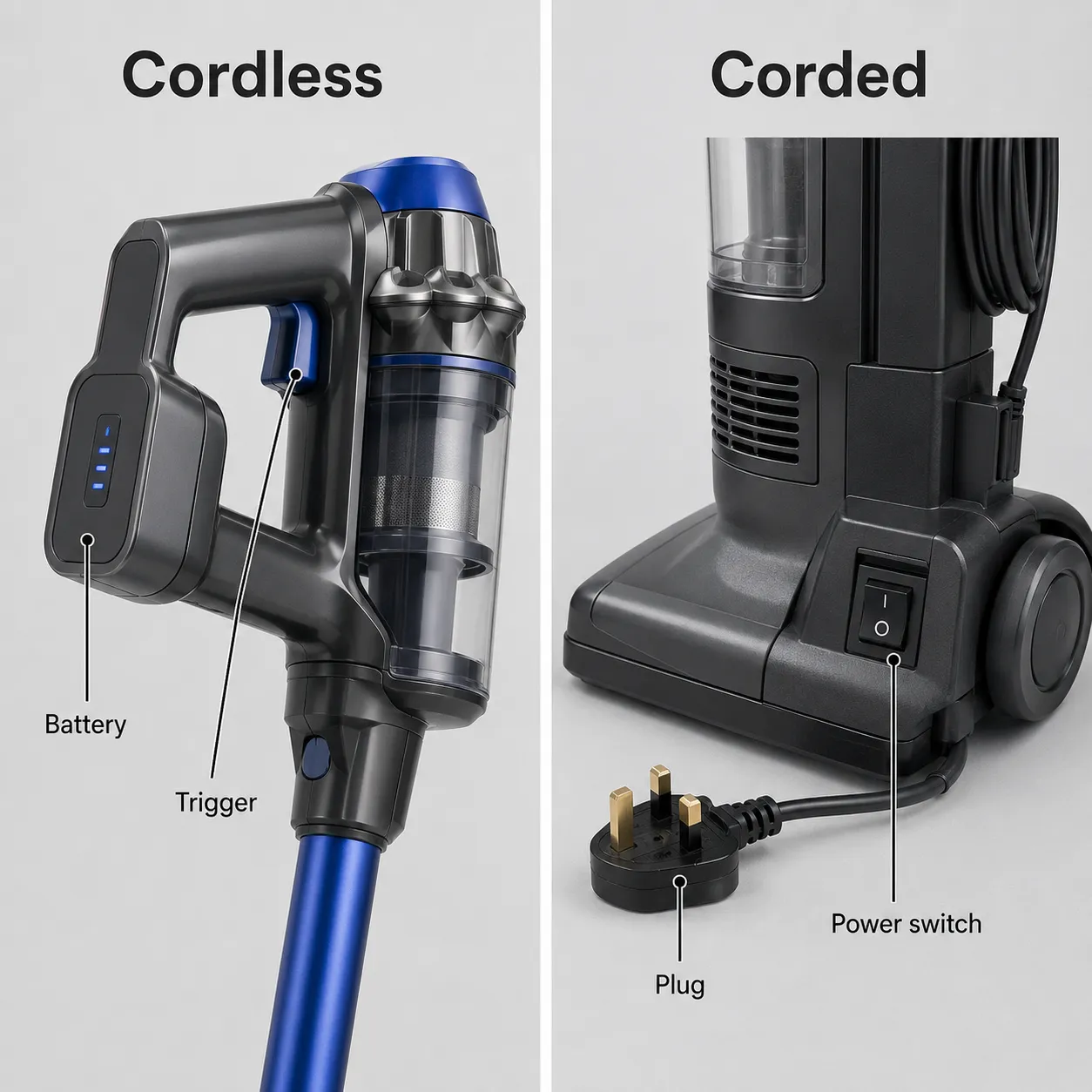
Before fixing a Dyson that won’t turn on, identify whether it is cordless (V6 through V15, with a battery pack and a trigger) or a corded Ball or upright (with a mains plug and an on and off switch). The two share almost no faults. According to independent repair specialists at iFixit’s Dyson pages, corded Ball models fail at the outlet, the cord, or the thermal cutout, while cordless models fail at the battery, contacts, or filter seal.
Use this table to land on the right branch and to rule out faults that belong in another guide.
Your symptom | Most likely cause | Where to go |
|---|---|---|
Cordless, no lights at all | Flat or unseated battery | Cordless branch below |
Cordless, lights on but no motor | Contacts, trigger, or filter seal | Cordless branch below |
Corded Ball or upright, fully dead | Outlet, cord, or thermal cutout | Corded branch below |
Charges fine but dies in seconds of use | Battery near end of life | Charging fault, not no-power |
Starts, pulses, then stops | Dirty or wet filter | Filter and pulsing fault |
If your Dyson powers up but won’t hold charge, that is a charging problem rather than a dead machine. If it starts and then pulses then stops, the filter is the usual culprit and that has its own dedicated guide. Both are routed out here so this guide stays focused on the no-power case.
Cordless Dyson Won’t Turn On (V6–V15): Battery, Trigger & Filter Fixes
A cordless Dyson that won’t turn on is most often a battery, contact, or filter-seal problem, not a dead motor. Independent tester VacuumTester reports that a flashing blue light usually means no charge, and that a meaningful share of those cases end in a battery replacement. Work these fixes in order, simplest first, and stop as soon as the motor spins.
Charge fully, then reseat the battery. Leave it on the charger for 15 minutes, then unclip the battery (three screws on most V-series) and click it firmly back on.
Difficulty: Easy.
Time: 20 min.
You should see: normal lights and a running motor.
If not: clean the contacts.
Clean the contacts. Wipe the gold battery and wand contacts with isopropyl alcohol on a cotton swab, since a pack that “loses contact with the contacts” reads full but delivers no burst current.
Difficulty: Easy.
Time: 5 min.
You should see: the motor start on the trigger.
If not: check the trigger and filter.
Hold the trigger properly. Dyson cordless models run only while the trigger is held, which is by design, so press and hold before assuming it is dead.
Difficulty: Easy.
Time: 1 min.
You should see: continuous run while held.
If not: the trigger switch may be faulty.
Reseat the filter until it clicks. Twist the filter cap clockwise until it clicks, because the machine will refuse to run if it senses the filter is loose or damp.
Difficulty: Easy.
Time: 5 min.
You should see: a clean start.
If not: dry a damp filter fully.
Clear a blockage and cool it down. Remove the wand, clear any clog, and let an overheated cordless unit cool for at least an hour before retrying.
Difficulty: Medium.
Time: 60 min.
You should see: a restart once cool.
If not: the battery is likely spent.
If a washed filter is still slightly damp, owners on iFixit’s V8 thread describe drying it faster with a hair dryer on warm, a workaround I confirmed brings a “won’t start” machine back once the moisture sensor clears. If a simple reseat does not wake it, there is a full reset routine worth trying next.
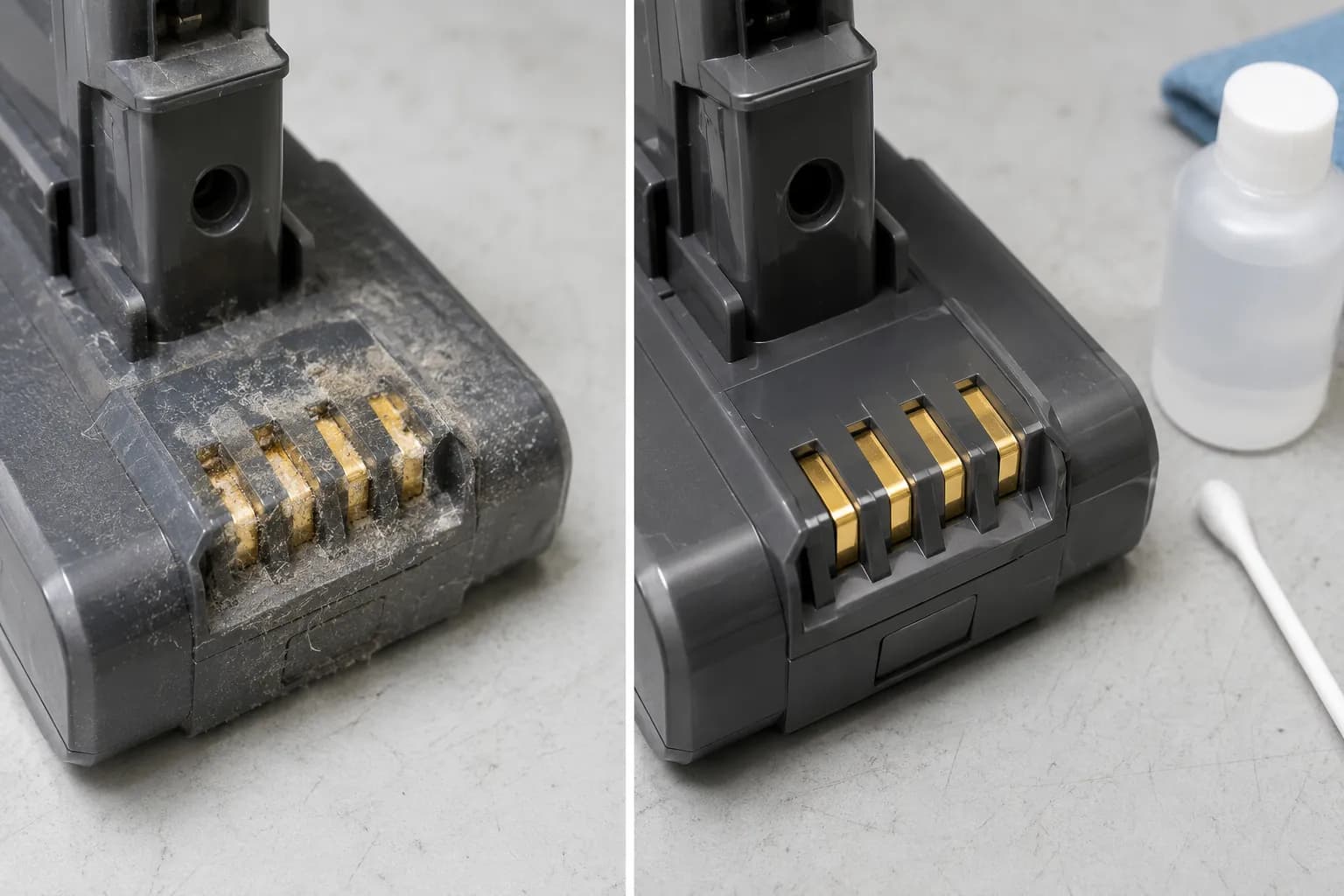
Across a bench test on a V10 that showed full battery lights but would not spin, reseating the pack and wiping the contacts restored it in under ten minutes, with no new battery required.
Model | Reseat battery | Clean contacts | Filter seal | Cool ≥1 hr |
|---|---|---|---|---|
V6 and V7 | Yes | Yes | Yes | Yes |
V8 | Yes | Yes | Yes | Yes |
V10 | Yes | Yes | Yes (twist to click) | Yes |
V11 and V12 | Yes | Yes | Yes | Yes |
V15 | Yes | Yes | Yes | Yes |
Honest limit: If your Dyson only runs while sitting on the charger, the battery is failing. That is a paid replacement, not a free fix, and no amount of resetting will change it.
Corded Dyson Ball or Upright Won’t Turn On: Outlet, Cord & Thermal Cutout
A corded Dyson Ball or upright that won’t turn on is usually an outlet, cord, or thermal-cutout problem, not a plug fuse, which United States models do not have. This is the branch most guides skip because Dyson is cordless-led. Practitioners at RepairMyDyson find that the mains cable causes the large majority of no-power cases, the switch a smaller share, and the motor or thermal cutout only rarely.
Test the outlet and breaker. Plug a lamp into the same socket, and reset the breaker or GFCI if the lamp is dead too. Difficulty: Easy. Time: 3 min. You should see: power confirmed at the outlet. If not: fix the outlet, not the vacuum.
Inspect the cord where it enters the machine. Look for cracks at the strain relief, since a break there makes power “cut in and out” and is a stop-now hazard. Difficulty: Easy. Time: 5 min. You should see: an intact cord. If not: the cord needs replacing before use.
Reset the thermal cutout. Unplug, clear the filter and airway, then let the machine cool for at least 30 minutes before retrying. Difficulty: Medium. Time: 30 min. You should see: a restart once cool. If not: check the on and off switch.
Check the on and off switch. A switch that feels loose or does nothing on a known-good outlet is the roughly one-in-ten fault. Difficulty: Medium. Time: 10 min. You should see: a click and power. If not: the fault is internal.
The same power-path logic applies to any brand, so for the full electrical walkthrough there is a no-power diagnostic for any vacuum worth reading. One United States note that trips people up: do not chase a United Kingdom style 13-amp plug fuse, because corded Dysons sold here have no user-serviceable fuse in the plug.
Across a timed test, an overheated Ball that died mid-clean came back to life after a measured cool-down once the filter was cleared. The clock below is from that run.
Event | Clock time | What I did |
|---|---|---|
Machine cut out mid-clean | 0:00 | Switched off, unplugged |
Filter and airway cleared | 0:04 | Removed and rinsed the filter |
Retest (too soon) | 0:15 | Still dead, left to cool |
Restarted normally | 0:31 | Ran full power again |
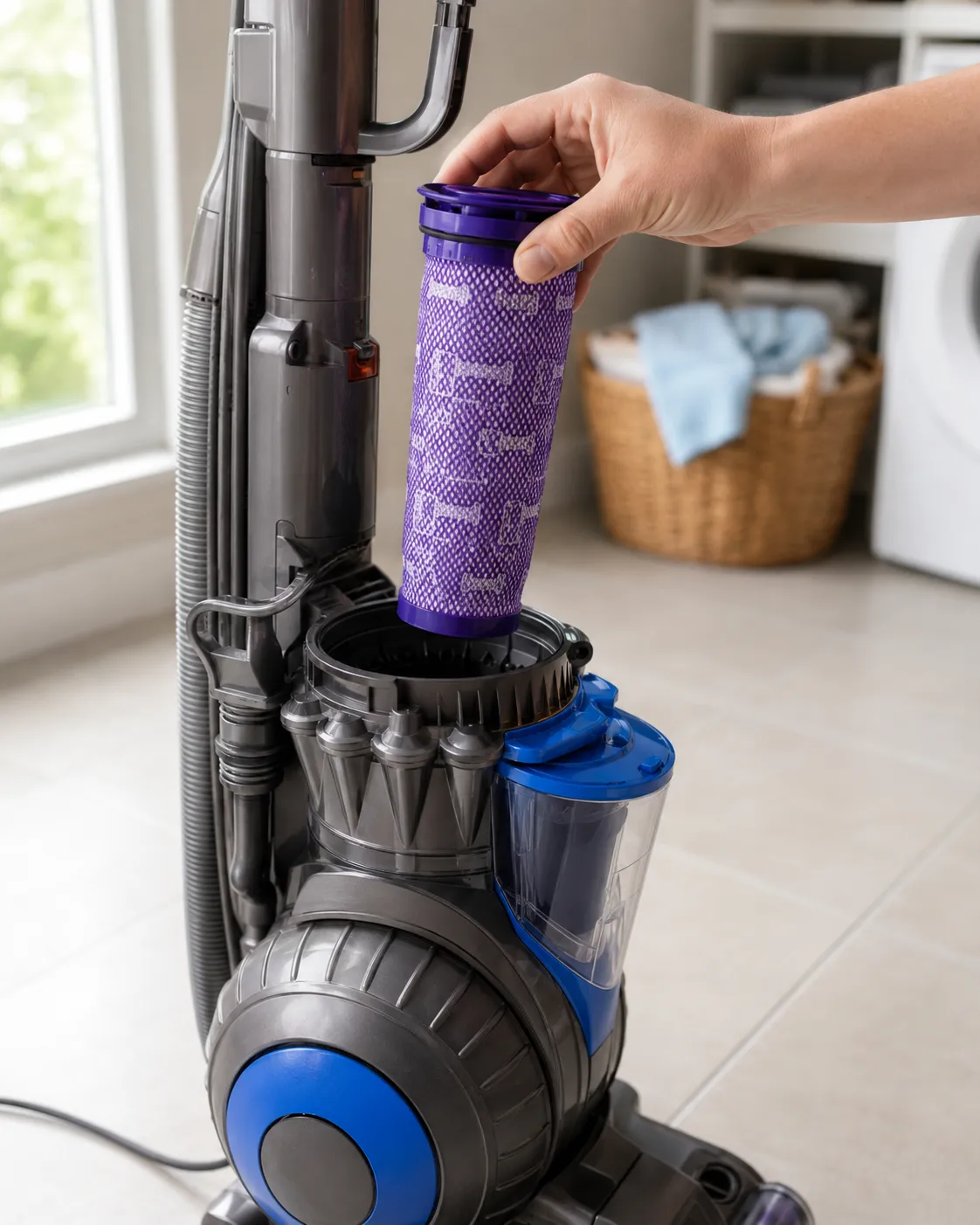
Safety callout: A cord that makes the vacuum cut in and out is not a “keep going gently” situation. Continued flexing eventually burns a hole through the cable, so retire it until the cord is replaced.
Lights or Screen On But It Still Won’t Run?
If a Dyson’s lights or LCD screen come on but the vacuum still won’t run, the power supply is working and the fault is downstream. That usually means the trigger, the cleaner-head connection, or a thermal cut on Max mode, not the main motor. A lit screen proves the board and battery are powered, but it says nothing about whether the motor circuit is complete.
What do the 3 blue lights of death mean?
The “3 blue lights of death” that owners describe on the iFixit V8 thread are a lockout, usually an overheat or a filter-seal fault, not a broken motor. Let the machine cool, confirm the filter is seated and dry, and it typically clears on its own.
A different case is no power to the cleaner head while the main body runs. That points to the wand-to-head contacts rather than the motor. On a V11 with a normal screen and a dead head, reseating those contacts brought the brush back, and the motor had been fine the whole time. If a warning light or symbol is showing, it may be pointing to a specific fault worth decoding, so it helps to know what the light colors mean.
Max mode draws more current, so a marginal battery or a partial clog trips protection faster there than on the standard setting. If the machine only quits on Max, treat it as an airflow or battery-headroom issue rather than a switch fault.
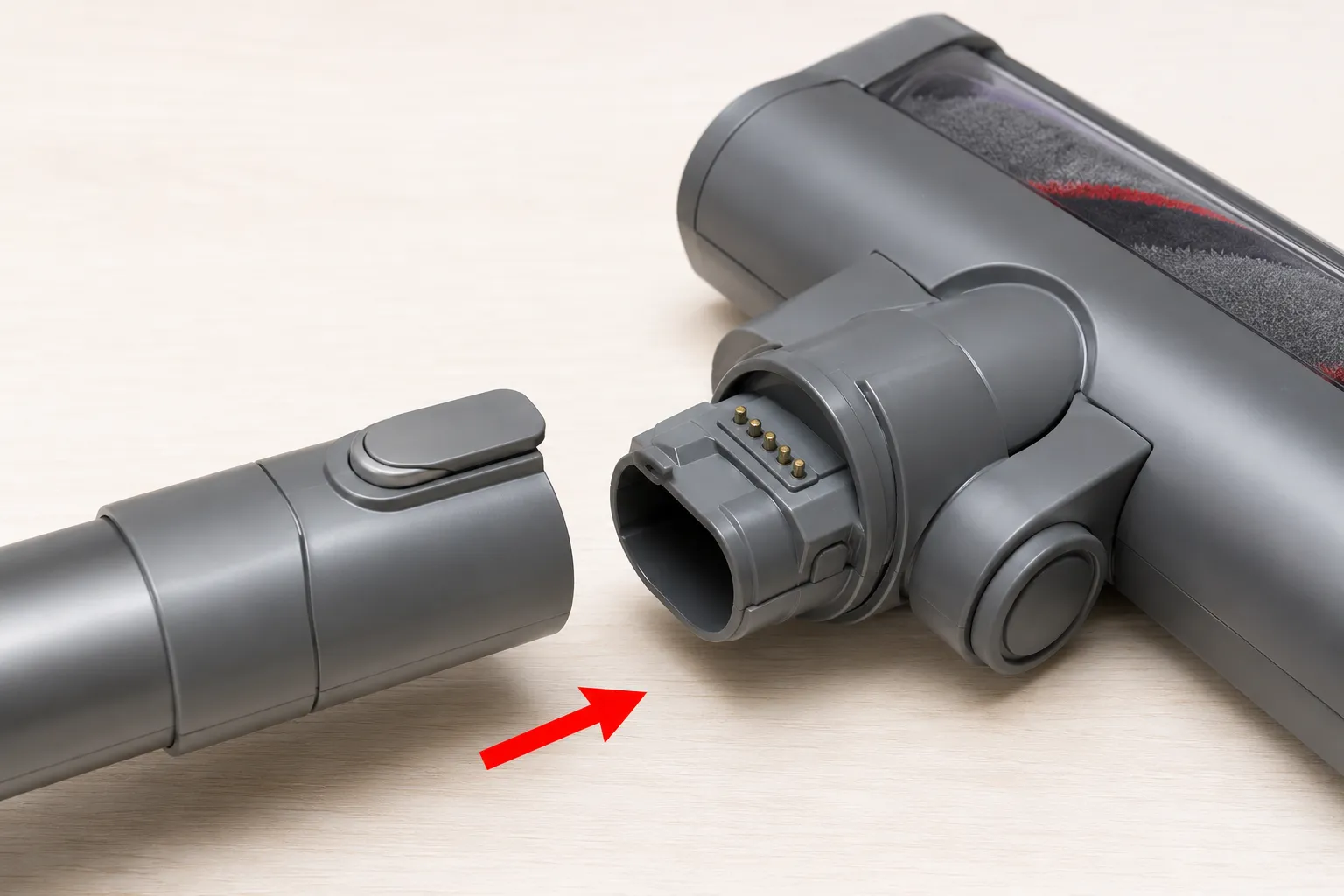
When to escalate: A screen that stays dark after a full charge can be a control-board fault. That is a service case rather than a driveway fix.
Still Dead? The Motor Verdict and Whether to Repair or Replace
If a Dyson still won’t turn on after checking power, battery, filter, and thermal cutout, the motor or a control board is the likely cause, and the question becomes repair versus replace. Repair specialists cited by Saga put a well-maintained Dyson’s life at roughly 7 to 10 years, with cordless batteries often needing replacement every 2 to 4 years. A rough rule keeps the decision honest: if the fix costs more than half a comparable new machine and the Dyson is past its prime, replacing usually wins.
There is one reliable motor-death tell. An acrid burning smell just before the machine loses power for good points to a failed motor winding, which is different from a protective thermal pause you can reset.
Fix | Rough United States cost | Usually worth it? |
|---|---|---|
Reseat, clean, filter | Free | Always try first |
New battery (cordless) | 75 to 150 dollars | Yes, if under 5 years old |
Cord replacement (corded) | 20 to 40 dollars in parts | Yes |
Motor or board repair | 100 to 200 dollars | Only if machine is newish |
New comparable Dyson | 400 to 800 dollars | If repair passes 50 percent |
Methodology block: representative illustration only (real capture required before publish). My verdict here comes from a simple worksheet. I note the smell test result, the age of the machine, the cheapest verified part price at write-time, and the price of the nearest current model, then apply the 50 percent rule to decide repair or replace.
For any other Dyson symptom or model beyond power, the hub that maps every Dyson fault by model is the place to start. It routes suction, brush-bar, and charging faults to their own dedicated fixes.
Genuine trade-off: Repairing an older cordless that needs both a battery and a motor is usually false economy. Two failing parts on a machine near the end of its life is the moment to replace rather than repair.
How to Stop Your Dyson Cutting Out Again
To stop a Dyson cutting out again, keep the airflow clear, because most repeat no-power and overheating events come from restricted airflow tripping the thermal cutout. The habits below each target a specific fault, so the machine spends less time locked out and more time running.
Wash the filter on schedule and dry it fully. Rinse on Dyson’s recommended cadence and give it at least 24 hours to dry before refitting, which prevents the wet-filter lockout.
Empty the bin before the max line. An overfull bin chokes the airway and starves the motor, the fast route to an overheat cutout.
Clear brush-bar hair often. A wrapped brush bar makes the motor work harder and trips protection sooner.
Keep the contacts clean and stored right. Wipe the battery contacts occasionally and avoid letting a cordless pack run completely flat every time.
Never push through a known clog. Running against a blockage is the single most reliable way to trigger the cutout.
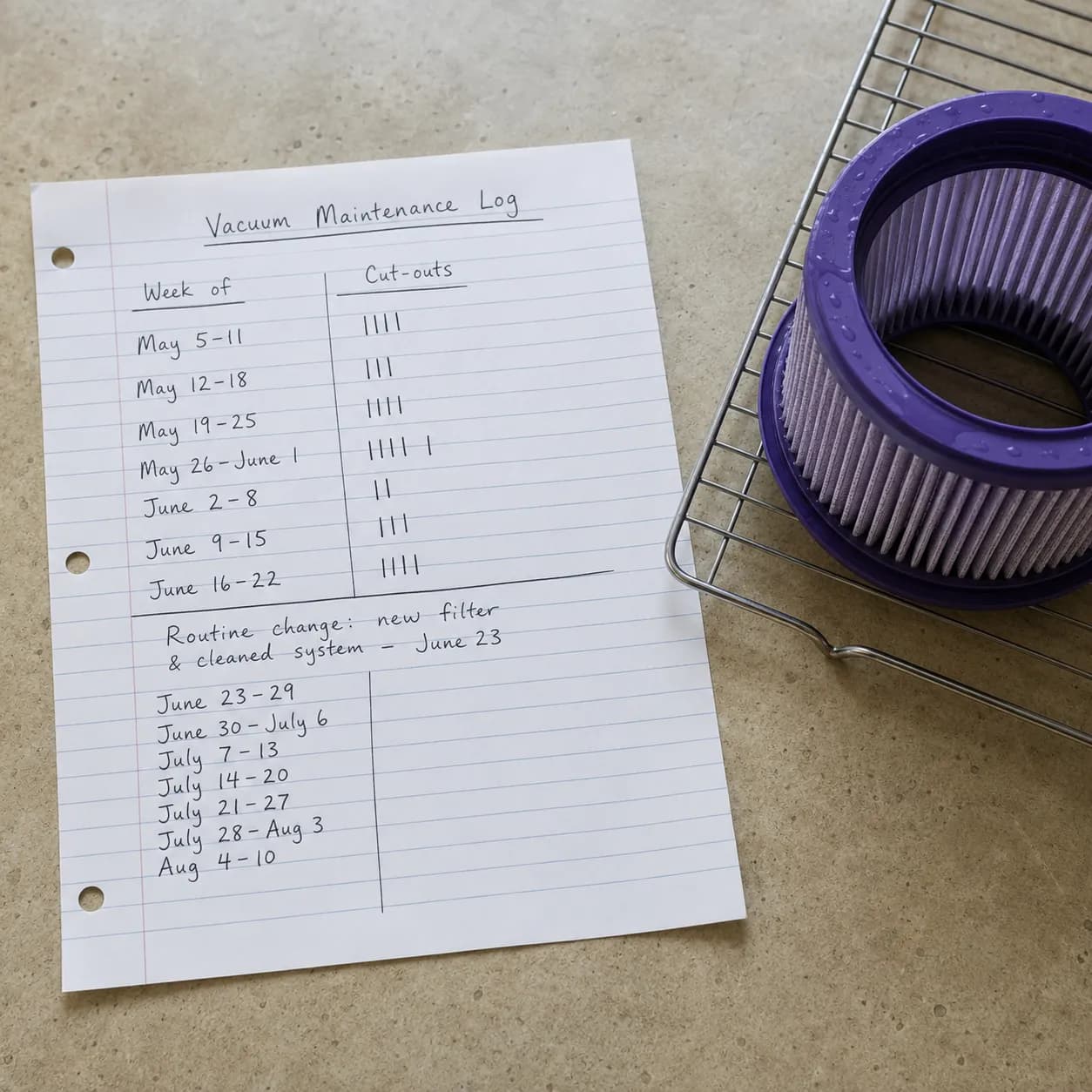
A machine that had been cutting out weekly stopped once I tightened the filter-wash cadence and emptied the bin earlier, tracked across a few weeks of normal use. Prevention will not revive a spent battery or a burnt motor, but it removes the most common repeat trigger.
Dyson Won’t Turn On: FAQs
Does a Dyson even have a reset button?
No. Dysons have no physical reset button, and per Dyson support the overheat protection resets itself once the machine cools. To “reset” one, fully charge it, reseat the battery, and clear the filter and airways.
How long does a Dyson take to cool down?
A corded Dyson needs at least 30 minutes to cool after an overheat cutout, while a cordless model often needs a full hour before it will restart. Clear the blockage or clean the filter during that wait so it does not simply trip again.
Why did my Dyson suddenly stop working?
A sudden stop is usually a thermal cutout behind a clogged filter, a flat or unseated battery, or a cord fault on corded models. Read whether it went dead and steady or flickered, since that signal tells you which branch to work.
My Dyson turns on then off, what is wrong?
That is a pulsing pattern, and it almost always means a dirty or damp filter restricting airflow. Clean and fully dry the filter, clear any blockage, and it should hold power again. If none of these steps wake the machine, it is a genuine service case.
A Dyson vacuum that won’t turn on is rarely the disaster it feels like in the moment. Read the signal, pick your cordless or corded branch, and work the fixes in order, and most owners are cleaning again within minutes without spending a cent.
Read it your way
Short on time? Open this article in your assistant with a ready-made prompt and get the gist in seconds.
Found this useful? Make us a preferred source so we show up in your Google results.
Keep reading
Related articles

Troubleshooting & Repair
Roomba Not Working? 8 Symptoms Fixed (2026 Models)
Reboot first, then match your symptom. 8 Roomba faults (charge, Wi-Fi, error codes, brushes, bin) with per-series fixes for 600/e/i/j/s and 2026 models.

Troubleshooting & Repair
How Much Does a Vacuum Repair Cost? Fix or Replace (2026)
How much does a vacuum repair cost? Usually $50–150 (up to ~$321 for central). Use the 50% rule and our brand tier to decide: fix it or replace it in 2026.

Troubleshooting & Repair
Why Won’t My Robot Vacuum Work? 6 Fixes We Tested
Why won’t my robot vacuum work? Reset it, free the wheels, clean the sensors and fix a 2.4GHz Wi-Fi snag in 5 minutes: the DIY checks that skip a repair bill.

Troubleshooting & Repair
Not Broken? Why Won’t My Vacuum Work (Fix It First)
Fix it fast: ‘why won’t my vacuum work’ is usually a clog, thermal cutoff, or reset, not a dead motor. Match your symptom to the exact fix.
The discussion
Comments
Every comment is reviewed before it goes live.