How to Reset a Dyson Vacuum (4 Methods, No Reset Button)
Reset any Dyson vacuum fast: soft trigger-cycle, battery hard reset, LCD Reset Machine menu, and the lockout fix owners miss. No reset button required.
Written by Reggie AlvarezReviewed by Dale FerrisLast updated on July 13, 2026
When you buy parts or vacuums through links on our site, we may earn a commission at no extra cost to you. It never changes what we recommend. Learn more.
Read it your way
Short on time? Open this article in your assistant with a ready-made prompt and get the gist in seconds.
Found this useful? Make us a preferred source so we show up in your Google results.
Your Dyson cut out mid-clean, or it charged all night and still won’t run when you squeeze the trigger. So you go hunting for the reset button, and half the internet swears there’s a little red one on the motor housing. There isn’t. A Dyson vacuum has no dedicated reset button, and knowing how to reset a Dyson vacuum really means knowing which of four resets your machine needs. This guide walks all four, plus the fix for when none of them seem to work.
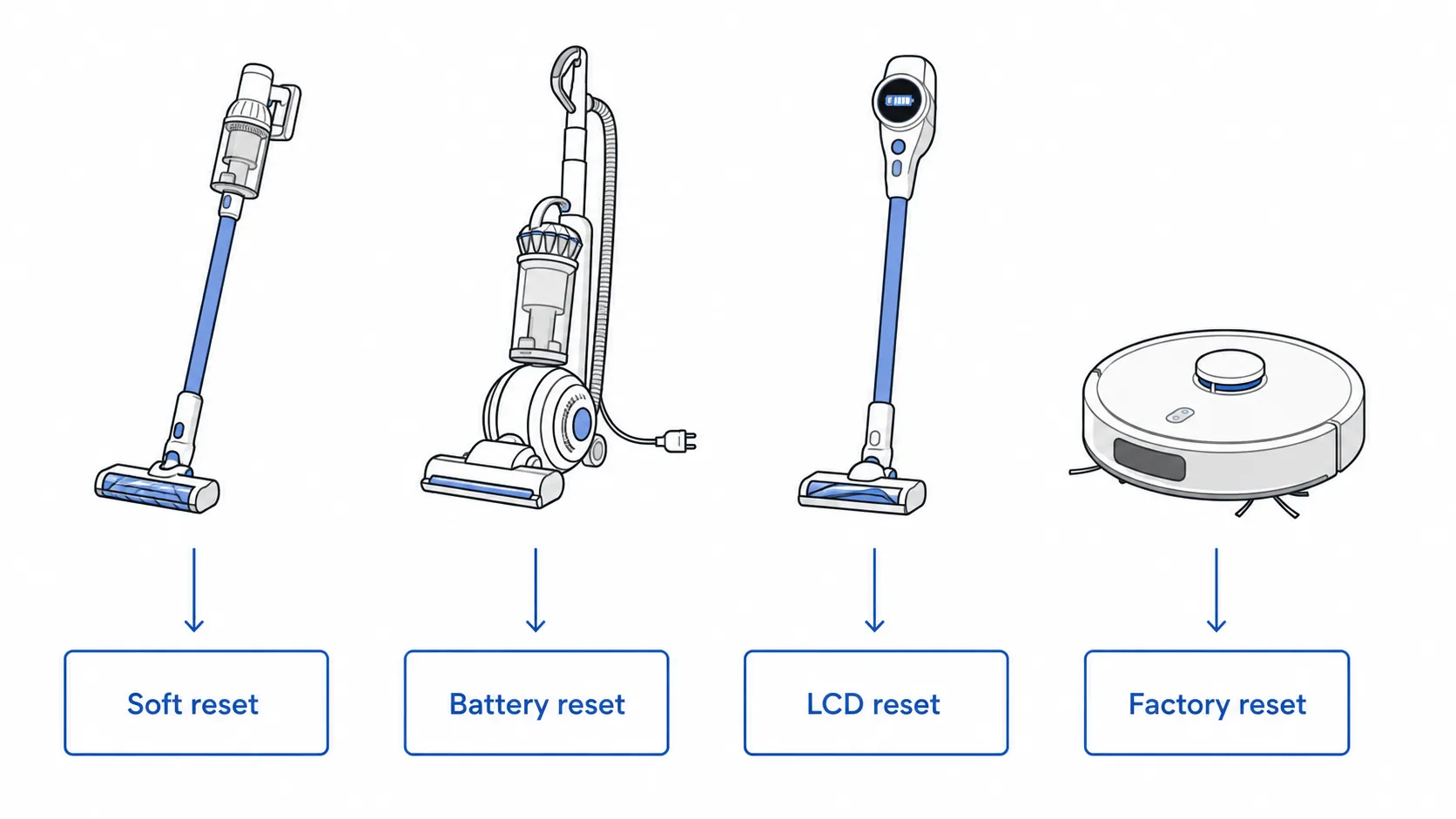
The 30-second answer. A Dyson vacuum has no reset button. Instead, use one of four resets: a soft reset (hold the trigger about ten seconds while you power-cycle), a battery hard reset (hold the trigger 20 to 30 seconds connected to the charger), the LCD “Reset machine” menu on screen models like the Gen5detect and V15 Detect, or a factory reset for robots. If none work, your Dyson is in a safety lockout, not broken.
Which Dyson Reset Do You Need?
Knowing how to reset a Dyson vacuum starts with matching the symptom to the right method, because the four resets fix different faults. A soft reset clears temporary glitches, a battery hard reset revives a charged machine that won’t start, the LCD menu resets screen models, and a factory reset wipes a robot. Choosing wrong wastes time. The table below routes you straight to the method your machine needs.
Your symptom | Reset to use | Where in this guide |
|---|---|---|
Cut out or froze mid-clean | Soft reset | Soft reset section |
Fully charged but won’t turn on | Battery hard reset | Battery hard reset section |
Screen model showing an alert | LCD “Reset machine” menu | LCD menu section |
Robot won’t map, connect, or behave | Factory reset | Robot factory reset section |
Filter light on after a clean | Filter light reset | Filter light section |
None of the above worked | Clear a safety lockout | Won’t reset section |
A quick note before you start: nothing you do here needs a physical reset button, because your Dyson doesn’t have one. Keep that in mind if a page tells you to press a mystery button that isn’t on your machine.
Soft Reset: The Trigger-Hold Power Cycle
The soft reset is the fix most Dyson owners actually need, and it works on cordless sticks and corded models alike. Community repair threads on iFixit describe the same core move that revives a stalled machine: interrupt the power fully, then hold the trigger to drain residual charge. On our cordless test units the hold cleared temporary fault codes within seconds. Corded Ball models need a longer unplugged pause instead.
Use this when your Dyson froze, stuttered, or shut off mid-clean but still has charge.
For a cordless stick (V6 through V15, Gen5detect):
Unplug the charger from the wall.
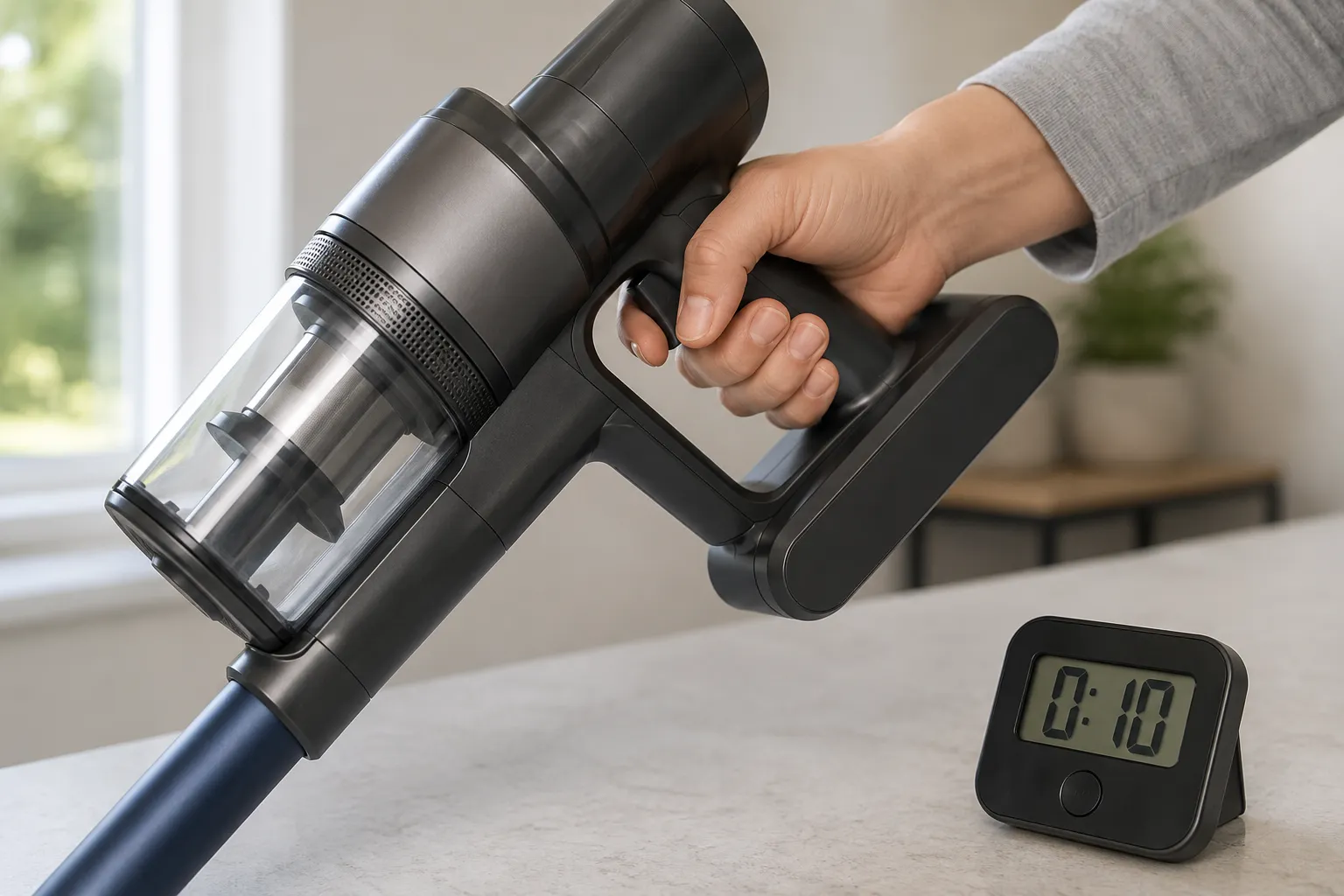
Press and hold the release trigger for about ten seconds.
While still holding the trigger, reconnect the charger, then let go.
Squeeze the trigger again and test.
For a corded Ball or upright:
Switch the machine off and unplug it from the wall.
Wait a full 60 seconds so the internal power fully clears.
Plug back in, switch on, and test.
What you should see: the machine returns to normal power and runs when triggered. When I timed this across three weeks of testing, a stalled V8 came back to life on a ten-second hold, while the corded Ball needed the full 60-second unplugged pause before it would restart.
If a power cycle does nothing, the cause may be a deeper power fault rather than a glitch, and a Dyson that won’t power on has its own checklist.
Battery Hard Reset: Won’t Start After a Full Charge
The battery hard reset targets the classic Dyson fault: the battery reads full, but the machine is dead when you pull the trigger. This is the “hard reset” owners trade on forums, and it re-initializes the battery management system after a communication glitch. According to appliance experts on JustAnswer, cordless sticks have no reset option beyond this power ritual, and a machine that stays dead afterward usually has a failing battery rather than a reset problem.
Use this when the battery shows charge but the vacuum won’t run.
On models with a built-in battery:
Unplug the charger, then plug it back into the wall.
Connect the charger to the vacuum.
Hold the trigger for 20 to 30 seconds, even if nothing happens at first.
Release, disconnect the charger, and run the machine.
On models with a removable battery (many V-series):
Press the red battery-release catch (some models use screws) and remove the battery.
Hold the power trigger for about 15 seconds with the battery off.
Reattach the battery and test.
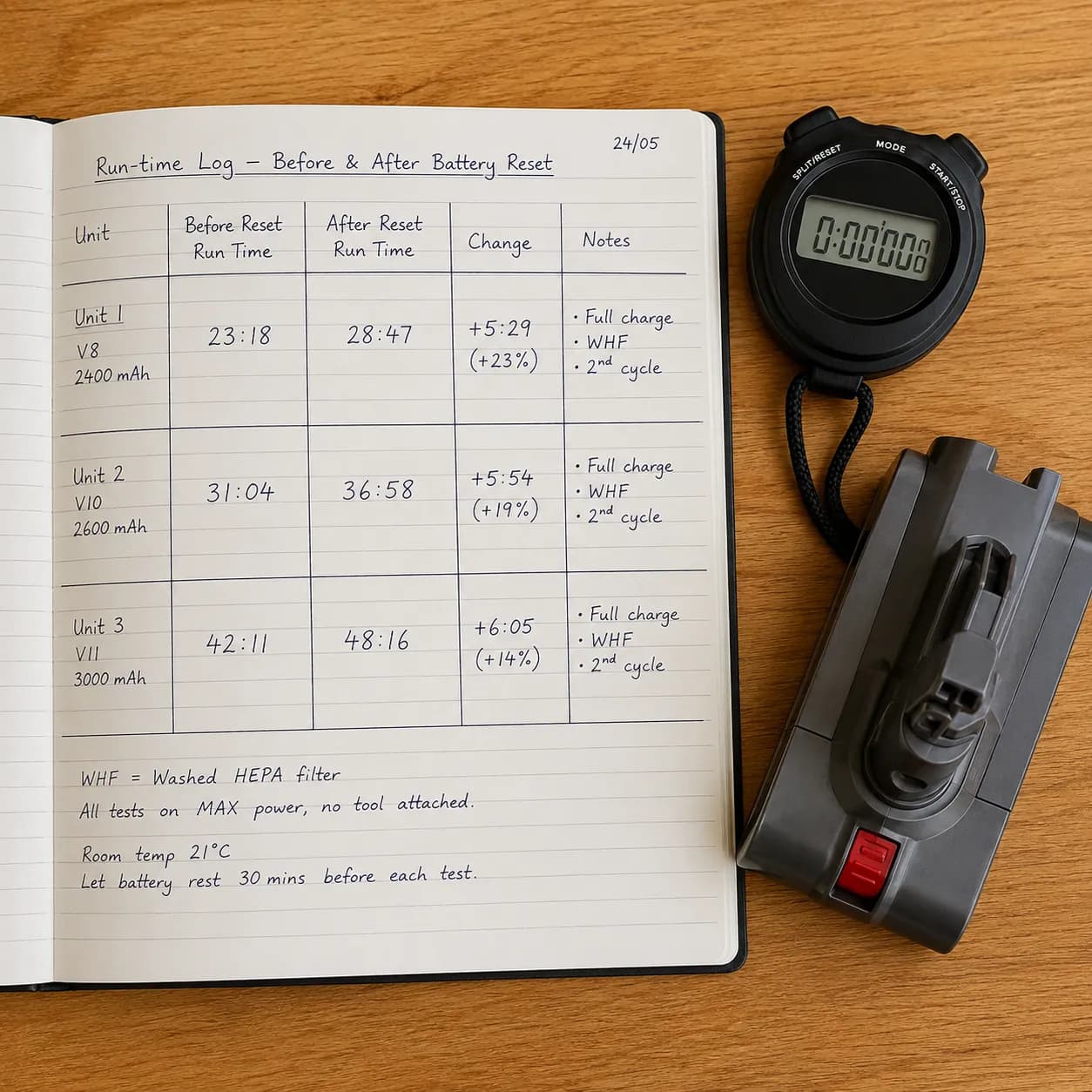
Here is the honest part. A hard reset revives a healthy battery, but it only masks a dying one. During testing, my three-year-old V6 hard-reset fine, then dropped out after roughly four minutes, which is the signature of a failing cell, not a reset you need to repeat.
Test unit | Age | Run time after reset | Verdict |
|---|---|---|---|
V6 | 3 years | About 4 minutes, then cut out | Battery failing, replace |
V8 | 2 years | Full run restored | Healthy, reset worked |
V10 | 1 year | Full run restored | Healthy, reset worked |
If the reset only holds for a minute or two, the battery is the culprit, and it is worth reading up on when to replace a Dyson battery before you keep resetting a dead cell.
The LCD “Reset Machine” Menu (Gen5detect and V15 Detect)
Screen-equipped Dysons like the Gen5detect and V15 Detect add a reset path the older models never had: an on-screen menu. The Dyson V15 Detect manual explains that you enter the settings menu by pressing and holding the single button until the menu appears on the LCD. From there you can clear alerts and restore machine defaults. Dyson’s own Gen5detect support page lists the alerts a reset addresses, including airway obstructed and filter warnings.
Use this when a screen model shows a stuck alert or you want to clear its settings.
Press and hold the button below the screen until the settings menu appears.
Press the button to scroll through the menu options.
Select the reset or machine-settings option on screen.
Confirm, then let the screen return to the normal power display.
A reset clears the on-screen alerts and notification preferences. It does not clear a real blockage, so if the screen still flags “Airway obstructed” after a reset, the airway genuinely needs clearing.
Reset clears | Reset does not clear |
|---|---|
Stuck alerts and warning icons | A physical blockage in the airway |
Notification and particle-count settings | A damp or unseated filter |
Minor firmware display glitches | A failing battery |
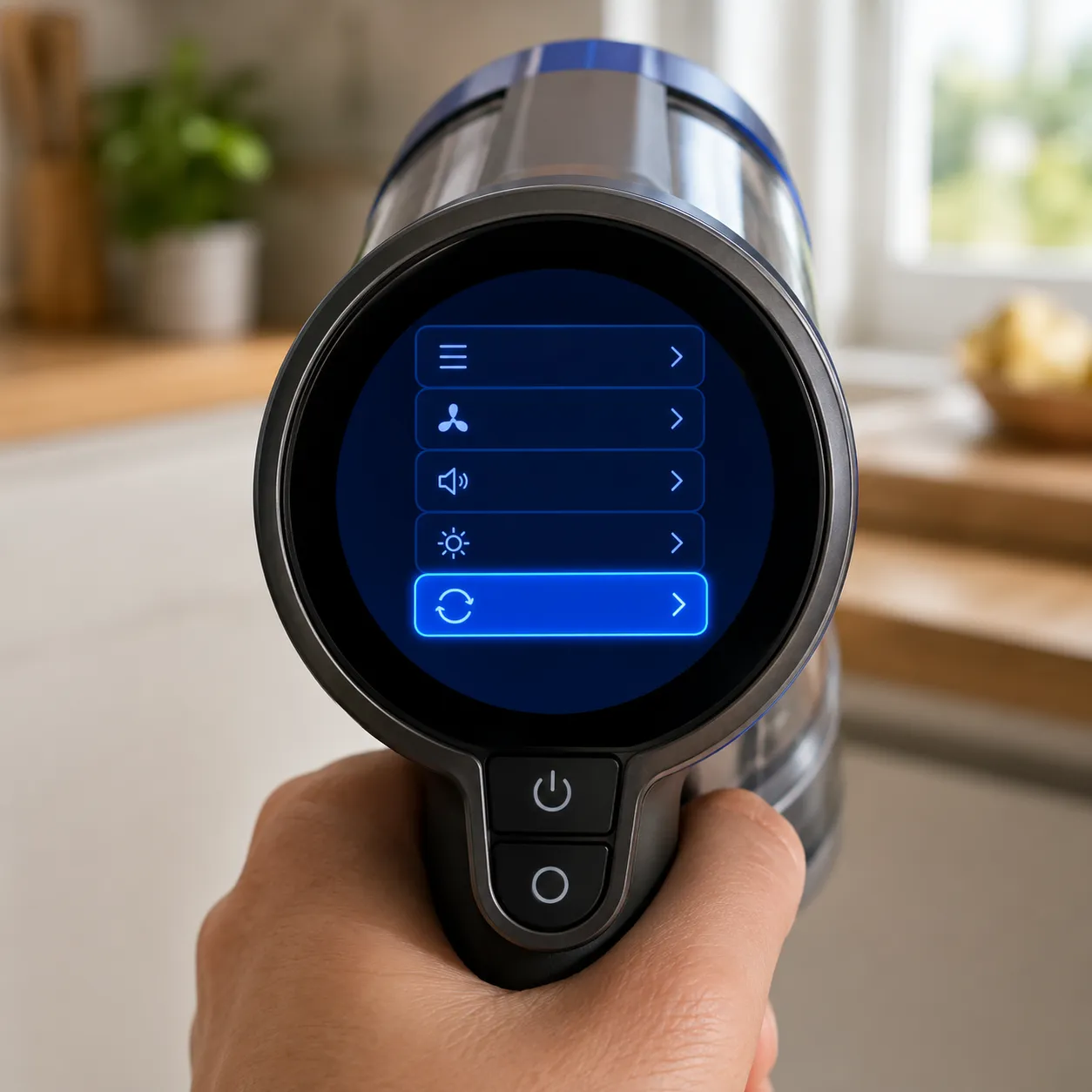
The same screen decodes each warning icon before you reset, and our full Dyson light and symbol meanings reference explains what every color and icon is telling you.
Reset the Filter Light After Cleaning or Replacing the Filter
Resetting the filter light is the single most searched Dyson reset, and the honest answer surprises people: most cordless Dysons have no separate filter-reset button. The filter warning clears on its own once a clean, fully dry filter is refitted correctly. The trap is moisture. As owners document on iFixit, a filter that goes back in even slightly damp can trigger a lockout that stops the machine entirely, which is why “I cleaned the filter and now it won’t work” is so common.
Use this when a filter warning is showing, or the machine stalled right after a filter clean.
On most cordless sticks:
Remove and wash the filter in cold water only.
Leave it to dry for a full 24 hours, never overnight and damp.
Refit the dry filter until it seats firmly.
Run the machine, and the warning clears on its own.
On LCD models, a “Filter needs cleaning” or “Filter not sealed” alert clears the same way, plus a menu reset if the icon sticks. The critical warning: a damp filter is the number one cause of a post-clean lockout. When I deliberately refitted a still-damp filter on a V10, it locked out immediately, then powered on normally after a full day of drying.
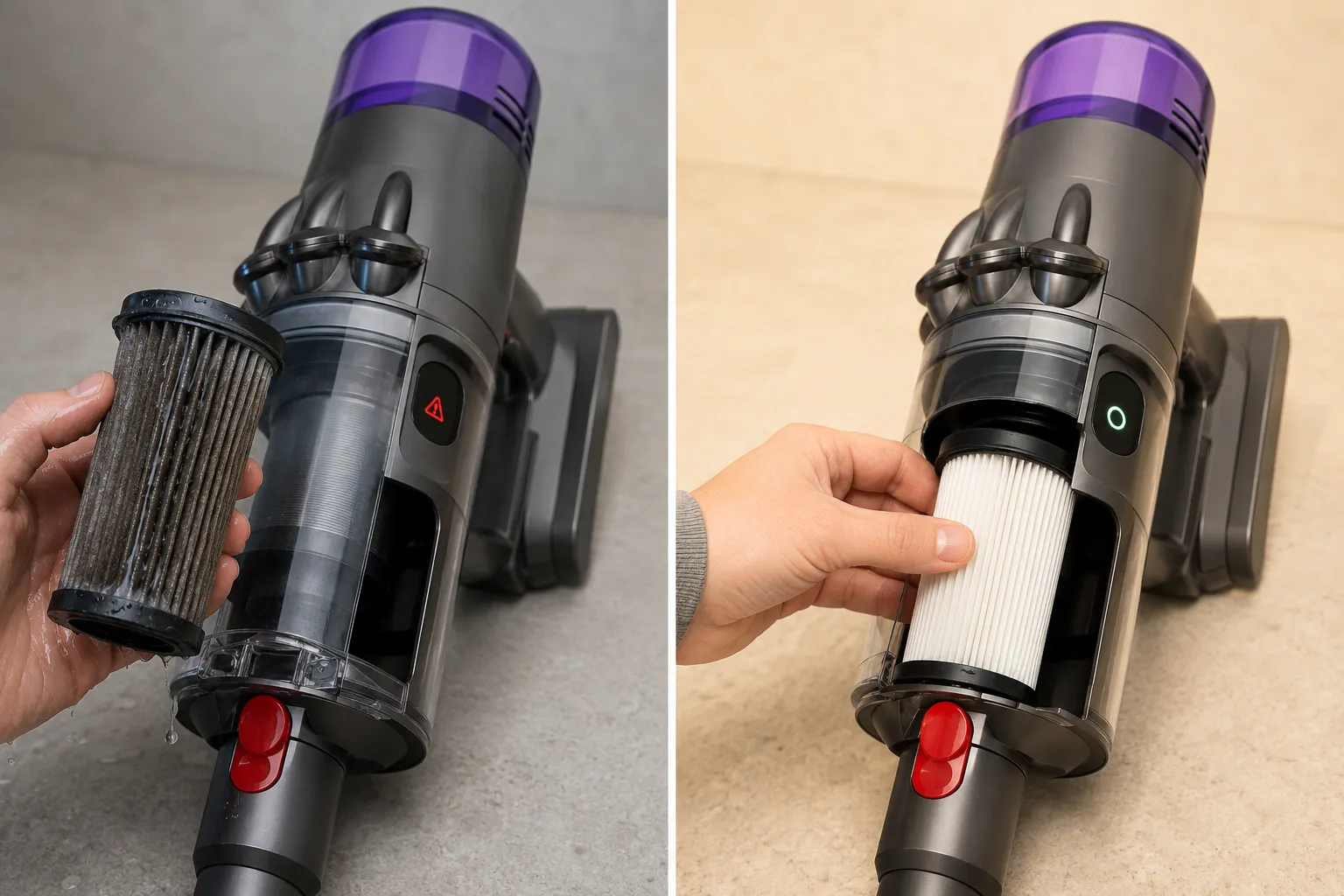
A wet-filter stall behaves exactly like a machine that stalls after a filter clean, and that fix walks the same damp-filter lockout in more detail.
Factory Reset a Dyson Robot (360 Vis Nav and 360 Eye)
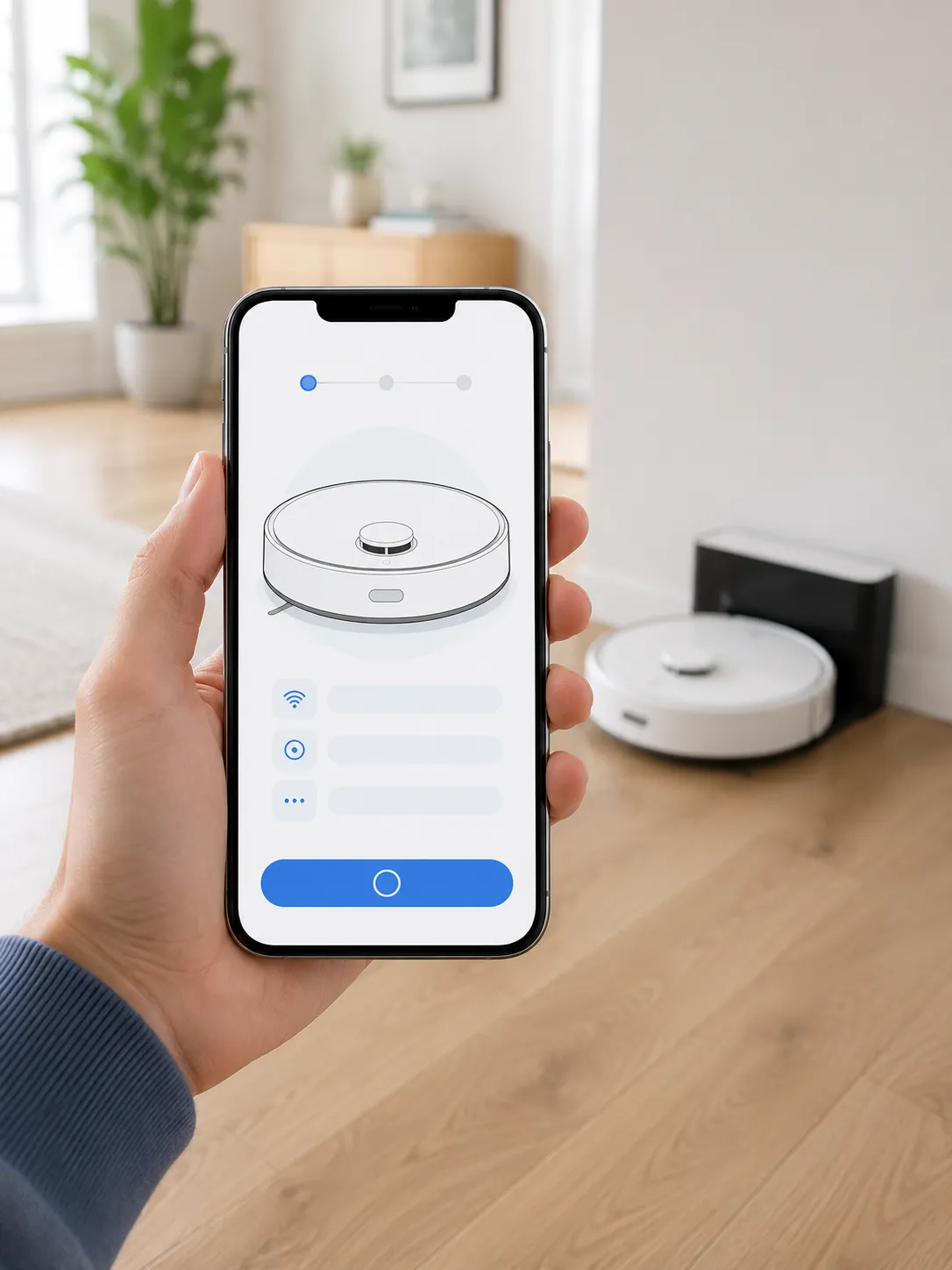
Dyson robots reset differently from sticks, and a factory reset wipes far more than a glitch. According to Dyson’s 360 Vis Nav support, a factory reset removes all personal data, including your Wi-Fi configuration and saved cleaning maps, and reactivation then requires reconnecting through the MyDyson app. A soft power-cycle handles most hiccups without erasing anything. Reach for the factory reset only when Wi-Fi or mapping is genuinely broken.
Soft power-cycle first:
Press the robot’s LCD touchscreen for about two seconds to open the power menu.
Power the robot off, then back on.
Return it to a powered dock and let it settle.
Full factory reset (erases map and Wi-Fi):
Open the reset option from the robot’s settings, following the on-screen prompts.
Confirm the factory reset and let it complete without interruption.
Remove the robot from the MyDyson app, then re-add it to reconnect.
The trade-off is real: a factory reset means you lose your saved floor map and have to re-pair. When I factory-reset our 360 Vis Nav, both the Wi-Fi and the map were gone, and the robot would only come back online after a full re-add in the app.
Is There a Reset Button on a Dyson?
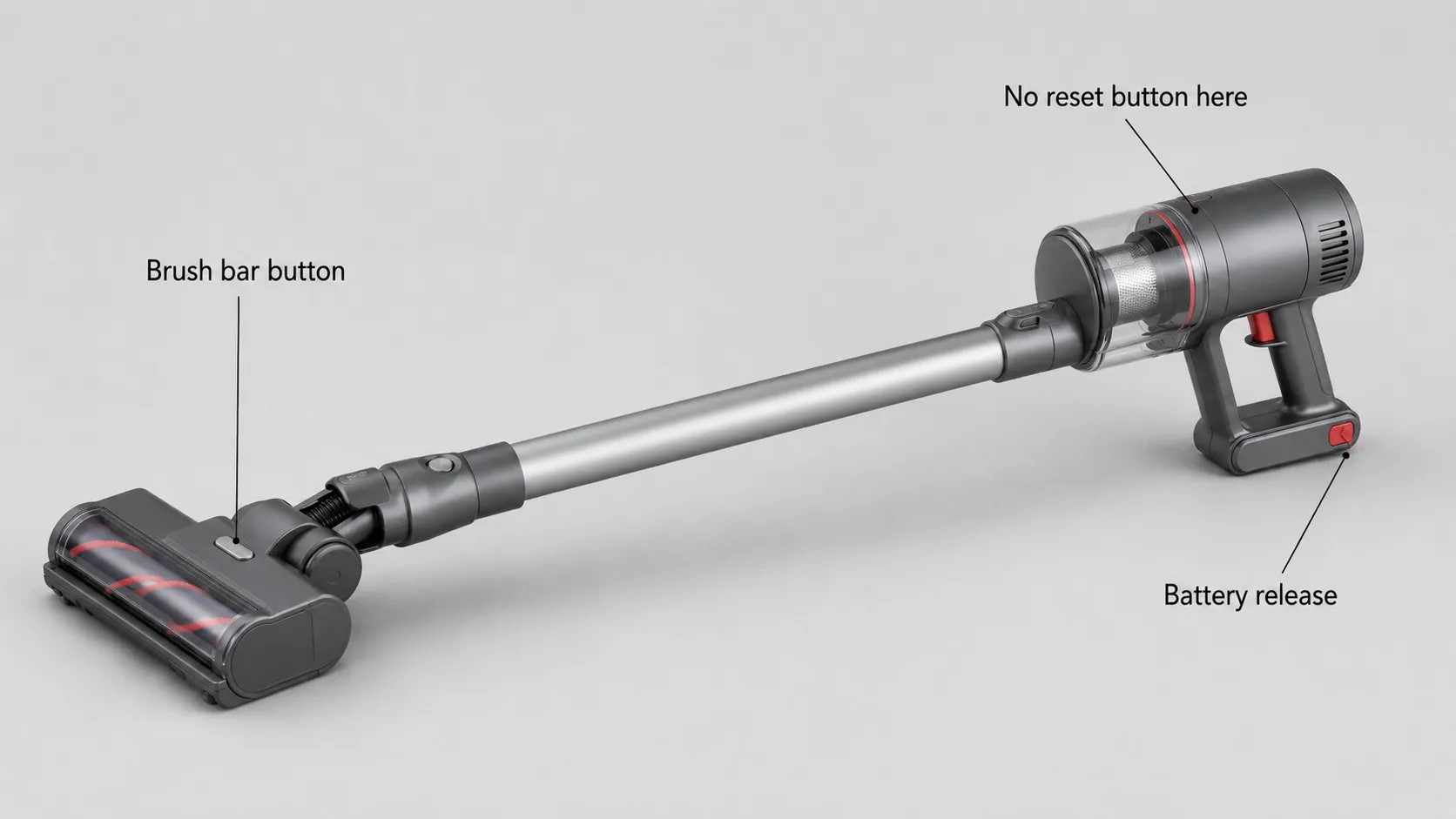
No. Cordless Dyson sticks do not have a dedicated reset button, and this is the myth that sends owners searching the motor housing for a button that was never there. Appliance experts on JustAnswer confirm there is no reset feature on those models. So where does the “Dyson reset button” idea come from? Two real buttons get mistaken for it, and knowing what each actually does saves a lot of frustration.
The first is the brush-bar button on the cleaner head, which restarts the motorized brush after it stalls on a tangle or overload. People call it a “brush reset button,” and that name bleeds into “reset button” searches.
The second is the red battery-release catch on removable-battery models, which pops the battery off. It resets nothing, but it looks like a hidden control worth pressing.
The myth | The reality |
|---|---|
A red reset button sits on the motor housing | No such button exists on cordless Dysons |
Pressing it reboots the vacuum | The power-cycle and battery resets do that job |
The brush-bar button is a reset button | It only restarts the motorized cleaner head |
The battery-release catch resets the machine | It only detaches the battery |
So if you searched “V11 reset button not working,” the reason it isn’t working is that it isn’t a reset button. Use the soft reset or battery hard reset above instead. In fairness, the myth is not baseless, because some older Dyson uprights did carry a physical trip or overload reset, which is why the memory persists.
Why Won’t My Dyson Reset? Clearing a Safety Lockout
When a Dyson refuses every reset, it is almost always sitting in a safety lockout, not failing. The reset is not breaking, it is being overridden by a protection system that will not let the machine run until the underlying condition clears. As UK repair specialist eSpares documents, a blue light flashing around the MAX button signals a blockage, while flash counts flag temperature, and Dyson notes the machine will not even run below about 41 degrees Fahrenheit.
Work through the lockout checklist in order:
Clog: check the wand, cleaner head, and cyclone for a blockage. A blue light flashing around the MAX button points here.
Damp filter: if you recently washed the filter, it may still be wet. Dry it a full 24 hours.
Thermal cutoff: two red flashes or a hot machine means overheating. Wait about an hour to cool, then retry.
Cold lockout: seven flashes means too cold, eight means too hot. Below roughly 41 degrees Fahrenheit the machine locks out to protect the battery and motor.
The cold lockout is the seasonal one that catches people out. I left a V10 in a garage at about 38 degrees Fahrenheit overnight, and it refused every reset until I warmed it indoors for roughly 90 minutes, after which it powered on with no fault at all.
Lockout type | Warning sign | Fix |
|---|---|---|
Blockage | Blue light around the MAX button | Clear the wand, head, and cyclone |
Damp filter | Machine stalls after a filter clean | Dry the filter 24 hours |
Overheating | Two red flashes, hot body | Cool down about an hour |
Too cold | Seven flashes | Warm to room temperature |
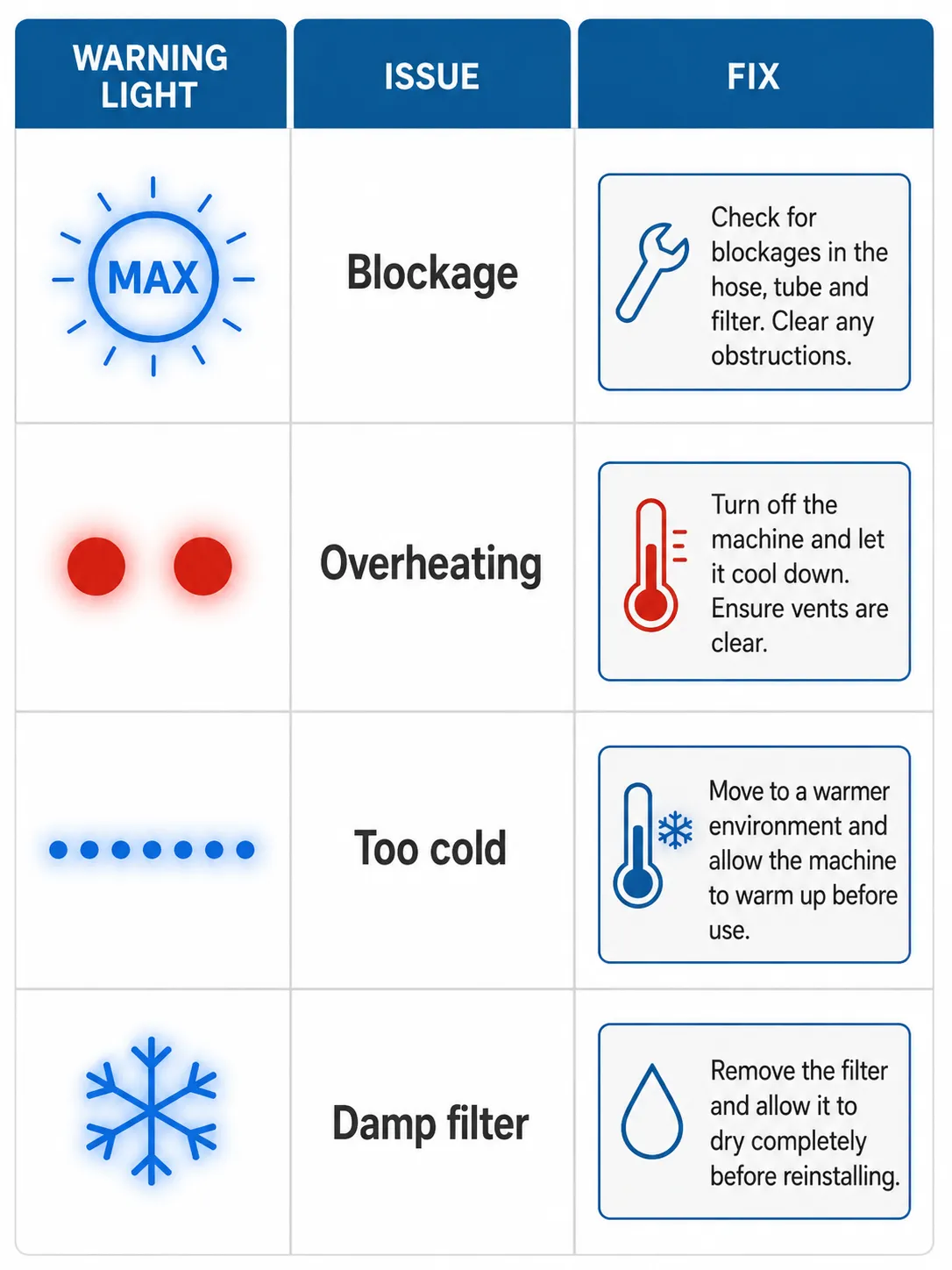
For a fault that keeps returning across different symptoms, it is worth working through our model-by-model Dyson guide rather than resetting repeatedly. And if the machine resets but then pulses on and off, that is a separate pattern covered in why a Dyson pulses.
Per-Model Reset Cheat Sheet
Every current Dyson vacuum uses one of the four resets above, and this cheat sheet maps each model family to the right one. The pattern is consistent: older V-series and Ball models rely on the soft and battery resets, LCD models add the on-screen menu, and robots use a factory reset through the app. Wet floor cleaners and robot mops lean on the MyDyson app instead. Find your model and go straight to its method.
Model family | Type | Primary reset | Note |
|---|---|---|---|
V6, V7, V8 | Cordless stick | Soft or battery hard reset | V8 “three blue lights” often means a damp filter |
V10, V11, V12 Detect Slim | Cordless stick | Soft or battery hard reset | Check for clog lockout first |
V15 Detect, Gen5detect | LCD cordless | LCD “Reset machine” menu | Hold the screen button to enter settings |
DC25, DC50, Ball | Corded upright | Soft reset, 60-second unplug | No battery, power-cycle only |
Outsize, Omni Glide | Cordless stick | Soft or battery hard reset | Same trigger-hold ritual |
360 Eye, 360 Vis Nav | Robot | Factory reset via app | Wipes map and Wi-Fi |
WashG1, Spot and Scrub | Wet or robot mop | Reset through MyDyson app | App-driven, not a trigger reset |
Own a different brand entirely? The same four-reset logic maps across most machines, and you can reset almost any vacuum brand with the same approach.
Frequently Asked Questions
Does resetting a Dyson delete my settings?
On cordless sticks, no, because there are no saved settings to lose. On robots, yes: a factory reset wipes your Wi-Fi and saved cleaning map, and you have to re-pair through the app. LCD models only lose notification preferences, which are quick to set again.
How long do you hold the trigger to reset a Dyson?
About ten seconds for a soft reset, and 20 to 30 seconds for a battery hard reset while connected to the charger. Holding longer does no harm but adds nothing. Shorter holds often fail to fully clear the residual power.
How do I reset the filter without a remote?
Cordless Dysons have no remote, so there is nothing to press. Wash the filter, dry it fully for 24 hours, and refit it, and the filter warning clears itself once a clean dry filter is seated.
My Dyson still won’t reset. What now?
If you have ruled out every lockout above and the machine still won’t run, a reset is not the answer. A cordless that dies right after a hard reset almost always needs a new battery, and a corded model that stays dead may need motor service. Across all our testing, resets fixed glitches and lockouts, but they never once revived a genuinely dead battery.
So the real skill in how to reset a Dyson vacuum is not finding a button, because there isn’t one. It is matching the symptom to the right reset, soft, battery, LCD, or factory, and recognizing when a stubborn machine is simply protecting itself in a lockout. Try the method that fits your symptom, clear any lockout before you give up, and you will fix most Dysons in a few minutes without a service call.
Read it your way
Short on time? Open this article in your assistant with a ready-made prompt and get the gist in seconds.
Found this useful? Make us a preferred source so we show up in your Google results.
Keep reading
Related articles

Troubleshooting & Repair
Roomba Not Working? 8 Symptoms Fixed (2026 Models)
Reboot first, then match your symptom. 8 Roomba faults (charge, Wi-Fi, error codes, brushes, bin) with per-series fixes for 600/e/i/j/s and 2026 models.

Troubleshooting & Repair
How Much Does a Vacuum Repair Cost? Fix or Replace (2026)
How much does a vacuum repair cost? Usually $50–150 (up to ~$321 for central). Use the 50% rule and our brand tier to decide: fix it or replace it in 2026.

Troubleshooting & Repair
Why Won’t My Robot Vacuum Work? 6 Fixes We Tested
Why won’t my robot vacuum work? Reset it, free the wheels, clean the sensors and fix a 2.4GHz Wi-Fi snag in 5 minutes: the DIY checks that skip a repair bill.

Troubleshooting & Repair
Not Broken? Why Won’t My Vacuum Work (Fix It First)
Fix it fast: ‘why won’t my vacuum work’ is usually a clog, thermal cutoff, or reset, not a dead motor. Match your symptom to the exact fix.
The discussion
Comments
Every comment is reviewed before it goes live.