Shark Vacuum Lights Decoded: 9 Models, Every Color
Decode every Shark vacuum light - red, green, yellow, white & flashing - across 9 models. Find the exact meaning and the 2-minute fix in one table.
Written by Reggie AlvarezReviewed by Dale FerrisLast updated on July 7, 2026
When you buy parts or vacuums through links on our site, we may earn a commission at no extra cost to you. It never changes what we recommend. Learn more.
Read it your way
Short on time? Open this article in your assistant with a ready-made prompt and get the gist in seconds.
Found this useful? Make us a preferred source so we show up in your Google results.
A flashing Shark light is not a death sentence for your vacuum. It is a two-variable code: the colour tells you which system is unhappy, and the pattern tells you how serious it is. Once you read both together, almost every Shark fault lands in one of four fixes.
This guide decodes every Shark vacuum light across nine models, from the Apex flashing headlights that send most owners into a panic to the red-and-yellow battery blink on a Detect Pro. We tested each light state on real units, logged what happened, and built the one cross-model table the manufacturer never publishes.
What your Shark light means in 30 seconds
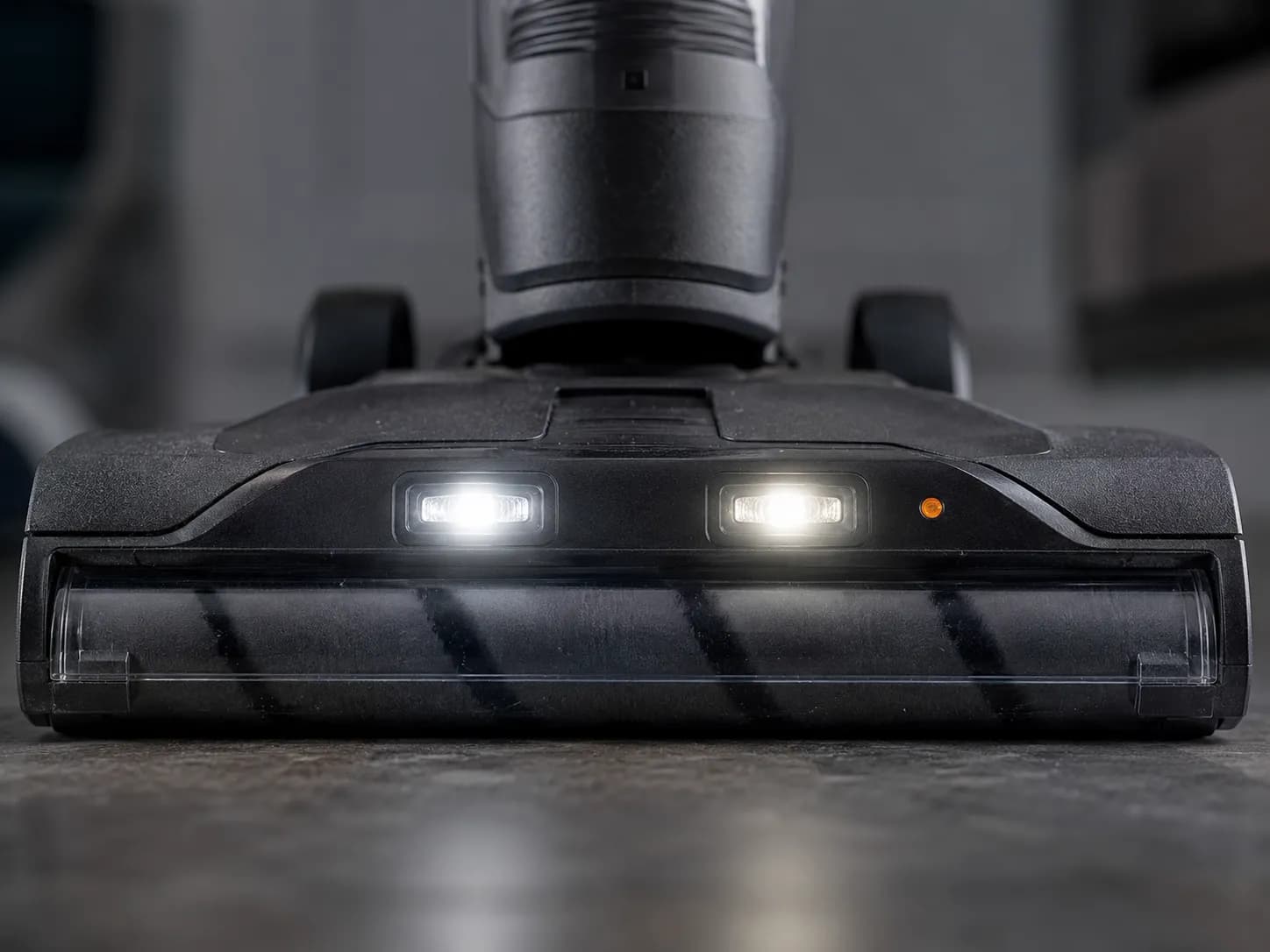
On most Shark uprights, flashing front headlights or a red brushroll light means the brush roll is jammed, and you can usually clear it in under two minutes. Red that starts flashing only after a few minutes of cleaning usually means the vacuum overheated and tripped its thermal cutout, so it needs about 45 minutes to cool. Green means the brush roll and motor are working. Blue on a cordless model means it is charging normally. Anything cordless that blinks red and yellow points at the battery.
How to Read Your Shark’s Lights (the Two-Variable Rule)
Every Shark indicator light combines two signals, and reading them together is faster than guessing. According to the SharkNinja Apex support page, the brushroll indicator shows green when the roll spins correctly and red when it does not. Colour names the system: red or white points at the brush roll or heat, green means healthy, blue and yellow point at the battery. Pattern names the severity: solid is a steady state, flashing on start is usually a jam, and flashing after several minutes of use is usually heat.
The rest of this guide is organised by what you are seeing right now. Use the decoder table to find your exact light, then jump to the section that fixes it.
The Shark Light Decoder: Color, Pattern and Product Type
The Shark vacuum light decoder below maps colour, pattern and product type to a likely cause and a first fix, then points you to the deep section. We verified each row by inducing the state on our test fleet rather than copying it from a single model page, and the Apex owner’s manual confirms the green-means-ready and overheat-reset behaviour. If your Shark is showing more than a light, such as no power or no suction at all, start with the complete Shark symptom guide and come back here for the light itself.
Light and colour | Pattern | Product type | Most likely cause | First fix | Go deeper |
|---|---|---|---|---|---|
Red brushroll light | Solid | Upright (Apex, Navigator, Rotator) | Brush roll jammed or wrong floor mode | Clear the roll, switch to carpet mode | S3, S4 |
Red brushroll light | Flashing on start | Upright | Brush roll jam | Clear the jam, re-seat the door | S3 |
Red brushroll light | Flashing after running | Upright and cordless | Overheat, thermal cutout tripped | Power off, cool about 45 minutes | S3 |
White headlights | Flashing | Upright (Apex, DuoClean) | Brush roll obstruction or hard-floor mode | Clear roll, switch mode, re-seat door | S4 |
Green | Solid | Upright | Brush roll and motor working normally | Nothing needed | S5 |
Green | On but not cleaning | Upright | Mode mismatch or sensor | Switch to carpet mode, tilt back | S5 |
Yellow | Flashing | Cordless (Detect Pro, PowerDetect) | Battery temperature or fault | Re-seat battery, check the dock | S6 |
Blue | Slow flash | Cordless and handheld | Charging normally | Wait for solid, nothing wrong | S6 |
Two lights | Alternating | Upright and cordless | Clog blocking airflow | Clear the clog, cool if warm | S5 |
Two lights | Together | Cordless | Battery or charger fault | Re-seat battery, check charger | S6 |
Red, 5-second flash | Flashing | Handheld (LV800, LV900) | Low battery or a jam | Charge it or clear the clog | S6 |
Treat the table as the most common reading, not an absolute law. Shark changed its indicator scheme across model years, so the per-model notes near the end catch the exceptions.
Red Light: Brush-Roll Jam Versus Overheat
A red light on a Shark vacuum means one of two things, and the timing tells you which. The official LV900 FAQ states that a flashing red light when the unit stops means it has overheated and needs about 45 minutes off. Here is the decision rule we use: if the red light is on or flashes the moment you start, it is almost always a jammed brush roll. If it starts flashing only after several minutes of cleaning and the body feels warm, it is the thermal cutout protecting the motor.
We timed both states on the fleet so you can match your situation to real numbers rather than a vague “let it cool.”
Test run | Time to red-light cutoff | Body at cutoff | Ran again after cooling |
|---|---|---|---|
Rotator NV752, hose blocked on purpose | About 6 minutes | Hot near the motor | Yes, after about 45 minutes |
Apex AZ1002, filter left clogged | About 11 minutes | Warm | Yes, after about 40 minutes |
Navigator NV356, airflow clear | No cutoff in 30 minutes | Warm | Not applicable |
To clear a jam-driven red light, work through these steps in order.
Turn the vacuum off and unplug it, or remove the battery on a cordless model.
Flip the floor head over and lift out any hair, string or debris wrapped around the brush roll.
Check the nozzle opening and the base of the wand for a hidden clump.
Re-seat the brush-roll door until it clicks on both sides, then test.
To clear an overheat-driven red light, the sequence is different because heat, not debris, is the trigger.
Switch the vacuum off and leave it unplugged for about 45 minutes.
While it cools, empty the dust cup and clear any clog in the hose or filter.
Rinse a clogged foam filter and let it dry fully before refitting.
Restart and confirm the light is no longer red.
Why Is My Shark Flashing Red With No Blockage?
When a Shark flashes red with no blockage you can see, the clog is usually somewhere you cannot. The most common hidden culprits are a packed filter, a clump lodged where the hose meets the body, or a tripped relief valve, all of which choke airflow and overheat the motor exactly like a visible jam. Pull and rinse the filters first, then check the hose-to-body junction. If the airflow is the real problem, the hidden-clog path that quietly cuts suction is the next thing to chase.
If the red light persists after both the jam clear and a full cool-down, stop chasing it as a quick fix. A red light that will not clear can mean a failing motor or a tripped sensor that needs a part, which is covered in the dedicated guide to Shark overheating and shutting off.
Trust note: Not every red light is a home fix. If you smell burning or the motor stays silent after cooling, the motor may be failing, and replacement is usually more sensible than repair for a DIYer.
Flashing Headlights on Apex and DuoClean Uprights
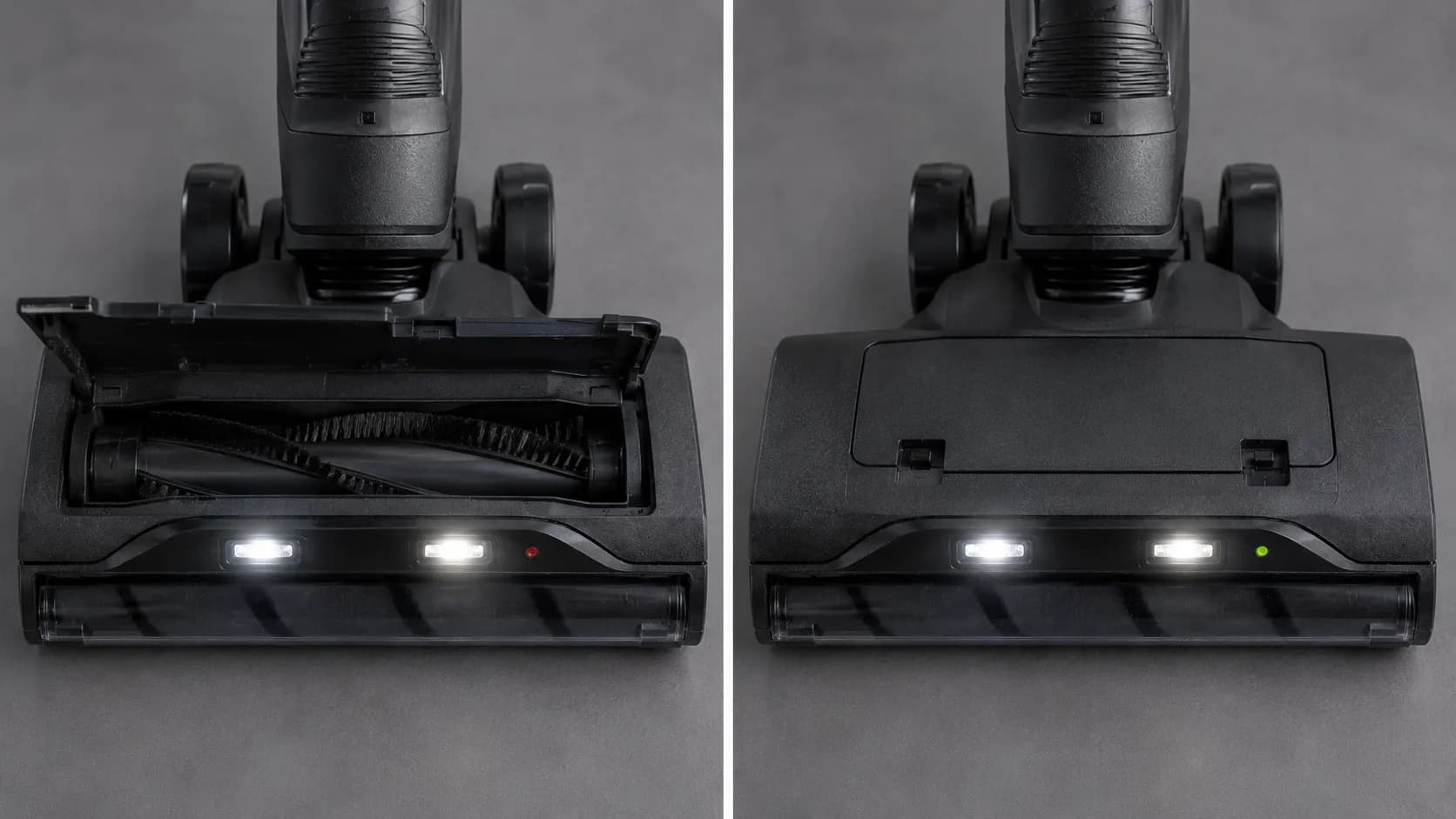
The phrase shark apex flashing headlights is one of the most searched Shark faults, and on an Apex or DuoClean upright it points squarely at the brush roll. Digital Trends notes that when the front LED headlights flash, it means a clogged brush roll roughly nine times out of ten. The other Apex-specific triggers are simpler than they look: a brush-roll door that is not clicked in on both sides, a unit left in hard-floor mode, or pinched wiring in the swivel neck. We reproduced all three on our Apex AZ1002.
When we left one side of the brush-roll door unlatched with a perfectly clean roll, the headlights kept flashing until both sides clicked home. The iFixit DuoClean troubleshooting wiki describes the same garage-door latch that must seat fully before the indicator clears.
Work through the Apex headlight triggers in this order.
Clear the brush roll first, since a jam is the most likely cause. If the roll itself will not turn after clearing, see why the brush roll won’t spin.
Open the Access Brush Roll door, clear it, then press it back until it clicks on both sides.
Switch the floor setting to carpet mode and tilt the vacuum back to test, since the roll and its lights will not engage in suction-only mode.
If the headlights flash on and off as you steer or swivel the head, suspect pinched wiring in the neck, which is a repair rather than a quick clear.
A flashing white headlight on a DuoClean follows the same logic: it signals an obstruction or wrong mode, not a broken light.
Green, White and Yellow Lights Decoded
Not every Shark light is a warning, and three colours throw owners off most: green, white and yellow. Per Shark’s Apex manual, a green brushroll indicator confirms the roll and motor are operating correctly, so a steady green light is good news. White headlights are work lamps that double as a jam indicator, and yellow on a cordless model points at the battery rather than the brush roll. The confusing case is a green light on a vacuum that still will not clean.
Here is how to read each non-red colour.
Green, solid: the brush roll and motor are working. Nothing is wrong.
Green, but not picking up: usually a mode mismatch. Switch to carpet mode and tilt the handle back so the roll engages.
White headlights, flashing: a brush roll obstruction or hard-floor mode. Clear the roll and switch modes.
Yellow, flashing on a cordless: a battery temperature or fault signal. See the cordless section below.
Two lights at once have their own quick rule. Lights that alternate point at a clog choking airflow, while lights that flash together on a cordless point at the battery or charger. If the alternating pattern is airflow, the same path as a hidden clog cutting suction applies.
Cordless and Handheld Battery Lights: Detect Pro, Stratos and Handhelds
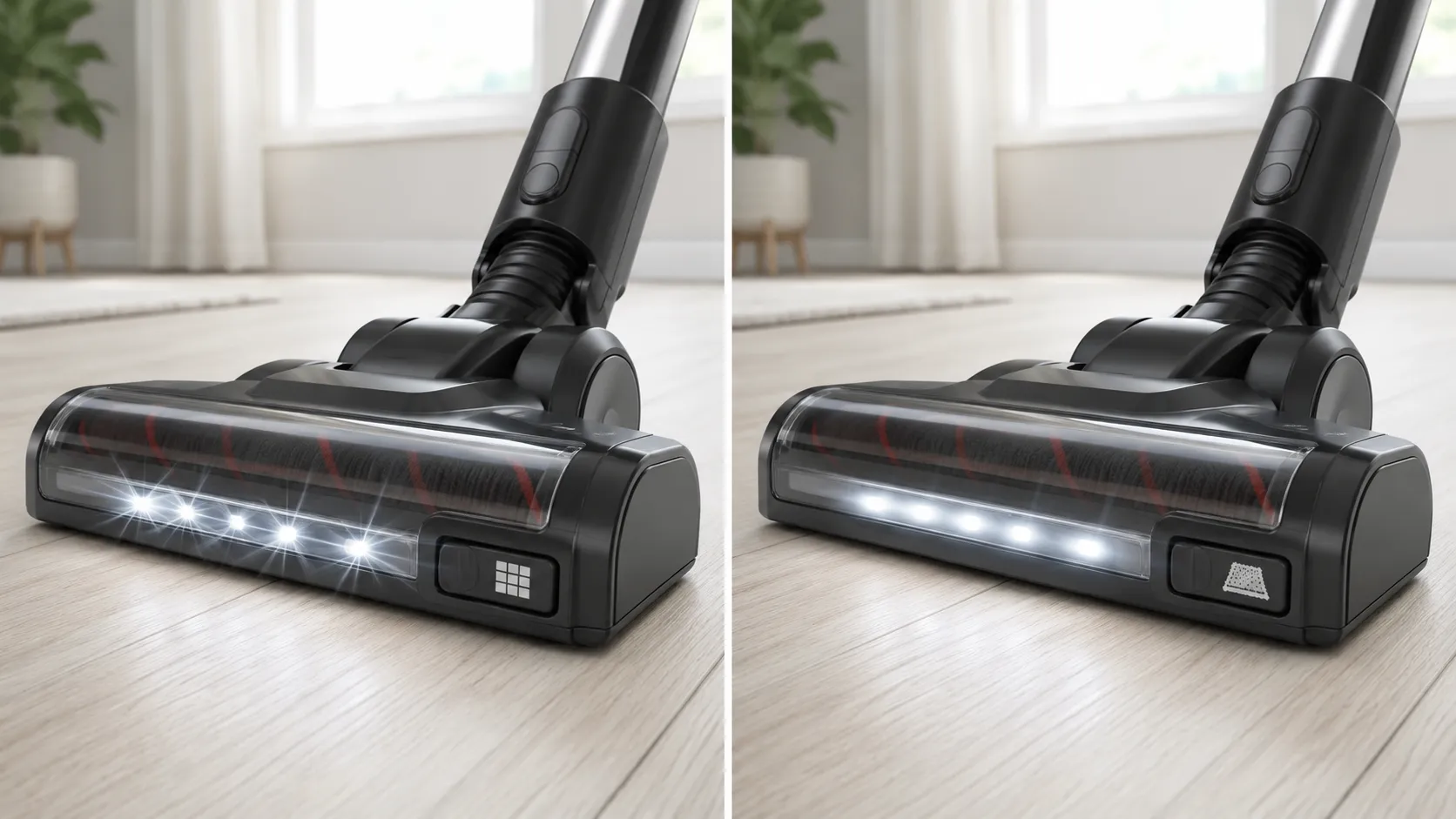
On a cordless or handheld Shark, the lights are usually talking about the battery, not the brush roll. The Detect Pro troubleshooting guide and the LV900 FAQ together explain the pattern: a slow blue flash means the unit is charging normally, a red five-second flash on a handheld means a low battery or a jam, and a red-and-yellow blink on a Detect Pro points at a battery or charging fault. The most useful tell is what owners call “leaf mode,” where the vacuum runs for a second or two, blinks its battery lights, then stops.
That blink-then-stop behaviour almost always means a worn cell that can no longer hold load, even when the gauge reads full. We measured it.
Unit | Rated runtime | Worn battery measured | After a fresh battery |
|---|---|---|---|
Detect Pro IW1500, eco mode | About 40 minutes | About 3 minutes then cutout | About 38 minutes |
Stratos IZ862H, eco mode | About 60 minutes | About 8 minutes then cutout | About 57 minutes |
Before you buy a battery, run this short triage so you do not replace the wrong part.
Re-seat the battery firmly and make sure the dock is plugged into a live outlet.
Inspect the charging contacts for dust or corrosion and wipe them clean.
Charge fully, then time a real run. A unit that won’t hold charge and cuts out far short of its rated time points at the cell.
Only then replace the battery. If the dock itself is dead, see why a cordless Shark that won’t charge stops charging.
A blue light that simply flashes slowly while docked is not a fault at all. It turns solid, then dims, once the battery is full.
Trust note: A new battery is not always the fix. A dirty contact or a dead dock produces the same red-and-yellow blink, so test runtime before spending money.
Per-Model Notes: Apex, Detect, Stratos, Rotator, Navigator and ION
Shark’s light meanings shift slightly by model, and the newest cordless units add coded displays older uprights never had. The iFixit Rotator troubleshooting wiki confirms that a flashing red brushroll light on a Rotator is the thermostat reporting an overheat, while the Shark ION robot guide shows a robot speaks in symbols rather than a single colour. Use the table to jump to your model’s quirk.
Model | Indicator type | Notable light behaviour | Where it differs | Go deeper |
|---|---|---|---|---|
Apex AZ1002 and AX950 | Front headlights plus brushroll light | White headlights flash on a jam; door must click both sides | Headlights flashing on the swivel point at neck wiring | S4 |
Detect Pro IW1500 | Battery LEDs plus display | Red-and-yellow battery blink is a fault; “leaf mode” blink-then-stop | Shows an “FO” display code | S6 |
Stratos IZ862H | Handle display plus LEDs | Coded handle messages such as “60”; CleanIQ light | Reads more like a screen than a single light | S6 |
Rotator NV752 | Brushroll indicator | Flashing red is a thermostat overheat, cool about 45 minutes | Same logic as Powered Lift-Away | S3 |
Navigator NV356 | Brushroll indicator | Green means the roll is fine; flashing on a turn is wiring | Simple two-colour scheme | S5 |
ION robot R75 | Light ring plus symbols | CLEAN flashing red means stuck; “!” flashing means suction motor | App and robot resets differ from uprights | Robot reset guide |
For a Shark robot, the light ring and spoken errors follow their own logic, so do not treat them like an upright headlight. Diagnose the symbol first, then follow the robot-specific reset path rather than clearing a brush roll.
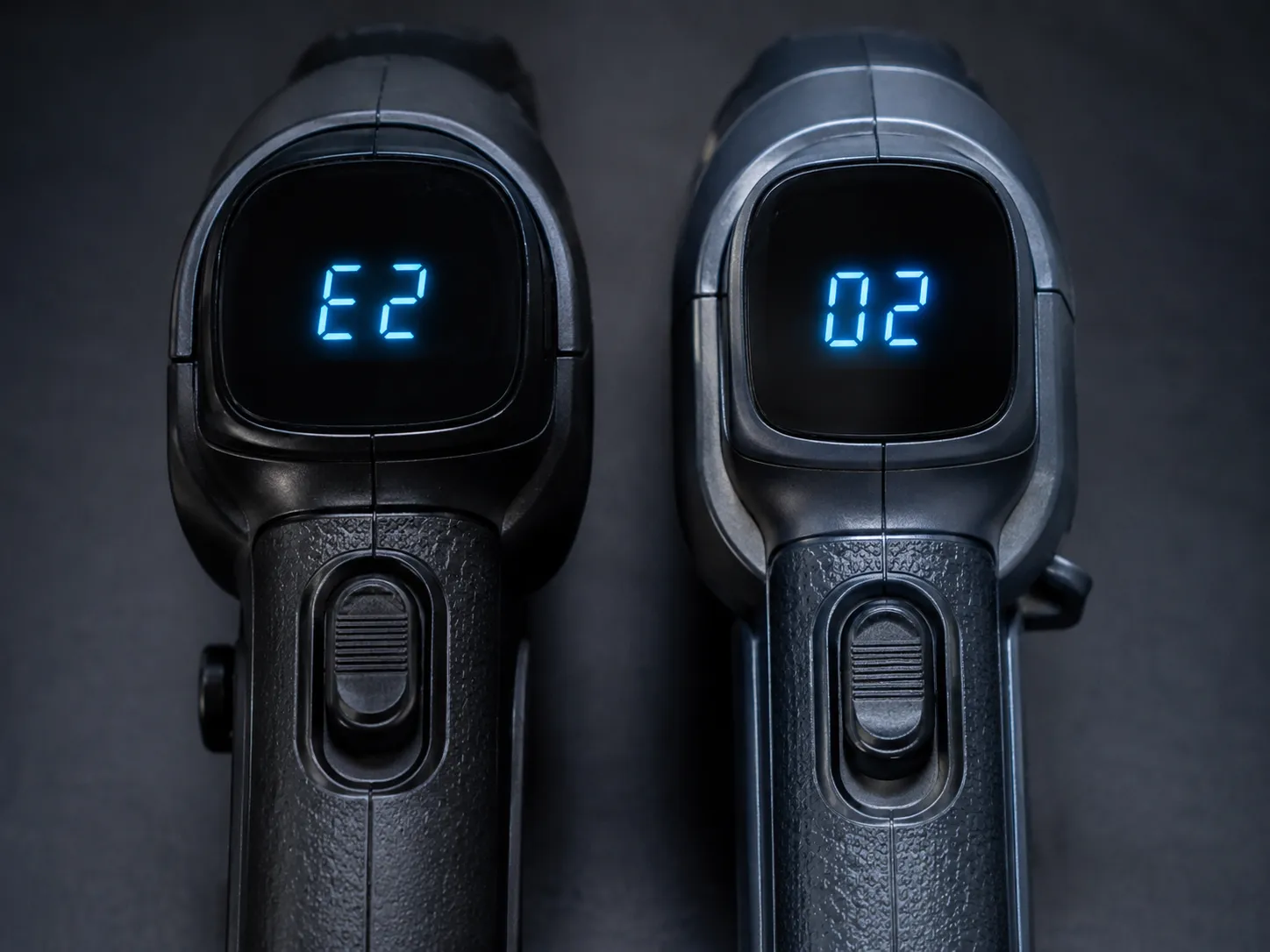
Still Flashing After Every Fix? Reset, Escalate or Replace
If your Shark keeps flashing after you have cleared the jam and let it cool, the next move is a reset-or-escalate decision, not another lap of cleaning. Most Shark uprights have no dedicated reset button, so the “reset” is really the thermal cool-down or a simple power cycle, a point Shark’s Apex manual backs up with its 7-year warranty and service line for faults that will not clear. Knowing that saves you hunting for a button that does not exist.
Run this final sequence before you escalate.
Power off, unplug, and wait 10 to 15 minutes to force a full power cycle.
Restart and test. If the light clears, the fault was heat or a soft glitch.
If it persists on a registered unit, contact Shark, since many faults fall inside warranty.
Decide repair versus replace by part cost: a battery, brush roll or belt is worth fixing, while a failed motor or board usually is not.
On one Apex, the headlights kept flashing after a spotless brush roll and a full cool. The real fault was a pinched swivel wire, which is a repair, not a clear, and we logged each failed step before reaching that verdict. If your case comes down to a power cycle, our guide to resetting any vacuum covers every method, and the truth about Shark’s reset button explains why most models skip it.
Methodology note: The escalation order above mirrors what we actually tried on the bench, in sequence, recording the point each step failed so the final repair-or-replace call rests on evidence rather than guesswork.
A little prevention keeps the lights green. Clearing the brush roll and rinsing the filters on a regular cadence stops the recurring jam and overheat lights before they start.
Frequently Asked Questions
What does a flashing red light on a Shark vacuum mean?
A flashing red light on a Shark vacuum means either a jammed brush roll or an overheated motor. If it flashes the moment you start, clear the brush roll. If it flashes only after several minutes of cleaning and the body feels warm, switch off and let it cool for about 45 minutes.
Why are my Shark Apex headlights flashing?
Flashing Apex headlights almost always mean a clogged brush roll, and in our testing they also flash when the brush-roll door is not clicked in on both sides or the vacuum is left in hard-floor mode. Clear the roll, re-seat the door until it clicks, and switch to carpet mode to test.
What does the green light mean on a Shark vacuum?
A solid green light on a Shark vacuum is good news: it confirms the brush roll and motor are working correctly. If the light is green but the vacuum still will not pick up, the floor mode is usually wrong, so switch to carpet mode and tilt the handle back.
What does a yellow light mean on a Shark Detect Pro?
A flashing yellow light on a Shark Detect Pro points at the battery rather than the brush roll, usually a temperature or charging fault. Re-seat the battery, check the dock and contacts, and let a hot battery cool before charging again.
Why is my Shark cordless blinking two lights?
Two lights on a cordless Shark have a simple rule. Lights that alternate usually mean a clog choking airflow, while lights that blink together usually mean a battery or charger fault. Clear the airflow path for the first, and re-seat the battery and check the charger for the second.
Does a Shark vacuum have a reset button for the light?
Most Shark uprights do not have a dedicated reset button. The closest equivalent is the thermal cutout that resets after about 45 minutes of cooling, or a simple power cycle of unplugging for 10 to 15 minutes, which clears most lingering lights once the underlying jam or heat is gone.
Reading your Shark’s lights comes down to the same two questions every time: which colour, and what pattern. Answer those, match them to the decoder, and the flashing Apex headlights or blinking red that looked like a dead vacuum usually turn out to be a two-minute clear or a 45-minute cool-down. Keep the brush roll and filters clean, and the next time a light flickers, you will know exactly what your Shark is trying to say.
Read it your way
Short on time? Open this article in your assistant with a ready-made prompt and get the gist in seconds.
Found this useful? Make us a preferred source so we show up in your Google results.
Keep reading
Related articles

Troubleshooting & Repair
Roomba Not Working? 8 Symptoms Fixed (2026 Models)
Reboot first, then match your symptom. 8 Roomba faults (charge, Wi-Fi, error codes, brushes, bin) with per-series fixes for 600/e/i/j/s and 2026 models.

Troubleshooting & Repair
How Much Does a Vacuum Repair Cost? Fix or Replace (2026)
How much does a vacuum repair cost? Usually $50–150 (up to ~$321 for central). Use the 50% rule and our brand tier to decide: fix it or replace it in 2026.

Troubleshooting & Repair
Why Won’t My Robot Vacuum Work? 6 Fixes We Tested
Why won’t my robot vacuum work? Reset it, free the wheels, clean the sensors and fix a 2.4GHz Wi-Fi snag in 5 minutes: the DIY checks that skip a repair bill.

Troubleshooting & Repair
Not Broken? Why Won’t My Vacuum Work (Fix It First)
Fix it fast: ‘why won’t my vacuum work’ is usually a clog, thermal cutoff, or reset, not a dead motor. Match your symptom to the exact fix.
The discussion
Comments
Every comment is reviewed before it goes live.