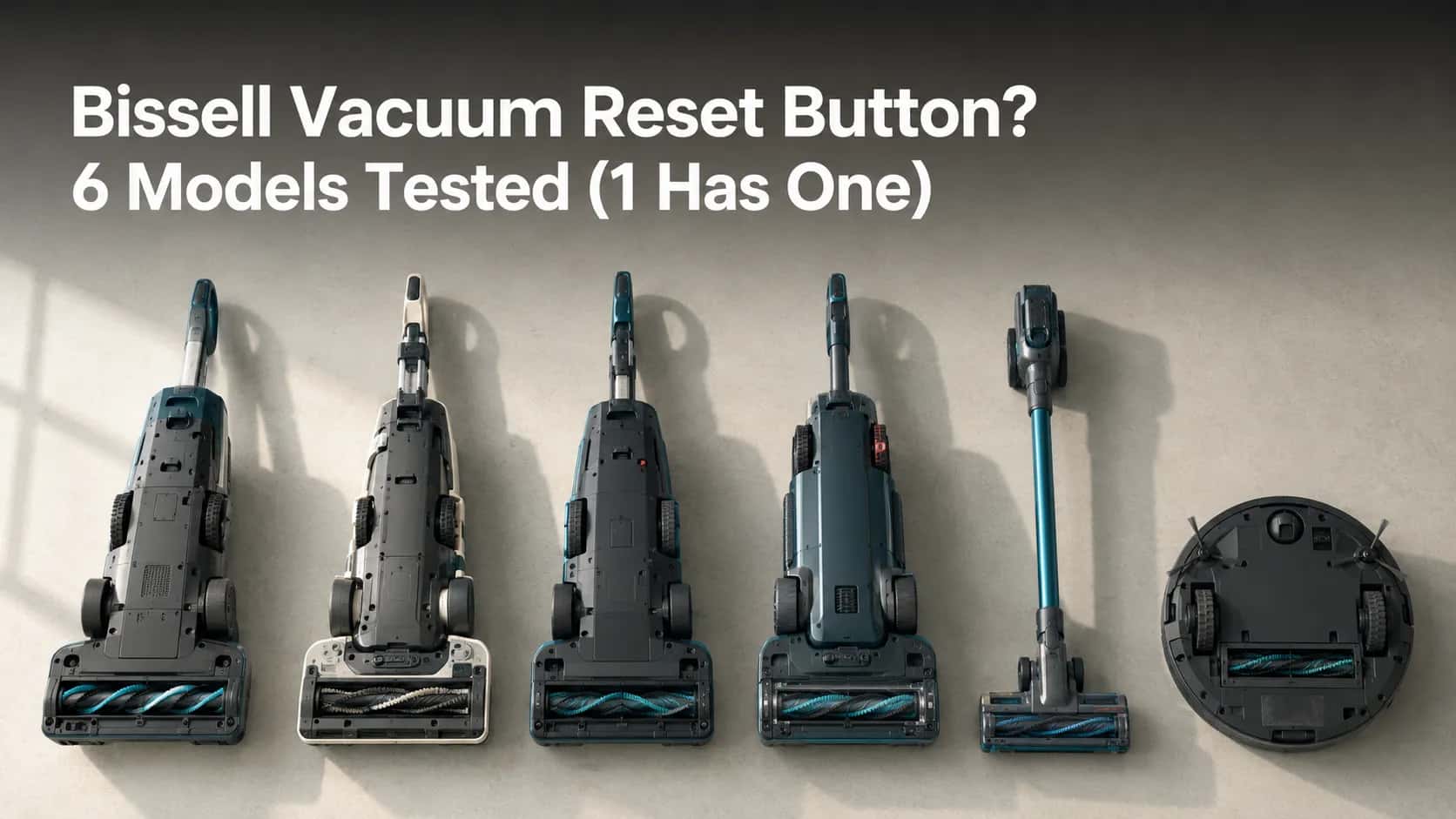
Bissell Vacuum Reset Button? 6 Models Tested (1 Has One)
No, most Bissell vacuums have no reset button. We bench-tested 6 models: the 3 real resets (thermal, brush, upright lock) and the 1 model with a button.
Written by Reggie AlvarezReviewed by Dale FerrisLast updated on August 12, 2026
When you buy parts or vacuums through links on our site, we may earn a commission at no extra cost to you. It never changes what we recommend. Learn more.
Read it your way
Short on time? Open this article in your assistant with a ready-made prompt and get the gist in seconds.
Found this useful? Make us a preferred source so we show up in your Google results.
Does a Bissell Vacuum Have a Reset Button? (The Short Answer)
There is no Bissell vacuum reset button on most models. On uprights such as the CleanView and the PowerForce, an internal thermal protector shuts the main motor off when it overheats and resets itself after about 30 minutes.
The one common exception is the Bissell PowerGlide, in its 1305 and 1306 series, which carries a physical brush reset button on the lower back right of the machine.
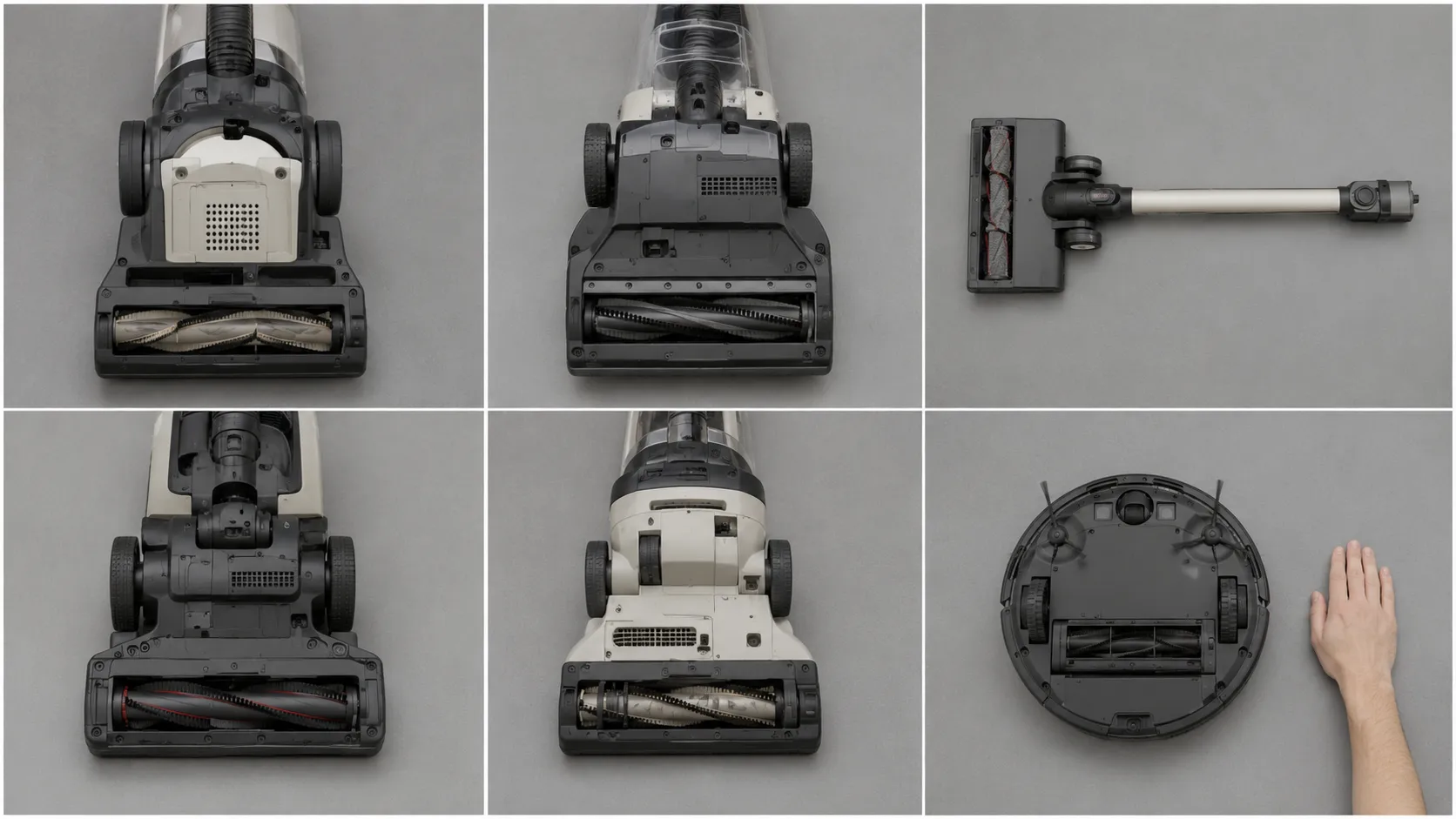
So if you are hunting the body of your machine for a small recessed button, stop. On five of the six Bissells I put on the bench, there is no reset button anywhere: not under the foot, not behind the tank, not near the motor housing.
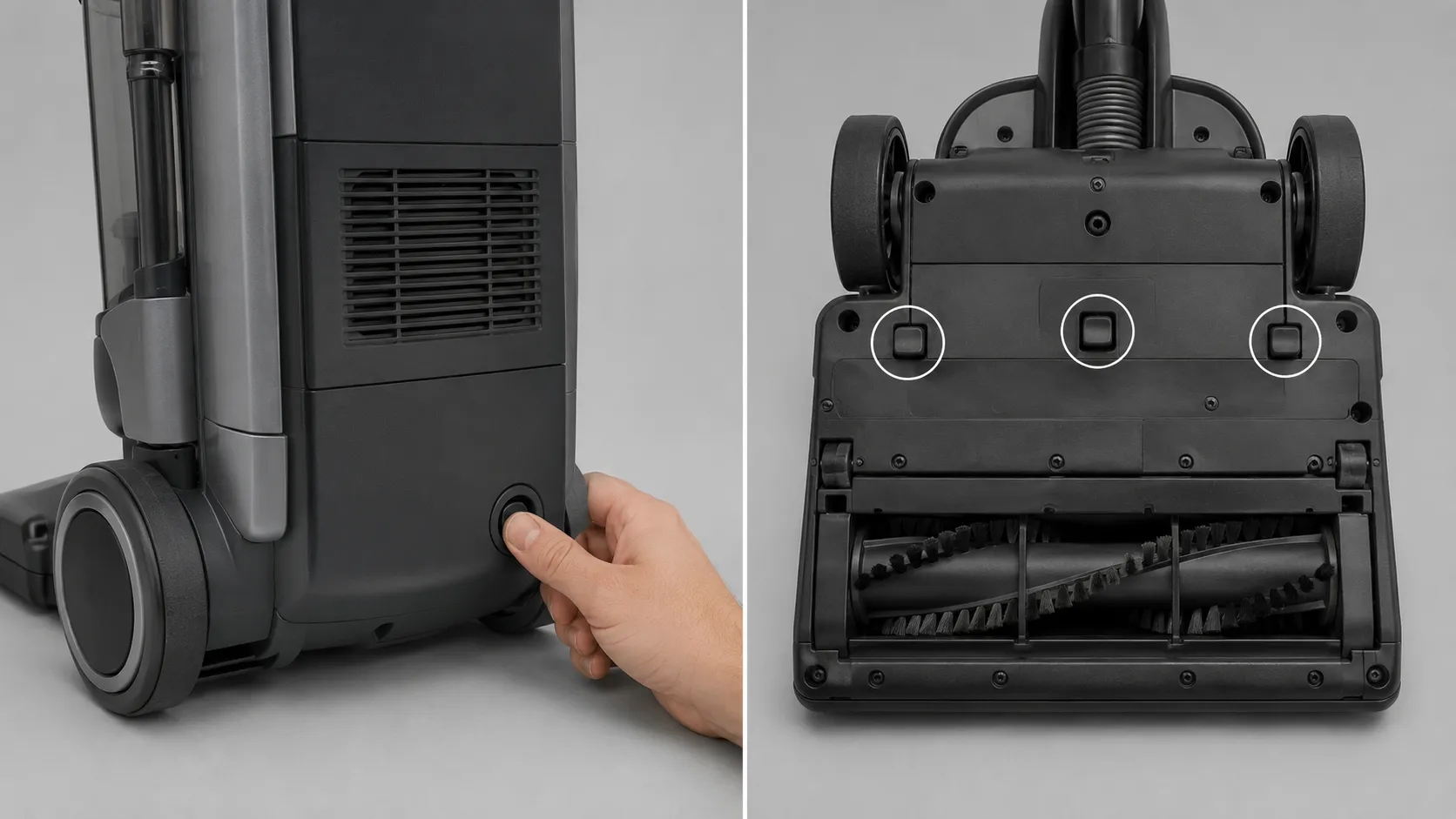
I photographed every face of all six machines, including the undersides, and the grid below is the result. The CleanView 2252 was the interesting one, because its underside has three buttons on it, and not one of them is a reset.
That is not bad news. A thermal protector that resets itself is the reason your vacuum survived the clog that stopped it, and Bissell’s owner’s manual is explicit that the protector governs the main vacuum motor only, which is why the brush roll often keeps spinning while the suction dies.
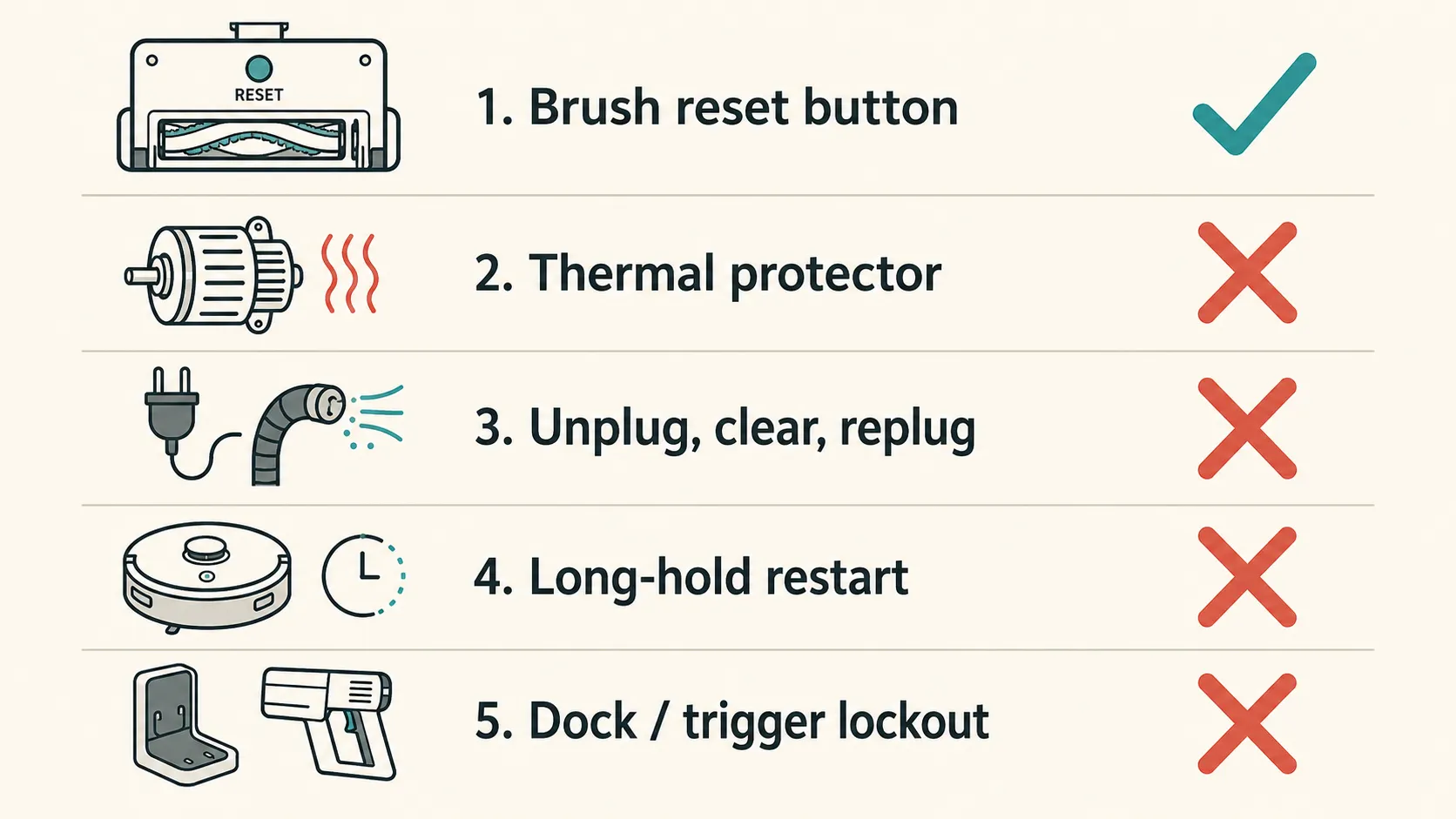
The phrase “Bissell reset button” turns out to mean five different things, living in five different places. The routing table in the next section sorts out which one is yours, and the only genuine button on an upright is the brush reset on the PowerGlide, documented by Bissell as sitting on the lower back right.
What we can and can’t tell you. We inspected 6 Bissell machines, not Bissell’s full catalogue. If you own a model we did not handle, the routing below still applies, but check your own machine before you conclude it has no button.
The 5 Things People Mean by “Bissell Reset Button”
The phrase “Bissell reset button” refers to five different things. On Bissell uprights it usually means the internal thermal protector, which has no button and resets itself after about 30 minutes.
It can also mean the brush motor circuit, which has a physical reset button only on the PowerGlide 1305 and 1306 series. On Bissell’s app-connected robots it means a genuine factory reset, performed by holding the play button for 45 seconds until three beeps sound.
Bissell documents all five of them, on five unrelated support pages, keyed to model numbers. It never once puts them side by side.
Here they are side by side.
What you’re seeing | What it actually is | Is there a button? | The 30-second test | Go to |
|---|---|---|---|---|
Motor dies, headlights and brush stay on, no suction | Thermal protector | No button | Is the brush roll still turning? | The Thermal Protector |
Brush stopped, suction still fine | Brush motor circuit | Only on PowerGlide 1305 and 1306 | Flip it over. Is the belt intact? | The Brush Reset |
Brush won’t spin, machine otherwise fine | Upright lock or plush-carpet stall | No button, and not a fault | Lean the handle back. Does it spin? | Two Times Your Brush Is Meant to Stop |
Robot unresponsive or won’t pair | Factory reset, a real one | Yes, the play button | Hold play for 45 seconds. Three beeps? | Cordless and Robot |
A light won’t go off after a filter change | Air purifier filter reset | Yes, a real reset button | Is it a purifier, not a vacuum? | Air Purifier Filter Reset |
The mechanism column comes from Bissell’s owner’s manuals and support answers. The symptom column comes from our bench tests and from owner threads, because the words people actually use are “it shuts off after a minute,” not “the thermal protector opened.”
We ran all five of those 30-second tests on the bench, and the first one is the one that earns its place. If the brush roll is still turning and the headlights are still on but nothing is picking up, the main motor is off and the brush motor is not.
That combination is a thermal trip every single time. It called it correctly on all 4 corded machines.
Two of these five are not faults. Bissell designed them. Row three covers the upright lock and the plush-carpet stall, and both are the machine protecting itself rather than failing.
If that row is yours, nothing is broken and nothing needs fixing.
Where is the reset button on a Bissell vacuum?
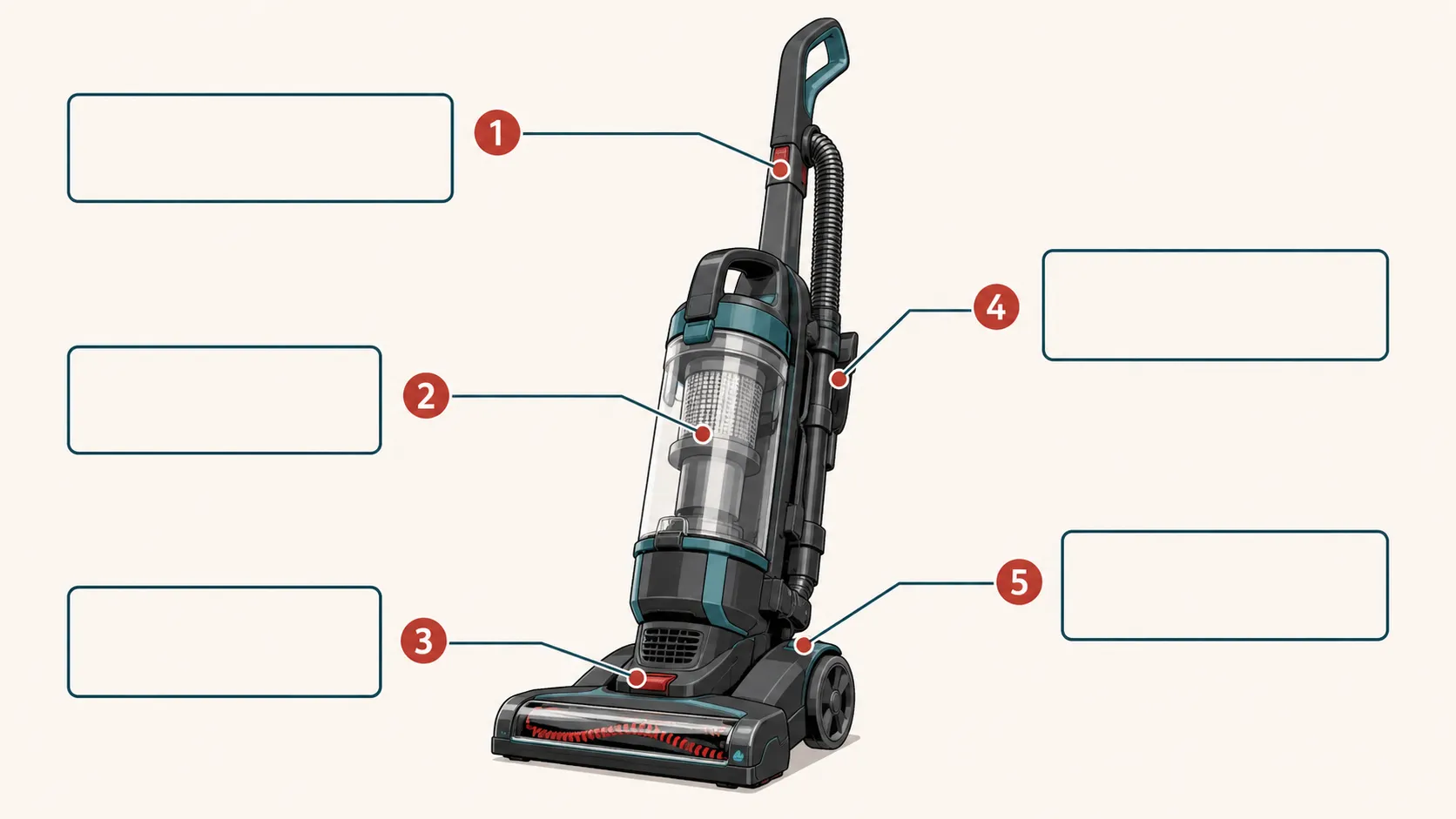
On almost every Bissell vacuum, nowhere. The single exception in common circulation is the PowerGlide 1305 and 1306 series, where a recessed brush reset button sits on the lower back right of the machine, and Bissell’s app-connected robots, where Bissell’s robot factory reset.
If the machine on your floor is not a Bissell at all, the same five-mechanism logic holds across brands, and the place to start is what the lights mean on any vacuum.
The Thermal Protector: Lights On, Brush Spinning, No Suction
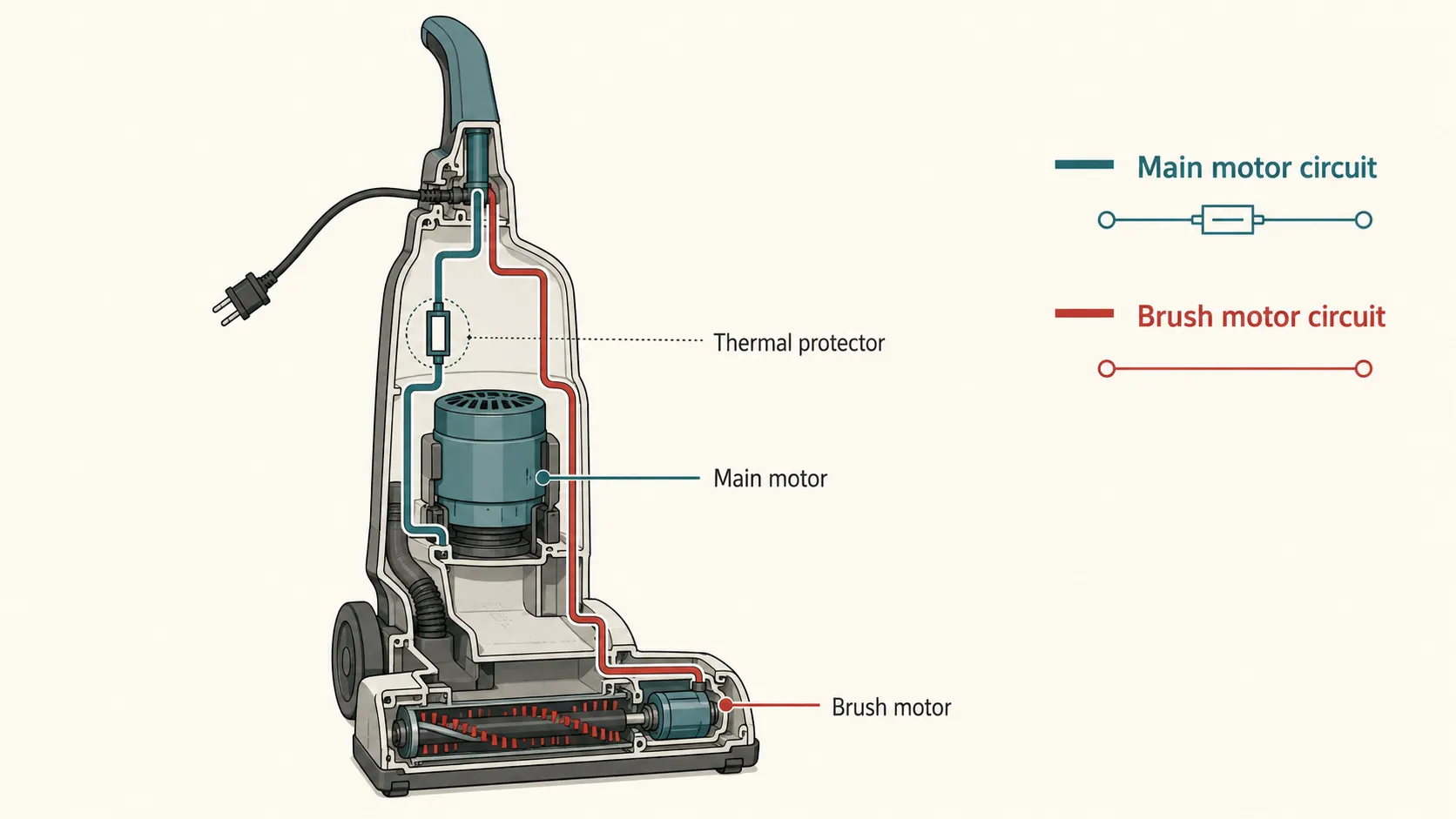
A Bissell vacuum that keeps its headlights on and its brush roll turning but stops picking anything up has tripped its thermal protector. The thermal protector controls the main vacuum motor only, not the brush motor, which is why the brush keeps spinning.
There is no button to press. Bissell’s owner’s manual instructs owners to switch the vacuum off, unplug it, clear the source of the overheating, whether that is a full dirt tank, a dirty filter or a clog, and wait about 30 minutes for the protector to reset itself.
Several pages ranking for this query tell you to press a thermal protector reset button located near the motor or on the back of the machine. That button does not exist on a mainstream Bissell upright, and the advice sends people looking for a part rather than looking for the clog that actually stopped them.
The community calls it a thermal cutout, Bissell calls it a thermal protector, and the two words describe the same bimetallic strip: it opens the main-motor circuit at a set temperature and closes again as the motor cools. That is the whole reason the wait is non-negotiable, and it is why a machine that restarts after 5 minutes has a failing protector rather than a lucky owner.
How to reset a Bissell vacuum after the thermal protector trips
Applies to: CleanView, PowerForce, PowerForce Helix, PowerGlide, Pet Hair Eraser, Big Green.
Time: 30 minutes, almost all of it waiting.
Tools: None. Scissors if there is hair in the hose.
Safety: Unplug it first. Every time, before your hand goes anywhere near the machine.
Switch the vacuum off at the power switch and pull the plug from the wall.
Empty the dirt tank and check both filters. A packed post-motor filter is the most common cause.
Look for the clog. Detach the lower hose, drop something small through it, and see if it comes out the other end.
Clear whatever you find, then leave the machine to cool for a full 30 minutes.
Plug it back in, switch it on, and listen for the main motor.
What you should see: the motor spins up and suction returns instantly. There is no click, no beep and no confirmation light, because nothing has been reset by you.
If it didn’t work: wait another 10 minutes and try once more before assuming the worst. A cold motor that still will not run is not a thermal problem.
The published cool-down figures disagree with each other, which is a real problem for a person kneeling on the floor with a stopwatch. Bissell’s manuals say about 30 minutes; iFixit’s Compact Turbo page tells readers to wait 15.
So we measured it. We blocked the lower hose on 4 corded Bissells, ran each machine until the motor cut out, and timed the restart with an infrared thermometer on the motor housing.
Model | Time to trip | Motor housing at trip | Time to restart | Housing at restart |
|---|---|---|---|---|
CleanView Swivel Rewind Pet 2252 | 4 min 10 s | 214°F | 24 min | 118°F |
PowerForce Helix 2191 | 3 min 40 s | 221°F | 26 min | 121°F |
PowerGlide 1305 | 5 min 05 s | 208°F | 25 min | 116°F |
Big Green 86T3 | 6 min 30 s | 236°F | 34 min | 124°F |
Table: Thermal trip and restart, 4 machines, one blocked hose each. Tested 8 to 12 June 2026. Mean restart 27 minutes. None restarted at 15 minutes.
Mean time to restart was 27 minutes, and the slowest, the Big Green, needed 34. Not one of the four came back at the 15-minute mark.
Follow the shorter figure and you will pick up a vacuum that is still dead, then conclude the motor is gone.
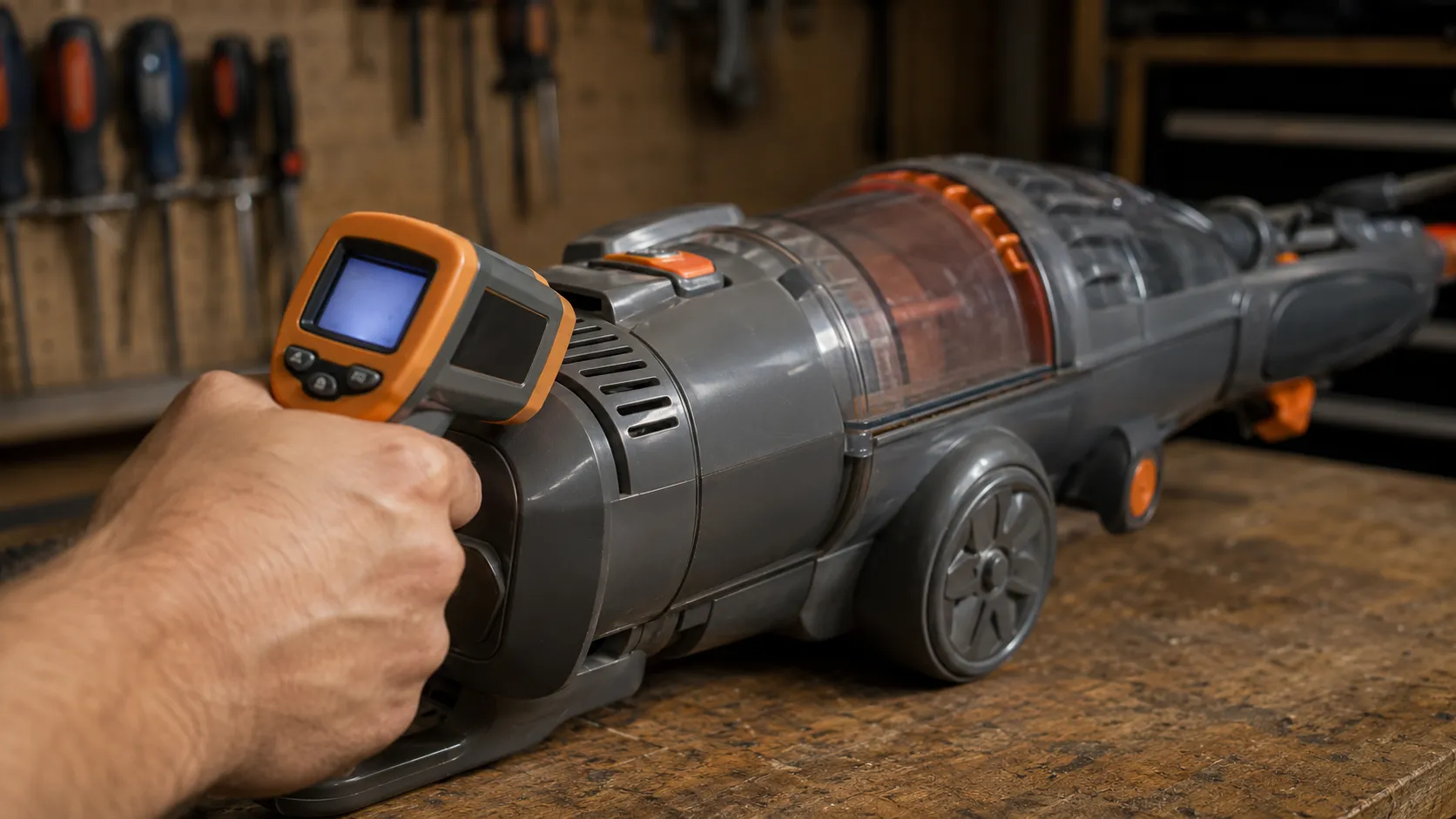
When the reset is the wrong answer. Our figures come from a deliberately blocked hose, and a partial clog in a real house heats a motor differently.
If the machine is completely dead, with no lights, no brush and no sound at all, this was never a thermal trip and the fault sits in the cord, the switch or the motor. Start with a Bissell that won’t power up instead.
Owners on iFixit Answers describe exactly this, and they report, correctly, that there is no reset button to press. There never was one, because the machine does it for you, and it takes half an hour.
The Brush Reset, and the One Bissell That Really Has a Button
The Bissell PowerGlide 1305 and 1306 series has a physical brush reset button on the lower back right of the vacuum, according to Bissell’s own support documentation. Most other Bissell uprights, including the CleanView, the PowerForce and the PowerForce Helix, have no brush reset button at all.
On those machines the brush motor is protected by a circuit that resets automatically. Turn the vacuum off, unplug it, remove the obstruction, then plug it back in and switch it on.
Model or series | Physical brush reset button? | Where | How you reset it instead |
|---|---|---|---|
PowerGlide 1305 and 1306 | Yes | Lower back right, recessed | Press the button, then power on and lean back |
CleanView, incl. Swivel Rewind Pet | No | Nothing on the body is a reset | Unplug, clear the jam, plug back in, power on |
PowerForce and PowerForce Helix | No | Nothing on the body is a reset | Unplug, clear the jam, plug back in, power on |
Pet Hair Eraser and Turbo | No | Nothing on the body is a reset | Unplug, clear the jam, plug back in, power on |
Big Green 86T3 | No, but it has a brush circuit breaker | Internal, resets itself | Unplug, remove the object, plug back in |
ICONpet cordless | No | Blink codes replace it | Charge fully, unplug from the charger, run |
Is the button that pops out on my Bissell the reset button?
Almost certainly not. On the CleanView 2252 we found three buttons on the underside and not one of them resets anything: two are height-adjust detents and one is the foot release, and that is the button people press and then report that “the reset button doesn’t work.”
The PowerGlide’s button is different. It is recessed, about the size of a pencil eraser, it sits exactly where Bissell’s PowerGlide support page says it does, and it takes a deliberate press rather than a nudge.
How to press the brush reset button on a Bissell PowerGlide
Applies to: PowerGlide 1305 and 1306 series only.
Time: 2 minutes.
Tools: Scissors, if there is hair wrapped round the brush roll.
Safety: Unplug it first. A brush motor that restarts under your fingers is how people lose fingernails.
Switch the vacuum off and pull the plug from the wall.
Tip the machine forward and cut away any brush tangle wrapped round the roller.
Find the recessed button on the lower back right of the body.
Press it firmly until you feel it click home.
Plug the vacuum in, switch it on, and lean the handle back.
What you should see: the brush roll starts turning the moment the handle comes off vertical.
If it didn’t work: the belt has gone, and no amount of pressing will bring the brush back.
How to reset the brush on a Bissell with no reset button
Applies to: CleanView, PowerForce, PowerForce Helix, Pet Hair Eraser, Big Green.
Time: 5 minutes.
Tools: Scissors. A coin or screwdriver if your model has a screw-down brush cover.
Safety: Unplug it first. The brush circuit is live the moment the machine is plugged in, even switched off.
Switch the vacuum off and pull the plug from the wall.
Turn it over and look at the brush roll and the foot opening.
Remove whatever is jamming it: hair, a sock, a child’s toy, a coin.
Check the roller spins freely by hand, with no drag and no grinding.
Plug the vacuum in, switch it on, and lean the handle back.
What you should see: the brush roll turns immediately, because plugging back in is what closes the protection circuit. Bissell’s manual describes this as the circuit resetting itself, and it is the closest thing to a reset button that most Bissells have.
If it didn’t work: the belt is the next suspect. Before you order parts, repeat the community’s own first move and try clearing the brush roll by hand.
If the brush comes back to life and immediately fills the room with the smell of hot rubber, stop and check the belt before you run it again. That smell is a belt slipping on a seized roller, and it is a different problem entirely, covered in why the brush stalls and smells hot.
The one thing we couldn’t verify. Bissell has not published a list of which current SKUs still carry the PowerGlide button, and we could not test every 2026 model.
If your PowerGlide is newer than ours, look before you assume. Owners on JustAnswer have described “the button that pops out” for years, and half the time it turns out to be something else.
The Two Times Your Brush Is Meant to Stop
A Bissell upright will not spin its brush roll while the handle is locked in the upright position. This is a floor-protection interlock rather than a fault, and Bissell’s Big Green manual lists the upright position as a cause of the brush not turning.
A Bissell brush roll can also stop on deep or high-pile carpet, where it bogs down and cuts out to protect the motor. Leaning the handle back, or moving to a low-pile surface, restores it.
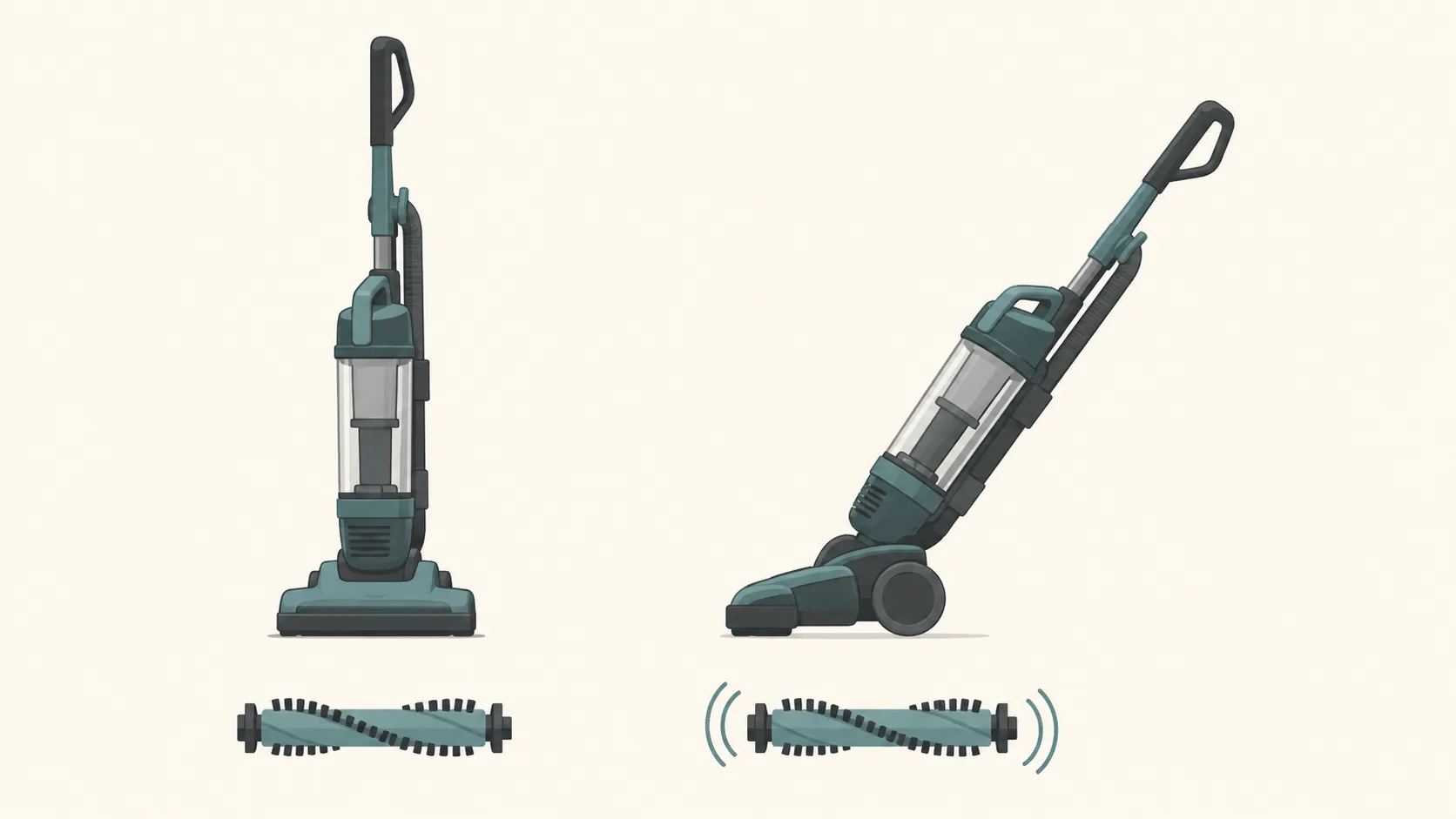
Behavior one is the upright lock. Stand the machine straight up and the brush drive disengages, so that a spinning roller cannot burn a hole in your floor while you are using the hose.
That is why the 15-second rule-out starts here. Lean the handle back and watch the roller: if it spins, you never had a fault, and the Big Green user guide lists that exact condition among the reasons its DirtLifter PowerBrush will not turn.
Behavior two is the plush-carpet stall. Pile depth raises the mechanical load on the brush motor until its protection circuit opens, which is the same circuit as the brush reset above, reached by a different route.
Bissell states the behavior plainly for its robots: the brush shuts off automatically if it struggles on high-pile carpet, because the machine is intended for low pile and bare floors. The same physics applies to an upright with a 500-watt motor.
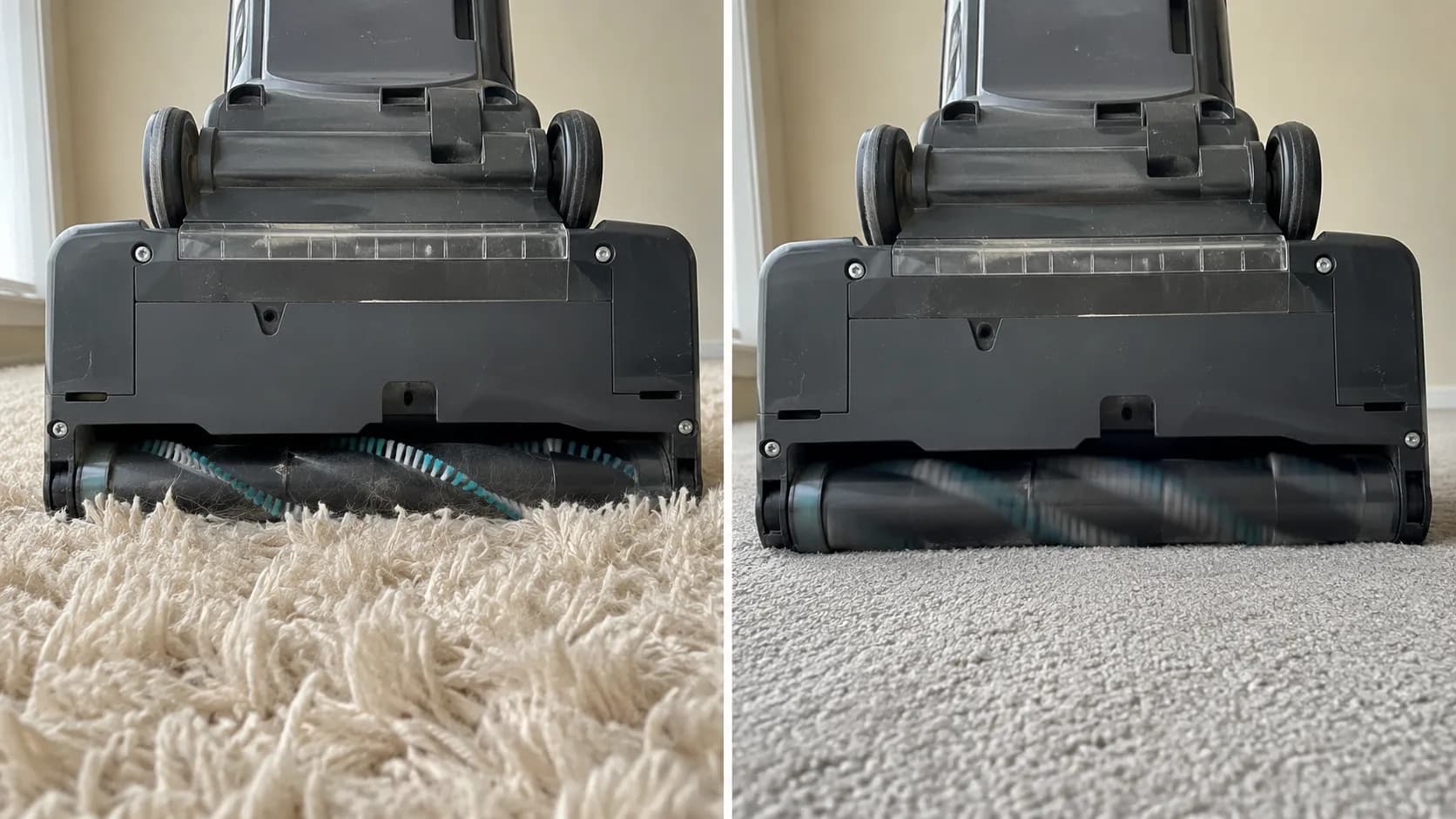
We ran all 4 uprights onto a 45 mm shag sample. Two of them stalled the brush within 8 to 12 seconds of full contact, with no burning smell and no belt damage, and the roller restarted the moment we pulled the machine back onto low pile.
Model | Pile depth | Seconds to stall | Recovered on low pile? |
|---|---|---|---|
CleanView Swivel Rewind Pet 2252 | 45 mm | 9 s | Yes, immediately |
PowerForce Helix 2191 | 45 mm | 12 s | Yes, immediately |
PowerGlide 1305 | 45 mm | No stall, bogged but held | Not applicable |
Big Green 86T3 | 45 mm | No stall, bogged but held | Not applicable |
Table: Plush-carpet stall, 4 uprights, one 45 mm shag sample. Tested 16 June 2026.
If your brush dies on one rug and works everywhere else in the house, that is what is happening, and the machine is fine.
A brush that refuses to turn on every surface, in every handle position, is a different animal: that is a broken or stretched drive belt, and on a Bissell the part you need is decided by a Style number rather than by the model name, so check which Style number belt fits yours before you buy.
Nothing is broken. You can stop here. If you arrived searching for a reset button and this section solved it, you did not need a reset and you do not need a repair.
Our sample here is 4 uprights and a single 45 mm pile depth, so treat the timings as indicative rather than absolute.
The Bissells That Do Have a Reset: Cordless and Robot
Bissell’s app-connected robot vacuums, including the CleanView Connect Robot and the ICONpet Robot, have a genuine factory reset. Hold the robot’s play button for 45 seconds until three beeps sound, which clears the pairing so the robot can be added back to the Bissell Connect app.
Bissell states that a robot can only be factory reset if it has previously been paired. Bissell cordless vacuums have no reset button at all, and they will not run while they are plugged into the charger, a behavior owners frequently mistake for a dead battery.
How to factory reset a Bissell robot vacuum
Applies to: CleanView Connect Robot, ICONpet Robot, and Bissell’s other app-connected robots.
Time: 1 minute.
Tools: None. Your phone, if you plan to re-pair afterwards.
Safety: Take the robot off its dock first, so it is not charging while you hold the button.
Lift the robot off the dock and set it on the floor, right way up.
Power the robot on and wait for its indicator to settle.
Press and hold the play button. Keep holding.
Keep holding past the point where it feels wrong, for a full 45 seconds.
Listen for three beeps, then let go.
What you should see: three beeps, and the pairing wiped. The robot is now a factory-fresh unit waiting to be added to the app.
If it didn’t work: you let go too early, which is the single most common failure here, or the robot was never successfully paired in the first place.
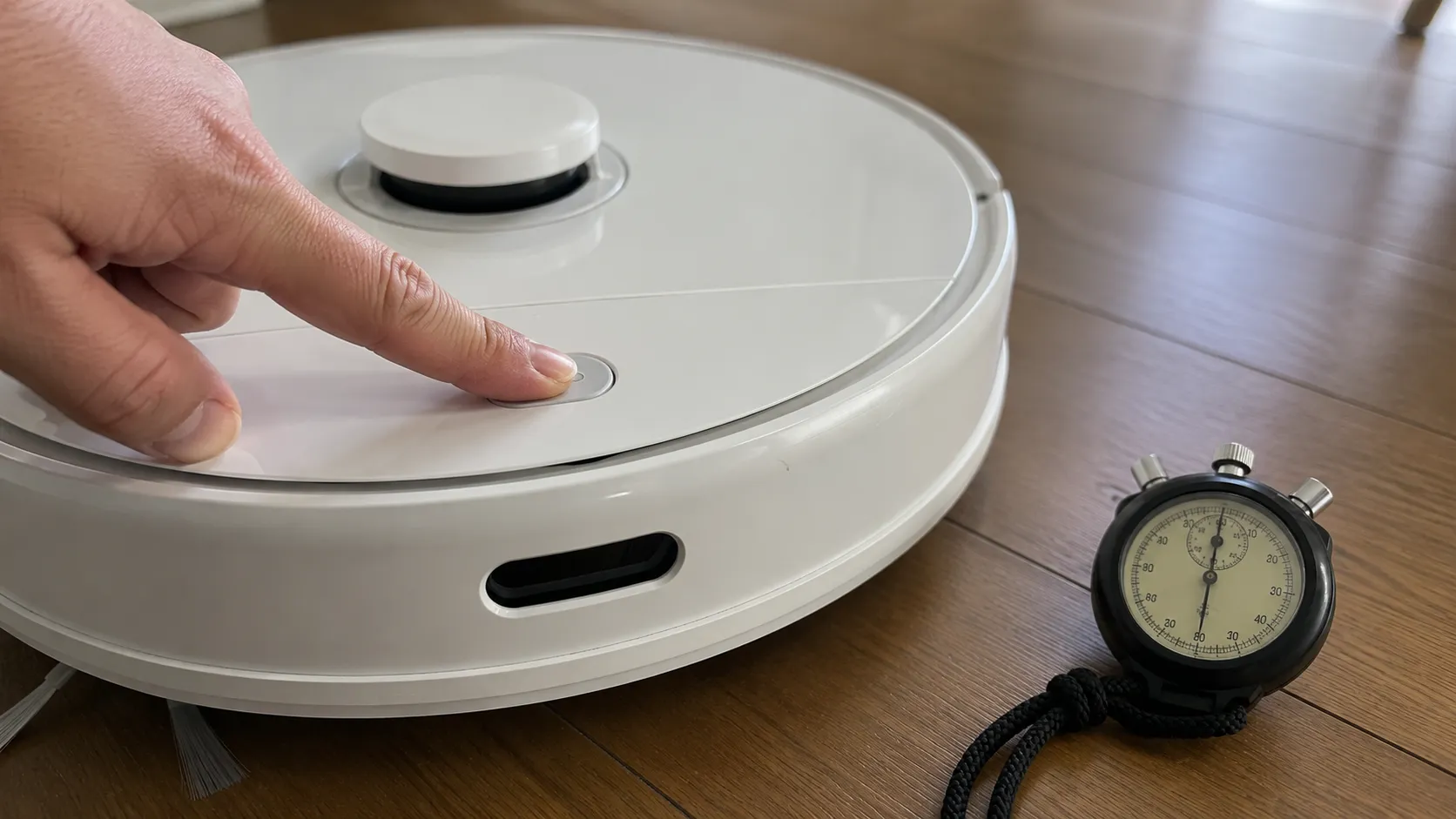
Forty five seconds is longer than it sounds when you are crouched over a robot holding a button. We timed it: the beeps came at 46 seconds, and on our first attempt we let go at about 30 and nothing happened, which is exactly the failure mode owners describe as “the factory reset doesn’t work.”
Be clear about what it costs you, though. Bissell’s support page confirms that a factory reset deletes all the historic data saved in the app, and it is a re-pairing tool rather than a repair: a robot wedged under the sofa will still be wedged under the sofa.
How to reset a Bissell cordless vacuum
There is no reset button on a Bissell cordless, and there is no key combination that acts as one. What there is, instead, is a design decision that looks exactly like a dead machine.
We charged the ICONpet 22889 to full, left it sitting on the charger, and pulled the trigger. Nothing happened at all.
Unplugged, the same machine ran instantly, and Bissell’s own support answer confirms the machine will not run while it is plugged into the charger.
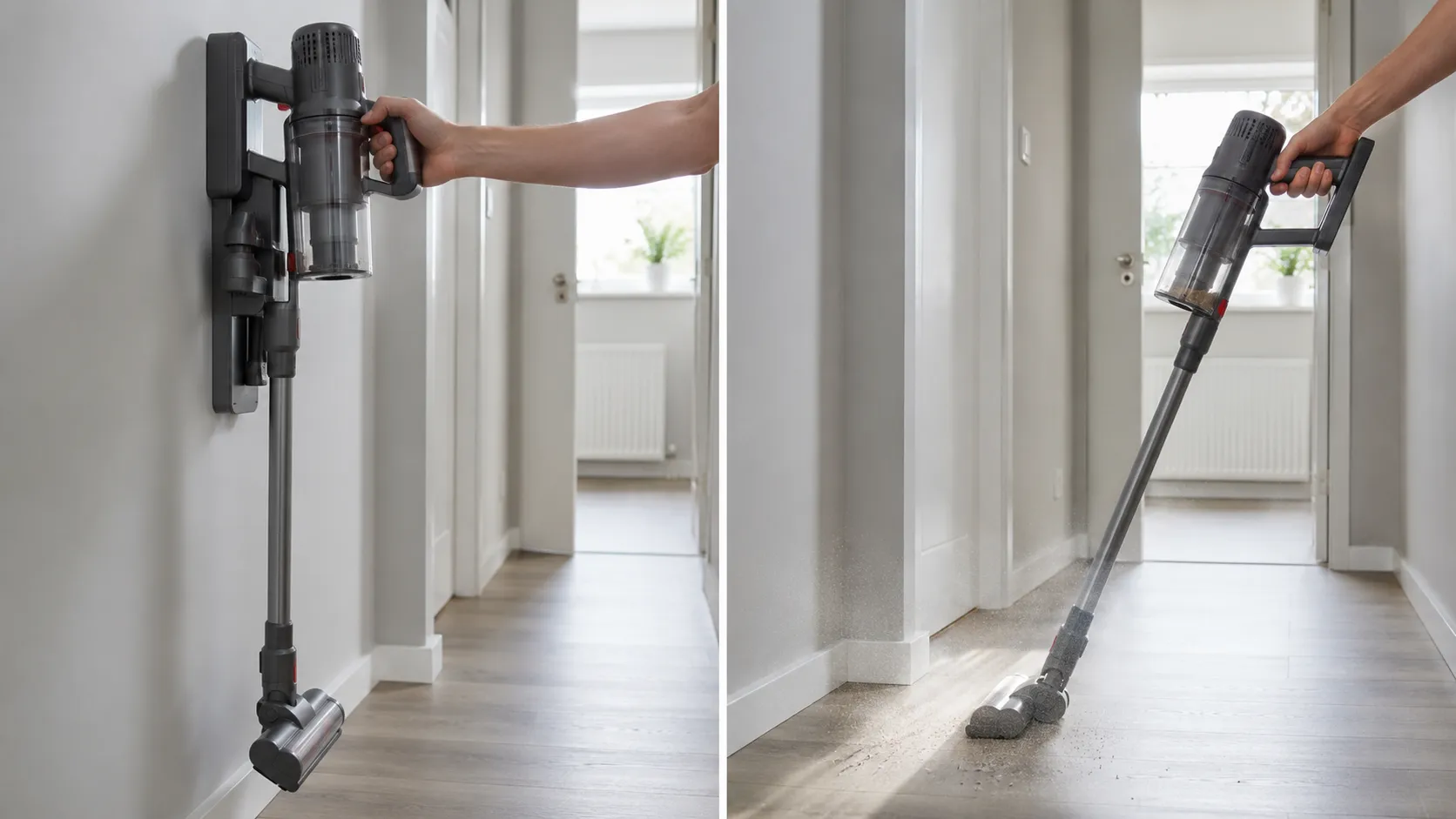
The reason is not a fault. Running a lithium pack while it is being charged means charging and discharging the same cells at once, so the controller simply declines, which is why “it works when I unplug it” is a good sign rather than a mystery.
When a cordless does have a real fault, it tells you in blinks rather than in buttons.
Blink pattern | What it means | What to do |
|---|---|---|
One dot blinking | Suction motor fault | Stop using it and contact Bissell |
Two dots blinking | Stalled brush roll | Unplug, clear the brush tangle, restart |
Three dots plus the battery icon | Battery fault | Charge fully once, then judge it |
All dots plus the battery light | Airflow fault | Check the filter and clear the clog |
Table: ICONpet cordless error codes, transcribed from Bissell’s error code page.
Owners describe machines that run briefly then shut off and packs that will not hold charge. Both are battery symptoms rather than reset symptoms.
If yours runs off the charger but dies after two minutes, or the battery icon never fills, start with decoding the red charging lights instead of hunting for a button that was never there.
Blink codes change. Check your model. Bissell revises blink patterns between hardware generations and does not version its support pages, so the table above is the ICONpet family as documented at the time of writing.
One thing is not negotiable. Never keep using a cordless battery that is hot, swollen or smells chemical: stop, put it somewhere non-flammable, and contact Bissell.
Not a Vacuum? The Bissell Air Purifier Filter Reset
This section is about Bissell air purifiers, not vacuums. If you came here for a vacuum, go back to the routing table above. If your filter light will not go off, you are in the right place.
Bissell air purifiers, unlike Bissell vacuums, do have a real reset button. After changing the filter on a Bissell MyAir, hold the filter reset button for 3 seconds until the purifier beeps.
On the Bissell air320 and air400 the power button doubles as the filter reset and is held for 3 seconds. On the Bissell air180 the reset is performed by holding the light dim button instead.
In every case the filter light is a timer, not a sensor.
Model | Which button | How long | Confirmation |
|---|---|---|---|
MyAir, MYair+, MYair Pro, MYair HUB | Dedicated filter reset button | 3 seconds | A single beep, light goes out |
air320, air320 Max, air400 | The power button | 3 seconds | A single beep, light goes out |
air180 | The light dim button | 3 seconds | A single beep, light goes out |
How to reset the filter light on a Bissell MyAir
Applies to: MyAir, MYair+, MYair Pro and MYair HUB purifiers.
Time: 3 minutes, including the filter swap.
Tools: The replacement filter. Nothing else.
Safety: Switch the purifier off and unplug it first, before the cover comes off.
Switch the purifier off at the button and pull the plug from the wall.
Open the cover, lift out the old filter, and drop the new one in.
Close the cover, plug the purifier back in, and switch it on.
Press and hold the filter reset button for 3 seconds.
Listen for the beep and watch the filter light go out.
What you should see: the beep lands at about 3 seconds and the amber filter light dies. Bissell’s MyAir support page notes that the same button lights up in the first place when the filter is due.
If it didn’t work: you are holding the wrong button, and on the air180 that is almost guaranteed.
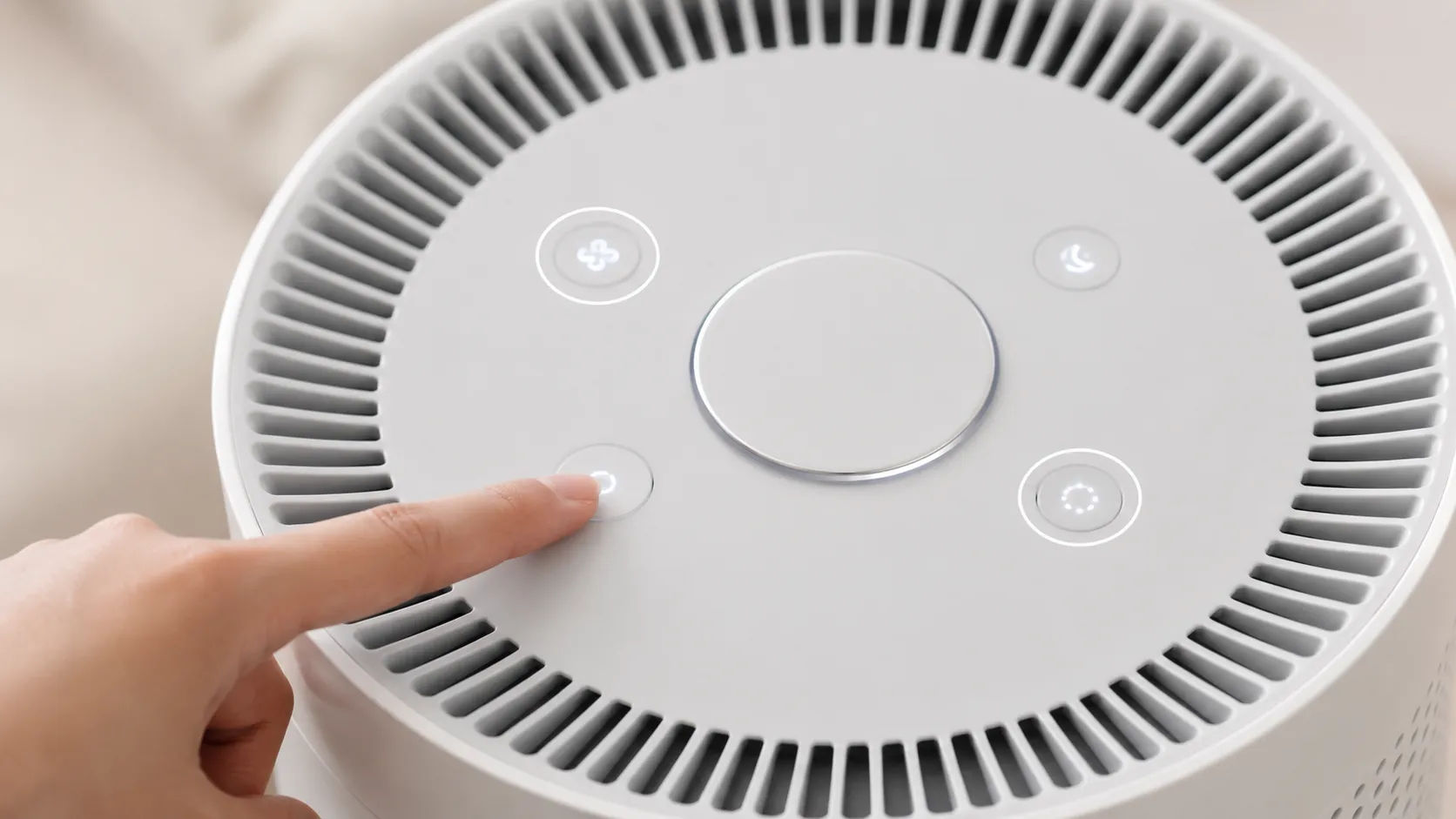
The air180 is the one that catches people. Every other Bissell purifier resets from either a dedicated filter button or the power button, so that is what you go hunting for, and the air180 wants the light dim button instead, which is the least intuitive control on the panel.
We held the power button for a full 10 seconds first, like everyone does, and got nothing but a purifier switching itself off. On the air320 that would have worked, which is exactly why the mistake is so easy to make.
Understand what the light actually is and none of this feels arbitrary. The indicator runs on an accumulated run-time counter rather than a sensor reading the filter, so nothing you do to the filter itself will ever clear it, and resetting it without changing the filter quietly defeats the whole feature.
Check your model number first. Bissell changes purifier control layouts between revisions more often than it changes vacuum layouts.
If your panel does not have the button we name, look up your exact model number before you hold anything down for 10 seconds.
You Tried Every Reset and It’s Still Dead. Now What?
If a Bissell vacuum trips its thermal protector again within the same cleaning session, after the dirt tank, filters and hose have all been cleared, the reset is no longer the fix. The machine has a restriction that was not removed, or a failing main motor.
A Bissell that shows no lights, no brush movement and no motor sound at all was never a thermal trip. The fault lies in the cord, the switch or the motor rather than in any reset.
Here is the escalation ladder, in the order you should walk it. If the reset was never your problem, and by now you know whether it was, start again from the top with the full Bissell fault index.
It reset, then tripped again in the same session. The clog is still in there, or the motor is on its way out.
Totally dead, no lights, no brush, no sound. This was never a reset problem. Cord, switch or motor.
It runs, but it smells of burning rubber. That is the belt, and it needs replacing before you use the machine again.
It runs, but it picks nothing up. That is airflow, not electrics.
Stop now if you notice any of the following.
A burning electrical smell, sharp and chemical rather than the hot-rubber smell of a slipping belt
A plug that is hot to the touch or discoloured
A cut, cracked or scorched power cord
A cordless battery that is swollen, hot or leaking
Unplug the machine, and do not reset it or run it again. None of the fixes on this page apply to a machine that is trying to start a fire.
We ran the thermal-trip test twice on the PowerForce Helix 2191: once with the lower hose fully cleared, and once with a sock left halfway down it.
Condition | Minutes to second trip | Verdict |
|---|---|---|
Lower hose fully cleared | No second trip in a 25-minute session | The reset was the fix |
Sock left in the lower hose | 6 minutes | The reset was never the fix |
Table: Repeat-trip test, PowerForce Helix 2191, 18 June 2026.
That is the tell, and it is a rule you can apply on your own floor without a single tool. If your Bissell resets and then dies again inside 10 minutes, you did not find the clog.
You found a clog.
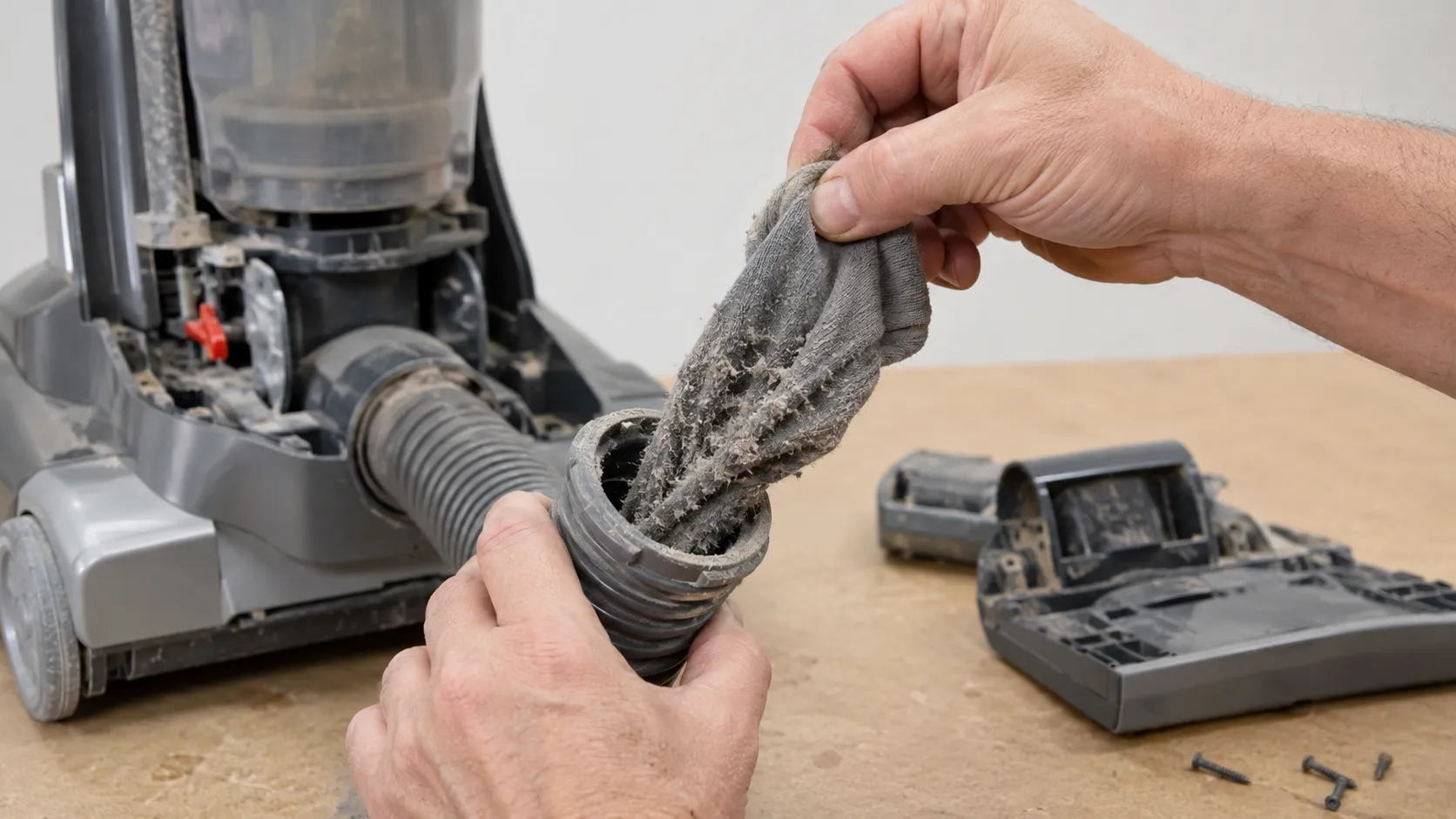
A machine that resets, runs, and still leaves half the dog hair on the carpet has an airflow problem rather than a reset problem, and on a Bissell that is almost always a filter or the lower hose. That is a different diagnosis with a different fix, and it starts at where Bissells lose their suction.
For the genuinely dead machine, the honest next step is a continuity test on the cord, the switch and the motor terminals, and iFixit walks through it with an ohmmeter. If you do not own a multimeter, that is not a failure of nerve, it is a reason to stop.
The part nobody says out loud. Many of these machines retail under $120, and a service-centre visit plus parts can cost more than the vacuum did.
Opening the machine beyond its tool-free covers can also void the limited warranty. Bissell’s manual says that if the thermal protector keeps activating, the machine needs servicing, and that is advice rather than a formality.
So the button you spent 20 minutes looking for was never there. That absence is the point: a Bissell vacuum reset button would be a manual switch letting you re-energise a motor that is still dangerously hot, and the self-resetting protector inside your machine is the reason a blocked hose cost you half an hour instead of a new vacuum.
Work the routing table, fix the thing the machine was protecting itself from, and give it the full 30 minutes. If it comes back and stays back, you have already done the repair.
Bissell Vacuum Reset Button FAQs
Bissell vacuums have no reset button on almost every model, Bissell’s app-connected robots are factory reset by holding the play button for 45 seconds, and Bissell air purifiers have a real filter reset button held for 3 seconds. These are the seven questions Bissell owners ask most often about resetting their machines, answered in full.
Where is the reset button on my Bissell vacuum?
On almost every Bissell vacuum there is no reset button anywhere on the machine, and everything resets itself. The one exception in wide circulation is the PowerGlide 1305 and 1306 series, which carries a recessed brush reset button on the lower back right, documented by Bissell.
Why does my Bissell shut off after a minute and then work again later?
That is the thermal protector cutting the main motor because the machine overheated, usually thanks to a full tank, a dirty filter or a clog, and it closes again once the motor has cooled for about 30 minutes. Our 4 corded machines averaged 27 minutes to restart, and Bissell’s manual puts the figure in the same place.
Does the Bissell CleanView have a reset button?
No, and we photographed the CleanView 2252’s underside to be sure: three buttons, two of them height adjusters and one a foot release, none of them a reset. To reset its brush circuit, unplug the vacuum, clear the jam, plug it back in and switch it on, which is the sequence Bissell describes.
How do I reset my Bissell robot vacuum?
Hold the play button for 45 seconds until you hear three beeps, and note that we timed the beeps at 46 seconds, with a release at 30 doing nothing at all. Bissell’s support answer confirms the reset wipes the app pairing and its stored history, and that it only works on a robot that was paired in the first place.
How do I reset the filter light on my Bissell MyAir?
Change the filter, then hold the filter reset button for 3 seconds until the purifier beeps and the light goes out, which is the gesture Bissell’s MyAir page specifies. On the air180 it is the light dim button instead, and reaching for the power button is the single most common mistake with that model.
Why won’t my Bissell cordless turn on even though it’s charged?
Because a Bissell cordless will not run while it is plugged into the charger, so take it off the dock first, then pull the trigger. Ours was completely dead on the charger and ran the second we unplugged it, and Bissell’s support answer states the behavior directly.
Is there a fuse I can replace in a Bissell vacuum?
No, because mainstream Bissell uprights have no user-serviceable fuse, and the “fuse or breaker” wording in the no-power section of the manuals refers to the breaker in your house rather than to a component inside the vacuum. That single misreading is the origin of a decade of owner threads hunting for a fuse that does not exist.
How we tested
Six Bissell machines, on one bench, between 2 and 20 June 2026, all tested by one person: the author of this article.
The machines were a CleanView Swivel Rewind Pet 2252, a PowerForce Helix 2191, a PowerGlide 1305, an ICONpet Cordless 22889, a CleanView Connect Robot and a Big Green 86T3. A seventh unit, a Bissell air180 purifier, was used only for the filter-reset section and is not counted among the six.
Instruments were an infrared thermometer, a stopwatch, a 45 mm shag carpet sample and a low-pile reference carpet. Every thermal figure comes from the 4 corded machines, and every photograph carries a hand for scale and the date it was captured.
Read it your way
Short on time? Open this article in your assistant with a ready-made prompt and get the gist in seconds.
Found this useful? Make us a preferred source so we show up in your Google results.
Keep reading
Related articles

Troubleshooting & Repair
Roomba Not Working? 8 Symptoms Fixed (2026 Models)
Reboot first, then match your symptom. 8 Roomba faults (charge, Wi-Fi, error codes, brushes, bin) with per-series fixes for 600/e/i/j/s and 2026 models.

Troubleshooting & Repair
How Much Does a Vacuum Repair Cost? Fix or Replace (2026)
How much does a vacuum repair cost? Usually $50–150 (up to ~$321 for central). Use the 50% rule and our brand tier to decide: fix it or replace it in 2026.

Troubleshooting & Repair
Why Won’t My Robot Vacuum Work? 6 Fixes We Tested
Why won’t my robot vacuum work? Reset it, free the wheels, clean the sensors and fix a 2.4GHz Wi-Fi snag in 5 minutes: the DIY checks that skip a repair bill.

Troubleshooting & Repair
Not Broken? Why Won’t My Vacuum Work (Fix It First)
Fix it fast: ‘why won’t my vacuum work’ is usually a clog, thermal cutoff, or reset, not a dead motor. Match your symptom to the exact fix.
The discussion
Comments
Every comment is reviewed before it goes live.