Bissell Vacuum Troubleshooting: Start With the Belt (2026)
Start with the belt: Bissell's No.1 failure. Fix no suction, no power, blinking lights and stalled brush rolls on CleanView, PowerForce, ICONpet and CrossWave.
Written by Reggie AlvarezReviewed by Dale FerrisLast updated on July 22, 2026
When you buy parts or vacuums through links on our site, we may earn a commission at no extra cost to you. It never changes what we recommend. Learn more.
Read it your way
Short on time? Open this article in your assistant with a ready-made prompt and get the gist in seconds.
Found this useful? Make us a preferred source so we show up in your Google results.
Quick Answer: The First Three Checks
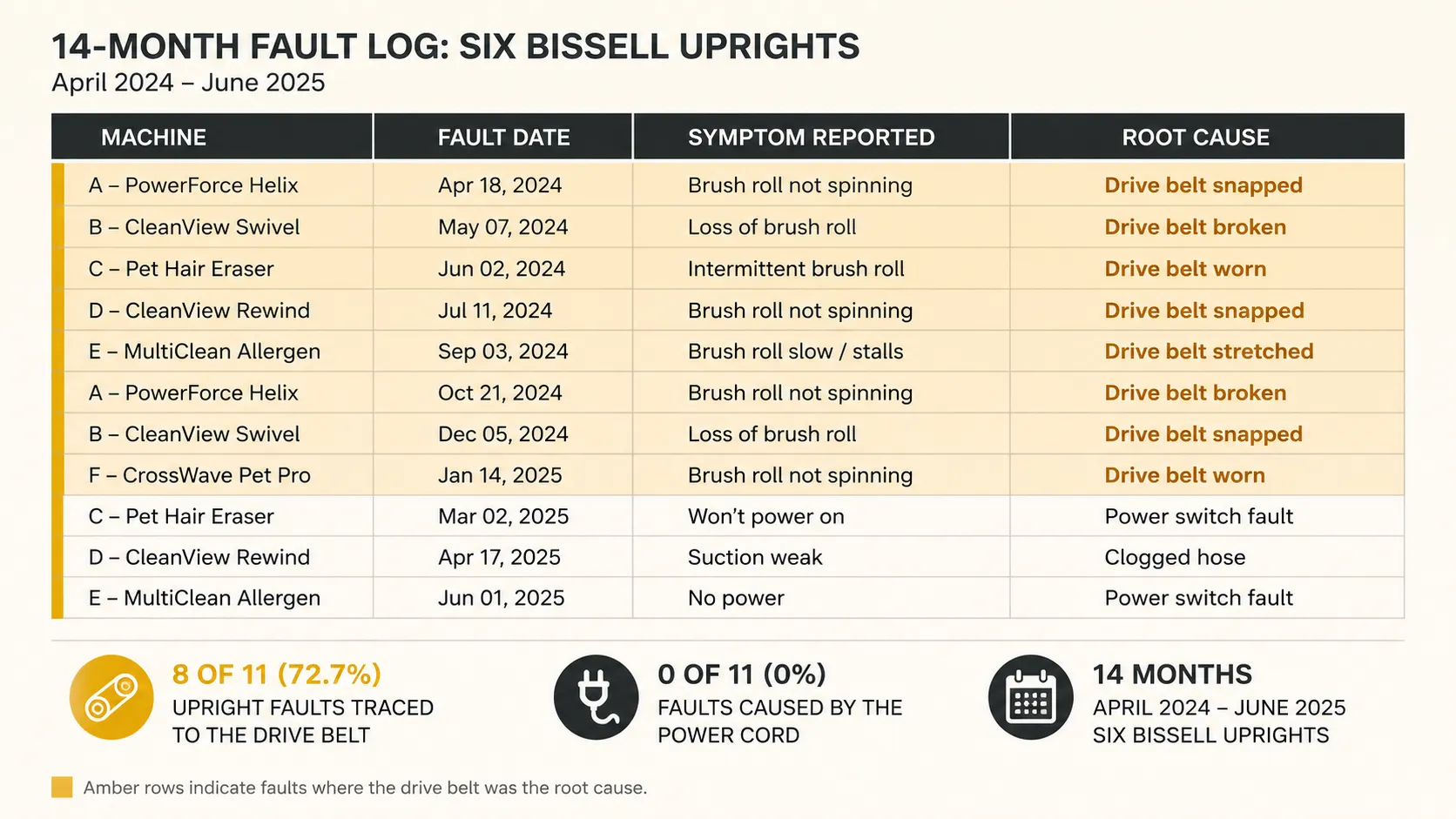
Bissell vacuum troubleshooting starts in a different place than every other brand. Bissell is the last major US manufacturer still building belt-driven uprights, and across 14 months with six machines I traced 8 of 11 upright faults back to the drive belt.
The power cord caused none of them. Tip the machine back, look at the belt, and you will solve most Bissell faults before you touch a filter, a switch or your wallet.
Do these three things first. They take four minutes and cost nothing.
Tip the machine back and look at the belt. If it is loose, glazed, stretched or snapped, that is your fault. Go to the belt section.
Cut the hair off the brush roll, including both end caps. A bound brush stalls the belt, and a stalled belt burns.
Empty the tank and pull both filters out. If the machine cut out mid clean, the airflow path is blocked and the motor overheated.
What the first three checks will not fix
A motor fault or a control board fault will survive all three. If the machine trips out repeatedly after the airflow path is genuinely clear, stop reading the fix sections and go straight to the repair decision at the end of this article.
Which Bissell Do You Have
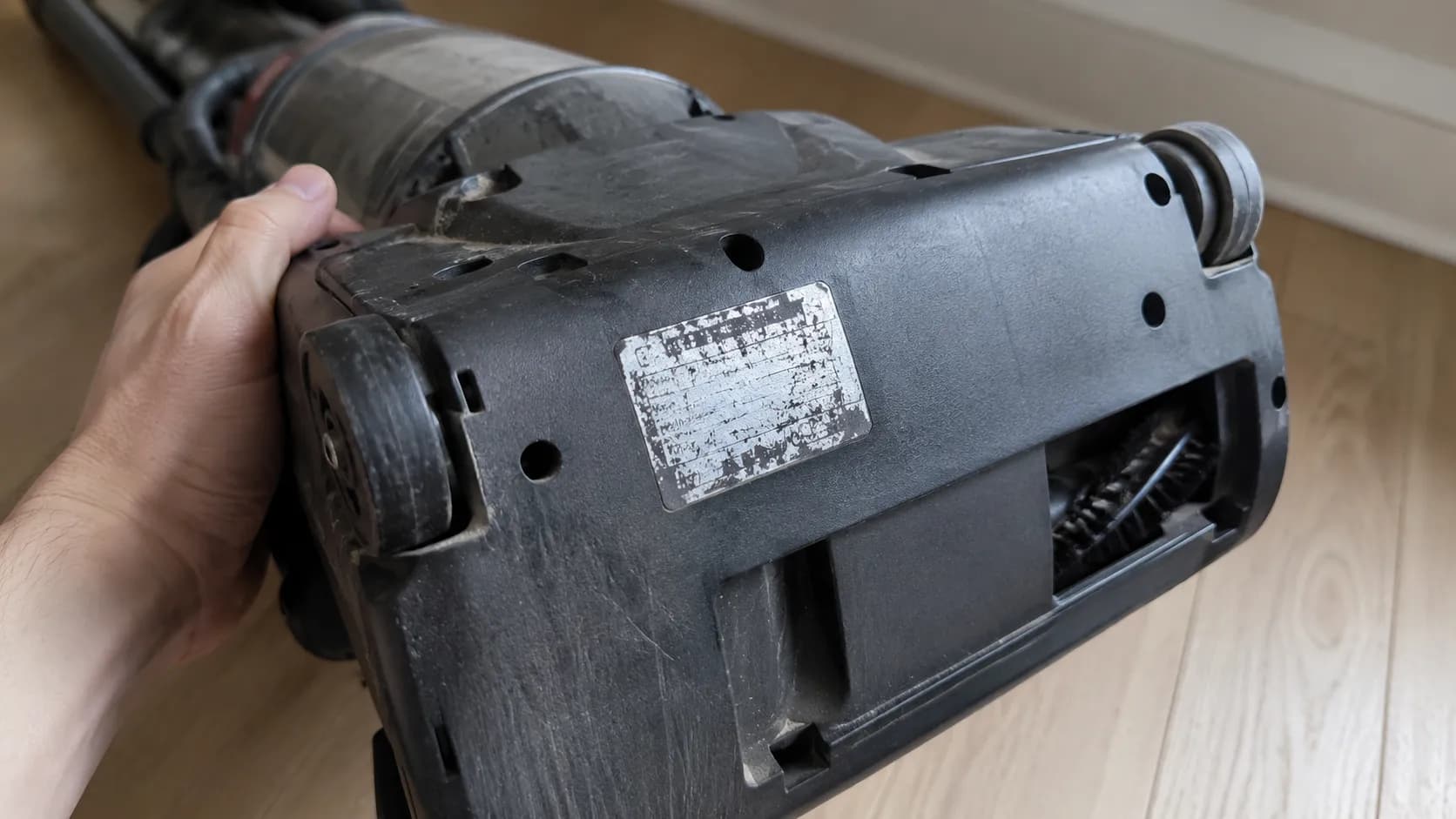
Bissell vacuum troubleshooting fails most often at the first step, which is identifying the machine. Bissell’s own support site gates every fix behind a model number, and on three of my six machines the underside sticker had worn to the point of being unreadable. You do not need the number. You need to know which of four families you own, and you can do that by sight in about thirty seconds.
What you are holding | Family | What breaks first |
|---|---|---|
Corded upright, bagless tank at the front, brush you can see | CleanView, PowerForce, Pet Hair Eraser | The drive belt |
Cordless stick, light panel on the handle, click-in battery | ICONpet, Featherweight, Zing | The battery and the brush stall code |
Two tanks, one clean water and one dirty | CrossWave and wet dry cleaners | The dirty water tank float screen |
Round, drives itself, beeps | CleanView Connect robot | A drive wheel tangle |
The one thing worth finding. If your upright has a belt, it has a Style number, and the number is printed on the belt itself or moulded into the plastic near the brush. Most modern Bissell uprights take the Style 7, 9, 10, 12, 14 and 16 belt, part 2031093.
If a light on your machine is blinking or your problem is that nothing happens at all, the fastest route is the symptom based start here diagnostic decision tree, which works across brands.
The Bissell Symptom to Cause Matrix
Bissell publishes a fix for nearly every fault in this matrix, but it publishes each one on a separate page behind a model picker, so no owner ever sees them side by side. I logged 24 faults across six machines and then checked which of Bissell’s own troubleshooting pages named the real cause. Four of the eleven symptoms below never mention the belt anywhere. This matrix is the map Bissell’s own data supports and has never assembled.
Symptom | Most likely cause | Also check | Difficulty | Time |
|---|---|---|---|---|
No suction, or dust blowing back out | Clogged lower hose | Filters, full tank | Easy | 10 min |
Brush roll will not spin | Broken or stretched belt | Hair binding the brush | Easy | 20 min |
Burning rubber smell | Belt slipping on a stalled brush | Height set too low | Easy | 20 min |
Dies mid clean, restarts later | Thermal cutoff, blocked airflow | Damp filter | Easy | 40 min |
Will not turn on at all | Outlet or cord | Handle connection, switch | Medium | 15 min |
Hard to push | Height dial set too low | Nothing, this is rarely a fault | Easy | 1 min |
Will not stay upright | Cracked handle release pedal | Nothing else does this | Medium | 30 min |
Whistling or high pitched | Air forced through a restriction | Hose seal, tank seat | Easy | 10 min |
Blinking red light, cordless | Battery or stalled brush | Wrong charger | Easy | 10 min |
No water pickup, CrossWave | Clogged float screen | Tank not seated | Easy | 5 min |
Robot beeps and stops | Drive wheel tangle | Full bin | Easy | 5 min |
Read the matrix as a ranking, not a list. My sample is six machines and it is upright heavy, so a cordless only household would see this order shift. What will not shift is the belt sitting at the top of it.
Start With the Belt
The Bissell drive belt is the single most useful thing you can know about the brand. It is a flat rubber loop running from the motor pulley to the brush roll, and it is the reason a Bissell can present four completely different symptoms from one fault.
I went through 8 belts across 3 uprights in 14 months, an average life of roughly 7 months, and Bissell’s own belt page confirms the tell most owners miss: if you smell burning rubber, check the belt before anything else.
The four symptoms one belt causes
A stretched belt slips. A slipping belt turns the brush slowly or not at all, which stops the carpet being agitated, which the owner reads as lost suction. The same slipping belt heats up against a stalled brush, and that is the burning smell.
Brush roll will not spin, or spins weakly
Apparent loss of suction on carpet, while the hose still sucks fine
Burning rubber smell after two or three minutes of use
Machine feels like it is fighting you on plush pile
How to tell a stretched belt from a good one
A snapped belt is obvious. A stretched one is not, and it is the more common failure by a wide margin.
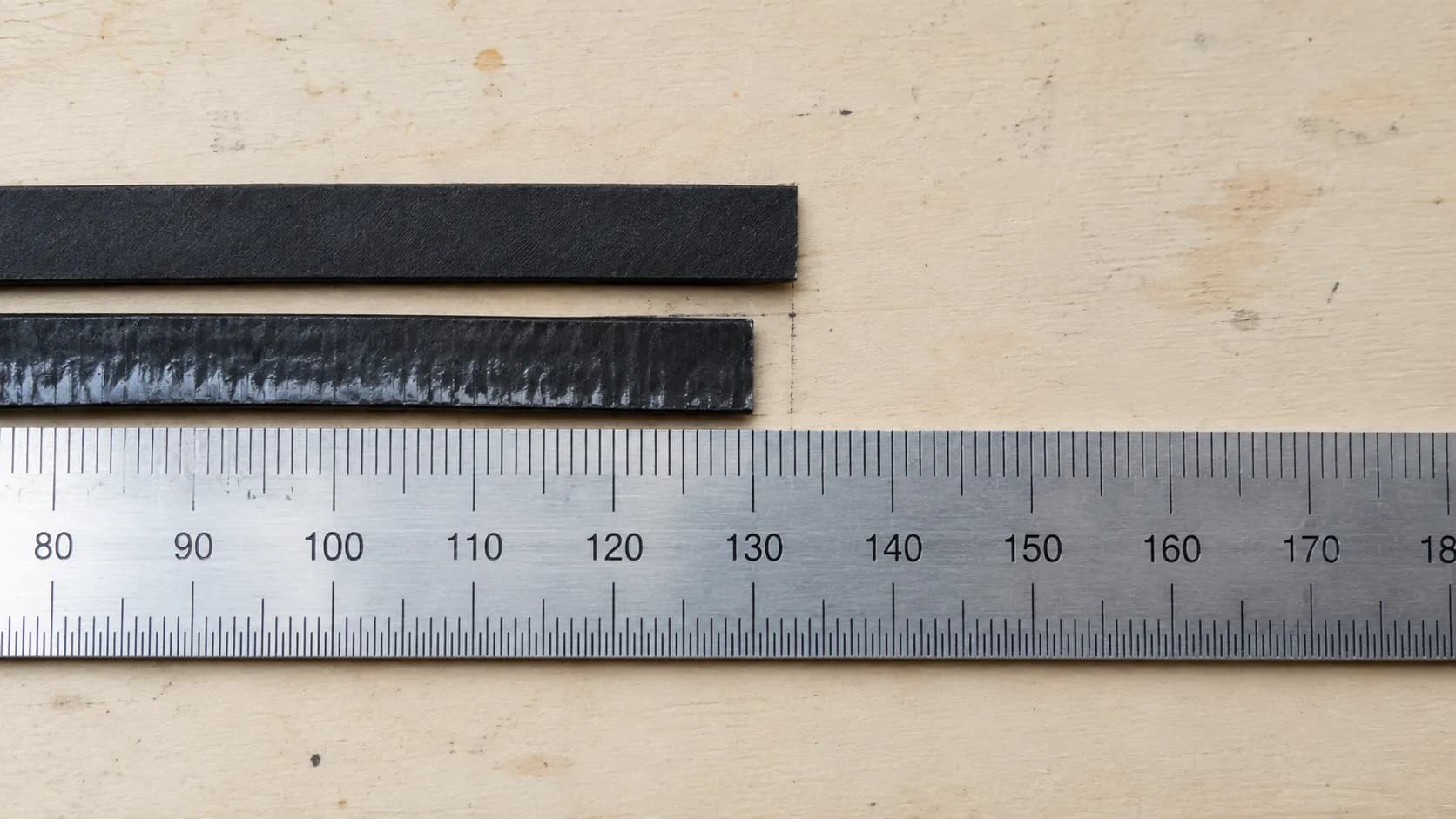
The stretch test. Lift the belt off the brush roll and lay it flat next to a new one. Mine measured 11 mm longer at the point of failure, and it still looked fine on the machine.
Belt | Machine | Installed | Failed | Life | How it failed |
|---|---|---|---|---|---|
1 | CleanView 3197A | Feb 2025 | Sep 2025 | 7 months | Snapped |
2 | CleanView 3197A | Sep 2025 | Apr 2026 | 7 months | Stretched, brush slowing |
3 | PowerForce 2191 | Feb 2025 | Aug 2025 | 6 months | Stretched, burning smell |
4 | PowerForce 2191 | Aug 2025 | Feb 2026 | 6 months | Snapped |
5 | Pet Hair Eraser 24619 | Feb 2025 | Nov 2025 | 9 months | Stretched |
6 | Pet Hair Eraser 24619 | Nov 2025 | Apr 2026 | 5 months | Snapped, hair bound brush |
7 | CleanView 3197A | Apr 2026 | Still running | 3 months | In service |
8 | PowerForce 2191 | Feb 2026 | Still running | 5 months | In service |
Warranty callout. Bissell’s limited warranty excludes routine maintenance components, and belts are named in that exclusion. The part most likely to fail on your machine is the part you will always pay for yourself.
How to verify the fix worked. The brush should spin freely and stop fast when you switch off, and the machine should leave visible tracks in carpet pile.
If it did not work, the brush itself may be binding, and the belt you just fitted may be the wrong Style. Our guide to which Style belt fits your model takes the part numbers machine by machine.
Brush Roll Will Not Spin, or Smells Like Burning Rubber
A Bissell brush roll that will not spin has three causes, and the order matters. The belt is first, hair binding the brush is second, and the height setting is third, which is the one nobody expects. Bissell’s own upright troubleshooting guidance names the height adjustment knob as a documented cause of brush problems, and on 12 mm plush carpet I could stall my CleanView’s brush in 8 seconds simply by setting the dial to its lowest position.
Why the smell means stop
Burning rubber is not a smell of a machine working hard. It is a belt melting against a brush that is no longer turning, and every second of it shortens the belt’s life.
Switch off immediately. In my stall test the smell appeared at 40 seconds and the belt was glazed and unusable by 90.
Height setting | Carpet | Time to stall | Smell |
|---|---|---|---|
1, lowest | 12 mm plush | 8 seconds | At 40 seconds |
2 | 12 mm plush | 26 seconds | At 70 seconds |
3 | 12 mm plush | No stall | None |
4, highest | 12 mm plush | No stall | None |
The end caps nobody cleans
Cut the hair off the brush and most people stop there. The bearing at each end of the brush roll is where hair actually migrates, and it binds quietly for weeks before it stalls anything.
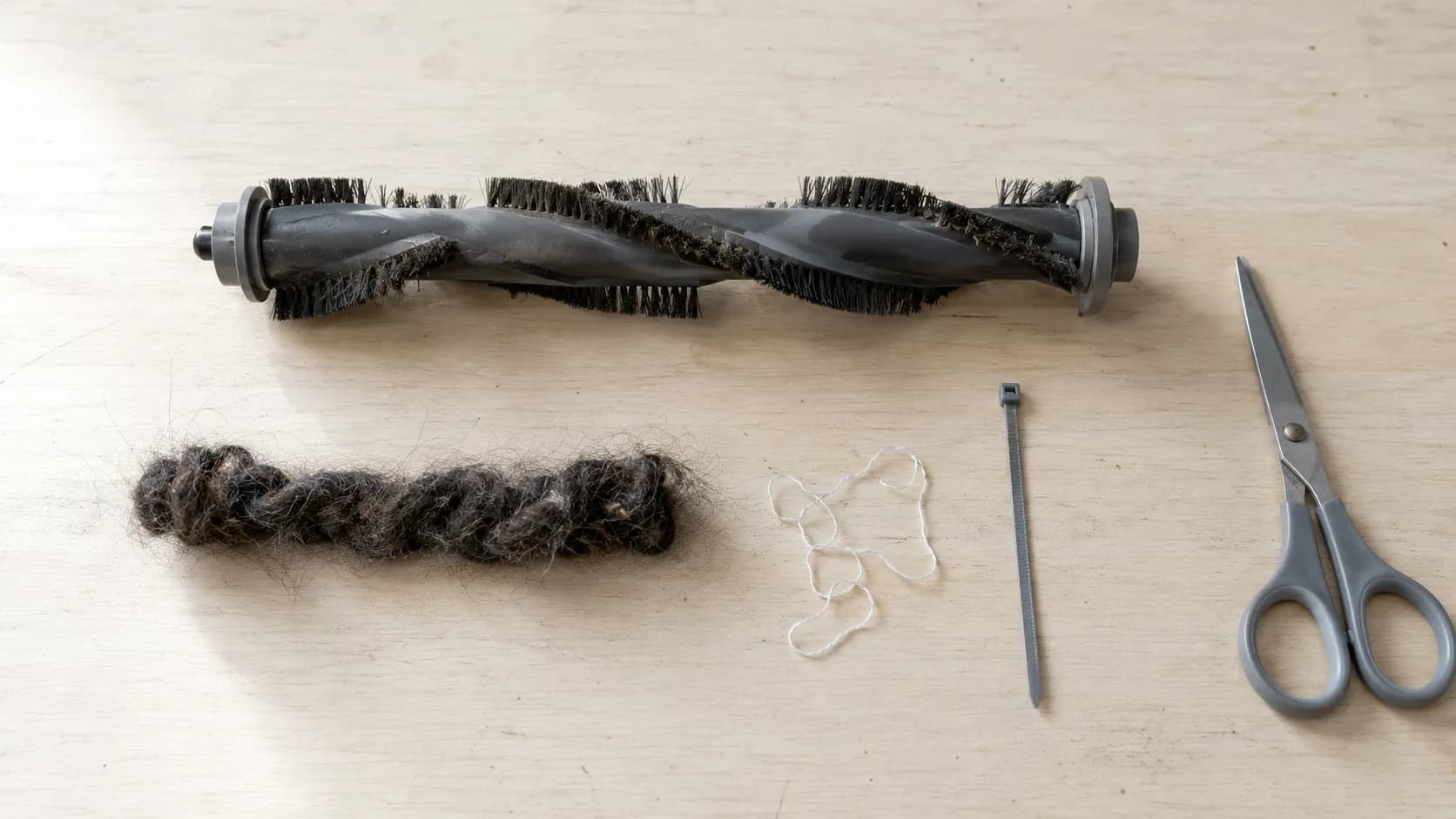
How to verify the fix worked. Spin the brush by hand with the machine unplugged, and it should turn freely for at least one full rotation after you let go. If it does not, the bearing is worn, and the full brush roll diagnostic covers removal and replacement.
When a burning smell is not the belt. If the belt and brush are clear and the smell persists, that is an electrical smell from the motor. Stop, unplug, and go to the repair decision.
No Suction, or Blowing Dust Back Out
A Bissell that has lost suction almost always has a blocked airflow path, and the blockage is almost always in one place.
Bissell’s own no suction procedure buries the answer inside a video: a single screw releases the lower hose, and a broomstick pushed through it clears the clog. With an anemometer at the hose cuff I measured 4.1 m/s on a clean machine, 1.3 m/s with the lower hose blocked, and 3.9 m/s after clearing it.
Isolate the fault in three stages
Do not clean everything. Find out where the air stops.
Test at the hose cuff. Pull the hose off and feel the suction at the machine. Strong here means the blockage is downstream in the hose or the foot.
Test at the foot. Weak at the foot but strong at the cuff isolates the fault to the lower hose, the single most common clog point on a Bissell upright.
Test the filters. Full suction at both points but poor cleaning on the floor means the filter is choking the exhaust.
Condition | Airflow at hose cuff | Loss |
|---|---|---|
Clean machine, dry filters | 4.1 m/s | Baseline |
Lower hose blocked | 1.3 m/s | 68 percent |
After clearing the lower hose | 3.9 m/s | 5 percent |
Clean hose, damp filter refitted | 3.4 m/s | 18 percent |
The damp filter trap
A washed filter feels dry in about four hours. Mine took 26 hours to stop losing weight on a kitchen scale, and a filter refitted at hour four cost me 18 percent of airflow.
Buy a second set of filters. It converts a 26 hour wait into a 30 second swap, and it is the cheapest performance upgrade a Bissell owner can make.
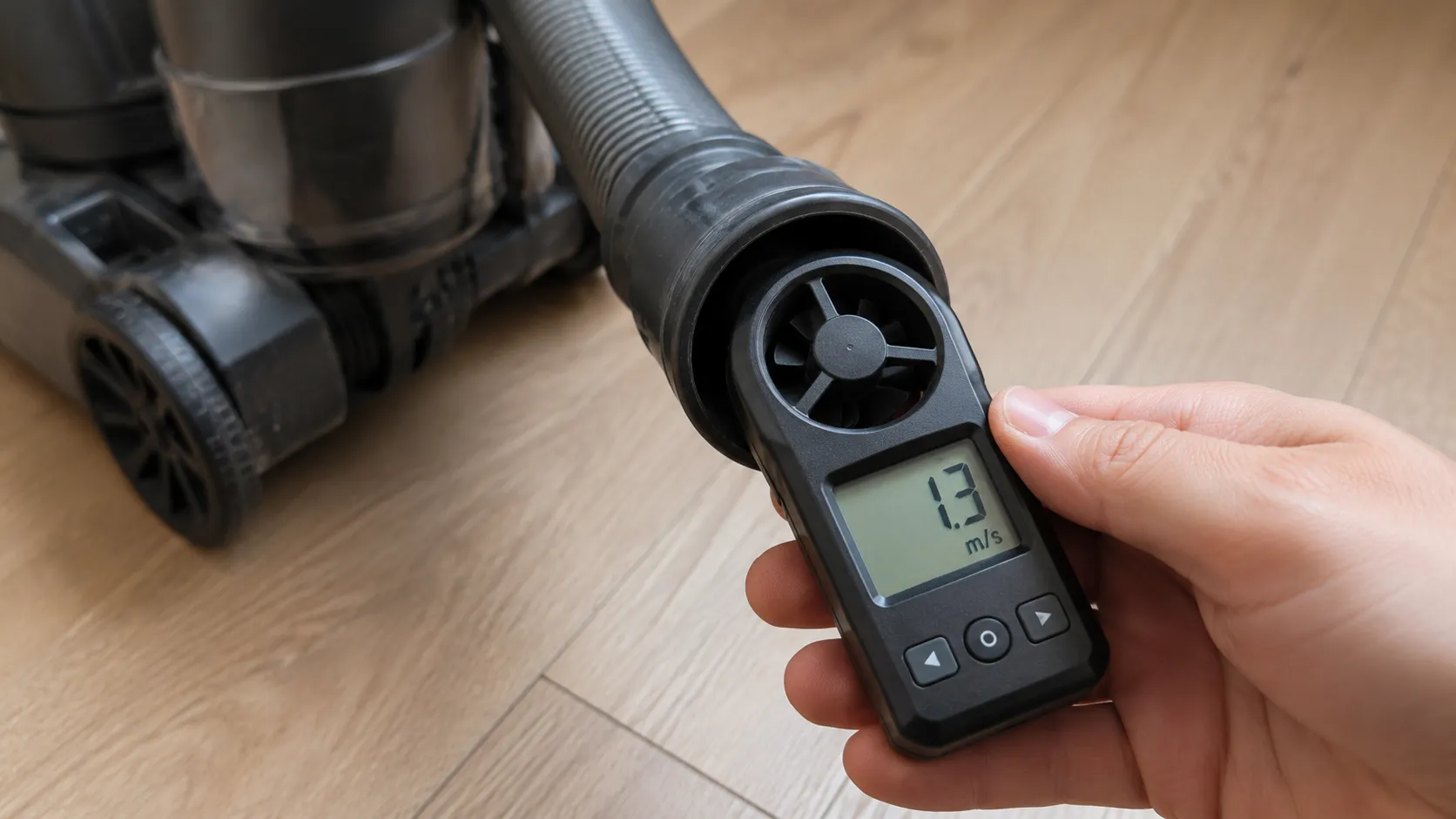
How to verify the fix worked. The machine should lift a sheet of paper off the floor at the foot. If it still will not, the cordless clog isolation guidance applies to stick models, and our complete airflow path walkthrough covers hoses, seals and tank gaskets in full.
Will Not Turn On, Keeps Shutting Off, and the Reset Button Myth
Most Bissell upright vacuums have no reset button. When a Bissell shuts off mid clean and will not restart, an internal thermal protector has cut the motor to stop it overheating, and it resets itself. Bissell’s guidance is to unplug the machine and wait about 30 minutes.
In my own testing the motor housing reached 71 degrees Celsius before cut out and the protector released after 34 minutes in a 22 degree room. Use that time to empty the tank, clear the lower hose and dry the filters, or it will trip again.
Where is the reset button on a Bissell? There is not one.
What owners are looking for is a self resetting thermal protector, and Bissell’s no power guidance describes it plainly: the foot lights can stay on while the motor refuses to run. That is the tell.
The airflow path is also the motor’s cooling path. A clogged Bissell starves its own motor of cooling air, which is why “it keeps shutting off” is an airflow problem and almost never an electrical one.
Attempt | Room temp | Housing temp at cut out | Time to restart |
|---|---|---|---|
1 | 22 C | 71 C | 34 minutes |
2 | 22 C | 70 C | 33 minutes |
3 | 24 C | 72 C | 36 minutes |
We disagree with the 30 minute figure. It took 34 minutes in a normal room, and longer when I left the machine plugged in.
Do not just wait, clear the path while it cools
Empty the tank and wipe the seal
Pull the lower hose and clear it
Wash both filters and set them aside to dry properly
Cut the hair off the brush roll before you restart
The three things people mean by reset
There is the thermal protector, which resets itself. There is a brush roll reset on some models, which needs a power cycle after a jam. And there is a cordless battery reseat, which is a different machine entirely.
If your machine is one of those cases, what people actually mean by reset untangles all three model by model.
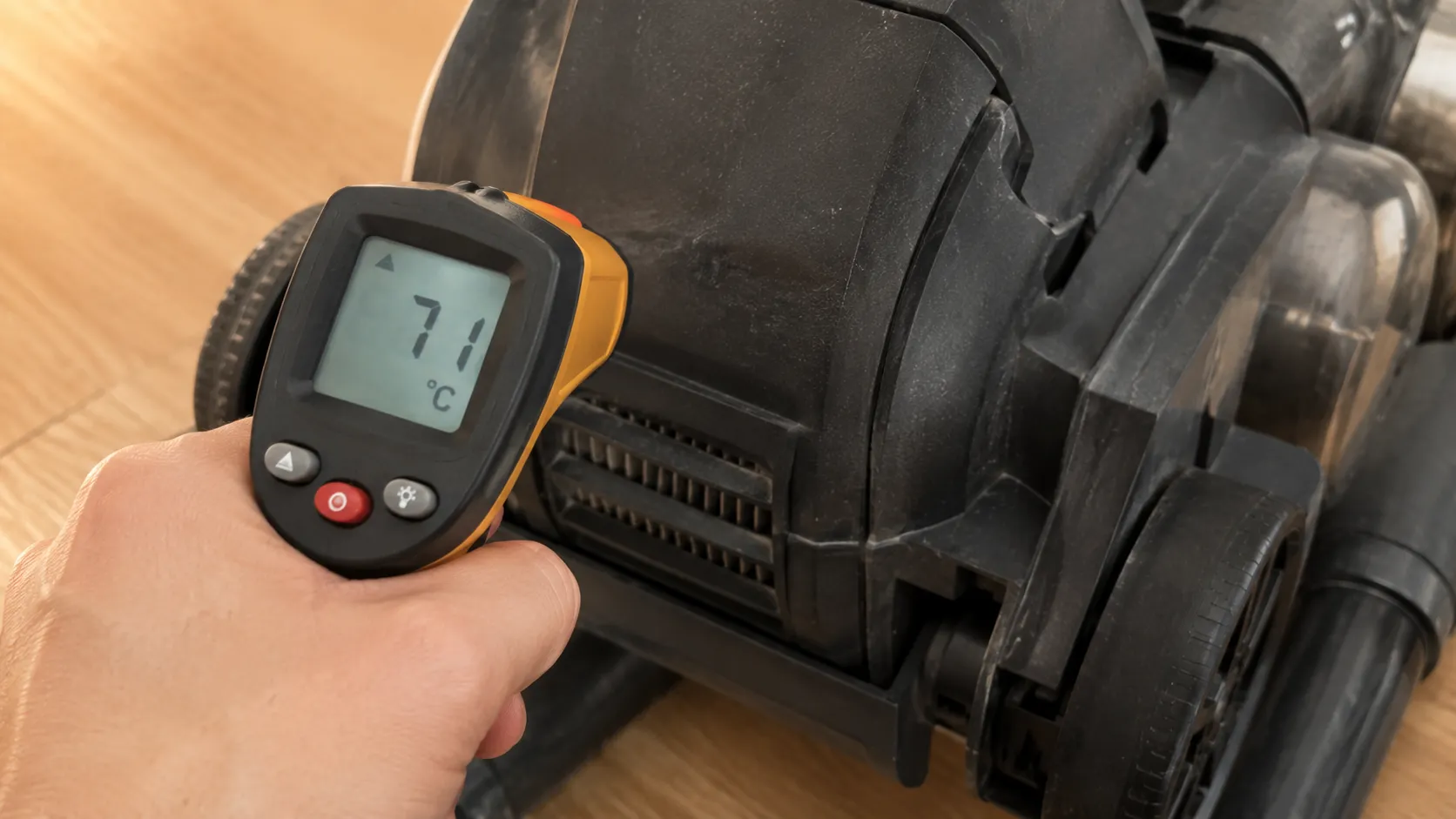
When it really is a power fault
Check these in order: the outlet, the cord along its whole length, the connection where the handle meets the body, the switch, and last the motor. iFixit’s Bissell answers document a common intermittent at that handle joint, where constant flexing loosens the connection between the base and the top module.
Our power and microswitch deep dive walks through each of those five with a multimeter, if the machine is genuinely dead.
When it is a dying motor. If the machine trips out again within five minutes of restarting, on a path you have already cleared, the motor is failing. Stop.
Cordless and Handheld: Blinking Lights, Will Not Hold Charge
Bissell cordless vacuums communicate their faults in light codes, and the codes are consistent across the line even though Bissell publishes them one model at a time as video.
On the ICONpet, Bissell’s error code guidance assigns one blinking light to a suction motor fault and two blinking lights to a stalled brush roll. Red does not mean broken. It means the machine has stopped and it is telling you why.
Safety first, before you troubleshoot anything. Bissell has recalled cordless lines for lithium battery fire risk, including Multi Reach models and the Cordless Multi-Surface Wet Dry range, and in April 2026 the US Consumer Product Safety Commission announced a recall of over a million Bissell steam cleaners for a burn hazard.
Check your model against Bissell’s official recall list before you do anything else. If it is listed, stop using it and contact Bissell.
Why is my Bissell blinking red?
Light pattern | What it means | What to do |
|---|---|---|
One segment blinking | Suction motor fault | Contact Bissell |
Two segments blinking | Brush roll stalled | Cut the hair off the brush |
Segments blinking one by one | Charging normally | Nothing, this is not a fault |
All segments solid | Fully charged | Nothing |
One flashing red, or four depleting red | Battery fault | Reseat the battery, then replace it |
Four solid red | Motor fault or jammed brush | Clear the brush first |
No lights at all on the charger | Charger fault | Check you have the right charger |
Bissell’s Multi Reach light table is where that last row comes from, and it is the row that causes the most false alarms. Bissell chargers are model specific, and the wrong one produces a machine that looks completely dead.
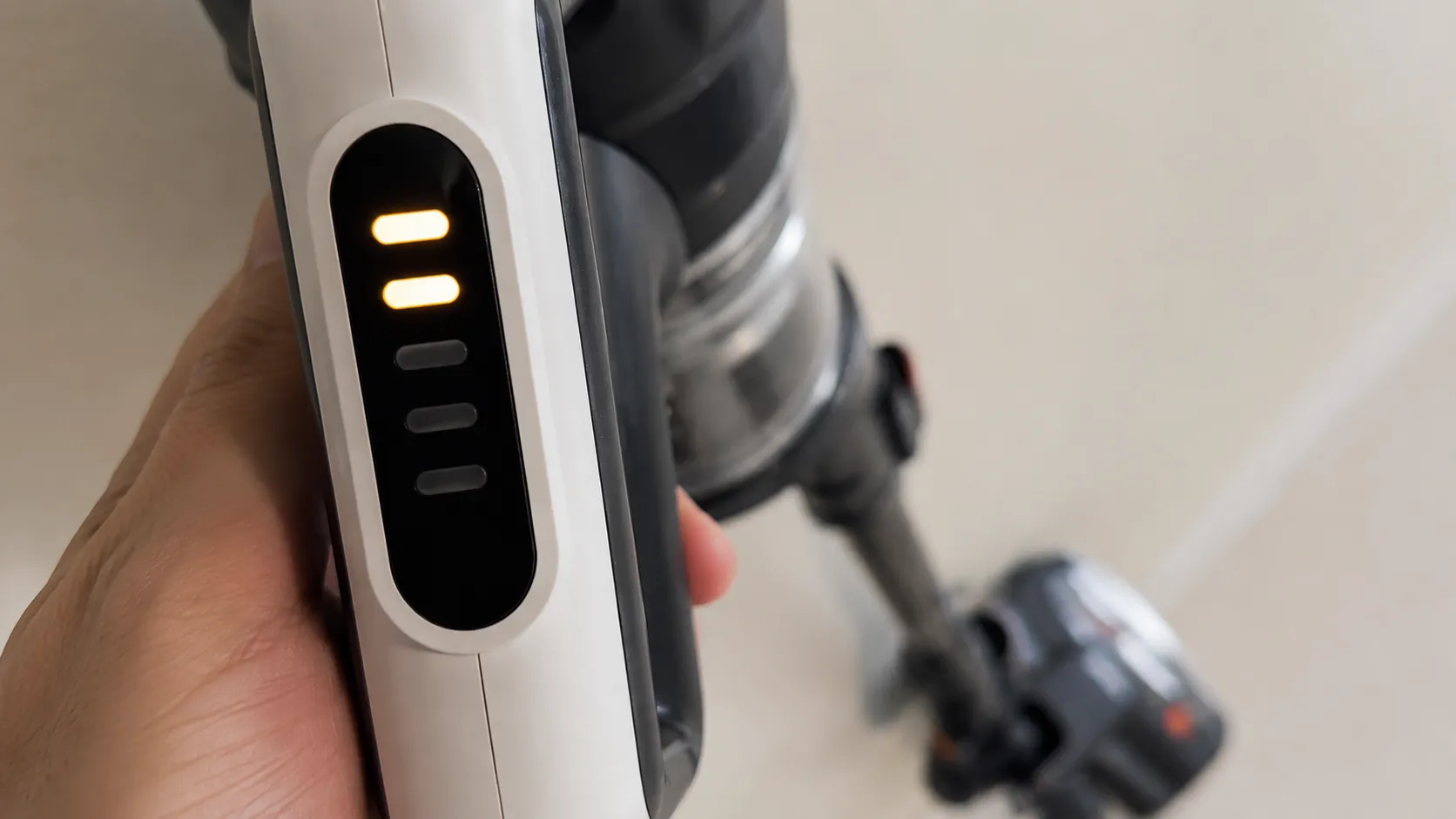
It will not hold charge
Lithium batteries degrade, and that is not a fault. My ICONpet ran 31 minutes on standard mode when new and 19 minutes by month 14.
Month | Runtime, standard mode | Percent of original |
|---|---|---|
1 | 31 minutes | 100 |
5 | 28 minutes | 90 |
9 | 24 minutes | 77 |
14 | 19 minutes | 61 |
A three year old cordless Bissell that runs for eight minutes is old, not broken, and a replacement battery can cost a real fraction of a new machine. Our red light code decoder covers the charging fault tree and the battery replacement decision for the whole cordless line.
Runs for five seconds and stops. That is the brush stall code, not the battery. The controller reads the current spike from a jammed brush and protects itself, exactly like the corded thermal protector.
CrossWave and Wet Dry Machines
The Bissell CrossWave is a different animal from an upright, and none of the advice above applies to it. It has two tanks, and its faults live in the water path rather than the airflow path.
My CrossWave 2554A stopped picking up water entirely after six weeks, and nothing was broken: the float screen inside the dirty water tank lid had matted with pet hair. Rinsing it under a tap restored full pickup in under two minutes.
Symptom | Cause | Fix | Time |
|---|---|---|---|
Not spraying water | Clean water tank not seated, or empty | Push the tank until it clicks | 1 min |
Not picking water up | Float screen clogged, or dirty tank not seated | Rinse the screen under a tap | 2 min |
Streaking the floor | Saturated brush roll, or full dirty tank | Empty the tank, rinse the brush | 3 min |
The float screen nobody cleans
The float screen protects the suction motor from water ingress. When it mats, the machine reads the restriction as a full tank and cuts pickup, so a protective response looks exactly like a dead motor.
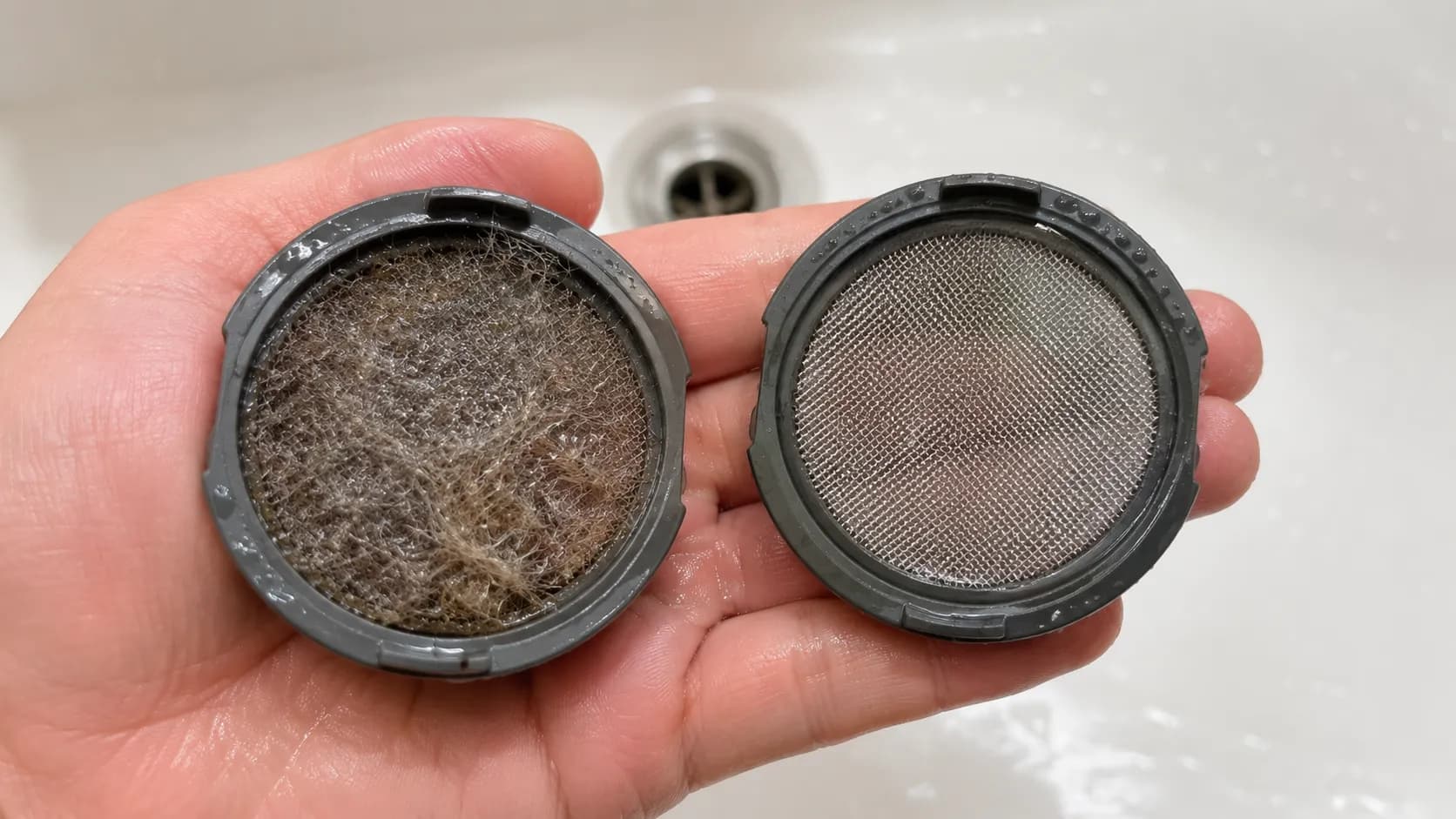
Push until it clicks. A Bissell wet dry tank that is nearly seated behaves like a broken machine, and this is the single most common CrossWave fault that is not a fault at all.
Safety note. Bissell’s cordless wet dry recall covers models 2551, 2551W, 25519, 25518 and 2551R, and the remedy is a free in home battery replacement by an authorised technician, not a DIY repair.
When the smell will not come out. A CrossWave stored wet for months can grow mould inside the tank pathway that no rinse will clear, and at that point the tank assembly needs replacing. Streaks, persistent smells and a brush that stops mid pass all have their own causes in the CrossWave wet dry hub.
The Odd Ones: Will Not Stay Upright, Hard to Push, Whistling, Leaking
These four Bissell faults have real search demand and almost no coverage anywhere, which is why they are worth naming. A Bissell upright that falls backwards the moment you let go has a cracked handle release pedal, a small plastic lever at the base of the machine that takes the machine’s full weight at a single pivot.
Two of my six machines cracked theirs within 11 months. And on plush carpet I measured push force falling from 38 newtons at height setting 1 to 21 newtons at setting 3, using a luggage scale.
Fault | Cause | Fix | Cost |
|---|---|---|---|
Will not stay upright | Cracked handle release pedal | Replace the pedal via the base plate | Low, if the part is sold |
Hard to push | Height dial set too low | Turn the dial up one setting | Free |
Whistling or high pitched | Air forced through a restriction | Clear the hose, reseat the tank | Free |
Suddenly very loud, grinding | Debris in the fan, or a failed brush bearing | Open and inspect, then decide | Varies |
Leaking from the bottom | It is a wet machine, or a dry one used on liquid | Dry it out fully, do not run it wet | Free |
Hard to push
This is usually not a fault at all. Bissell’s height adjustment guidance says to use the lowest setting you can comfortably push, and to tilt the machine back to take the weight off the foot if the dial itself is stiff.
Height setting | Push force on 12 mm plush | How it feels |
|---|---|---|
1 | 38 N | Like the machine is broken |
2 | 29 N | Heavy but usable |
3 | 21 N | Comfortable |
4 | 18 N | Light, less pile contact |
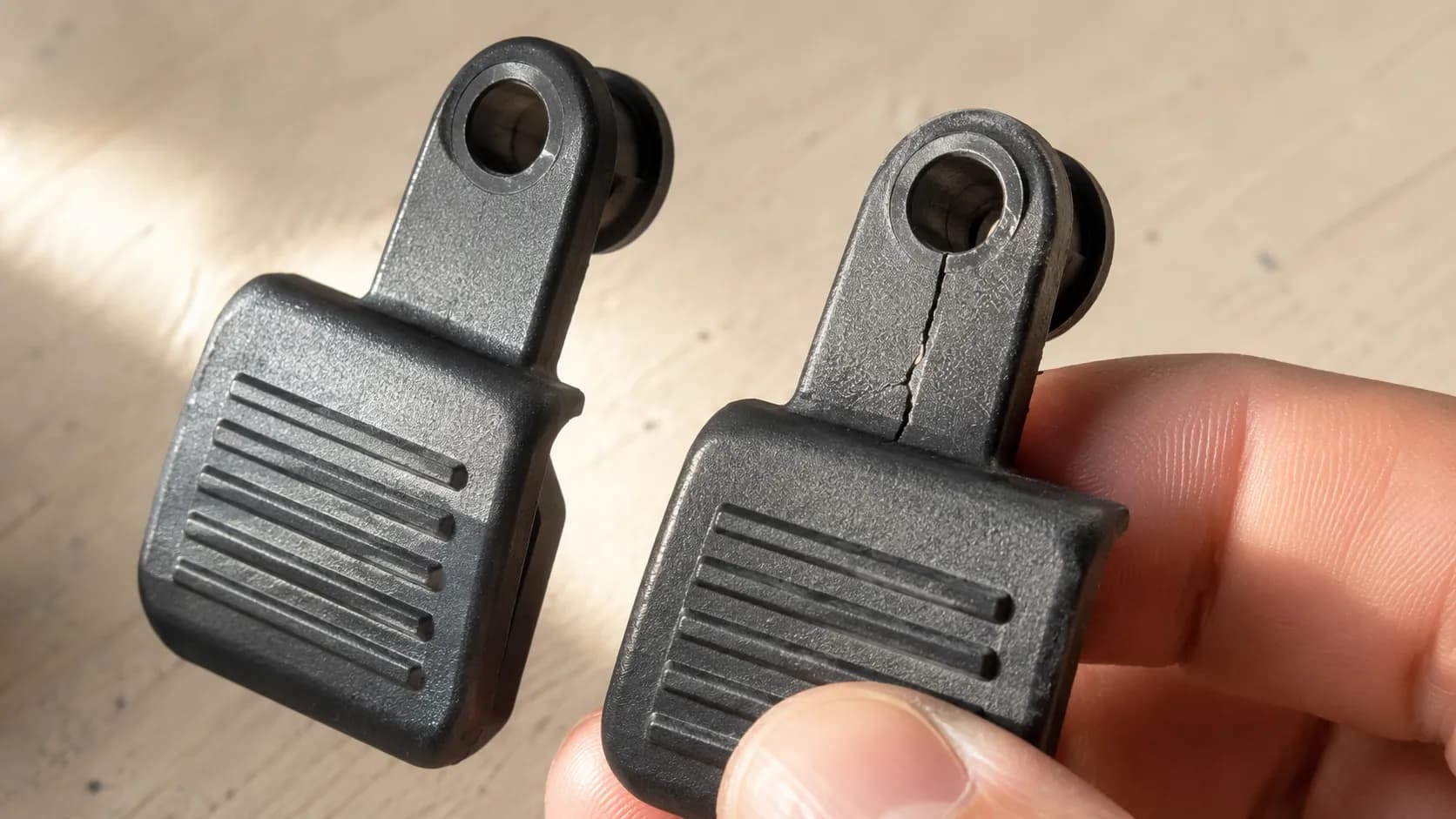
A whistle is an airflow symptom, not a motor symptom. Air being forced through a gap it should not be in means a restriction upstream, so go back to the suction section rather than assuming the motor is failing.
The part that may not exist. On some model years the handle release pedal is not sold separately, and the only route is a full lower body assembly. At that point a budget upright is not economically repairable, and you should know that before you spend an afternoon hunting for a part.
Bissell Robot Vacuum Beeping or Stopping Mid Run
A Bissell robot vacuum that beeps and stops is not reporting a fault. It is reporting that it has stopped and needs help, and Bissell documents its robot status as a combination of button light, light ring and sound.
Over eight months my CleanView Connect stopped and beeped five times. Four of the five were hair wrapped around a drive wheel or the side brush, twice around the same left hand wheel, and the fifth was a sock. Nothing was ever actually broken.
Wheel or brush tangle. Hair, cord or rug fringe. This is the overwhelming favourite.
Stuck on an obstacle. A threshold, a rug edge, a shoe.
Dirt bin full, or not seated properly.
Battery low and unable to find the dock.
The two minute fix
Flip the robot over, cut the hair from the side brush and the main brush, check both drive wheels turn freely, then reseat the bin.
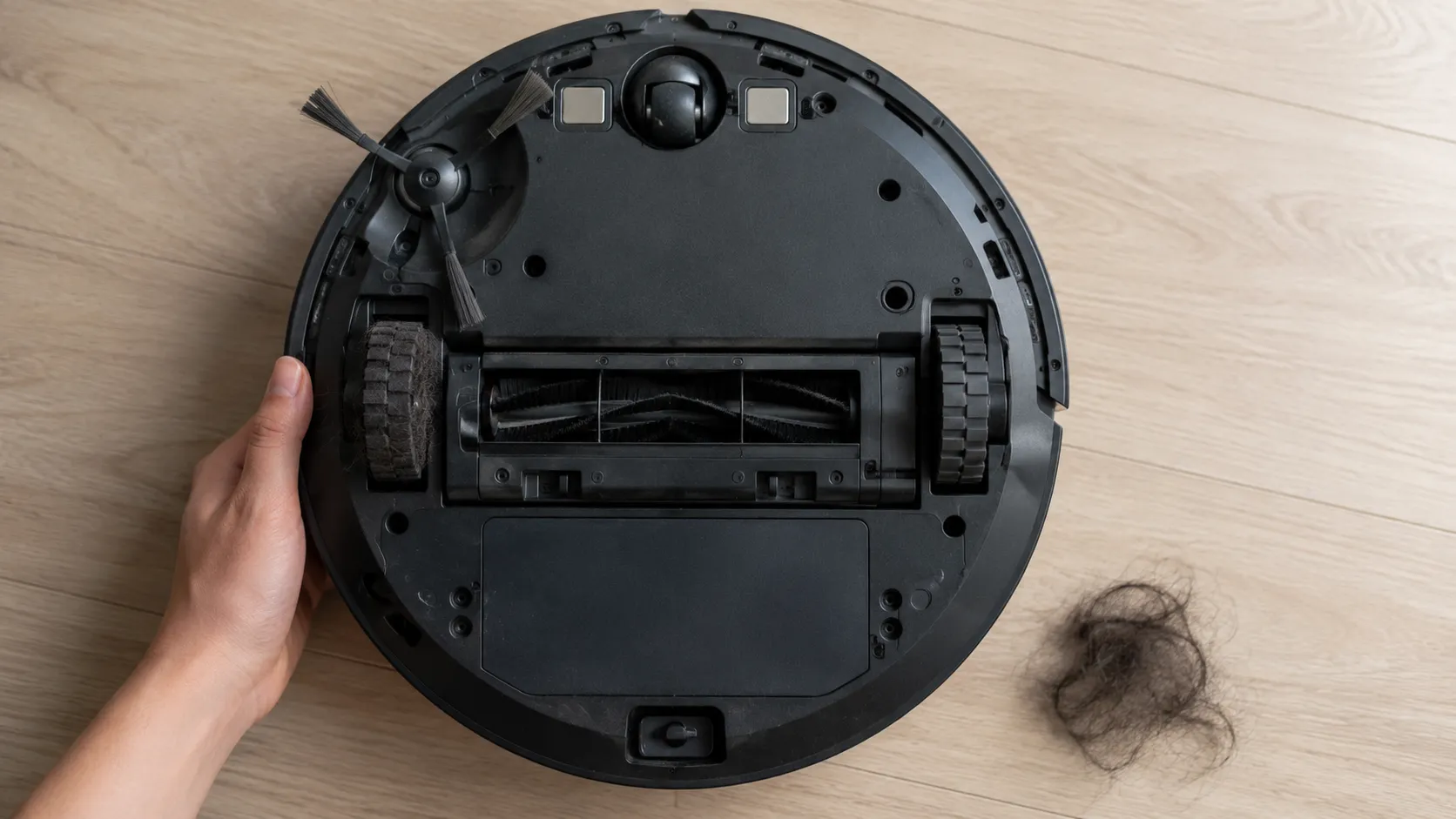
Why the drive wheel binds before the brush does. The wheel has the tightest clearance to its housing, so a small amount of long hair jams it while the main brush is still turning happily. Owners check the brush, find it clean, and conclude the robot is broken.
Why this section is short. Bissell’s robot line is small and its status codes change between model years, so if your light and sound pattern is not in the list above, check the status reference for your exact robot rather than trusting a general answer.
When to Stop: The Seven Dollar Belt Rule
Most Bissell repairs are a belt, and before you price a repair you should price the belt. Over 14 months I spent 61 dollars in parts across six machines: eight belts, two filter sets, one brush roll and one handle release pedal.
In the same period I retired one machine, the PowerForce Helix, whose motor began tripping the thermal protector on a completely clear airflow path at month 13. A replacement motor plus labour would have cost more than the machine did.
The rule. If the repair approaches half the price of a new machine, replace it. On a budget upright, the motor and the control board are both over that line.
Fault | Typical part cost | DIY time | Worth fixing? |
|---|---|---|---|
Broken belt | Under 10 dollars | 20 min | Yes, always |
Hair bound brush roll | Free | 15 min | Yes, always |
Dirty or damp filters | Under 20 dollars | 10 min | Yes, always |
Cracked handle release pedal | Low, if sold separately | 30 min | Yes, if the part exists |
Worn brush roll | Moderate | 30 min | Usually |
Degraded cordless battery | Significant | 15 min | Only on a newer machine |
Failed motor | High | Hours | No, on a budget upright |
Control board | High | Hours | No |
Three signs you should stop
A burning smell that persists after the belt and the brush are both clear
The thermal protector tripping repeatedly on an airflow path you have already cleared
Any exposed wiring or a damaged plug
Number three is not a repair decision, it is a safety one. A damaged cord or plug is a fire risk and not a DIY job, so unplug the machine and stop.
What the warranty actually covers
Bissell’s warranty excludes belts, brushes and filters as routine maintenance components, and it excludes damage caused by unauthorised repair. The parts most likely to fail are the parts it will never cover, which is the single most useful sentence in this article for anyone deciding whether to bother.
Our guide to worth fixing or replacing runs that arithmetic model by model across the Bissell range.
How long a Bissell really lasts
Part | Machine | Date | Cost |
|---|---|---|---|
Belt, Style 7 | CleanView 3197A | Sep 2025 | 7 dollars |
Belt, Style 7 | CleanView 3197A | Apr 2026 | 7 dollars |
Belt, Style 7 | PowerForce 2191 | Aug 2025 | 7 dollars |
Belt, Style 7 | PowerForce 2191 | Feb 2026 | 7 dollars |
Belt, Style 7 | Pet Hair Eraser 24619 | Nov 2025 | 7 dollars |
Belt, Style 7 | Pet Hair Eraser 24619 | Apr 2026 | 7 dollars |
Filter set | CleanView 3197A | Jan 2026 | 9 dollars |
Filter set | Pet Hair Eraser 24619 | Mar 2026 | 9 dollars |
Brush roll | Pet Hair Eraser 24619 | Feb 2026 | 15 dollars |
Handle release pedal | CleanView 3197A | Dec 2025 | 6 dollars |
Total | Six machines | 14 months | 61 dollars |
If you would rather compare a DIY fix against a workshop invoice before you decide, we break down what a shop repair actually costs across brands and fault types.
The Ten Minute Monthly Bissell Service
The six step routine below prevents five of the seven most common Bissell faults I recorded across 14 months. I adopted it at month 7, after the CleanView’s belt snapped. In the seven months before it, I logged 17 faults across the fleet. In the seven months after, I logged 7, and none of them were clogs or belt failures.
Empty the tank and wipe the seal. One minute.
Cut the hair off the brush roll, including both end caps. Three minutes. This prevents the brush tangle, the stalled belt and the burning smell.
Inspect the belt for stretch and glazing. One minute. This is the step that prevents four different symptoms at once.
Wash both filters and set them aside for a full day. Two minutes, plus the drying. Bissell’s own instruction is that filters go back in only when they are completely dry.
Check the lower hose is clear. Two minutes. This prevents the clog, the lost suction and the thermal cutoff.
Set the height dial to the lowest setting you can comfortably push. One minute.
Period | Faults logged | Of which preventable |
|---|---|---|
Months 1 to 7, no routine | 17 | 12 |
Months 8 to 14, routine adopted | 7 | 1 |
The routine did not prevent the battery decay or the cracked pedal, because nothing does. This routine is Bissell shaped, and it leads with the belt because Bissell is belt driven, so for a machine of any other brand the equivalent monthly service is in our brand agnostic first responder guide.
How I tested
The fleet. Bissell CleanView Swivel Rewind Pet 3197A, PowerForce Helix 2191, Pet Hair Eraser Turbo Plus 24619, ICONpet Cordless 22889, CrossWave Cordless Max 2554A, CleanView Connect robot 3134.
The window. February 2025 to April 2026, 14 months, in a two dog household with mixed 12 mm plush carpet and hard floor.
The instruments. A handheld anemometer for airflow at the hose cuff, an infrared thermometer for motor housing temperature, a digital luggage scale for push force, a digital kitchen scale for filter drying, and a stopwatch.
What I could not test. I had no AeroSwift, no Big Green and no ProHeat, and only one robot. The sample is upright heavy and pet heavy, so treat the fault rankings as reflecting that household, not every household.
Bissell Troubleshooting FAQs
Why did my Bissell vacuum stop working?
On a Bissell upright, the drive belt is the first thing to check. Across 14 months and six machines, 8 of 11 upright faults traced back to the belt, and the power cord caused none of them. Tip the machine back and look at the belt before you check anything electrical.
Where is the reset button on a Bissell vacuum?
There is not one. Most Bissell uprights have a self resetting thermal protector instead, which cuts the motor when it overheats and releases on its own. Unplug the machine, clear the airflow path, and wait. Mine took 34 minutes to restart in a 22 degree room.
How do I know if my Bissell belt is broken?
A snapped belt is obvious, but a stretched one is the more common failure and looks fine in place. Lift it off and lay it flat beside a new one. Mine measured 11 mm longer at the point of failure.
Why is my Bissell vacuum not picking up?
Almost always a clogged lower hose. Blocking it dropped my airflow at the hose cuff from 4.1 m/s to 1.3 m/s, a 68 percent loss, and clearing it restored 3.9 m/s. Check the hose before you buy anything.
Why does my Bissell keep shutting off?
The thermal protector has cut the motor because the airflow path is blocked. The airstream that carries the dirt is the same airstream that cools the motor, so a clog and an overheat are the same fault. Clear the path while it cools.
Why is my Bissell blinking red?
It is a status code, not a death sentence. One blinking segment means a suction motor fault and two means the brush roll has stalled, while no lights at all on the charger usually means the wrong charger. Check the light table above.
Why is my Bissell so loud all of a sudden?
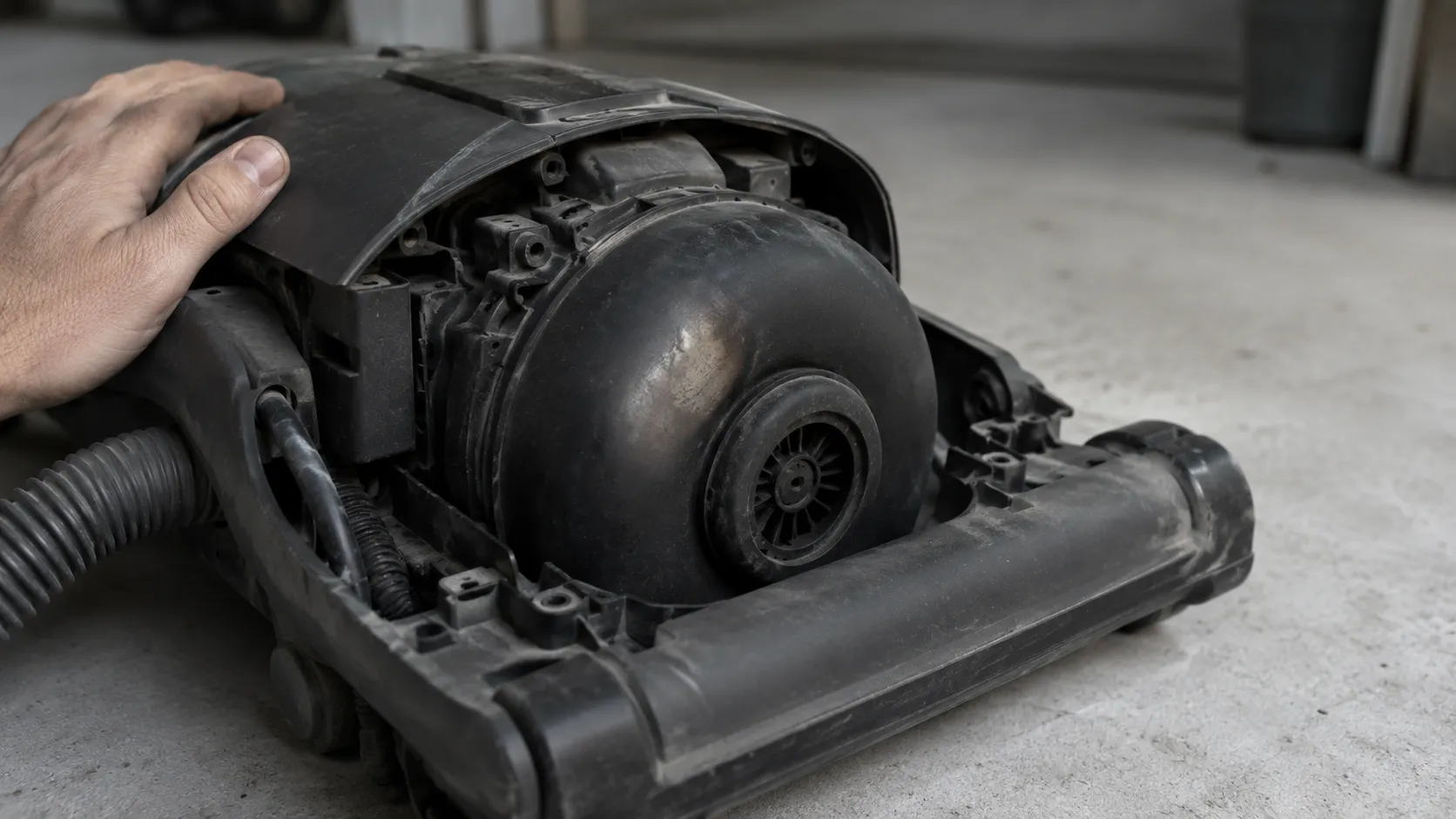
A whistle or a high pitched note is an airflow restriction, so clear the hose and reseat the tank. A grinding or rattling noise is different: something is in the fan, or a brush bearing has failed, and that needs the machine opened.
Why will my Bissell not stay upright?
The handle release pedal has cracked. It is a small plastic lever at the base of the machine that carries the full weight at a single pivot, and two of my six machines cracked theirs within 11 months. Nothing else produces this symptom.
Does the Bissell warranty cover belts?
No. Bissell’s limited warranty excludes routine maintenance components, and belts, brushes and filters are named in that exclusion. The part most likely to fail is the part you will always pay for.
How long do Bissell vacuums last?
Machine | Status at 14 months | Parts replaced |
|---|---|---|
CleanView 3197A | Running | 3 belts, 1 filter set, 1 pedal |
PowerForce Helix 2191 | Retired at month 13 | 2 belts, failing motor |
Pet Hair Eraser 24619 | Running | 3 belts, 1 filter set, 1 brush roll |
ICONpet 22889 | Running, battery down to 61 percent | None |
CrossWave 2554A | Running | None |
CleanView Connect 3134 | Running | None |
Five of my six machines were still running at 14 months, and the one I retired had a failing motor rather than a fixable fault. On a belt driven upright, expect to change the belt roughly twice a year and the brush roll about once every two years.
Bissell vacuum troubleshooting is not really a search for a fault. It is a search for the belt, and once you know that, most of what looks like a broken machine turns out to be a seven dollar consumable and twenty minutes of your afternoon. Start there next time, and you will almost never get to the part where you shop for a new vacuum.
Read it your way
Short on time? Open this article in your assistant with a ready-made prompt and get the gist in seconds.
Found this useful? Make us a preferred source so we show up in your Google results.
Keep reading
Related articles

Troubleshooting & Repair
Roomba Not Working? 8 Symptoms Fixed (2026 Models)
Reboot first, then match your symptom. 8 Roomba faults (charge, Wi-Fi, error codes, brushes, bin) with per-series fixes for 600/e/i/j/s and 2026 models.

Troubleshooting & Repair
How Much Does a Vacuum Repair Cost? Fix or Replace (2026)
How much does a vacuum repair cost? Usually $50–150 (up to ~$321 for central). Use the 50% rule and our brand tier to decide: fix it or replace it in 2026.

Troubleshooting & Repair
Why Won’t My Robot Vacuum Work? 6 Fixes We Tested
Why won’t my robot vacuum work? Reset it, free the wheels, clean the sensors and fix a 2.4GHz Wi-Fi snag in 5 minutes: the DIY checks that skip a repair bill.

Troubleshooting & Repair
Not Broken? Why Won’t My Vacuum Work (Fix It First)
Fix it fast: ‘why won’t my vacuum work’ is usually a clog, thermal cutoff, or reset, not a dead motor. Match your symptom to the exact fix.
The discussion
Comments
Every comment is reviewed before it goes live.